Eternal Sonata (PS3) - Game SONY - Free user manual and instructions
Find the device manual for free Eternal Sonata (PS3) SONY in PDF.

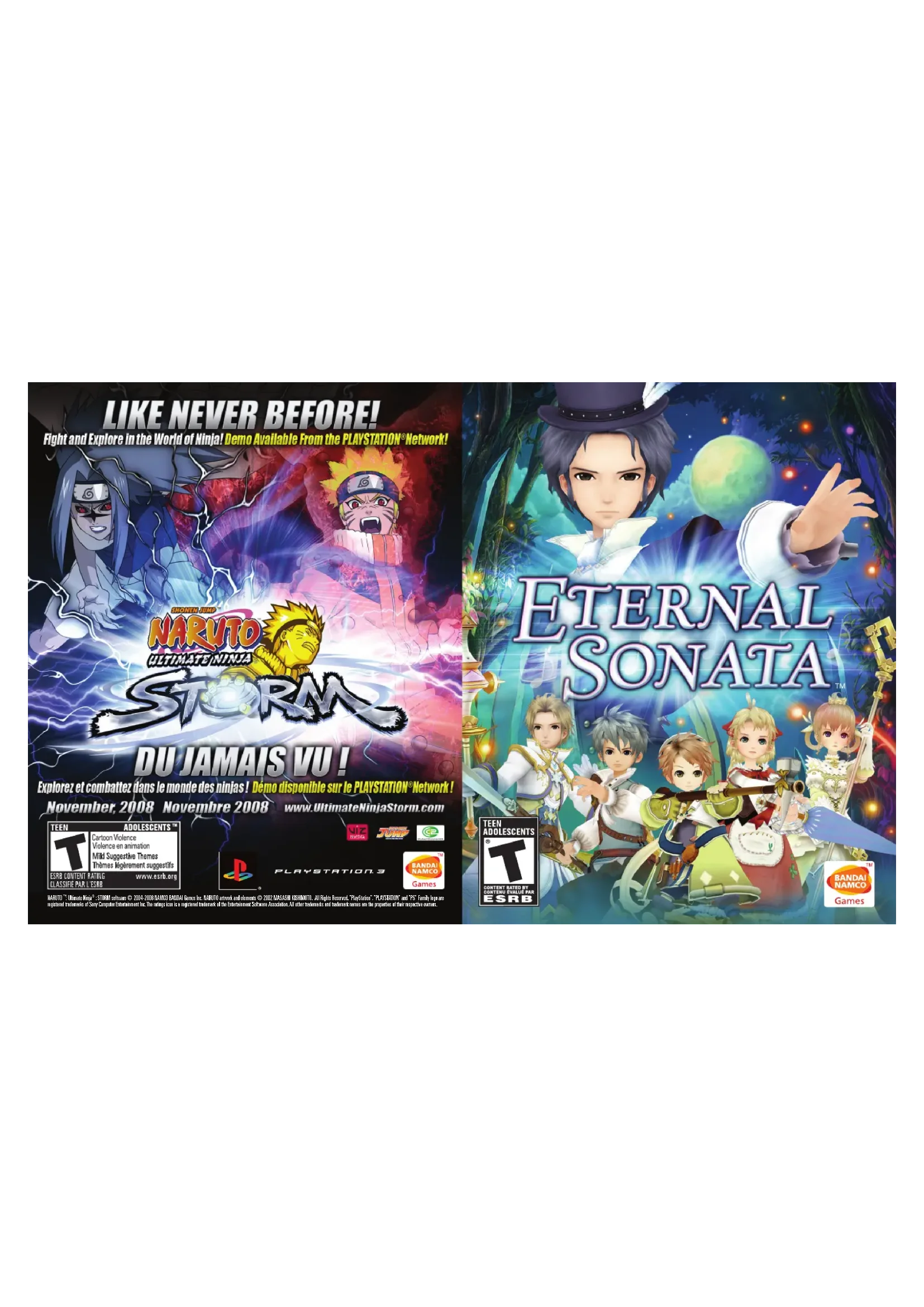

| Product type | Video game |
| Platform | PlayStation 3 |
| Publisher | NAMCO BANDAI Games America Inc. |
| Genre | Role-playing game (J-RPG) |
| Available languages | French, English |
| Number of players | 1 to 3 |
| Required save space | 3248 KB minimum |
| Disc format | PS3 Blu-ray Disc |
| Epilepsy warning | Yes |
| Disc cleaning | Soft lint-free cloth, from center to edge |
| Storage precautions | Avoid direct light, radiator, heat sources |
| Power supply | Via PlayStation 3 console |
| Warranty period | 90 days |
| Customer service | NAMCO BANDAI Games America Inc. - (408) 235-2222 |
| Main features | Real-time combat, light/dark special attacks, echo system, enemy photography |
| Game modes | Story, multiplayer combat (up to 3) |
| Special features | Music sessions, costume changes, score fragments |
| Basic controls | Left stick for movement, X button for action, O button to cancel |
| Save points | Resume points in towns and dungeons |
| Maximum number of photos | 12 |
Frequently Asked Questions - Eternal Sonata (PS3) SONY
User questions about Eternal Sonata (PS3) SONY
0 question about this device. Answer the ones you know or ask your own.
Ask a new question about this device
Download the instructions for your Game in PDF format for free! Find your manual Eternal Sonata (PS3) - SONY and take your electronic device back in hand. On this page are published all the documents necessary for the use of your device. Eternal Sonata (PS3) by SONY.
USER MANUAL Eternal Sonata (PS3) SONY
A very small percentage of individuals may experience epileptic seizures or blackouts when exposed to certain light patterns or flashing lights. Exposure to certain patterns or backgrounds on a television screen or when playing video games may trigger epileptic seizures or blackouts in these individuals. These conditions may trigger previously undetected epileptic symptoms or seizures in persons who have no history of prior seizures or epilepsy. If you, or anyone in your family, has an epileptic condition or has had seizures of any kind, consult your physician before playing. IMMEDIATELY DISCONTINUE use and consult your physician before resuming gameplay if you or your child experience any of the following health problems or symptoms:
- dizziness - eye or muscle twitches - disorientation - any involuntary movement
- altered vision - loss of awareness - seizures or convulsion.
RESUME GAMEPLAY ONLY ON APPROVAL OF YOUR PHYSICIAN.
Use and handling of video games to reduce the likelihood of a seizure
- Use in a well-lit area and keep as far away as possible from the television screen.
- Avoid large screen televisions. Use the smallest television screen available.
- Avoid prolonged use of the PLAYSTATION®3 system. Take a 15-minute break during each hour of play.
- Avoid playing when you are tired or need sleep.
Stop using the system immediately if you experience any of the following symptoms: lightheadedness, nausea, or a sensation similar to motion sickness; discomfort or pain in the eyes, ears, hands, arms, or any other part of the body. If the condition persists, consult a doctor.
NOTICE:
Use caution when using the SIXAXISTM wireless controller motion sensor function. When using the SIXAXISTM wireless controller motion sensor function, be cautious of the following points. If the controller hits a person or object, this may cause accidental injury or damage. Before using, check that there is plenty of space around you. When using the controller, grip it firmly to make sure it cannot slip out of your hand. If using a controller that is connected to the PS3TM system with a USB cable, make sure there is enough space for the cable so that the cable will not hit a person or object. Also, take care to avoid pulling the cable out of the PS3TM system while using the controller.
WARNING TO OWNERS OF PROJECTION TELEVISIONS:
Do not connect your PLAYSTATION#3 system to a projection TV without first consulting the user manual for your projection TV, unless it is of the LCD type. Otherwise, it may permanently damage your TV screen.
HANDLING YOUR PLAYSTATION3 FORMAT DISC:
- Do not bend it, crush it or submerge it in liquids. - Do not leave it in direct sunlight or near a radiator or other source of heat. - Be sure to take an occasional rest break during extended play. - Keep this disc clean. Always hold the disc by the edges and keep it in its protective case when not in use. Clean the disc with a lint-free, soft, dry cloth, wiping in straight lines from center to outer edge. Never use solvents or abrasive cleaners.
GETTING STARTED
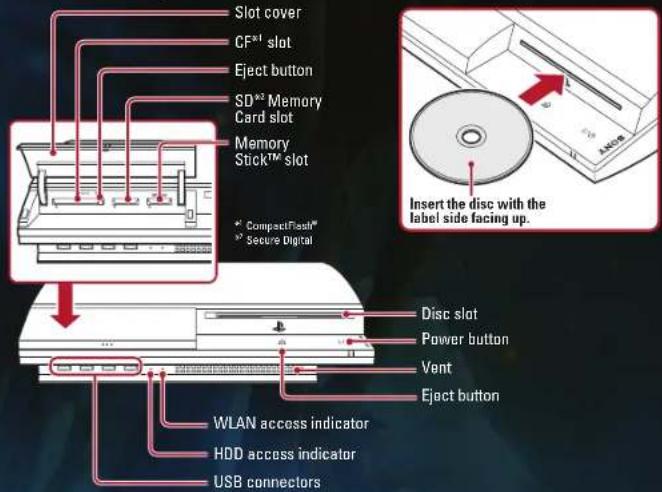
PLAYSTATION3 system front
Note: Some models of the PLAYSTATION®3 system do not include media slots. For specific features included, refer to the instructions for use of your model of the PLAYSTATION®3 system.
Starting a game: Before use, carefully read the instructions supplied with the PLAYSTATION®3 computer entertainment system. The documentation contains information on setting up and using your system as well as important safety information.
Check that the MAIN POWER switch (located on the system rear) is turned on. Insert the ETERNAL SONATA™ disc with the label facing up into the disc slot. Select the icon for the software title under [GAME] in the PLAYSTATION®3 system's home menu, and then press the button. Refer to this manual for information on using the software.
Quitting a game: During gameplay, press and hold down the PS button on the wireless controller for at least 2 seconds. Then select "Quit Game" from the screen that is displayed.

To remove a disc, touch the eject button after quitting the game.
Using the SIXAXISTM wireless controller (for PLAYSTATION3)
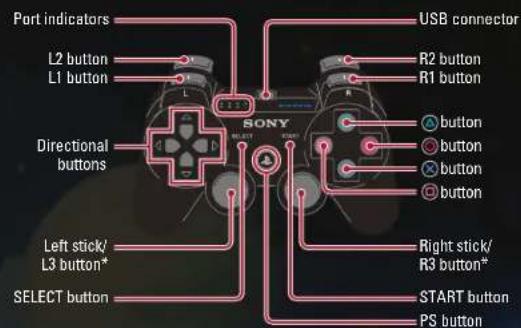
* The L3 and R3 buttons function when the sticks are pressed.
Note: To use the controller, you must first register or "pair" the controller with the PLAYSTATION3 system and assign a number to the controller. For details, refer to the instructions supplied with the system.
Saved data for PLAYSTATION®3 format software
Saved data for PLAYSTATION®3 format software is saved on the system's hard disk. The data is displayed under "Saved Game Utility" in the Game menu.
STARTING THE GAME
The Title Screen will be displayed when you start the game. Select a menu item by using the directional pad or the left stick and press the × button or the START button to confirm your selection.
NEW GAME
Start a new game from the beginning.
LOADING DATA
You can continue this game from a previously saved position. Select the data you wish to load by using the directional pad or the left stick and press the button to confirm your selection.
OPTIONS
You may change game settings here. The settings listed here are the same as the Options in the Main Menu, except for the Player Controls settings.
SAVING DATA
You can save your progress through the game at Save Points found in the field. Save your game by selecting Save in the Main Menu, or by pressing the Button at a Save Point. Saving the game will require at least 3246 KB of free space.
GAME CONTROLS
This section explains controls for each of the game's screens. For detailed control instructions, see the pages listed for each screen.
{FIELD SCREEN CONTROLS} see pgs.7-9
Left stick.(Push lightly) walk, (push all the way) run
button....Talk, examine (when you see a **), pcform an action (when you see a **), advance text (next window)
button.......Cancel
4button. .Display Main Mcnu
START button... .Pause, display Skip Menu (during events)
{MAIN MENU CONTROLS} see pgs. 10-17
Directional pad
Left stick. Choose menu item
念 button.. .Confirm
button.......Cancel, go back
button... Switch character order (Main Menu) Display Sort Menu (Item Screen)
L1 button / R1 button.......Change tab (Item Screen / Item Setting Screen / Music Scrcen)
Change page (Party Class Screen / Piano Music Screen / Settings Screen)
5
GAME CONTROLS
[BATTLE SCREEN CONTROLS] see pgs. 18-25
Left stick. (Push lightly) walk, (push all the way) run
button.....Attack (counterattack)
按钮....Defend
Button....Use item
4 button....Use special attack
L1 button/R1 button.....Select itcm,
(hold down both at the same time) run away
L2 button... Switch camera angle
R2 button. I Hold down to switch special attacks
L3 button...........................Skip action
START button.. .Pause
SKIPPING EVENTS
Pressing the START button during an event movie will bring up the Skip Menu. Select "Yes" if you'd like to skip the event movie or select "No" to continue watching the movie.
FIELD SCREEN
You can control the character to explore a variety of places in this screen. Talk to people in towns to gather information, or battle with monsters as you explore dungeons.
SCREEN DISPLAY
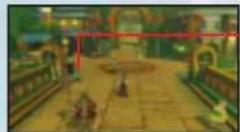
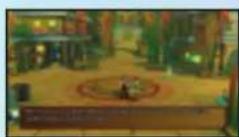
[TOWN]
SAVE POINT
You can save your progress in the game here.
While standing next to a save point, press the
念 button to display the selector.
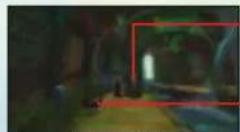
[DUNGEON]
TREASURE CHEST
Approach the treasure chest from the front and
press the × button to retrieve any items inside.
ENEMY
A battle will ensue if you come in contact with it.
TALK / SEARCH
Press the button while you are in front of a person, door, or other objects to talk or perform various actions.
FIELD SCREEN
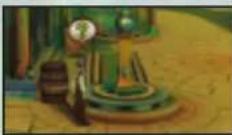
{ACTION SYMBOLS}
A "or" may appear when you stand in front of a sign, ladder, or other objects. These symbols mean that you can perform an action or examine something at that location. Press the button when these symbols appear. For example, you can grab onto a rope or ladder and climb up or down by moving the left stick. You can also jump If you find yourself stuck, look around for a place
SESSIONS
A Session can be performed with another individual when you are in possession of at least one Score Piece. Certain individuals found in towns and dungeons throughout the game are also in possession of a Score Piece. You will be evaluated on how well the Score Piece that you select to perform fits with the Score Piece held by the individual. You may win rare items depending on the result.
INNS
You can pay Gold to stay at an inn. This will heal the HP of all characters.
FIELD SCREEN
SHOPS
You can buy and sell items at shops. You can also sell Photos that you have taken during battle.
BUY ITEM: Purchase items
SELL ITEM: Sell items in your inventory
SFLL PHOTO: Sell photos taken during battle
{BUYING AND SELLING ITEMS}
Select an item using the directional pad or left stick, then set the number of items you wish to buy or sell. Press the × button to confirm.
ITEM NAME AND PRICE
CHARACTERS
Numbers in green indicate parameters that will increase after equipping that item. Numbers in red indicate parameters that will decrease after equipping that item. A character with the item equipped will have a check mark.
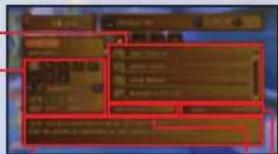
ITEM DESCRIPTION
IN POSSESSION
GOLD IN POSSESSION
{SELLING ENEMY PHOTOS}
Select a photograph by using either the directional pad or the left stick, and press the button to confirm. The selling price of the photo depends on several factors; such as if the entire subject is shown, how close the subject is, etc. Also, when there is a photographer in the shop, well-taken photographs can fetch a higher price than usual, but poor photographs will be purchased for a lower price.
MAIN MENU
Press the button at the Field Screen to display the Main Menu. You can select various menu items and change the characters who will fight in battles.
MENUSCREEN
Select a menu icon by using the directional pad or the left stick and press the button to display the associated menu. Refer to the appropriate page for information about each menu.
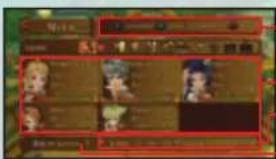
-MENU CONTROL.S (page 5-6)
CHARACTER (page 12-13)
Displays a simple status for each character.
-PLAY TIME / GOLD (page 18)
PARTY LEVEL (page 14)
Indicates the ability of the entire party.
SWITCH CHARACTER
You can change the order of the characters in the Main Menu. Press the button to select a character, and then use the directional pad or left stick to move the pointer over the position you want them to hold. Press the button again to perform the switch. Characters in positions 1 thru 3 will participate in battles. Characters in the fourth or later positions will not take part in the battle. There will be some situations where characters taking part in battle will be automatically changed as part of the story.
TWO AND THREE-PLAYER GAMES
Up to three players can simultaneously take part in battles if you have more than one wireless controller. You can change controller designations using the "Player Controls" option under the "Options" section of the Main Menu. The number specified on the port indicator of the wireless controller determines player numbers 1-4. Note: "Player Controls" is not retained with game save data. If the game is reloaded, you will need to reassign controller designation.
MAIN MENU
ITEMS
To use an item, press L1/R1 to switch the tab to "Usc", and select an item.
TAB
View and use items by category.
USE ITEMS VIEW ACCURITIES
ITEMSETVIEWVALUABLES
VIEW WEAPONS VIEW EW ITEMS
VIEWARMORS
ITEM LIST
Displays a table of item names and the number of each item in possession.
ITEM DESCRIPTION
Displays information about the currently selected item.
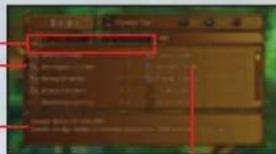
SORT MENU
Press the button at the Item Screen to display the Sort Menu, which allows you to change the order of the item listing. The menu will change depending on the current tab.

ITEM SET
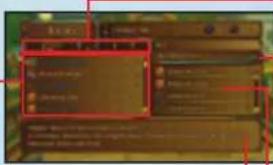
TAB
Press L1 / R1 to toggle menu tabs.
POINTS
This is the equipment points currently used, and the maximum number of equipment points that you can use. The maximum number of allowed equipment points will rise along with your Party Level.
Items are assigned a number of points according to their effect and importance. You can continue to equip items as long as their combined points do not exceed the maximum. Note: You can only equip up to 32 items even if the maximum number of points has not been reached.
STATUS
The Status menu allows you to view a character's equipment and status. Be sure to check the information presented here before taking on a powerful enemy. You can view a character's status and change equipment. Select "Status" in the Main Menu and select the character. Press L1/R1 to switch between characters.
EQUIPPED WEAPON
EQUIPPED ARMOR
EQUIPPED ACCESSORIES Each character may equip up to two accessories.
The top two lines are the attack assigned as Special Attack 1, and the bottom two lines are for Special Attack 2. You can use Special Attack 2 when your Party Level reaches level 3.
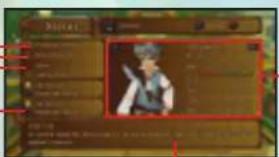
DESCRIPTION
Displays information about the currently selected equipment or special attack.
STATUS SCREEN
You can only use these special attacks in sunlight or other bright areas.

DARK SPECIAL ATTACKS
You can only use these special attacks in shade or other dark areas.
12
MAIN MENU
{CHANGING EQUIPMENT AND SPECIAL ATTACKS}
Press the button to change equipment and special attacks. The right side of the screen displays any changes to your status that would result from equipping the selected item. Numbers in green indicate an increase, and numbers in red indicate a decrease.
SCREEN]
A character's hit points (HP), attack power (ATK), defense (DEF), magic (MAG), and speed (SPD) will increase as the character levels up. Characters increase their level by earning experience points (EXP) in battles.
Lv....This is the character's current level. Higher levels mean more abilities. Age....This is the character's age.
HP. This displays the current and maximum HP.
Exp The number of experience points obtained so far.
Next....The number of experience points the character needs to reach the next level.
ATK......This is the character's attack power; the higher the number, the more powerful the attack.
DEF......This is the character's defense; the higher the number, the more effectively the character can defend against enemy attacks.
MAG ....This is the character's magic; the higher the number, the more effective healing special attacks will bc.
SPD. The faster the character's speed, the more quickly and frequently their turn will come in battle.
KNOCKDOWNS AND KNOCKBACKS
Special attacks will sometimes have a Knockdown probability or a Knockback power. A Knockdown will knock the enemy of its feet, while a Knockback will throw the enemy back some distance.
23
MAIN MENU
PARTY LEVEL
Party Level is an indicator of your party's overall ability. Your Party Level affects battle specs such as the Action Gauge and Harmony Chains. You can view your current Party Level here.
PARTY LEVEL
TACTICAL TIME
ACTION GAUGE
SPECIAL ATTACK SLOT Indicates the number of special attacks that can be equipped.
LEVEL INFORMATION
Detailed description about the features of the current level. Press L1 / R1 to change pages.
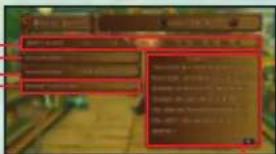
Party Level will rise as you progress through the game. The higher your level, the more skill required to play the game. Additional features such as counterattack will become available, and your movement speed in battle will increase as well.
COSTUMES
You can change the costumes that Polka, Allegretto and Beat wear. Choose a character using the directional pad or left stick, then press the button or
B1 button to change the character's costume. Press the button to return to the Main Menu with the costume change in effect.
Note: "Costumes" will become available only after you've obtained a costume in the game.
MAIN MENU
SCORE PIECES
A Score Piece is a fragment of a musical score. It allows you to perform a Session with people that you meet in towns and dungeons. Score Pieces can be obtained mainly from treasure chests and by searching the world.
VIEWSCOREPIECES
To hear the melody of a Score Piece use the directional pad or the left stick to select and press the button. You can place a check mark next to Score Pieces that you want to mark as noteworthy by pressing the button.

PHOTOS
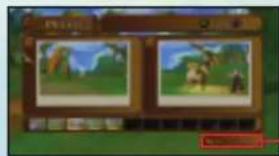
You can view the photos that you have taken during battle. You can store up to 12 photos at a time. Discard a photo by selecting it and pressing the button.
MAXIMUM PHOTO POINTS (p) Displays the highest photo points earned from a single photo.
MAIN MENU
PIANO MUSIC
Piano music composed by Chopin will be played as you progress through the game. You can listen to the music that you have already heard and read background information about it. Select the music by using the directional pad or the left stick and press the button.

MUSIC
You can listen to the background music from the game. Select by using the directional pad or the left stick and press the × button. Press the button to stop the music. Music that you have not yet heard is listed as "..."
MAIN MENU
OPTIONS
You can change various game settings in this menu. Choose an item by moving the directional pad or the left stick up or down, and move it left or right to modify that setting. Change pages by pressing L1/R1.

LOAD
This option will load a previously saved game. Choose the data to load by using the directional pad or the left stick and press the button to confirm.

SAVE
This option will save the progress of the current game, but will only be available when the character stands by a Save Point. Open the Save screen and select a slot to save the game. Saving the game will require 3248 KB of free space on the HDD.
BATTLE BASICS BATTLE BASICS
BATTLING WITH ENEMIES
Battles can occur after events or when you come in contact with an enemy on the Field Screen. The turn order is determined by the Speed stats of the characters. A character's turn is over once both the Tactical Time and Action Gauge for that character run out. You win a battle when all the enemies are defeated. You can pause the battle by pressing the START button. By pressing the 12 button, the camera can be toggled between three modes: Standard, Full and Above.
Note: Winning battles, or escaping from them may cause the player character to blink for a time. Battle will not ensue when coming in contact with the enemy while the character is blinking.
DIRECTION OF CONTACT WITH ENEMIES
The direction that your characters are facing at the beginning of a battle is determined by the angle at which you come in contact with the enemy on the Field Screen. Some angles will be strategically advantageous, while some are not.
BATTLE RESULT
Battic Result will be displayed when you win a battlc. It will display experience points and Gold that you have earned. You may also acquire items. Press the 念 button to return to the Field Screen.
[LEVEL UP]
Characters will gain a level when they obtain the required number of experience points. New stats for the character are displayed along with any new special attack.
BATTLESCREEN
NEXT
This is displayed next to the character that will be acting now.
TACTICAL TIME (TT)
Tactical Time allows you to strategize your next action until this number reaches zero. Once it does, the Action Gauge will start moving down. An infinity symbol means that Tactical Time is unlimited.
ACTION
The Action Gauge will start moving once a character's Tactical Time runs out. The gauge can be increased by a small amount when a character's attack hits the enemy. The next character's turn begins when the Action Gauge reaches zero.
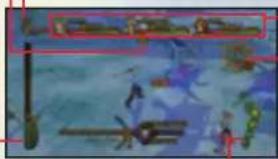
ECHO METER
Increase the number of Echoces to increase the strength of special attacks. Echoces are shared by everyone in the party.
CHARACTER 11P
The character's current and maximum hit points (HP). HP decreases as a character is attacked by enemies. The character will become unconscious when HP reaches zero.
HITS
The number of consecutive hits landed.
Note 1: Tactical Time does not decrease when your Party Level is at 1 or 2. The character's Action Gauge will immediately start to move down if you perform an action before the character's Tactical Time reaches zero.
Note 2: Echocs can be accumulated when your Party Level is at 2 or higher.
GAME OVER
Characters with zero HP are rendered unconscious in battle. If all party members become unconscious then "Game Over" will be displayed on screen and you will be returned to the Title Screen. Note: Characters that are knocked unconscious will recover after the battle, but will have only 1 HP.
BATTLE ACTIONS
MOVING (LEFT STICK)
Move a character by using the left stick when it is that character's time to act. Move the stick just a little to make them walk, or a lot to make them run.
USING ITEMS (BUTTON)
Select an equipped item by pressing L1/R1 and press the button to use it. Get close to the character you wish to use an item on before pressing the button.
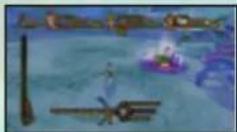
ATTACK (XBUTTON)
A character can attack a nearby enemy by pressing the button during the character's turn. Move the character towards the enemy that you want to attack, and then press the button.
Note 1: The designated attack button can be changed using the "Attack Button" option under the "Options" section of the Main Menu.
Note 2: Beat and Viola are able to perform long-range attacks.
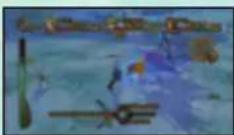
BATTLE ACTIONS
SPECIAL ATTACKS (ABUTION)
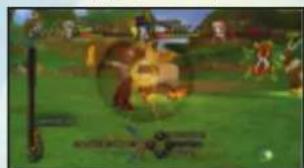
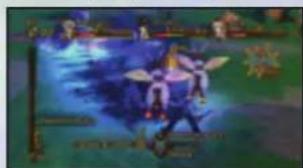
Activate a special attack by pressing the button during that character's turn. If a character is in the light, a Light Special Attack is used. When a character is in the shade, a Dark Special Attack is used. The special attack will be used on the closest enemy or party member. The following are some examples of special attacks:
SUN SLASII (Light Special Attitude)
PHANTOM WAVE (Dark Special Attack)
You can use this special attack in sunlit areas, or other places where the ground underfoot is bright. This attack will launch multiple slashing attacks against a nearby enemy.
You can use this special attack in shady areas, or other places where the ground underfoot is dark. This attack launches a shock wave that will attack all enemies that are in the line of fire.
{SPECIAL ATTACK 1 AND SPECIAL ATTACK 2}
When your Party Level reaches level 3, pressing the n2 button will give you access to a second special attack. Special Attack 1 will be used when you press the A button alone, and Special Attack 2 will be used when you press and hold n2 to change the name of the attack, and then press the A button.
BATTLE ACTIONS
TARGETING
Opponents that you attack or characters that you use items on are chosen automatically depending on the controlled character's position and the direction they are facing. If you wish to change targets, try moving closer to them, changing your direction to face them, etc. The attack will miss if there are no targets within range.
{SPECIAL ATTACKS AND ECHOES}
Echocs increase when you land attacks on enemies. Echocs are accumulated among the party and anyone in the party can use them. The power of a special attack increases with the number of Echoes available, augmenting the amount of damage or healing that result.
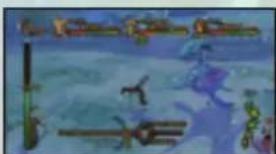

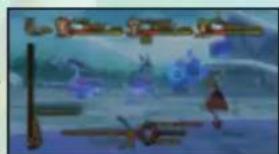
The Echoes that Allegretto and Beat create by attacking...
...are used when Polka uses her special attack, increasing the effectiveness of her special attack.
ESCAPE [HOLD DOWN L1 + R1]
Characters can attempt to escape from battle by holding down L1 and R1 at the beginning of their turn. If they are successful, they will escape from the enemy. No experience points or gold are acquired. Please note that you cannot escape from some battles.
Note: When two or more players are taking part in battle, everyone will need to hold down Ll and Rl.
BATTLE ACTIONS
SKIP A TURN [L3 BUTTON]
Press the L3 button to stop performing actions and pass the rest of a character's turn. If you pass quickly, that character's turn will come more quickly in the next round.
GUARD [BUTTODURING ENEMY ATTACK]
During an enemy attack, the words "Chance!" will sometimes be displayed above the character. Press the button at just that moment to guard against the enemy's attack and reduce the amount of damage.
Note: If you set the button as the attack button in "Options," then the button will be the guard button.
![SONY Eternal Sonata (PS3) - GUARD [BUTTODURING ENEMY ATTACK] - 1](/content/2026/02/414220/images/7871a26188977d96ea1270bfa01d1f7a7393157e841b930f0dfbe8fa4dded299.jpg)
![SONY Eternal Sonata (PS3) - GUARD [BUTTODURING ENEMY ATTACK] - 2](/content/2026/02/414220/images/6773b15513a80bbcb9199195296b71961e94442149e7296caea908d9d0929202.jpg)
PHOTOGRAPHING ENEMIES
You can use Beat's special attacks to take photographs of your enemies.
[1] SET THE SPECIAL ATTACK: First, set Beat's special attack to Vivid Shot (Light Special Attack) or Night Shot (Dark Special Attack) in the Main Menu's Status Screen.
[2]TAKE A PHOTOGRAPH DURING BATTLE: Perform the special attack when it is Beat's turn. Face Beat in the direction that you want to aim the camera and press the button to switch to the camera view. Before the Action Gauge runs out, press the button or the button (the attack button) in order to take a picture. It will take time for the photos to develop after battle. You can view the photos taken under "Photos" in the Main Menu.
BATTLE ACTIONS
COUNTERATTACKS
(PRESS THE BUTTON WHEN AN ENEMY ATTACKS)
When "Counterattack" appears next to the attack button and the word "Chance!" appears above the character's head, press the × button to counterattack instead of guard. If you are successful in timing the counterattack, the character will be given 2 seconds on the Action Gauge. Usc that time to perform an attack to damage your enemies.
Note: You can perform counterattacks when your Party Level reaches 4. Special attacks cannot be used after a counterattack until your Party Level reaches 5.
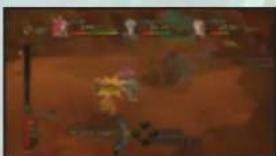

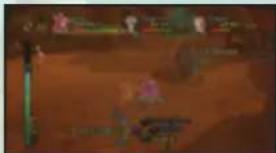
DARKNESS AND LIGHT
The battlefield is comprised of light and dark areas that affect the special attacks used by the characters. Some enemies will use the same attacks regardless of what type of ground they stand upon, the exception being some husses. But some enemies may change form depending on whether they are in the light or the dark, resulting in a status change. Be sure to keep in mind where you are standing on the battlefield as part of your battle tactics.
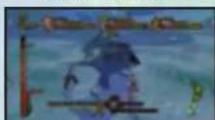
LIGHT AREA
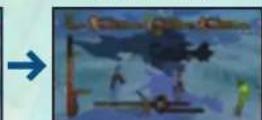
DARK AREA
24
BATTLE ACTIONS
STATUS EFFECTS
Enemy attacks may sometimes cause status effects. Status effects generally last for some duration, or until you use an item to remove the effect. Status effects will also end when the affected character is rendered unconscious or when the battle ends.
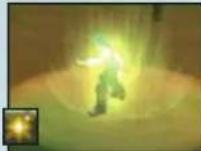
SININGBODY
Your baby gives all a light that illuminates your ser
monuments. You can only use Light Special Attacks.
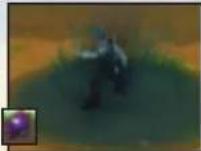
WARKNESSBODY
Shadow encaps your baby and your immediate
samordings. You can only use dark Special
AIRBODY
Year sunow will no longer after those amant you
POISON
You will incar a foal amunt of damage every time
your him stars. This status does not heal with time.
$TOP
You cannot move for the 1st 2 seconds of your time.
Use the ich stock to recover more quickly.
BURST
Your defense is cut in half, but your attack power
increases by 51%.
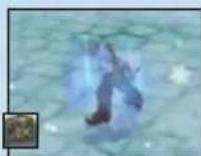
PASSIVE
you cannot perform counterattacks. This states does
not real with time
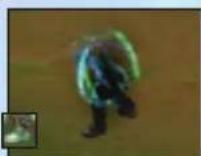
SLOW
Your movement speed is cut in half.
25
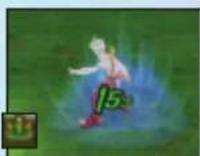
NEGENERATE
You will obtain a fixed amount of every time you
lmm starts
WARNING:PHOTOSENSITIVITY/EPILEPSY/SEIZURES
AVERTISSEMENT:PHOTOSENSIBILITE ET CRISIS DE'EPILEPSIEPHOTOSENSIBILITE ET CRISIS DE'EPILEPSIE
Bouton L1 / Bouton R1
CUTLISERIES ARTICLES
ENSEMBLEDARTICLES
APFICHERLES ARMES
ATTCHER ES APHEP 3D
LIST DES ARTICLES
SE DEPLACER (MANCHE GAUCHE)
Ever get stuck and just need that extra edge to beat the love? Having problems getting your game to work properly? Now you can get one-on-one help from NAMCO BANDAI Games America Inc. using your web browser! Simply go to livehelp.namco.com for more details. Live Counselors available from 9am-5pm Monday-Friday Pacific Time.
NAMCO BANDAI Games America Inc. ATTN: Customer Service 4555 Great America Parkway, Suite 201 Santa Clara, CA 95054
Before returning any defective materials to us, please contact us for a Return Merchandise Authorization (RMA) number. You can reach us at the address above, via e-mail at support@hmicollandagames.com or contact us at (408) 235-2222. Please note that any materials sent to us without an RMA number will be refused and returned. We highly recommend that you use a traceable and /or insured method of shipping the materials to us.
NAMCO BANDAI Games America Inc. Online: www.namcobandaigames.com Visit our Website to get information about our new titles.
LIMITED WARRANTY: NAMCO BANDAI Games America Inc. warrants to the original purchaser that this NAMCO BANDAI Games America Inc. game pack shall be free from defects in material and workmanship for a period of ninety (90) days from the date of purchase. If a defect covered by this limited warranty occurs during this 90-day limited warranty period, NAMCO BANDAI Games America Inc. will repair or replace the defective game pack or component part, at its option, free of charge. This limited warranty does not apply if the defects have been caused by negligence, accident, unreasonable use, modification, tampering, or any other cause not related to defective material or workmanship.
LIMITATIONS ON WARRANTY: Any applicable implied warranties of merchantability and fitness for a particular purpose, are hereby limited to ninety (90) days from the date of purchase and are subject to the conditions set forth herein. In no event shall NAMCO BANDAI Gamos Amorica Inc. be liable for consequential or incidental damages resulting from the possession or use of this product. The provisions of the limited warranty are valid in the United States only. Some states do not allow limitations on how long an implied warranty lasts, or exclusion of consequential or incidental damages, so the above limitation or exclusion may not apply to you. This limited warranty provides you with specific legal rights. You may have other rights which vary from state to state.
DES CONSEILS MAINTENANT OFFERTS EN LIGNE!
PLAYSTATION' is a registered trademark and "PS3" is a trademark of Sony Computer Entertainment Inc. The ratings icon is a trademark of the Entertainment Software Association. SIXAXIS is a trademark of Sony Computer Entertainment Inc. © 2008 Sony Computer Entertainment Inc.


- Use and handling of video games to reduce the likelihood of a seizure
- NOTICE:
- WARNING TO OWNERS OF PROJECTION TELEVISIONS:
- HANDLING YOUR PLAYSTATION3 FORMAT DISC:
- GETTING STARTED
- Saved data for PLAYSTATION®3 format software
- STARTING THE GAME
- NEW GAME
- LOADING DATA
- OPTIONS
- SAVING DATA
- GAME CONTROLS
- {FIELD SCREEN CONTROLS} see pgs.7-9
- {MAIN MENU CONTROLS} see pgs. 10-17
- SKIPPING EVENTS
- FIELD SCREEN
- SCREEN DISPLAY
- SAVE POINT
- TREASURE CHEST
- ENEMY
- TALK / SEARCH
- {ACTION SYMBOLS}
- SESSIONS
- INNS
- SHOPS
- {BUYING AND SELLING ITEMS}
- ITEM NAME AND PRICE
- CHARACTERS
- {SELLING ENEMY PHOTOS}
- MAIN MENU
- MENUSCREEN
- SWITCH CHARACTER
- TWO AND THREE-PLAYER GAMES
- ITEMS
- TAB
- ITEM LIST
- ITEM DESCRIPTION
- SORT MENU
- ITEM SET
- POINTS
- STATUS
- EQUIPPED WEAPON
- EQUIPPED ARMOR
- DESCRIPTION
- DARK SPECIAL ATTACKS
- {CHANGING EQUIPMENT AND SPECIAL ATTACKS}
- SCREEN]
- KNOCKDOWNS AND KNOCKBACKS
- PARTY LEVEL
- COSTUMES
- SCORE PIECES
- VIEWSCOREPIECES
- PHOTOS
- PIANO MUSIC
- MUSIC
- LOAD
- SAVE
- BATTLE BASICS BATTLE BASICS
- BATTLING WITH ENEMIES
- DIRECTION OF CONTACT WITH ENEMIES
- BATTLE RESULT
- [LEVEL UP]
- BATTLESCREEN
- NEXT
- TACTICAL TIME (TT)
- ACTION
- ECHO METER
- CHARACTER 11P
- HITS
- GAME OVER
- BATTLE ACTIONS
- MOVING (LEFT STICK)
- USING ITEMS (BUTTON)
- ATTACK (XBUTTON)
- SPECIAL ATTACKS (ABUTION)
- {SPECIAL ATTACK 1 AND SPECIAL ATTACK 2}
- TARGETING
- {SPECIAL ATTACKS AND ECHOES}
- ESCAPE [HOLD DOWN L1 + R1]
- SKIP A TURN [L3 BUTTON]
- GUARD [BUTTODURING ENEMY ATTACK]
- PHOTOGRAPHING ENEMIES
- COUNTERATTACKS
- DARKNESS AND LIGHT
- STATUS EFFECTS
- WARNING:PHOTOSENSITIVITY/EPILEPSY/SEIZURES
- AVERTISSEMENT:PHOTOSENSIBILITE ET CRISIS DE'EPILEPSIEPHOTOSENSIBILITE ET CRISIS DE'EPILEPSIE
- SE DEPLACER (MANCHE GAUCHE)
- DES CONSEILS MAINTENANT OFFERTS EN LIGNE!
Brand : SONY
Model : Eternal Sonata (PS3)
Category : Game