2G350A2H - USB hub PHILIPS - Free user manual and instructions
Find the device manual for free 2G350A2H PHILIPS in PDF.


| Brand | Philips |
| Model | 2G350A2H |
| Product type | USB concentrator (USB hub) |
| Number of ports | 4 downstream ports, 1 upstream port |
| Maximum data rate | 12 Mbit/s (USB 1.1) |
| Compatibility | Plug and Play, compatible with PC with USB port and Windows OSR2.1 or higher |
| Installation | Mounts in the monitor's USB bay, requires the driver provided on floppy disk |
| Power | Via USB cable (self-powered) |
| Package contents | USB module, USB cable, floppy disk with driver, instruction manual |
| Maintenance and cleaning | Clean with a soft, dry cloth. Do not use abrasive products or solvents. |
| Safety | Do not expose to moisture. Do not open the casing. Disconnect before cleaning. |
| Spare parts and repairability | The USB cable is detachable and can be replaced. For any other part, contact customer service. |
| Warranty | Refer to Philips standard warranty |
Frequently Asked Questions - 2G350A2H PHILIPS
User questions about 2G350A2H PHILIPS
0 question about this device. Answer the ones you know or ask your own.
Ask a new question about this device
Download the instructions for your USB hub in PDF format for free! Find your manual 2G350A2H - PHILIPS and take your electronic device back in hand. On this page are published all the documents necessary for the use of your device. 2G350A2H by PHILIPS.
USER MANUAL 2G350A2H PHILIPS
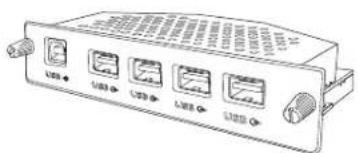
15L5082Q USB Hub supports four down stream ports and one upstream port. With its 12 Mbps; 15L5082Q USB Hub supplement the full-speed and low-speed PC desktop peripherals with plug-and-play capability and user-friendly interface.
In the package you should find
The USB module
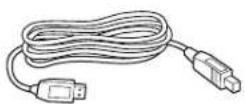
The USB cable
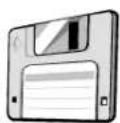
The disk with USB device driver The user's manual
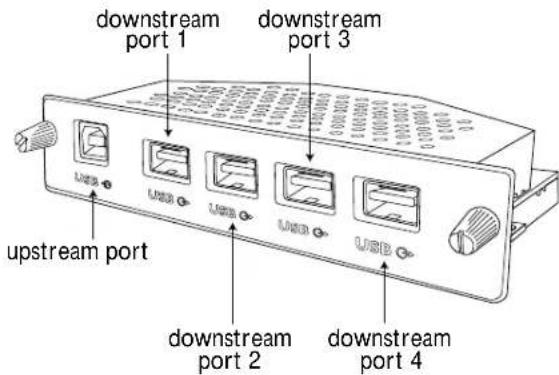
CONFIGURATION
APPLICATION
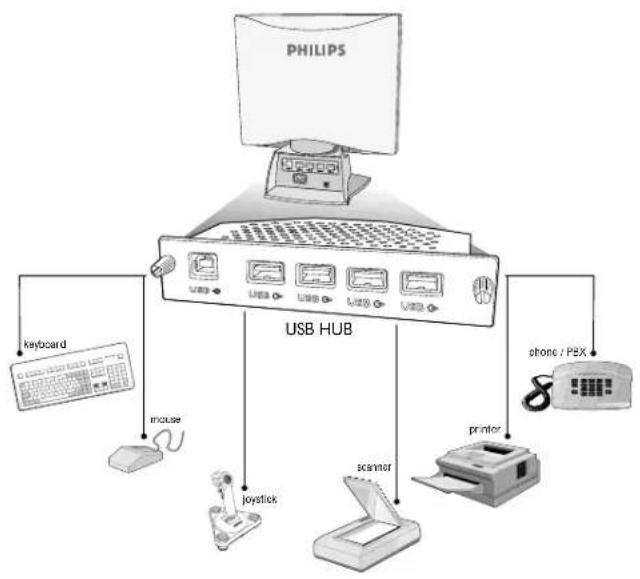
INSTALLATION
System requirements
Hardware: a PC which supports the USB function and has a USB outlet
Software: Windows system which supports USB (OSR2.1 or higher).
Installation of USB module
- Turn off the monitor and unplug the power card
- Remove the cover of "USBAY" at the back of the monitor.
- Insert USB module into the slot
- Fix the USB module to the monitor by screwing
- Do not tighten the fixing nut excessively (use fingers to tighten screws) If screwed too right, the unit may not connect properly!
- Plug-in the power cord and turn on the monitor.
To establish the USB connection
- Insert disk.
- The two ends of USB cable attached are different. Plug-in the flat end into the "upstream" outlet of the USB module.
- Plug-in the other end into the USB outlet of the PC.
- Windows recognises two new pieces of hardware -philips USB hub -USB Human Interface Device
This last item is presented through a wizard.
Follow the "next" steps on screen (choose the
"recommended" options) until installation has been finished.
CONCENTRATEUR USB
TABLE DES MATIÈRES
- INTRODUCTION 2
2.CONTENU DE L'EMBALLAGE 2 - CONFIGURATION 3
4.APPLICATION 4 - INSTALLATION 5
AUTRES LANGUES
Angais 1
Espanol 11
Deutsch 16
Italiano 21
INTRODUCTION
Configuration minimum
Brand : PHILIPS
Model : 2G350A2H
Category : USB hub