S90PG2 - Keyboard Seal Shield - Free user manual and instructions
Find the device manual for free S90PG2 Seal Shield in PDF.



| Product type | Washable and submersible keyboard |
| Brand | Seal Shield |
| Model | S90PG2 |
| Waterproof technology | SEAL SHIELD™ (electronic PCB + internal membrane) |
| Connector | 24K gold-plated USB |
| Antibacterial protection | SILVER SEAL™ (silver embedded in plastic, 99.9% reduction of microbial growth) |
| Resistance | Blood, water, salt water, disinfectants, solvents, humidity, abrasives, dust, dirt, corrosives, sand, chlorine, alcohol, bleach, acid, alkaline |
| Dishwasher safe | Yes (with SEAL CAP™, standard cycle, disable high-temp drying) |
| Medical standards | Compliant (compatible with hospital protocols) |
| Warranty | 2 years (material and manufacturing defects) |
| Cleaning methods | Hospital sprayers, disinfectant wipes, hand wash with soap and warm water, dishwasher washing |
| Removable connectivity | Quick-Connect cable with SEAL CAP™ (USB waterproof protection) |
| Use without unplugging | Possible for spraying and disinfectant wipes |
| Infection prevention | First line of defense against nosocomial infections |
| System compatibility | Standard USB, compatible with PC and Mac |
| Safety instructions | Consult a doctor in case of persistent pain (carpal tunnel, tendinitis) |
| Country of origin | United States (Seal Shield, LLC brand) |
Frequently Asked Questions - S90PG2 Seal Shield
User questions about S90PG2 Seal Shield
0 question about this device. Answer the ones you know or ask your own.
Ask a new question about this device
Download the instructions for your Keyboard in PDF format for free! Find your manual S90PG2 - Seal Shield and take your electronic device back in hand. On this page are published all the documents necessary for the use of your device. S90PG2 by Seal Shield.
USER MANUAL S90PG2 Seal Shield
Quick Installation Guide and Limited Warranty
We warrant that the SEAL SHIELD™ Keyboard or mouse shall, for a period of 2 (two) years from the date of purchase, be free of any defect in material and workmanship and that it will perform in accordance with specifications. The sole obligation of this warranty shall be to either repair or replace the product upon return to the manufacturer. There are no other warranties except as stated. There are no warranties expressed or implied, including, but not limited to, the implied warranties of merchantability and of fitness for a particular purpose. In no event shall we be liable for consequential, incidental, or special damages, including, but not limited to, damages or loss of data, profits or goodwill.
Products which have been subject to abuse such as, misuse, vandalism, accident, alteration, neglect, unauthorized repair or improper installation will not be covered by the warranty. For more information or to make a warranty claim, please visit us on the web at www.sealshield.com
Exclusions
SEAL SHIELD, LLC does not warrant that the operation of this product will be uninterrupted or error free. SEAL SHIELD, LLC is not responsible for damage that occurs as a result of your failure to follow instructions intended for the SEAL SHIELD™ product.
FCC Compliance
This equipment has been tested and found to comply with the limits for a Class B digital device, pursuant to Part 15 of the FCC Rules. These limits are designed to provide reasonable protection against harmful interference in a residential installation. This equipment generates, uses, and can radiate radio frequency energy, and if not installed and used in accordance with the instructions, may cause harmful interference to radio communications. There is no guarantee, however, that interference will not occur in a particular installation. If this equipment does cause harmful interference to radio or television reception, which can be determined by turning the equipment off and on, the user is encouraged to try to correct the interference by one or more of the following measures:
1) Reorient or relocate the receiving antenna.
2) Increase the separation between the equipment and receiver.
3) Connect the equipment into an outlet on a circuit different from that to which the receiver is connected.
Properly shielded and grounded cables and connectors must be used in order to meet FCC emission limits. Seal Shield, LLC, is not responsible for any radio or television interference caused by using other than recommended cables and connectors or by unauthorized changes or modifications to this equipment. Unauthorized changes or modifications could void the limited warranty.
This device complies with Part 15 of the FCC Rules. Operation is subject to the following two conditions: (1) this device may not cause harmful interference, and (2) this device must accept any interference received, including interference that may cause undesired operation.
CAUTION: Changes or Modification not expressly approved by the manufacturer responsible for compliance could void the warranty.
- SEAL SHIELD™ Washable Keyboards and mice have been tested with the named elements, compounds and mixtures in various strength solutions. Sterilization should only be performed with qualified disinfectant products. For more information, please visit us on the web at www.sealshield.com.
Welcome to the SEAL SHIELD™ Medical Grade Washable Keyboards and Mice.
Congratulations on taking the first step towards a CLEAN, SAFE and SECURE work environment. Computer input devices such as keyboards and mice have been identified as a major source of cross contamination infections. SEAL SHIELD™ keyboards and mice represent an unprecedented line of defense in infection control. The SEAL SHIELD™ Medical Grade Washable Keyboard is a uniquely designed, fully submersible, washable keyboard. Our exclusive SEAL SHIELD™ technology combines a two step electronic PCB sealant process with a custom, waterproof, internal keyboard membrane. This Patent Pending technology makes SEAL SHIELD™ Keyboards the first dishwasher safe true-type keyboards for the mass market. It looks like a regular keyboard. It types like a regular keyboard. It is priced like a regular keyboard. But, because of the Patent Pending SEAL SHIELD™ technology, the keyboard is rugged and resistant to the following: blood, water, salt water, disinfectants, solvents, humidity, abrasives, dust, dirt, corrosives, sand, shock, alcohol, bleach, acid and alkaline.*
SEAL SHIELD™ keyboards and mice are designed to facilitate your disinfectant procedures, regardless of your infection control protocols. SEAL SHIELD™ technology allows your keyboard to be regularly sterilized with hospital strength disinfectant sprays or wipes, without ever being disconnected from your computer. The SEAL SHIELD™ SEAL CAP (Patent Pending) is a custom USB cap which allows you to fully submerse your keyboard, including the USB cable and connector. This innovation is ideal for environments where a sink, wash tub or automatic dishwasher is the preferred method of keyboard cleaning. Additionally, SEAL SHIELD™ keyboards and mice are the only consumer level input devices to use 24K gold plated USB connectors. Gold plated USB connectors help to prevent corrosion due to elemental exposure from repeated washings. SEAL SHIELD™ Medical Grade Washable Keyboards are dishwasher safe, and our laser etched keys will never fade from repeated washing or even cleaning with mild abrasives. For more information please visit us on the web at www.SealShield.com.
SEAL SHIELD™ keyboards and mice with SILVER SEAL™ additive for antimicrobial protection are made from our exclusive SILVER SEAL™ plastic. This is not a coating! The antimicrobial Silver lons are actually embedded in the molten plastic during the manufacturing process, protecting your keyboards and mice by inhibiting up to 99.9% of surface microbial growth. SILVER SEAL™ is a natural antimicrobial solution. It is completely safe for people, animals and the environment. For more information please visit us on the web at www.SealShield.com.
Use of a keyboard may be linked to serious injuries or disorders. When using a computer, you may experience discomfort in your hand, wrist, shoulders or other parts of your body. If the discomfort continues and is persistent, promptly see a qualified professional. These symptoms may be associated with musculatory disorders (MSDs), such as Carpal Tunnel Syndrome and tendonitis.
Recommended Cleaning Protocols
Your SEAL SHIELD™ Washable Keyboard or mouse is the first defense in infection control. Following the suggested cleaning protocols can help reduce the risk of infection.
1) Use Hospital Grade Disinfectant Sprays (Best Practice!)
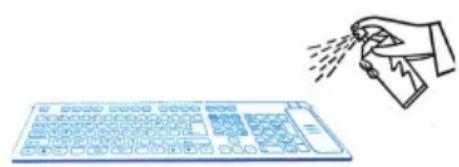
The SEAL SHIELD™ keyboard or mouse is designed to work with virtually all medical grade, commercial grade, antibacterial, antiviral and antifungal sprays to kill most known surface contaminants including SARS, Influenza, Staph and MRSA. Testing confirms that this is the most effective cleaning protocol for hospitals. Thoroughly spray all surface areas and between keys. Use as directed. Wipe away excess moisture prior to use. There is no need to unplug your keyboard or power down your computer.
2) Use Disinfectant Wipes.
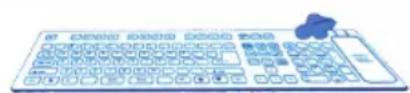
Alcohol based disinfectant wipes are the fastest and easiest way to disinfect your SEAL SHIELD™ keyboard or mouse. Thoroughly wipe all surface area with disinfectant wipes. There is no need to unplug your keyboard or power down your computer.
3) Hand wash with soap and warm water
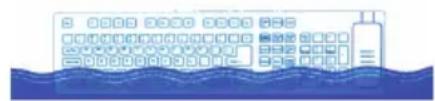
Your SEAL SHIELD™ keyboard or mouse is washable and fully submersible.
1) Unplug keyboard or mouse from Quick-Connect cable.
2) Plug keyboard or mouse USB connector in to the included SEAL CAP^TM (Patent Pending). Insure a tight connection to prevent water intrusion.
3) Soak in warm water using dish soap or other cleaning agent. Vigorously wash and rinse keyboard in order to insure thorough cleaning.
4) Shake dry. Wipe away excess surface moisture.
5) Unplug SEAL CAP™ from USB connector. Be sure to wipe all excess moisture from USB connector prior to plugging into the Quick-Connect Cable.
7) Reconnect keyboard or mouse to Quick-Connect cable.
4) Machine Wash in Dishwasher
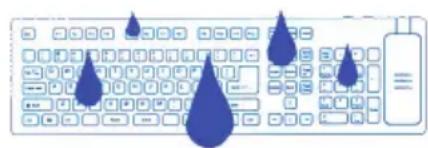
Your SEAL SHIELD™ Medical Grade Washable Keyboard or mouse is designed to be washed in a dishwasher using standard automatic dishwasher detergent.
1) Unplug keyboard or mouse from Quick-Connect cable.
2) Plug keyboard or mouse USB connector into the included SEAL CAP™ to insure a tight connection to prevent water intrusion.
3) Place keyboard or mouse on top rack of dishwasher. Wash in dishwasher using dishwasher detergent and standard wash cycle. Disable "Heated Drying."
4) Remove from dishwasher. Shake dry. Wipe away excess surface moisture.
5) Unplug SEAL CAP™ from USB connector. Be sure to wipe all excess moisture from USB connector prior to plugging into QuickConnect cable.
6) Reconnect keyboard or mouse to Quick-Connect cable.
Copyright 2009, All Rights Reserved
Seal Shield, LLC
www.sealshield.com
Ver. C.0.002