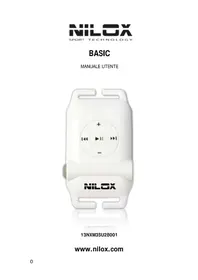
Basic - Mp3 player NILOX - Free user manual and instructions
Find the device manual for free Basic NILOX in PDF.



| Product Type | Waterproof MP3 Player |
| Brand | Nilox |
| Model | Basic |
| Dimensions | 56.5 x 32.5 x 16 mm |
| Net weight | 21 g (without earphones) |
| Internal memory | 2 GB |
| Supported audio formats | MP3, WMA (32-320 Kbps) |
| Battery life | Approximately 6 hours of continuous playback |
| Battery type | Lithium-ion rechargeable |
| Power supply | USB (cable included) or USB mains adapter (optional) |
| Interface | USB 2.0 high speed |
| Playback modes | Normal, Shuffle |
| Waterproof rating | IPX8 (submersible up to 3 meters) |
| Operating temperature | -5°C to +40°C |
| System compatibility | Windows XP/2000/ME/Vista/7, Linux 2.4, Mac OS 9.0+ |
| Included accessories | Waterproof earphones (short and long cable), armbands (silicone and fabric), USB cable, user manual |
| Functions | Play/Pause, Volume +/-, Next/Previous track, Sequential/Shuffle mode, LED indicator |
| Maintenance | Rinse under running water after aquatic use and dry |
| Safety | Avoid prolonged listening at high volume, do not use while driving, do not open the battery |
| Reset | Reset button on the back of the player |
Frequently Asked Questions - Basic NILOX
User questions about Basic NILOX
0 question about this device. Answer the ones you know or ask your own.
Ask a new question about this device
Download the instructions for your Mp3 player in PDF format for free! Find your manual Basic - NILOX and take your electronic device back in hand. On this page are published all the documents necessary for the use of your device. Basic by NILOX.
USER MANUAL Basic NILOX
1.1. Content 2
1.2. System requirements 2
1.3. General specifications 2
1.4. Overview and buttons 2
2. Operating instructions 4
2.1. Copying a file from the PC to the MP3 player ..... 4
2.2. Recharging the battery 4
2.3. Using the device in water 4
3. OPERATING ENVIRONMENT 5
4. FAQs...... 5
5. Safety instructions 6
6. Cleaning and maintenance 6
7. Specifications 7
8. Appendix 8
8.1. Important 8
8.2. Resetting the player 8
8.3. Charging the player 9
8.4. Using the earpieces 9
1.1 Content
- Waterproof MP3 player
- Waterproof earpieces for sport activities
- USB cable (to transfer files and charge the battery)
- User manual
1.2 System requirements
- Win XP, 2000, ME, Vista, Win 7, Linux 2.4 and MAC OS 9.0 or later versions
1.3 General specifications
- International waterproof class: IPX8
- Battery autonomy: approximately 6 hours in continuous playing mode
- Operating temperature: -5/ +40°C
- Dimensions: 56,5 x 32,5 x 16 mm
- Net weight: 21g (without earpieces)
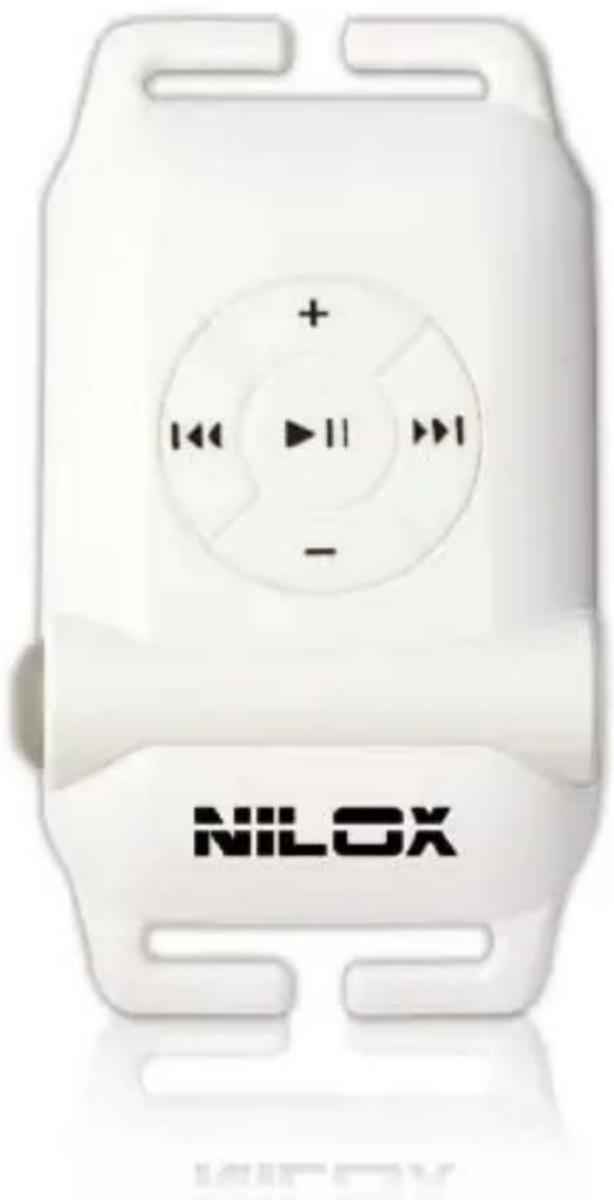
1.4 Overview and buttons
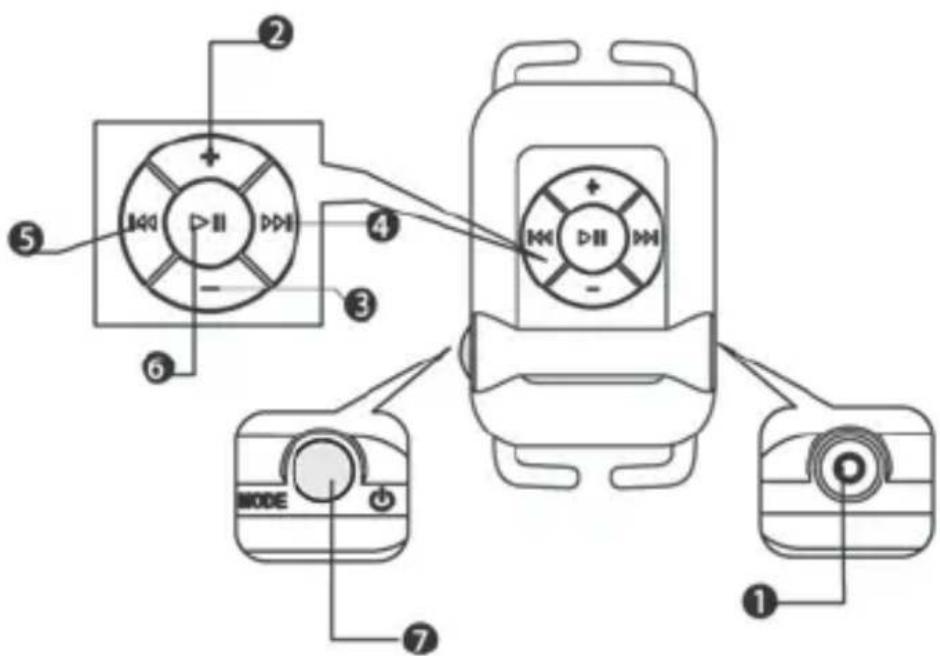
| No | Feature | Description |
| 1 | Connector: earpieces jack and USB cable | - Use this connector to connect the earpieces- Use this connector to connect the USB cable and transfer data- Use this connector to connect the USB cable and recharge the battery |
| 2 + | Volume Up | - Press the button to increase the volume |
| 3 - | Volume Down | - Press the button to lower the volume |
| 4 >>1 | Select next track | - Press this button to listen to the next track |
| 5 << | Select previous track | - Press this button to listen to the previous track |
| 6 >>II | Play | - Press this button to pause/ enable the play mode |
| MODE | Power/Mode Indicatore LED | - Press this button to switch the device on and off (keep it pressed for 5 seconds)- Press this button to change the listening mode:• Cyclical mode- the LED flashes in red• Random mode - the LED flashes in blue- When the battery is recharging, the LED lights permanently in red; it changes to blue when the battery is fully charged.The LED switches off automatically,when the device is disconnected. |
2. Operating instructions
2.1 Copying files from the PC to the MP3 player
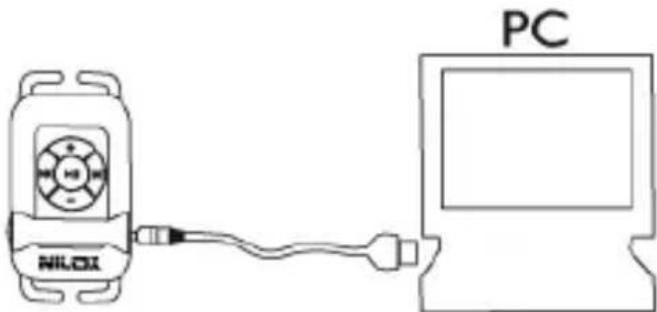
- Connect the player to the USB port of the PC using the cable.
- The removable disk icon displays in the lower right of the toolbar along with the My Computer icon.
- Copy your audio files on the player.
- Then, click the icon on the toolbar to disconnect the player. At this point you can disconnect the MP3 player cable.
2.2 Recharging the battery
You can recharge the battery in 2 ways.
- Using the USB port and the cable connected to the PC (supplied).
- Using a domestic network/ USB adapter (optional) and connecting the cable supplied.
Note: when you disconnect the USB cable, the player switches off.
Always connect the USB cable with the player before plugging the cable to your computers.
2.3 Using the player in water
-When you use the player in water, it is advisable to:
- Firmly tighten the jack on the player and correctly insert the earpieces in your ears. (read the appendix)
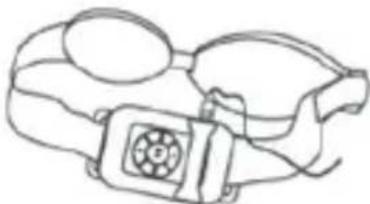
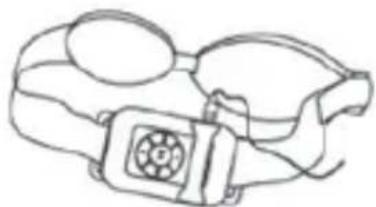
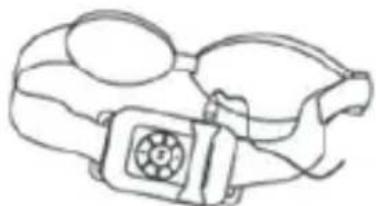
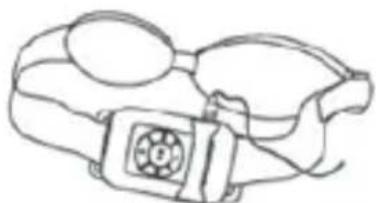
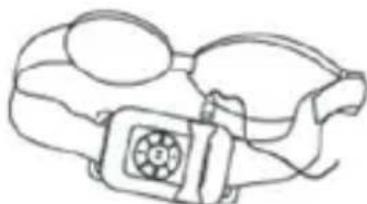
- Fix the MP3 player on the strip of the swimming goggles (not included) positioning it on your head.
- Press the ON/ OFF button for 5 seconds to switch the player and press Play to start listening to the music (cyclical or random mode)
After use, wash the player with running water and dry it.
3. When and how to use BASIC
In addition to standard features, the player also guarantees excellent performances when used during:
- Swimming; in the pool or in the sea and during diving down to 3 meters of depth; the player is IPX8 certified.
- Sea sports: surf, windsurf, sailing, water skiing, kitesurfing etc.
- Other sports: jogging, cycling, skiing, excursions etc.
4. FAQs
This section describes the most frequent problems that may occur while using the player.
For other problems not mentioned in the list, consult the reseller for assistance.
4.1 The MP3 player does not switch on or immediately switches off
-The battery may not be sufficiently charged. Recharge the battery.
4.2 How do I use the USB cable to recharge the player?
- You must always use the cable supplied with the player.
Firmly tighten the jack to correctly charge the battery.
- Connect the USB cable to the PC and wait for the system to detect it.
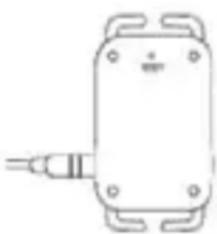
- To reset the player, press the “reset” button at the back of the player
4.3 The player does not play any sound after it has been switched on
- Verify that the jack of the earpieces is correctly connected, then check that it hermetically sealed.
- The volume may be too loud. Increase it.
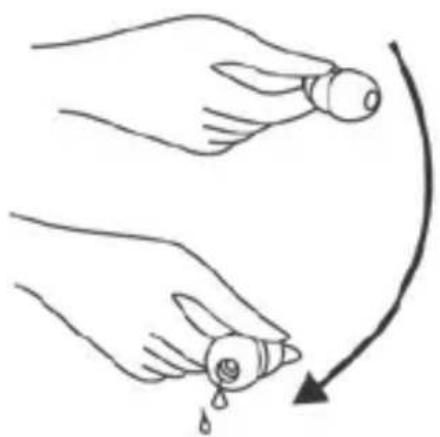
- Verify that there is no water inside the earpieces and, if necessary, remove the water drops as shown in the figure.
4.4 Abnormal operation
- If no sound is played during the playing mode and the LED flashes normally, reset the player.
- If the LED continue sto be off, remove the earpieces and reset the player.
Note: the reset operation does not cause the deletion of the files.
4.5 The player does not connect to the PC
- Verify that the player has been connected to the PC by means of the correct cable.
- Connect the cable to the MP3 player, then to the USB port of the PC.
If the sequence is reversed, the device could not operate.
5. Safety instructions
- A prolonged exposure to high volumes may damage hearing.
Reduce the volume and length of use.
- Do not use the player when driving a vehicle, because this may prevent you from hearing other noises and cause injuries to other people.
- When flying: please follow the instructions of the crew members.
6. Cleaning and maintenance
-Do not place the player in areas with high temperatures.
-Do not place the player next to sharp objects that could scratch and damage it.
-Do not recharge the battery in areas with an excessively high or low temperature.
-Do not open or damage the Li-ion battery
-Before diving into water verify that the jack has been firmly fixed in place and that the earpieces have been correctly inserted in your ears.
Note: if performer incorrectly, these operations could damage the player.
ATTENTION: to guarantee a correct operation of the player, it is advisable to wash with running water the player and its accessories after using it during sport activities or in water (swimming pool or sea).
7. Specifications
| Audio formats Mp3, WMA | |
| Bit Rate 32-320 Kbps | |
| Internal Memory 2 GB | |
| Rechargeable battery 6 hours of autonomy | |
| USB Interface USB 2.0 High Speed | |
| Playing mode Normale, Random | |
| Operating systems | Win XP, 2000, ME, Vista Linux 2.4 e MAC 9.0 or later versions |
| Storage temperature | App.10/50°C |
| Operating temperature | App.-5/+40°C |
| Dimensions 56,5x32,5x16mm | |
| Net weight 21g without earpieces | |
8. Post Script
8.1 Important
Follow these steps when using the player in water:
- Use the appropriate waterproof earpieces
Earpieces Step 1:
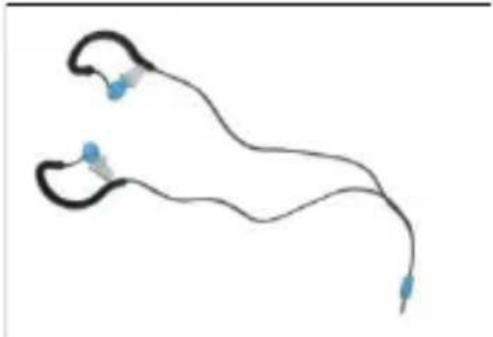
- Make sure that the earphone is inserted tightly into the earphone jack
Step 2
Step 3
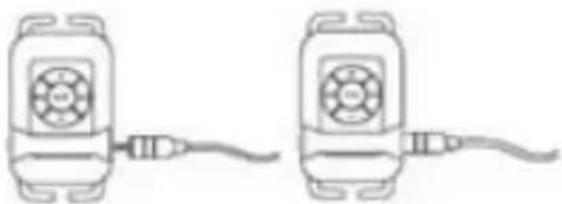
- When using the player in a swimming pool, fix it to the elastic strap of the goggles, as shown in the figure.
Step 4: Step 5:
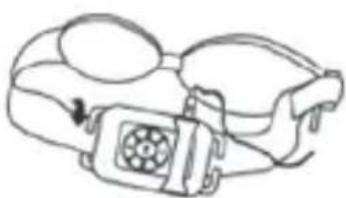
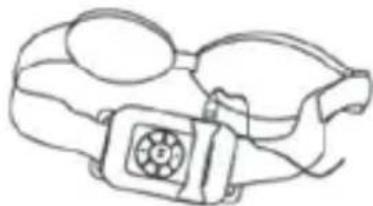
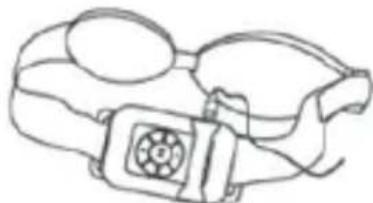
- Place the earpieces between the head and elastic strap of the goggles and correctly insert the earpieces in your ears.
Step 6:
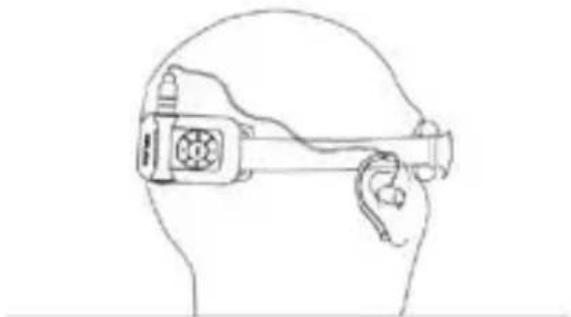
Attention: failure to correctly insert the earpieces may damage them. If you hear no sound, verify that the volume is not too low and that there is no water in the earpieces.
8.2 Resetting the player
Press the “Reset” button at the back of the MP3 player to reset the player
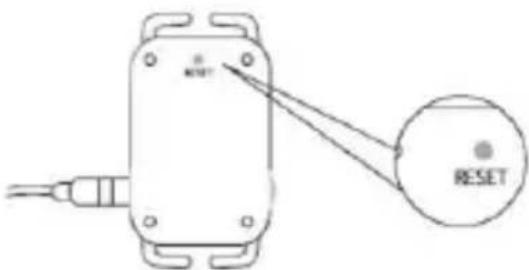
8.3 Charging the MP3 player
NILOX
SPORT TECHNOLOGY
BASIC
MANUAL DE USUARIO
13NXM3SU2B001
www.nilox.com
INDICE
pag.
13NXM3SU2B001
www.nilox.com
SOMMAIRE
P.
- Introduction ...... 2
1.1. Contenu 2
4.4 Survenue de situations anormales
13NXM3SU2B001
www.nilox.com
ΠΕΡΙΕΧΟΜΕΝΑ
σελίδα
- 1.1 CONTENT
- 1.2 SYSTEM REQUIREMENTS
- 1.3 GENERAL SPECIFICATIONS
- 1.4 OVERVIEW AND BUTTONS
- OPERATING INSTRUCTIONS
- 2.1 COPYING FILES FROM THE PC TO THE MP3 PLAYER
- 2.2 RECHARGING THE BATTERY
- 2.3 USING THE PLAYER IN WATER
- WHEN AND HOW TO USE BASIC
- FAQS
- 4.1 THE MP3 PLAYER DOES NOT SWITCH ON OR IMMEDIATELY SWITCHES OFF
- 4.2 HOW DO I USE THE USB CABLE TO RECHARGE THE PLAYER
- 4.3 THE PLAYER DOES NOT PLAY ANY SOUND AFTER IT HAS BEEN SWITCHED ON
- 4.4 ABNORMAL OPERATION
- 4.5 THE PLAYER DOES NOT CONNECT TO THE PC
- SAFETY INSTRUCTIONS
- CLEANING AND MAINTENANCE
- SPECIFICATIONS
- POST SCRIPT
- 8.1 IMPORTANT
- 8.2 RESETTING THE PLAYER
- 8.3 CHARGING THE MP3 PLAYER
- NILOX
- SPORT TECHNOLOGY
- BASIC
- INDICE
- PAG
- SOMMAIRE
- P
- 4.4 SURVENUE DE SITUATIONS ANORMALES
- ΠΕΡΙΕΧΟΜΕΝΑ
Brand : NILOX
Model : Basic
Category : Mp3 player