
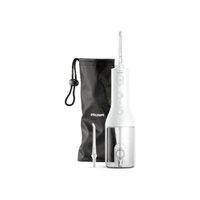
Sonicare AirFloss Ultra HX8381 - Interdental brush PHILIPS - Free user manual and instructions
Find the device manual for free Sonicare AirFloss Ultra HX8381 PHILIPS in PDF.
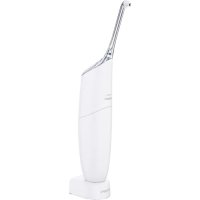


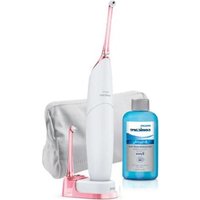
| Product type | Interdental air flosser with microdroplets |
| Brand | Philips |
| Model | Sonicare AirFloss Ultra HX8381 |
| Power supply | Rechargeable battery via HX6100 charger |
| Maximum autonomy | Up to 11 days in triple jet mode, 33 days in single jet mode |
| Jet modes | Single, double, triple (3 levels) |
| Recommended liquid type | Mouthwash or water |
| Initial charging time | 24 hours |
| Charge indicator | Green LEDs (33%, 66%, 75-100%) and yellow (low battery) |
| Material | Plastic |
| Cleaning | Rinse nozzle and reservoir with water; wipe handle and charger with damp cloth |
| Safety | Charger not submersible; do not use with mouthwashes containing isopropyl myristate or high concentrations of essential oils |
| Spare parts | AirFloss Ultra nozzle (HX8032, HX8033) replace every 6 months |
| Warranty | International; does not cover the nozzle or damage due to misuse |
| Compliance | EMC standards |
| Included accessories | AirFloss Ultra nozzle, HX6100 charger, reservoir with cover |
| Repairability | Not user-repairable; contact consumer service |
| Application | Home use, oral hygiene |
Frequently Asked Questions - Sonicare AirFloss Ultra HX8381 PHILIPS
User questions about Sonicare AirFloss Ultra HX8381 PHILIPS
0 question about this device. Answer the ones you know or ask your own.
Ask a new question about this device
Download the instructions for your Interdental brush in PDF format for free! Find your manual Sonicare AirFloss Ultra HX8381 - PHILIPS and take your electronic device back in hand. On this page are published all the documents necessary for the use of your device. Sonicare AirFloss Ultra HX8381 by PHILIPS.
USER MANUAL Sonicare AirFloss Ultra HX8381 PHILIPS
Always here to help you
Register your product and get support at www.philips.com/welcome
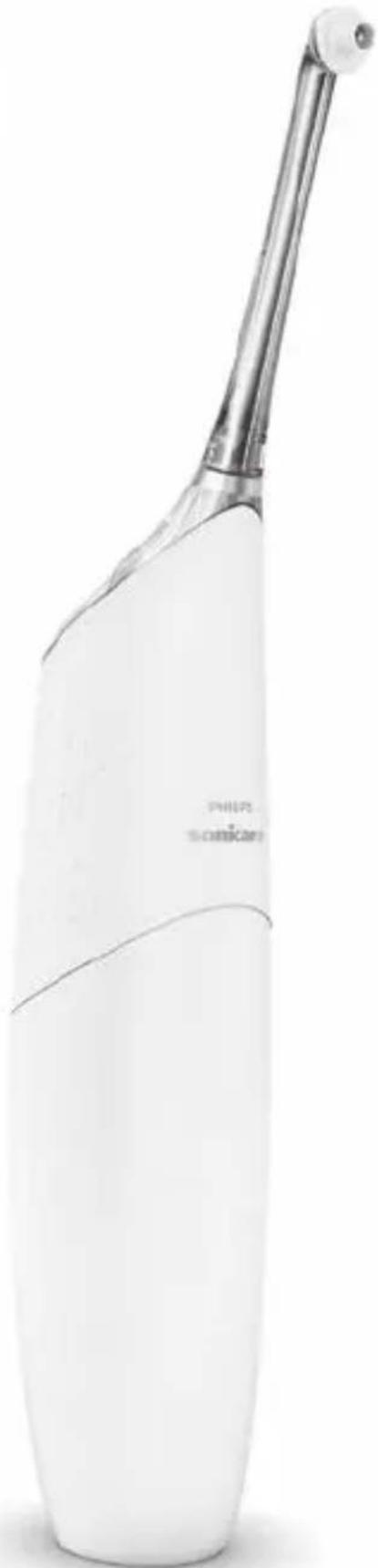
AirFloss Ultra
ENGLISH 6
FRANÇAIS 14
Introduction
Congratulations on your purchase and welcome to Philips! To fully benefit from the support that Philips offers, register your appliance at
www.philips.com/welcome.
Use AirFloss Ultra with your favorite mouthwash as part of your oral care routine. In addition to brushing, AirFloss Ultra helps reduce the plaque in between teeth in order to improve your gum health.
Important
Read this user manual carefully before you use the appliance and save it for future reference.
Danger
- Keep the charger away from water. Do not place or store it over or near water contained in a bathtub, washbasin, etc. Do not immerse the charger in water or any other liquid. After cleaning, make sure the charger is completely dry before you connect it to the mains.
Warning
- The mains cord cannot be replaced. If the mains cord is damaged, discard the charger. Always have the charger replaced with one of the original type in order to avoid a hazard.
- Use only charger type HX6100 provided with the AirFloss Ultra to recharge the battery.
- If the appliance is damaged in any way (AirFloss Ultra nozzle, handle and/or charger), stop using it.
- This appliance contains no serviceable parts. If the appliance is damaged, contact the Consumer Care Centre in your country (see chapter 'Guarantee and support').
- Do not use the charger outdoors or near heated surfaces.
- This appliance is not intended for use by persons (including children) with reduced physical, sensory or mental capabilities, or lack of experience and knowledge, unless they have been given supervision or instruction concerning use of the appliance by a person responsible for their safety.
- Children should be supervised to ensure that they do not play with the appliance.
Caution
- Consult your dentist before you use this appliance if you have had recent oral or gum surgery, suffer from an ongoing dental condition, had extensive dental work in the previous 2 months, or have suspected issues with your dental work (fillings, crowns, etc.).
- Consult your dentist if excessive bleeding occurs after using this appliance or if bleeding continues to occur after 4 weeks of use.
- If you have medical concerns, consult your doctor before you use this appliance.
- This Philips appliance complies with the safety standards for electromagnetic devices. If you have a pacemaker or other implanted device, contact your physician or the appliance manufacturer of the implanted appliance prior to use.
- Do not use attachments other than the ones recommended by the manufacturer.
- Do not exert excessive pressure on the nozzle tip of the nozzle. To avoid physical injury, do not fill the reservoir with hot water. Do not put foreign objects in the reservoir.
- Only use the AirFloss Ultra for its intended purpose as described in this user manual.
- To avoid physical injury, do not direct the spray under the tongue or into the ear, nose, eye or other sensitive area.
- Do not clean the AirFloss Ultra nozzle, the handle, the charger, the water reservoir and its cover in the dishwasher or a microwave.
- To avoid an ingestion hazard, do not put isopropyl alcohol or other cleaning fluids in the reservoir.
- The AirFloss Ultra is a personal care appliance and is not intended for use on multiple patients in a dental practice or institution.
Electromagnetic fields (EMF)
This Philips appliance complies with all applicable standards and regulations regarding exposure to electromagnetic fields.
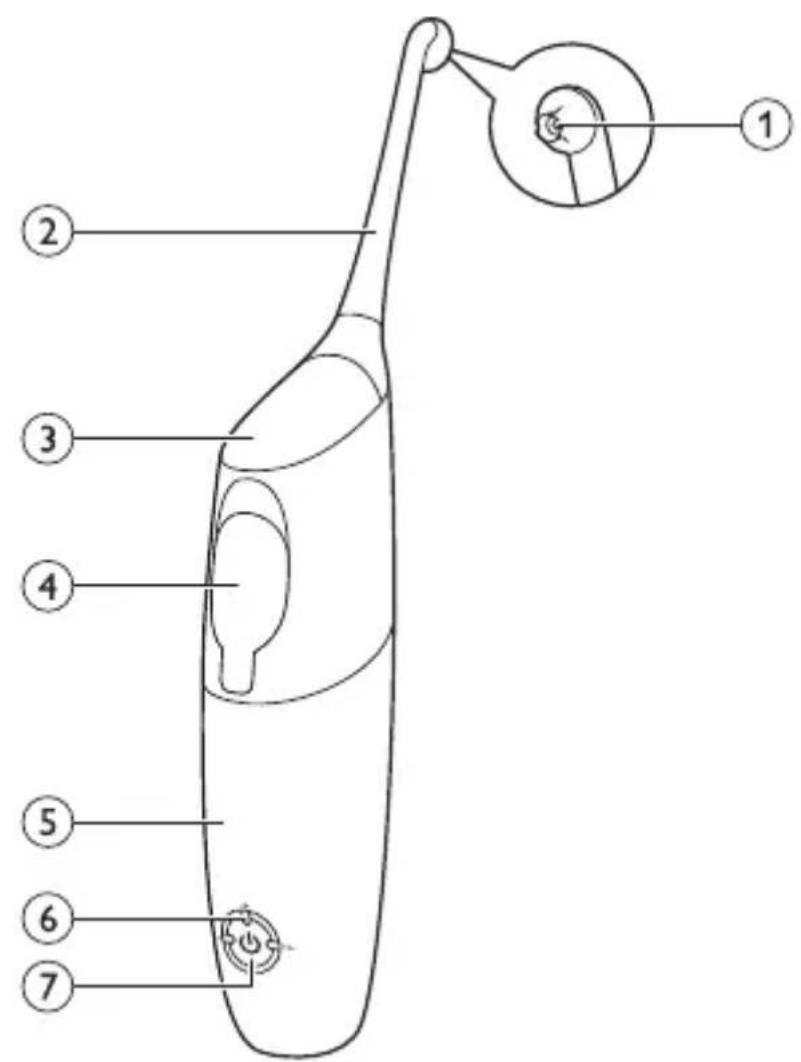
General description (Fig. 1)
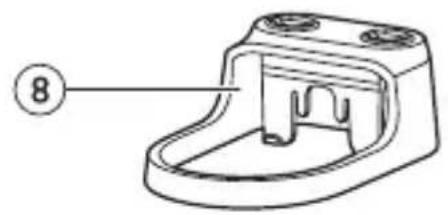
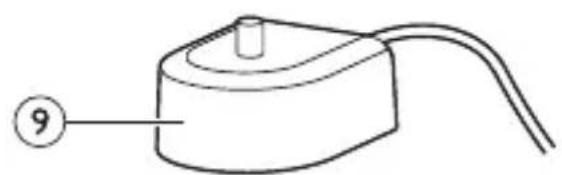
1 Nozzle tip 2 AirFloss Ultra nozzle 3 Activation button 4 Reservoir and reservoir cover 5 Handle 6 Charge & burst mode indicators
- Single burst: 1 LED
- Double burst: 2 LEDs
- Triple burst: 3 LEDs
7 Power/mode button 8 Removable nozzle holder (select models) 9 Charger
Note: The contents of the box may vary based on the model purchased.
Charging
Charge the AirFloss Ultra for 24 hours before first use.
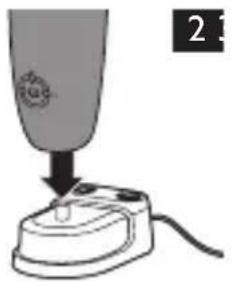
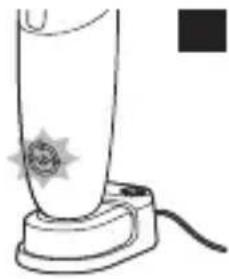
1 Put the plug of the charger in the electrical outlet. 2 Place the handle on the charger (Fig. 2).
Charging process: (Fig. 3)
- 1 green LED: 33% charged.
- 2 green LEDs: 66% charged.
- 3 green LEDs: 100% charged.
Note: When it is fully charged, AirFloss Ultra has an operating time of up to 11 days when it is used in triple burst mode, and up to 33 days when it is used in single burst mode.
Note: When the charge indicators flash yellow, the battery is low and needs to be recharged (fewer than 3 uses left).
Preparing for use
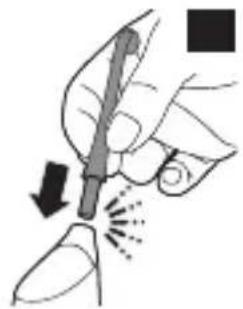
1 Align the nozzle and press the nozzle down onto the handle ('click') (Fig. 4).
Note: We advise you to place the tip facing the front of the handle as the illustration shows, but the nozzle can be placed in the handle either way without affecting the function. You can try both options and use what works best for you in your oral care routine.
Note: Replace the nozzle (HX8032, HX8033) every 6 months for optimal results. Also replace the nozzle if it becomes loose or no longer 'clicks' onto the handle.
Note: The AirFloss Ultra only supports AirFloss Ultra nozzles. Do not attempt to use non-AirFloss Ultra nozzles on the AirFloss Ultra handle.
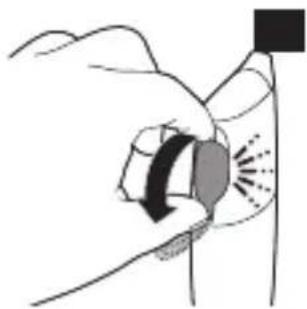
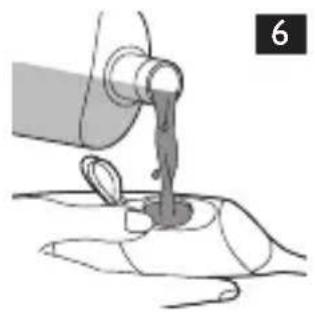
2 Open the cover of the reservoir ('click') (Fig. 5). 3 Fill the reservoir with mouthwash or water (Fig. 6).
Tip: For the best result and a fresher experience, we advise you to use mouthwash with your AirFloss Ultra.
Note: Do not use mouthwash that contains isopropyl myristate (e.g. Dentyl Active) or high concentrations of essential oils, as it may damage the appliance. This includes all mouthwash sold in glass and ceramic packaging.
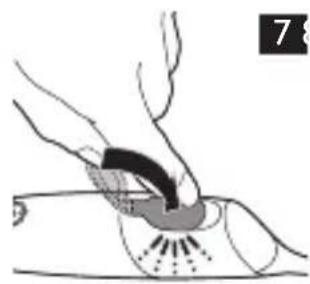
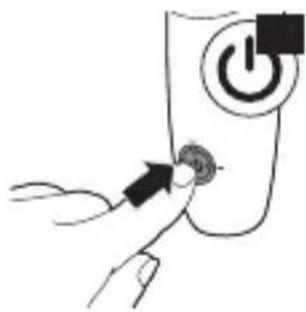
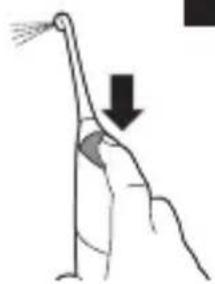
4 Close the cover of the reservoir by pressing ('click') (Fig. 7). Press the power/mode button to switch on the appliance. (Fig. 8) The LEDs illuminate. 6 Press and hold the activation button until spray comes out of the tip of the nozzle (Fig. 9).
Using the appliance
1. Make sure the AirFloss Ultra is switched on. If it is off, press and release the power/mode button to switch on the appliance. (Fig. 8)
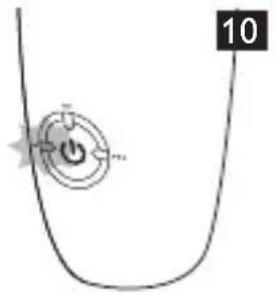
You can change the modes to have the desired number of bursts each time you press the activation button. For optimal results, use the triple burst mode (the default setting) from both the outside and inside of your teeth. To change modes, press the power/mode button to cycle through the modes until you reach your desired mode. The LEDs show the selected mode:
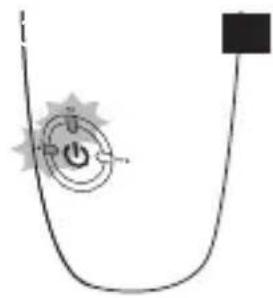
- Single burst: 1 LED (Fig. 10)
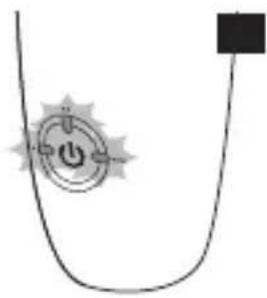
- Double burst: 2 LEDs (Fig. 11)
- Triple burst: 3 LEDs (Fig. 12)
Note: The AirFloss Ultra remembers the last mode selected and is ready for the next use. If your AirFloss Ultra becomes fully drained of power, it will return to the triple burst default mode once it has been recharged.
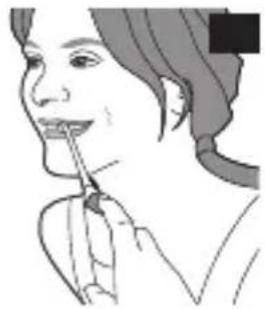
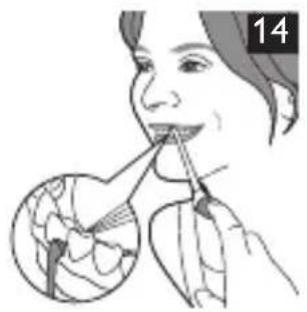
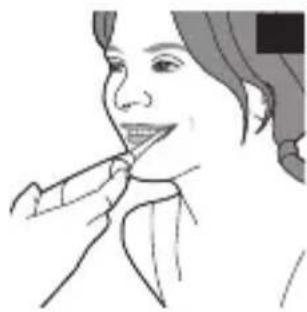
2. Place the nozzle tip between two teeth at your gum line. Slightly close your lips over the nozzle when it is in place to avoid splashing (Fig. 13). 3. Press the activation button to deliver 1-3 bursts (depending on the selected mode) of air and micro-droplets of mouthwash or water between the teeth. (Fig. 14) 4. Slide the nozzle tip along the gum line until you feel it settle between the next two teeth. 5. Continue this procedure for all spaces between your teeth, including behind your back teeth (Fig. 15).
Note: Refill the reservoir as needed.
Auto-burst function
Hold the activation button to deliver bursts continuously, approximately one second between sets of bursts.
1. To switch off the AirFloss Ultra, press and hold the power/mode button for one second.
Automatic shut-off function
The AirFloss Ultra automatically switches off if it has not been used for one minute.
Cleaning
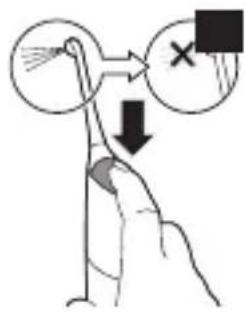
If the AirFloss Ultra becomes clogged, or to clean the inside of the AirFloss, fill the reservoir with warm water and press the activation button until the reservoir is empty.
Do not clean the nozzle, handle or charger in the dishwasher.
Do not use cleaning agents to clean the appliance. The formulation or strength of some agents may damage the appliance.
Handle and nozzle
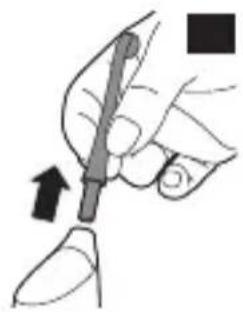
1 Remove the AirFloss Ultra nozzle from the handle. Rinse the nozzle after each use to eliminate the residue left in it (Fig. 16). 2 Open the reservoir and rinse it under a faucet to eliminate residue (Fig. 17).
Tip: You can also use a cotton swab to wipe the reservoir and remove the remaining residue.
Note: Do not immerse the handle in water.
Note: Failure to remove residue from the nozzle or reservoir may result in an unhygienic condition.
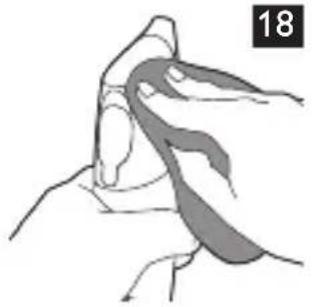
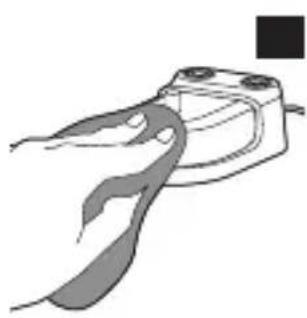
3 Wipe the entire surface of the handle with a damp cloth (Fig. 18).
Charger
1 Unplug the charger before you clean it. 2 Wipe the surface of the charger with a damp cloth (Fig. 19).
Storage
If you are not going to use AirFloss Ultra for an extended period of time, follow the steps below.
1 Open the cover of the reservoir and empty it. 2 Press the activation button until no more spray comes out of the nozzle. 3 Unplug the charger. 4 Clean AirFloss Ultra nozzle, handle and charger. Refer to chapter 'Cleaning'. Store AirFloss Ultra in a cool, dry place away from direct sunlight.
Recycling
Do not throw away the appliance with the normal household waste at the end of its life, but hand it in at an official collection point for recycling. By doing this, you help to preserve the environment.
Removing the rechargeable battery
Please note that this process is not reversible.
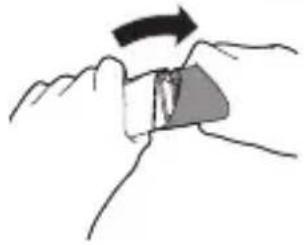
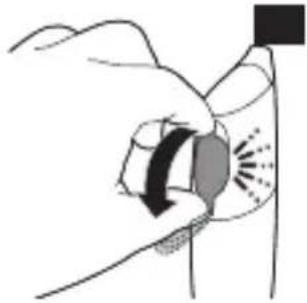
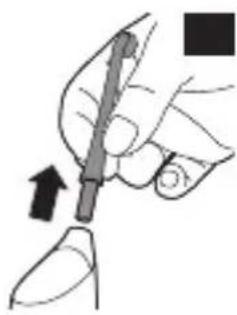
1 To deplete the battery, repeatedly press the activation button until the AirFloss Ultra no longer produces any bursts of air (Fig. 20). 2 Remove the nozzle from the handle. (Fig. 21) 3 Firmly grab the handle with one hand at the top and one hand on the bottom (Fig. 22).
4 Snap the handle into two parts. (Fig. 23)
Note: This step requires a good amount of physical force. The top and bottom half of the handle should be separated once you snap the handle.
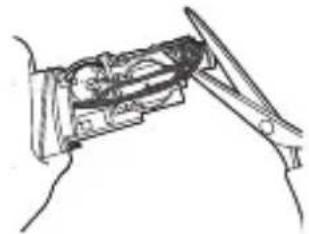
5 Remove the bottom half of the handle (Fig. 24). 6 Cut all 6 wires on the internal component with scissors (Fig. 25). 7 Completely pull apart the internal component from the top part of the handle (Fig. 26). 8 The battery is located inside the top half of the handle. Remove the battery and dispose of it properly (not in household waste) (Fig. 27).
Guarantee and support
If you need information or support, please visit www.philips.com/ support or read the separate worldwide guarantee leaflet.
Guarantee restrictions
The terms of the international guarantee do not cover the following:
- AirFloss Ultra nozzle.
- Damage caused by misuse, abuse, neglect, alterations or unauthorised repair.
- Normal wear and tear, including chips, scratches, abrasions, discolouration or fading.
Introduction
Therefore, n = 5
(2)
.
Jepai j. 1111111111111111111111111111111
. qlll AirFloss 1e ll lAirFloss jg aol g opl
.(0J)(“abab"elw) 1jll cbe zoi
(7 J) cllg pall Jgws jssll slo
pall Jgue plssuul yai li, jyil giaill gilaill JdJgaaill:
AirFloss
Dentyl Jio) Jyuyuul cuiyoo do Jo Je givp Jguc plxuiu sla:abxlo
gil 15 Jiaag jglal alit gjll gjj (Active
afojgagcoglajj aclall poall Jguc
jgllll plssuul jubusuul aub jsluol cll lj auiubieogg ybdoal aoell ge gagloo Philips no jlgll i bbbljajjzjybjg agb jaeiwi ci 1j plssxJgogjall aeinall ayall aegnall sllg y bi tll aclal yg sia o x .aggally aagall fup jc agb bax . jzglp gni X.aislu dian jzll slai x, ainyll aolx I Lj ggo gaoasall jx! qtll AirFloss p x . liip gI gI gI gI gI gI gI gI gI gI gI gI gI gI gI gI gI gI gI gI gI gI gI gI gI gI gI gI gI gI gI gI gI gI gI gI gI gI gI gI gI gI gI gI gI gI gI gI gI gI gI . . allue gdlbcg all cn jgsaall Gflll AirFloss adg abii . . . . . . . . . . . . . . . . . . .
(EMF)
eilll lal aal nllgall gao Philips aJ no jIa I bii .blioog
| (1 Jus) plaal wogll | |
| aagall fbr | 1 |
| gall AirFloss aag | 2 |
| buiill jj | 3 |
| ajl all abegn jzll | 4 |
| dall | 5 |
| eall ggg nssjwgo | 6 |
| lg ygssgo: ajjall aegll | - |
| aigss go: aacall aegll | - |
| aigss go r: aijll aegll | - |
| eall / lgeiill jj | 7 |
| (aieo jrb) alljyall alall aagall jolc | 8 |
| n>ll | 9 |
| .ogl s pi gll jrlall sss agell clogiss o glatt: abdo | |
ao
yll pll no alol aie wlll Philips pIe y jog jll lio jle ll .www.philips.com/welcome JjL jy,Philipsdo. pall liell ayogll daiell alwlaall no sJgE go gfall AirFloss pssal jll sbn no nn ll JcL bair air Floss ,dall AirFloss ,dall pall abu jll aolxly
Plo
aIg>ll a blaXgJgAL pLaiu Jia liy Lpssuaal Jlu o
bs
y J J J J J J J J J J J J J J J J J J J J J J J J J J J J J J J J J J J J J J J J J J J J J J J J J J J J J J J J J J J J J J J J J J J J J J J J J J J J J J J J J J J J J
11x y aie g f d jy 150 c s l i o y g f, li x y bnnn nn nss 1s 2000000000000000000000000000000000000000000000000000000000000000000000000000000000000000000
22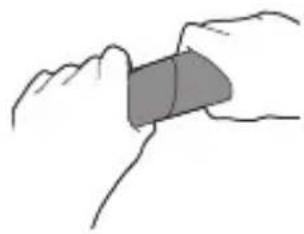
∴ m = 3/11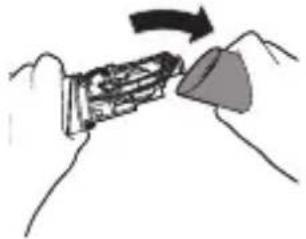
26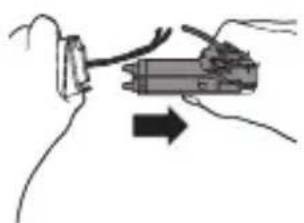
27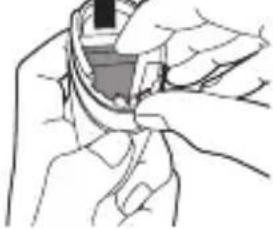

www.philips.com/Sonicare
©2014 Koninklijke Philips N.V. (KPNV). All rights reserved.
Philips and the Philips shield are trademarks of KPNV.
AirFloss, Sonicare and the Sonicare logo are trademarks
of Philips Oral Healthcare, Inc. and/or KPNV.

100% recycled paper
100% recycled paper
- ALWAYS HERE TO HELP YOU
- AIRFLOSS ULTRA
- INTRODUCTION
- WWW.PHILIPS.COM/WELCOME
- IMPORTANT
- DANGER
- WARNING
- CAUTION
- ELECTROMAGNETIC FIELDS (EMF)
- GENERAL DESCRIPTION (FIG. 1)
- CHARGING
- CHARGING PROCESS: (FIG. 3)
- PREPARING FOR USE
- USING THE APPLIANCE
- AUTO-BURST FUNCTION
- AUTOMATIC SHUT-OFF FUNCTION
- CLEANING
- HANDLE AND NOZZLE
- CHARGER
- STORAGE
- RECYCLING
- REMOVING THE RECHARGEABLE BATTERY
- GUARANTEE AND SUPPORT
- GUARANTEE RESTRICTIONS
- AO
- PLO
Brand : PHILIPS
Model : Sonicare AirFloss Ultra HX8381
Category : Interdental brush