ManualGo.com
RFNE 312 E43W - Freezer BEKO - Free user manual and instructions
Find the device manual for free RFNE 312 E43W BEKO in PDF.



Download the instructions for your Freezer in PDF format for free! Find your manual RFNE 312 E43W - BEKO and take your electronic device back in hand. On this page are published all the documents necessary for the use of your device. RFNE 312 E43W by BEKO.
USER MANUAL RFNE 312 E43W BEKO
Kühlschrank/Gefrierschrank Bedienungsanleitung Congélateur Manuel d'utilisation Diepvriezer Gebruiksaanwijzing RFNE 312 E 22 X RFNE 312 E 43 W RFNE 312 E 23 W RFNE 312 E 23 XRFNE 312 E 33 W RFNE 312 E 33 X EN DE FR NL Refrigerator User manualPlease read this manual before using the product! Dear Customer, We'd like you to make the best use of our product, which has been manufactured in modern facilities with care and meticulous quality controls. Thus, we advice you to read the entire user manual before you use the product. In case the product changes hands, do not forget to hand the guide to its new owner along with the product. This guide will help you use the product quickly and safely.
- Please read the user guide carefully before installing and operating the product.
- Always observe the applicable safety instructions.
- Keep the user guide within easy reach for future use.
- Please read any other documents provided with the product. Keep in mind that this user guide may apply to several product models. The guide clearly indicates any variations of different models.
Rsk of lfe and property.
- Rsk of electrc shock. The product’s packagng s made of recyclable materals, n accordance wth the Natonal Envronment Legslaton.3 / 22 EN Refrigerator/User Manual 1 Safety and environment instructions 4 General safety p. 4
- Intended use p. 8
- Child safety p. 8
- Compliance with WEEE Directive and Disposing of the Waste Product p. 8
- Compliance with RoHS Directive p. 8
- Package information p. 8
- 2 Your Freezer 9 3 Installation 10 Appropriate installation location p. 10
- Installing the plastic wedges p. 10
- Adjusting the feet p. 11
- Electrical connection p. 11
- 4 Preparation 12 5 Operating the product 13 Freezing fresh food p. 15
- Recommendations for preserving the frozen food p. 16
- Deep-freeze information p. 16
- Placing the food p. 17
- Door open warning p. 17
- Changing the door opening direction 17 6 Maintenance and cleaning 18 Avoiding bad odours p. 18
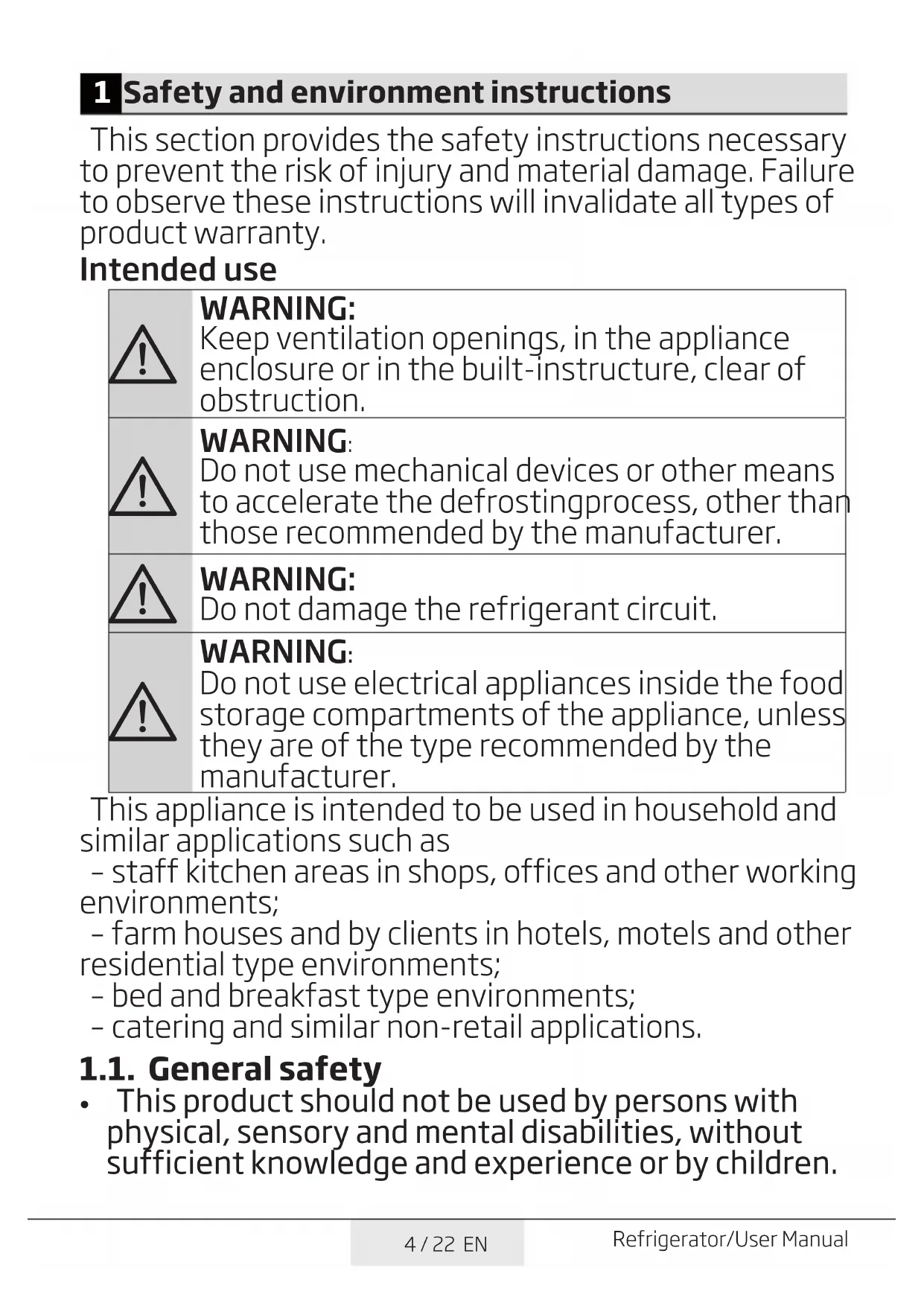
- Protecting the plastic surfaces 7 Troubleshooting 194 / 22 EN Refrigerator/User Manual 1 Safety and environment instructions This section provides the safety instructions necessary to prevent the risk of injury and material damage. Failure to observe these instructions will invalidate all types of product warranty. Intended use p. 18
Do not use mechancal devces or other means to accelerate the defrostngprocess, other than those recommended by the manufacturer.
Do not use electrcal applances nsde the food storage compartments of the applance, unless they are of the type recommended by the manufacturer. This appliance is intended to be used in household and similar applications such as – staff kitchen areas in shops, offices and other working environments; – farm houses and by clients in hotels, motels and other residential type environments; – bed and breakfast type environments; – catering and similar non-retail applications. 1.1. General safety
- This product should not be used by persons with physical, sensory and mental disabilities, without sufficient knowledge and experience or by children.5 / 22 EN Refrigerator/User Manual Safety and environment instructions The device can only be used by such persons under supervision and instruction of a person responsible for their safety. Children should not be allowed to play with this device.
- In case of malfunction, unplug the device.
- After unplugging, wait at least 5 minutes before plugging in again.
- Unplug the product when not in use.
- Do not touch the plug with wet hands! Do not pull the cable to plug off, always hold the plug.
- Do not plug in the refrigerator if the socket is loose.
- Unplug the product during installation, maintenance, cleaning and repair.
- If the product will not be used for a while, unplug the product and remove any food inside.
- Do not use the product when the compartment with circuit cards located on the upper back part of the product (electrical card box cover) (1) is open.
- Do not use steam or steamed cleaning materials for cleaning the refrigerator and melting the ice inside. Steam may contact the electrified areas and cause short circuit or electric shock!
- Do not wash the product by spraying or pouring water on it! Danger of electric shock!6 / 22 EN Refrigerator/User Manual Safety and environment instructions
- In case of malfunction, do not use the product, as it may cause electric shock. Contact the authorized service before doing anything.
- Plug the product into an earthed socket. Earthing must be done by a qualified electrician.
- If the product has LED type lighting, contact the authorized service for replacing or in case of any problem.
- Do not touch frozen food with wet hands! It may adhere to your hands!
- Do not place liquids in bottles and cans into the freezer compartment. They may burst out!
- Place liquids in upright position after tightly closing the lid.
- Do not spray flammable substances near the product, as it may burn or explode.
- Do not keep flammable materials and products with flammable gas (sprays, etc.) in the refrigerator.
- Do not place containers holding liquids on top of the product. Splashing water on an electrified part may cause electric shock and risk of fire.
- Exposing the product to rain, snow, sunlight and wind will cause electrical danger. When relocating the product, do not pull by holding the door handle. The handle may come off.
- Take care to avoid trapping any part of your hands or body in any of the moving parts inside the product.
- Do not step or lean on the door, drawers and similar parts of the refrigerator. This will cause the product to fall down and cause damage to the parts.
- Take care not to trap the power cable.7 / 22 EN Refrigerator/User Manual Safety and environment instructions
If the product comprses a coolng system usng R600a gas, take care to avod damagng the coolng system and ts ppe whle usng and movng the product. Ths gas s flammable. If the coolng system s damaged, keep the product away from sources of fre and ventlate the room mmedately.
The label on the inner left side indicates the type of gas used in the product.
1.1.2 For models with water dispenser
- Pressure for cold water inlet shall be maximum 90 psi (6.2 bar). If your water pressure exceeds 80 psi (5.5 bar), use a pressure limiting valve in your mains system. If you do not know how to check your water pressure, ask for the help of a professional plumber.
- If there is risk of water hammer effect in your installation, always use a water hammer prevention equipment in your installation. Consult Professional plumbers if you are not sure that there is no water hammer effect in your installation.
- Do not install on the hot water inlet. Take precautions against of the risk of freezing of the hoses. Water temperature operating interval shall be 33°F (0.6°C) minimum and 100°F (38°C) maximum.
- Use drinking water only.8 / 22 EN Refrigerator/User Manual Safety and environment instructions 1.2. Intended use
- This product is designed for home use. It is not intended for commercial use.
- The product should be used to store food and beverages only.
- Do not keep sensitive products requiring controlled temperatures (vaccines, heat sensitive medication, medical supplies, etc.) in the refrigerator.
- The manufacturer assumes no responsibility for any damage due to misuse or mishandling.
- Original spare parts will be provided for 10 years, following the product purchasing date. 1.3. Child safety
- Keep packaging materials out of children’s reach.
- Do not allow the children to play with the product.
- If the product’s door comprises a lock, keep the key out of children’s reach. 1.4. Compliance with WEEE Directive and Disposing of the Waste Product This product complies with EU WEEE Directive (2012/19/EU). This product bears a classification symbol for waste electrical and electronic equipment (WEEE). This product has been manufactured with high quality parts and materials which can be reused and are suitable for recycling. Do not dispose of the waste product with normal domestic and other wastes at the end of its service life. Take it to the collection center for the recycling of electrical and electronic equipment. Please consult your local authorities to learn about these collection centers. 1.5. Compliance with RoHS Directive
- Ths product comples wth EU WEEE Drectve (2011/65/EU). It does not contan harmful and prohbted materals specfed n the Drectve. 1.6. Package information
- Packagng materals of the product are manufactured from recyclable materals n accordance wth our Natonal Envronment Regulatons. Do not dspose of the packagng materals together wth the domestc or other wastes. Take them to the packagng materal collecton ponts desgnated by the local authortes.9 / 22 EN Refrigerator/User Manual 2 Your Freezer
4. Adjustable front feet
Figures that take place in this instruction manual are schematic and may not correspond exactly with your product. If the subject parts are not included in the product you have purchased, then it is valid for other models.
*10 / 22 EN Refrigerator/User Manual 3 Installation 3.1. Appropriate installation location Contact an Authorized Service for the installation of the product. In order to prepare the product for use, refer the information in the user manual and ensure that electrical installation and water installation are appropriate. If not, call a qualified electrician and technician to have any necessary arrangements carried out.
WARNING:Manufacturer shall
not be held lable for damages that may arse from procedures carred out by unauthorzed persons.
WARNING:Product must
not be plugged n durng nstallaton. Otherwse, there s the rsk of death or serous njury!
If the door clearance of the room where the product shall be place s so tght to prevent passng of the product, remove the door of the room and pass the product through the door by turnng t to ts sde; f ths does not work, contact the authorzed servce.
- Placetheproductonanevenfloor surface to prevent jolts.
- Installtheproductatleast30cm away from heat sources such as hobs, heater cores and stoves and at least 5 cm away from electrical ovens.
- Productmustnotbesubjectedto direct sun light and kept in humid places.
- Appropriateairventilationmustbe provided around your product in order to achieve an efficient operation. If the product is to be placed in a recess in the wall, pay attention to leave at least 5 cm distance with the ceiling and side walls.
3.2. Installing the plastic wedges Plastc wedges suppled wth the product are used to create the dstance for the ar crculaton between the product and the rear wall.
1. To install the wedges, remove the
screws on the product and use the screws supplied together with the wedges.
2. Insert the 2 plastic wedges onto the
rear ventilation cover as illustrated in the figure.11 / 22 EN Refrigerator/User Manual Installaton 3.3. Adjusting the feet If the product stands unbalanced after nstallaton, adjust the feet on the front by rotatng them to the rght or left. 3.4. Electrical connection
WARNING: Do not make
power cable must be replaced by the Authorzed Servce Agent.
If two coolers are to be nstalled sde by sde, there should be at least 4 cm dstance between them.
- Our company shall not be lable for any damages that wll arse when the product s used wthout groundng and electrcal connecton n accordance wth the natonal regulatons.
- Power cable plug must be wthn easy reach after nstallaton.
- Connect your refrgerator to a grounded outlet rated for a voltage value of 220-240V /50 Hz. Outlet shall have 10 to 16A fuse.
- Do not extenson cords or cordless multple outlets between your product and the wall outlet.12 / 22 EN Refrigerator/User Manual 4 Preparation
- Your refrigerator should be installed at least 30 cm away from heat sources such as hobs, ovens, central heater and stoves and at least 5 cm away from electrical ovens and should not be located under direct sunlight.
- The ambient temperature of the room where you install your refrigerator should at least be -15°C. Operating your refrigerator under cooler conditions is not recommended with regard to its efficiency.
- Please make sure that the interior of your refrigerator is cleaned thoroughly.
- If two refrigerators are to be installed side by side, there should be at least 2 cm distance between them.
- When you operate your refrigerator for the first time, please observe the following instructions during the initial six hours.
- The door should not be opened frequently.
- It must be operated empty without any food in it.
- Do not unplug your refrigerator. If a power failure occurs out of your control, please see the warnings in the “Recommended solutions for the problems” section.
- Original packaging and foam materials should be kept for future transportations or moving.
- The baskets/drawers that are provided with the chill compartment must always be in use for low energy consumption and for better storage conditions.
- Food contact with the temperature sensor in the freezer compartment may increase energy consumption of the appliance. Thus any contact with the sensor(s) must be avoided.
- In some models, the instrument panel automatically turns off 5 minutes after the door has closed. It will be reactivated when the door has opened or pressed on any key.
- Due to temperature change as a result of opening/closing the product door during operation, condensation on the door/body shelves and the glass containers is normal13 / 22 EN Refrigerator/User Manual
Fgures n ths user manual are schematc and may not match the product exactly. If the subject parts are not ncluded n the product you have purchased, then those parts are vald for other models. 1.On/Off Indicator: Ths con ( ) come on when the freezer s turned off. All the other cons turn off. 2.Economic Usage Indicator: This icon ( ) (comes on when the Freezer Compartment is set to -18°C which is the most economical set value. Economic Usage Indicator turns off when the Quick Fridge or Quick Freeze function is selected. 3.Freezer Compartment Temperature Setting Indicator: Indcates the temperature set for the Freezer Compartment. 4.Power failure/High temperature / error warning indicator : This light ( ) illuminates during power failure, high temperature failures and error warnings. During sustained power failures, the highest temperature that the freezer compartment reaches will flash on the digital display. 5.Eco Extra Indicator: This icon ( ) lights up when this Function is active. 6.Key Lock Indicator: This icon ( ) lights up when the Key Lock mode is activated. 5 Operating the product Indicator panel
1314 / 22 EN Refrigerator/User Manual Operating the product 7.Key Lock Mode: Press Key Lock ( ) button continuously for 3 seconds. Key lock icon will light up and key lock mode will be activated. Buttons will not function if the Key Lock mode is active. Press Key Lock button continuously for 3 seconds again. Key lock icon will turn off and the key lock mode will be exite.
8- Alarm off warning:
In case of power failure/high temperature alarm, after checking the food located in the freezer compartment press the alarm off button ( ) to clear the warning. 9.Eco Extra Function: Press the Eco Extra button ( ) for 3 seconds to activate Eco Extra Function when going on holday for instance. Freezer will start operating in the most economic mode at around 6 hours later and the economic usage indicator will turn on when the function is active. 10.Freezer Set Function: This function ( ) allows you to change the Freezer compartment temperature setting. Press this button to set the temperature of the freezer compartment to -18, -19, -20, -21, -22, -23 and -24, respectively. 11.Quick Freeze Function: Quick Freeze indicator ( ) turns on when the Quick Freeze function is on. Press Quick Freeze button again to cancel this function. Quick Freeze indicator will turn off and normal settings will be resumed. Quick Freeze function will be cancelled automatically 25 hours later if you do not cancel it manually. If you want to freeze plenty amount food, press Quick Freeze button before you place the food into the freezer compartment. 12.On/Off Function: This function ( ) allows you to make the Fridge turn off when pressed for 3 seconds.The fridge could be turned on by pressing On/Off button for 3 seconds again . 13.Energy Saving Indicator : If the product doors are kept closed for a long time energy saving function is automatically activated and energy saving symbol is illuminated. ( ) When energy saving function is activated, all symbols on the display other than energy saving symbol will turn off. When the Energy Saving function is activated, if any button is pressed or the door is opened, energy saving function will be canceled and the symbols on display will return to normal. Energy saving function is activated during delivery from factory and cannot be canceled. 14.Quick Freeze Indicator : This icon ( ) comes on when the Quick Freeze function is on.15 / 22 EN Refrigerator/User Manual Operatng the product 5.1. Freezing fresh food
- In order to preserve the qualty of the food, t shall be frozen as quckly as possble when t s placed n the freezer compartment, use the fast freezng feature for ths purpose.
- You may store the food longer n freezer compartment when you freeze them whle they are fresh.
- Pack the food to be frozen and close the packng so that t would not allow entrance of ar.
- Ensure that you pack your food before puttng them n the freezer. Use freezer contaners, fols and mosture-proof papers, plastc bags and other packng materals nstead of tradtonal packng papers.
- Label each pack of food by addng the date before freezng. You may dstngush the freshness of each food pack n ths way when you open your freezer each tme. Store the food frozen before n the front sde of compartment to ensure that they are used frst.
The freezer compartment defrosts automatcally.
- Frozen food must be used mmedately after they are thawed and they should not be re-frozen.
- Do not freeze too large quanttes of food at one tme.16 / 22 EN Refrigerator/User Manual Operatng the product Freezer Compartment Settng Frdge compartment Settng Remarks -18°C 4°C This is the normal recommended setting. -20,-22 or -24°C 4°C These settings are recommended when the ambient temperature exceeds 30°C. Quick Freeze 4°C Use when you wish to freeze your food in a short time. Your product will return to its previous mode when the process is over. -18°C or colder 2°C Use these settings if you think that your fridge compartment is not cold enough because of the hot ambient conditions or frequent opening and closing of the door. 5.2. Recommendations for preserving the frozen food Compartment shall be set to -18°C at least.
1. Put packages in the freezer as
quickly as possible after purchase without allowing the to thaw.
2. Check whether the "Use By" and
"Best Before" dates on the packaging are expired or not before freezing it.
3. Ensure that the package of the food
is not damaged. 5.3. Deep-freeze information Accordng to IEC 62552 standards, the product shall freeze at least 4.5 kg of food at 32°C ambent temperature to -18°C or lower wthn 24 hours for every 100-ltres of freezer volume. It s possble to preserve the food for a long tme only at -18°C or lower temperatures. You can keep the freshness of food for many months (at -18°C or lower temperatures n the deep freeze). Foods to be frozen should not be allowed to come n contact wth the prevously frozen tems to prevent them from gettng thawed partially. Boil the vegetables and drain their water in order to store vegetables for a longer time as frozen. After draining their water, put them in air-proof packages and place them inside the freezer. Food such as bananas, tomatoes, lettuce, celery, boiled eggs, potatoes are not suitable for freezing. When these foods are frozen, only their nutritional value and taste shall be affected negatively. They shall not be spoiled so that they would create a risk for human health. - Active”quıck freeze function” at least 24 hour before loading fresh food. - Put 2 pcs ice packs ( if available ) inside the bottom drawer. - Place fresh food on the shelves of 2 nd&3rd from the bottom.(maximum capacıty can be achieved by removing the drawers17 / 22 EN Refrigerator/User Manual Operatng the product 5.4. Placing the food Freezer compartment shelves Various frozen food such as meat, fish, ice cream, vegetables and etc. Refrigerator compartment shelves Food in pans, covered plates and closed containers, eggs (in closed container) Door shelves of fridge compartment Small and packaged food or beverage Crisper Vegetables and fruits Fresh zone compartment Delicatessen (breakfast food, meat products that shall be consumed in a short time) 5.5. Door open warning (This feature is optional) An audio warning signal will be given when the door of your product is left open for at least 1 minute. This warning will be muted when the door is closed or any of the display buttons (if any) are pressed. Door open warning is given to user both visually and acoustically. If the warning continues for 10 minutes, interior lights will be turned off. 5.6. Changing the door opening direction Door openng drecton of your refrge- rator can be changed accordng to the place you are usng t.If ths s neces- sary, please call your nearest Authorzed Servce. Above descrpton s a general express- on.For nformaton on changng the ope- nng drecton of the door, you must refer to the warnng label located on the nner sde of the door. Icematic and ice storage container *optional Using the Icematic Fill the Icematic with water and place it into its seat. Your ice will be ready approximately in two hours. Do not remove the Icematic from its seating to take ice. Turn the knobs on the ice reservoirs clockwise by 90 degrees. Ice cubes in the reservoirs will fall down into the ice storage container below. You may take out the ice storage container and serve the ice cubes. If you wish, you may keep the ice cubes in the ice storage container. Ice storage container Ice storage container is only intended for accumulating the ice cubes. Do not put water in it. Otherwise, it will break.18 / 22 EN Refrigerator/User Manual 6 Maintenance and cleaning Cleanng your frdge at regular ntervals wll extend the servce lfe of the product.
product before cleanng t.
- Never use gasolne, benzene or smlar substances for cleanng purposes.
- Never use any sharp and abrasve tools, soap, household cleaners, detergent and wax polsh for cleanng.
- Dssolve one teaspoon of b- carbonate n half ltre of water. Soak a cloth wth the soluton and wrung t thoroughly. Wpe the nteror of the refrgerator wth ths cloth and the dry thoroughly.
- Make sure that no water enters the lamp housng and other electrcal tems.
- If you wll not use the refrgerator for a long perod of tme, unplug t, remove all food nsde, clean t and leave the door ajar.
- Check regularly that the door gaskets are clean. If not, clean them.
- To remove door and body shelves, remove all of ts contents.
- Remove the door shelves by pullng them up. After cleanng, slde them from top to bottom to nstall.
- Never use cleanng agents or water that contan chlorne to clean the outer surfaces and chromum coated parts of the product. Chlorne causes corroson on such metal surfaces. 6.1. Avoiding bad odours Materials that may cause odour are not used in the production of our refrigerators. However, due to inappropriate food preserving conditions and not cleaning the inner surface of the refrigerator as required can bring forth the problem of odour. Pay attention to following to avoid this problem:
- Keepng the refrgerator clean s mportant. Food resduals, stans, etc. can cause odour. Therefore, clean the refrgerator wth b-carbonate dssolved n water every few months. Never use detergents or soap.
- Keep the food n closed contaners. Mcroorgansms spreadng out from uncovered contaners can cause unpleasant odours.
- Never keep the food that have passed best before dates and spoled n the refrgerator. 6.2. Protecting the plastic surfaces Do not put liquid oils or oil-cooked meals in your refrigerator in unsealed containers as they damage the plastic surfaces of the refrigerator. If oil is spilled or smeared onto the plastic surfaces, clean and rinse the relevant part of the surface at once with warm water.19 / 22 EN Refrigerator/User Manual 7 Troubleshooting Check this list before contacting the service. Doing so will save you time and money. This list includes frequent complaints that are not related to faulty workmanship or materials. Certain features mentioned herein may not apply to your product. The refrigerator is not working.
- The power plug s not fully settled. >>> Plug t n to settle completely nto the socket.
- The fuse connected to the socket powerng the product or the man fuse s blown. >>> Check the fuses. Condensation on the side wall of the cooler compartment (MULTI ZONE, COOL, CONTROL and FLEXI ZONE).
- The door s opened too frequently >>> Take care not to open the product’s door too frequently.
- The envronment s too humd. >>> Do not nstall the product n humd envronments.
- Foods contanng lquds are kept n unsealed holders. >>> Keep the foods contanng lquds n sealed holders.
- The product’s door s left open. >>> Do not keep the product’s door open for long perods.
- The thermostat s set to too low temperature. >>> Set the thermostat to approprate temperature. Compressor is not working.
- In case of sudden power falure or pullng the power plug off and puttng back on, the gas pressure n the product’s coolng system s not balanced, whch trggers the compressor thermc safeguard. The product wll restart after approxmately 6 mnutes. If the product does not restart after ths perod, contact the servce.
- The temperature settng s ncorrect. >>> Select the approprate temperature settng.
- The power s out. >>> The product wll contnue to operate normally once the power s restored. The refrigerator's operating noise is increasing while in use.
- The product’s operatng performance may vary dependng on the ambent temperature varatons. Ths s normal and not a malfuncton.20 / 22 EN Refrigerator/User Manual Troubleshootng The refrigerator runs too often or for too long.
- The new product may be larger than the prevous one. Larger products wll run for longer perods.
- The room temperature may be hgh. >>> The product wll normally run for long perods n hgher room temperature.
- The product may have been recently plugged n or a new food tem s placed nsde. >>> The product wll take longer to reach the set temperature when recently plugged n or a new food tem s placed nsde. Ths s normal
- Large quanttes of hot food may have been recently placed nto the product. >>> Do not place hot food nto the product.
- The doors were opened frequently or kept open for long perods. >>> The warm ar movng nsde wll cause the product to run longer. Do not open the doors too frequently.
- The freezer or cooler door may be ajar. >>> Check that the doors are fully closed.
- The product may be set to temperature too low. >>> Set the temperature to a hgher degree and wat for the product to reach the adjusted temperature.
- The cooler or freezer door washer may be drty, worn out, broken or not properly settled. >>> Clean or replace the washer. Damaged / torn door washer wll cause the product to run for longer perods to preserve the current temperature. The freezer temperature is very low, but the cooler temperature is adequate.
- The freezer compartment temperature s set to a very low degree. >>> Set the freezer compartment temperature to a hgher degree and check agan. The cooler temperature is very low, but the freezer temperature is adequate.
- The cooler compartment temperature s set to a very low degree. >>> Set the freezer compartment temperature to a hgher degree and check agan. The food items kept in cooler compartment drawers are frozen.
- The cooler compartment temperature s set to a very low degree. >>> Set the freezer compartment temperature to a hgher degree and check agan.21 / 22 EN Refrigerator/User Manual Troubleshootng The temperature in the cooler or the freezer is too high.
- The cooler compartment temperature s set to a very hgh degree. >>> Cooler compartment temperature settng has an effect on the freezer compartment temperature. Change the temperature of the cooler or freezer compartment and wat untl the temperature of the related compartments come to the adequate level.
- The doors were opened frequently or kept open for long perods. >>> Do not open the doors too frequently.
- The door may be ajar. >>> Fully close the door.
- The product may have been recently plugged n or a new food tem s placed nsde. >>> Ths s normal. The product wll take longer to reach the set temperature when recently plugged n or a new food tem s placed nsde.
- Large quanttes of hot food may have been recently placed nto the product. >>> Do not place hot food nto the product. Shaking or noise.
- The ground s not level or durable. >>> If the product s shakng when moved slowly, adjust the stands to balance the product. Also make sure the ground s suffcently durable to bear the product.
- Any tems placed on the product may cause nose. >>> Remove any tems placed on the product. The product is making noise of liquid flowing, spraying etc.
- The product’s operatng prncples nvolve lqud and gas flows. >>> Ths s normal and not a malfuncton. There is sound of wind blowing coming from the product.
- The product uses a fan for the coolng process. Ths s normal and not a malfuncton. There is condensation on the product's internal walls.
- Hot or humd weather wll ncrease cng and condensaton. Ths s normal and not a malfuncton.
- The doors were opened frequently or kept open for long perods. >>> Do not open the doors too frequently; f open, close the door.
- The door may be ajar. >>> Fully close the door. There is condensation on the product's exterior or between the doors.
- The ambent weather may be humd, ths s qute normal n humd weather. >>> The condensaton wll dsspate when the humdty s reduced.22 / 22 EN Refrigerator/User Manual Troubleshootng The interior smells bad.
- The product s not cleaned regularly. >>> Clean the nteror regularly usng sponge, warm water and carbonated water.
- Certan holders and packagng materals may cause odour. >>> Use holders and packagng materals wthout free of odour.
- The foods were placed n unsealed holders. >>> Keep the foods n sealed holders. Mcroorgansms may spread out of unsealed food tems and cause malodour.
- Remove any expred or spolt foods from the product. The door is not closing.
- Food packages may be blockng the door. >>> Relocate any tems blockng the doors.
- The product s not standng n full uprght poston on the ground. >>> Adjust the stands to balance the product.
- The ground s not level or durable. >>> Make sure the ground s level and suffcently durable to bear the product. The vegetable bin is jammed.
- The food tems may be n contact wth the upper secton of the drawer. >>> Reorganze the food tems n the drawer.
WARNING:If the problem perssts after followng the nstructons n ths
2. Flap (snel invriescompartiment)
Fgures n ths user manual are schematc and may not match the product exactly. If the subject parts are not ncluded n the product you have purchased, then those parts are vald for other models.