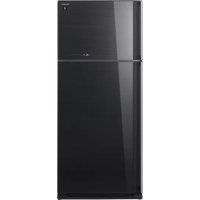
SJGC700VBK - Refrigerator SHARP - Free user manual and instructions
Find the device manual for free SJGC700VBK SHARP in PDF.



| Product Type | Refrigerator-freezer |
| Brand | SHARP |
| Model | SJGC700VBK |
| Refrigerant | R600a (isobutane) - flammable |
| Insulating Blowing Gas | Cyclopentane |
| Cooling Technology | Hybrid cooling panel (indirect cooling) |
| Ionizer | Plasmacluster (emits ions to deactivate mold) |
| Refrigerator Temperature Setting | 0°C to 6°C (in 1°C or 0.5°C steps) |
| Freezer Temperature Setting | -13°C to -21°C (in 1°C or 0.5°C steps) |
| Energy Saving Function | Yes (increases temperature by about 1°C in refrigerator and 2°C in freezer) |
| Door Alarm | Yes (adjustable On/Off) |
| Defrost | Automatic |
| Lighting | LED (blue and white) |
| Ice Making | Yes (ice tray with lever) |
| Temperature Indicator | Yes (coldest zone; blue = correct, white = too high) |
| Door Bins | Flexible door bin, door bins, functional door bin, bottle door bin |
| Egg Tray | Yes (21 eggs with separator) |
| Deodorizing Zone | Yes (no maintenance required) |
| Adjustable Feet | Yes (2 at front) |
| Door Gaskets | Magnetic (2 pieces) |
| Power Supply | 220-240 V ~ 50 Hz |
| Maintenance and Cleaning | Unplug, use a soft cloth and soapy water, do not spray water |
| Safety Precautions | Do not use flammable sprays, do not touch hot compressor, do not freeze bottled drinks |
Frequently Asked Questions - SJGC700VBK SHARP
User questions about SJGC700VBK SHARP
0 question about this device. Answer the ones you know or ask your own.
Ask a new question about this device
Download the instructions for your Refrigerator in PDF format for free! Find your manual SJGC700VBK - SHARP and take your electronic device back in hand. On this page are published all the documents necessary for the use of your device. SJGC700VBK by SHARP.
USER MANUAL SJGC700VBK SHARP
natural_image
Illustration of a modern refrigerator with front panel and side door (no text or symbols)
Device of this mark is a trademark of Sharp Corporation. Plasmacluster is a registered trademark or a trademark of Sharp Corporation.
• CARE AND CLEANING.... 11
- BEFORE YOU CALL FOR SERVICE.... 12
E CONTENIDO
• WAARSCHUWING....67
- LET OP 67
• INSTALLATIE 68
• TEMPERATUURINDICATOR 68
• BESCHRIJVING 69
• GEBRUIK 70
• OPBERGEN VAN VOEDSEL....74
• ONDERHOUD EN SCHOONMAKEN 74
• ALVORENS VOOR REPARATIE TE BELLEN..... 75
PL SPIS TREŚCI
• OSTRZEŻENIE 76
• ŚRODKI OSTROŻNOŚCI 76
• INSTALACJA....77
• WSKAŹNIK TEMPERATURY....77
• OPIS CZEŚCI....78
OBSŁUGA• 79
• PRZECHOWYWANIE ŻYWNOŚCI 83
• CZYSZCZENIE LODÓWKI....83
• ZANIM WEZWIESZ SERWIS 84
H TARTALOMJEGYZÉK
• FIGYELMEZTETÉS....85
• VIGYÁZAT 85
• ÜZEMBE HELYEZÉS 86
• HÖMÉRSÉKLETJELZŐ 86
• LEÍRÁS 87
• MÜKÖDTETÉS....88
• ÉLELMISZER-TÁROLÁS 92
This refrigerator contains flammable refrigerant (R600a: isobutane) and insulation blowing gas (cyclopentane). Observe the following rules to prevent ignition and explosion.
The refrigeration system behind and inside the • refrigerator contains refrigerant. Do not allow any sharp objects to come into contact with the refrigeration system.
Do not use mechanical devices or other means to accelerate the defrosting process. (This refrigerator has adopted automatic defrosting system.)
Do not use electric appliances inside the refrigerator.
Use only the specified parts for the refrigerator • compartment light.
Do not block the openings on the circumference of the refrigerator.
Do not use flammable sprays, such as spray paint near the refrigerator. It may cause explosion or fire.
If the refrigeration system should get punctured, do not touch the wall outlet and do not use open flames. Open the window and air out the room. Then ask a service agent approved by SHARP for servicing.
This refrigerator should be disposed appropriately. • Take the refrigerator to a recycling plant for flammable refrigerant and insulation blowing gases.
Do not store highly volatile and flammable materials such as ether, petrol, propane gas, aerosol cans, adhesive agents and pure alcohol etc.
These materials are liable to explode.
Dust deposited on the power plug may cause fire. Wipe it off carefully.
Do not attempt to change or modify this refrigerator. This may result in fire, electric shock or injury.
Ensure that the refrigerator presents no danger to children ■ while being stored for disposal. (e.g. remove the magnetic door seals to prevent child entrapment.)
CAUTION
Do not touch the compressor unit or its peripheral parts, as they become extremely hot during operation and the metal edges may cause injury.
Do not touch foods or metal containers in the freezer ■ compartment with your wet hands. This may cause frostbite.
Do not use an extension cord or adapter plug. ■
Do not place bottled and canned drinks in the freezer as they may crack when frozen.
Make sure that the power cord has not been damaged during installation or moving. If the power plug or cord is loose, do not insert the power plug. There is a risk of electric shock or fire.
Disconnect from the mains electricity supply by removing the mains plug from the electricity supply socket. Do not remove by pulling the mains lead. This may cause electric shock or fire.
■ In case of gas leak, ventilate the area by opening a window, etc. Do not touch the refrigerator or the power outlet.
Do not place objects containing liquid or unsteady objects on top of refrigerator.
IMPORTANT
■ Should the flexible supply cord be damaged, it must be replaced by service agent approved by SHARP as a special cord is required.
■ This appliance can be used by children aged from 8 years and above and persons with reduced physical, sensory or mental capabilities or lack of experience and knowledge if they have been given supervision or instruction concerning use of the appliance in a safe way and understand the hazards involved. Children shall not play with the appliance. Cleaning and user maintenance shall not be made by children without supervision.
Information on Disposal for Users (private households)
natural_image
Symbol of a trash bin crossed with two crossed lines and a solid rectangle below (no text or labels)Attention:
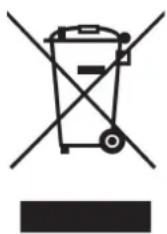
Your product is marked with this symbol.
It means that used electrical and electronic products should not be mixed with general household waste.
There is a separate collection system for these products.
1. In the European Union
Attention: If you want to dispose of this equipment, please do not use the ordinary dust bin! Used electrical and electronic equipment must be treated separately and in accordance with legislation that requires proper treatment, recovery and recycling of used electrical and electronic equipment.
Following the implementation by member states private households within the EU states may return their used electrical and electronic equipment to designated collection facilities free of charge*. In some countries* your local retailer may also take back your old product free of charge if you purchase a similar new one.
*) Please contact your local authority for further details.
If your used electrical or electronic equipment has batteries or accumulators, please dispose of these separately beforehand according to local requirements.
By disposing of this product correctly you will help ensure that the waste undergoes the necessary treatment, recovery and recycling and thus prevent potential negative effects on the environment and human health which could otherwise arise due to inappropriate waste handling.
2. In other Countries outside the EU
If you wish to discard this product, please contact your local authorities and ask for the correct method of disposal.
For Switzerland: Used electrical or electronic equipment can be returned free of charge to the dealer, even if you don't purchase a new product. Further collection facilities are listed on the homepage of www.swico.ch or www.sens.ch.
WARNING
Do not install the refrigerator in a damp or wet ■ location as this may cause damage to the insulation and a leakage. Condensation may also build on the outer cabinet and cause rust.
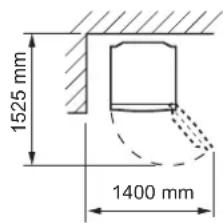
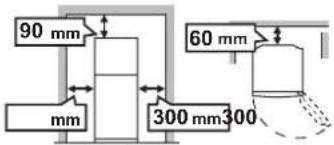
1 Keep adequate ventilation space around the refrigerator.
The figure shows the minimum required space for installing the refrigerator. The measurement condition of power consumption is conducted under a different space dimension.
By keeping greater space, the refrigerator may be operated under a less amount of power consumption.
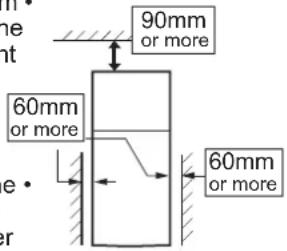
- If using the refrigerator in the smaller space dimension than the below figure, it may cause the temperature rise in the unit, loud noise and failure.
- The space between the rear of the refrigerator and the wall should be 60mm or more and less than 75mm. If the space is wider than 75mm, you may get injured by touching compressor and its peripheral parts which are extremely hot during the operation.
Overall space required in use
2 Use the two front adjustable feet, to ensure that the refrigerator is positioned firmly and flat on the floor.

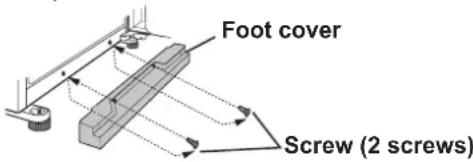
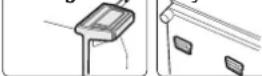
3 Remove the 2 screws of the cabinet lower part, and then set the foot cover (supplied inside the refrigerator compartment) with removed 2 screws.
NOTE
Position your refrigerator so that the plug is accessible. • Keep your refrigerator out of direct sunlight.
Do not place next to heat generating appliance.
Do not place directly on the ground. Provide suitable stand.
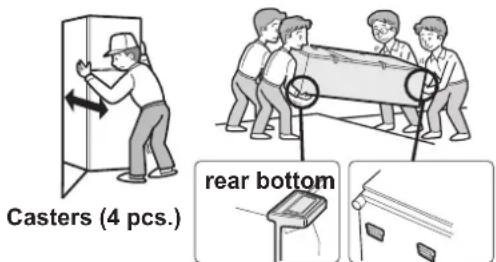
When transporting
The casters allow the refrigerator to move back and forth. • Carry the refrigerator by holding the handles located on the • rear and the bottom.
Before using your refrigerator
Clean the inside parts with a cloth soaked in warm water. If soapy water is used, wipe it off thoroughly with water.
INDICATOR OF TEMPERATURE
This refrigerator is provided with an indicator of temperature in the refrigerator compartment to allow you to control the average temperature in the coldest zone.
Coldest zone
The symbol indicates the coldest zone in the refrigerator compartment.
(The door pocket positioned at the same height isn't the coldest zone.)
Symbol

Checking the temperature in the coldest zone
You can carry out regular checks to ensure the temperature in the coldest zone is correct and, if necessary, adjust the refrigerator temp. control.
To maintain a correct temperature inside the appliance, check that the indicator of temperature is always BLUE. If the indicator of temperature turns WHITE, the temperature is too high; in this case, increase the refrigerator temp. control setting and wait for 6 hours before checking the indicator of temperature again.
BLUE

WHITE

Correct setting Temperature too high, adjust the refrigerator temp. control.
NOTE
The internal temperature of the refrigerator depends on various factors such as the ambient temperature of the room, the amount of food stored and the frequency of door opening. When fresh food has been introduced or the door has been left open for some time, it is normal for the indicator of temperature to turn WHITE.
DESCRIPTION
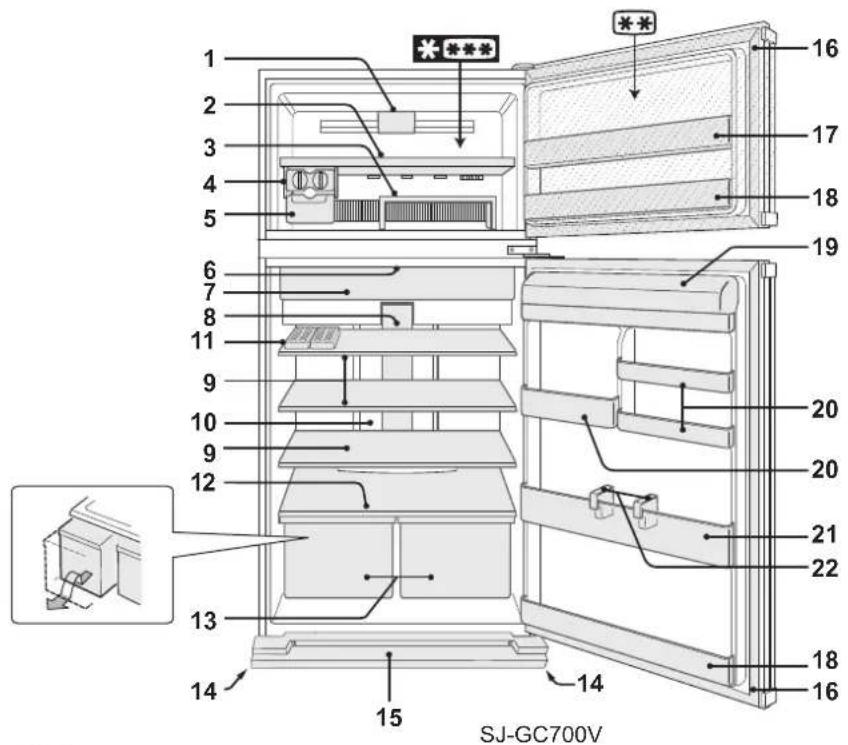
2 star section ** for storing frozen foods only.
Freezer LED light1.
Freezer shelf2.
Movable shelf3.
You can make two levels, enabling you to store food separately. If used upside down, you can keep foods neatly within this shelf.
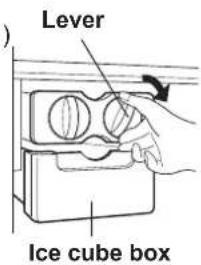
Ice cube maker4.
Do not over fill the ice cube trays; 1) otherwise the ice cubes will be joined together when frozen. When the ice cubes are made, 2) turn the lever clockwise to empty the ice into the ice cube box.
NOTE To prevent damage to the Ice cube box, do not make ice in the Ice cube box or pour oil into it.
Ice cube box5.
Deodorizing unit6.
No operation and cleaning are required.
Fresh case & door7.
Refrigerator LED light (Blue & white)
Refrigerator shelves 9.
(SJ-GC680V : 2 pcs. / SJ-GC700V : 3 pcs.)
Hybrid cooling panel 10.
The panel is cooled from the rear, thus indirectly cools the refrigerator compartment. In this way, food is refrigerated gently, without exposing it to cold air flow.
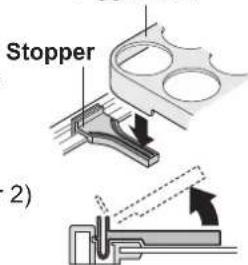
Egg holders (21pcs.) & stopper
How to take out the stopper Pull the refrigerator shelf 1) slightly toward you. Move the stopper to the center 2) of the shelf and tilt it upward.
Egg holder
Fruit and vegetable shelf12.
13. Fruit and vegetable crisper
14. Adjustable feet
15. Foot cover
Magnetic door seals (16pcs.)
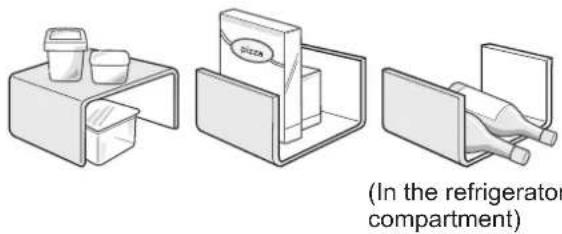
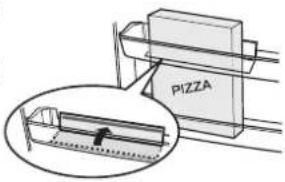
17. Flexible pocket
Tall food items (e.g. pizza box) can be stored by lifting the partition from the bottom of the pocket.
Door pockets (18pcs.)
19. Refrigerator pocket & cover
20. Utility pockets

NOTE (Only for SJ-GC700V)
Do not replace the right utility pocket with that of the left, and vice versa.
21. Bottle pocket
22. Bottle stopper / Tube stands (2 pcs.)
Prevents bottles etc. from falling. Stick-type food products stored inside.

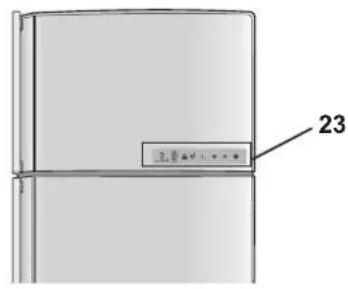
23. Touch control panel
OPERATION
GB
Touch control panel
To operate, touch the keys with your bare hand.
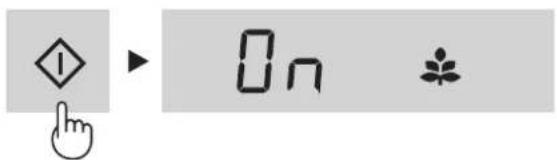
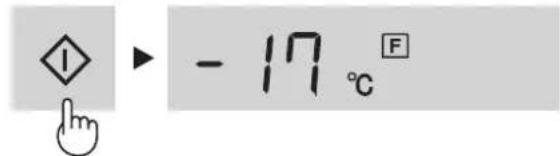
Features start automatically like right figure when inserting the power plug. (At first, Door alarm and Sound are "ON".)
Display for temperature setting1.
The preset temperature of selected compartment is displayed. It is not the actual temperature in the compartment.
Display for feature icon2.
The icon and are displayed on the standby display when each feature is in operation.

Plasmacluster

Energy saving

Controlling temperature (Freezer compartment)

Controlling temperature (Refrigerator compartment)
Door alarm indication3.
This indication shows door alarm "ON".
Sound ON/OFF indication4.
This indication shows sound "OFF".
Select key5.
Press to select feature icon and door alarm signal.
6. ▼ kay
Press to select feature ON/OFF or temperature setting.
7. Enter key
Finalize the setting.
NOTE
When there is no operation for 1 minute, the display • automatically return to the standby display.
Additionally, the display will be turned off when there is no operation for 1 minute.
When either of the key is pressed, the icons are blink once and show the standby display.
When the refrigerator stops with power failure, the display shows similarly as before having a power failure at the time of re-power distribution.
Plasmacluster
The ionizer inside your refrigerator releases clusters of ions, which are collective masses of positive and negative ions, into the refrigerator compartment. These ion clusters inactivate airborne mold fungus.
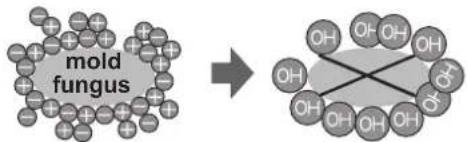
chemical
Diagram showing the transformation of a mold fungus to a cross-shaped organic molecule with multiple hydroxyl groupsTo start operation
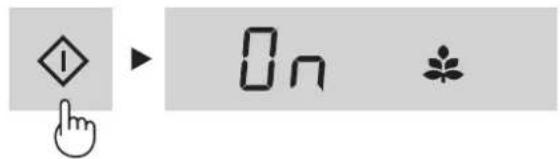
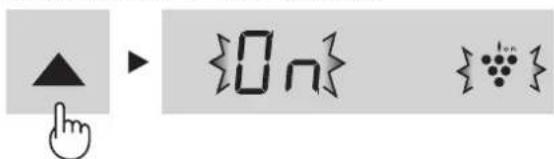
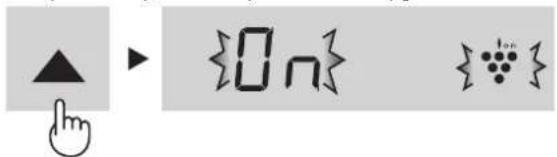
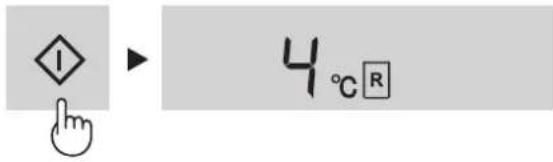
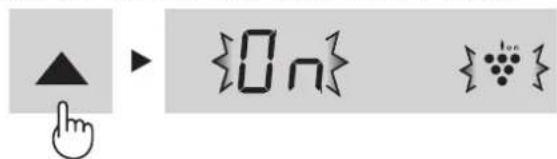
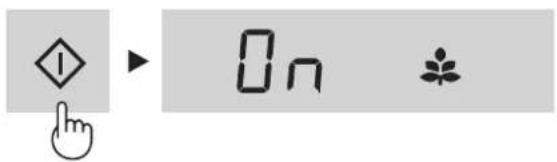
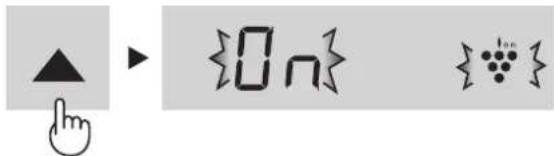
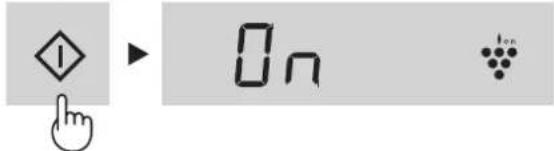
1 Press the select key and select Plasmacluster icon.

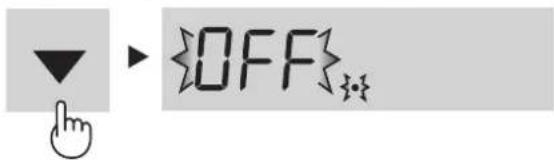
2 Press the ▲ey. [ :ON, :OFN]

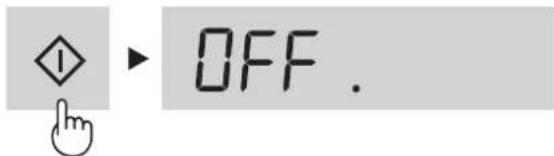
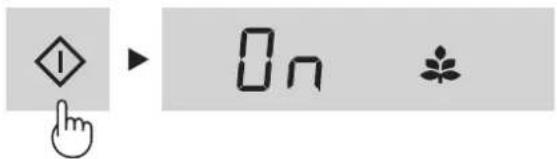
3 Press the ◊ key.
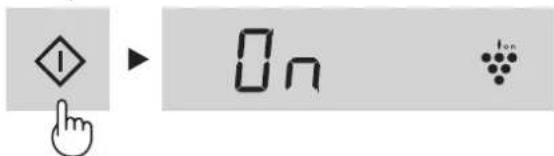
To cancel operation
It is the same method as starting operation.
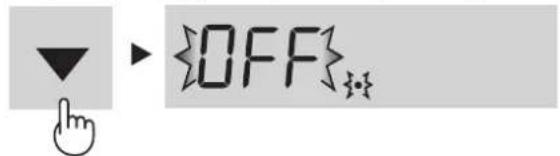
Press the ▼ key in step 2.

NOTE
There may be a slight odor in the refrigerator. This is the smell of ozone generated by the ionizer. The amount of ozone is minimal, and quickly decomposes in the refrigerator.
Energy Saving
Use this feature when you want to switch the appliance to energy-saving operation.
To start operation
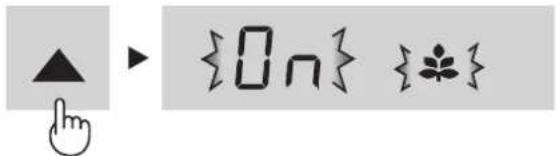
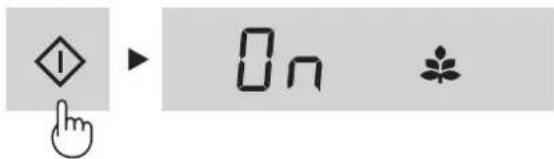
1 Press the select key and select Energy saving icon.
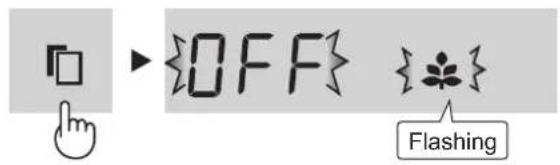
2 Press the ▲ey. [ :ON, :OFF]
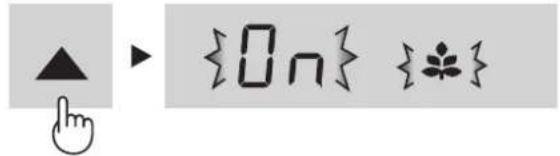
3 Press the ◆ key.
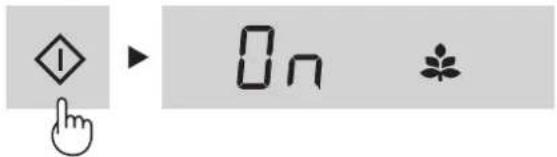
To cancel operation
It is the same method as starting operation.
Press the ▼ key in step 2.

NOTE
While this feature is operating, the inside temperature of the refrigerator and freezer compartment will be higher than the preset temperature as follows; R: about 1°C, F: about 2°C. (If the preset temperature is set at R: 3°C, F: -18°C.) The displayed temperature will not be changed.
The efficiency of power saving depends on the usage environment (controlling temperature, ambient temperature, frequency of opening or closing the door, amount of food).
Cancel this feature when you feel the beverages are not • cooled enough or ice making takes time.
Tips for saving energy
Keep the ventilation space as much as ■ possible around the refrigerator.
Keep your refrigerator out of direct sunlight, ■ and do not place next to heat generating appliance.
Open your refrigerator door as briefly as ■ possible.
Hot foods should be cooled before storing. ■
Place the food evenly on the shelves to allow ■ the cooling air to circulate efficiently.
The amount of power consumption of this model is measured according to the international standard of the refrigerator performance.
If the refrigerator is operated with these accessories[lce cube maker, Ice cube box] taken out, it works under the most energy-efficient condition.
The amount of power consumption of this model is measured with these accessories taken out as indicated on the right figure.

natural_image
Line drawing of an open refrigerator with doors open, showing internal compartments and storage areas (no text or symbols)The amount of power consumption • of this model is measured under the space dimensions on the right figure.
Controlling Temperature
The refrigerator controls its temperature automatically. However, if needed, adjust the temperature as follows.
GB
Freezer compartment
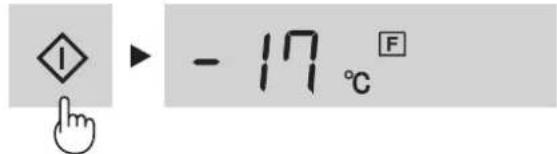
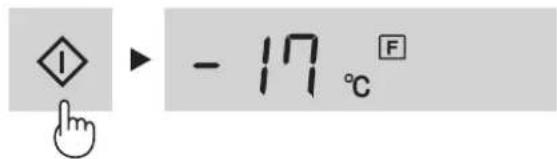
Adjustable between -13^ and -21^ in steps of 1^ .
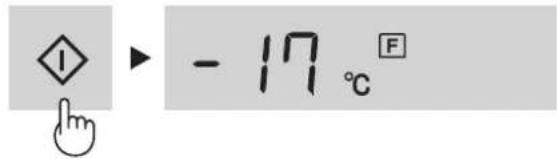
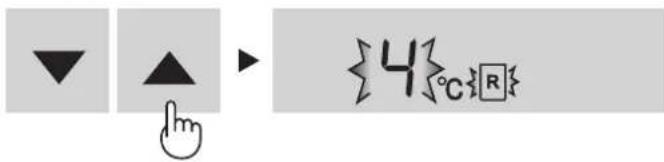
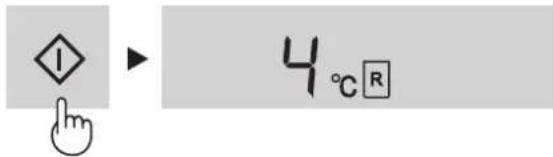
1 Press the select key and select icon. The display shows the current preset temperature.
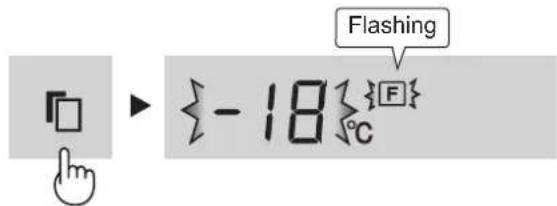
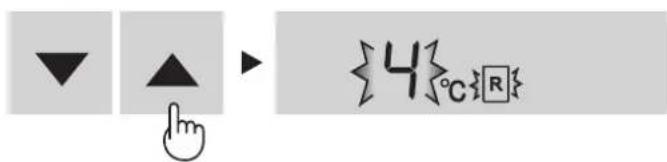
2 Press the ▲key and set the temperature. [▲: increase, ▼decrease]
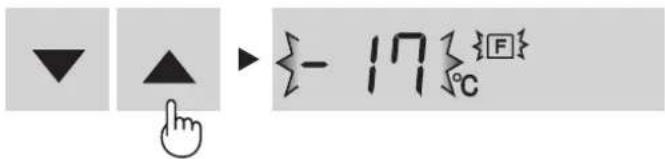
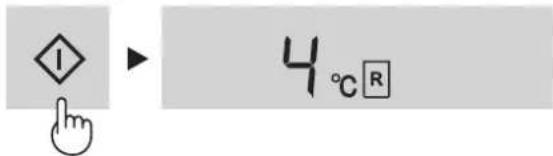
3 Press the ◆ key.
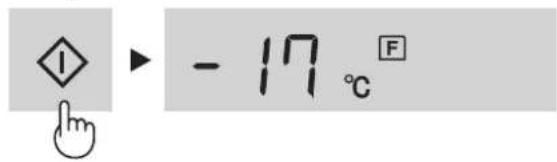
Refrigerator compartment
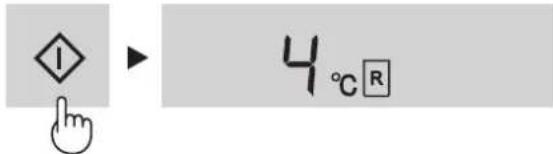
Adjustable between 0^ C and 6^ C in steps of 1^ C.
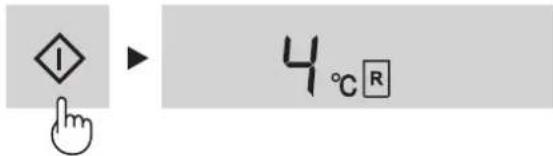
1 Press the select key and select Rison. The display shows the current preset temperature.
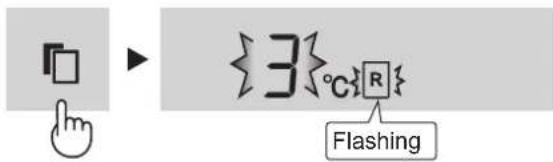
2 Press the ▲ key and set the temperature. [▲: increase, ▼ decrease]
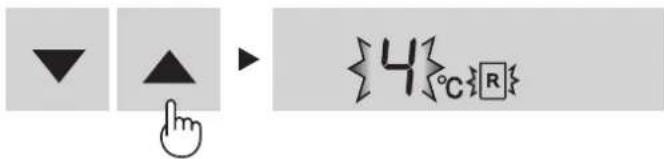
3 Press the ◆ key.

Advanced Setting of Freezer / Refrigerator compartment
The temperature of freezer compartment and refrigerator compartment can be adjusted in steps of 0.5^ C by following steps ① to ③ below.
Freezer compartment
① Select F icon.
Beep beep beep
② Press ◇ key continuously for 3 seconds or more.
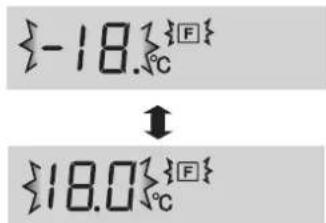
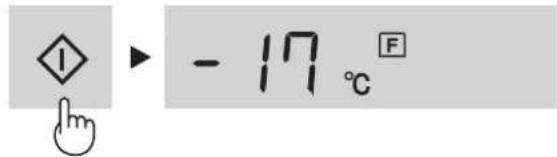
The current preset temperature on the display will be changed to -18.0 °C.
(The display will be indicated alternately like right figure.)
③ Adjust the temperature in the same way as steps 2 to 3 above.
Follow steps ① to ② again if you want to adjust the temperature in steps of 1°C.
Refrigerator compartment
① Select R icon.
Beep beep beep
② Press ◇ key continuously for 3 seconds or more.
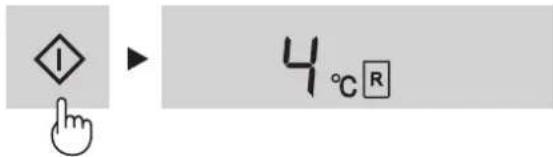
The current preset temperature on the display will be changed to 3.0 °C .
(The display will be indicated like right figure.)
③ Adjust the temperature in the same way as steps 2 to 3 above.
Follow steps ① to ② again if you want to adjust the temperature in steps of 1°C.

Door Alarm
At first, door alarm is set "ON".
When the refrigerator or freezer door is left open, the door alarm will sound.
• The door alarm will sound in 1 minute after opening the door and again after 1 minute (once in each case).
If the door is left open for approx. 3 minutes, the alarm will sound continuously.
To cancel operation
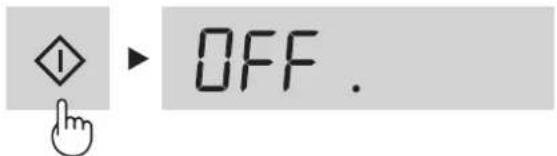
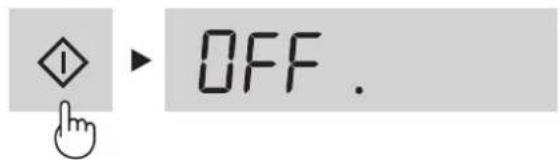
1 Press the select key and select the door alarm indication like the below figure.
To start operation
It is the same method as canceling operation.
Press the ▲ key in step 2.

flowchart
graph TD
    A["Flashing"] --> B{On}
    B --> C["Door alarm indication"]
    C --> D{On}
    E["Press the key."] --> F{OFF}
    G["Press the key."] --> H{OFF}
Sound ON/OFF
At first, the sound is set "ON".
- Use this feature when you want to switch the sound of key operation to "ON" or "OFF".
To set sound "OFF"
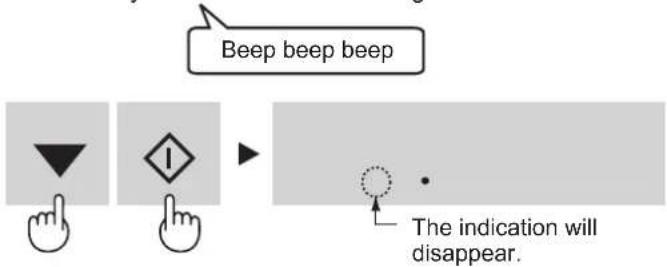
Press the ▼ey and key simultaneously and continuously for 3 seconds or more.

flowchart
graph LR
    A["Beep beep beep"] --> B["It shows the sound "OFF""]
    C["Beep beep beep"] --> D["The indication will disappear."]
To set sound "ON"
Press the ▼ey and key simultaneously and continuously for 3 seconds or more again.
STORING FOOD
Refrigeration reduces the rate of food spoilage. To maximize the shelf life of perishable food products, ensure that the food is of the freshest possible quality. The following is a general guide to help promote longer food storage.
Fruit / Vegetables
To minimize moisture loss, fruit and vegetables should be loosely enclosed in a plastic material e.g. wrap, bags (do not seal) and place in the vegetable crisper.
Dairy Products & Eggs
Most dairy products have a use by date on the outer • packaging which informs the recommended temperature and shelf life of the product.
- Eggs should be stored in the Egg holder.
Meats / Fish / Poultry
- Place on a plate or dish and cover with paper or plastic wrap.
- For larger cuts of meat, fish, or poultry, place to the rear of the shelves.
- Ensure all cooked food is wrapped securely or placed in an airtight container.
NOTE
• Evenly place the food on the shelves to allow the cooling air to circulate efficiently.
- Hot foods should be cooled before storing. Storing hot foods increases the temperature in the unit and increases the risk of food spoilage.
- Do not block the outlet and inlet of the cool air circulating circuit with foods or containers; otherwise the foods will not be evenly cooled throughout the refrigerator.
- Keep the door securely closed.

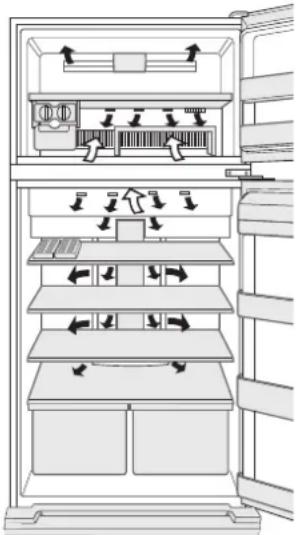
Do not place food directly in front of cold air outlet. This may lead to the food freezing.
For best freezing
• Quality of foods should be fresh.
- Freeze small quantities of food at a time to freeze them quickly.
- Food should be properly sealed, sealed tightly or covered.
• Evenly place the food in the freezer.
- Label bags or containers to keep an inventory of freezing food.
CARE AND CLEANING
WARNING
Unplug the refrigerator first to prevent electric shock. ■ Do not splash water directly on the outer cabinet or ■ the interior. This may lead to rusting and deterioration of the electrical insulation.
IMPORTANT
To prevent cracking on inside surfaces and plastic components, follow these tips.
Wipe any food oils adhered to plastic components. Some household chemicals may cause damage, so use • only diluted washing-up liquid (soapy water). If undiluted detergent is used or soapy water is not wiped • off thoroughly, cracking of plastic parts can result.
1 Remove the accessories e.g. shelves from the cabinet and door. Wash them in warm soapy dishwashing water; rinse in clean water and dry. (Only fruit and vegetable shelf is not removable)
2 Clean the inside with a cloth soaked in warm soapy dishwashing water. Then, use cold water to wipe off soapy water.
3 Wipe the exterior with a soft cloth each time it is soiled.
4 Clean the Magnetic door seal with a toothbrush and warm soapy dishwashing water.
5 Wipe the touch control panel with the dry cloth.
NOTE
To prevent damage to your refrigerator, do not use heavy duty cleansers or solvents (lacquer, paint, polishing powder, benzine, boiled water, etc.). If the power supply is disconnected, please wait for at least 5 minutes before re-connecting power. The glass shelves weigh approximately 3 kg each. Hold firmly when removing from the cabinet or carrying. Do not drop objects inside the refrigerator or strike the inner wall. This may cause the inner surface to crack.
Defrosting
Defrosting is fully automatic due to a unique energy saving system.
When the compartment light is blown
Contact the service agent approved by SHARP to request a replacement compartment light. The compartment light is not to be removed other than by qualified service personnel.
Switching off your refrigerator
If you switch your refrigerator off when you are going away for an extended period, remove all food, clean the interior thoroughly. Remove the power cord plug from the power socket and leave all doors open.
BEFORE YOU CALL FOR SERVICE
Before you call for service, check the following points.
| Problem Solution | |
| The outside of the cabinet is hot when touched. | It is normal. The hot pipe is in the cabinet in order to prevent dew generation. |
| When there is refrigerator noise. It is | normal for the refrigerator to produce the following sounds.Loud noise produced by the compressor when operation starts •--- Sound becomes quieter after a while.Loud noise produced once a day by the compressor •--- Operating sound produced immediately after automatic defrost operation.• Sound of flowing fluid (gurgling sound, fizzing sound)--- Sound of refrigerant flowing in pipes (sound may become louder from time to time).• Cracking or crunching sound, squeaking sound--- Sound produced by expansion and contraction of inner walls and internal parts during cooling. |
| Frosting or dew generation occurs inside or outside the refrigerator. | This may occur in one of the following cases. Use a wet cloth for wiping frost and a dry cloth for wiping dew.When the ambient humidity is high.•When the door is frequently opened and closed.•When foods containing plenty of moisture are stored. (Wrapping is required.)• |
| The foods in the refrigerator compartment freeze. | Is the refrigerator operated for a long time with refrigerator temp. control set at 0°C?•Is the refrigerator operated for a long time with freezer temp. control set at -21°C?•• Low ambient temperature may cause placed foods to freeze even if refrigerator temp. control is set to 6°C. |
| It smells in the compartment. | • Wrapping is required for the foods with strong smell.Deodorizing unit cannot remove all of the smell.• |
| Touch control panel does not work. | This may occur in one of the following cases.The panel or your finger is soiled with dripping, oil and etc.•• Touch the panel with gloved hand, adhesive bandage on your finger, nail or objects.• Sticker or tape is affixed on the keys.• Touch position is slightly off from the keys.• Operate time is not enough for the keys to work. |
IF YOU STILL REQUIRE SERVICE
Refer to your nearest service agent approved by SHARP.
ADVERTENCIA
natural_image
Symbol of a trash bin crossed with no text or labels, accompanied by a blank rectangular block below (no text or symbols present)Atención:
Tornillo (2 tornillos)
NOTAS
chemical
Chemical reaction diagram showing hongos de moho reacting with water molecules to form a cross-linked product3 Pulse la tecla "◇".

NOTA
3 Pulse la tecla " "I
NOTAS
natural_image
Line drawing of an open refrigerator with doors open, showing internal compartments and doorways (no text or symbols)3 Pulse la tecla "◇".
3 Pulse la tecla "◇".
3 Pulse la tecla "1
natural_image
Diagram of a refrigerator interior showing airflow and ventilation system (no text or labels)natural_image
Symbol of a trash bin crossed with no text or labels, accompanied by a black rectangular block below (no readable text or symbols)Attenzione:
I
chemical
Diagram showing transformation of a fungo della muffa into a cross-shaped molecular structure with multiple OH groupsNOTA
NOTA
natural_image
Line drawing of an open refrigerator with shelves and doors (no text or symbols)Comparto frigorifero
natural_image
Diagram of a refrigerator interior showing airflow direction and component placement (no text or labels)natural_image
Illustration of three food containers: a microwave, a pizza box, and a bottle (no text or symbols)[▲: ON (MARCHE), ▼: OFF (ARRET)]
NOTE
NOTES
natural_image
Line drawing of an open refrigerator with doors open, showing internal compartments and storage areas (no text or labels)natural_image
Diagram of a refrigerator interior showing airflow and ventilation system (no text or labels)natural_image
Symbol of a trash bin crossed out by two crossed lines, with a solid black rectangle below (no text or labels)Atenção:
chemical
Diagram showing transformation of a fumo-based bolor molecule into a molecular structure with hydroxyl groups2 Prima a tecla ▲ [ ▲ : ON (LIGADO), ▼OFF (DESLIGADO) ]
3 Prima a tecla "◇".

OBSERVAÇÕES
2 Prima a tecla ▲ [▲: ON (LIGADO), ▼OFF (DESLIGADO)]
3 Prima a tecla "1

OBSERVAÇÕES
natural_image
Line drawing of an open refrigerator with doors, shelves, and doorways (no text or symbols)3 Prima a tecla "◇".
Compartimento do frigorífico
2 Prima a tecla ▲ e ▼gule a temperatura. [ ▲ : aumentar, ▼diminuir ]
3 Prima a tecla "◇".
2 Prima a tecla ▼ [▲: ON (LIGADO), ▼OFF (DESLIGADO)]
3 Prima a tecla "1
Som LIGADO/DESLIGADO
flowchart
graph TD
    A["Hand with downward arrow"] --> B["Arrow pointing to square"]
    C["Hand pointing left"] --> D["Arrow pointing right"]
    E["Bip bip bip"] --> F["Arrow pointing right"]
    G["A indicação irá desaparecer."] --> H["•"]
    style A fill:#000,stroke:#fff,color:#fff
    style C fill:#000,stroke:#fff,color:#fff
    style E fill:#000,stroke:#fff,color:#fff
    style G fill:#000,stroke:#fff,color:#fff
natural_image
Diagram of a refrigerator interior showing airflow direction and component placement (no text or labels)
natural_image
Pure electrical circuit lines without any symbolsΣΗΜΕΙΩΣΗ
ΣΗΜΕΙΩΣΗ
natural_image
Line drawing of an open refrigerator with doors, shelves, and doorways (no text or symbols)Χώρος ψυγείου
chemical
Chemical reaction diagram showing Schimmelpilze's molecular transformation to form a cross-linked hydrocarbon structureHINWEISE
HINWEISE
natural_image
Line drawing of an open refrigerator with doors, shelves, and storage compartments (no text or symbols)Kühlabteil

natural_image
Illustration of three food containers: a cup, a box labeled 'Senna', and a tray with a spoon (no text or symbols on the containers themselves)IJsblokjesmaker4.
natural_image
Pure electrical circuit lines without any symbolschemical
Chemical reaction diagram showing disulfide (schim) and methylated (mels) ions forming a cross-shaped structureDe werking starten
N.B.
natural_image
Line drawing of an open refrigerator with doors and shelves (no text or symbols)Koelgedeelte
3 seconden of langer.

natural_image
Symbol of a trash bin crossed out by two crossed lines, with no text or labels present.Uwaga:
natural_image
Illustration of three food containers: a cup, a box labeled 'pizza', and a bottle with chopsticks (no text or symbols on items)Kostkarka do lodu4.
chemical
Chemical reaction diagram showing cleavage of oleic acid with hydroxide groupsWłączenie funkcji
UWAGA
Wyłączenie funkcji
UWAGA
natural_image
Line drawing of an open refrigerator with doors open, showing internal compartments and storage areas (no text or symbols)Komora lodówki
natural_image
Illustration of three household items: a plastic cup, a box labeled 'SICZA', and a bag with a handle (no text or symbols on items)Jégkockakészítő4.
flowchart
graph TD
    A["Square"] --> B["Down Arrow"]
    B --> C["Triangle"]
    C --> D["Diamond"]
Hang KI/BE jelzés4.
chemical
Chemical reaction diagram showing penészgomba polymerization into a triatomic molecule with hydroxyl groupsMEGJEGYZÉS
natural_image
Line drawing of an open refrigerator with shelves and doors (no text or symbols)Hűtőtér
chemical
Chemical reaction diagram showing conversion of ciuperci de mucegai to a mixture structure2 Apăsați tasta ▲. [ ▲ : ON (Pornit), ▼ : OFF (Oprit)]
NOTĂ
3 Apăsați tasta „.◇
NOTĂ
natural_image
Line drawing of an open refrigerator with doors open, showing internal compartments and storage areas (no text or labels)2 Apăsați tasta „”.
Sunet Pornit/Oprit
natural_image
Diagram of an open refrigerator showing internal compartments and ventilation system (no text or labels)natural_image
Three-step diagram showing a container with cups, a package labeled 'S238', and a hand holding a bottle (no text or symbols present)chemical
Chemical reaction diagram showing houbovitá pliseň reacting with a triphosphate ion to form a cross-linked diol structureSpuštění operace
[ ▲ : ON (ZAPNUTO), ▼ : OFF (VYPNUTO) ]

POZNÁMKA
POZNÁMKA
natural_image
Line drawing of an open refrigerator with doors, shelves, and a door handle (no text or symbols)Chladící oddělení
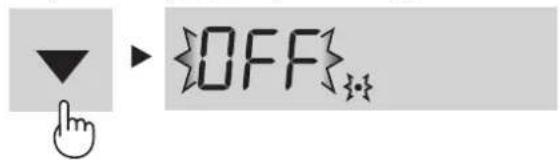
2 Stiskněte tlačítko ▼ [▲: ON (ZAPNUTO), ▼OFF (VYPNUTO)]
natural_image
Symbol of a trash bin crossed with two crossed lines and a solid black rectangle below (no text or labels)Pozor:
natural_image
Illustration of four people pulling a large cylindrical object on a stand (no text or symbols visible)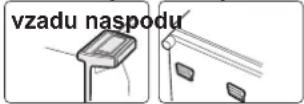
natural_image
Illustration of three food preparation steps: packing, packing with pizza, and holding a bottle (no text or symbols)POZNÁMKA
2 Stlačte tlačidlo „“.

Zrušit' činnost'
POZNÁMKA
natural_image
Line drawing of an open refrigerator with shelves and doors (no text or symbols)Priestor chladničky
natural_image
Symbol of a trash bin crossed with no text or labels, accompanied by a black rectangular block below (no text or symbols present)Dèmesio:
natural_image
Illustration of five children pulling a large object on a table (no text or symbols visible)
natural_image
Illustration of three different kitchen appliances: a microwave oven, a plastic bag with a baking pan, and a cylindrical tube inserted into a container (no text or symbols on the devices themselves)Ledukų gamintuvas4.
PASTABA
3 Paspauskite „klaviša.
PASTABA
natural_image
Line drawing of an open refrigerator with doors, shelves, and storage compartments (no text or symbols)Šaldytuvo kamera
2 Paspauskite ▼havišą. [ ▲ : ON (IJUNGTA), ▼OFF (IŠJUNGTA) ]

3 Paspauskite „klaviša.

Garsas IJUNGTAS / IŠJUNGTAS
natural_image
Illustration of four people pushing a cart with wheels, no text or symbols presentaizmugure apakšdala
3 Nospiediet taustinu
PIEZIME
3 Nospiediet taustinu
PIEZIME
natural_image
Line drawing of an open refrigerator with doors, shelves, and storage compartments (no text or symbols)3 Nospiediet taustinu ◆
Ledusskapja nodalijums
3 Nospiediet taustinu.
2 Nospiediet taustinu ◆
Procesa sākšana
Skaņa IESLĒGTA/IZSLĒGTA
natural_image
Symbol of a trash bin crossed with no visible text or labelsTähelepanu:
natural_image
Illustration of three food containers: a plastic cup, a cheese container, and a glass tube with a bottle (no text or symbols)
TÖÖTAMINE
Märge helist SEES/VÄLJAS4.
2 Vajutage ▲nuppu. [ : QN (SEES), : OFF(VÄLJAS) ]
3 Vajutage ◇- nuppu.
MÄRKUS
2 Vajutage ▲nuppu. [ ▲ : ON (SEES), ▼OFF (VÄLJAS) ]

2 Vajutage ♦huppu.
MÄRKUS
natural_image
Line drawing of an open refrigerator with doors open, showing internal compartments and storage areas (no text or symbols)2 Vajutage ▲- nupule ja seadistage temperatuur.
[▲: tösta, ▼langetada]
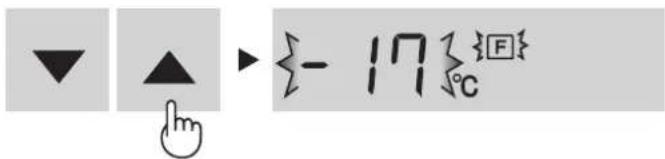
2 Vajutage ◆ nuppu.
Külmiku sektsioon
Reguleeritav vahemikus 0°C ... 6°C sammuga 1°C.
2 Vajutage ▲- nupule ja seadistage temperatuur.
[▲: tösta, ▼langetada]

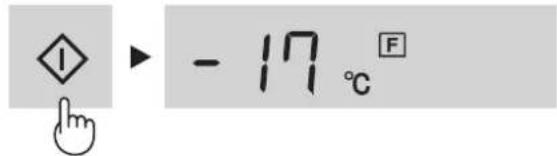
2 Vajutage ◇ nuppu.

Külmiku sektsioon
① Valige ikoon R.
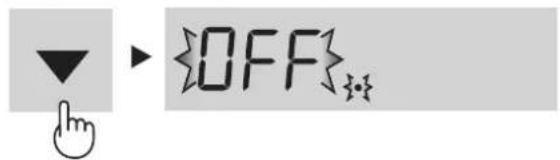
2 Vajutage ▼uppu. [ ▲ : ON (SEES), ▼OFF (VÄLJAS) ]
3 Vajutage -ruppu.
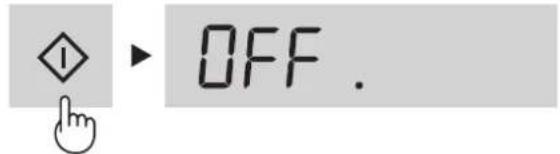
Heli SISSE/VÄLJA lülitamine
Algselt on heli "SEES".
natural_image
Illustration of four people assembling a large cylindrical object (no text or symbols visible)
natural_image
Three technical illustrations showing a storage unit, a package labeled 'SIZA', and a hand holding a cylindrical object (no text or symbols on the objects themselves)2 Pritisnite tipko ▲. [▲: ON (VKLOP), ▼: OFF (IZKLOP)]
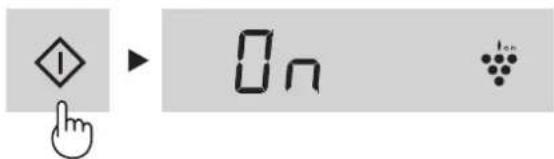
2 Pritisnite tipko ◆.


OPOMBA
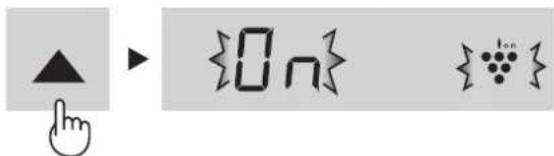
2 Pritisnite tipko ▲ : ON (VKLOP), : OFF (IZKLOP)]

2 Pritisnite tipko ◊

OPOMBA
natural_image
Line drawing of an open refrigerator with doors, shelves, and doorways (no text or symbols)Poraba energije pri tem modelu se meri v prostorskih razmerah, ki so prikazane na sliki desno.

3 Pritisnite tipko
Hladilni predel
Nastavljivo od 0 °C do 6 °C v korakih po 1 °C.
2 Pritisnite tipko ▲ in nastavite temperaturo. [ ▲ : povišanje, ▼ znižanje ]
3 Pritisnite tipko
2 Pritisnite tipko ▼ : ON (VKLOP), : OFF (IZKLOP)]
2 Pritisnite tipko ◆

Zvok VKLJUČEN/IZKLJUČEN
flowchart
graph LR
    A["Hand pointing to triangle"] --> B["Symbol with diamond"]
    C["Hand pointing to circle"] --> D["Indikator izgine."]
    D --> E["Arrow pointing to circle"]
SHRANJEVANJE HRANE
natural_image
Illustration of three food containers: a plastic cup, a closed storage unit with a cheese, and a cylindrical container with a glass tube (no text or symbols)ПРИМИТКА
ПРИМИТКА
natural_image
Line drawing of an open refrigerator with doors open, showing internal compartments and storage areas (no text or labels)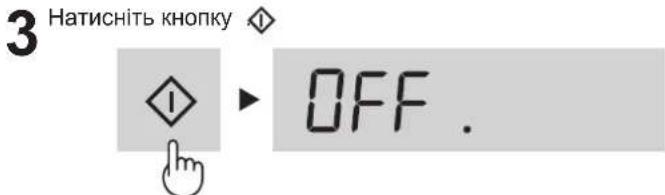
(SJ-GC680V:26p./SJ-GC700V:36p.)
chemical
Chemical reaction diagram showing plenes conversion to a mixture structure3 Натиснете клавиша
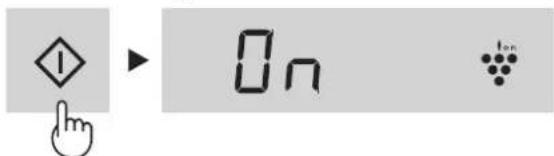
ЗАБЕЛЕЖКА
3 Натиснете клавиша ◊
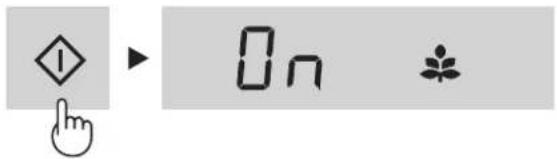
ЗАБЕЛЕЖКА
natural_image
Line drawing of an open refrigerator with doors open, showing internal compartments and storage areas (no text or symbols)2 Натиснете клавиша ◊.
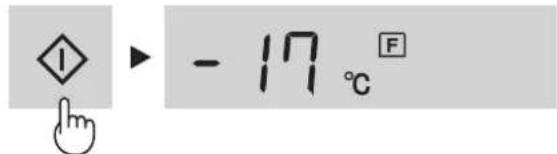
Хладилно отделение
3 Натиснете клавиша ◎.
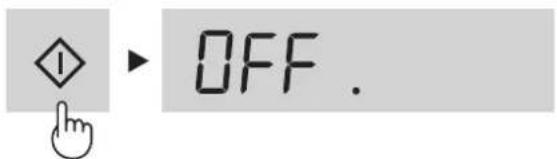
3 Натиснете клавиша ◇ ◇1 ▶ OFF.
natural_image
Illustration of five people pushing a large cart with wheels (no text or symbols)

chemical
Chemical reaction diagram showing transformation of hydroxyl group to water molecules with labeled componentsПачатак аперацыі
УВАГА
3 Націсніце Унопку.

Адмена аперацыі
УВАГА
natural_image
Line drawing of an open refrigerator with shelves and doors (no text or symbols)2 Націсніце кнопку.
3 Націсніце кнопку.
3 Націсніце інопку.
Гук Укл./Выкл.
In Europe represented by
SHARP ELECTRONICS EUROPE LTD.
4 Furzeground Way, Stockley Park, Uxbridge, Middlesex, UB11 1EZ, U.K.
Printed in Thailand
- E CONTENIDO
- PL SPIS TREŚCI
- H TARTALOMJEGYZÉK
- CAUTION
- IMPORTANT
- Information on Disposal for Users (private households)
- Attention:
- In the European Union
- In other Countries outside the EU
- WARNING
- NOTE
- When transporting
- Before using your refrigerator
- INDICATOR OF TEMPERATURE
- Coldest zone
- Checking the temperature in the coldest zone
- DESCRIPTION
- Freezer LED light1.
- Freezer shelf2.
- Movable shelf3.
- Ice cube maker4.
- Ice cube box5.
- Deodorizing unit6.
- Fresh case & door7.
- Refrigerator LED light (Blue & white)
- Refrigerator shelves 9.
- Hybrid cooling panel 10.
- Egg holders (21pcs.) & stopper
- Fruit and vegetable shelf12.
- Fruit and vegetable crisper
- Adjustable feet
- Foot cover
- Flexible pocket
- Refrigerator pocket & cover
- Utility pockets
- Bottle pocket
- Bottle stopper / Tube stands (2 pcs.)
- Touch control panel
- OPERATION
- Touch control panel
- Display for temperature setting1.
- Display for feature icon2.
- Door alarm indication3.
- Sound ON/OFF indication4.
- Select key5.
- ▼ kay
- Enter key
- Plasmacluster
- To start operation
- To cancel operation
- Energy Saving
- Tips for saving energy
- Controlling Temperature
- Freezer compartment
- Refrigerator compartment
- Advanced Setting of Freezer / Refrigerator compartment
- Door Alarm
- Sound ON/OFF
- To set sound "OFF"
- To set sound "ON"
- STORING FOOD
- Fruit / Vegetables
- Dairy Products & Eggs
- Meats / Fish / Poultry
- For best freezing
- CARE AND CLEANING
- Defrosting
- When the compartment light is blown
- Switching off your refrigerator
- BEFORE YOU CALL FOR SERVICE
- IF YOU STILL REQUIRE SERVICE
- ADVERTENCIA
- Atención:
- NOTAS
- NOTA
- Attenzione:
- Comparto frigorifero
- NOTES
- Atenção:
- OBSERVAÇÕES
- Compartimento do frigorífico
- Som LIGADO/DESLIGADO
- ΣΗΜΕΙΩΣΗ
- Χώρος ψυγείου
- HINWEISE
- Kühlabteil
- De werking starten
- N.B.
- Koelgedeelte
- Uwaga:
- Kostkarka do lodu4.
- Włączenie funkcji
- UWAGA
- Wyłączenie funkcji
- Komora lodówki
- Jégkockakészítő4.
- Hang KI/BE jelzés4.
- MEGJEGYZÉS
- Hűtőtér
- NOTĂ
- Sunet Pornit/Oprit
- Spuštění operace
- POZNÁMKA
- Chladící oddělení
- Pozor:
- Zrušit' činnost'
- Priestor chladničky
- Dèmesio:
- Ledukų gamintuvas4.
- PASTABA
- Šaldytuvo kamera
- Garsas IJUNGTAS / IŠJUNGTAS
- PIEZIME
- Ledusskapja nodalijums
- Procesa sākšana
- Skaņa IESLĒGTA/IZSLĒGTA
- TÖÖTAMINE
- Märge helist SEES/VÄLJAS4.
- MÄRKUS
- Külmiku sektsioon
- Heli SISSE/VÄLJA lülitamine
- OPOMBA
- Hladilni predel
- Zvok VKLJUČEN/IZKLJUČEN
- SHRANJEVANJE HRANE
- ПРИМИТКА
- ЗАБЕЛЕЖКА
- Хладилно отделение
- Пачатак аперацыі
- УВАГА
- Адмена аперацыі
- Гук Укл./Выкл.
- SHARP ELECTRONICS EUROPE LTD.
Brand : SHARP
Model : SJGC700VBK
Category : Refrigerator