 ManualGo.com
WFW72HEDW - Machine à laver WHIRLPOOL - Free user manual and instructions
Find the device manual for free WFW72HEDW WHIRLPOOL in PDF.


Download the instructions for your Machine à laver in PDF format for free! Find your manual WFW72HEDW - WHIRLPOOL and take your electronic device back in hand. On this page are published all the documents necessary for the use of your device. WFW72HEDW by WHIRLPOOL.
USER MANUAL WFW72HEDW WHIRLPOOL
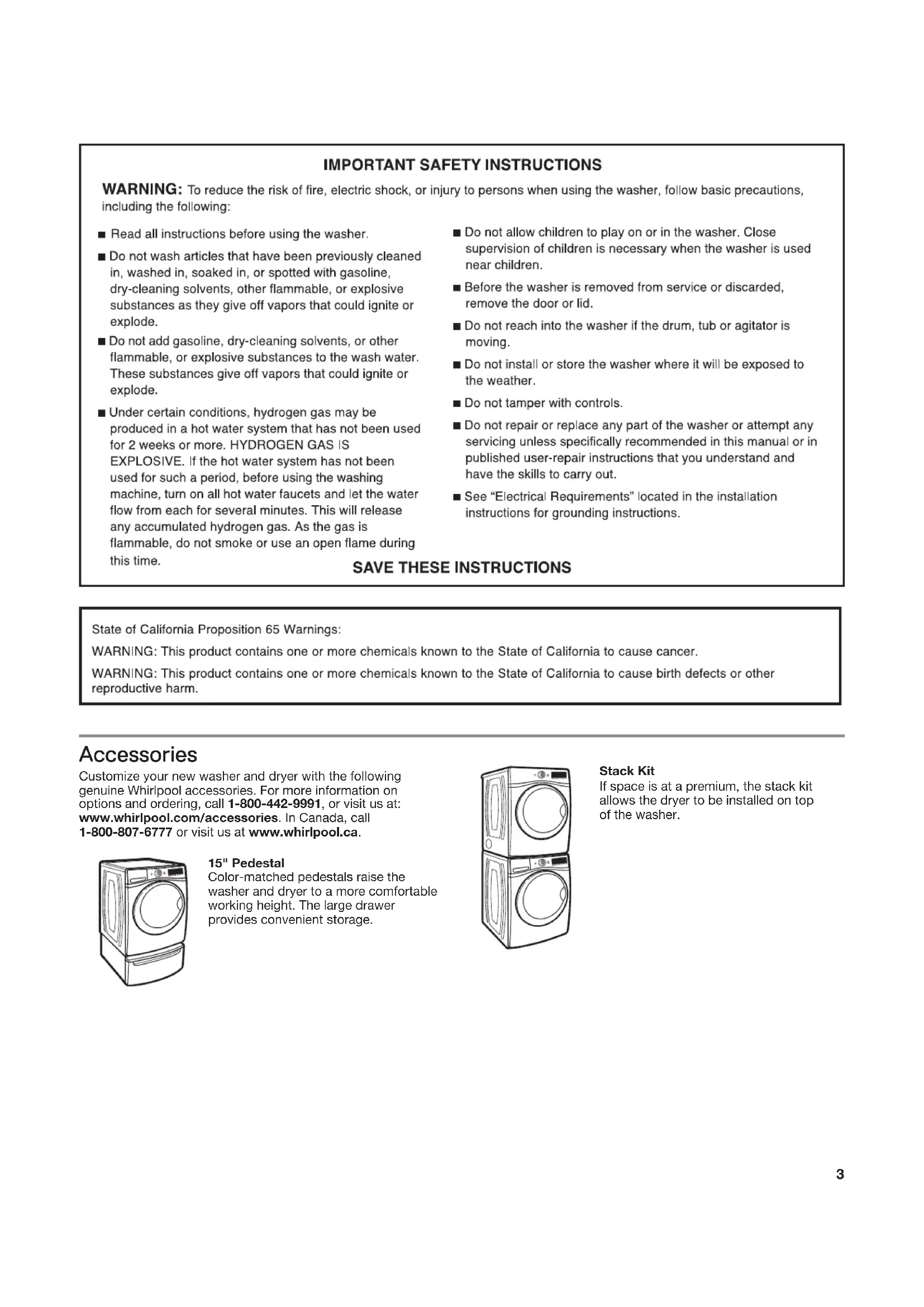
DÉPANNAGE .........................................................................38 GARANTIE .............................................................................46 ASSISTANCE OU SERVICE ...................... Couverture arrière3 Accessories Customize your new washer and dryer with the following genuine Whirlpool accessories. For more information on options and ordering, call 1-800-442-9991, or visit us at: www.whirlpool.com/accessories. In Canada, call 1-800-807-6777 or visit us at www.whirlpool.ca. Stack Kit If space is at a premium, the stack kit allows the dryer to be installed on top of the washer. 15" Pedestal Color-matched pedestals raise the washer and dryer to a more comfortable working height. The large drawer provides convenient storage.4 Control Panel and Features Not all features and cycles are available on all models. NOTE: The control panel features a sensitive surface that responds to a light touch of your finger. To ensure your selections are registered, touch the control panel with your finger tip, not your fingernail. When selecting a setting or option, simply touch its name. Model WFW81HE
POWER Touch to turn the washer on and off. Touch to stop/cancel a cycle at any time. NOTE: Turning the Wash Cycle knob will also turn the washer on.
Turn the knob to select a cycle for your laundry load. See “Cycle Guide” for detailed descriptions of cycles. START Touch and hold until the light above START comes on to start a cycle, or touch once while a cycle is in process to pause it. If you want to add a garment, you can touch START when the “Add Garment” LED is on. DELAY WASH Use + and – to delay the start of the wash cycle by up to 12 hours. To turn off Delay Wash, use + and – to set the delay time to “0,” or touch POWER.
LED DISPLAY AND SETTINGS
When you select a cycle, its default settings will light up and the Estimated Time Remaining will be displayed (for times longer than 60 minutes, hours will be displayed, followed by minutes). Factors such as load size, wash temperature, and water pressure may affect the time shown in the display during the cycle. Tightly packing garments, unbalanced loads, or excessive suds may cause the washer to adjust the cycle time, as well. Touch the desired setting along the bottom of the display to adjust. See “Cycle Guide” for available settings on each cycle. Not all settings are available with all cycles. Cycle Status Lights For details, see “Cycle Status Lights” section on the next page. Wash Temp The recommended wash temperature is preset for each cycle. You may also select a wash temperature based on the type of fabric and soils being washed. For best results, follow the garment label instructions. All wash temperatures feature a cold rinse. Spin This washer automatically selects the spin speed based on the cycle selected. Some preset speeds can be changed.
- Faster spin speeds mean shorter dry times, but may increase wrinkling in your load.
- Slower spin speeds reduce wrinkling, but will leave your load more damp. Soil The Soil setting (wash time) is preset for each wash cycle. For most loads, use this preset soil level. When you change the soil setting, the cycle time will increase or decrease in the Estimated Time Remaining display. For heavily soiled and sturdy fabrics, use the Soil setting to select more wash time. For lightly soiled and delicate fabrics, use the Soil setting to select less wash time. Lower soil level settings will help reduce tangling and wrinkling. OPTIONS Touch to activate additional wash options or additional features on the washer. Not all options are available on all models. Extra Rinse Activate this option to add an extra rinse to most cycles.
option will periodically tumble the load after the end of the cycle for up to 6 hours to reduce humidity. To turn on the TumbleFresh
option, touch TumbleFresh. If, however, the TumbleFresh
option is turned on, it will stay on for all future cycles until turned back off – the washer remembers the last on/off status set. To turn off the TumbleFresh
option, touch TumbleFresh. You may also activate the TumbleFresh
option without running a cycle by touching and holding POWER for one second, then touching and holding TumbleFresh for 3 seconds, and then touching and holding START for 3 seconds. To turn off the TumbleFresh
option when it is running, touch POWER. NOTE: The door will lock while the TumbleFresh
option is active. To cancel the option and unlock the door, touch POWER. Cycle Signal Use this option to turn on or off the signal that sounds at end of cycle. To turn off the tones that sound when a setting is touched: Touch and hold CYCLE SIGNAL for about 3 seconds. Repeat to turn them on. Control Lock Touch and hold for 3 seconds to lock the controls to avoid unwanted changes or operation. Touch and hold 3 seconds again to unlock. For each second CONTROL LOCK is held down, the display will count down one second: you will see “3,” then “2,” then “1.” You can still touch START to pause the cycle, or touch POWER to turn off the washer.
High Efficiency “HE” detergent compartment This compartment holds liquid or powdered HE detergent for your main wash cycle. Liquid fabric softener compartment Automatically dilutes and dispenses liquid fabric softener at the optimum time in the cycle.
Use only liquid fabric softener in this dispenser. Liquid chlorine bleach compartment Automatically dilutes and dispenses liquid chlorine bleach at the optimum time during the first rinse after the wash cycle. This compartment cannot dilute powdered bleach.
DISPENSER DRAWER The dispenser drawer gives you the convenience of automatically adding HE detergent, liquid chlorine bleach, and liquid fabric softener to the wash load at the proper time. See “Using the Dispenser Drawer” for information on using the dispenser drawer.
Cycle Status Lights Model WFW81HE shown NOTE: Not all Cycle Status Lights are available on all models. Delay Wash If a Delay Wash is set, the Delay Wash indicator will light and the delay time will count down in the display. Door Locked Door Locked will light to indicate that the door is locked and cannot be opened without first pausing or canceling the cycle. Sensing When START is touched, the washer will first perform a self-test on the door lock mechanism and the sensing light will come on. You will hear a click, the drum will make a partial turn, and the door will click again as it unlocks briefly. The door will click one more time when it locks again. Once the door has locked the second time, the washer will drain to calibrate the sensors; then it will begin tumbling and adding water. The sensing process will continue throughout the cycle. You may also hear water flowing through the dispenser, adding detergent to the load. After the load size is sensed, the estimated time based on load size will be displayed. The actual cycle time may be lengthened; however, the display will continue to show the estimated time. The sensing light will blink once a second at various times during the cycle, such as when the washer is reducing extra suds. Add Garment When “Add Garment” is lit, you may pause the washer, open the door, and add items. Touch and hold START to start the washer again. Adding HE detergent to dispenser Powdered detergent: Lift the selector to the high position. Liquid detergent: Push down the selector to the low position. Pour a measured amount of HE detergent into detergent compartment. For powdered detergent, lift the selector to the high position. For liquid detergent, push down the selector to the low position. Do not overfill; adding too much detergent may cause detergent to be dispensed into the washer too early. Use only High Efficiency (HE) detergent. IMPORTANT: n Do not add single-dose laundry packet to dispenser drawer. n Use powdered detergent when using the Delay Wash option. Liquid detergent may seep out before the wash begins. HE detergent compartment Using the Dispenser Drawer
1. Open the dispenser drawer.
2. Add laundry products as described in steps 4–6 in the “Using
Your Washer” section.
3. Slowly close the dispenser drawer. Make sure it is
completely closed. NOTE: A small amount of water may remain in the dispensers from the previous wash cycle. This is normal. Selector Selector in high position Selector in low position Done Once the cycle is complete, this light will come on. Remove the load promptly for best results. The Done indicator is also lit during the TumbleFresh
option. Eco Monitor The Eco Monitor allows you to see how the settings you select affect your energy savings. To use the Eco Monitor, choose the best cycle, temperature, spin speed, soil level, and options for the fabrics being washed. The Eco Monitor will rate the water and energy use of those selections, from Good to Best. You can then adjust the settings and options to decrease the amount of energy used within that cycle. Choosing the Right Detergent Use only High Efficiency detergents. The package will be marked “HE” or “High Efficiency.” Low-water washing creates excessive sudsing with a non-HE detergent. Using non-HE detergent will likely result in longer cycle times and reduced rinsing performance. It may also result in component failure and, over time, buildup of mold or mildew. HE detergents are low-sudsing and quick-dispersing to produce the right amount of suds for the best performance. They hold soil in suspension so it is not re-deposited onto clean clothes. Follow the manufacturer’s instructions to determine the amount of detergent to use. Use only High Efficiency (HE) detergent. Control Panel and Features TumbleFresh
indicator will light when the TumbleFresh
option is active. During this time, the washer will occasionally tumble the load.7 Cycle Guide Settings and options shown in bold are default settings for that cycle. For best fabric care, choose the cycle, options, and settings that best fit the load being washed. Not all settings are available with each cycle, and some options cannot be used together. NOTES:
Not all cycles, temperatures, options, or spin speeds are available on all models.
All wash temperature selections feature a cold rinse. Normally soiled Normal Hot Fast Heavy TumbleFresh
This cycle combines medium- cottons, linens, Warm Medium Normal Extra Rinse speed tumbling and a fast- sheets, and mixed Cool Off Light Delay Wash speed spin. This cycle is garment loads Cold designed to provide the most energy efficiency. Heavily soiled white Whites Hot Fast Heavy TumbleFresh
Uses a longer wash time with fabrics and garments Warm Medium Normal Extra Rinse fast-speed tumbling, extra Cool Slow Light Delay Wash rinsing, and a fast-speed spin Cold Off to provide optimal cleaning and rinsing when bleach is used. Sturdy colorfast Heavy Hot Fast Heavy TumbleFresh
Fast-speed tumbling and fabrics and heavily Duty Warm Medium Normal Extra Rinse a fast-speed final spin help soiled garments Cool Slow Light Delay Wash provide optimal cleaning Cold Off and reduce drying times. Clothing, bedding Sanitize Hot Fast Heavy TumbleFresh
This cycle eliminates 99.99% and towels requiring Medium Normal Extra Rinse of the most common bacteria sanitization Slow Light Delay Wash found in clothes, sheets, and Off towels. Using the highest wash temperature available ensures sanitization. Check recommended wash temperature of your items. Bacteria tested were K. pneumonia, P. aureginosa, and S. aureus. Eco Hot Fast Heavy TumbleFresh
This cycle eliminates 99.99% Sanitize Medium Normal Extra Rinse of the most common bacteria with Oxi Slow Light Delay Wash found in clothes, sheets, and Off towels. Using the highest wash temperature available and adding a powdered Oxi product in the drum ensures sanitization. Check recommended wash temperature of your items and use the amount of Oxi recommended by the manufacturer. Bacteria tested were K. pneumonia, P. aureginosa, and S. aureus. Items to wash using default cycle settings: Cycle: Wash Temperature: Spin Speed: Soil Level: Available Options: Cycle Details: Load Size Recommendations For best results, follow the load size recommendations noted for each cycle. Small load: Fill the washer drum with 3–4 items, not more than ¼ full. Medium load: Fill the washer drum up to about ½ full. Large load: Fill the washer drum up to about ¾ full. Extra-large load: Fill the washer drum, but make sure clothes can tumble freely. For best results, avoid packing tightly.8 Cycle Guide Settings and options shown in bold are default settings for that cycle. For best fabric care, choose the cycle, options, and settings that best fit the load being washed. Not all settings are available with each cycle, and some options cannot be used together. NOTES:
Not all cycles, temperatures, options, or spin speeds are available on all models.
All wash temperature selections feature a cold rinse. No clothes in washer Clean TumbleFresh
Use this cycle every 30 washes to Washer Delay Wash keep the inside of your washer fresh with and clean. This cycle uses a higher affresh
water level. Use with affresh
washer cleaner tablet or liquid chlorine bleach to thoroughly clean the inside of your washer. This cycle should not be interrupted. See “Washer Care.” IMPORTANT: Do not place garments or other items in the washer during the Clean Washer with affresh
cycle. Use this cycle with an empty wash tub. See “Washer Care” in “Washer Maintenance.” Wet load of clothes Drain N/A Fast N/A TumbleFresh
Use Drain & Spin to remove & Spin Medium Delay Wash excess water from the load. Slow Spin speed can be set to Off a slower setting. Swimwear, items Drain Hot Fast Heavy TumbleFresh
Select Drain & Spin; then select that need rinsing & Spin Warm Medium Normal Delay Wash Extra Rinse to add water. The with Cool Slow Light cycle includes a fast-speed Extra Cold Off spin. For some fabrics, you may Rinse wish to set the spin speed to a slower setting. Small loads of Quick Hot Fast Heavy TumbleFresh
For small loads (2–4 items) 2–4 lightly soiled Wash Warm Medium Normal Extra Rinse needed quickly. This cycle garments Cool Slow Light Delay Wash combines fast-speed tumbling, Cold Off a shortened wash time, and a fast-speed spin for reduced drying times. Sheer fabrics, Delicates Hot Fast Heavy TumbleFresh
This cycle combines slow- lingerie, sweaters, Warm Medium Normal Extra Rinse speed tumbling and slow-speed and lightly-soiled Cool Slow Light Delay Wash spin for gentle fabric care shirts, blouses, Cold Off and reduced wrinkling. trousers, pants, and skirts Bright or darkly Cold Cold Fast Heavy TumbleFresh
This cycle uses a concentrated colored cottons, Wash Medium Normal Extra Rinse detergent solution along with linens, casual Off Light Delay Wash cold water throughout the and mixed loads cycle to gently lift out stains and care for fabrics. Items to wash using default cycle settings: Cycle: Wash Temperature: Spin Speed: Soil Level: Available Options: Cycle Details: Load Size Recommendations For best results, follow the load size recommendations noted for each cycle. Small load: Fill the washer drum with 3–4 items, not more than ¼ full. Medium load: Fill the washer drum up to about ½ full. Large load: Fill the washer drum up to about ¾ full. Extra-large load: Fill the washer drum, but make sure clothes can tumble freely. For best results, avoid packing tightly.9 Using Your Washer Sort items by recommended cycle, water temperature, and colorfastness. Separate heavily soiled items from lightly soiled. Separate delicate items from sturdy fabrics. Treat stains promptly and check for colorfastness by testing stain remover products on an inside seam. IMPORTANT: n Empty pockets. Loose change, buttons, or any small object can plug pumps and may require a service call. n Close zippers, fasten hooks, tie strings and sashes, and remove non-washable trim and ornaments. n Mend rips and tears to avoid further damage to items during washing. n Turn knits inside out to prevent pilling. Separate lint-takers from lint-givers. Synthetics, knits, and corduroy fabrics will pick up lint from towels, rugs, and chenille fabrics. n Do not dry garments if stains remain after washing, because heat can set stains into fabric. n Always read and follow fabric care labels and laundry product instructions. Improper usage may cause damage to your garments.
1. Sort and prepare your laundry
Place a load of sorted clothes loosely in the washer. Items need to move freely for best cleaning and to reduce wrinkling and tangling. Close the washer door by pushing it firmly until the latch clicks. n Depending on load type and cycle, the washer can be fully loaded, but not tightly packed. Washer door should close easily. See “Cycle Guide” for loading suggestions. n Mix large and small items and avoid washing single items. Load evenly. n Wash small items in mesh garment bags. For multiple items, use more than one bag and fill bags equally.
3. Load laundry into washer
First wash cycle without laundry Before washing clothes for the first time, if not completed during the final installation step, choose the QUICK WASH cycle and run it without clothes. Use only HE detergent. Use 1/2 the manufacturer’s recommended amount for a medium-size load. This initial cycle serves to ensure the interior is clean before washing clothes.
2. Add laundry products (if desired)
Single-dose laundry packet, Oxi-type boosters, color-safe bleach, or fabric softener crystals can be added to the drum prior to adding laundry. NOTE: Do not add clothes to washer drum prior to adding laundry products. Always follow manufacturer’s instructions.10 Add liquid chlorine bleach to the bleach compartment. Do not overfill, dilute, or use more than
cup (165 mL). Do not use color-safe bleach or Oxi in the same cycle with liquid chlorine bleach. Always measure liquid chlorine bleach. Use a measuring cup with a pour spout; do not guess. Do not fill beyond the “MAX” level. Overfilling could cause garment damage.
6. Add liquid chlorine bleach to dispenser
(if desired) Pour a measured amount of liquid fabric softener into liquid fabric softener compartment. Always follow manufacturer’s directions for correct amount of fabric softener based on your load size. Fabric softener is always dispensed in the last rinse, even if Extra Rinse is selected. IMPORTANT: Do not overfill, dilute, or use more than ¼ cup (60 mL) of fabric softener. Do not fill past the MAX line. Overfilling dispenser will cause fabric softener to immediately dispense into washer.
Do not spill or drip any fabric softener onto the clothes.
Do not use liquid fabric softener dispenser balls in this washer. They will not dispense correctly.
5. Add liquid fabric softener to dispenser
(if desired) Adjust the selector, based on type of HE detergent used (either liquid or powdered). See “Using the Dispenser Drawer” instructions on how to use the dispenser.
7. Touch POWER to turn on washer
(optional) Slowly close the dispenser drawer. Make sure the drawer is closed completely, then touch POWER to turn on the washer or go to Step 8.
USING LAUNDRY PRODUCT DISPENSERS
NOTE: Do not add single-dose laundry packets, Oxi-type boosters, color-safe bleach, or fabric softener crystals to dispensers. They will not dispense correctly.
The display will show the default settings for the selected cycle. To adjust a setting, touch its name – Wash Temp, Spin, or Soil. Adjusting settings will change the Estimated Time Remaining. Tightly packing the load, unbalanced loads, or excessive suds may also cause the washer to increase the cycle time. Turn cycle knob to select your wash cycle. See “Cycle Guide” for details on cycle features.
To add an option to the cycle, touch its name – Extra Rinse, TumbleFresh, or Cycle Signal. To remove an option from the selected cycle, touch the option again. Appearance may vary. Appearance may vary.
- Not all options and settings are available with all cycles. See “Cycle Guide” for available options and settings.
11. Setting a delayed wash
If you do not want to begin a cycle immediately, you may choose the DELAY WASH option. This will delay the start of the wash cycle by up to 12 hours. To set a delayed wash:
1. Touch DELAY WASH + and – buttons to set the desired
2. Touch and hold START to set the delay. The delay
countdown has started when the START light stops blinking. Appearance may vary. Appearance may vary.12
12. Touch and hold START to begin
wash cycle Touch and hold START to start the wash cycle. To pause a cycle in progress, touch START once, then touch and hold again to continue the cycle. To cancel a cycle, touch POWER. Once you touch and hold START, you will hear the door lock, unlock, and lock again. The washer door will remain locked during the wash cycle. Unlocking the door to add garments: If you need to open the door to add 1 or 2 missed garments, you may do so while the “Add Garment” light is lit. Touch START once; the door will unlock once the washer movement has stopped. This may take several minutes. Then close door and touch and hold START again to restart the cycle.
13. Remove garments promptly
after cycle is finished Promptly remove garments after cycle has completed to avoid odor and rusting of metal objects on garments. When unloading garments, pull back the door seal and check for small items between the tub and the washer drum. If you will be unable to remove the load promptly, use the TumbleFresh
option will tumble the load periodically for up to 6 hours. To turn off the TumbleFresh
option, touch POWER. To set the washer so that the TumbleFresh
option does not come on for future cycles, touch TumbleFresh. NOTE: The door will remain locked while the TumbleFresh
option is active. To cancel the option and unlock the door, touch POWER.
A small amount of water may remain in the dispensers after the wash cycle is complete. This is normal.
This washer has a tight seal to avoid water leaks. To avoid odors, leave the door open to allow the washer to dry between uses. Using Your Washer13 WASHER CARE Recommendations to Help Keep Your Washer Clean and Performing at its Best
1. Always use High Efficiency (HE) detergents and follow the
HE detergent manufacturer’s instructions regarding the amount of HE detergent to use. Never use more than the recommended amount because that may increase the rate at which detergent and soil residue accumulate inside your washer, which in turn may result in undesirable odor.
2. Use warm or hot water washes sometimes (not exclusively
cold water washes), because they do a better job of controlling the rate at which soils and detergent accumulate.
3. Always leave the washer door slightly ajar between
uses to help dry out the washer and avoid the buildup of odor-causing residue.
4. Clean residue from the underside of the glass window.
Cleaning Your Front Loading Washer Read these instructions completely before beginning the routine cleaning processes recommended below. This Washer Maintenance Procedure should be performed, at a minimum, once per month or every 30 wash cycles, whichever occurs sooner, to control the rate at which soils and detergent may otherwise accumulate in your washer. Cleaning the Door Seal
2. Inspect the colored seal between the door opening and
the drum for stained areas or soil buildup. Pull back the seal to inspect all areas under the seal and to check for foreign objects.
3. If stained areas or soil buildup are found, wipe down
these areas of the seal using either of the following two procedures: a. affresh
i. When the cycle is complete, gently pull back the
rubber door seal and clean the entire surface with the rough side of the Grit Grabber™ cloth. b. Dilute Liquid Chlorine Bleach Procedure:
i. Mix a dilute bleach solution, using ¾ cup (177 mL)
of liquid chlorine bleach and 1 gallon (3.8 L) of warm tap water.
ii. Wipe the seal area with the dilute solution, using
iii. Let stand 5 minutes.
iv. Wipe down area thoroughly with a dry cloth and let
washer interior air dry with door open. IMPORTANT: n Wear rubber gloves when cleaning with bleach. n Refer to the bleach manufacturer’s instructions for proper use. Washer Maintenance Replace inlet hoses after 5 years of use to reduce the risk of hose failure. Periodically inspect and replace inlet hoses if bulges, kinks, cuts, wear, or leaks are found. When replacing your inlet hoses, mark the date of replacement on the label with a permanent marker.
WASHER CARE (cont.) Cleaning the Inside of the Washer This washer has a special cycle that uses higher water volumes in combination with affresh
Washer Cleaner or liquid chlorine bleach to thoroughly clean the inside of the washer. Steam washer models also utilize steam to enhance cleaning in this special cycle. NOTE: Read these instructions completely before beginning the cleaning process. Begin procedure
1. Clean Washer with affresh
Cycle Procedure (Recommended for Best Performance): a. Open the washer door and remove any clothing or items. b. Add an affresh
Washer Cleaner tablet to the washer drum. c. Do not add the affresh
Washer Cleaner tablet to the dispenser drawer. d. Do not add any detergent or other chemical to the washer when following this procedure. e. Close the washer door. f. Select the Clean Washer with affresh
cycle. g. On some models: Select the Fan Fresh
option to help dry the washer interior after the cycle is complete. NOTE: The washer remembers your last option selection and will use it for future wash cycles until you deselect that option. While the fan is on, the washer door will lock. To unlock the door, touch POWER. h. Touch and hold START to begin the cycle. The Clean Washer with affresh
Cycle Operation is described below.
2. Chlorine Bleach Procedure:
a. Open the washer door and remove any clothing or items. b. Open the dispenser drawer and add liquid chlorine bleach to the MAX level in both the bleach compartment and the fabric softener compartment. Either traditional or HE chlorine bleach can be used. NOTE: Use of more liquid chlorine bleach than is recommended above could cause washer damage over time. c. Close the washer door and the dispenser drawer. d. Do not add any detergent or other chemicals to the washer when following this procedure. e. Close the washer door. f. Select the Clean Washer with affresh
cycle. g. On some models: Select the Fan Fresh
option to help dry the washer interior after the cycle is complete. NOTE: The washer remembers your last option selection and will use it for future wash cycles until you deselect that option. While the fan is on, the washer door will lock. To unlock the door, touch POWER. h. Touch and hold START to begin the cycle. The Clean Washer with affresh
Cycle Operation is described below. NOTE: For best results, do not interrupt cycle.14 WASHER CARE (cont.) Removing the Dispenser To remove:
1. Pull dispenser drawer out until it stops.
2. Press down on the release tab and pull straight out to
remove the dispenser.
3. Lift off cover panel by
pulling straight up. To replace:
1. Slide cover panel back
onto posts on dispenser.
2. Align edges of dispenser
with guides in washer, then slide dispenser back into slot. WASHER CARE (cont.) Description of Clean Washer with affresh
1. The Clean Washer with affresh
cycle will determine whether clothing or other items are in the washer.
2. If no items are detected in the washer, it will proceed
with the cycle. a. If any items are detected in the washer, “rL” (remove load) will be displayed. The door will unlock. Open washer and remove any garments from the washer drum. b. Touch POWER to clear the “rL” code. c. Touch and hold START to restart the cycle.
3. Steam models only: During the first 20 minutes of the
cycle, it will activate the steamer but the drum will not spin or fill with water. You may see condensation on the door glass during this initial phase. If you are using an affresh
Washer Cleaner tablet, it will not dissolve completely during the steam phase. This is normal. After the cycle is complete, leave the door open slightly to allow for better ventilation and drying of the washer interior. Cleaning the Dispensers After a period of using your washer, you may find some residue buildup in the washer’s dispensers. To remove residue from the dispensers, remove the drawer and wipe the surfaces with a damp cloth and towel dry either before or after you run the Clean Washer with affresh
cycle. Use an all-purpose surface cleaner, if needed. IMPORTANT: Dispenser is not dishwasher safe. Cleaning the Outside of the Washer Use a soft, damp cloth or sponge to wipe up any spills. Occasionally wipe the outside of your washer to help keep it looking new. Use mild soap and water. IMPORTANT: To avoid damaging the washer’s finish, do not use abrasive products. Washer Maintenance15 Operate your washer only when you are home. If moving, or not using your washer for a period of time, follow these steps:
1. Unplug or disconnect power to washer.
2. Turn off water supply to washer to avoid flooding due
to water pressure surges.
3. Clean the dispensers. See “Cleaning the Dispensers.”
IMPORTANT: To avoid damage, install and store washer where it will not freeze. Because some water may stay in hoses, freezing can damage washer. If storing or moving during freezing weather, winterize your washer. To winterize washer:
1. Shut off both water faucets, disconnect and drain water
2. Put 1 qt. (1 L) of R.V.-type antifreeze in washer drum
and run washer on NORMAL cycle for about two minutes to mix antifreeze and remaining water.
3. Unplug washer or disconnect power.
1. Shut off both water faucets. Disconnect and drain water
2. If washer will be moved during freezing weather, follow
WINTER STORAGE CARE directions before moving.
3. Disconnect drain hose from drain system and from back
5. Place inlet hoses and drain hose inside washer drum.
6. Bundle power cord with a rubber band or cable tie to
keep it from hanging onto the ground. IMPORTANT: Call for service to install new transport bolts. Do not reuse transport bolts. Washer must be transported in the upright position. To avoid structural damage to your washer, it must be properly set up for relocation by a certified technician.
REINSTALLING/USING WASHER AGAIN
To reinstall washer after non-use, vacation, winter storage, or moving:
Refer to Installation Instructions to locate, level, and connect washer.
Before using again, run washer through the following recommended procedure: To use washer again:
Flush water pipes and hoses. Reconnect water inlet hoses. Turn on both water faucets.
Plug in washer or reconnect power.
Run washer through HEAVY DUTY cycle to clean washer and remove antifreeze, if used. Use only HE detergent. Use half the manufacturer’s recommended amount for a medium-size load.16 If you experience Possible Causes Solution First try the solutions suggested here or visit our website at www.whirlpool.com/product_help – In Canada www.whirlpool.ca for assistance and to possibly avoid a service call. Error Code Appears in Display “Sd” (Excess suds) appears in display Excessive suds in washer. Washer is running a suds reduction routine. Allow the washer to continue. Use only HE detergent. Always measure detergent, and base detergent quantity on load size. Follow detergent manufacturer’s instructions. Lo followed by FL or F8 followed by E1 (water supply error) appears in display Check for proper water supply. Both hoses must be attached and have water flowing to the inlet valve. Both hot and cold water faucets must be on. Inlet valve screens on washer may be clogged. Remove any kinks in the inlet hose. F9 followed by E1 (drain pump system error) appears in display Check plumbing for correct drain hose installation. Drain hose extends into standpipe farther than 4
(114 mm). Check drain hose for proper installation. Make sure the drain hose is not kinked, pinched, or blocked. Remove any clogs from drain hose. Use drain hose form and securely attach to drainpipe or tub. Lower drain hose if the end is higher than 96" (2.4 m) above the floor. F5 followed by E2 (door will not lock) appears in display Washer door not locking. Touch POWER to cancel the cycle. Make sure the door is closed completely and latching. Check for items in the washer drum that may be keeping the door from closing completely. Washer beeps when START is touched Door not closed. Close the door completely. “rL” (remove load) appears in display Load detected in drum during Clean Washer with affresh
cycle. Remove items from washer drum and restart Clean Washer with affresh
cycle. Washer making error beeps Door has not been opened and closed for at least 3 cycles. This code may appear when the washer is first turned on. Open and close the door to clear the display. Once any possible issues are corrected, touch POWER once to clear the code. Reselect and restart the cycle. F# E# code other than as described above appears in display System error code. Touch POWER once to clear the code. Then touch POWER again to restart washer. If code appears again, call for service. Not using HE detergent or using too much HE detergent. Use only HE detergent. Always measure detergent and follow manufacturer’s directions based on load size and soil level. Troubleshooting “nt” (interrupted) appears in display The cycle was paused or cancelled. The washer can take 20 to 30 minutes to stop spinning and drain and will display this error code during that time. Touch POWER once to clear the code. Then touch POWER again to restart washer. Unit will drain for 8 minutes while door remains locked. When complete, touch POWER once to clear the code. Then touch POWER again to restart washer. If code appears again, call for service. If used, auto shut off connectors and hoses must be properly installed and in working order.17 First try the solutions suggested here or visit our website at www.whirlpool.com/product_help – In Canada www.whirlpool.ca for assistance and to possibly avoid a service call. If you experience Possible Causes Solution Feet may not be in contact with the floor and locked. Front and rear feet must be in firm contact with floor, and washer must be level to operate properly. Jam nuts must be tight against the bottom of the cabinet. Check floor for flexing or sagging. If flooring is uneven, a ¾" (19 mm) piece of plywood under your washer will reduce sound. See “Level the Washer” in Installation Instructions. Load could be unbalanced or too large. Avoid tightly packing the load. Avoid washing single items. Balance a single item such as a rug or jeans jacket with a few extra items. Item or load not suitable for selected cycle. See “Cycle Guide” and “Using Your Washer.” Empty pockets before washing. Loose items such as coins could fall between washer drum and tub or may block pump. It may be necessary to call for service to remove items. Fill hoses not attached tightly. Tighten fill-hose connection. Properly seat all four fill-hose flat washers. Drain hose connection. Check that the drain hose is properly secured to drainpipe or laundry tub. Check household plumbing for leaks or clogged sink or drain. Water can back up out of a clogged sink or drainpipe. Check all household plumbing for leaks (laundry tubs, drain pipe, water pipes, and faucets.) Fill hose washers. Noises It is normal to hear metal items on clothing such as metal snaps, buckles, or zippers touch against the stainless steel drum. Objects caught in washer drain system. Clicking or metallic noises Gurgling or humming The pump may make a humming sound with periodic gurgling or surging as final amounts of water are removed during the spin/drain cycles. This is normal at certain stages of the cycle. Washer may be draining water. Water Leaks Check the following for proper installation Vibration, rocking, or “walking” Load not completely covered in water Water level not visible on door or does not cover clothes. This is normal for an HE front load washer. The washer senses load sizes and adds the correct amount of water for optimal cleaning. Washer not performing as expected Washer may not be level. The door will lock unlock and lock again. You will hear 3 clicks after touching and holding START. This is normal. Door locking or unlocking. Not using HE detergent or using too much HE detergent. Only use HE detergent. Suds from regular detergents can cause leaking from the door or rear of cabinet. Always measure detergent and follow manufacturer’s directions based on your load requirements. Water or suds leaking from door or rear of cabinet Residue on door glass. Periodically clean the underside of the glass window to avoid potential leaks. The shipping bolts are still in the back of the washer. See “Remove transport bolts from washer” in the Installation Instructions. Door opened during “Add Garment.” Water can drip off the inside of the door when the door is opened after the start of a cycle. Rolling or sloshing and occasional clicking (on slow-speed spin) This is normal at certain stages of the cycle.Steel balls in the balancing system are balancing the load. Vibration or Off-Balance Troubleshooting18 Normal washer operation. Door must be completely closed and latched for washer to run. Washer will pause during certain phases of cycle. Do not interrupt cycle. The washer pauses for about 2 minutes during certain cycles. Allow the cycle to continue. Some cycles feature periods of tumbling and soak. Washer may be stopped to reduce suds. Cold Wash uses less water in the beginning of the cycle to provide a high concentration of detergent for optimal cleaning action. Following this concentrated tumbling, more water is used to complete the wash. Plug power cord into a grounded 3-prong outlet. Do not use an extension cord. Ensure there is power to outlet. Check electrical source or call an electrician to check if voltage is low. Reset a tripped circuit breaker. Replace any blown fuses. NOTE: If problems continue, contact an electrician. Washer not loaded as recommended. Remove several items, rearrange load evenly in washer drum. Close door and touch and hold START. Do not add more than 1 or 2 additional items after cycle has started to avoid tightly packing or unbalancing. Do not add more water to the washer. Washer won’t run or fill, washer stops working (cont.) Check proper electrical supply. The washer door is not firmly shut. The door must be closed during operation. Troubleshooting If you experience Possible Causes Solution Washer won’t run or fill, washer stops working Check for proper water supply. First try the solutions suggested here or visit our website at www.whirlpool.com/product_help – In Canada www.whirlpool.ca for assistance and to possibly avoid a service call. Washer not performing as expected (cont.) Both hoses must be attached and have water flowing to inlet valve. Both hot and cold water faucets must be turned on. Check that inlet valve screens have not become clogged. Check for any kinks in inlet hoses, which can restrict water flow.19 Washer not performing as expected (cont.) If you experience Possible causes Solution Incorrect or wrong wash or rinse temperatures Check for proper water supply. Make sure hot and cold inlet hoses are not reversed. Both hoses must be attached to both washer and faucet, and have both hot and cold water flowing to inlet valve. Check that inlet valve screens are not clogged. Remove any kinks in hoses. First try the solutions suggested here or visit our website at www.whirlpool.com/product_help – In Canada www.whirlpool.ca for assistance and to possibly avoid a service call. Select DRAIN & SPIN to remove any water remaining in the washer. The washer door will unlock at the end of the drain. Water remaining in washer after cycle. Door locked at end of wash cycle Using cycles with a slower spin speed. Cycles with slower spin speeds remove less water than cycles with fast spin speeds. Use the recommended cycle/speed spin for your garment. Washer not loaded as recommended. A tightly packed or unbalanced load may not allow the washer to spin correctly, leaving the load wetter than normal. See “Cycle Guide” for load size recommendation for each cycle. Washer not draining/ spinning, loads are still wet Drain hose extends into standpipe farther than 4
" (114 mm). Check drain hose for proper installation. Use drain hose form and securely attach to drainpipe or tub. Do not tape over drain opening. Not using HE detergent or using too much HE detergent. Use only HE detergent. Suds from regular detergent or using too much detergent can slow or stop draining or spinning. Always measure and follow manufacturer’s directions for your load. To remove extra suds, select DRAIN & SPIN with Extra Rinse. Do not add detergent. The load may be out of balance. Avoid washing single items. Balance a single item such as a rug or jeans jacket with a few extra items. The drain hose is clogged, or the end of the drain hose more than 96" (2.4 m) above the floor. Lower drain hose if the end is higher than 96" (2.4 m) above the floor. Remove any clogs from drain hose. See “Installation Requirements” in Installation Instructions. The drain hose fits too tightly in the standpipe, or is it taped to the standpipe. The drain hose should be loose yet fit securely. Do not seal the drain hose with tape. The hose needs an air gap. See “Secure the Drain Hose” in Installation Instructions. Small items may have been caught in the pump or stuck between the washer drum and the outer tub. Check the drum for any items sticking through the drum holes. Empty pockets and use garment bags when washing small items. If the “Add Garment” light is lit, touch START once. The door will unlock. Door locks when cycle has started. Door will not unlock Washing many loads. Your hot water tank may not have enough hot water to keep up with the number of hot or warm washes. This is normal. Not using HE detergent or using too much HE detergent. Only use HE detergent. Suds from regular detergents can slow or stop the washer. Always measure detergent, following manufacturer’s directions based on your load requirements. To remove suds, cancel cycle. Select DRAIN & SPIN with Extra Rinse. Touch and hold START. Do not add more detergent. After 3 wash cycles in a row are completed, the door must be opened and then closed before a new cycle can begin. Door not opened between cycles. Washer won’t run or fill, washer stops working (cont.) While this option is on, the load is tumbled periodically for up to 6 hours. The door remains locked during this time. To unlock the door, cancel the option by touching POWER. TumbleFresh
option is on. Troubleshooting20 Load not rinsed Check for proper water supply. Make sure hot and cold inlet hoses are not reversed. Both hoses must be attached and have water flowing to the inlet valve. Both hot and cold water faucets must be on. Inlet valve screens on washer may be clogged. Remove any kinks in the inlet hose. Not using HE detergent or using too much HE detergent. The suds from regular detergent can cause the washer to operate incorrectly. Use only HE detergent. Always measure detergent and follow manufacturer’s directions based on load size and soil level. Washer not loaded as recommended. Avoid tightly packing the washer. The washer will not rinse well if tightly packed. Load with dry items only. See the “Cycle Guide” for load size recommendations for each cycle. Use cycle designed for the fabrics being washed. Add only 1 or 2 garments after washer has started. If you experience Possible Causes Solution First try the solutions suggested here or visit our website at www.whirlpool.com/product_help – In Canada www.whirlpool.ca for assistance and to possibly avoid a service call. Washer not performing as expected (cont.) Washer not loaded as recommended. Not cleaning or removing stains Add load loosely. Items need to move freely for best cleaning. See the “Cycle Guide” for load size recommendations for each cycle. Add only 1 or 2 garments after washer has started. Not using HE detergent or using too much HE detergent. Use only HE detergent. Always measure detergent and follow manufacturer’s directions based on load size and soil level. Hard water or high level of iron (rust) in water. You may need to install a water softener and/or iron filter. Fabric softener dispensing ball used. Dispensing balls will not operate correctly with this washer. Add liquid fabric softener to the fabric softener compartment. Powdered detergent used for slow-speed cycle. Consider using liquid detergent. Load is wrinkled, twisted, or tangled Washer not loaded as recommended. Add load loosely. Items need to move freely reduce wrinkling and tangling. See the “Cycle Guide” for load size recommendations for each cycle. Reduce tangling by mixing types of load items. Use the recommended cycle for the type of garments being washed. Select a lower soil level. Note that items will not be cleaned as deeply as when using a higher soil level. Wash action too long for load. Unload the washer as soon as it stops or use TumbleFresh
if you will not be able to unload the washer at the end of the cycle. The washer is not unloaded promptly. Use the Delicates cycle or another cycle with a slow spin speed to reduce wrinkling. Not choosing the right cycle for the load being washed. If safe for load, use warm or hot wash water. The wash water was not warm enough to relax wrinkles. The load may be out of balance. When load unbalance occurs, a washing process will start to redistribute the load. This may lengthen the cycle time. Avoid washing single items. Balance a single item such as a rug or jeans jacket with a few extra items. For best performance, not all settings are available with each cycle, and some options cannot be used together. Desired setting or option does not light See the “Cycle Guide” for the available settings and options for each cycle. Troubleshooting Select a slower spin speed. Note that items will be wetter than when using a faster speed spin. Spin speed too fast for load.21 Not using correct cycle for fabric type. Use a higher soil level setting and warmer wash temperature to improve cleaning. If using Quick Wash cycle, wash only a few items. Use Whites and Heavy Duty cycle for tough cleaning. Add an extra rinse for heavily soiled loads. If you experience Possible Causes Solution First try the solutions suggested here or visit our website at www.whirlpool.com/product_help – In Canada www.whirlpool.ca for assistance and to possibly avoid a service call. Washer not performing as expected (cont.) Empty pockets, zip zippers, and snap or hook fasteners before washing to avoid snags and tears. Sharp items were in pockets during wash cycle. Strings and straps could have tangled. Items may have been damaged before washing. Mend rips and broken threads in seams before washing. Fabric damage can occur if washer is tightly packed. Liquid chlorine bleach may have been added incorrectly. Do not pour liquid chlorine bleach directly onto load. Wipe up bleach spills. Undiluted bleach will damage fabrics. Do not use more than recommended by manufacturer. Avoid tightly packing the washer. Load with dry items only. Use cycle designed for the fabrics being washed. Add only 1 or 2 garments after washer is started. Tie all strings and straps before starting wash load. Fabric Damage The transfer of dye can occur when mixing whites and colors in a load. Sort dark clothes from whites and lights. Use hot or warm temperatures if safe for the load. Make sure your hot water system is adequate to provide a hot water wash. Use more detergent for washing heavy soils in cold or hard water. Load not sorted properly. Gray whites, dingy colors Wash temperatures too low. Not enough detergent used, or hard water. Monthly maintenance not done as recommended. Run the Clean Washer with affresh
cycle monthly or every 30 wash cycles. See “Washer Care” in “Washer Maintenance.” Unload washer as soon as cycle is complete. Use the TumbleFresh
option if load cannot be removed immediately after the wash is complete. Use only HE detergent. Be sure to measure correctly. Always follow the manufacturer’s directions. See “Washer Care” section. This washer has a tight seal to avoid water leaks. To avoid odors, leave the door open to allow the washer to dry between uses. Odors Not using HE detergent or using too much HE detergent. Door not left open after use. Not washing like colors together. Wash like colors together and remove promptly after the cycle is complete to avoid dye transfer. Use more detergent for washing heavy soils in cold or hard water. Not enough detergent used, or hard water. Not cleaning or removing stains (cont.) Not using dispensers. Use dispensers to avoid chlorine bleach and fabric softener staining. Load dispensers before starting a cycle. Avoid overfilling. Do not add products other than those specified directly to load. Troubleshooting22 Clogged dispensers or laundry products dispensing too soon. Do not overfill dispenser. Overfilling causes immediate dispensing. Load dispensers before starting a cycle. Homes with low water pressure may result in residual powder in the dispenser. To avoid, select a warmer wash temperature if possible, depending on your load. Use only liquid chlorine bleach in the bleach compartment. Incorrect dispenser operation Liquid chlorine bleach not used in bleach compartment. It is normal for small amounts of water to remain in dispenser at the end of the cycle. Water in dispenser after cycle has finished. If you experience Possible Causes Solution First try the solutions suggested here or visit our website at www.whirlpool.com/product_help – In Canada www.whirlpool.ca for assistance and to possibly avoid a service call. Washer not performing as expected (cont.) Not using correct cycle for load type. When using the Quick Wash or Delicates cycles, you should wash small loads. This ensures a gentle wash for your garments without increasing cycle times. The Quick Wash cycle is designed for smaller load sizes (2–4 items) of lightly soiled garments. If larger loads are washed in this cycle, cycle time will be increased. Normal washer operation. The cycle times vary automatically based on your water pressure, water temperature, detergent, and clothes load. The options you select will also affect the cycle times. Cycle time changes or cycle time too long Excessive suds in washer. Load may be out of balance. When excessive suds are detected, a special suds routine automatically starts to remove extra suds and ensure proper rinsing of your garments. This routine will add time to the original cycle. When load unbalance occurs, a washing process will start to redistribute the load. This extends the cycle time. Avoid washing single items. Balance a single item such as a rug or jeans jacket with a few extra items. Single-dose laundry packet not dissolving Adding laundry packet incorrectly. Be sure laundry packet is added to washer drum before adding clothes. Do not add packet to dispenser. Follow the manufacturer’s instructions to avoid damage to your garments. Troubleshooting Control Lock is on. Touch and hold CONTROL LOCK for 3 seconds to turn off Control Lock. For each second CONTROL LOCK is held down, the display will count down one second: you will see “3,” then “2,” then “1.” The controls are not responding23 WHIRLPOOL
LAUNDRY LIMITED WARRANTY ATTACH YOUR RECEIPT HERE. PROOF OF PURCHASE IS REQUIRED TO OBTAIN WARRANTY SERVICE. Please have the following information available when you call the Customer eXperience Center: Name, address, and telephone number
Model number and serial number
A clear, detailed description of the problem Proof of purchase including dealer or retailer name and address
DISCLAIMER OF IMPLIED WARRANTIES
IMPLIED WARRANTIES, INCLUDING ANY IMPLIED WARRANTY OF MERCHANTABILITY OR IMPLIED WARRANTY OF FITNESS FOR A PARTICULAR PURPOSE, ARE LIMITED TO ONE YEAR OR THE SHORTEST PERIOD ALLOWED BY LAW. Some states and provinces do not allow limitations on the duration of implied warranties of merchantability or tness, so this limitation may not apply to you. This warranty gives you specic legal rights, and you also may have other rights that vary from state to state or province to province. LIMITATION OF REMEDIES; EXCLUSION OF INCIDENTAL AND CONSEQUENTIAL DAMAGES YOUR SOLE AND EXCLUSIVE REMEDY UNDER THIS LIMITED WARRANTY SHALL BE PRODUCT REPAIR AS PROVIDED HEREIN. WHIRLPOOL SHALL NOT BE LIABLE FOR INCIDENTAL OR CONSEQUENTIAL DAMAGES. Some states and provinces do not allow the exclusion or limitation of incidental or consequential damages, so these limitations and exclusions may not apply to you. This warranty gives you specic legal rights, and you also may have other rights that vary from state to state or province to province.
DISCLAIMER OF REPRESENTATIONS OUTSIDE OF WARRANTY
Whirlpool makes no representations about the quality, durability, or need for service or repair of this major appliance other than the representations contained in this Warranty. If you want a longer or more comprehensive warranty than the limited warranty that comes with this major appliance, you should ask Whirlpool or your retailer about buying an extended warranty. 11/14 IF YOU NEED SERVICE:
1. Before contacting us to arrange service, please determine whether your product requires repair.
Some questions can be addressed without service. Please take a few minutes to review the Troubleshooting or Problem Solver section of the Use and Care Guide, scan the QR code on the right to access additional resources, or visit https://www.whirlpool.com/product_help.
2. All warranty service is provided exclusively by our authorized Whirlpool Service Providers.
In the U.S. and Canada, direct all requests for warranty service to: Whirlpool Customer eXperience Center In the U.S.A. call 1-800-253-1301. In Canada call 1-800-807-6777. If outside the 50 United States and Canada, contact your authorized Whirlpool dealer to determine if another warranty applies. https://www.whirlpool.com/product_help
1. Commercial, non-residential, multiple-family use, or use inconsistent with published user,
operator, or installation instructions.
2. In-home instruction on how to use your product.
3. Service to correct improper product maintenance or installation, installation not in
accordance with electrical or plumbing codes, or correction of household electrical or plumbing (i.e. house wiring, fuses, or water inlet hoses).
4. Consumable parts (i.e. light bulbs, batteries, air or water filters, preservation solutions,
Defects or damage caused by the use of non-genuine Whirlpool parts or accessories.
6. Conversion of your product from natural gas or L.P. gas or reversal of appliance doors.
7. Damage from accident, misuse, abuse, fire, floods, acts of God, or use with products not
approved by Whirlpool.
8. Repairs to parts or systems to correct product damage or defects caused by
unauthorized service, alteration, or modification of the appliance.
9. Cosmetic damage including scratches, dents, chips, and other damage to appliance
finishes unless such damage results from defects in materials and workmanship and is reported to Whirlpool within 30 days.
10. Discoloration, rust, or oxidation of surfaces resulting from caustic or corrosive
environments, including but not limited to, high salt concentrations, high moisture or humidity, or exposure to chemicals.
11. Pick-up or delivery. This product is intended for in-home repair.
12. Travel or transportation expenses for service in remote locations where an authorized
Whirlpool servicer is not available.
13. Removal or reinstallation of inaccessible appliances or built-in fixtures (i.e. trim,
decorative panels, flooring, cabinetry, islands, countertops, drywall, etc.) that interfere with servicing, removal, or replacement of the product.
14. Service or parts for appliances with original model/serial numbers removed, altered, or
not easily determined. The cost of repair or replacement under these excluded circumstances shall be borne by the customer. For one year from the date of purchase, when this major appliance is installed, operated, and maintained according to instructions attached to or furnished with the product, Whirlpool Corporation or Whirlpool Canada LP (hereafter “Whirlpool”) will pay for Factory Specified Replacement Parts and repair labor to correct defects in materials or workmanship that existed when this major appliance was purchased, or at its sole discretion replace the product. In the event of product replacement, your appliance will be warranted by the remaining term of the original unit’s warranty period.
SHALL BE PRODUCT REPAIR AS
1. Le programme Clean Washer with affresh
© 2015 Whirlpool. All rights reserved. Used under license in Canada.
Before calling for assistance or service, please check “Troubleshooting” or visit www.maytag.com/help. It may save you the cost of a service call. If you still need help, follow the instructions below. When calling, please know the purchase date and the complete model and serial number of your appliance. This information will help us to better respond to your request. Maytag Services, LLC ATTN: CAIR
Center P.O. Box 2370 Cleveland, TN 37320-2370 Customer eXperience Centre Whirlpool Canada LP Unit 200-6750 Century Ave Mississauga, Ontario L5N 0B7 You can write with any questions or concerns at: Maytag Services, LLC 1-800-688-9900 www.maytag.com 1-800-901-2042 (Accessories) www.maytag.com/accessories Whirlpool Canada LP Customer Assistance 1-800-807-6777 www.maytag.ca Our consultants provide assistance with Please include a daytime phone number in your correspondence. If you need replacement parts or to order accessories We recommend that you use only Factory Specified Parts. These parts will fit right and work right because they are made with the same precision used to build every new MAYTAG
appliance. To locate factory specified replacement parts, assistance in your area, or accessories: or call your nearest designated service center or refer to your Yellow Pages telephone directory. In the U.S.A. Features and specifications on our full line of appliances. Installation information. Specialized customer assistance (Spanish speaking, hearing impaired, limited vision, etc.). In the U.S.A. and Canada Use and maintenance procedures. Accessory and repair parts sales. Referrals to local dealers, repair parts distributors, and service companies. Maytag
designated service technicians are trained to fulfill the product warranty and provide after-warranty service, anywhere in the United States and Canada.