MAG740MAT - Microwave Oven Pelgrim - Free user manual and instructions
Find the device manual for free MAG740MAT Pelgrim in PDF.


User questions about MAG740MAT Pelgrim
0 question about this device. Answer the ones you know or ask your own.
Ask a new question about this device
Download the instructions for your Microwave Oven in PDF format for free! Find your manual MAG740MAT - Pelgrim and take your electronic device back in hand. On this page are published all the documents necessary for the use of your device. MAG740MAT by Pelgrim.
USER MANUAL MAG740MAT Pelgrim
Instructions for use Combi microwave
7000CC593000C
Pelgrim
NL
Cooking or defrosting 7
Setting the language 7
Setting the time 7
Resetting the time 7
Standby mode 8
The "expert" function 8
"Expert" cooking guide 9
"Expert" function 10
Microwave cooking 12
Defrost 13
Defrost guide 14
Microwave + fan 15
Combi grill 16
Combi grill cooking guide 16
Keeping warm 17
Conventional microwave 17
Conventional 18
Turbo grill 18
Grill (full and medium) 19
Combined heat 19
Fan cooking 19
Conventional - turbo grill - medium and full grill guide 20
Combined heat - fan cooking guide 21
"Recipes" function 22
Guide to the "recipes" function 23
"Auto defrost" function 26
"Settings" function 26
"Minute minder" function 28
Control panel locking (child safety device) 28
"Demo" mode 28
Faults table 29
Installation
General 31
Building-in dimensions 32
Electrical connection 32
Building in 33
Environmental aspects
Disposing of the appliance and packaging 34
Introduction
You have chosen a Pelgrim microwave oven. Optimum user comfort and easy operation were paramount during the development of this product. The extensive adjustment options allow you to always choose the perfect method of preparation.
This manual describes how you can make the best possible use of the microwave oven. In addition to information about its operation, you will also find background information that may assist you when using the appliance.
Read the manual thoroughly before using the appliance, and store these instructions in a safe place for future reference.
The manual also serves as reference material for the Service Department. The appliance identification card contains all the information the Service Department will need in order to respond appropriately to your needs and questions.
Enjoy your cooking!
Description
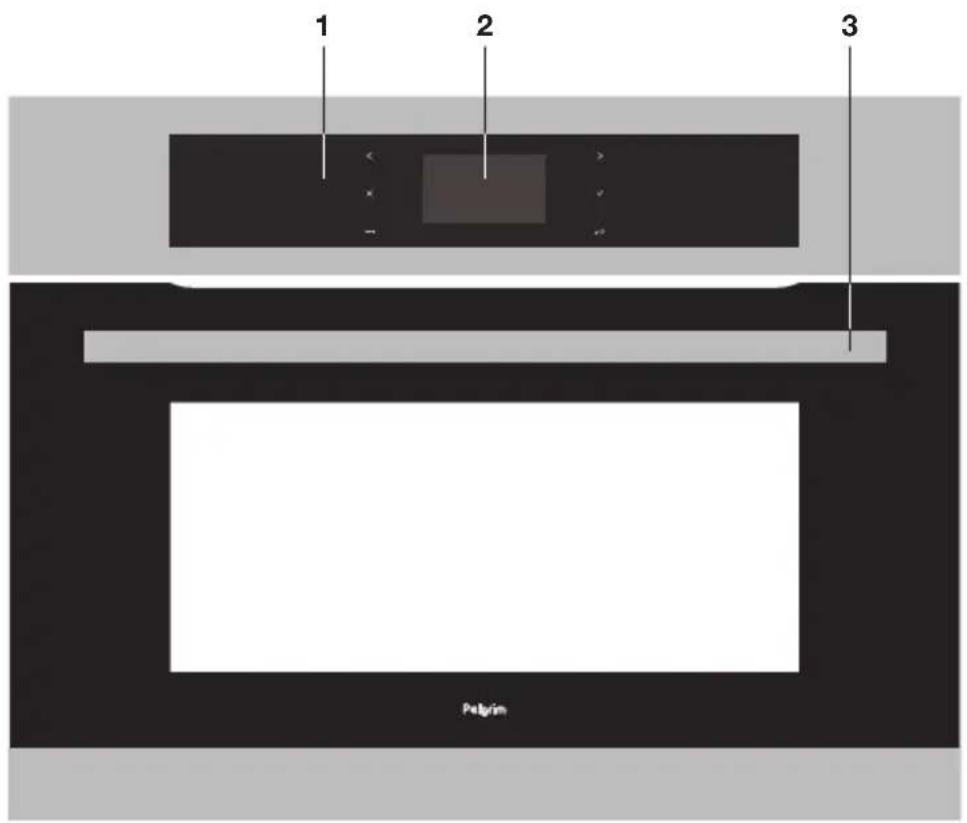
- Control panel
- Display
- Door handle
Control panel
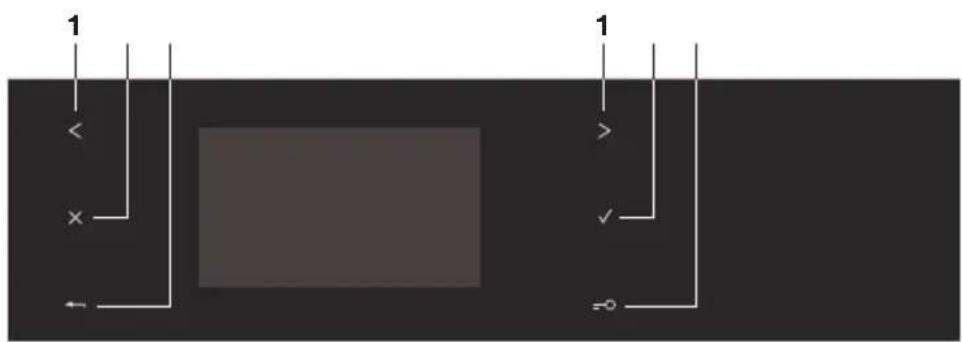
- Selector button
- Stop button
- Back button
- OK (Confirm) button
5.Keypad locking
Accessories
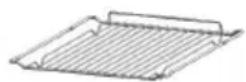
The rack:
- This allows you to toast, brown or grill. The rack should never be used with other metal cookware on the microwave, grill + microwave or forced air + microwave modes. However, you can reheat food in an aluminium tray providing this is isolated from the rack using a plate.
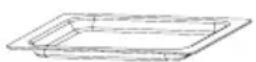
The glass drip tray
- This can be used half-filled with water for double-boiler cooking methods on the forced air mode. It can be used as a cooking dish.

Note
Take care to place the drip tray in the centre of the side racks to avoid affecting air circulation.
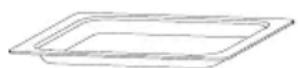
Enamel plate
- This is used for baking cakes or as a drip tray for collecting grilling juices. Avoid placing roasts or meats directly in the plate, as this will cause significant splattering on the oven walls.

Important:
Do not use this plate for microwave-only cooking or microwave combination cooking.
Cooking or defrosting
This oven gives you access to three different types of programming depending on the degree of knowledge you have about the recipe in question.
- For a recipe where you know all the settings (you choose the type of cooking, temperature and cooking time yourself): select the 'EXPERT' function.
- For a recipe where you need assistance from the oven (simply choose the type of food from a list and the weight; the oven will select the most suitable settings: temperature, cooking time, type of cooking): select the 'RECIPES' function.
- Automatic defrost. You simply choose the type of food, enter the weight or a time for vegetables: Select the 'AUTO DEFROST' function.
Setting the language
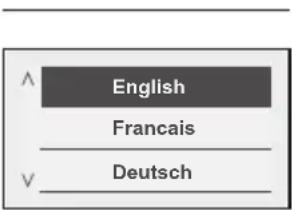
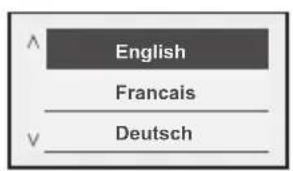
The oven automatically displays the following screen. It allows you to select your language by pressing the < and > buttons. Confirm by pressing OK.
Setting the time
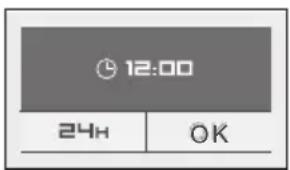
A second screen then appears, to allow you to set the time. Select the time using the < and > buttons then press OK. The hour display flashes, you can adjust it using the < and > buttons and confirm by pressing OK. Do the same for the minutes.
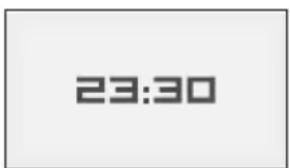
You can choose a 12-hour (am/pm) or 24-hour display. Select using the < and > buttons and then confirm by pressing OK.
Resetting the time
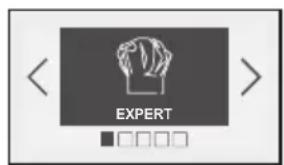
- Press the OK button.
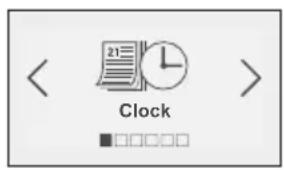
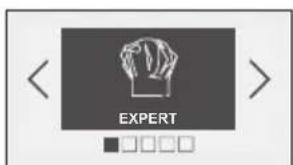
The oven displays the following screen by default ("Expert") function.
Standby mode
- Press the < and > buttons until the "Settings" screen appears, confirm with OK.
- The "Clock" screen is displayed; press OK again to access the time data screen and then proceed as for switching on for the first time.
After 1,30 minutes with no action by the user, the display switches off to save energy (except for a delayed start). The screen is then in standby mode. To activate the oven and restore the display to full brightness, press any key. The screen shows the time again.
The "Expert" function
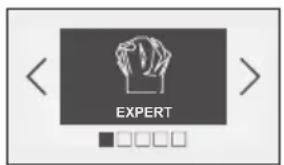
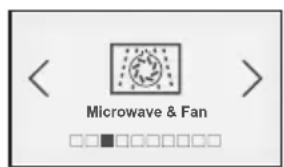
The Expert function allows you to set the cooking parameters yourself: temperature, microwave power, type of cooking, cooking time.
- Press the OK button. The 'EXPERT' screen is displayed.
- Press OK again to choose the type of cooking from the following list by pressing the < and > buttons (to make a selection, refer to the cooking guide on the next page):
Microwave
Defrost
Microwave ^+ Fan
Mw grill
Mw Full grill
Mw Conventional
Keep warm
Conventional
Turbo grill
Full grill
Medium grill
Combined heat
Fan cooking
- Confirm your selection by pressing OK.
"Expert" cooking guide
| MICROWAVE (recommended power setting 1000 W min 100 W max 1000 W) | |
| DEFROST (fixed power setting 200 W) | |
| MICROWAVE & FAN (recommended temperature 200 °C min 50 °C max 220 °C and recommended power setting 500 W min 100 W max 500 W) | |
| MW MEDIUM GRILL (recommended position 2 - min 1 - max 3 and recommended power setting 500 W min 100 W max 700 W) | |
| MW FULL GRILL (recommended position 3 - min 1 - max 3 and recommended power setting 500 W min 100 W max 700 W) | |
| MW CONVENTIONAL (recommended temperature 200 °C min 50 °C max 220 °C et recommended power setting 500 W min 100 W max 700 W) | |
| KEEP WARM (fixed power setting 100 W) | |
| CONVENTIONAL (recommended temperature 200 °C min 35 °C max 220 °C) • Cooking is done by the upper and lower elements. • Preheating recommended for red meats. | |
| TURBO GRILL (recommended temperature 200 °C min 50 °C max 200 °C) • Cooking is done by the upper element and the fan. • Preheating is unnecessary. Roasts and poultry are juicy and crisp all over. • Slide the drip tray onto the bottom shelf support. • Recommended for searing and cooking legs of lamb well done, beef ribs. To retain the moist texture of fish steaks. | |
| FULL GRILL (recommended position 3 - min 1 - max 3) | |
| MEDIUM GRILL (recommended position 2 - min 1 - max 3) • Cooking controlled by the upper element without the fan. • Preheat the oven for five minutes. • Recommended for browning vegetable dishes, pastry, fruit, etc., placed under the grill. | |
| COMBINED HEAT (recommended temperature 200 °C min 50 °C max 220 °C) • Cooking done by the upper and lower heating elements and by the fan. • Three combined sources of heat: a lot of heat from the bottom, a little circulating heat and a touch from the grill for browning. • Recommended for quiches, pies, wet fruit tarts, placed in a dish on a baking sheet which is preferably non-stick. | |
| FAN COOKING (recommended temperature 200 °C min 50 °C max 220 °C) • Cooking is controlled by the heating element at the bottom of the oven and by the fan. • Rapid temperature increase: Some dishes can be placed in the oven while it is still cold. • This is recommended to retain moisture in white meat, fish and vegetables. • For cooking multiple items on up to 2 levels. | |
"Expert" function
The oven asks you to enter the following cooking settings:
Non-microwave cooking:
Temperature
Optional cooking time
- Micro-wave cooking:
Power
Cooking time
- Combined cooking + microwave:
Temperature
Power
Cooking time
Temperature
Based on the type of cooking you already selected, the oven will recommend the ideal cooking temperature. This can be adjusted as follows:
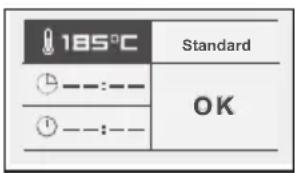
Select the "Temperature" symbol by pressing < or > . Confirm with the OK button and the "Temperature" symbol flashes: choose the desired temperature by pressing < or > and then confirm.
In the grill position (medium or full), select the "grill power" symbol and use the < and > buttons to set the power to the desired level (between 1 and 3) and then confirm.
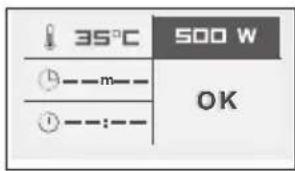
Power
Based on the type of cooking already selected, the oven will recommend the ideal power. This can be adjusted as follows:
- Select the "Power" symbol by pressing < or > . Confirm with the OK button and the "Power" symbol flashes: choose the desired temperature by pressing < or > and then confirm.
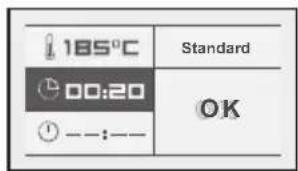
Cooking time and end of cooking time
-
Enter the cooking time for your dish by selecting the cooking time symbol.
-
Press < or > and then confirm so that the symbol flashes. Enter the cooking time by pressing < and > and then confirm. When you set the cooking time, the end of cooking time automatically adjusts.
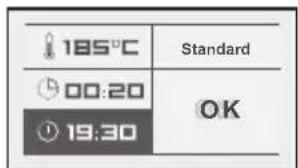
You can change the end of cooking time, if you want to delay the programme start. In this case, select the end of cooking time symbol and proceed as described for setting the cooking time.
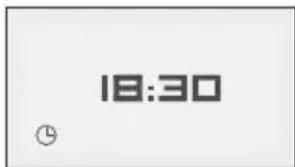
Once you have selected the cooking end time, confirm.
Your oven will display the time and the end of cooking time symbol until cooking starts.

"Grill +"
- Select the "Standard" symbol and then confirm by pressing OK. "Standard" starts to flash. You can access the "Grill+" function by pressing the < and > buttons and confirming.
This function lets you finish your cooking programme by browning the dish for the last five minutes of the cooking time. This function is represented by a flashing grill on the screen when it is activated five minutes before the end of cooking.

Note: The "Grill +" option can be used only with the following functions: 'TURBO GRILL', 'CIRCULATING HEAT', 'CONVENTIONAL' and 'COMBINED HEAT'.
Starting a cooking programme
For cooking using circulating heat or turbo grill:
When cooking begins, the following screen is displayed, indicating that the oven is in rapid heating mode (Booster). You can monitor the progress of the temperature rise in the oven by looking at the shading in the arrow.
The current oven temperature is indicated on the left and the recommended temperature is displayed on the right. Once this temperature has been reached, the oven goes into cooking mode.
End of cooking:
Cooking with set cooking time:
- The oven turns off automatically and beeps for 2 minutes. Press OK to stop the beeps.
Cancelling during cooking
- To stop cooking in progress, press and hold the STOP button.
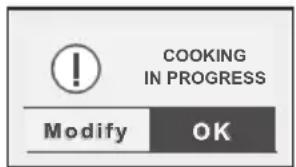
Altering cooking in progress
You can change the temperature or cooking time at any time by pressing the back button. Select the "Modify" field and change the settings by pressing < or > then confirming.
Microwave cooking
Using the power levels
| Power Use | |
| 1000W / 900W | Quickly reheating drinks, water, dishes containing a lot of water. Cooking foods containing a lot of water (soups, sauces, tomatoes, etc.) |
| 800W / 700W Cooking fresh or frozen vegetables. | |
| 600W Melting chocolate. | |
| 500W | Cooking fi sh and seafood. Heating on 2 levels. Gently simmering dry vegetables. Reheating or cooking delicate egg-based foods. |
| 400W / 300W Gently simmering dairy products, jams. | |
| 200W Manual defrost. Softening butter and ice cream. | |
| 100W Defrosting cream-based pastries. | |
Heating on two levels
When using the 500 W microwave power function, you can heat two dishes at the same time. In this case, put one plate on the turntable and the other on the shelf on the third level.

Tips
Cover the plates with special microwave film, a plate cover or another plate placed upsidedown on the first:
to obtain the most even reheating;
to avoid the food drying out;
to reduce the reheating time;
to prevent food spatter in the oven.
The foods keep all their flavour due to the steaming effect.
| Type of food Quantity Time | ||
| Homogeneous foods like mashed potatoes, petits pois, celery, etc. | 2 x 200 g plates | to 6 min. |
| Heterogeneous foods like: cassoulet, bourguignon, ravioli, etc. | 2 x 300 g plates | to 8 min. |
Defrost
Using your micro-wave oven to defrost frozen food saves you a lot of time. To defrost food, use the 'AUTOMATIC DEFROST' function or the 'MICROWAVE' function set to power level 200 W.
What you need to know
- Small cuts of meat or fish can be cooked immediately after defrosting. Larger pieces such as meat joints or whole fish will still be slightly frozen after the defrost programme.
- We recommend that you let the food stand for a period of time at least equal to the defrosting time to ensure an even temperature.
- Food covered with ice crystals will take longer to defrost. In this case, you should increase the defrosting time.

Tips
- The defrost time depends on the type of appliance. It also depends on the shape, size, starting temperature and quality of the food.
- In most cases, food must be removed from its packaging. Remember to remove any metal staples from the packaging.
- Halfway through defrosting, the pieces of food should be turned over, stirred and separated if they were frozen together.
- Defrost meat or fish by putting it on an upside-down saucer on top of a plate to let the juices run. If they stay in contact with the food, they will overheat.
- Never refreeze food before cooking it.
Defrost programme time
Defrost programme times are calculated for food frozen at -18^ . This gives you an indication of the required defrosting time, but the actual time may vary based on the thickness, shape, size and packaging of the food.
Defrost guide
| Food Quantity Time Recommendations | |||
| Flaky or short crust pastry | 400 g 1 - 3 | min | Place on absorbent paper and turn over half way through. |
| Food Quantity Time Recommendations | ||
| Scallops 500 g 5 - 7 minutes | Place on a plate, mix midway through programme. | |
| Shelled prawns 100 g 1 - 2 min | ||
| Whole pink shrimp 200 g 2 - 4 min | ||
| Rock lobster/Prawns (10) 500 g 6 - 8 min | ||
| Food Quantity Time | ||
| Whole fi sh/darns/fi llets/steaks | 100 g | 1 - 2 min |
| 200 g | 3 - 5 min | |
| 400 g | 5 - 7 min | |
| 500 g | 7 - 9 min | |
| 750 g | 12 - 14 min | |
| 1000 g | 17 - 19 min | |
| Turkey/Pork/Veal/Beef/PoultryAs roasts / slices / cubes /etc... | 100 g | 1 - 2 min |
| 200 g | 3 - 5 min | |
| 400 g | 5 - 7 min | |
| 500 g | 7 - 9 min | |
| 750 g | 12 - 14 min | |
| 1000 g | 17 - 19 min | |
| 1250 g | 23 - 25 min | |
| 1500 g | 28 - 30 min | |
| 1750 g | 34 - 36 min | |
| 2000 g | 39 - 41 min | |
| Cauliflower / broccoli / carrots/mushrooms /diced mixedvegetables /etc... | 500 g | 7 - 9 min |
| 750 g | 12 - 14 min | |
| 1000 g | 17 - 19 min | |
| Strawberries | 250 g | 7 - 9 min |
| Raspberries/cherries | 250 g | 6 - 8 min |
| Gooseberries / blueberries / blackcurrants | 250 g | 5 - 7 min |
Microwave + fan
The circulating heat + microwave function lets you combine microwave cooking with circulating heat which saves you a lot of time.
The microwave power levels available to you are 100-200-300-400-500 W.

Tips
When using mixed microwave and circulating heat cooking, do not use a metal plate.
Cooking on two levels
To simultaneously cook a 1 kg veal roast and 800g of potatoes au gratin, 55 mins at 170^ with microwave power set to 300 W. We suggest placing the gratin dish on the turntable and putting the veal joint in the drip tray on level 3.

Note
Never preheat your oven when using the microwave + circulating heat function. It could damage your appliance.
- Use a heat-resistant, microwave-safe dish, preferably earthenware (fewer splashes than with a glass dish).
- It is preferable to choose roasts without barding fat to limit grease spatter and smoke.
- Season after cooking, let the meat rest, still covered in cooking foil, for about 10 minutes, which allows the fibres to relax and the meat to remain tender.
| Food Quantity | Programming MW+ CH | Time (min) | Tips | |
| Shoulder of lamb on the bone | 1300 g 200W | + 200 °C 32 - 37 In the drip tray, level 2 | ||
| Sirloin 800 g 200W + 200 °C 23 - 28 | In a dish, on the shelf, level 2 | |||
| Chicken/guinea fowl 1200 g 200W + 200 °C 35 - 40 | In a dish, on the shelf, level 1 | |||
| Turkey roast 800 g 300W + 180 °C 32 | - 37 | In a dish, on the shelf, level 2 | ||
| Roast pork 1200 g 300W + 180 °C 47 | - 52 | In a dish, on the shelf, level 2 | ||
| Roast veal 1000 g 300W + 180 °C 37 | - 42 | In a dish, on the shelf, level 2 | ||
Combi grill
This function lets you use the grill and the micro-wave simultaneously, which makes cooking very quick. There are two grill + microwave settings:
Full grill + microwave;
- Low grill + microwave.
You can combine them using the following seven power settings:
100 W/200 W/300 W/400 W/500W/600 W/700 W.
Combi grill cooking guide
- Use a heat-resistant, microwave-safe dish, preferably earthenware (fewer splashes than with a glass dish).
- Place the food in a dish placed on the rack at level 1. Turn it halfway through cooking.
- It is preferable to choose roasts without barding fat to limit grease spatter and smoke.
- Season after cooking, let the meat rest, still covered in cooking foil, for about 10 minutes, which allows the fibres to relax and the meat to remain tender.
| Food Quantity Programming Time | |||
| Lamb shoulder (boned and tied) | 1300 g 200 W + Full grill | 40 - 45 min | |
| Sirloin 800 g 200 W + Full grill 18 - 23 min | |||
| Chicken, guinea fowl 1200 g 500 W + Full grill | 25 - 27 min | ||
| Turkey roast 800 g 300 | W + Full grill 27 - 32 min | ||
| Roast pork 1000 g 300 | W + Full grill 35 - 40 min | ||
| Roast veal 1200 g 300 | W + Low grill 50 - 55 min |
Keeping warm
This function keeps the food at the temperature it was when cooking finished.

Note
The maximum time for a 'KEEP WARM' programme in 60 minutes. You can alter the 'KEEP WARM' time at any point.
Conventional microwave
The conventional + microwave function lets you combine microwave cooking with the "conventional" function, which saves a lot of time. The microwave power levels available are 100-200-300-400-500-600-700 W.

Tips
When using the "conventional" cooking + microwave function, do not use a metal plate.

Note
Never preheat your oven when using the microwave + conventional function. It could damage your appliance.
- Use a heat-resistant, microwave-safe dish, preferably earthenware (fewer splashes than with a glass dish).
- It is preferable to choose roasts without barding fat to limit grease spatter and smoke.
- Season after cooking, let the meat rest, still covered in cooking foil, for about 10 minutes, which allows the fibres to relax and the meat to remain tender.
| Food Quantity | Programming MW+ CH | Time (min) | Tips | |
| Shoulder of lamb on the bone | 1300 g 200W | + 200 °C 32 - 37 | In the drip tray, level 2 | |
| Sirloin 800 g 200W + 200 °C 23 - 28 | In a dish, on the shelf, level 2 | |||
| Chicken/guinea fowl 1200 g 200W + 200 °C 35 - 40 | In a dish, on the shelf, level 1 | |||
| Turkey roast 800 g 300W + 180 °C 32 | - 37 | In a dish, on the shelf, level 2 | ||
| Roast pork 1200 g 300W + 180 °C 47 | - 52 | In a dish, on the shelf, level 2 | ||
| Roast veal 1000 g 300W + 180 °C 37 | - 42 | In a dish, on the shelf, level 2 | ||
| Cheesecake* 200W + 100 °C 42 - 45 | In a dish, on the shelf, level 2 | |||
| Pudding 200W + 200 °C 20 | In a dish, on the shelf, level 2 | |||
| Quiche* 200W + 200 °C 30 | In a dish, on the shelf, level 2 | |||
| Potatoes au gratin 300W + 200 °C 30 | - 35 | In a dish, on the shelf, level 1 | ||
| Yeast-risen cakes 200W + 200 °C 45 | In a dish, on the shelf, level 2 |
- Preheat using the "conventional" sequence, then select the "conventional" + microwave function.
Conventional
Turbo grill
- Cooking done using the upper and lower heating elements without the fan.
-
The cooking temperature is adjustable between 35 and 220^ in increments of 5^ .
-
Cooking is done by the grill element + the fan, which gives even coking for thick foods..
- The cooking temperature is adjustable between 50 and 200^ in increments of 5^ .
Grill (full and medium)
- This function lets you cook and brown foods such as gratin dishes and meats.
- It can be used before or after cooking, depending on the recipe.
- There are two grill settings: FULL GRILL and MEDIUM GRILL.
- As a general rule, use the FULL GRILL level for grilling meat and fish, and use the MEDIUM GRILL for gratins, and also for browning more delicate foods.
- Insert the accessories (grid or drip tray) at level 1, 2 or 3, based on the height of the cookware or the food.
Combined heat
- Cooking is done using the upper and lower heating elements with circulating heat from the fan.
- The cooking temperature is adjustable between 50 and 220^ in increments of 5^ .
Fan cooking

The Fan Cooking function lets you cook and brown foods like in a conventional oven.
Tips
- The cooking temperature is adjustable between 50 and 220^ in increments of 5^ .
- Always insert the accessories (shelf or drip tray) at level 1 or 2. This will ensure better heat distribution and optimum cooking results.
- Use cookware designed to withstand high temperatures.
- If you want to do a defrost after cooking with one of the circulating heat functions, we recommend waiting for about ten minutes to allow the oven to cool down in order to obtain the best results.
Cooking on two levels
- Preheat the oven.
- To cook two apple tarts at the same time, 1 hour at 200^ , we recommend preparing the first tart in the glass drip tray inserted on level 1 and the second in a tart dish on the shelf on level 3. Change the position of the two dishes half-way through cooking.
Conventional - turbo grill - medium and full grill guide
| Food Shelf level Conventional | Turbo grill Grills | Time in minutes | |||
| Meats | |||||
| Roast pork (1 Kg) 2 170 °C 90 | |||||
| Roast veal (1 Kg) 2 70-75 | |||||
| Roast beef (1 Kg) 2-1 * 220 °C | 190 °C | ||||
| Lamb (leg, shoulder, 1.5 Kg) 2-1 | 210 °C 55-60 | ||||
| Pork, lamb chops 3 | * GP3 | ||||
| Beef rib | 1 220 °C | GP2-3 | |||
| Poultry (1.2 Kg) | 1 210 °C 50-60 | ||||
| Large piece of poultry | 1 | 200 °C | |||
| Rabbit | 2 40-45 | ||||
| Fish | |||||
| Cooked (bream, salmon, hake) | 2 35-45 | ||||
| Vegetables | |||||
| Potatoes au gratin | 2 55-60 | ||||
| Lasagne | 2 40-45 | ||||
| Stuffed tomatoes 2 45-55 | |||||
| Pastries | |||||
| Savoy sponge | 2 35-45 | ||||
| Sponge cake | 1 35-45 | ||||
| Sponge roll | 2 8 | ||||
| Cake | 1 | 45-60 | |||
| Cookies | 2 18-22 | ||||
| Biscuits | 2 | 20-25 | |||
| Cream (in a Bain-Marie) | 2 35-40 | ||||
| Madeleines | 2 | * 170 °C | 10-12 | ||
| Pound cake | 2 40-50 | ||||
| Cheesecake | 1 | 65-75 | |||
| Kouglof | 1 | 45-50 | |||
| Choux pastry | 2 30-40 | ||||
| Shortcrust pastry tart 2 30-40 | |||||
| Thin flaky crust tart 2 * 220 °C | 30-40 | ||||
| Other | |||||
| Pâté (1 kg) 1 200 °C 80-90 | |||||
| Pie 2 40-65 | |||||
| Quiche | 1 | 30 | -35 | ||
| Covered stews (beef casserole, etc.) | 1 90-180 | ||||
| Bread (500 g fl our) | 2 * 205 °C | 25-40 | |||
| Toast | 3 | GP4 | 1-2 |
- Preheat the oven to the temperature indicated before cooking.
Combined heat - fan cooking guide
| Food | Shelf level | Combined heat | Fan cooking | Time in minutes |
| Meats | ||||
| Roast pork (1 Kg) | 2 | 170 °C | 90 | |
| Roast veal (1 Kg) | 2 | 70-75 | ||
| Roast beef (1 Kg) | 190 °C | |||
| Lamb (leg, shoulder, 1.5 Kg) | 2-1 | 210 °C | 55-60 | |
| Pork, lamb chops | ||||
| Beef rib | 220 °C | |||
| Poultry (1.2 Kg) | 1 | 210 °C | 50-60 | |
| Large piece of poultry | ||||
| Rabbit | 2 | 40-45 | ||
| Fish | ||||
| Cooked (bream, salmon, hake) | 2 200 °C | 35-45 | ||
| Vegetables | ||||
| Potatoes au gratin | 2 160 °C | 55-60 | ||
| Lasagne | 2 | 40-45 | ||
| Stuffed tomatoes | 2 200 °C | 45-55 | ||
| Food Shelf level | Combined heat | Fan cooking | Time in minutes | |
| Pastries | ||||
| Savoy sponge 2 35-45 | ||||
| Sponge cake 1 35-45 | ||||
| Sponge roll 2 * 220 °C 8 | ||||
| Cake | 1 | 45-60 | ||
| Cookies 2 18-22 | ||||
| Biscuits | 2 | 20-25 | ||
| Cream (in a Bain-Marie) 2 160 °C 35-40 | ||||
| Madeleines | 2 | 10-12 | ||
| Pound cake 2 40-50 | ||||
| Cheesecake | 1 | 170 | ||
| Kouglof | 1 | 45-50 | ||
| Choux pastry 2 30-40 | ||||
| Shortcrust pastry tart 2 200 °C 30-40 | ||||
| Thin flaky crust tart 2 * 220 °C 30-40 | ||||
| Other | ||||
| Pâté (1 kg) 1 80-90 | ||||
| Pie | 2 180 °C 40-65 | |||
| Quiche | 1 | 205 °C | ||
| Covered stews (beef casserole, etc.) | 1 90-180 | |||
| Bread (500 g fl our) | 2 25-40 | |||
| Toast |
- Preheat the oven to the temperature indicated before cooking.
"Recipes" function
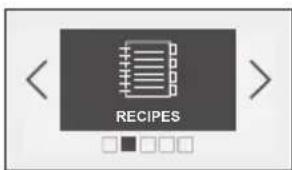
The "Recipes" function selects the appropriate cooking parameters for you based on the food being prepared and its weight.
- Press the < and > buttons. Select "Recipes" and confirm.
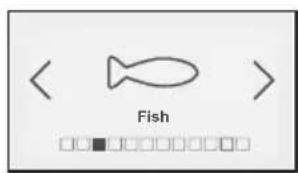
- The oven gives you the option of choosing from a list of different foods. Press the < and > buttons to choose from the following list: Pork-Veal-Turkey
Beef
Fish
Chicken
Vegetables
Fibre vegetables
Fresh gratin
Frozen gratin
Frozen Pizza
Fresh quiche
Fresh tarts
When you have made your choice, press OK to confirm.
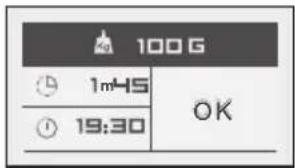
- When you have selected the food, the oven asks you to enter its weight (Kg field) except for quiches and tarts where the time is fixed. Enter the weight and the oven will automatically calculate and display the ideal cooking time. If you wish, you can change the cooking finish time by selecting the cooking end time field and selecting the new end of cooking time. Confirm by pressing OK.
- Put your dish in the oven.
- Confirm by pressing OK; the oven switches on.
- The oven beeps and switches off when the cooking time has finished.
Guide to the "Recipes" function
| Function used Min. weight/time Max. weight/time | |||
| Pork-Veal-Turkey MW & Fan 500g/25 min 2000g/75 min | |||
| Beef MW & Fan 500g/15 min 2000g/40 min | |||
| Fish | Microwave | 100g/1 min 45 1000g/12 min | |
| Turn the food over when the beep sounds (half-way through cooking) | |||
| Poultry MW & Fan 500g/20 min 2000g/55 min | |||
| Vegetables | Microwave | 100g/3 min 10 1000g/18 min | |
| Turn the food over when the beep sounds (half-way through cooking) | |||
| Fibre vegetables | Microwave | 100g/4 min 1000g/21 min | |
| Turn the food over when the beep sounds (half-way through cooking) | |||
| Fresh gratin Grill + MW | 500g/12min 2000g/37min | ||
| Frozen gratin | Grill + MW 250g/8 min | 1000g/25 min | |
| Frozen pizza | Fan | 100g/10min 750g/23min. 30 | |
| Function used Min. | weight/time Max. weight | time | |
| Fresh quiche MW & Fan | 35 min fi xed | ||
| Fresh tarts MW & Fan | 35 min fi xed | ||
| Pork, veal, turkey & Beef | This function is used to cook and brown turkey, pork or veal roasts from 500 g to 2000 g. Cooking is done using the combined microwave + heat circulation function. Use a heat-resistant, microwave-safe dish, preferably earthenware (fewer splashes than with a glass dish). It is preferable to choose roasts without barding fat to limit grease spatter and smoke. Remove the meat from the refrigerator and leave for 1 hour before placing in the oven. Place the dish on the rack at level 2. After cooking, leave the roast to rest in aluminium foil for 10 minutes. This allows the fi bres to relax and the meat will remain tender. Season when cooking is fi nished. |
| Fish | This function allows you to cook fi sh weighing 100 g to 1000 g. All fi sh are suitable for microwave cooking. The only thing is to ensure the fi sh is very fresh. Cooking is done using the microwave function. You can cook fi sh whole (in this case cut a slash in the thickest part), in slices or fi llets. Place the fi sh in a round or oval glass dish suitable for microwave use, add two to three tablespoons of water, lemon juice or white wine and cover with the lid of the dish or stretch fi lm; season after cooking. Place the dish on the level 1. |
| Chicken | This function allows you to cook and brown a whole chicken or chicken pieces (legs) weighing between 500 and 2000g. Cooking is done using a combination of microwave plus heat circulation and/or grill mode. Use a heat-resistant, microwave-safe dish, preferably earthenware (fewer splashes than with a glass dish). Chicken legs may be placed directly on the glass drip tray. Prick the skin to avoid splattering. Add oil, salt and pepper to the poultry and sprinkle with spices of your choice. Whole chicken: place the dish on the shelf on level 1. Chicken thighs: Up to 900 g, put the drip-tray on level 2. When cooking has fi nished, leave the poultry to rest for 5 mins in the oven before tasting. |
| Vegetables | These functions are used to cook vegetables weighing from 100g to 1000g. Cooking is done using the microwave function. Select very fresh vegetables and cook them with: • two tablespoons of water up to 200 g • 50 ml of water up to 500 g • 100 ml of water up to1000 g Use cookware suited to the volume of food, cover unless cooking mushrooms. Place the dish on the level 1. A beep half-way through cooking warns you it is time to stir the food. Add fat and season if desired. When cooking has fi nished, leave the vegetables to rest for a few minutes before consuming. TENDER VEGETABLES containing more water: Courgettes cut into rounds or cubes, thinly sliced leeks, potatoes whole or cut into regular pieces, tomatoes cut into quarters, chicory cut into 4 and sprinkled with lemon, spinach leaves, thinly sliced mushrooms, etc. HARDER AND MORE FIBROUS VEGETABLES: Brussels sprouts, thinly sliced white cabbage, cauliflower over or broccoli cut |
| Fresh dish & Frozen dish | This function allow you to reheat and brown prepared frozen dishes (lasagne, gratin dauphinois, cottage pie, fi sh gratin, etc.) from 250 g to 1,000 g and for fresh dishes from 500 to 2000 g. Reheating or cooking is carried out using the microwave + grill function. Remove the product from its packaging and place it in a heat-resistant dish suitable for use in a microwave oven. It is preferable to choose a dish with the same dimensions as the preparation. Do not cover. Place the dish on the level 1. |
| Pizza - frozen | This function lets you reheat and brown frozen pizzas weighing between 100 and 750 g. Defrosting or cooking is carried out using the circulating heat function. Remove the pizza from its packaging and place it on the rack at level 2. |
| Fresh quiche and tarts | This function allows you to cook and brown fresh quiches from 27 to 30 cm in diameter. Cooking is done using the combined microwave + heat circulation function. Use a heat-resistant, microwave-safe tart mould (Pyrex, porcelain, etc.). When you use ready-made pastry, do not remove the grease-proof paper. Cut the excess grease-proof to the dimensions of the dish. Place the tart mould on the rack at level 2. Tips: Do not use a metal mould. Begin cooking the quiche as soon as the fi lling has been poured into the pastry. Never let the pastry soak or it will not cook properly. |
"Auto defrost" function
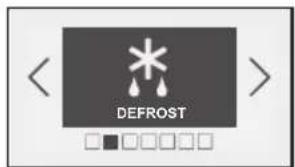
The "Auto defrost" function selects the appropriate defrost settings based on the food and its weight.
- Press the < and > buttons. Select "Auto Defrost" and confirm.
- The oven gives you the option of choosing from a list of different foods.
- Press the < and > buttons to choose from the following list:
Bread
Pastries
Vegetables
Fish
Pork
Red meat
Poultry
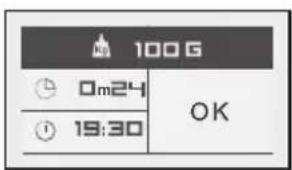
When you have made your choice, press OK to confirm.
- When you have selected the food, the oven asks you to enter the weight (Kg) except for vegetables where the time is suggested, although this can be changed.
Enter the weight and the oven will automatically calculate and display the ideal cooking time.
If you wish, you can change the cooking finish time by selecting the cooking end time field and selecting the new end of cooking time. Confirm by pressing OK.
"Settings" function
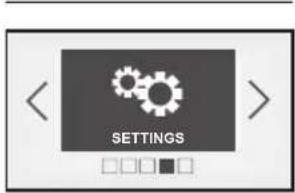
- Press the < and > buttons until you reach the "Settings" screen.
- Confirm by pressing OK.
You have access to the following settings:
- Clock (see beginning of this section)
Sound - Display
Consumption
Language
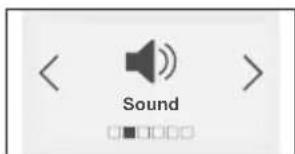
Sound:
- Press the < or > buttons and until you reach the "Sound" screen. Adjustment of the sound emitted when buttons are pressed:
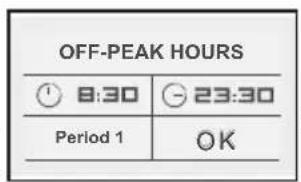
- End of "Off-peak hours"
- Start of "Off-peak hours"
- You may enter up to 3 different periods
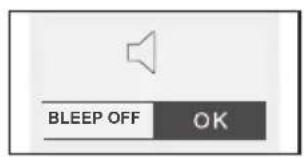
- If you wish, you can mute the beeps emitted each time you press confirm.
To do this, go to this option and select:
Beep on (active) or Beep off (silent). Confirm.
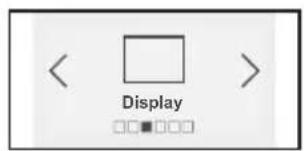
Display:
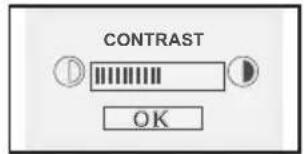
Adjusting screen contrast:
Press the < or > buttons and until you reach the "Display" screen. Confirm by pressing OK.
Select the contrast bar using the < or > buttons and confirm.
Increase or decrease the contrast using the < and > buttons then confirm by pressing OK.
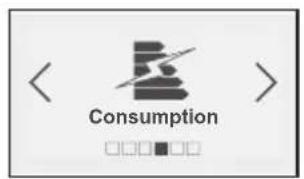
Consumption:
Adjusting electricity consumption:
By accessing this screen, you will be able to view the energy consumption of your oven since the last time it was reset to zero (RESET).
If you have an energy bill arrangement with off-peak hours, you can consult the corresponding time periods and obtain detailed information about your consumption during peak and off-peak hours.
To enter or modify this data, press OK, then enter the times for peak and off-peak periods.
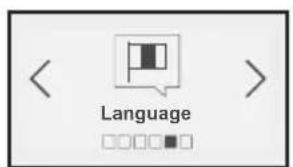
Language:
Setting the language: By choosing the screen, you can select the language used to communicate with your oven.
Various languages are available:
| Français | Czech | Russian |
| English | Slovak | Hebrew |
| German | Hungarian | Norw |
| Spanish | Polish | Swedish |
| Portuguese | Italian | Fin |
Dutch Greek Danish
"Minute minder" function
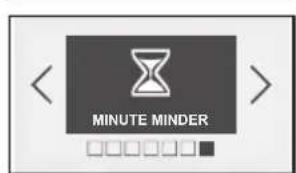
Select this option to access the minute minder function.
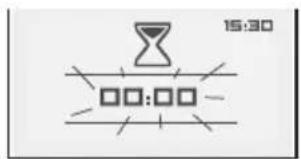
- Press the < and > buttons until "Minute minder" is displayed then confirm. The displays flashes 00:00:00.
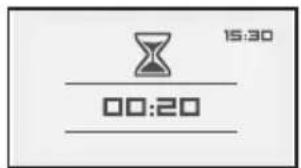
- Enter the desired time using the < and > buttons and confirm by pressing OK.
The minute minder starts to count down when OK is pressed and beeps at the end.
- Press the Stop button to cancel the minute minder.
Control panel locking (Child safety device)
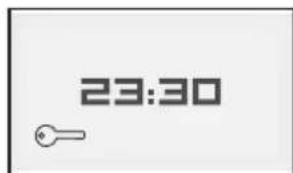
You have the option of preventing access to the oven controls by taking the following steps:
- When the oven is off, hold the lock button pressed for a few seconds; a key will then be displayed on the screen and access to the oven controls is now blocked.
- To unlock it, press the lock button again, then select the "Unlock" symbol and confirm.
- The oven controls are once again accessible.
Warning
You cannot lock the oven if you have programmed a cooking cycle.
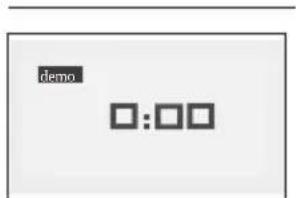
To activate DEMO mode:
- Set the time to 0:00 (see "Resetting the time") then confirm.
- Press and hold the < and > buttons simultaneously until the word 'DEMO' appears in the display.
To leave DEMO mode:
- Set the time to 0:00. Confirm.
- Press and hold the < and > buttons simultaneously until the word 'DEMO' disappears from the display.

Warning
When your oven is in 'Demo' mode, the heating elements are not operative.
Faults table
When in doubt about the proper operation of your appliance, this does not automatically mean there is a defect. Make sure to check the points mentioned below in the table first, or visit our website 'www.pelgrim.nl' for more information.
If you suspect that your appliance is not working properly, it may not necessarily be broken. In all cases, check the following items:
| Query What to do | |
| The time counts down but the appliance is not working (the turntable is not rotating and food is not heating). “Time” and “Demo” fl ash alternately in the display. | Your appliance is in DEMONSTRATION mode (See “Demo” mode). |
| The appliance does not start. | Check that your appliance is plugged in. Check that your oven’s door is fully closed. Check that the child safety feature is not activated. |
| The appliance continues to make noise after cooking has ended. | To drain residual water vapour, your appliance is equipped with a delayed ventilation feature. The fan continues to function for 15 minutes after the end of the programme. |
| You notice steam on the window. Wipe the condensation off using a cloth. | |
| Food is not heated during a microwave programme. | Ensure that the cookware is suitable for microwave ovens and that the power level is appropriate. |
| The grill gives off smoke at the beginning of a programme. | Remove all cooking residue from the heating element before each use. |
| The appliance produces sparks. | Thoroughly clean the appliance: remove grease, cooking residue, etc. Remove any metal items from the walls of the oven. Never use metal items with the rack. |
| Error code Meaning | |
| F01 Probe error | |
| F02 Overheated oven | |
| F10 Information: Power cut during cooking | |
| AUTO Auto Stop: cooking time too long | |
General

This appliance should only be connected by a registered installer! The electrical connection must comply with national and local regulations.
Warning!
This appliance must be earthed at all times.
Installation, maintenance, or repairs should only be carried out by professionals who are authorised by the manufacturer, as failure to do so will void the guarantee.
The device should be disconnected from the mains prior to installation, maintenance or repairs. The device is only disconnected from the electric power if:
- the main switch of the domestic electrical system is switched off, or
- the fuse of the domestic electrical system has been completely removed, or
- the plug has been pulled out of the socket.
Faulty parts may only be replaced by original Pelgrim parts. Only those parts are guaranteed by Pelgrim to meet the safety requirements.
To avoid dangerous situations resulting from any damage to the connecting cable, this should only be replaced by the manufacturer, the manufacturer's service organisation or suitably qualified persons.
Unpacking
Remove all the protection elements. Check and respect the appliance's characteristics that appear on the nameplate
Building-in dimensions
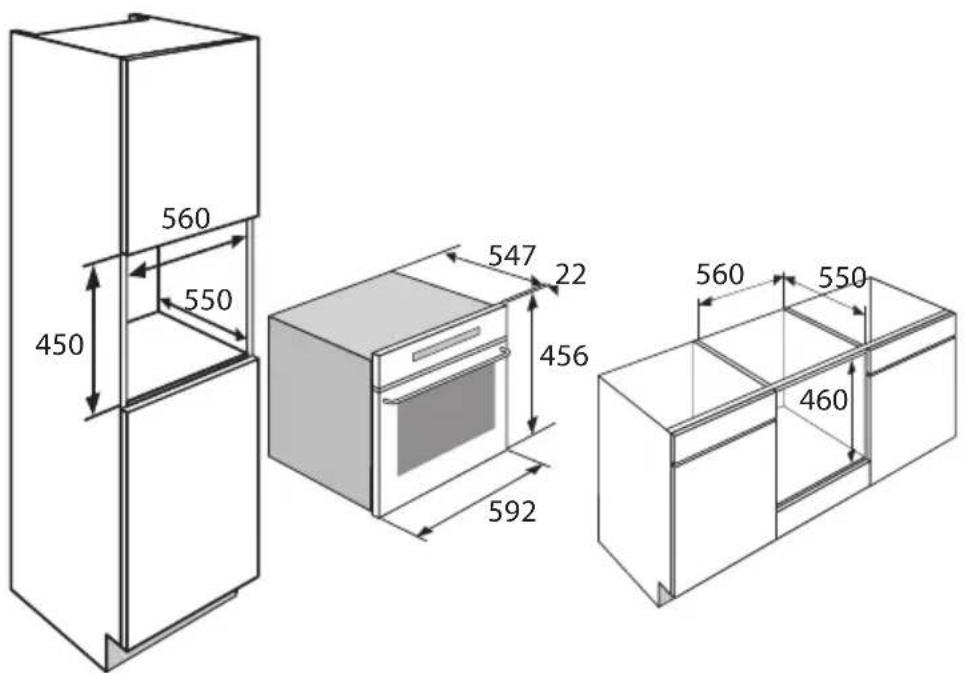
Electrical connection
220-240V\~-50Hz
- Wall socket and plug must be accessible at all times.
- Make sure that the cable does not come into contact with parts of the oven that may become hot.
If you want to make a fixed connection, ensure that a multi-pole switch with a distance between contacts of 3mm is installed in the supply cable. - Do not use a multiple socket or an extension lead to connect the device to the electrical mains. Safe use of the device cannot be guaranteed with such accessories.
Building in
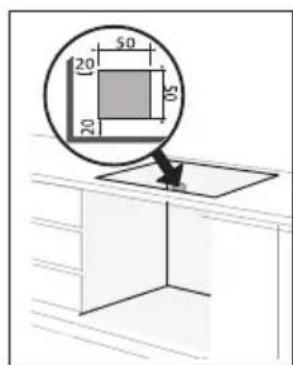
The diagrams show the dimensions of a cabinet that will be able to hold your oven.
This appliance may be installed either under a worktop or in a column. If the cabinet is open, its opening must be 50mm maximum.
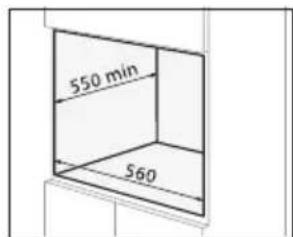
Your oven has optimised air circulation that allows it to achieve remarkable cooking and cleaning results if the following guidelines are followed :
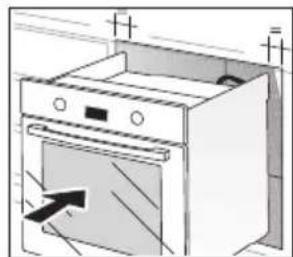
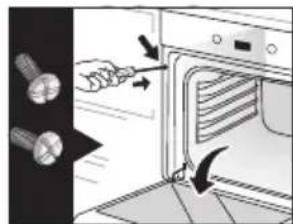
- Center the oven in the cabinet to ensure a minimum distance of 10mm with adjacent cabinets. The material or coating of the cabinet must be heat-resistant. For greater stability, attach the oven in the cabinet with two screws through the holes provided for this purpose on either side of the front inner panel.
- Drill a 2mm diameter hole in the cabinet panel to avoid splitting the wood.
- Attach the oven with the two screws.
Disposing of the appliance and packaging
Sustainable materials have been used during manufacture of this appliance. This appliance must be disposed of responsibly at the end of its service life. The government can provide you with information about this.
The appliance packaging is recyclable. The following are used:
cardboard;
polyethylene film (PE);
CFC-free polystyrene (PS rigid foam).
You should dispose of these materials responsibly and in accordance with government regulations.
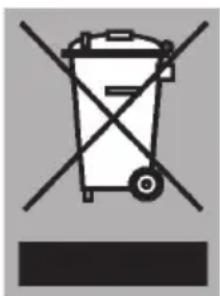
The product bears the symbol of a crossed out waste bin to draw attention to the obligation regarding separate processing of electrical household appliances. This means that the appliance may not be included with normal domestic refuse at the end of its service life. The appliance must be taken to a special municipal waste collection centre or to a point of sale provided by this service.
Separate collection of household appliances helps to prevent potential negative impact on the environment and on human health caused by improper disposal. It ensures that the materials that make up the unit can be recycled to achieve a significant saving in terms of energy and raw materials.
Declaration of conformity
We hereby declare that our products satisfy the applicable European directives, orders and regulations, as well as the requirements stated in the referenced standards.