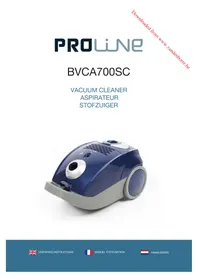
BVCA700SC - Vacuum Cleaner PROLINE - Free user manual and instructions
Find the device manual for free BVCA700SC PROLINE in PDF.



| Brand | Proline |
| Model | BVCA700SC |
| Type | Canister vacuum cleaner |
| Nominal power | 700 W |
| Supply voltage | 220-240 V ~ 50/60 Hz |
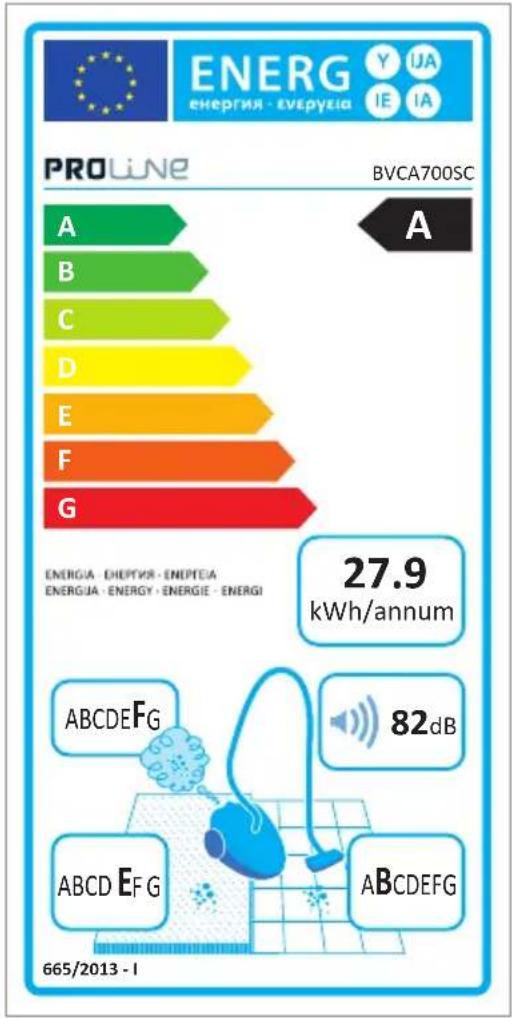
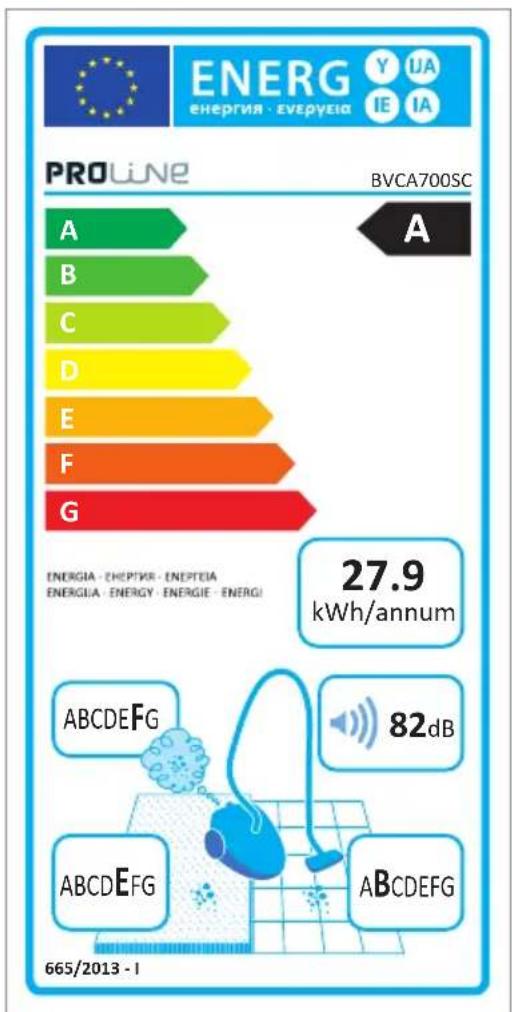
| Annual energy consumption | 27.9 kWh/year |
| Noise level | 82 dB(A) |
| Dust bag capacity | 1.5 L |
| Bag type | Reusable cloth bag |
| Bag full indicator | Yes (red indicator light) |
| Filter(s) | 1 washable internal filter |
| Filter maintenance | Regular cleaning with water; annual replacement recommended |
| Cable length | 6 m (approx.) |
| Automatic cord rewinder | Yes, with button |
| Suction power adjustment | Regulator on body and on hose handle |
| Included accessories | Hose, telescopic tube, floor/carpet brush, combination accessory (crevice tool and dusting brush) |
| Weight | 5.5 kg (approx.) |
| Dimensions (L x W x H) | 41 x 30 x 30 cm (approx.) |
| Use | Dry vacuuming only, household use |
| Safety | Do not vacuum liquids, hot, sharp or flammable objects |
| Repairability | Spare parts available via after-sales service |
Frequently Asked Questions - BVCA700SC PROLINE
User questions about BVCA700SC PROLINE
0 question about this device. Answer the ones you know or ask your own.
Ask a new question about this device
Download the instructions for your Vacuum Cleaner in PDF format for free! Find your manual BVCA700SC - PROLINE and take your electronic device back in hand. On this page are published all the documents necessary for the use of your device. BVCA700SC by PROLINE.
USER MANUAL BVCA700SC PROLINE
natural_image
Blue and gray vacuum cleaner with circular head filter and ventilation slots (no visible text or symbols)Downloaded from www.vandenborre.be
Catalogue
Language of introduction Page
English 1 - 8
French 9-18
Dutch 19 - 27
WARNINGS
EN
This appliance is intended for domestic household use only and should not be used for any other purpose or in any other application, such as for non-domestic use or in a commercial environment.
If the supply cord is damaged, it must be replaced by a special cord or assembly available from the manufacturer or its service agent.
This appliance can be used by children aged from 8 years and above and persons with reduced physical, sensory or mental capabilities or lack of experience and knowledge if they have been given supervision or instruction concerning use of the appliance in a safe way and understand the hazards involved. Children shall not play with the appliance. Cleaning and user maintenance shall not be made by children without supervision.
Regarding the detailed instructions for the method and frequency of cleaning and the precautions during user maintenance, refer to the section “Cleaning and Maintenance” on pages 5-7 of the manual.
EN
Regarding the detailed instructions for the safe use of the appliance, refer to the section “Operation”.
Following objects are strictly banned, otherwise the vacuum cleaner will be damaged or fire calamity will be caused, which bring such accidents as human body injuries:
Don’t pick up large or sharp broken such as glasses.
Don’t pick up harming or erodent liquids (solvent, corrosive, detergent...).
Don’t pick up inflammable or explosive substance such as gasoline or alcohol.
Don’t pick up/ vacuum burning or glowing objects (cigarettes, matches, hot ashes).
The plug must be removed from the socket-outlet before cleaning or maintaining the appliance.
IMPORTANT SAFETY INSTRUCTIONS
EN
To reduce the risk of fire, electrical shock, or injury:
- Read all the instructions carefully before using your appliance and keep them for future reference.
• Always switch off and unplug the appliance from the mains socket when not in use, assembling of disassembling parts and before cleaning. - Do not unplug by pulling on the power cord. To unplug, grasp the plug not the power cord.
- Do not use the appliance outdoors or on wet surfaces.
- Do not pull or carry the appliance by the power cord.
- The appliance should only be used for its intended purpose as described in this instruction manual.
- Do not operate the vacuum cleaner with wet hands or feet.
- Never operate the vacuum cleaner without filters in place.
- To prevent electrical shock, do not immerse the appliance, power cord or power plug into water or other liquids.
- Do not use the appliance to suck up water or any other liquid.
- Do not use attachments or accessories not recommended by the manufacturer.
- Do not use the vacuum cleaner if it is damaged.
- Do not operate the vacuum cleaner too close to the heaters, radiators and other hot surfaces.
- Do not leave the appliance unattended when it is in operation.
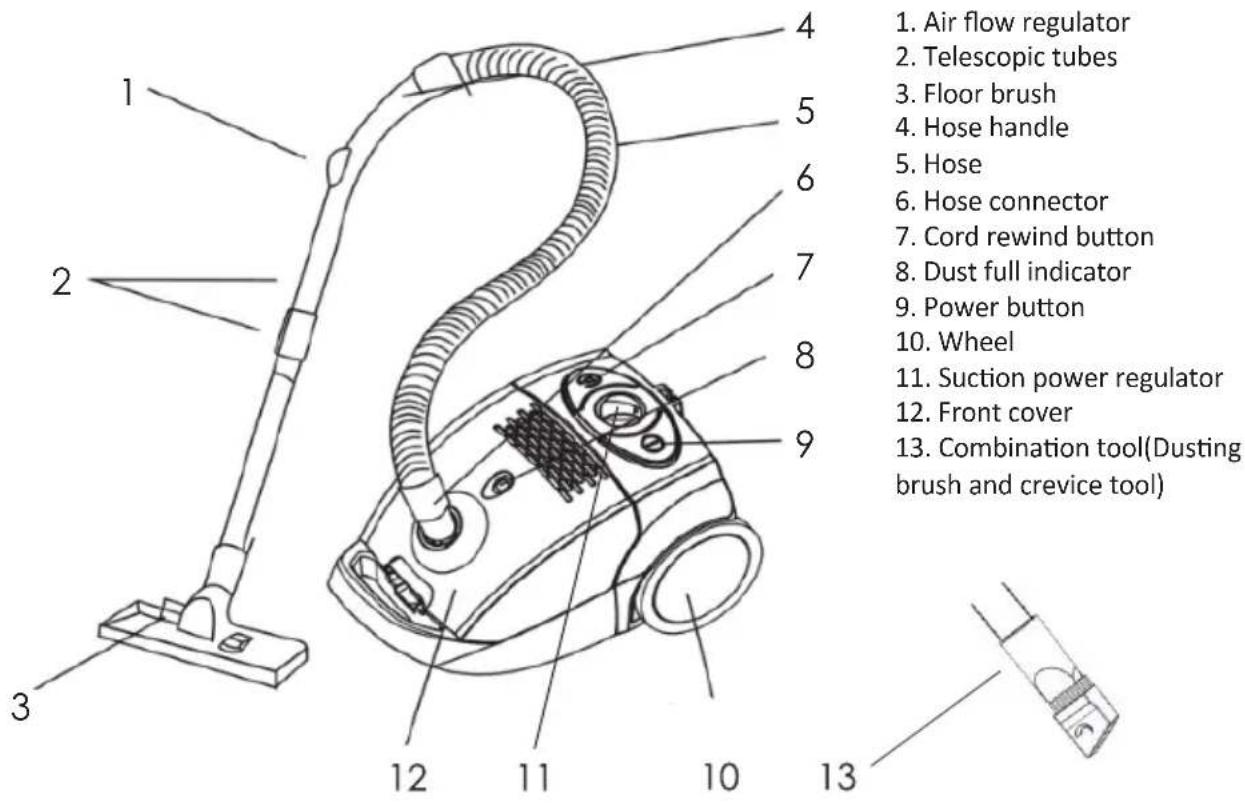
PARTS
ASSEMBLY
Always remove the plug from the mains socket before assembling or disassembling accessories.
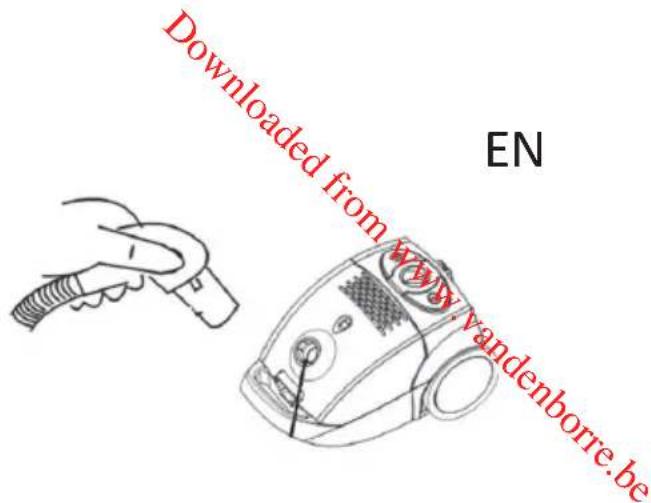
Hose
-
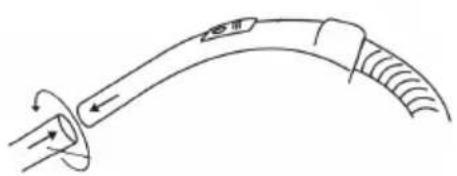
To fit the hose, push the hose end into the hose socket and turn it clockwise until it locks into place.
-
To remove the hose, hold the hose end and turn it anticlockwise.
Connecting tubes and accessories
natural_image
Diagram of a curved mechanical or electrical component with directional arrows, no text or symbols present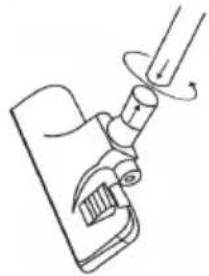
natural_image
Line drawing of a mechanical device with a lever and handle (no text or symbols)- Attach the bigger end of the tubes into the hose handle.
- Adjust the tubes to your desired length.
- Push forward the switch on the tube then adjust. Release the switch until the desired length is achieved.
- Attach the desired cleaning accessory to the end of the tube.
To remove the tubes and accessories, hold each piece tightly and pull firmly apart.
OPERATION
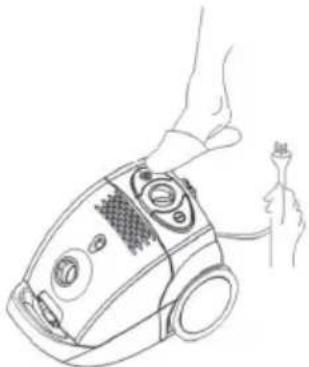
- Pull the power cord out of the appliance and insert the mains plug into the mains socket.
- A YELLOW mark on the power cord indicates the ideal cable length. Do not extend the power cord beyond the RED mark.
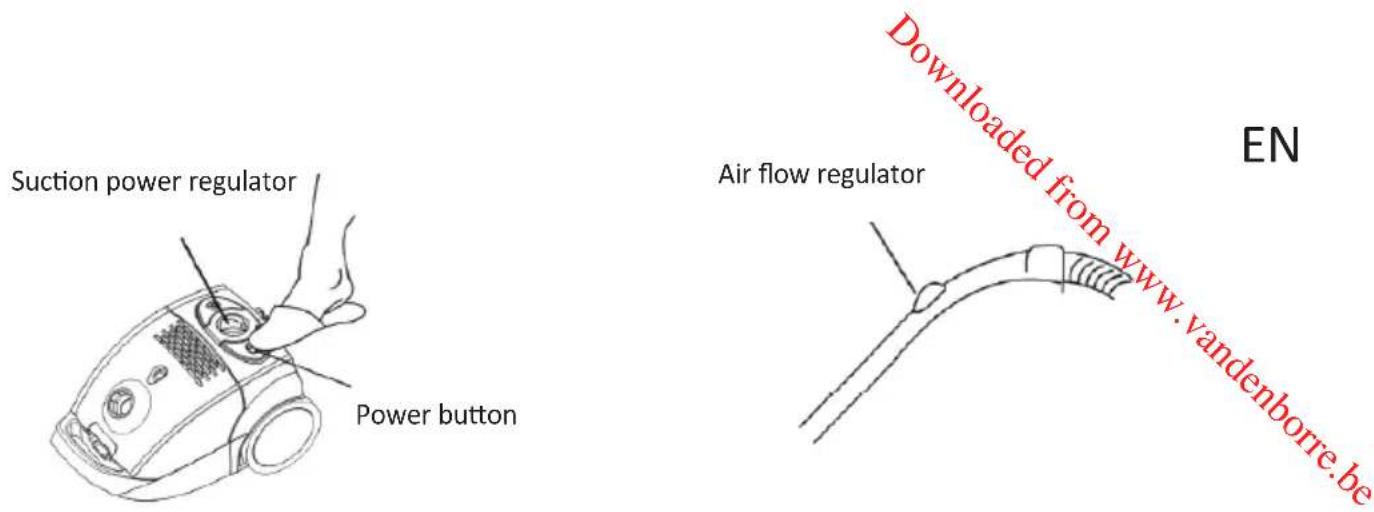
- Press the power button on top of the appliance to switch on the appliance.
- Make sure that the suction power regulator is set to the minimum position before switching on the appliance.
natural_image
Line drawing of a hand holding a small electronic device with a plug (no text or symbols)- You can quickly reduce the suction power by pushing the air flow regulator on the hose handle. Push it forward, suction power will increase; push it backward, suction power will reduce.
- You can also adjust the suction power by setting the suction power regulator.
Using the Cleaning Accessories
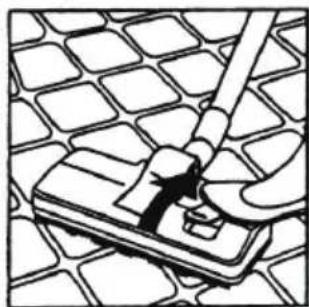
- Dual position carpet / floor brush (Drawings for reference only)
Position 1: Bristles extended - For hard floors
Position 2: Bristles retracted - For carpets
natural_image
Illustration of a hand using a tool to press or install a component on a grid-patterned surface (no text or symbols)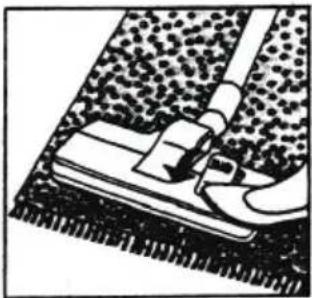
natural_image
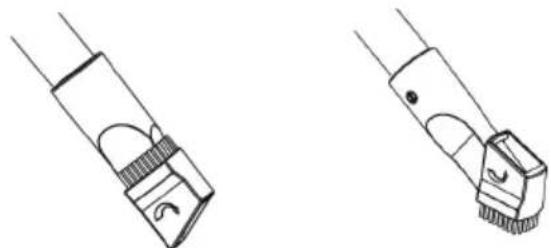
Close-up of a cleaning or cleaning tool on a textured surface, no visible text or symbols- Combination tool (dusting brush and crevice tool)
This combination tool is a dual-purpose tool. Use it as a crevice tool to vacuum down the side of cushions, corners, edges or small spaces. Use it as a dusting brush by turning the head to clean curtains, etc.
natural_image
Technical line drawing of two mechanical components with curved and straight ends (no text or symbols)CLEANING AND MAINTENANCE
Always switch off the appliance and unplug from the mains socket before carrying out any maintenance or cleaning.
Clean the outside of the appliance with a slightly damp cloth. Dry thoroughly before use.
Emptying the Dust Tank
When the dust full indicator is coloured red, the dust bag is full. You need to empty or replace the dust bag if it is clogged.
- Lift up the front cover clamp to open the dust tank.
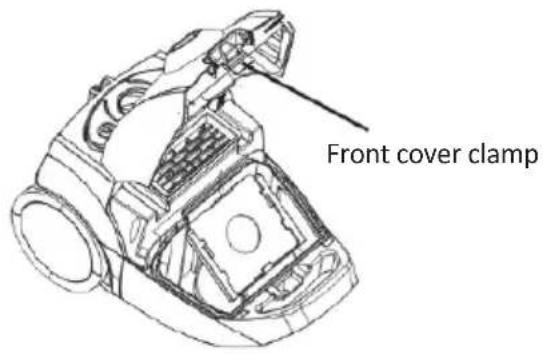
- Detach the dust bag from its holder and empty it. The opening of the dust bag must be sealed by the clip.
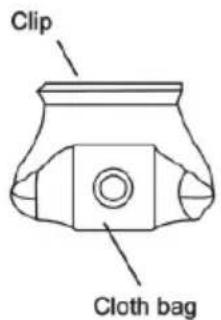
- Lift the dust bag in its holder out of the appliance.
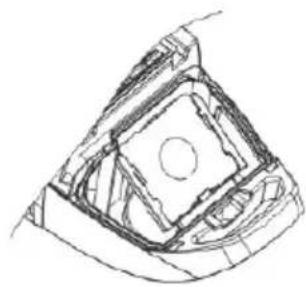
natural_image
Technical line drawing of a mechanical component with no visible text or symbols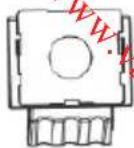
- Attach the dust bag to its holder and replace the holder back to the appliance. Close the front cover until a click is heard.
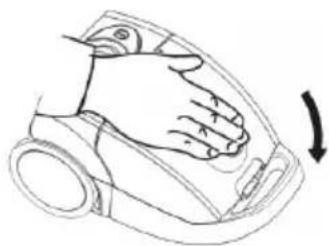
natural_image
Line drawing of a hand pressing down on a device component (no text or symbols)Cleaning the Filters
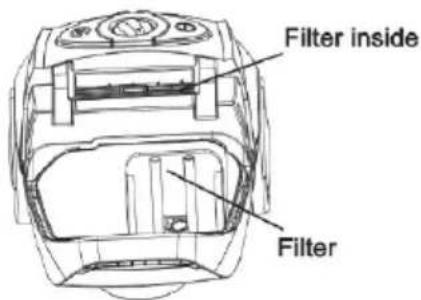
It is very important to keep the filters clean to maintain maximum performance from the vacuum. Never use the appliance without filters.
Clean the filters regularly. We recommend you replace the filters once a year.
Open the front cover to remove the filters.
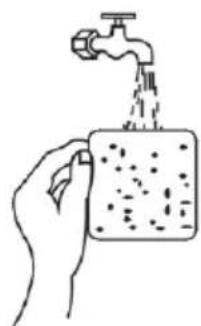
Clean the filters under running water. Dry them thoroughly before replacing them.
natural_image
Hand pouring liquid from a faucet into a container (no text or symbols visible)Power cord rewinding
When not in use, unplug the appliance from the mains socket and then press the cord rewind button to feed back the power cord.
CAUTION: Take special care to rewind the mains cord by holding the plug to avoid injury by a whipping action.
Storage
natural_image
Line drawing of two different types of vacuum cleaner units, shown from front and side views (no text or symbols)EN
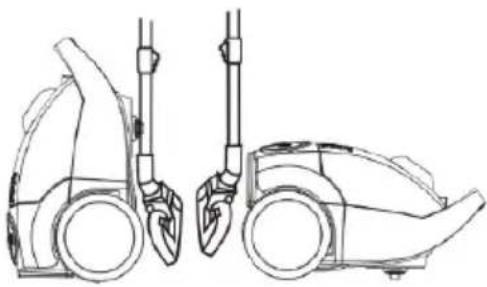
Insert the holder of the floor brush with tubes into the storage clip at the rear or bottom of the appliance.
TROUBLESHOOTING
Please check the following details before you have your appliance repaired by an authorised servicing agent.
| Problem Possible | Cause Possible Solution | |
| Vacuum cleaner does not work. | 1. Check if the power plug is firmly inserted into the power outlet.2. Check if the power button of the appliance is pressed. | 1. Insert the plug back into the power outlet and ensure it is switched on.2. Press the power button to turn on the vacuum cleaner. |
| Suction power becomes weak. | 1. Check if the hose, brush or tube is clogged or damaged.2. Check if the dust tank is full.3. Check if the filter is clogged, the tube is correctly attached. | 1. Immediately remove the obstruction.2. Empty the dust tank.3. Clean the filter or reassemble the tubes. |
| Power cord will not fully feed back. | Check if the power cord is twisted. | Pull out the power cord at its optimal length and rewind it. |
| Power cord can not be pulled out. | The power cord may be twisted. | Rewind or pull the cord in and out several times by pressing the cord rewind button. |
SPECIFICATIONS
Ratings: 220V-240V\~ 50/60Hz 700W
EN
DISPOSAL
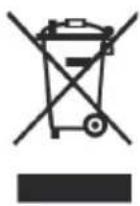
As a responsible retailer we care about the environment.
As such we urge you to follow the correct disposal procedure for the appliance and packaging materials. This will help conserve natural resources and ensure that it is recycled in a manner that protects health and the environment.
You must dispose of this appliance and its packaging according to local laws and regulations.
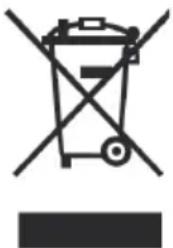
Because this appliance contains electronic components, the appliance and its accessories must be disposed of separately from household waste when the appliance reaches its end of life.
Contact your local authority to learn about disposal and recycling.
The appliance should be taken to your local collection point for recycling. Some collection points accept appliance free of charge.
We apologise for any inconvenience caused by minor inconsistencies in these instructions, which may occur as a result of product improvement and development.
Darty Holdings SNC © 14 route d'Aulnay 93140 Bondy, France
17 / 08 / 2015
AVERTISSEMENTS
FR
natural_image
Simple line drawing of a hand holding a coiled cable or wire (no text or symbols)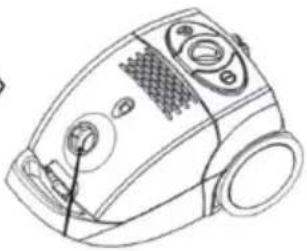
natural_image
Line drawing of a vacuum cleaner device with control panel and buttons (no text or symbols)natural_image
Line drawing of a curved mechanical or electrical component with directional arrows indicating movement (no text or symbols)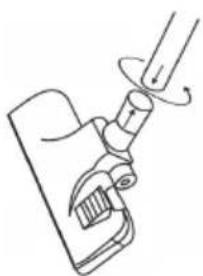
natural_image
Line drawing of a mechanical clamp or lever mechanism (no text or symbols)FR
natural_image
Line drawing of a hand holding a vacuum cleaner with control panel and indicator lights (no text or symbols)natural_image
Simple line drawing of a curved tool or tool with a handle and base, no text or symbols present.natural_image
Illustration of a hand using a tool to clean or store floor tiles on a grid-patterned surface (no text or symbols)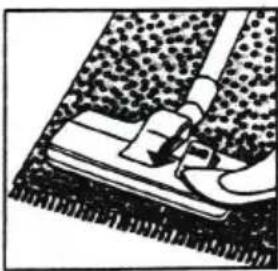
natural_image
Close-up of a shoe being adjusted with a tool, showing textured fabric and foot (no text or symbols)natural_image
Pure technical line drawing of a mechanical component with no text or symbols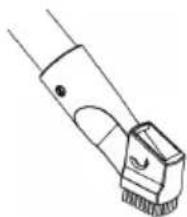
natural_image
Line drawing of a mechanical component with no visible text or symbolsNETTOYAGE ET ENTRETIEN
natural_image
Technical line drawing of a car body panel with internal compartments and structural elements (no text or symbols)natural_image
Technical line drawing of a mechanical component with no visible text or symbols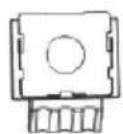
FR
natural_image
Line drawing of a hand pressing down on a car interior (no text or symbols)natural_image
Technical line drawing of a mechanical component with internal cavities and mounting holes (no text or symbols)natural_image
Hand pouring liquid from a faucet into a container (no text or symbols visible)natural_image
Line drawing of two different types of washing machines, shown from front and side views (no text or symbols)natural_image
Symbol of a trash bin crossed with no text or labels, representing waste sorting or disposal (no text present)Hotline Darty France
NL
natural_image
Line drawing of a hand holding a cable and a vacuum cleaner (no text or symbols)natural_image
Simple line drawing of a curved mechanical or electrical component with directional arrows (no text or symbols)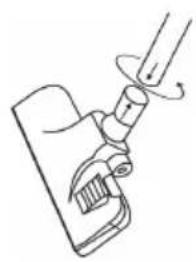
natural_image
Line drawing of a mechanical device with a lever and handle (no text or symbols)natural_image
Simple line drawing of a curved tool or tool with a handle and base, no text or symbols present.natural_image
Illustration of a hand using a tool to clean or store floor tiles on a grid-patterned surface (no text or symbols)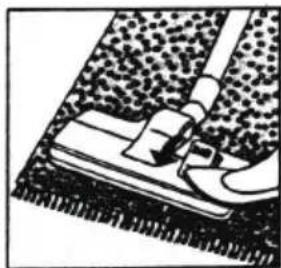
natural_image
Close-up of a cleaning or repair step with a tool and surface finish (no text or symbols visible)natural_image
Technical line drawing of a mechanical component with two views (top and side), no text or symbols present.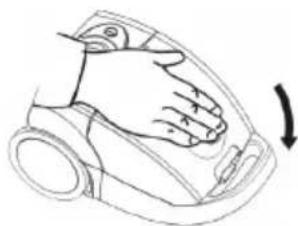
natural_image
Line drawing of a hand pressing down on a car interior (no text or symbols)De filters reinigen
natural_image
Hand pouring liquid from a faucet into a container (no text or symbols visible)Het snoer oprollen
natural_image
Line drawing of two different types of vacuum cleaner units, shown from front and side views (no text or symbols)Downloaded from www.vandenborre.be NL
bar
| Category | Energy Consumption (kWh/annum) | |---|---| | A | 27.9 | | B | 82 | | C | 82 | | D | 82 | | E | 82 | | F | 82 | | G | 82 | ENERGIA - ENCEPTIR - ENCEPTEA ENERGIA - ENERGY - ENERGIE - ENERGI 665/2013 - IVERWIJDERING
NL
natural_image
Symbol of a trash bin crossed with no text or numbers, representing waste sorting or disposal (no text present)Downloaded from www.vandenborre.be
Downloaded from www.vandenborre.be
Downloaded from www.vandenborre.be

- Catalogue
- WARNINGS
- IMPORTANT SAFETY INSTRUCTIONS
- To reduce the risk of fire, electrical shock, or injury:
- PARTS
- ASSEMBLY
- Hose
- Connecting tubes and accessories
- OPERATION
- Using the Cleaning Accessories
- CLEANING AND MAINTENANCE
- Emptying the Dust Tank
- Cleaning the Filters
- Power cord rewinding
- Storage
- TROUBLESHOOTING
- SPECIFICATIONS
- DISPOSAL
- AVERTISSEMENTS
- FR
- NETTOYAGE ET ENTRETIEN
- Hotline Darty France
- NL
- De filters reinigen
- Het snoer oprollen
- VERWIJDERING
Brand : PROLINE
Model : BVCA700SC
Category : Vacuum Cleaner