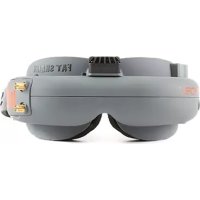
Focal - Remote control toy SPEKTRUM - Free user manual and instructions
Find the device manual for free Focal SPEKTRUM in PDF.


| Product Type | Wireless FPV Goggles for Radio Control Models |
| Brand | Spektrum |
| Model | Focal (SPMVR2500) |
| Weight | 163 g |
| Battery | Li-Po 7.4V 1800mAh with safety circuit and charge adapter |
| Power Supply | 7 to 13V (Li-Po 2S to 3S) |
| Field of View | 32° diagonal |
| Interpupillary Distance | 59 to 69mm (adjustable) |
| Video Receiver | 5.8GHz, 32 channels (compatible with FatShark and ImmersionRC) |
| Main Features | FPV video reception, contrast/brightness adjustment, channel selection, wireless and wired Head Tracking, digital zoom, free channel display |
| Care and Cleaning | Clean with the provided cloth; store in the carrying case away from sunlight |
| Safety | Do not expose lenses to sunlight; never power on without antenna; for ages 14 and up with adult supervision; obey local FPV laws |
| Spare Parts and Repairability | Battery, antenna, data cable (FSV1410); repairs by Horizon Hobby or authorized dealer |
| General Information | 6-month warranty (18 months mandatory); online registration at spektrumrc.com/registration; CE certificate of conformity |
Frequently Asked Questions - Focal SPEKTRUM
User questions about Focal SPEKTRUM
0 question about this device. Answer the ones you know or ask your own.
Ask a new question about this device
Download the instructions for your Remote control toy in PDF format for free! Find your manual Focal - SPEKTRUM and take your electronic device back in hand. On this page are published all the documents necessary for the use of your device. Focal by SPEKTRUM.
USER MANUAL Focal SPEKTRUM
All instructions, warranties and other collateral documents are subject to change at the sole discretion of Horizon Hobby, LLC. For up-to-date product literature, visit horizonhobby.com and click on the support tab for this product.
Meaning of Special Language
The following terms are used throughout the product literature to indicate various levels of potential harm when operating this product:
NOTICE: Procedures, which if not properly followed, create a possibility of physical property damage AND a little or no possibility of injury.
CAUTION: Procedures, which if not properly followed, create the probability of physical property damage AND a possibility of serious injury.
WARNING: Procedures, which if not properly followed, create the probability of property damage, collateral damage, and serious injury OR create a high probability of superficial injury.

WARNING: Read the ENTIRE instruction manual to become familiar with the features of the product before operating. Failure to operate the product correctly can result in damage to the product, personal property and cause serious injury.
This is a sophisticated hobby product. It must be operated with caution and common sense and requires some basic mechanical ability. Failure to operate this Product in a safe and responsible manner could result in injury or damage to the product or other property. This product is not intended for use by children without direct adult supervision. Do not attempt disassembly, use with incompatible components or augment product in any way without the approval of Horizon Hobby, LLC. This manual contains instructions for safety, operation and maintenance. It is essential to read and follow all the instructions and warnings in the manual, prior to assembly, setup or use, in order to operate correctly and avoid damage or serious injury.
Age Recommendation: Not for children under 14 years. This is not a toy.
WARNING AGAINST COUNTERFEIT PRODUCTS
Thank you for purchasing a genuine Spektrum product. Always purchase from a Horizon Hobby, LLC authorized dealer to ensure authentic high-quality Spektrum product. Horizon Hobby, LLC disclaims all support and warranty with regards, but not limited to, compatibility and performance of counterfeit products or products claiming compatibility with DSM or Spektrum technology.
NOTICE: This product is only intended for use with unmanned, hobby-grade, remote-controlled vehicles and aircraft. Horizon Hobby disclaims all liability outside of the intended purpose and will not provide warranty service related thereto.
WARRANTY REGISTRATION
Visit www.spektrumrc.com/registration today to register your product.
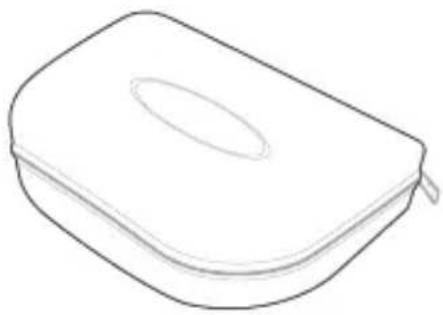
natural_image
Simple line drawing of a rectangular box with a lid and zipper (no text or symbols)Headset Carry Case
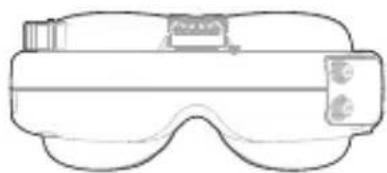
natural_image
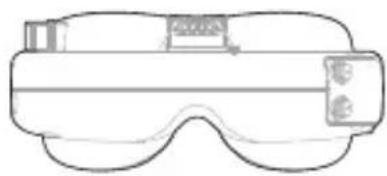
Line drawing of a VR headset with lenses and headband (no text or symbols)Headset
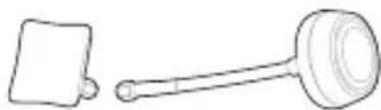
natural_image
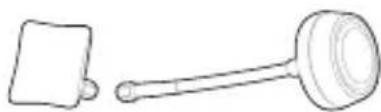
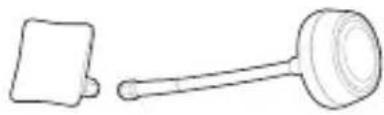
Simple line drawing of a gavel and a square object (no text or symbols)5.8GHz Patch and Omni Antennas
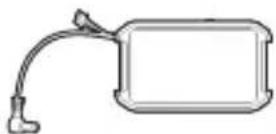
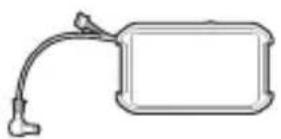
7.4V 1800mAh Li-Po Battery w/Charge Adapter
natural_image
Simple line drawing of a folded paper or document (no text or symbols)Cleaning Cloth
Product Specifications:
Focal FPV Wireless Headset (SPMVR2500):
Field of View: 32 deg diagonal
IPD distance: 59 to 69 mm (adjustable)
Input power: 7–13V (2S–3S Li-Po)
Battery: 7.4V 1800mAh Li-Po battery with safety circuit (included)
Power consumption: 200/350mA (direct/wireless)
Video Receiver: 5.8GHz (32 channels available)
Weight: 163 g

CAUTION: Do not power the headset without the antenna attached. Doing so will damage the transmitter and receiver amplifiers. Amplifier damage is not d by warranty.
IMPORTANT: Consult local laws and ordinances before operating FPV (first person view) equipment. In some areas, FPV operation may be limited or prohibited. You are responsible for operating this product in a legal and responsible manner.
Focal FPV Wireless Headset Functions
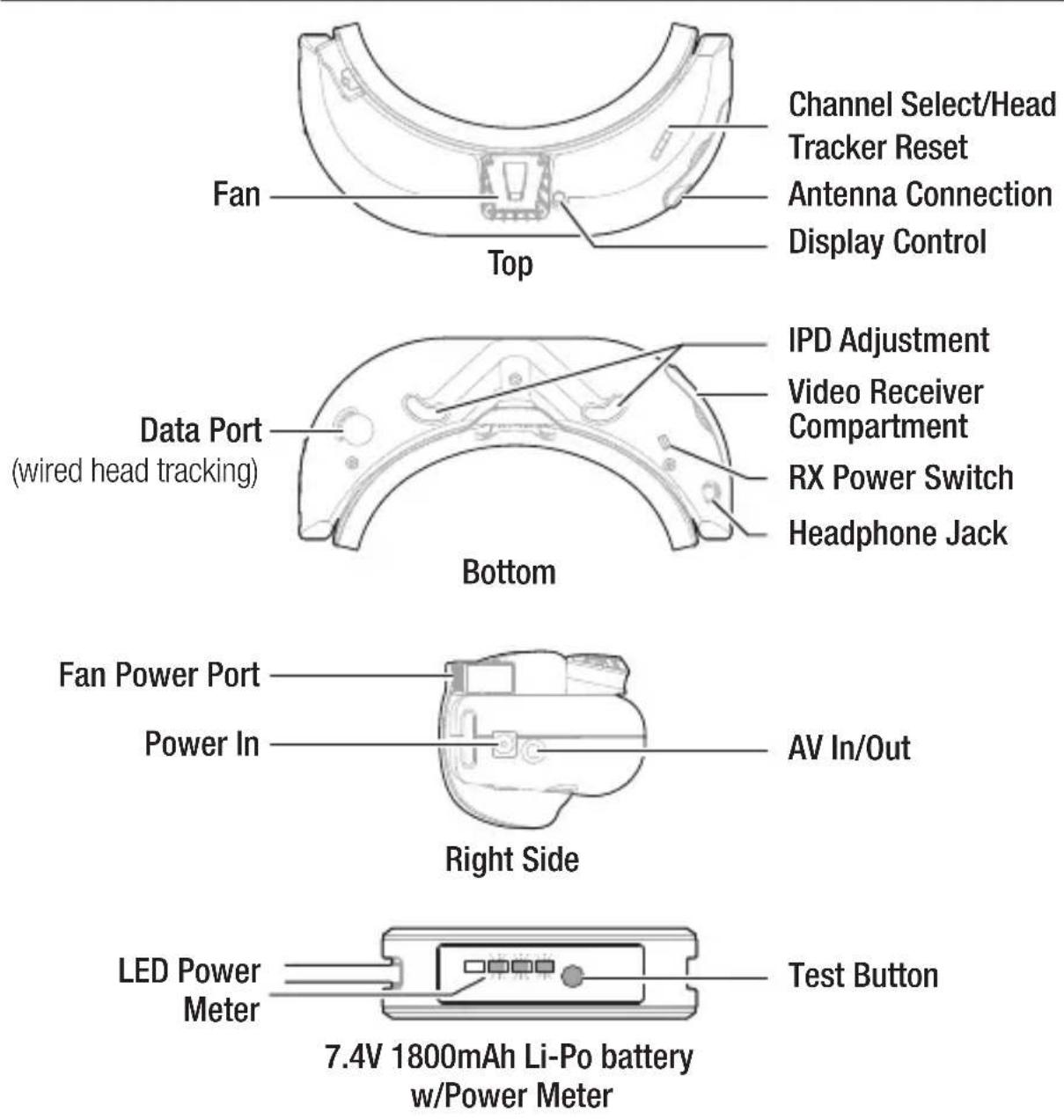
Charging the Headset Battery Pack
The included 7.4V 1800mAh Li-Po battery has an integrated LED power meter. Press the button on the side of the battery and a series of 4 LED's will illuminate depending on the state of your batteries charge. When only one LED is illuminated, charge the battery.
- Connect the Li-Po battery pack balance lead to your battery charger. If your battery charger requires you to connect the battery power for charging, use the included battery charge adapter.
- Follow your battery charger instructions for charging a 7.4V 1800mAh Li-Po battery.
Low Battery Warning: The head set will emit a steady BEEP.....BEEP.....if input voltage drops below 6.8V.
Controls
Display Control: Pressing left and right increases/decreases display contrast. Press forward/back increases/decreases brightness. Press down to center camera.
RX power switch: The receiver module power is controlled by this switch. Turn off RX module to avoid video conflict with video source via the AV cable. Wireless head tracking will also be disabled with this switch.
Head tracker menu/reset: Activated by a vertical press on the channel rocker switch.
Channel select: Rocking the channel select switch forward and back will cause the channel to incrementally increase/decrease.
• Audio beep sounds on channel change.
• A long beep sounds on channel top and bottom limits.
IMPORTANT: Spektrum only guarantees compatibility with Fat Shark or ImmersionRC transmitters.
Changing Frequency Bands:
Remove the video receiver campartment cover by gently prying it open with your fingernail. The video receiver has a set of DIP switches located between the two Antenna connections. Move the DIP switches according to chart below to access Band A, Band E and RaceBand. The headset ships with the Fat Shark/IRC band set as default.
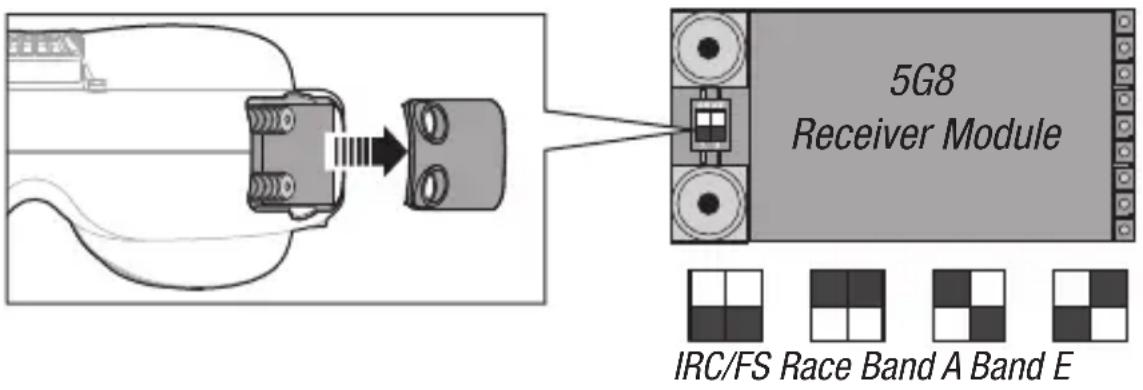
| BAND CH1 CH2 CH3 CH4 CH5 CH6 CH7 CH8 | ||||||||
| Fat Shark/IRC | 5740 | 5760 | 5780 | 5800 | 5820 | 5840 | 5860 | 5880 |
| Band E | 5705 | 5685 | 5665 | 5645 | 5885 | 5905 | 5925 | 5945 |
| Band A | 5865 | 5845 | 5825 | 5805 | 5785 | 5765 | 5745 | 5725 |
| RaceBand | 5658 | 5695 | 5732 | 5769 | 5806 | 5843 | 5880 | 5917 |
Head Tracking
The Trainer FPV function found in Spektrum Airware Radios with wireless trainer, enables you to control FPV head-tracking in either wireless or wired mode. The default channel assignments are:
- CH5 Frequency - CH6 Pan - CH7 Tilt
You may assign incoming head-tracker channels to any available output channel in the transmitter.
Wireless Head Tracking
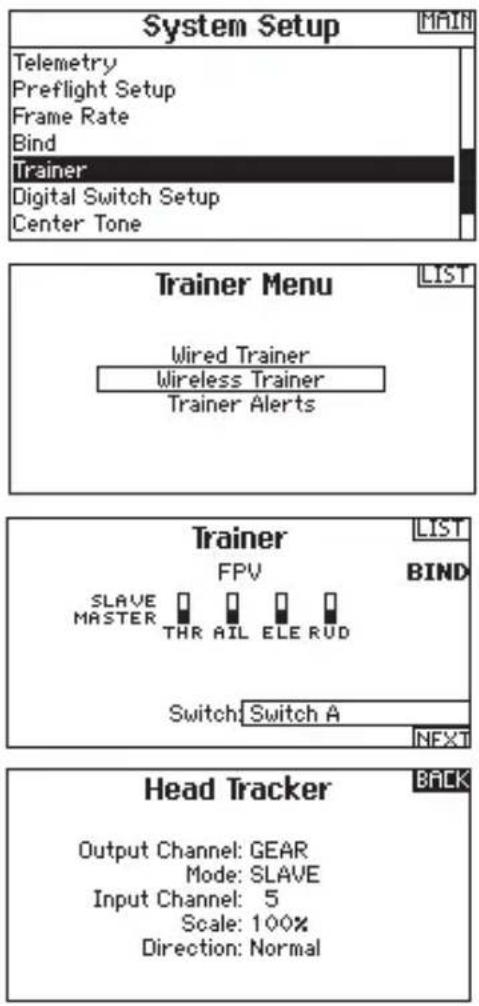
- Select Wireless Trainer from the Trainer menu.
- Change the trainer mode from Inhibit to FPV.
- Select the switch you wish to use for the head tracker, then select NEXT.
- Select the Output Channel where the head tracker servo is connected.
- Change Mode: Master to Mode: Slave.
- Select Input Channel.
- Select bind and press the scroll wheel to put the Transmitter into bind mode.
- Power on the headset and it will attempt to bind to the wireless buddy box function in the transmitter. The Transmitter should report DSMX 11ms after a successful bind.
- Test the head tracker movement. Move the head tracker switch to the On position, then move your head. The camera should move accordingly.
- Adjust the Scale value to change the amount of camera movement. If the camera moves in the wrong direction, change the Direction option from Normal to Reverse.
To adjust the camera center position:
- Move the headset to the desired camera center position.
- Press the Display Button to save the new center position.
IMPORTANT: Make sure the servos are near the center point before adjusting the camera center position, otherwise, the servo travel may be limited.
Wired Head Tracking
- Connect the data cable (FSV1410-not included) to the data port on the headset and the trainer port on you transmitter.
- Select Wired Trainer from the Trainer menu.
- Change the trainer mode from Inhibit to FPV.
- Select the switch you wish to use for the head tracker, then select NEXT.
- Select the Output Channel where the head tracker servo is connected.
- Change Mode: Master to Mode: Slave.
- Select Input Channel.
- Test the head tracker movement. Move the head tracker switch to the On position, then move your head. The camera should move accordingly.
- Adjust the Scale value to change the amount of camera movement. If the camera moves in the wrong direction, change the Direction option from Normal to Reverse.
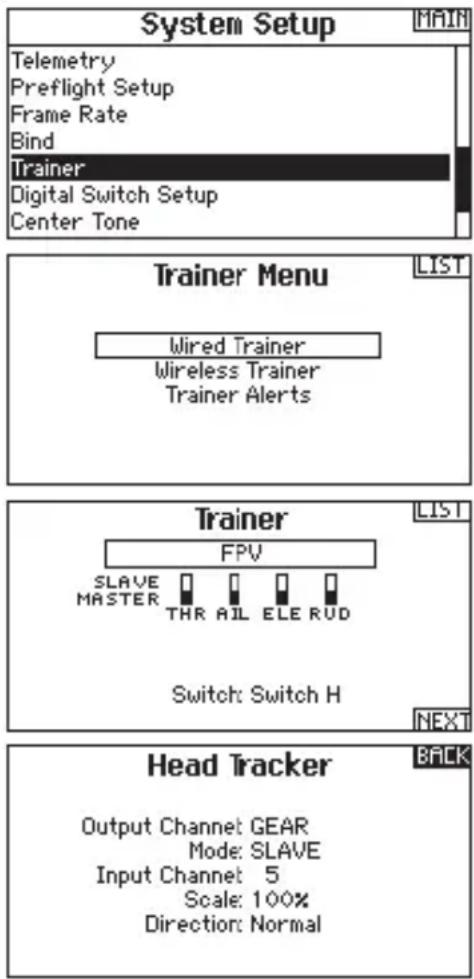
Wired Head Tracking Menu Navigation
NOTICE: for proper head tracker operation all functions should be left in the default state. If you are having problems with head tracking, restore the head tracker settings to factory defaults.
To enter head tracking menu, hold the Display Button while inserting the battery and immediately release the button after barrel insertion.
Beep code Mode
1 short beep: Pan/Tilt on ch 5/6
2 short beep: Pan/Tilt on ch 6/7
3 short beep: Pan/Tilt on ch 7/8
4 short beep: Reverse pan direction
5 short beep: Reverse tilt direction
1 long beep: Adjust servo center point*
1 short beep: Restore factory defaults
2 long beep: no selection made, automatically exits menu
Using the Focal FPV Wireless Headset
NOTICE: Do not leave the headset exposed to direct sunlight. Sunlight is magnified by the lens and will burn holes in the LCD color filter (appears as white open areas). LCD damage is not covered under warranty.
Keep the headset in its protective case when not in use.
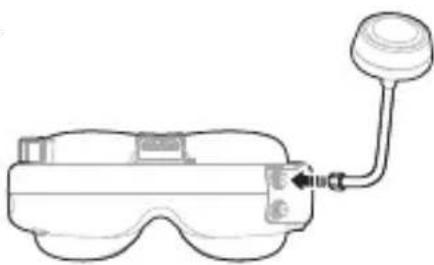
- Attach the antenna to the headset.
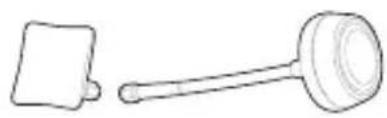
NOTE: For best results always attach omni (mushroom shaped) antenna to the top connection.
natural_image
Line drawing of a smart glasses with a probe inserted (no text or symbols)- Insert the battery into the slot on the right of the headband. Insert the barrel connector on the fully charged battery into the socket on the side of the headset. The headset powers on when connected and must be unplugged to turn it off.
- Plug the balance lead from the battery into the fan power port to power the fan.
- Look through the headset and press the Channel Up/Down buttons. Clean channels will have a consistent static background. Channels with interference will display horizontal static lines. Select one of the clean channels. A long beep sounds on channels 1 and 8.
-
Once you have chosen a clean channel in the headset, select the same channel on the video transmitter (if you are not using a compatible FPV select video transmitter).
-
Press Left or Right on the Display Button to adjust the video contrast in the headset.
-
Press Forward or Back on the Display Button to adjust the video brightness in the headset.
-
Test all head tracking features and make sure all control surfaces on the aircraft respond as desired.
- Perform a range test before flying.
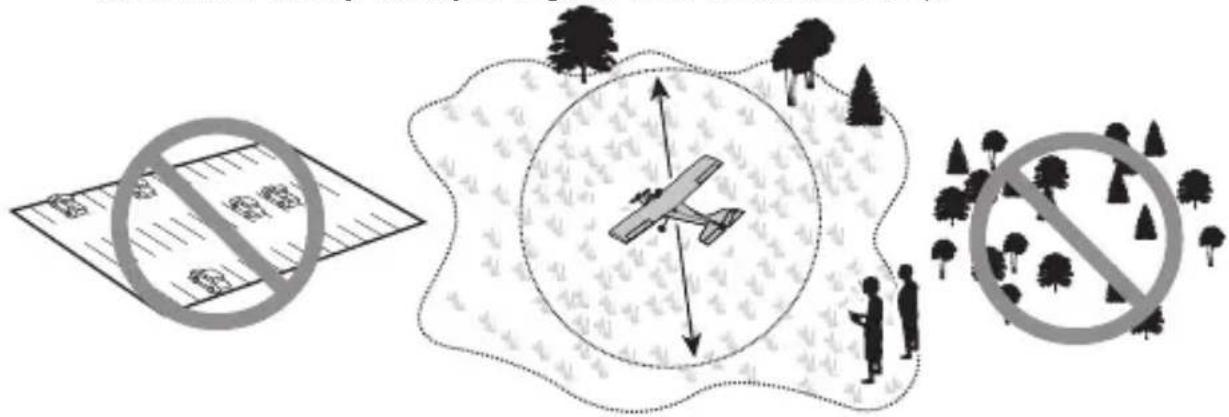
- Fly in open areas, away from people, trees, cars, and buildings. The range of the system can be impacted by any obstructions blocking your signal. It is normal to see break up in the video going behind trees etc.
- When the headset battery gets low, the headset will emit a beeping that gets progressively more rapid as the battery voltage drops. Always land and recharge the headset battery when you begin to hear the headset beep.
Spektrum FPV Troubleshooting
| Problem Possible Cause Solution | ||
| No image, display is completely dark | No power supplied to the video transmitter or headset | Check the power connections |
| Make sure the battery is fully charged | ||
| No image, display is glowing dark gray | Video source switch is set to external receiver mode | Ensure the video source switch is switched to headset mode |
| Static on all channels | Video transmitter power is off | Make sure the video transmitter LED is on |
| Horizontal lines in the headset display | Digital interference on the selected channel | Choose a cleaner channel |
| Blurry Image Image is out of focus | Rotate the lens slowly to focus the camera | |
| Head tracker not working but can hear beeps | Servos plugged into the wrong channels | Plug servos into the correct channels |
| Head set was turned on after radio | Turn headset on before RC radio | |
1-YEAR LIMITED WARRANTY
What this Warranty Covers - Horizon Hobby, LLC, (Horizon) warrants to the original purchaser that the product purchased (the "Product") will be free from defects in materials and workmanship for a period of 1 year from the date of purchase.
What is Not Covered - This warranty is not transferable and does not cover (i) cosmetic damage, (ii) damage due to acts of God, accident, misuse, abuse, negligence, commercial use, or due to improper use, installation, operation or maintenance, (iii) modification of or to any part of the Product, (iv) attempted service by anyone other than a Horizon Hobby authorized service center, (v) Product not purchased from an authorized Horizon dealer, (vi) Product not compliant with applicable technical regulations, or (vii) use that violates any applicable laws, rules, or regulations.
OTHER THAN THE EXPRESS WARRANTY ABOVE, HORIZON MAKES NO OTHER WARRANTY OR REPRESENTATION, AND HEREBY DISCLAIMS ANY AND ALL IMPLIED WARRANTIES, INCLUDING, WITHOUT LIMITATION, THE IMPLIED WARRANTIES OF NON-INFRINGEMENT, MERCHANTABILITY AND FITNESS FOR A PARTICULAR PURPOSE. THE PURCHASER ACKNOWLEDGES THAT THEY ALONE HAVE DETERMINED THAT THE PRODUCT WILL SUITABLY MEET THE REQUIREMENTS OF THE PURCHASER'S INTENDED USE.
Purchaser's Remedy - Horizon's sole obligation and purchaser's sole and exclusive remedy shall be that Horizon will, at its option, either (i) service, or (ii) replace, any Product determined by Horizon to be defective. Horizon reserves the right to inspect any and all Product(s) involved in a warranty claim. Service or replacement decisions are at the sole discretion of Horizon. Proof of purchase is required for all warranty claims. SERVICE OR REPLACEMENT AS PROVIDED UNDER THIS WARRANTY IS THE PURCHASER'S SOLE AND EXCLUSIVE REMEDY.
Limitation of Liability - HORIZON SHALL NOT BE LIABLE FOR SPECIAL, INDIRECT, INCIDENTAL OR CONSEQUENTIAL DAMAGES, LOSS OF PROFITS OR PRODUCTION OR COMMERCIAL LOSS IN ANY WAY, REGARDLESS OF WHETHER SUCH CLAIM IS BASED IN CONTRACT, WARRANTY, TORT, NEGLIGENCE, STRICT LIABILITY OR ANY OTHER THEORY OF LIABILITY, EVEN IF HORIZON HAS BEEN ADVISED OF THE POSSIBILITY OF SUCH DAMAGES.
Further, in no event shall the liability of Horizon exceed the individual price of the Product on which liability is asserted. As Horizon has no control over use, setup, final assembly, modification or misuse, no liability shall be assumed nor accepted for any resulting damage or injury. By the act of use, setup or assembly, the user accepts all resulting liability. If you as the purchaser or user are not prepared to accept the liability associated with the use of the Product, purchaser is advised to return the Product immediately in new and unused condition to the place of purchase.
Law - These terms are governed by Illinois law (without regard to conflict of law principals). This warranty gives you specific legal rights, and you may also have other rights which vary from state to state. Horizon reserves the right to change or modify this warranty at any time without notice.
WARRANTY SERVICES
Questions, Assistance, and Services - Your local hobby store and/or place of purchase cannot provide warranty support or service. Once assembly, setup or use of the Product has been started, you must contact your local distributor or Horizon directly. This will enable Horizon to better answer your questions and service you in the event that you may need any assistance. For questions or assistance, please visit our website at horizonhobby.com,
submit an inquiry to productsupport@horizonhobby.com or call the toll-free telephone number referenced in the Warranty and Service Contact Information section to speak with a Product Support representative.
Inspection or Services - If this Product needs to be inspected or serviced and is compliant in the country you live and use the Product in, please use the Horizon Online Service Request submission process found on our website or call Horizon to obtain a Return Merchandise Authorization (RMA) number. Pack the Product securely using a shipping carton. Please note that original boxes may be included, but are not designed to withstand the rigors of shipping without additional protection. Ship via a carrier that provides tracking and insurance for lost or damaged parcels, as Horizon is not responsible for merchandise until it arrives and is accepted at our facility. An Online Service Request is available at http://www.horizonhobby.com/content/_service-center_render-service-center. If you do not have internet access, please contact Horizon Product Support to obtain a RMA number along with instructions for submitting your product for service. When calling Horizon, you will be asked to provide your complete name, street address, email address and phone number where you can be reached during business hours. When sending product into Horizon, please include your RMA number, a list of the included items, and a brief summary of the problem. A copy of your original sales receipt must be included for warranty consideration. Be sure your name, address, and RMA number are clearly written on the outside of the shipping carton. Provided warranty conditions have been met, your Product will be serviced or replaced free of charge. Service or replacement decisions are at the sole discretion of Horizon.
NOTICE: Do not ship LiPo batteries to Horizon. If you have any issue with a LiPo battery, please contact the appropriate Horizon Product Support office. Warranty Requirements - For Warranty consideration, you must include your original sales receipt verifying the proof-of-purchase date.
Non-Warranty Service - Should your service not be covered by warranty, service will be completed and payment will be required without notification or estimate of the expense unless the expense exceeds 50% of the retail purchase cost. By submitting the item for service you are agreeing to payment of the service without notification. Service estimates are available upon request. You must include this request with your item submitted for service. Non-warranty service estimates will be billed a minimum of 12 hour of labor. In addition you will be billed for return freight. Horizon accepts money orders and cashier's checks, as well as Visa, MasterCard, American Express, and Discover cards. By submitting any item to Horizon for service, you are agreeing to Horizon's Terms and Conditions found on our website http://www.horizonhobby.com/content/_service-center_render-service-center.
ATTENTION: Horizon service is limited to Product compliant in the country of use and ownership. If received, a non-compliant Product will not be serviced. Further, the sender will be responsible for arranging return shipment of the unserviced Product, through a carrier of the sender's choice and at the sender's expense. Horizon will hold non-compliant Product for a period of 60 days from notification, after which it will be discarded.
Warranty and Service Contact Information
| Country of Purchase Horizon Hobby Contact Information Address | |||
| United States of America | Horizon Service Center (Repairs and Repair Requests) | servicecenter.horizon-hobby.com/RequestForm/ | 4105 Fieldstone Rd Champaign, Illinois, 61822 USA |
| Horizon Product Support (Product Technical Assistance) | productsupport@horizonhobby.com.877-504-0233 | ||
| Sales | websales@horizonhobby.com800-338-4639 | ||
| United Kingdom | Service/Parts/Sales: Horizon Hobby Limited | sales@horizonhobby.co.uk+44 (0) 1279 641 097 | Units 1–4, Ployters Rd, Staple Tye, Harlow Essex, CM18 7NS United Kingdom |
| Germany | Horizon Technischer Service | service@horizonhobby.de+49 (0) 4121 2655 100 | Christian-Junge-Straße 1 25337 Elmshorn, Germany |
| Sales: Horizon Hobby GmbH | |||
| France | Service/Parts/Sales: Horizon Hobby SAS | infofrance@horizonhobby.com+33 (0) 1 60 18 34 90 | 11 Rue Georges Charpak 77127 Lieusaint, France |
FCC Information- FCC ID: BRWDASRX20
This device complies with part 15 of the FCC rules. Operation is subject to the following two conditions: (1) This device may not cause harmful interference, and (2) this device must accept any interference received, including interference that may cause undesired operation.

CAUTION: Changes or modifications not expressly approved by the party responsible for compliance could void the user's authority to operate the equipment.
This product contains a radio transmitter with wireless technology which has been tested and found to be compliant with the applicable regulations governing a radio transmitter in the 5740 to 5860mHz frequency range.
IC Information- IC ID: 6157A-AMRX10
This device complies with Industry Canada license-exempt RSS standard(s). Operation is subject to the following two conditions: (1) this device may not cause interference, and (2) this device must accept any interference, including interference that may cause undesired operation of the device.
CE EU Compliance Statement: Horizon Hobby, LLC hereby declares that this product is in compliance with the essential requirements and other relevant provisions of the R&TTE Directive.
A copy of the EU Declaration of Conformity is available online at: http://www.horizonhobby.com/content/support-render-compliance.

Instructions for disposal of WEEE by users in the European Union
This product must not be disposed of with other waste. Instead, it is the user's responsibility to dispose of their waste equipment by handing it over to a designated collections point for the recycling of waste electrical and electronic equipment. The separate collection and recycling of your waste equipment at the time of disposal will help to conserve natural resources and ensure that it is recycled in a manner that protects human health and the environment. For more information about where you can drop off your waste equipment for recycling, please contact your local city office, your household waste disposal service or where you purchased the product.

HINWEIS
natural_image
Simple line drawing of a rectangular box with a lid and zipper (no text or symbols)Headset Tasche
natural_image
Line drawing of a smart glasses with no text or symbolsHeadset
natural_image
Simple line drawing of a gavel and a square object (no text or symbols)natural_image
Simple line drawing of a folded paper or document (no text or symbols)Reinigungstuch
Focal FPV Wireless Headset (SPMVR2500):
| BAND CH1 CH2 CH3 CH4 CH5 CH6 CH7 CH8 | ||||||||
| Fat Shark/IRC | 5740 | 5760 | 5780 | 5800 | 5820 | 5840 | 5860 | 5880 |
| Band E | 5705 | 5685 | 5665 | 5645 | 5885 | 5905 | 5925 | 5945 |
| Band A | 5865 | 5845 | 5825 | 5805 | 5785 | 5765 | 5745 | 5725 |
| RaceBand | 5658 | 5695 | 5732 | 5769 | 5806 | 5843 | 5880 | 5917 |
Head Tracking
Wireless Head Tracking
natural_image
Simple line drawing of a rectangular box with a lid and zipper (no text or symbols)natural_image
Line drawing of a VR headset with no text or symbolsLunettes
natural_image
Simple line drawing of a gavel and a square object (no text or symbols)5,8GHz Patch et Omni Antennes
natural_image
Simple line drawing of a rectangular device with a curved cable and base, no text or symbols present.natural_image
Simple line drawing of a folded paper or sheet (no text or symbols)Consommation: 200/350mA (Direct/Sans fil)
IRC/FS Race Band A Band E
| FRÉQUENCE CH1 CH2 | CH3 CH4 CH5 CH6 CH7 CH8 | ||
| Fat Shark/IRC 5740 5760 5780 | 5800 5820 5840 | 5860 5880 | |
| Fréquence E 5705 5685 5665 | 5645 5885 5905 | 5925 5945 | |
| Fréquence A 5865 5845 5825 | 5805 5785 5765 | 5745 5725 | |
| RaceBand 5658 5695 | 5732 5769 5806 | 5843 5880 5917 |
Head Tracking
natural_image
Simple line drawing of a rectangular box with a lid and zipper (no text or symbols)natural_image
Line drawing of a VR headset with lenses and head screw (no text or symbols)Visore
natural_image
Simple line drawing of a gavel and a square object (no text or symbols)5.8GHz Patch e Omni Antenne
natural_image
Simple line drawing of a folded paper or document (no text or symbols)Panno per pulizia
IRC/FS Race Band A Band E
| BAND CH1 CH2 CH3 CH4 CH5 CH6 CH7 CH8 | ||||||||
| Fat Shark/IRC | 5740 | 5760 | 5780 | 5800 | 5820 | 5840 | 5860 | 5880 |
| Band E | 5705 | 5685 | 5665 | 5645 | 5885 | 5905 | 5925 | 5945 |
| Band A | 5865 | 5845 | 5825 | 5805 | 5785 | 5765 | 5745 | 5725 |
| RaceBand | 5658 | 5695 | 5732 | 5769 | 5806 | 5843 | 5880 | 5917 |
Head tracking
Wireless head tracking
natural_image
Line drawing of a smart glasses with a probe inserted, no text or symbols present© 2016 Horizon Hobby, LLC.
DSM and DSMX are registered trademarks of Horizon Hobby, LLC.
The Spektrum trademark is used with permission of Bachmann Industries, Inc.
All other trademarks, service marks and logos are property of their respective owners.
Patents pending.
Created 05/16 48484

- Meaning of Special Language
- Age Recommendation: Not for children under 14 years. This is not a toy.
- WARNING AGAINST COUNTERFEIT PRODUCTS
- WARRANTY REGISTRATION
- Product Specifications:
- Focal FPV Wireless Headset (SPMVR2500):
- Focal FPV Wireless Headset Functions
- Charging the Headset Battery Pack
- Controls
- Changing Frequency Bands:
- Head Tracking
- Wireless Head Tracking
- To adjust the camera center position:
- Wired Head Tracking
- Wired Head Tracking Menu Navigation
- Beep code Mode
- Using the Focal FPV Wireless Headset
- Spektrum FPV Troubleshooting
- 1-YEAR LIMITED WARRANTY
- WARRANTY SERVICES
- Warranty and Service Contact Information
- FCC Information- FCC ID: BRWDASRX20
- IC Information- IC ID: 6157A-AMRX10
- Instructions for disposal of WEEE by users in the European Union
- HINWEIS
Brand : SPEKTRUM
Model : Focal
Category : Remote control toy