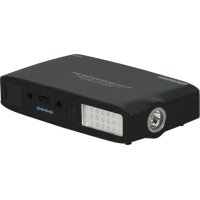
Patrol - Power bank Promate - Free user manual and instructions
Find the device manual for free Patrol Promate in PDF.



User questions about Patrol Promate
0 question about this device. Answer the ones you know or ask your own.
Ask a new question about this device
Download the instructions for your Power bank in PDF format for free! Find your manual Patrol - Promate and take your electronic device back in hand. On this page are published all the documents necessary for the use of your device. Patrol by Promate.
USER MANUAL Patrol Promate
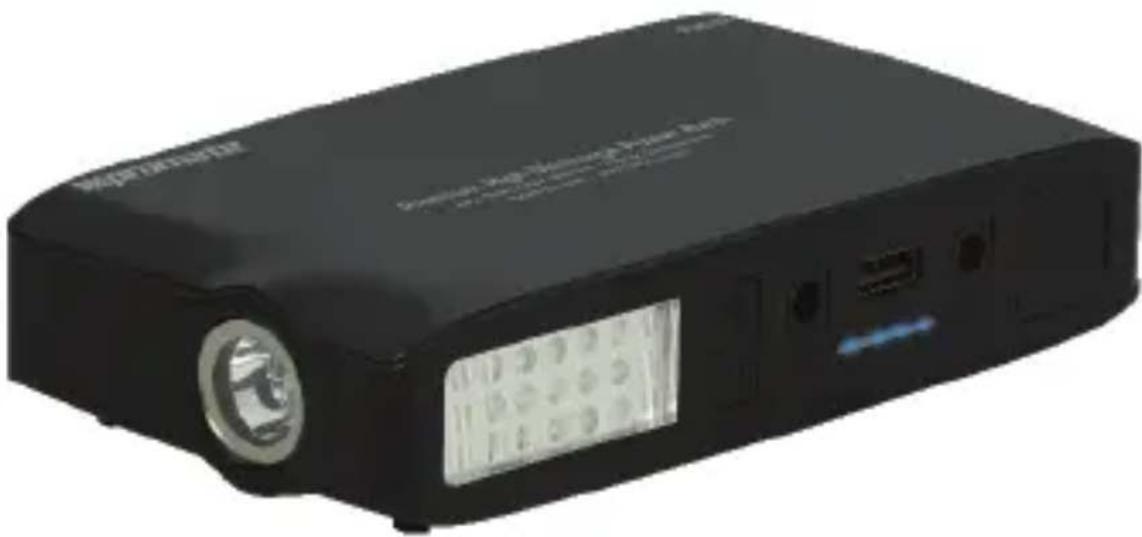
13500mAh Premium High Discharge Jump Starter Power Bank with Emergency Torch
natural_image
Black rectangular electronic device with a circular lens and display screen (no visible text or symbols)User Guide
English
Introduction
Thank you for choosing Patrol. Patrol is an innovative and a powerful device that combines three different products, a battery pack, car jump-starter and an LED Flashlight altogether in one compact design. Patrol can be a great companion on long drives, extended flights and long business meetings. If your car won't start, don't call a tow truck service or wait on the side of the road for help. Simply take your Patrol with the jumper cables and connect the clamps to your car battery and start it in a matter of seconds. Jump-start your car battery upto 20 times on a full charge. The ultra-bright LED flash light will help you in the dark, and most importantly an SOS signal flash that will last up to 120 hrs. For when you're outdoors and in need of emergency help. With Patrol, convenience is at its best.
Packaging Contents
- Patrol
- Charging Adapter
- Jump Start Cable
- User Guide
English
Specification
- Capacity: 13500mAh
- Battery Type: Li-Polymer
- Input: DC 19V-24V
• Output: DC 12V for Car
DC 19V/3A for Laptop
DC5V/2.1A for USB
- Start Current: 150A
- Peak Current: 200A
Features
• High Capacity of 13500mAh
- Ultra-Light and Compact
- Power on-the-go
- Safe and Reliable
• Supports emergency start and replaces the car battery for start-up
- Can start vehicles approx. 20 times when fully charged
• Built-in LED Lamp and SOS Signal Function
- LED Spotlight
- LED Indicator
- More practical compared to traditional electricity cable
- Compatible with all devices
- Multiple safety protection to ensure device safety with protection for over charge, over voltage, over current and short circuit
Note: Jumpstarter feature can be used only for Light Weight vehicles
English
Precautions
Please read all safety instructions and warnings thoroughly before using this product. Improper use of this product may result in damage to this or attached products.
- Do not disassemble the back-up battery or attempt to fix it.
- Kindly use an original charging cable provided to charge the product.
- Do not attempt to replace any part of this Back-up battery or battery inside.
- Do not crush, puncture, dispose of in fire, short the contacts or expose the battery to water or other liquids.
- Do not connect input and output in reverse.
- Do not store or use the battery in a high temperature environment, including intense sunlight or heat.
- Avoid drops, bumps, abrasions and impacts.
- If there is any reason to believe that there is damage to the battery, discontinue use immediately.
- If you find that the battery is too hot, is emitting an odor, or is deformed, punctured or exhibits any suspicious or abnormal behavior, discontinue use immediately and contact our customer service.
- Always charge this product before extended storage.
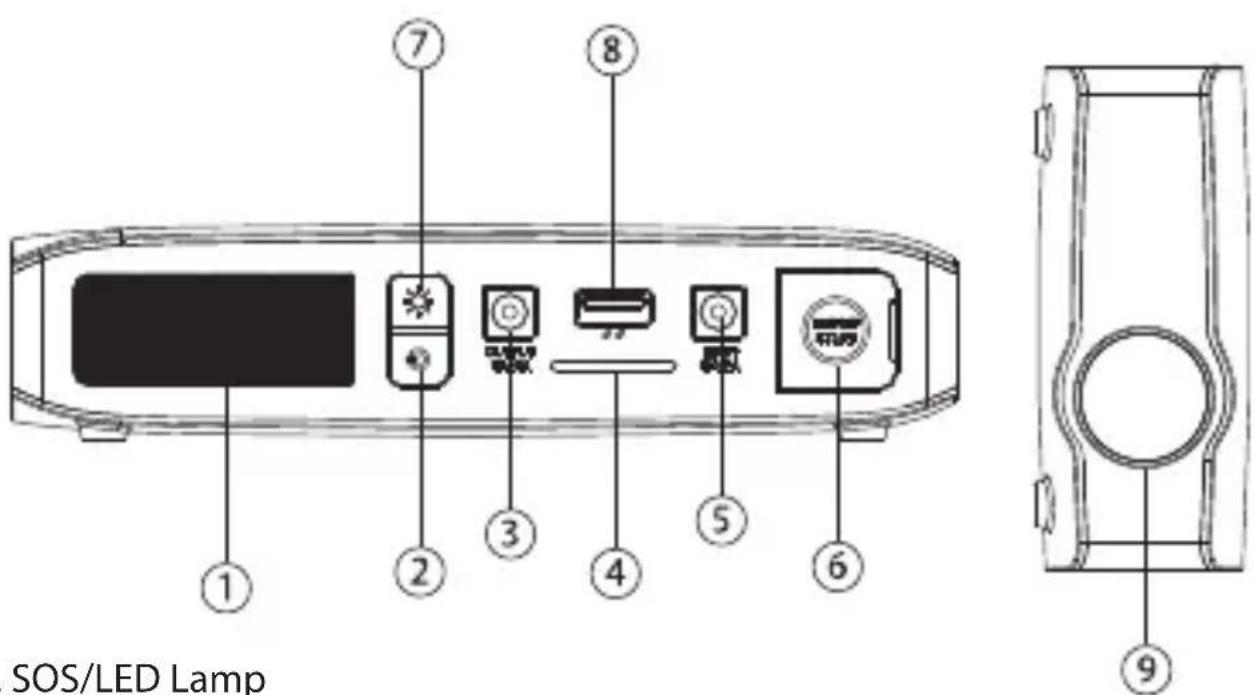
Appearance & Interface Description:
text_image
SOS/LED Lamp- SOS/LED Lamp
- Power Button
- DC Output
- LED Indicator
- DC Input
- Ignition Output
- Lamp Control Button.
- USB Output
- LED Spotlight.
- Jump Start Cable
English
Operation Instructions:
1. Turning Patrol 'On' and 'Off'
- Short press the Power Button. Once the LED Indicator blinks constantly, the back-up battery is now 'on'.
- Short press the Power Button again, once the LED Indicator stops blinking, it means that the back-up battery is now 'off'.
2. Charging Patrol back-up battery via AC Adapter
- Use the AC Adapter and connect the adapter plug into Patrol's Input port and plug the AC Adapter into the wall socket.
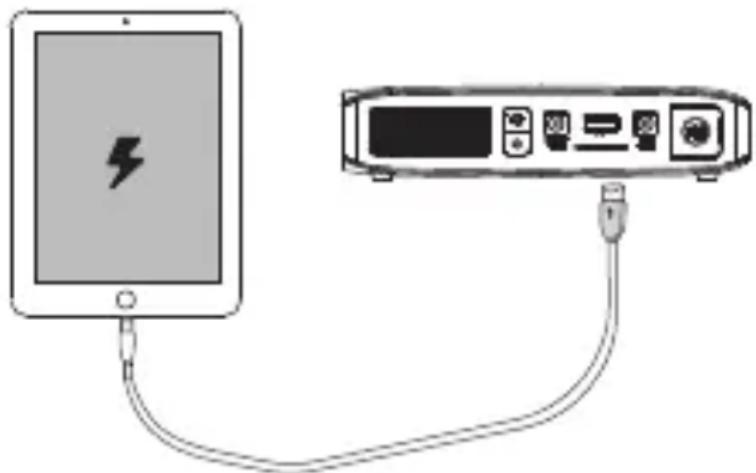
3. Charging USB chargeable devices using Patrol
natural_image
Diagram showing a battery connected to an electronic device via cable (no text or symbols present)There is a 2.1A port available on Patrol. Plug the USB cable into the USB output port on Patrol back-up battery and the other end into the device. The device will now automatically start charging. Detach the USB cable once charging is complete.
4. Charging Laptop and other devices using Patrol
- Choose the correct connector that supports your device Input and connect it with Patrol's DC Output.
- Plug in the other end into your device input.
- Detach the cable once charging is complete
English
5. Jumpstarting a vehicle battery.
- Make sure that Patrol is fully charged before starting the engine.
- Connect the jump start cable to the drained battery of the vehicle. Connect red clamp to the positive “+” terminal and black clamp to the negative “-” terminal.
- Connect the Jump Start Cable to the dedicated socket of Patrol.
- Now attempt to start the engine. If the engine doesn't start in the first attempt, wait at least for 10 seconds before attempting to start the engine again.
- Disconnect the jump start cable from Patrol within 10 seconds after the engine has successfully started.
6. Using LED Spotlight.
- Long press the Power Button and turn 'on' the spotlight.
- Again, long press the Power Button to turn 'off' the spotlight.
7. Using LED Lamp
- Long press the Lamp Control Button and switch 'on' the LED Lamp.
- Once again, long press the Lamp Control Button to switch 'off' the LED Lamp.
- The LED Lamp can be controlled for up to 3 levels of brightness:
o High Level: Short press the Lamp Control Button once.
o Medium Level: Short press the Lamp Control Button for 5 seconds.
o Low Level: Short press the Lamp Control Button for 5 seconds again.
8. Using SOS.
- Long press the Lamp Control Button to turn on the SOS function.
- Once again, long press the Lamp Control Button to turn of the SOS function.