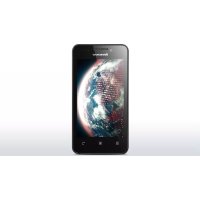
A319 - Smartphone LENOVO - Free user manual and instructions
Find the device manual for free A319 LENOVO in PDF.


| Product type | Smartphone |
| Brand | Lenovo |
| Model | A319 |
| Dimensions (H x W x D) | 123.5 mm x 63.8 mm x 10.2 mm |
| Weight | 129 g |
| Power supply | Rechargeable battery 1500 mAh |
| Processor | MediaTek MT6572 dual-core 1.3 GHz |
| Operating system | Android |
| Display | 4.0 inches, resolution 800 x 480 pixels, TN LCD |
| Rear camera | 5.0 megapixels CMOS |
| Front camera | 2.0 megapixels |
| Connectivity | Bluetooth 4.0, WLAN 802.11 b/g/n, WCDMA, GSM, GPS |
| Storage | Memory card (not specified, expandable up to 32 GB) |
| SIM | Dual SIM (SIM1 + SIM2) |
| Connector | Micro USB, headphone jack 3.5 mm |
| Speaker | Built-in |
| Sensors | Accelerometer, proximity (not explicitly specified, assumed) |
| Maintenance and cleaning | Turn off the device before cleaning; use a dry soft cloth |
| Safety | Follow battery instructions; avoid shocks; do not expose to moisture |
| Spare parts and repairability | Removable battery and SIM cards; other parts not specified |
| General information | Lenovo A319, first edition August 2014 |
Frequently Asked Questions - A319 LENOVO
User questions about A319 LENOVO
0 question about this device. Answer the ones you know or ask your own.
Ask a new question about this device
Download the instructions for your Smartphone in PDF format for free! Find your manual A319 - LENOVO and take your electronic device back in hand. On this page are published all the documents necessary for the use of your device. A319 by LENOVO.
USER MANUAL A319 LENOVO
Read this guide carefully before using your smartphone.
Learning more
To learn more information about your Lenovo smartphone and obtain the latest smartphone manuals, go to: http://support.lenovo.com/.
Getting support
For support on network service and billing, contact your wireless network operator. For instructions on how to use your device, go to: http://support.lenovo.com/.
Electronic emission notices
European Union conformity

Radio and Telecommunications Terminal Equipment Directive
This product is in compliance with the essential requirements and other relevant provisions of the Radio and Telecommunications Terminal Equipment Directive, 1999/5/EC.
Legal notices
Lenovo and the Lenovo logo are
trademarks of Lenovo in the United States,
other countries, or both.
Other company, product, or service names
may be trademarks or service marks of
others.
Manufactured under license from Dolby
Laboratories.Dolby and the double-D
symbol are trademarks of Dolby
Laboratories.
First Edition (August 2014) © Copyright Lenovo 2014.
Technical specifications

Model and system
Model: Lenovo A319
System:Android

1Dimensions and weight
Height: 123.5 mm (4.862 inches)
Width: 63.8 mm (2.512 inches)
Depth: 10.2 mm (0.406 inch)
Weight: 129 g( 0.284 lb)

Processor
Processor: MTK MT6572, Dual Core, 1.3GHz

Camera
Type: CMOS
Pixels: 5.0 megapixels (back) + 2.0 megapixels (front)
Battery
Battery: 1500 mAh

Display
Size: 4.0 inches
Screen: 2-touch
Resolution: 800 × 480 pixels
LCD type: TN

Wireless Communication
Bluetooth 4.0; WLAN 802.11 b/g/n; WCDMA, GSM; GPS

① Depending on the measuring method, the dimensions and weight might vary slightly.
First glance
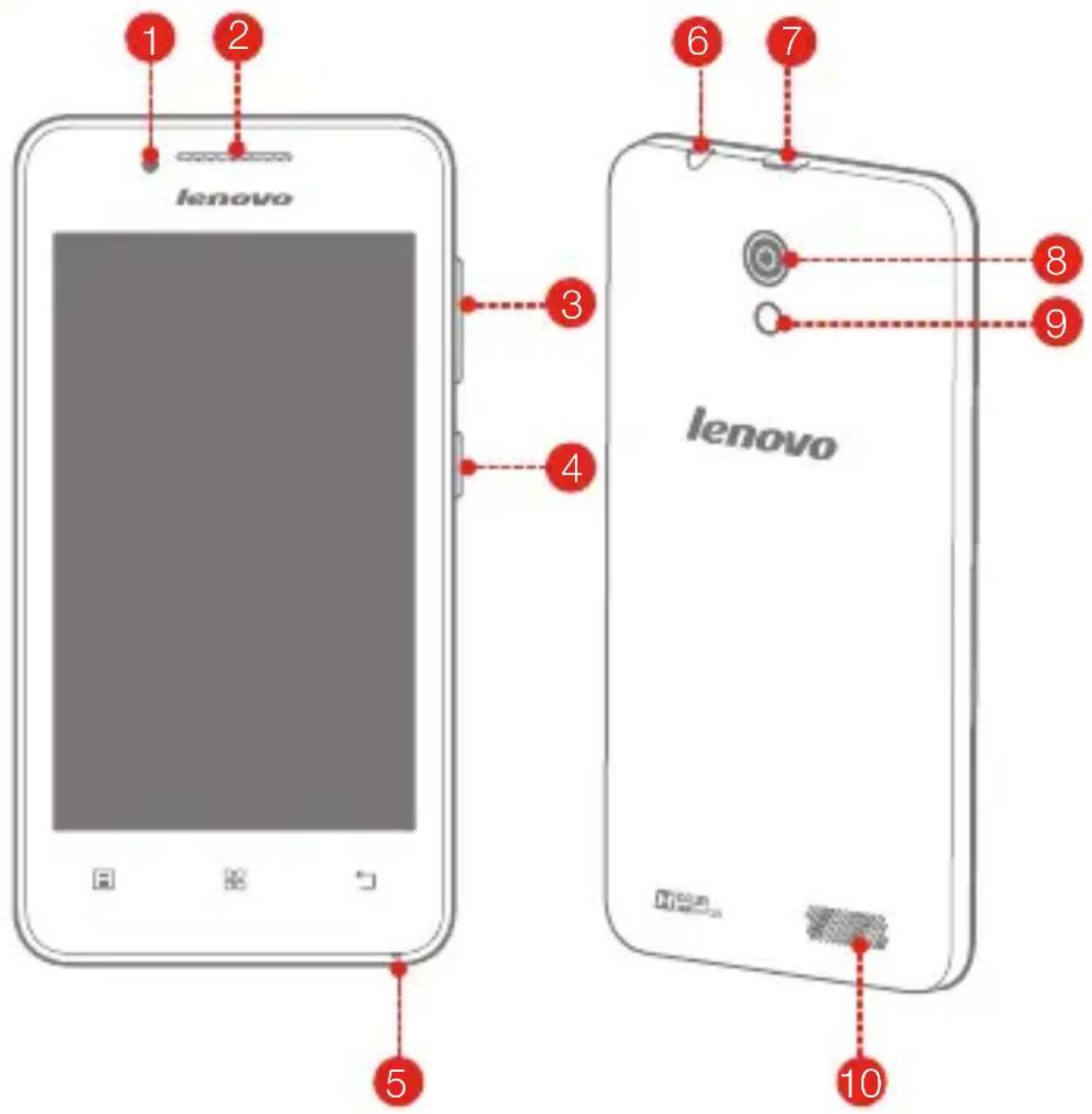
1 Front-facing camera
4 On/Off button
7 Micro USB connector
10 Speaker
2 Receiver
5 Microphone
8 Rear-facing camera
3 Volume buttons
6 Headset connector
9 Flashlight
Preparing your smartphone
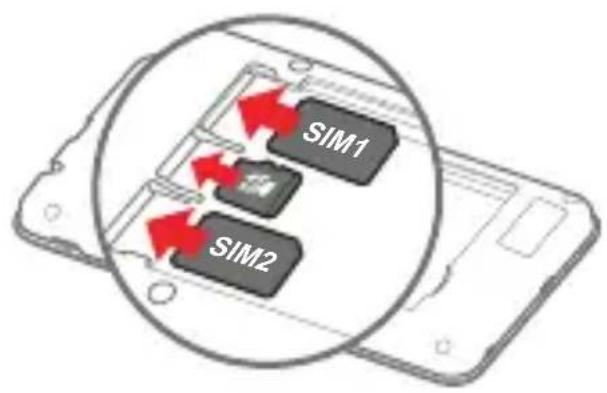
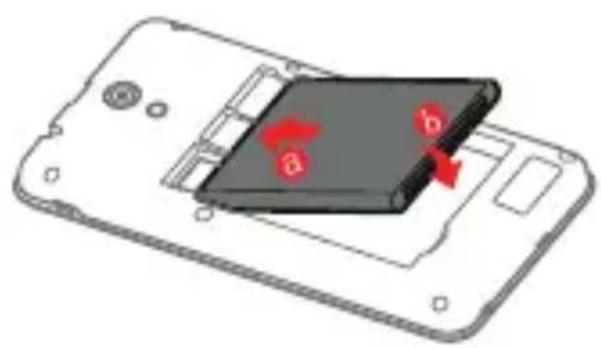
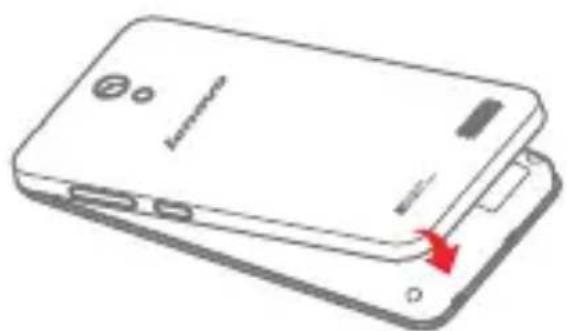
You must insert the SIM card provided by your carrier to use cellular services. Set up your smartphone as shown.
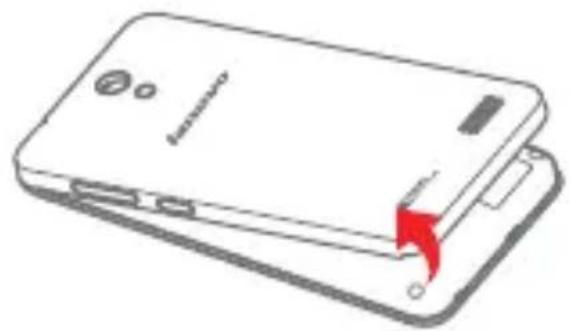
Step 1. Open the back cover.
Step 2. Insert the SIM cards and the memory card.
Tip: Insert the (U)SIM card into SIM1 slot and SIM card into SIM2 slot.
Step 3. Install the battery.
a. Align the battery connectors on the battery with the pins in the battery compartment.
b. Push the battery down into place.
Step 4. Install the back cover.
Always turn off your smartphone first before you insert or remove a SIM card. Insert or remove a SIM card with your smartphone on may damage your SIM card or smartphone permanently.
Charging the battery
Charge the battery as shown.
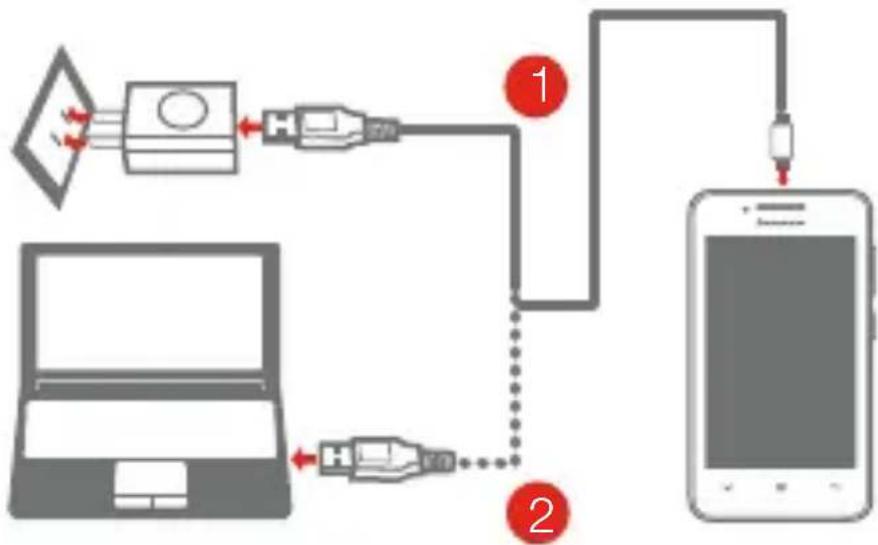
Method 1. Connect your smartphone to a power outlet using the cable and USB power adapter that come with your smartphone.
Method 2. Connect your smartphone to a computer using the cable that comes with your smartphone.

Low battery power Fully charged Charging

Turning on or turning off your smartphone
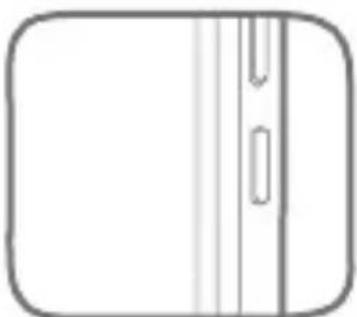
Turn on: Press and hold the On/Off button until the Lenovo logo appears.
Turn off. Press and hold the On/Off button for a few seconds, then tap Poweroff.

Your smartphone has a rechargeable battery. For more information about battery safety, see the "Rechargeable battery notice" in the Important Product Information Guide shipped with your smartphone.
Français

Manufactured under license from Dolby
Laboratories. Dolby and the double-D
symbol are trademarks of Dolby
Laboratories.
(2014)
.2014 Lenovo
aigil 1
Lenovo A319
v1.0

- Learning more
- Getting support
- Electronic emission notices
- European Union conformity
- Radio and Telecommunications Terminal Equipment Directive
- Legal notices
- Technical specifications
- Model and system
- 1Dimensions and weight
- Processor
- Camera
- Battery
- Display
- Wireless Communication
- First glance
- Preparing your smartphone
- Charging the battery
- Turning on or turning off your smartphone
- Français
- Lenovo A319
- v1.0
Brand : LENOVO
Model : A319
Category : Smartphone