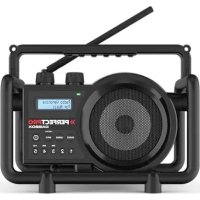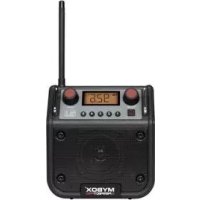
MyBOX - Radio PerfectPro - Free user manual and instructions
Find the device manual for free MyBOX PerfectPro in PDF.



User questions about MyBOX PerfectPro
0 question about this device. Answer the ones you know or ask your own.
Ask a new question about this device
Download the instructions for your Radio in PDF format for free! Find your manual MyBOX - PerfectPro and take your electronic device back in hand. On this page are published all the documents necessary for the use of your device. MyBOX by PerfectPro.
USER MANUAL MyBOX PerfectPro
Operating instruction GB
Important Safety Instructions
- Read these instructions.
- Keep these instructions.
- Heed all warnings.
- Follow all instructions.
- Do not use this apparatus near water.
- Clean only with dry cloth.
- Do not block any ventilation openings. Install in accordance with the instructions.
- Do not install near any heat sources such as radiators, heat registers, stoves or other apparatus ( including amplifiers ) that produce heat.
-
Do not defect the safety purpose of the polarized or grounding-type plug. A polarized plug has two blades with one wider than the other. A grounding type plug has two blades and a third grounding prong. The wide blade or the third prong are provided for your safety. If the provided plug does not fit into your outlet, consult an electrician for replacement of the obsolete outlet - USA version only.
-
Protect the power cord from being walked on or pinched particularly at plug, convenience receptacles, and the point where they exit from the apparatus.
- Only use attachments/accessories specified by the manufacturer.
- Use only with the cart, stand, tripod, bracket, or table specified by the manufacturer, or sold with the apparatus. When a cart is used, use caution when moving the cart/apparatus combination to avoid injury from tip-over.
- Unplug this apparatus during lightning storms or when unused for long periods of time.
- Refer all servicing to qualified service personnel. Servicing is required when the apparatus has been damaged in any way, such as power-supply cord or plug is damaged, liquid has been spilled or objects have fallen into the apparatus, the apparatus has been exposed to rain or moisture, does not operate normally, or has been dropped.
- To reduce the risk of fire or electric shock, Do not expose this appliance to Rain or Moisture.
- The Shock Hazard Marking and Associated Graphical Symbol is provided on the bottom panel of unit.
- Apparatus shall not be exposed to dripping or splashing and no objects filled with liquids, shall be placed on the apparatus.
- For outdoors use, to avoid electric shock, use battery only during a raining day or the weather is wet.
GB
Controls
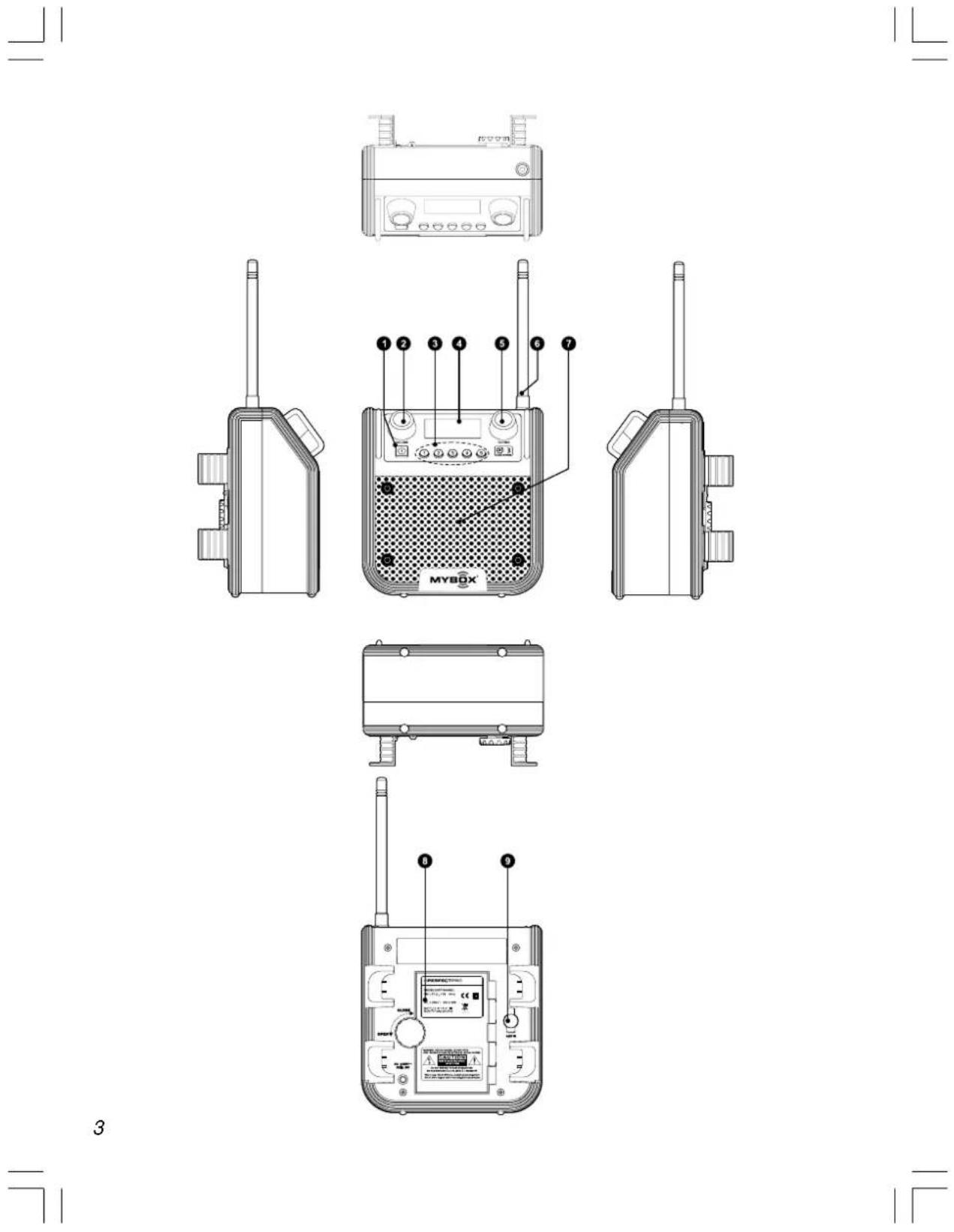
① Power On/Off
② Volume Control
③ Preset Station
④ LCD Display
⑤ Tuning Control
⑥ FM Antenna
⑦ Speaker
⑧ Battery Compartment
⑨ Aux In socket
GB
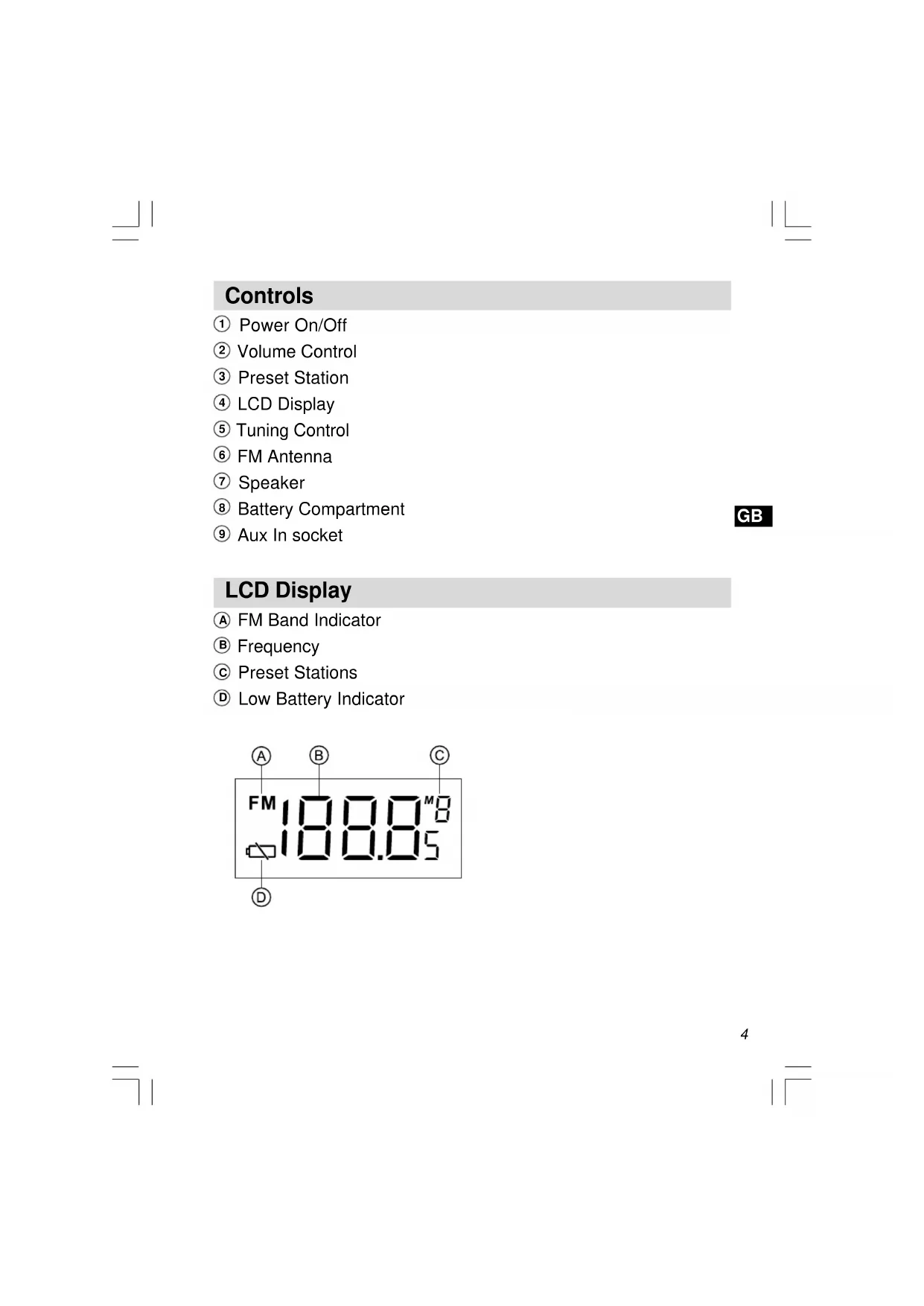
LCD Display
FM Band Indicator
Frequency
Preset Stations
Low Battery Indicator
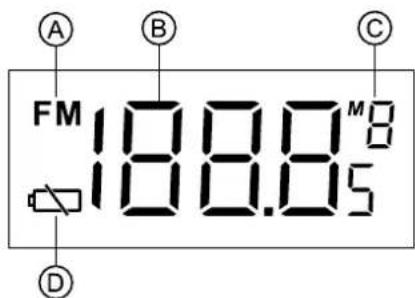
Power the radio
1. Battery operation
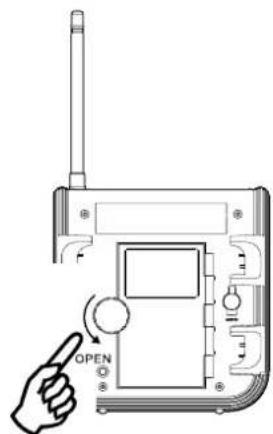
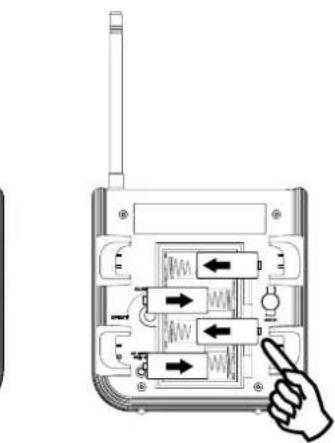
Installing the batteries, first turn battery cover fixture anti-clockwise to loosen and pull out the battery cover to your right. Insert 4 × C size (UM-2) battery into the compartment. Ensure the battery is inserted in accordance with the diagram shown.
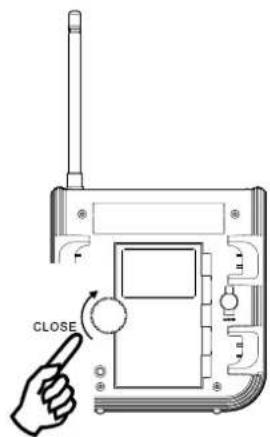
Close the battery cover and fasten the fixture by turning clockwise.
If the radio is not to be used for any extended period of time, it is recommended that the battery is removed from the radio.
Reduced power, distortion and a "stuttering sound" or low battery sign is flashing on the display are all signs that the batteries need replaced.
1.
2.
3.
2. AC operation
Before you plug the AC power cord into the AC socket, be sure the voltage is correct. If you have batteries in the radio and use the AC power, the batteries will automatically be disconnected.
AC power storage is designed to store the cord when the radio is not in use.
3. Operating the radio
GB
This FM radio is equipped with two tuning methods – manual tuning and memory presets recall.
Manual Tuning
- Press the Power button to turn on the radio.
- Be sure to screw in the rubber FM antenna properly to get best reception.
- Rotate the Tuning Control knob will change the frequency in 50kHz increments.
- Rotate the Volume Control knob to get required sound level.
- To turn off the radio, press the Power button. Display will show OFF.
Preset stations
Storing the stations in preset memories, please follow below steps.
There are 5 memory presets in this radio.
- Press the Power button to turn on the radio.
- Rotate Tuning Control knob to tune to required station.
- Press and hold down the required preset until radio beeps. The preset number will appear in the display and the station be stored under chosen preset button.
- Repeat this procedure for the remaining presets.
- Stations stored in preset memories can be overwritten by following above procedures.
Recall stations from preset memories
- Press the Power button to turn on the radio.
- Momentarily press the required Preset button, the preset number and station frequency will appear in the display.
Aux In socket
The Aux In socket is to connect audio source like the MP3 player or CD walkman to listen the audio program via the speaker.
Remove the rubber cover, connect the audio source with a
3.5 mm audio connector wire, rotate the Volume Control to play the audio program.
Note:
When the audio source is connected, it will automatically mute the radio program you are listening. Display will still show the station frequency before you connect the audio source.
Specifications
Frequency Coverage: FM 87.50 - 108 MHz
AC Power: AC 230V/50Hz/9W
Batteries: 4 X C size (UM-2)
Output Power:
2 Watt 10% T.H.D. @ 100Hz @ DC battery 6V
4 Watt 10% T.H.D. @ 100Hz @ AC 230V or 120V
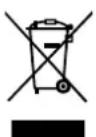
If at any time in the future you should need to dispose of this product please note that: Waste electrical products should not be disposed of with household waste. Please recycle where facilities exist. Check with your Local Authority or retailer for recycling advice. (Waste Electrical and Electronic Equipment Directive)
9
Voeding: Wisselstroom 230V/50Hz/9W
Batterijen: 4XC (UM-2)
Uitgangsvermogen:
Batteries: 4 X C size (UM-2)
Strømutgang:
2 Watt 10% T.H.D. @ 100Hz @ DC batteri 6V
4 Watt 10% T.H.D. @ 100Hz @ AC 230V eller 120V


Tension CA:CA 230V/50Hz/9W