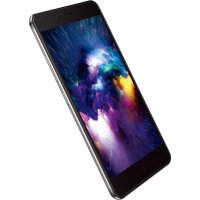
X1 Max - Smartphone NEFFOS - Free user manual and instructions
Find the device manual for free X1 Max NEFFOS in PDF.


Pick your language and provide your email: we'll send you a specifically translated version.
| Brand | Neffos |
| Model | X1 Max |
| Product type | Smartphone |
| Operating system | Android (unspecified version) |
| Compatible networks | GSM, 3G, 4G LTE |
| Screen | Capacitive touchscreen |
| Camera | Rear with dual-tone flash, front |
| Fingerprint sensor | Yes |
| Connectivity | Wi-Fi 802.11 a/b/g/n, Bluetooth 4.0 (BLE), GPS |
| Ports | USB (charging/data), 3.5 mm headphone jack |
| Supported cards | Nano-SIM (x2) or 1 Nano-SIM + 1 microSD |
| Battery | Built-in lithium-ion, non-removable |
| Power supply | 5V power adapter (included), charging via USB cable |
| SAR (head) | 1.257 W/kg |
| SAR (body) | 1.347 W/kg |
| Care and cleaning | Use a soft dry cloth, avoid chemicals, do not expose to moisture |
| Safety | Follow instructions: do not use near medical devices, avoid extreme temperatures, do not disassemble battery |
| Spare parts and repairability | Contact an authorized Neffos service center for any repair |
| Warranty | See terms at www.neffos.fr |
| General information | Neffos X1 Max smartphone, compatible with original Neffos accessories |
Frequently Asked Questions - X1 Max NEFFOS
How to insert SIM card and SD card?
Turn off the phone. Use the provided pin to eject the tray located on the side. Place the Nano-SIM and/or microSD cards with gold contacts facing down, then reinsert the tray.
How to charge the phone?
Connect the USB cable to the charging port, then to the power adapter, and plug the adapter into an outlet. Use only original Neffos accessories.
How to take a screenshot?
Simultaneously press the power button and the volume down button until you hear a click or see an animation.
How to reset the phone to factory settings?
Go to Settings > Backup & Reset > Factory data reset. Confirm. This action erases all data.
How to enable Wi-Fi?
Swipe down the status bar twice to open quick settings, then long press the Wi-Fi icon or go to Settings > WLAN.
How to use mobile data?
In quick settings, long press the mobile data icon, or go to Settings > Mobile network > Mobile data. Make sure you have a suitable plan.
How to lock and unlock the screen?
Briefly press the power button to lock the screen. To unlock, press the button and swipe the screen, or use the fingerprint sensor.
How to switch to silent mode?
Press and hold the volume down button to activate silent mode. You can also use quick settings.
Does the phone support 4G?
Yes, the Neffos X1 Max is 4G LTE compatible. You will see the 4G icon in the status bar when connected.
What is the SAR value of this phone?
The head SAR is 1.257 W/kg and the body SAR is 1.347 W/kg, in compliance with the European standard (limit 2.0 W/kg).
User questions about X1 Max NEFFOS
0 question about this device. Answer the ones you know or ask your own.
Ask a new question about this device
No questions yet. Be the first to ask one.
Download the instructions for your Smartphone in PDF format for free! Find your manual X1 Max - NEFFOS and take your electronic device back in hand. On this page are published all the documents necessary for the use of your device. X1 Max by NEFFOS.
USER MANUAL X1 Max NEFFOS
natural_image
Diagram of a smartphone showing the edge of screen and internal components, with two labeled buttons below (no text or symbols present)text_image
10:12 Wed .. on 11 USB debugging connected Touch to disable USB debugging. USB for photo transfer Touch for more options.78140 Vélizy-Villacoublay, France.
78140 Vélizy-Villacoublay, France.
Téléphone standard : +33 (0)5 63 21 27 41