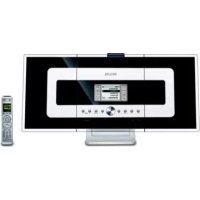
WAC700 - Hi-Fi System PHILIPS - Free user manual and instructions
Find the device manual for free WAC700 PHILIPS in PDF.


| Brand | Philips |
| Model | WAC700 |
| Category | Hi-Fi system |
| Product type | Multiroom Wi-Fi audio system with Center (WAC700) and stations (WAS700) |
| Built-in storage | 40 GB hard drive (actual capacity ~33 GB after system reservation) |
| CD playback formats | Audio CD, CD-R/RW, MP3-CD, WMA-CD |
| FM radio | FM 87.5-108 MHz with RDS, 40 presets |
| Wireless connectivity | Wi-Fi 802.11b/g, WEP (64/128bit) and WPA-PSK security |
| Maximum number of stations | Up to 5 WAS700 stations |
| Audio functions | MUSIC FOLLOWS ME, MUSIC BROADCAST, repeat, random, equalizer (Rock, Pop, Jazz, etc.), DBB (Dynamic Bass Boost), Incr. Surround |
| Recording | From CD, FM radio or external AUX source (max 3 hours) |
| Auxiliary input | AUX IN (RCA): 1 pair on Center, 1 pair on Station |
| Output | Line (RCA), headphone (3.5 mm) |
| Power supply | 220 V ±10%, 50 Hz |
| Center consumption | Active < 35 W, Standby < 18 W, Eco < 1 W |
| Station consumption | Active < 25 W, Standby < 14 W, Eco < 1 W |
| Included accessories | 2 remote controls (Center with 4 AAA batteries, Station with CR2025 battery), 2 wired FM antennas, 1 Ethernet cable, installation CD, 2 wall mounting kits |
| Maintenance and cleaning | Clean the cabinet with a soft cloth slightly moistened with mild detergent; do not use alcohol, ammonia or abrasive products |
| Safety | Do not expose to moisture, rain or excessive heat; do not open the unit; install with at least 10 cm clearance at the rear and top, 5 cm on the sides |
Frequently Asked Questions - WAC700 PHILIPS
User questions about WAC700 PHILIPS
0 question about this device. Answer the ones you know or ask your own.
Ask a new question about this device
Download the instructions for your Hi-Fi System in PDF format for free! Find your manual WAC700 - PHILIPS and take your electronic device back in hand. On this page are published all the documents necessary for the use of your device. WAC700 by PHILIPS.
USER MANUAL WAC700 PHILIPS
natural_image
Exterior view of a modern office building (no signage)Important notes for users in the U.K.
Mains plug
This apparatus is fitted with an approved 13
Amp plug. To change a fuse in this type of plug proceed as follows:
1 Remove fuse cover and fuse.
2 Fix new fuse which should be a BS1362 5 Amp, A.S.T.A. or BSI approved type.
3 Refit the fuse cover.
If the fitted plug is not suitable for your socket outlets, it should be cut off and an appropriate plug fitted in its place.
If the mains plug contains a fuse, this should have a value of 5 Amp. If a plug without a fuse is used, the fuse at the distribution board should not be greater than 5 Amp.
Note: The severed plug must be disposed of to avoid a possible shock hazard should it be inserted into a 13 Amp socket elsewhere.
How to connect a plug
The wires in the mains lead are coloured with the following code: blue = neutral (N), brown = live (L).
- As these colours may not correspond with the colour markings identifying the terminals in your plug, proceed as follows:0
- Connect the blue wire to the terminal marked N or coloured black.
- Connect the brown wire to the terminal marked L or coloured red.
- Do not connect either wire to the earth terminal in the plug, marked E (or 12 ) or coloured green (or green and yellow).
Before replacing the plug cover, make certain that the cord grip is clamped over the sheath of the lead - not simply over the two wires.
Copyright in the U.K.
Recording and playback of material may require consent. See Copyright Act 1956 and The Performer's Protection Acts 1958 to 1972.
Norge
Philips Consumer Electronics
HK- 0528-WACS700
(report No.)
EC DECLARATION OF CONFORMITY
We,
Philips Consumer Electronics
(manufacturer's name)
Philips, Glaslaan 2, 5616 JB Eindhoven, The Netherlands
(manufacturer's address)
declare under our responsibility that the electrical product:
Philips
(name)
WACS700 /22/25/05
(type or model)
Wireless Music Center & Station
(product description)
to which this declaration relates is in conformity with the following standards:
EN55013:2001
EN 300 328 : 2003
EN55020:2002
EN 301 489-1 :2002
EN 55022: 1998
EN 301 489-17:2002
EN 55024: 1998
EN 50371 : 2002
EN 60065: 1998
(title and/or number and date of issue of the standards)
following the provisions of R &TTE Directive 1999/5/EC (incl. 89/336/EEC & 73/23/EEC & 93/68/EEC directives and is produced by a manufacturing organization on ISO 9000 level.

Eindhoven,
July 14, 2005
(place, date)
Cor Luijks
Technology Manager
(signature, name and function)

End-User License Agreement USE OF THIS PRODUCT IMPLIES ACCEPTANCE OF THE TERMS BELOW.
This product contains technology and data from Gracenote of Emeryville, California ("Gracenote"). The technology from Gracenote (the "Gracenote Embedded Software") enables this product to do disc identification and obtain music-related information, including name, artist, track, and title information ("Gracenote Data"), which is included on the Gracenote Database (the "Gracenote Database").
You agree that you will use Gracenote Data, the Gracenote Database, and Embedded Software for your own personal non-commercial use only. You agree that you will access Gracenote Data only by means of the standard end user functions and features of this product. You agree not to assign, copy, transfer or transmit the Embedded Software or any Gracenote Data to any third party. YOU AGREE NOT TO USE OR EXPLOIT GRACENOTE DATA, THE GRACENOTE DATABASE, OR GRACENOTE COMPONENT, EXCEPT AS EXPRESSLY PERMITTED HEREIN.
You agree that your non-exclusive license to use the Gracenote Data, the Gracenote Database, and Embedded Software will terminate if you violate these restrictions. If your license terminates, you agree to cease any and all use of the Gracenote Data, the Gracenote Database, and Gracenote Embedded Software. Gracenote reserves all rights in the Gracenote Data, Gracenote Database, and Gracenote Embedded Software, including all ownership rights. You agree that Gracenote may enforce its rights under this Agreement against you directly in its own name.
The Embedded Software and each item of Gracenote Data are licensed to you “AS IS.” Gracenote makes no representations or warranties, express or implied, regarding the accuracy of any Gracenote Data. Gracenote reserves the right to delete data or to change data categories in any Data updates and for any cause that Gracenote deems sufficient. No warranty is made that the Embedded Software is error-free or that functioning of the Embedded Software will be uninterrupted. Gracenote is not obligated to provide you with any new enhanced or additional data types or categories that Gracenote may choose to provide in the future.
GRACENOTE DISCLAIMS ALL WARRANTIES EXPRESS OR IMPLIED, INCLUDING, BUT NOT LIMITED TO, IMPLIED WARRANTIES OF MERCHANTABILITY, FITNESS FOR A PARTICULAR PURPOSE, TITLE, AND NON-INFRINGEMENT. GRACENOTE DOES NOT WARRANT THE RESULTS THAT WILL BE OBTAINED BY YOUR USE OF THE GRACENOTE COMPONENT OR ANY GRACENOTE SERVER. IN NO CASE WILL GRACENOTE BE LIABLE FOR ANY CONSEQUENTIAL OR INCIDENTAL DAMAGES OR FOR ANY LOST PROFITS OR LOST REVENUES.
Rev 2.1
LGPL Library written offer
This product contains Linux 2.4.27-vrsl, that is made available under the GNU LGPL license version 2.1 (hereafter called "the Library").
Philips Electronics Hong Kong Ltd. hereby offers to deliver or make available, upon request, for a charge no more than the cost of physically performing source distribution, a complete machine-readable copy of the corresponding source code of the Library on a medium customarily used for software interchange.
Please contact:
Mr. Bin Li
BLC Audio PDCC Development
5/F., Philips Electronics Building
5 Science Park East Avenue
Hong Kong Science Park
Shatin Hong Kong
This offer is valid for a period of three years after the date of purchase of this product.
GPL Package written offer
This product contains Linux 2.4.27-vrsl, that is made available under the GNU GPL license version 2 (hereafter called "the Program").
Philips Electronics Hong Kong Ltd. hereby offers to deliver or make available, upon request, for a charge no more than the cost of physically performing source distribution, a complete machine-readable copy of the corresponding source code of the Program on a medium customarily used for software interchange.
Please contact:
Mr. Bin Li
BLC Audio PDCC Development
5/F., Philips Electronics Building
5 Science Park East Avenue
Hong Kong Science Park
Shatin Hong Kong
This offer is valid for a period of three years after the date of purchase of this product.
English 8
Français 49
Español 91
Deutsch---- 133
natural_image
Simple line drawing of a trash bin with crossed lines and a blank rectangular base (no text or symbols)natural_image
Illustration of hands holding a CD or DVD disc with a pointed tip (no text or symbols)DBB (Dynamic Bass Boost)
DBB (Dynamic Bass Boost)
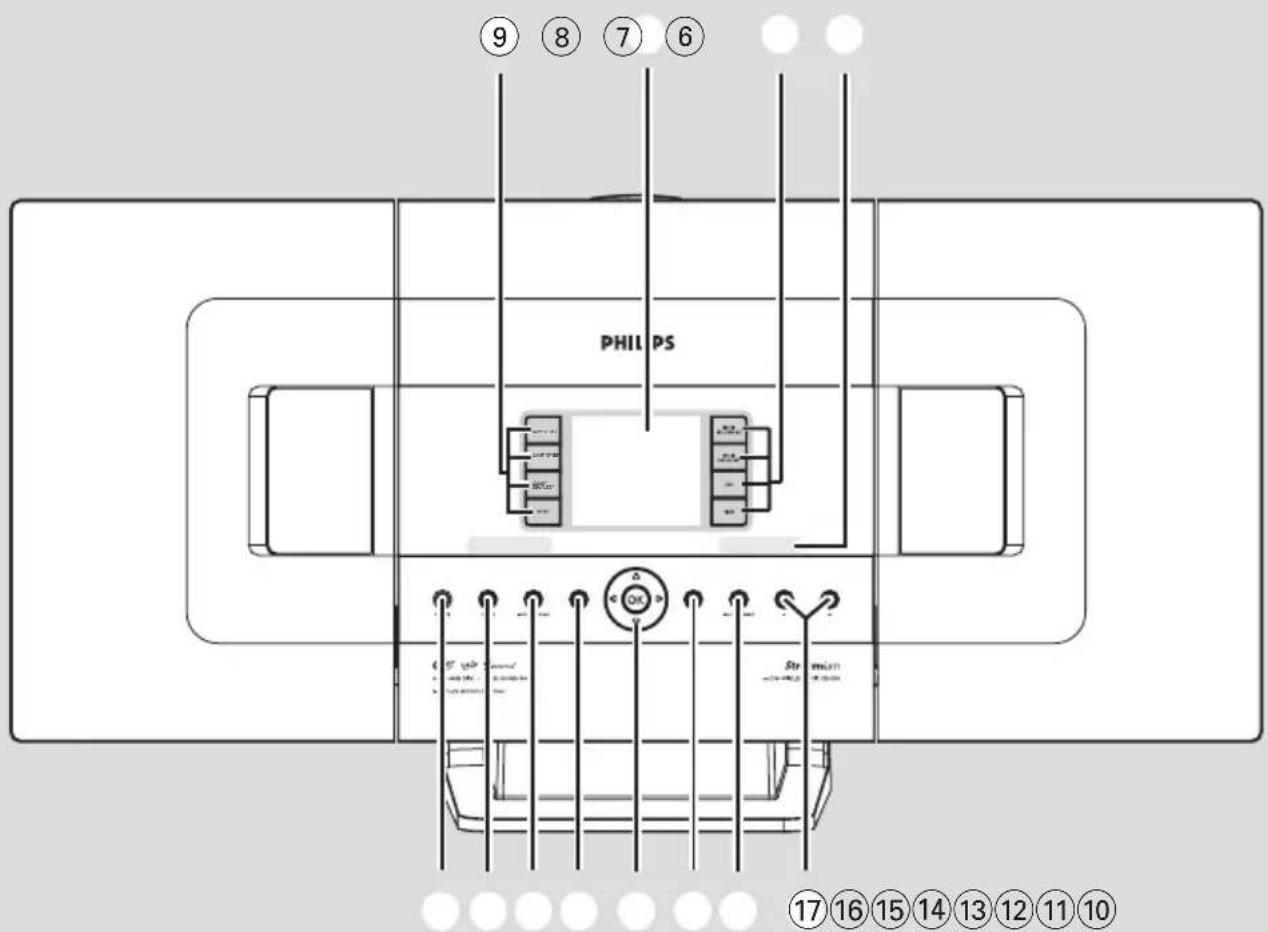
⑩ DBB(Dynamic Bass Boost)
natural_image
Two identical black-and-white computer monitors with display screens, no visible text or symbols on the screens or background.natural_image
Two 3D-rendered rectangular blocks with internal grid patterns, one labeled 'ou' (no text or symbols on the blocks themselves)natural_image
Mechanical component diagram showing a pin inserted into a housing (no text or symbols)natural_image
Illustration of a cable connector with a black arrow indicating insertion or disassembly (no text or symbols)natural_image
Pure electrical circuit lines without any symbols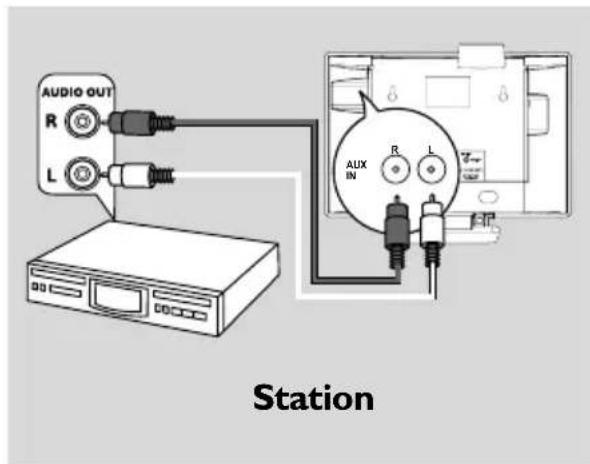
Conseils utiles :
Centre
natural_image
Technical line drawing of a mechanical component with an arrow indicating direction (no text or symbols)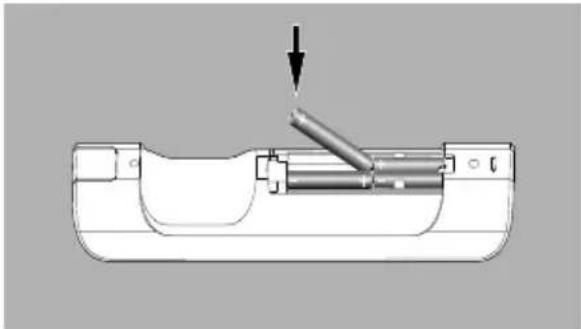
natural_image
Mechanical assembly diagram showing a piston-like component with an arrow indicating force or movement (no text or symbols present)ATTENTION!
natural_image
Top-down technical drawing of a mechanical component with concentric circles and mounting points (no text or symbols)Dimensions, l x h x p
WAC700 608 × 303 × 175mm
WAS700 360 × 283 × 128mm
Poids
WAC700 7.7 kg
WAS700 4.2 kg
Amplificateur
Puissance de sortie
WAC700 2×15W + 2×25W
wAS700 2 × 5W + 1 × 10W
COAX / T-antenna (75Ω IEC-connector)
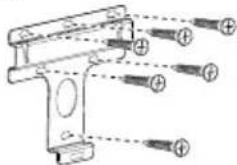
1 attache de support

1 attache de support

Centre
Station
natural_image
Hand holding a screwdriver inserted into a device casing (no text or symbols visible)Centre
Centre
natural_image
Line drawing of a ceiling-mounted device with hands holding the base panel (no text or symbols)Centre
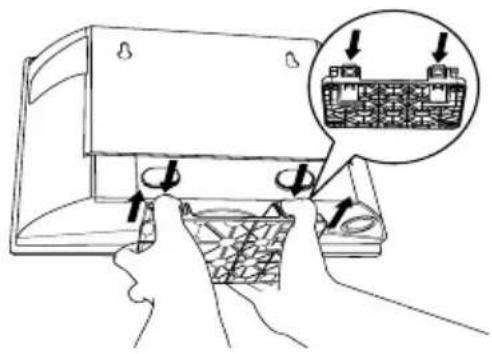
Station
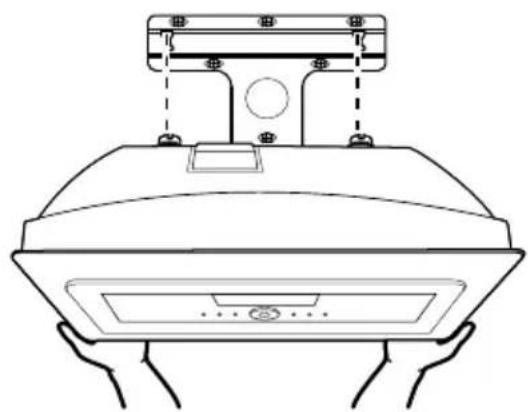
natural_image
Line drawing of a hand holding a kitchen appliance with a top-mounted fixture (no text or symbols)Station
natural_image
Line drawing of a car interior with a door, vent, and door panel (no text or symbols)- Important notes for users in the U.K.
- Mains plug
- How to connect a plug
- Copyright in the U.K.
- Norge
- Philips Consumer Electronics
- EC DECLARATION OF CONFORMITY
- End-User License Agreement USE OF THIS PRODUCT IMPLIES ACCEPTANCE OF THE TERMS BELOW.
- LGPL Library written offer
- GPL Package written offer
- DBB (Dynamic Bass Boost)
- Conseils utiles :
- ATTENTION!
- Amplificateur
Brand : PHILIPS
Model : WAC700
Category : Hi-Fi System