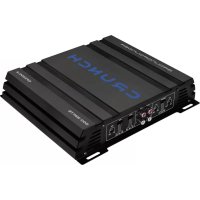
GPX 500.2 - Car radio Crunch - Free user manual and instructions
Find the device manual for free GPX 500.2 Crunch in PDF.



| Type | 2-channel amplifier |
| RMS Power (4 Ohm) | 2 x 75 W |
| RMS Power (2 Ohm) | 2 x 125 W |
| Max Power (4 Ohm) | 2 x 150 W |
| Max Power (2 Ohm) | 2 x 250 W |
| Speaker Impedance (stereo) | 2 – 8 Ohm |
| Frequency Response | 5 – 40,000 Hz (-3 dB) |
| Total Harmonic Distortion | < 0.5% (1 kHz) |
| Signal-to-Noise Ratio | > 90 dB |
| Input Sensitivity | 0.1 – 7 V |
| Input Impedance | 10 kOhm |
| Low-Pass Filter | 50 – 250 Hz @ 12 dB/Octave |
| High-Pass Filter | 50 – 250 Hz @ 12 dB/Octave |
| Bass Boost & Treble Boost | 0 / 6 / 12 dB |
| Line Output | Stereo, full range |
| Power Supply | +12 V (9 – 15 V), negative ground |
| Fuse | 1 x 30 A |
| Dimensions (W x H x D) | 254 x 46 x 220/250 mm |
| Recommended Installation | Trunk, ventilated space, avoid dust and vibrations |
| Protection | Green LED (on) / red (overheating or short circuit) |
Frequently Asked Questions - GPX 500.2 Crunch
User questions about GPX 500.2 Crunch
0 question about this device. Answer the ones you know or ask your own.
Ask a new question about this device
Download the instructions for your Car radio in PDF format for free! Find your manual GPX 500.2 - Crunch and take your electronic device back in hand. On this page are published all the documents necessary for the use of your device. GPX 500.2 by Crunch.
USER MANUAL GPX 500.2 Crunch
Please read the user's manual carefully before the installation and the first operation of the amplifier.
SPECIFICATIONS
| Output Power RMS | 2 x 75 W @ 4 Ohms2 x 125 W @ 2 Ohms |
| Output Power Max. | 2 x 150 W @ 4 Ohms2 x 250 W @ 2 Ohms |
| Loudspeaker impedance (stereo) | 2 - 8 Ohm |
| Frequency Response | 5 - 40 000 Hz (-3 dB) |
| Total Harmonic Distortion | < 0,5 % (1 kHz) |
| Signal-to-Noise Ratio | >90 dB |
| Input Sensitivity | 0,1 - 7 V |
| Input Impedance | 10 kOhm |
| Lowpass Filter | 50 - 250 Hz @ 12 dB/Octave |
| Highpass Filter | 50 - 250 Hz @ 12 dB/Octave |
| Bass Boost & Treble Boost | Switchable 0 / 6 / 12 dB |
| Line Outputs | Stereo, fullrange |
| Operating Voltage | +12 V (9 - 15 V), negative ground |
| Fuse Rating | 1 x 30 A |
| Dimensions (B x H x L) | 254 x 46 x 220/250 mm |
All Specifications are subject to change
IMPORTANT NOTES PRIOR TO INSTALLATION
- This device is only suited for a 12 volt system with negative ground.
- The radiated heat while operation requires sufficient air circulation at the place of installation. It is very important that the heat sink fins do not have contact with any metal parts or any surfaces which could impair air circulation. The amplifier may not be installed in small closed location or spaces without air circulation (e.g. spare wheel recess or below the vehicle carpeting). We recommend the installation in the vehicle's trunk. Ensure sufficient protection against vibrations, dust and dirt.
- Ensure that the input and output cables are sufficiently separated from the power supply cables. Otherwise interferences may occur.
- Ensure the accessibility of the fuse and the operating elements after installation.
- The reliability and performance of the amplifier depends on the quality of installation. Preferably consult an expert to install the system, particularly if you want to install several loudspeakers.
INTERCONNECTION
POWER SUPPLY AND TURN-ON-CONNECTION
ATTENTION: Before you start with the installation, disconnect the ground connection from the vehicle's battery in order to prevent short circuits.
The power wiring which is usually installed in on-board car networks is not sufficient for a power amplifier's demands. Make sure that the power wires to GND and to the +12 V terminal has been sufficiently specified. A cable-cross section of at least 10 mm ^2 must be used to connect the battery to the amplifier's terminals.
First connect the GND terminal of the amplifier to an appropriate ground connection at the chassis. To ensure a good connection, residue dirt and dust from the connection point. A loose connection may cause malfunctions or interferences noise and distortion.
Then connect the +12 V terminal of the amplifier with the battery by using an appropriate cable including an in-line fuse. This fuse should be located very close to the battery; for safety reasons not more than 30 cm away. Only insert the fuse when the installation, including the connection of the loudspeakers, has been accomplished.
Then connect the remote turn-on-wire from the head unit with the amplifier's REMOTE terminal. A cable with a cross section of 0.5mm^2 is adequate.
LOUDSPEAKER CONNECTIONS
- In 2-channel operation (i.e. one loudspeaker on each amplifier channel), the impedance must not be lower than 2 ohms for each speaker
- In bridging mode (two amplifier outputs combined) the impedance must not be lower than 4 ohms.
- Never connect loudspeaker cables with the ground of the chassis or the +12 V supply voltage.
If the amplifier is operated with a too low impedance or incorrectly used, the entire sound system may be damaged. This means a warranty void in such cases.
AUDIO SIGNAL CABLES
When installing the audio cables between the RCA outputs of the head unit and the RCA inputs of the amplifier, the audio and power supply cables should, if possible, not be routed along the same side of the vehicle. We recommend a separated installation, e.g. routing the power cable through the cable channel on the left side and the audio cables through the cable channel of the vehicle on the right side or vice versa. This prevents interferences due to crosstalk into the audio signal.
SIGNAL OUTPUTS TO CONNECT ADDITIONAL AMPLIFIERS
The input signal on the INPUT jacks (Fig. 1,6) will be routed in stereo to the output jacks OUTPUT (Fig. 1,5). Thus the OUTPUT jack allows the connection of a additional amplifier.
OPERATING ELEMENTS
INPUT SENSITIVITY
Turn the GAIN (Fig. 1,9) controller of the amplifier to the MIN position. Then turn the volume controller of the head unit to 80 - 90% of its full setting. Now turn GAIN clockwise until you hear some distortion. Then turn back the GAIN slightly until you hear a cleaner sound.
VARIABLE HIGH PASS FILTER
If the amplifier is to be used for mid-range/tweeter loudspeakers, set the switches CROSSOVER (Fig. 1,3) to HPF. Then set the desired crossover frequency on the HPF controller (Fig.1,2). Thus to that only the frequencies above the chosen crossover frequency will be amplified. This effectively minimizes distortions and overloads at lower frequencies. A good point to start is at 125 Hz.
If you use loudspeakers (>20 cm) set CROSSOVER (Fig.1,3). to "FULL". In this case, the HPF controller are without function (Fig.1,2).
VARIABLE LOW PASS FILTER
If the amplifier is used to drive a subwoofer, set the switch (Fig. 1,3) to „LPF“. Set the desired crossover frequency by using the controller (Fig. 1,4). Thus to that only the frequencies below the chosen crossover frequency will be amplified and the subwoofer plays more precisely and efficient.
SWITCHABLE BASS BOOST
By using the BASS BOOST switch (Fig.1,8) you are able to increase the bass enhancement by 6 or 12 dB. Attention: Use the BASS BOOST wisely!
SWITCHABLE TREBLE BOOST
By using the TREBLE BOOST switch (Fig.1,7) you are able to increase the treble enhancement by 6 or 12 dB. Attention: Use the TREBLE BOOST wisely!
PROTECTION CIRCUIT
The POWER/PROTECTION LED (Fig. 1,1) lights up green, if the amplifier is in operation.
The POWER/PROTECTION LED (Fig. 1,1) lights up red, when the amplifier is overheated, or a short circuit occurs resp. a too low impedance load is connected to the speaker outputs. If this events, the internal built-in protection circuit shuts down the amplifier automatically. The amplifier should work again properly after you have solved the problems.
FIGURES (P. 28-30)
CONNECTIONS AND CONTROLLERS (FIG. 1)
(1) Power-/Protection-LED
(2) High pass filter controller
(3) Selector FULL / LPF (Low pass) / HPF (High pass)
(4) Low pass filter controller
(5) Audio signal outputs to supply additional amplifiers
(6) Audio signal inputs
(7) Bass Boost selector
(8) Treble Boost selector
(9) Gain controller
POWER SUPPLY AND TURN ON CONNECTION (FIG. 2)
(1) GND terminal for the ground
(2) REM terminal for the turn on connection
(3) +12 V terminal for the positive-connection of the battery
(4) Vehicle's battery
(5) In-Line Fuse (not included in the scope of delivery)
(6) Turn on wire from the head unit or the electrical antenna
(7) Fuse(s)
2-CHANNEL OPERATION STEREO (FIG. 3)
If you want to run the amplifier with the 2 line output channels from the head unit to drive 2 loudspeakers, in stereo connect the following setup:
(1) To the head unit, line output right
(2) To the head unit, line output left
(3) Loudspeaker left
(4) Loudspeaker right
1-CHANNEL OPERATION MONO (FIG. 4)
If you want to run the amplifier with the 2 line output channels from the head unit to drive a subwoofer, connect the following setup:
(1) To the head unit, line output rear right or subwoofer output
(2) To the head unit, line output rear left or subwoofer output
(3) Subwoofer
IMPORTANT!
Always observe the correct polarity of all connections!
TROUBLESHOOTING
If you are having problems after installation follow the Troubleshooting procedures below.
Procedure 1:
Check Amplifier for proper connections.
POWER/PROTECTION LED lights up green. In this case skip to Step 3, if not continue.
- Check in-line fuse on battery positive cable. Replace if necessary.
- Check fuse(s) on amplifier. Replace if necessary.
- Verify that Ground connection is connected to clean metal on the vehicle's chassis. Repair/replace if necessary.
- Verify there is 9 to 16 Volts present at the positive battery and remote turn-on cable. Verify quality connections for both cables at amplifier, stereo, and battery/fuse holder. Repair/replace if necessary.
Procedure 2:
POWER/PROTECTION LED lights up red.
- If the LED lights up red it is a sign of a possible short in the speaker connections. Check for proper speaker connections and use an ohm meter to check for possible shorts in the speaker wiring. Too low speaker impedance may also cause PROTECTION to light. This can also be a sign of driving the amplifier at very high power gains without adequate airflow around the amplifier. Shut off the system and allow amplifier to cool. Check that the vehicle charging system is maintaining proper voltage. If the previous items do not solve the problem, a fault may be in the amplifier. In this case you should contact your dealer.
Procedure 3:
Check Amplifier for audio output.
- Verify good RCA input connections at stereo and amplifier. Check entire length of cables for kinks, splices, etc. Test RCA inputs for AC volts with stereo on. Repair/replace if necessary.
Procedure 4:
Check Amplifier for a popping noise while turning on.
1. Disconnect input signal to amplifier and turn amplifier on and off.
2. If the noise is eliminated, connect the REMOTE lead of amplifier to source unit with a delay turn-on module.
Procedure 5:
Check Amplifier if you experience excess Engine Noise.
1. Route all signal carrying wires (RCA, Speaker cables) away from power and ground wires.
OR
2. Bypass any and all electrical components between the head unit and the amplifier(s). Connect stereo directly to input of amplifier. If noise goes away the unit being bypassed is the cause of the noise.
OR
3. Remove existing ground wires for all electrical components. Reground wires to different locations. Verify that grounding location is clean, shiny metal free of paint, rust etc.
OR
4. Add secondary ground cable from negative battery terminal to the chassis metal or engine block of vehicle.
OR
5. Have alternator and battery load tested by your mechanic. Verify good working order of vehicle electrical system including distributor, spark plugs, spark plug wires, voltage regulator etc.
BASS BOOST CONNECTABLE
© Audio Design GmbH, All Rights Reserved


- IMPORTANT NOTES PRIOR TO INSTALLATION
- INTERCONNECTION
- POWER SUPPLY AND TURN-ON-CONNECTION
- LOUDSPEAKER CONNECTIONS
- AUDIO SIGNAL CABLES
- SIGNAL OUTPUTS TO CONNECT ADDITIONAL AMPLIFIERS
- OPERATING ELEMENTS
- INPUT SENSITIVITY
- VARIABLE HIGH PASS FILTER
- VARIABLE LOW PASS FILTER
- SWITCHABLE BASS BOOST
- SWITCHABLE TREBLE BOOST
- PROTECTION CIRCUIT
- FIGURES (P. 28-30)
- CONNECTIONS AND CONTROLLERS (FIG. 1)
- POWER SUPPLY AND TURN ON CONNECTION (FIG. 2)
- 2-CHANNEL OPERATION STEREO (FIG. 3)
- 1-CHANNEL OPERATION MONO (FIG. 4)
- IMPORTANT!
- TROUBLESHOOTING
- Procedure 1:
- Procedure 2:
- Procedure 3:
- Procedure 4:
- Procedure 5:
- BASS BOOST CONNECTABLE
Brand : Crunch
Model : GPX 500.2
Category : Car radio