
MW2310 - Microwave MOULINEX - Free user manual and instructions
Find the device manual for free MW2310 MOULINEX in PDF.



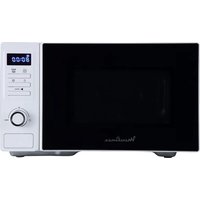
| Brand | Moulinex |
| Model | MW2310 |
| Product type | Combi microwave (grill) |
| Interior volume (estimated) | 20 L |
| External dimensions (W × D × H) | 440 × 360 × 260 mm |
| Internal dimensions (W × D × H) | 306 × 274 × 208 mm |
| Net weight | 10.9 kg |
| Power supply | 230 V ~ 50 Hz |
| Maximum power consumption | 2050 W |
| Microwave power output | 700 W |
| Grill power | 1000 W |
| Operating frequency | 2450 MHz |
| Cooking modes | Microwave, Grill, Micro Grill |
| Automatic programs | Auto Cook (4), Auto Defrost (4), Auto Beverage (4), Duo (2) |
| Quick reheat | Yes (+30 seconds) |
| Independent timer | Yes |
| Child safety | Yes (control lock) |
| Turntable | Glass, removable |
| Direct Access accessory | Included (for Duo and grill) |
| Automatic cleaning | Yes (Auto Beverage 4 program) |
Frequently Asked Questions - MW2310 MOULINEX
User questions about MW2310 MOULINEX
0 question about this device. Answer the ones you know or ask your own.
Ask a new question about this device
Download the instructions for your Microwave in PDF format for free! Find your manual MW2310 - MOULINEX and take your electronic device back in hand. On this page are published all the documents necessary for the use of your device. MW2310 by MOULINEX.
USER MANUAL MW2310 MOULINEX
Direct access reel
MW 2100
MW 2300
MW 2310
French p. 2
English p. 16
Spanish p. 30
Italian p. 44
Portuguese p. 58
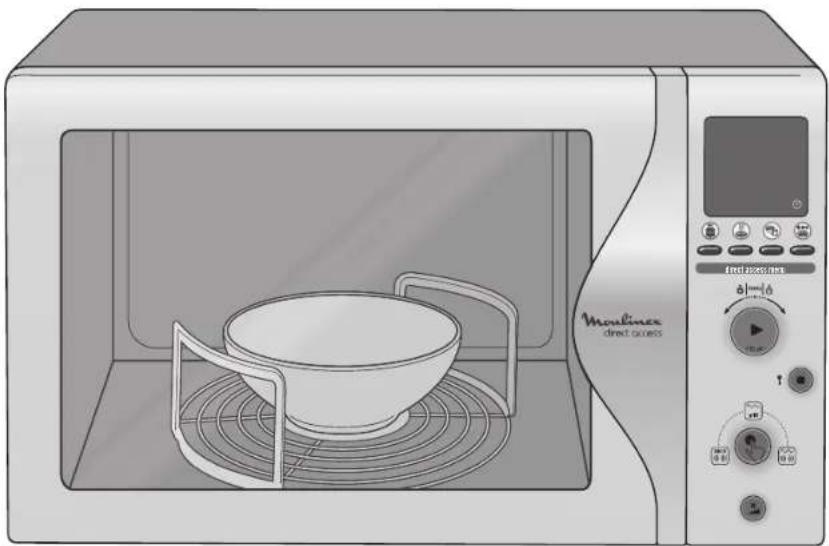
Table of contents
EN
Installing the appliance 18
Preparation 18
Electrical connection 18
Where best to place your oven 18
Important safety instructions....18
Instructions for use 19
Food 19
Containers and materials 20
Cooking time 21
Resting time 21
Time setting 21
Setting the independent timer 21
Use of the automatic programmes 21
Auto Cook 22
Auto Defrost 22
Auto Beverage 23
Duo 23
Using manual functions 23
"Microwave" mode 24
"Grill" mode 24
"Microwave grill" mode 25
Using the quick re-heat function 25
Setting cooking time 26
Stopping the oven 26
Activation of Child Safety device 26
Cooking guide 26
Cooking with microwaves 27
Reheating 27
Defrosting 27
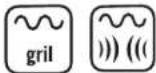
"Grid"/"Microwave Grill" modes 27
Cleaning 28
Technical problems 28
Waste disposal instructions 28
Performance test data 29
Technical characteristics 29
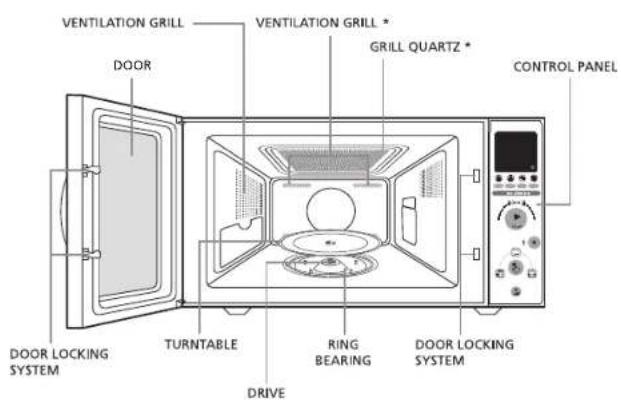
Appliance description *
Display *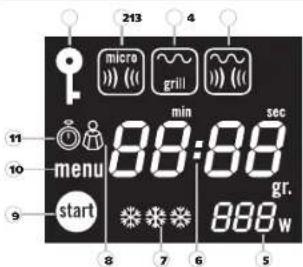
①Child Safety symbol ②Microwave mode symbol (Microwave) ③Grill mode symbol ④Microwave - Grill mode symbol (Microwave + Grill) ⑤Display of power in Watts ⑥Cooking time display in minutes and seconds ⑦Defrost mode display ⑧Weight symbol (grams) ⑨Start symbol ⑩Automatic programme symbol ⑪Programmed time symbol
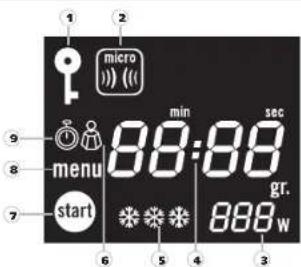
①Child Safety symbol ②Microwave mode symbol (Microwave) ③Display of power in Watts ④Cooking time display in minutes and seconds ⑤Defrost mode display ⑥Weight symbol (grams) ⑦Start symbol ⑧Automatic programme symbol ⑨Programmed time symbol
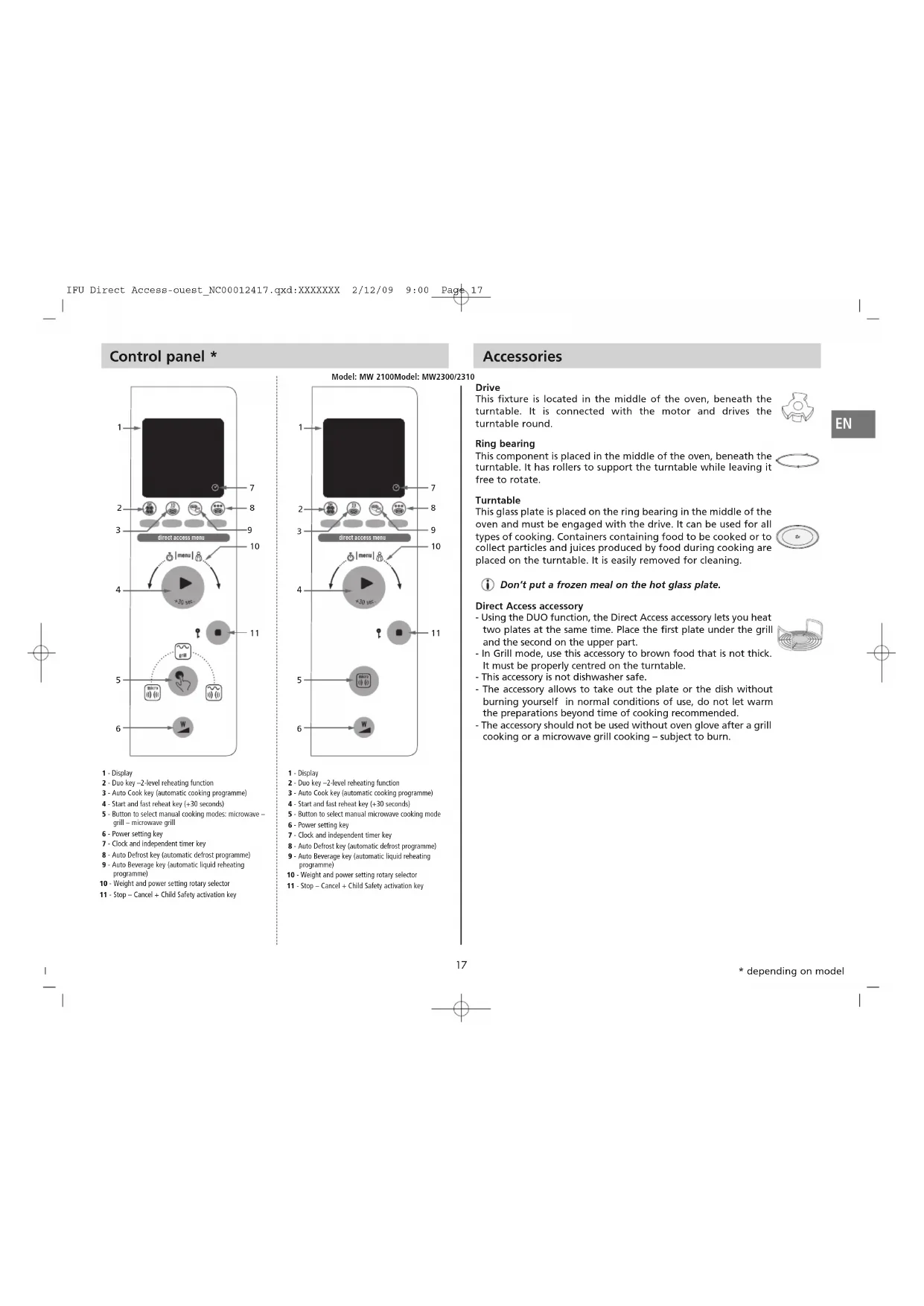
Control panel *
![graph TD A["1"] --> B["2"] B --> C["3"] C --> D["4"] D --> E["5"] E --> F["6"] F --> G["7"] G --> H["8"] H --> I["9"] I --> J["10"] J --> K["11"] K --> L["12"] L --> M["13"] M --> N["14"] N --> O["15"] O --> P["16"] P --> Q["17"] Q --> R["18"] R --> S["19"] S --> T["20"] T --> U["21"] U --> V["22"]…](/content/2026/02/372799/images/df27370e16d765f5e914c85d1cbd676d31ebf07f8850ee0c1edeb55967b141e0.jpg)
1 - Display 2 - Duo key -2-level reheating function 3 - Auto Cook key (automatic cooking programme) 4 - Start and fast reheat key (+30 seconds) 5 - Button to select manual cooking modes: microwave grill - microwave grill 6 - Power setting key 7 - Clock and independent timer key 8 - Auto Defrost key (automatic defrost programme) 9 - Auto Beverage key (automatic liquid reheating programme) 10 - Weight and power setting rotary selector 11 - Stop - Cancel + Child Safety activation key
Model: MW 2100 Model: MW2300/2310![graph TD 1["User Interface"] --> 2["Menu"] 2 --> 3["Direct Access Menu"] 3 --> 4["User Interaction"] 4 --> 5["User Interaction"] 5 --> 6["User Interaction"] 6 --> 7["User Interaction"] 7 --> 8["User Interaction"] 8 --> 9["User Interaction"] 9 --> 10["User Interaction"] 10 --> 11["User Interaction"]…](/content/2026/02/372799/images/97d5f4906f161f3a924e03d8b239aef89924eca3f45dd62ec811fbc93e96940e.jpg)
1 - Display 2 - Duo key -2-level reheating function 3 - Auto Cook key (automatic cooking programme) 4 - Start and fast reheat key (+30 seconds) 5 - Button to select manual microwave cooking mode 6 - Power setting key 7 - Clock and independent timer key 8 - Auto Defrost key (automatic defrost programme) 9 - Auto Beverage key (automatic liquid reheating programme) 10 - Weight and power setting rotary selector 11 - Stop - Cancel + Child Safety activation key
Accessories
Drive
This fixture is located in the middle of the oven, beneath the turntable. It is connected with the motor and drives the turntable round.
Ring bearing
This component is placed in the middle of the oven, beneath the turntable. It has rollers to support the turntable while leaving it free to rotate.
Turntable
This glass plate is placed on the ring bearing in the middle of the oven and must be engaged with the drive. It can be used for all types of cooking. Containers containing food to be cooked or to collect particles and juices produced by food during cooking are placed on the turntable. It is easily removed for cleaning.
Do not place a frozen meal on the hot glass plate.
Direct Access accessory
- Using the DUO function, the Direct Access accessory lets you heat two plates at the same time. Place the first plate under the grill and the second on the upper part.
- In Grill mode, use this accessory to brown food that is not thick. It must be properly centred on the turntable.
- This accessory is not dishwasher safe.
- The accessory allows you to take out the plate or the dish without burning yourself in normal conditions of use. Do not let preparations warm beyond the recommended cooking time.
- The accessory should not be used without an oven glove after a grill cooking or a microwave grill cooking – risk of burns.


Installing the appliance
Preparation
Unpack the accessories, wash them, and dry them carefully.
Place the drive, the crown, and then the turntable in the centre of the oven.
i The turntable must be well secured to the drive.
Connection
Check on the rating plate affixed to the rear of your appliance stating nominal voltage (220-230V) that your electrical installation is appropriate for the appliance.
Make certain that the amperage shown on your electricity meter and circuit breaker is at least 16 Amps.
Lastly, for effective safety, you must be certain to connect your appliance to a socket with an earth pin in accordance with electrical standards.
Place the appliance so that the plug is accessible at all times so it can be readily disconnected.
Also check that you have access to your circuit breaker.
Recommendations relating to the power supply must be strictly respected.
Where best to place your oven
You can place the appliance either:
- On a work surface: Place it on a flat, stable surface capable of bearing the oven and its contents and resisting a temperature of more than 90°C. The oven must be handled with care. The side of the oven with the control panel is heavier.
- In a niche: The niche must be at least 85 cm above the floor. Centre the appliance in its recess in such a way that it does not touch the walls of the niche.
Heat must be free to evacuate: leave a minimum space of 20 cm above the oven, 10 cm on either side and 10 cm to the rear.
Install the appliance far enough away from any source of heat (e.g., conventional oven or radiator) as it is designed and tested for use at a maximum ambient temperature of 35°C.
Take care not to block the appliance's ventilation holes.
Important safety instructions
Read these instructions carefully and keep for future use.
- Your appliance is for domestic use. It is intended exclusively for cooking, reheating or defrosting food and drinks. Use it only for this purpose.
- This appliance is not designed to be used by people (including children) with impaired physical, sensorial or mental capacities, or by persons with little or no experience or knowledge, unless they can benefit, through someone responsible for their safety, from surveillance or instructions prior to using the appliance.
- It is appropriate to watch over children to make certain that they do not play with the appliance. Children should only be allowed to use the oven without surveillance where suitable instructions have been given to them, allowing them to use the oven safely and with complete understanding of dangers that can result from incorrect use.
Caution: risk of burns and scalding.
Accessible parts can become hot during use. You are advised to keep young children away.
- When in use, the appliance heats up. Take care not to touch the heating elements located inside the oven. Be careful too of other surfaces that can heat up, as with the door, the grill resistor element, the walls of the enclosure and the cover.
In microwave mode to avoid any risk of burning when removing recipients from the oven (when not using the Direct Access accessory), always use heat-proof gloves. Using grill and micro-grill functions, please use insulating gloves.
- This appliance is not intended to be operated using an external timer or a separate remote control system.
- Do not operate your appliance empty. This could lead to damage. If you want to try out a programme, place a glass of water inside so the microwaves will thus be absorbed and your oven will not be damaged.
- The door must be able to close again freely:
Do not insert objects between the door and the front of the oven or prevent its closure (tea-towel, kitchen glove, too big a dish, etc.). If your appliance's door does not close correctly, a safety system will stop it from starting.
- * When cooking in grill, projections of grease onto the grill resistor element can ignite. These flames will die out by themselves and have no harmful effect if you maintain your appliance regularly.
- Do not use the microwave with the accessory Direct Access without food.
To avoid projections of grease, especially when cooking poultry or meat, use enamelled earthenware dishes. Always leave at least 2 cm between the grill resistor element and the food.
- Never block the air vents: the oven could overheat.
If this happens, your appliance will stop automatically and then remain inoperative until it has cooled down enough.
- Precautions to avoid possible exposure to microwaves:
① It is dangerous for anyone other than a qualified person to perform maintenance or repair operations involving the removal of a cover protecting against exposure to microwave energy.
- Do not try to run your appliance when the door is open, touch the door safety locking system or insert anything inside that system.
- Do not place any object that could obstruct opening or closing of the door.
- Do not let any remainders of food or cleaning products accumulate on door seals. Ensure that the door and its seals remain clean. After use, wipe them with a wet cloth and then dry them carefully.
- It is especially important that the oven door closes correctly and that there is no defect on:
- the door, the seals and hinges, - the power supply cord.
Do not operate the oven if the door or door seal is damaged. Have it repaired first by a qualified technician.
If the power cable is damaged, it must be replaced by the manufacturer, its product support department, or persons with similar qualifications to avoid danger.
- For your own safety, this appliance conforms to applicable standards and regulations (Low Voltage Directive, electromagnetic compatibility, materials in contact with food, the environment, etc.).
Never use your oven if it is damaged.
Your oven should in no case be adjusted or repaired by anyone other than a qualified technician from the microwave department trained by the manufacturer.
The following recommendations will help you use your oven in the best possible way. Please read them attentively.
Instructions for use
You can use your appliance to defrost, heat, and cook food much more quickly than with a conventional cooker.
Food
Prohibited food
If you choose a microwave cooking method, you must never:
- Fry food, as it is impossible to control the temperature of the oil or fat content (risk of catching fire).
- Cook eggs in their shell, hard-boiled eggs, or snails, as they are likely to explode, even after having been cooked.
- Cook food with a whole husk or shell (such as sweet chestnuts), or with a hard skin (such as tomatoes, potatoes, and sausages). Always cut through the shell first or prick skins.
Temperature of food
Thanks to the properties of microwave ovens, only the food heats up, with the container thus remaining cold or just warm while the food it contains gets extremely hot.
The contents of feeding bottles and pots of baby food must be stirred or shaken and the temperature checked before consumption to avoid scalding.
Shake feeding bottles well and pour out a few drops of liquid onto the back of your wrist to check its temperature.
Apply similar precautions for all dishes cooked using the microwave.
Food preparation
Before heating feeding bottles and small pots, remove the teats and lids. Remember to cover the food:
• to avoid it splashing against the enclosure of the oven, • to retain enough water content for cooking.
Reheating liquids
When you use a microwave oven to heat up drinks, there can be sudden burst from the boiling liquid as it is removed from the oven or shortly after. Precautions must be taken when handling the container.
Indeed, after boiling point has been reached, bubbles are captured at the bottom of the container to be released only when you move it.
To avoid this physical phenomenon and prevent risks of scalding, always put a plastic spoon in the container to be heated.
Containers and materials
① Only use utensils suited for use in microwave ovens.
Below you will find details on the different types of containers that are recommended or prohibited for the various cooking methods used.
"Micro" mode (microwave)
Use containers suited to microwave cooking.
Check a container's "transparency" to microwaves using a quick and easy test.
Place the empty container on your appliance's turntable together with a glass filled with water, then start the oven for 1 minute at maximum power.
After 1 minute:
- If the container remains cold, it can be considered to be "transparent" and is suited to use in microwave mode.
- If the container is hot or tepid, this means it is "absorbent" and cannot be used in a microwave.
Never use sealed containers.
Liquids and other food should not be heated in sealed containers as they are likely to explode.
Remember to remove lids and caps on feeding bottles, jars, bottles, and plastic containers.
Disposable containers
When heating foodstuffs in paper or plastic containers, keep an eye on the oven in case these catch fire.
If you see smoke, stop or disconnect the oven and keep the door closed to starve any flames of oxygen.
Metal containers
Never use metallic containers and materials when microwave cooking. However, you can use your appliance to heat or defrost some preparations in small metal trays without their lids, provided they do not stand higher than 4 cm.
For such lids, follow the instructions featured on the packaging. In some cases, you will have to remove the lid and in others leave it on. Where no indications are provided, remove as a precaution.
Centre the tray(s) on the turntable, leaving a gap of at least 1 cm between the walls of the enclosure and the tray. If you place several trays in the microwave, space them apart by at least 2 cm.
"Grill" mode *
These cooking methods do not require special containers.
Use the same containers as you would in a conventional oven, i.e., heat-resistant containers.
Never use plastic utensils (risk of melting) or paper/cardboard ones (risk of fire). Keep food at least 2 cm away from the grill resistor element.
"Microwave grill" mode *
Containers prohibited in "microwave" mode are also not to be used in "microwave grill" mode.
Containers prohibited in "grill" mode are also not to be used in "microwave grill" mode.
Summary of containers and materials permitted and not permitted in "micro" mode
| Materials Containers | Suitable for micro-waves | Remarks |
| METAL | ||
| Aluminium foil In certain cases May be used in small quantities to protect certain parts of the food from overcooking. Risk of electric arcing if the foil is too close to the oven walls or you have used too much. | ||
| Aluminium tray In certain cases See "Metal containers", above | ||
| Metal sheet No Risk of electric arcing and fire | ||
| Freezer bag ties No Risk of electric arcing and fire | ||
| GLASS | ||
| Heat-resistant glass Yes Perfectly suitable | ||
| Glass with metal-based decoration (gold, lead etc.) | No Risk of electric arcing | |
| Fine glassware No May break or crack if heated suddenly | ||
| PLASTIC | ||
| Plastic containers Yes Perfectly suitable if the plastic is heat-resistant.Certain plastics may be prone to deformation or discoloration after repeated use.Do not seal closed. | ||
| Plastic film Yes Can be used to retain moisture and prevent spitting. The plastic must not touch the food during cooking.Puncture the plastic to allow excess vapour to escape.Use oven gloves to remove the plastic film after cooking (risk of burns from hot vapour escaping from the container). | ||
| DISPOSABLE CONTAINER MATERIALS FORBIDDEN IN GRILL AND FAN OVEN MODES | ||
| Polystyrene cups or packaging | Yes | Can be used for heating liquids and foods for a short time. Overheating could melt the polystyrene, which would then become mixed with the food. |
| Paper bag | No Fire-risk | |
| Paper plates, cups, napkins or absorbent paper. | Yes May be used for heating and brief cooking | |
| Grease-proof paper | Yes | Can be used to retain moisture and prevent spitting. Short cooking times. |
| Recycled paper | No Risk of electric arcing | |
| PORCELAIN | ||
| Porcelain containers | Yes | Perfectly suitable except with metal-based decoration (gold, lead etc.). |
Cooking time
To determine the right cooking time for your foods, follow the instructions on the packaging of ready-made dishes and deep-frozen products.
In the absence of any precise indication, divide the cooking or reheating time given for a conventional oven by at least three. In any case, refer to the cooking guide included in these instructions.
Do not programme a cooking time longer than necessary. You will then avoid any risk of overcooking or setting fire to your food.
Resting time
Microwaves act close to the surface and penetrate food to a depth of 2 to 3 cm. Once the surface layers are hot, heat penetrates to the centre of the food by conduction, i.e., the hot parts heat the cold parts. This makes it a good idea to allow the food to rest after removing it from the microwave so that the heat can penetrate to the centre.
Setting the time
You must set the clock after connecting your appliance or after a break in supply.
The display will show:
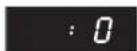
Keep the clock button pressed for 5 seconds.
- The "00" indication for the hours will blink.

Adjust the hours by turning the rotary knob.

Press the clock button to enter the hours setting.
- The "00" indication for the minutes will blink.
Adjust the minutes by turning the rotary knob.
Press the clock button to enter the minutes setting
- The clock is now set.
Adjusting the independent timer
The timer is completely independent of all the other functions. It can only be used while the oven is stopped.
The display will be showing the clock time.
Press the clock button once, briefly.
- "0" and the "clock" symbol appear on the display.
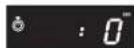
Set the desired time, in minutes and seconds, by turning the rotary knob.
Press the START button.
• The countdown will start.
When it reaches ".0":
• the oven will beep 4 times, and the display indicates:
- the display will again show the clock time.


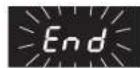
You can change at any time the cooking time with the rotary knob.
Using automatic programmes
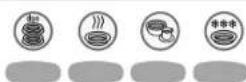
Thanks to automatic programmes, everything is calculated automatically. All you have to do is specify the type of food and its weight, and the oven will automatically adopt the cooking method, the power and most appropriate cooking time.
Your oven has 4 types of programme according to the desired action:
• DUO to heat up 2 dishes at once • AUTO COOK for cooking • AUTO BEVERAGE to heat up liquids • AUTO DEFROST for defrosting
① You cannot modify its power and duration when using an automatic programme.
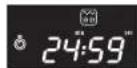
- When cooking is finished, the oven will give off 4 warning sounds and ":0" will flash 4 times on the display. The time will then again be shown on the display.
- If you do not open the oven at the end of the programme, it will give a warning sound every minute to remind you.
EN
AUTO COOK
Automatic Cooking Programme
You can choose from 4 programmes:
- Fish - 250 to 750g "Microwave air" cooking mode
- Red meat (beef and lamb) - 750 to 1,250g "Microwave air" cooking mode
- Fresh vegetables – 200 to 700g Microwave cooking mode
- Frozen ready prepared dish- 300 to 500g Microwave cooking mode
① You must give the oven the type of food and weight.
Use
Place food in the centre of the turntable and close the door.
Press the Cook key. This will remain on throughout selection of the desired programme and weight of food.
Turn the rotary button to the number corresponding to the food to be cooked.
- The programme number will appear on the display together with the symbol for the cooking method used for each programme.
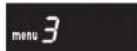
Once you have chosen programme, press the "Start/Select" button to confirm your choice.
Use the rotary button to select the weight of the food ready to cook.
- The weight will appear on the display together with the "gr." symbol.
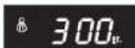
If you fail to respond after 3 seconds, the "START" symbol will flash on the display asking you to start cooking.
Press the "START" key.

- The oven will start for a period perfectly suited to your preparation and shown on the display.
- When cooking is finished, the oven will give out 4 warning sounds and the display will show:

① For programmes 1 and 2, the oven will give off a warning sound half way through and set to pause so you can turn the food over to obtain perfectly even cooking. Turn the food over and press "START" to start the cooking cycle again.
AUTO DEFROST
Automatic defrosting programme
You can choose from 4 programmes:
- Poultry - 200 to 1,500g
- Red meat (beef and lamb) - 200g to 2,000g
- Fish - 200 to 1,500g
- Bread - 125g to 1,000g

You must give the oven the type of food and weight.
Use
Place food in the centre of the turntable and close the door.
Press the Defrost key. This will remain on throughout selection of the desired programme and weight of food.
Turn the rotary button to the number corresponding to the food to be cooked.
- The programme number will appear on the display together with the cooking method symbol.
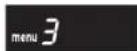
Once you have chosen programme, press the "Start/Select" button to confirm your choice.
Use the rotary button to select the weight of the food ready to cook.
- The weight will appear on the display together with the "gr." symbol.
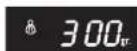
If you fail to respond after 3 seconds, the "START" symbol will flash on the display asking you to start defrosting.
Press the "START" key.
- The oven will start for a period perfectly suited to your preparation and shown on the display.
- When cooking is finished, the oven will give out 4 warning sounds and the display will show:

① For programmes 1 and 3, the oven will give off a warning sound half way through and set to pause so you can turn the food over to obtain perfectly even defrosting. Turn the food over and press "START" to start defrosting cycle again. When cooking is finished, the oven will stop a few minutes before the end of the programmed cooking period for perfectly even defrosting.
AUTO BEVERAGE
Automatic liquid heating programme
You can choose from 4 programmes:
- Cups of coffee - 10cl - 1 to 3 cups
- Bowls of milk - 30cl - 1 to 2 bowls
- Dishes of soup - 30cl - 1 to 2 dishes (using the Direct Access accessory)
- Automatic cleaning - 20 cl of water

① You must give the oven amount of liquid to be heated.
Use
Place the liquid in the centre of the turntable and close the door.
Press the Beverage key. This will remain on throughout selection of the desired programme and the quantity of liquid to be heated.
Turn the rotary button to the number corresponding to the liquid to be heated.
- The programme number will appear on the display together with the "menu" mode symbol.
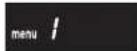
Once you have chosen programme, press the Start button to confirm your choice.
Use the rotary button to select the number of containers ready to be heated.
- The weight will appear on the display together with the "gr." symbol.
- The quantity will appear on the display.
If you fail to respond after 3 seconds, the "START" symbol will flash on the display asking you to start heating.
Press the "START" key.

- The oven will start for a period perfectly suited to your preparation and shown on the display.
- When cooking is finished, the oven will give out 4 warning sounds and the display will show:
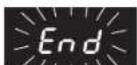
DUO
2-level heating function

To be used only with the Direct Access accessory (see details on accessories p. 19)
Use this function to heat up 2 dishes at the same time. (Operates in microwave mode).
You have a choice of 2 programmes according to the desired result:
- Hot 2. Very hot
You do not need to select the type of preparation and weight.
The time will be calculated automatically on the basis of 2 dishes each weighing about 300g.
① Make certain that both 2 dishes are of the same weight and with the same type of food.
Use
Place the first plate in the centre of the turntable. Place the Direct Access accessory around this plate and set the second plate on top of the Direct Access accessory.
Press the DUO key. This will remain on throughout programming and cooking. Use the rotary button to select the heating result (1 or 2 according to the level of heating desired)
- The programme number will appear on the display together with the "menu" symbol.
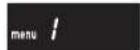
If you fail to respond after 3 seconds, the "START" symbol will flash on the display asking you to start heating.
Press the "START" key.

- The oven will start for a time perfectly suited to heating of your 2 dishes.
Using manual functions *
You can use manual functions to cook, heat or defrost all kinds of food. Unlike with automatic programmes, you must yourself select the cooking method, time and power. If you do not have the necessary information, consult the cooking guide on page 28.
You have the choice of 3 different cooking methods *. Use the "MODE" button to select from among the various cooking methods.

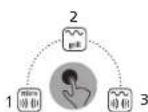
1-Microwave
2-Grill Cooking using the upper grill resistor element
3-Microwave grill Combined "microwave and grill" cooking
You cannot change the cooking method while in process.
- When cooking is finished, the oven will give off 4 warning sounds and "End" will flash 4 times on the display. The time will then again be shown on the display.
- If you do not open the oven at the end of the programme, it will give a warning sound every minute for 5 minutes to remind you.
MICROWAVE MODE (microwave only)

Use this mode to cook, heat or defrost food manually.
This cooking method is the one your oven uses by default. This means you do not need to select it using the "MODE" key.
Use
Place food in the centre of the turntable and close the door.
① You can set the power and duration of cooking in the order you want. You can change them at any time and in whatever order, even when cooking.
Power setting
By default, the oven runs at maximum power. Therefore, you do not need to make a selection if you wish to use maximum power.
However, if you wish to use a lower power level, select by pressing the "W" key as many times as necessary to show 700W, 600W, 450W, 300W, 180W (defrosting) or 100W.

The power will appear on the display together with the symbol "W" and the microwave cooking symbol.
If you fail to respond after 3 seconds, the power level will disappear from the display and "0" will be shown calling on you to set the cooking time.
Setting cooking time
Use the rotary button to select the cooking time.
• The time will appear on the display
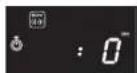
The maximum cooking time for the timer in microwave mode is 99 minutes.
If you fail to respond after 3 seconds, the "START" symbol will flash on the display asking you to start cooking.
Start-up
Press the "START" key.
The oven will start up for the selected cooking time.

Defrosting
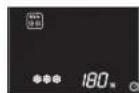
If you wish to defrost food without using the automatic Auto Defrost programme, set power to 180W (see detail on operations above).
- In this case, the defrosting symbol will appear on the display together with the microwave cooking mode symbol.
GRILL MODE *

To be used preferably with the Direct Access accessory (see details on accessories p. 19)
Use this mode to brown food such as gratins or meats using the oven's grill resistor element.
Use heat-resistant containers only.
Use without the Direct Access accessory
1st stage: pre-heating of the grill
Press the "MODE" key twice to select the "grill" mode.
- The "Grill" symbol will appear on the display together with ":0".

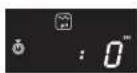
Use the rotary button to select the pre-heating time (about 3-4 minutes).
The time will appear on the display.

If you fail to respond after 3 seconds, the "START" symbol will flash on the display asking you to start pre-heating.
Press the "START" key.
The oven will start for the pre-heating time.

2nd stage: Cooking in grill mode
Place the food on the Direct Access accessory and set it in the centre of the turntable.
Always use heat-insulated gloves to handle dishes and accessories in "grill" mode as there is a risk of burns.
Again use the "MODE" key to select "grill" mode, then set the grill time and press the "START" key to commence grilling.
The maximum time setting in "grill" mode is 60 minutes. Note: The grill resistor element may go on and off during cooking. This is normal as it prevents overheating.
MICROWAVE GRILL MODE (Microwave + Grill) *

Preferably use this mode with the Direct Access accessory (see details on accessories p. 19). Use this mode to microwave cook or heat food quickly obtaining a browned appearance thanks to your oven's grill resistor element. Note: Use only containers that are resistant both to microwaves and heat.
Use
Note: You are advised to preheat the grill in "microwave grill" mode.
Place the food on the Direct Access accessory and set it in the centre of the turntable. Always use heat-insulating gloves to handle dishes and accessories in "microwave grill" mode as there is a risk of burns.
Press the "MODE" key 3 times to select the "microwave grill" mode.

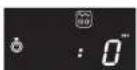
The "microwave grill" symbol will appear on the display together with ":0".
① You can set the power and time for cooking in the order of your choice and then change them at any time during cooking.
Power setting

By default, the oven runs at maximum power. Therefore, you do not need to make a selection if you wish to use maximum power. However, if you wish to use a lower power level, select by pressing the "W" key as many times as necessary to show.
600W
450W
300W
① In "microwave grill" mode, the authorised maximum power is 600W.
- The power will be shown on the display together with the "W" symbol.
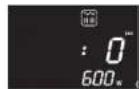
If you fail to respond after 3 seconds, the power will disappear from the display and ":0" appear asking you to set the cooking time.
Adjustment of the duration
Select the duration using the rotary button.

• The duration will be shown on the display.
The maximum duration of the timer in mode "microwave grill" is 60 minutes.
If you fail to respond after 3 seconds, the "START" symbol will flash on the display asking you to start pre-heating.
Start-up
Press the "START" key.
The oven will start for the selected time.

The grill resistor element may go on and off during cooking. This is normal as it prevents overheating.
Using the quick reheat function
If you wish to warm a dish or liquid very briefly, use the "Start +30 sec" button.
Use
Place the food at the centre of the turntable and close the door.
Press the "START" button.
The oven will start automatically for 30 seconds at maximum power.

The power can be changed at any time by pressing the "W" button.

Each time that the "START + 30 s" button is pressed, you can easily modify the timing at any moment by pushing the START button or using the rotary button.

Adjusting the cooking time
As when using a conventional oven, you may need to make slight adjustments to the cooking, heating or defrosting times indicated in the cooking guide (p. 28) or on the food packaging.
This can be done in two ways:
Using the rotary knob
Turn the knob clockwise or anticlockwise
to increase or reduce the cooking time.
• The time shown on the display will change. - Changing the setting does not stop the oven.
Using the "START + 30 s" button.
Active only in Microwave Only mode.
Press the "START + 30 s" button one or more times.

• Each time you press the button the time shown on the display will increase by 30 seconds. - Changing the setting does not stop the oven.
Stopping the oven
Pause
You can interrupt the operation of the oven at any time to:
- check the progress of cooking,
- turn or stir the food,
- allow the food to rest.
To do this, you can simply open the oven door or press once on the "STOP/CANCEL" button.

- The oven will stop and hold the cooking status in memory.
- No change in the display will occur during the pause. The "Start" symbol on the display will blink until you restart cooking.
To restart cooking, press the "START + 30 s" button.

To cancel the cooking, press the "STOP/CANCEL" button again.
- The clock time will then reappear on the display.
Cancel
The "STOP/CANCEL" button can also be used to cancel entirely the current cooking or programme.
If you are currently cooking:
press the "STOP/CANCEL" button twice.
- At the first press, the oven will pause; at the second press, the cooking will be cancelled and the display will show the clock time. If you are currently setting the oven: press the "STOP/CANCEL" button once.
- The current settings will be cancelled and the display will show the clock time.
Activating the Child Safety
Your oven is equipped with a control locking system, which prevents its being started unintentionally or by unsupervised children.
To lock:
Keep the "STOP/CANCEL" button
pressed for 3 seconds.

- The oven will beep to indicate that the controls are locked.
- The "Safety" symbol will appear on the display.
The buttons are locked.
- Any attempt at starting will cause the oven to beep.
To unlock:
Keep the "STOP/CANCEL" button pressed for 3 seconds.
- The oven will beep to indicate that the controls are unlocked.
- The "Safety" symbol will disappear from the display.
① This function is only available when the oven is stopped. ① After an interruption of supply, the Child Safety will be unlocked.
Cooking guide
The times indicated in the cooking tables are given for guidance only. The correct cooking time can vary with the shape, thickness and temperature of the food.
The resting times are for use after cooking, heating or defrosting.
Microwave cooking
"micro" mode

• Cooking guide for fresh vegetables
Use a Pyrex container, suitable for microwaves. Pour in 2 to 3 tablespoons of cold water for every 250 g of vegetables (unless otherwise indicated in the table below). Add the vegetables and cover.
Start the oven and stir once during cooking. At the end of cooking, stir thoroughly, add salt, herbs or butter and cover while resting.
For best results, chop the fresh vegetables. The smaller the pieces, the faster they will cook.
| Food Quantity Power | Cooking time(minutes) | Resting time(minutes) | Instructions | ||
| Carrots 250 g 700 W 7 3 | Cut the carrots evenly intoslices. | ||||
| Courgettes 250 g 700 W 7 3 | Cut the courgettes into slices.Add a knob of butter.Cook until tender. | ||||
| Potatoes | 250 g500 g | 700 W | 7 - 811 | 3 | Peel the potatoes and cutthem into 2 or 3 equal pieces. |
Reheating
"micro" mode

After heating liquids, it is advisable to leave the container to stand in the oven for at least 20 seconds. This allows the heat to spread through the liquid and minimises any risk of overflow and scalding. Stir the liquid during and after heating.
• Warming guide for baby food.
| Food Quantity Power | Cooking time (minutes) | Resting time (minutes) | Instructions | ||
| Baby food (vegetables and meats) | 190 g 600 W 1 l - 2 | Place the food in a ceramic bowl. After cooking, cover and leave to rest. Before serving, carefully check the temperature of the food. | |||
It is possible to heat baby bottles in the microwave, taking care to respect the instructions given on the milk cartons.
Defrosting
Place the frozen food in a dish. Do not cover.
At regular intervals during defrosting, turn the food and pour off any water.
Ensure that the food does not start to cook during defrosting. If any part of the food should begin to cook, cover it with a small piece of aluminium foil to screen it from the microwaves.
If the surface of poultry becomes warm, stop defrosting, leave to stand for 20 minutes before recommencing.
Leave to stand for the full resting time to be sure that defrosting is complete.
The thicker the food, the longer the defrosting time required.
The table below applies for frozen food at a temperature between
-18 °C and -20 °C.
| Food Quantity | Cooking time (minutes) | Resting time (minutes) | Instructions |
| Meat: minced pork steak | 400 g250 g | 149 - 10 | Place the food on a flat ceramic plate. Tum halfway through defrosting. |
| Poultry: Chicken pieces | 500 g(2 pieces) | 16 - 19 2 | Place on a plate (pieces skin down).Turn halfway through defrosting. |
| Fish: Fillet | 250 g 7 | 8 2 | Place the fish in the middle of a ceramic plate. Place the more fragile pieces under the thicker pieces. Turn halfway through defrosting. |
"grill" / "micro grill" modes *
Cooking with grill alone or with combined microwaves + grill
- Cooking guide for "grill" / "micro grill" mode: fresh food
| Food Quantity | Mode + power | Side 1 Time (minutes) | Side 2 Time (minutes) | Instructions |
| Chicken pieces 500 g | "micro grill" mode300 W | 15 13 | Brush with oil and sprinkle with spices. Place the pieces in a dish on the Direct Access accessory.Leave to stand for 2-3 minutes. | |
| Bread | 25 g(4 slices) | 4 | 4 | Place the slices on the Direct Access accessory |
- Cooking guide for "grill" / "micro grill" mode: frozen food
| Food Quantity Power | Cooking time(minutes) | Instructions | ||
| Fish gratin 400 g | Mode"Micro Grill"450 W | 18 | Place the gratin in a rectangular Pyrex dish.Place the dish on the Direct Access accessory.Leave to stand for 2-3 minutes. | |
| Lasagna 400 g | Mode"Micro Grill"450 W | 19 | Place in a rectangular Pyrex dish. Place the dish on the Direct Access accessory. Leave to stand for 2-3 minutes. | |
Some additional advice
• To melt butter:
Put 50 g of butter in a small, shallow, glass dish. Cover with a lid or plastic film. Heat for 30-40 seconds at maximum power until the butter is melted.
• To melt chocolate:
Put 100 g of chocolate in a small, shallow, glass dish. Heat for 3-5 minutes at maximum power until the chocolate is melted. Stir once or twice during heating. Use oven gloves to remove it from the oven.
Stir once or twice during heating. Use oven gloves to remove the container from the oven.
Cleaning
You are advised to clean the oven regularly and remove any food deposits.
The following parts of your microwave oven must be cleaned regularly to prevent grease and food particles accumulating:
• Inner and outer surfaces of your appliance - The door and its seals • The drive, the crown and plateau
If the appliance is not kept in a good clean condition, its surface could become damaged leading inevitably to reduced service lifetime and possible hazards. ① Make certain that the door closes correctly. Do not use scouring products or hard metal scrapers to clean the glass door of the oven. This could scratch its surface and lead to the glass splintering.
Clean outer surfaces with a soft cloth and soapy water.
Rinse and dry thoroughly.
Clean all particles or stains to be found inside your appliance or on the crown with a soapy cloth. Rinse and dry thoroughly.
To make it easier to clean off food particles and remove unpleasant odours, place a glass of lemon juice diluted in water on the turntable and use the automatic cleaning programme 4 from the Auto Beverage menu or heat your appliance for 2 minutes on maximum power. The steam will soften the stains. Rinse and dry.
Take care never to let water run into the air vents.
Do not use any scouring product or solvent.
Carefully clean the door seals, ensuring that no particles:
- accumulate there. • or prevent correct closing of the door.
Clean your appliance's enclosure after each use with an appropriate detergent.
Always let your oven cool down first before cleaning it.
Cleaning accessories
- Glass plateau
Can be washed in the dishwasher (except for the Direct Access accessory).
Technical problems
Your appliance should not be used if the door or door seals are damaged, especially if:
- hinges are broken
- seals are in poor condition
- or the enclosure is deformed
Contact the after-sales service to conduct repairs (see lists attached).
Getting used to a new appliance always takes a little time. If you encounter one of the problems listed below, try applying the suggested solutions.
- The following phenomena are perfectly normal and should not give rise to concern:
- Condensation inside the oven
- Evacuation of air around the door and outer walls
- Reflection of light around the door and on the outer walls
- Steam escaping from the door or the air vents.
It is normal for there to be a slight release of smoke or for smells of new equipment to escape when you use your appliance for the first time. This is natural and will soon disappear.
• If you note that food is not at all cooked:
- Make certain that you programmed the timer correctly and pressed the "Start + 30s" button.
- Make certain that the door was closed correctly.
- Make certain that the circuit breaker did not flip or a fuse burn out.
- Food is over-cooked or under-cooked:
- Make certain that the programmed cooking time is suited to your preparation.
- Make certain you chose the correct power level.
- Make certain you did not forget to remove the aluminium foil covering the small food tray.
- Make certain the dish used is not "absorbent".
- Make certain the vents at the back of the appliance are not blocked.
- Clacking noises/sparks observed inside the oven:
- Make certain you did not use containers with metallic decorations.
- Make certain you did not leave a fork or metal utensil inside the oven.
- Make certain you did not place aluminium foil too close to the interior walls, place a metal tray off centre (or place 2 small trays too close to each other) or forget the metal fastener on deep freeze bags.
- A sound warning is emitted whenever you press a key:
- Make certain that the child safety device is not activated and if it is, inhibit it.
- Interior lighting does not come on while the oven functions normally:
- Bulb probably burnt out. Your appliance can still be used.
If these instructions did not solve your problem, get hold of the following information:
- model and serial number stated on the back of the oven
- your warranty
- a clear description of your problem and contact your local retailer or After Sales Service.
Waste disposal requirements

Play your part in protecting the environment!
Your appliance contains many recoverable or recyclable materials. Take it to a collection point to be dealt with properly.
Moulinex endeavours to respect the environment as far as is possible in the manufacture of its packaging. The package is made of 100% recyclable corrugated cardboard.
The plastic parts of the appliance have a marking that indicates the type of material. This enables the parts to be recycled.
You can obtain more detailed information on the disposal of each material from your local authority department with responsibility for waste
disposal. This department can also advise you on the disposal of any waste, including used appliances.
Your questions regarding disposal can be addressed to your local waste disposal service or to your Moulinex approved service centre.
Performance testing data
According to standard IEC 705
The sub-committee of the International Electrotechnical Commission, SC 59H, has developed a standard for comparative heating performance testing of various microwave ovens.
We recommend the following for the model in your possession.
| Test Load | Approximate time(minutes) | Power level | Container | |
| Egg cream 1000 g | 11 700 W | IEC 705recommendedcontainer | ||
| Sponge cake 475 g | 13 600 W | |||
| Sponge cake 475 g | 20 450 W + Gril* | |||
| Meatloaf 900 g 20 | 700 W | |||
| Defrost 500 g | 9 + 7(Return a 9) | 180 W |
These data are given for an appliance with a nominal power rating of 900 W.
Technical characteristics
| Model | MW 2300/2310 MW 2100 | |
| Supply rating | 230 V ~ 50 Hz | |
| Power consumption :Maximum powerMicrowavesGrill | 2050 W1050 W1000 W | 1150 W1150 W |
| Output power | 700 W | |
| Frequency | 2450 MHz | |
| Dimensions (L x D x H) mmOutsideInside | 440 x 360 x 260306 x 274 x 208 | |
| Weightgrossnet | 12.0 Kg10.9 Kg | 11.5 Kg10.4 Kg |
Index
- DIRECT ACCESS REEL
- TABLE OF CONTENTS
- EN
- APPLIANCE DESCRIPTION
- CONTROL PANEL
- ACCESSORIES
- DRIVE
- RING BEARING
- TURNTABLE
- DIRECT ACCESS ACCESSORY
- INSTALLING THE APPLIANCE
- PREPARATION
- CONNECTION
- WHERE BEST TO PLACE YOUR OVEN
- IMPORTANT SAFETY INSTRUCTIONS
- INSTRUCTIONS FOR USE
- FOOD
- COOKING TIME
- RESTING TIME
- SETTING THE TIME
- ADJUSTING THE INDEPENDENT TIMER
- USING AUTOMATIC PROGRAMMES
- AUTO COOK
- AUTO DEFROST
- AUTO BEVERAGE
- DUO
- USING MANUAL FUNCTIONS
- MICROWAVE MODE (MICROWAVE ONLY)
- GRILL MODE
- USING THE QUICK REHEAT FUNCTION
- ADJUSTING THE COOKING TIME
- USING THE ROTARY KNOB
- USING THE "START + 30 S" BUTTON
- STOPPING THE OVEN
- PAUSE
- CANCEL
- ACTIVATING THE CHILD SAFETY
- TO LOCK
- TO UNLOCK
- COOKING GUIDE
- MICROWAVE COOKING
- MICRO" MODE
- REHEATING
- DEFROSTING
- SOME ADDITIONAL ADVICE
- CLEANING
- CLEANING ACCESSORIES
- TECHNICAL PROBLEMS
- IF THESE INSTRUCTIONS DID NOT SOLVE YOUR PROBLEM, GET HOLD OF THE FOLLOWING INFORMATION
- WASTE DISPOSAL REQUIREMENTS
- PLAY YOUR PART IN PROTECTING THE ENVIRONMENT
- PERFORMANCE TESTING DATA
- TECHNICAL CHARACTERISTICS
- INDEX
Brand : MOULINEX
Model : MW2310
Category : Microwave