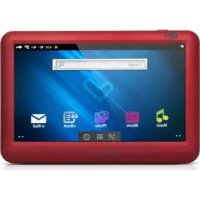
6304 - Mp3 player ENERGY SISTEM - Free user manual and instructions
Find the device manual for free 6304 ENERGY SISTEM in PDF.



| Product type | Android media player / Android Media Player |
| Brand | Energy Sistem |
| Model | 6304 (series 63) |
| Screen | TFT LCD touch 4.3 inches (480x272 pixels), 16:9 |
| Operating system | Android (version not specified) |
| Connectivity | Wi-Fi 802.11 b/g, USB 2.0 Host (OTG), USB 2.0 for PC |
| Supported audio formats | MP3, WMA, WAV, APE, OGG, AAC |
| Supported video formats | AVI (DivX/Xvid), up to 720p HD (max bitrate 2500 Kbps) |
| Supported image formats | JPG, BMP, GIF, PNG |
| Storage | Internal memory + microSDHC card reader |
| Battery | Rechargeable lithium-ion, charging time 3 to 5 hours |
| Speaker | Built-in |
| Microphone | Built-in |
| Box contents | Hi-Fi in-ear headphones, USB 2.0 cable, USB-HOST cable, carrying case, user manual |
| Maintenance | Clean with a soft, dry cloth. Do not expose to shocks, dust, direct sunlight, humidity, or high temperatures. |
| Safety | Do not disassemble the device. Any repairs should be carried out by qualified personnel. |
| Warranty | 36 months (battery: 12 months) |
Frequently Asked Questions - 6304 ENERGY SISTEM
User questions about 6304 ENERGY SISTEM
0 question about this device. Answer the ones you know or ask your own.
Ask a new question about this device
Download the instructions for your Mp3 player in PDF format for free! Find your manual 6304 - ENERGY SISTEM and take your electronic device back in hand. On this page are published all the documents necessary for the use of your device. 6304 by ENERGY SISTEM.
USER MANUAL 6304 ENERGY SISTEM
Softonic: www.softonic.com/movil/so-android
Cnet: http://download.cnet.com
Handango: http://www.handango.com
Redes sociales
Facebook: http://touch.facebook.com
Twitter: http://mobile.twitter.com
Tuenti: http://m.tuenti.com
Disco duro virtual
Dropbox: http://www.dropbox.com/android
Lectura offline de webs
Get Pocket: http://getpocket.com/
Antivirus
AVG For Android: http://www.avgmobilation.com/
Energy Sistem® Energy™ Android™ Media Player 63 Series
Energy Sistem® thanks you for buying your new Energy™ Android™ Media Player. We wish you enjoy using it.
Energy™ Android™ Media Player is a new generation of portable entertainment devices based on Android™ operating system, which allows you to access the Internet at anytime and anywhere, check your emails, update your favorite social networks profiles or play all sort of multimedia content (including HD videos, music, pictures, eBooks, etc...). In addition, to make the most of your Energy™ Android™ Media Player, there are available thousands of applications and games.
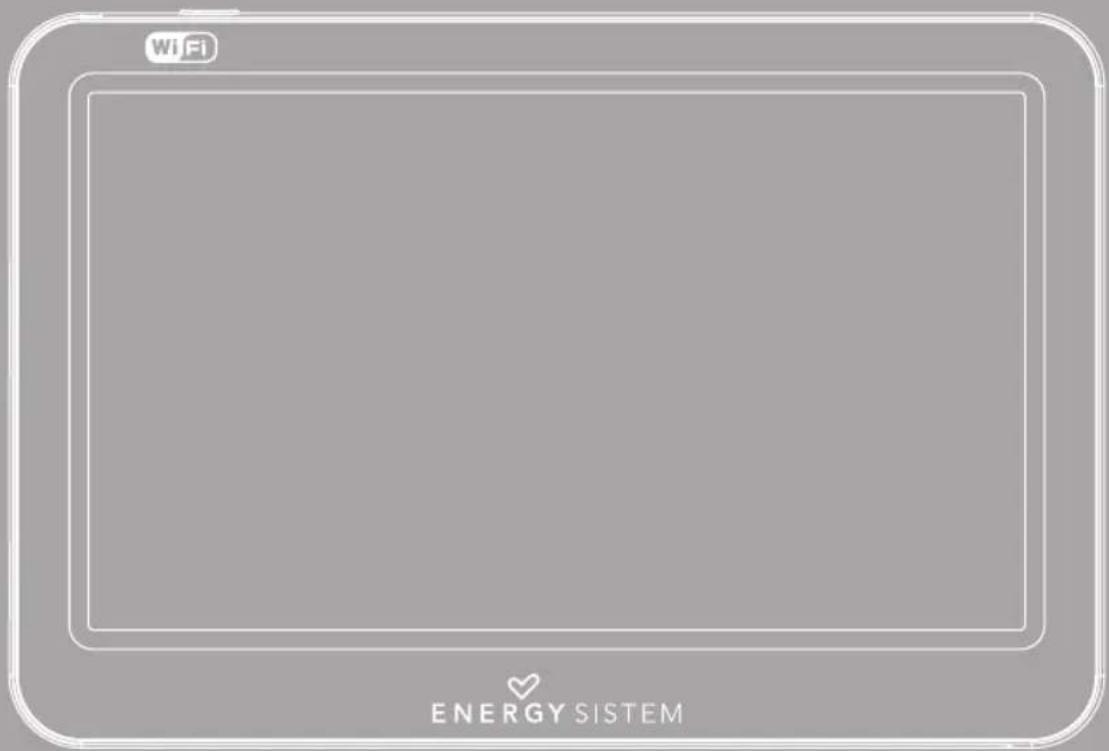
The device features a 4,3" 16:9 touch screen and 480x272 pixels display, screen rotation sensor, speaker and microSDHC card reader. You can also connect USB devices to your Energy™ Android™ Media Player like external hard drives, USB flash drives, a keyboard or a mouse.
We recommend that you fully read this user manual in order to enjoy the product in a safe way and with the best results.
CARE AND MAINTENANCE
Do not expose your Energy™ Android™ Media Player to shakes, dust, direct sun light, moisture or extreme temperatures.
- Do not use abrasive or corrosive cleansers.
- Keep the device clean and dust free with a soft and dry cloth.
▶ Recharge the battery when the low battery icon appears on screen.
Do not disassemble the device. Any repairs must be performed by qualified Energy Sistem Soyntec's personnel.
MAIN FEATURES
Multimedia player based on Android™ operating system, with thousands of applications and games available.
- Allows the connection to the Internet by Wi-Fi, Wi-Fi Hot-Spots or with 3G Wi-Fi routers (not included).
4,3" TFT LCD touch screen with I6:9 aspect ratio, 480x272 pixels, and built-in speaker.
Plays multiple video formats in HD quality (720p) without transcoding, like AVI (Divx/Xvid) for example.
- Plays MP3 / WMA / WAV / APE / OGG / AAC music formats.
▶ Displays JPG / BMP / GIF / PNG pictures.
USB-OTG functionality allows easy access to the media player memory from any personal computer (cable included).
microSDHC card reader and USB HOST connection for external hard drives, USB flash drives, a keyboard or a mouse.
▶ High fidelity in-ear earphones with neodymium magnets.
▶ Li-lon rechargeable battery.
▶ Upgradeable operating system.
▶ No drivers needed.
PRODUCT CONTENT
Energy™ Android™ Media Player 63 Series.
▶ High fidelity in-ear earphones.
▶ User manual.
▶ 2.0 USB cable for data transfer.
USB HOST cable for connection of external USB devices (hard drives, USB flash drives, keyboard, mouse, etc...)
Carrying case.
GENERAL OVERVIEW
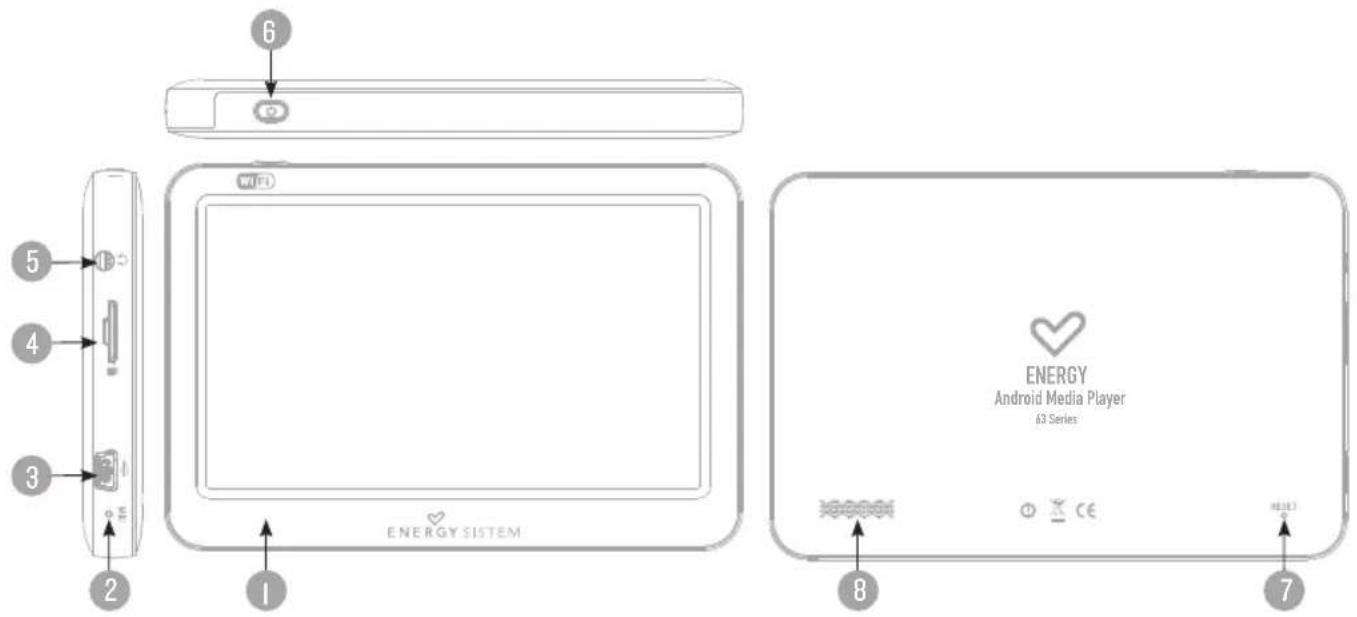
I. TFT LCD Touch screen.
-
Microphone.
-
USB 2.0 Hi-Speed connector for data transfer, battery charge and USB HOST connector.
-
microSDHC expansion slot.
-
Earphones connector.
-
Power on / off button.
-
Reset.
-
Speaker.
BATTERY POWER
Your Energy™ Android™ Media Player has an integrated rechargeable Li-Ion battery. It comes fully charged from factory, but it is recommended to perform a full recharge before the first use.
Recharge the battery connecting the device to an electric power source with the bundled USB cable. Charging time is between 3-5 hours, depending if the device is powered off or working. To keep the battery in good conditions, we recommend to turn off the device while it is being charged and not leaving it charging for more than 8 hours.
Your Energy™ Android™ Media Player has different methods for battery efficiency:
▶ You can set the time for auto screen turn off at Settings -> Display -> Screen timeout.
- Choose an optimum screen brightness level (around 70% is enough for normal use and light conditions) from Settings -> Display -> Brightness
▶ Deactivate the checkbox “Stay awake” at the menu Settings -> Applications -> Development so the screen will turn off while charging the battery.
▶ Deactivate the Wi-Fi connection if you are not using Internet at Settings -> Wireless & Networks -> Wi-Fi
In order to maximize the battery's lifespan, it is recommended not to disable completely these power saving features.
SWITCHING ON/OFF
To power on your Energy™ Android™ Media Player press the power button at the top of the device for a few seconds. To power off the device, keep the power button pressed until a menu with options appears on screen, and choose the option "Power off". You can also activate the "Suspend" mode manually to save energy when not using the player. Do it with a quick press of the power button or holding the power button and selecting the "Suspend" option at the contextual menu.
INTERNET CONNECTION
The Energy™ Android™ Media Player puts the Internet at your fingertips with its capability to access Wi-Fi 802.11 b/g wireless networks. To use this feature, first you have to configure the connection of the device to a Wi-Fi access point. Enter the Settings of the player and select Wireless & Networks configuration.
Select the checkbox "Wi-Fi" so the system performs a searching for available wireless networks. Select the menu "Wi-Fi settings" to show the wireless networks found and press on the one you wish to connect to. Enter the access password if the network requires so.
Note: Your Energy™ Android™ Media Player is compatible with WEP, TKIP, AES and CCMP security standards and encryption methods. After the authentication process is successfully complete, your Energy™ Android™ Media Player will save all the network access data and will be ready to browse the Internet. The device will remember the network configuration and will auto connect when it is available.
APPLICATIONS STORES
The Android ™ operating system installed in your Energy ™ Android ™ Media Player is used by thousands of developers around the world as a base for the creation of new programs, so there is an ever growing number of applications and games to enjoy your device as much as possible.
To access those applications with ease, we have included the SlideME application to the applications menu, so you can search and install many of them in a fast and easy way. Remember that your Energy™ Android™ Media Player must be connected to the Internet to use this application. Press the icon SlideME in the applications menu to launch the program and access the huge list of apps suitable for your Energy™ Android™ Media Player.
Important: Energy Sistem Soyntec S.A. is not responsible of any damage produced to your computer equipment or other assets under your property, or any virus that could affect them, as the consequence of downloading and / or running software not previously tested and approved by Energy Sistem Soyntec S.A. personnel.
Energy Sistem Soyntec S.A. is not responsible for the misuse of the device by end users, neither is for the download, installation and / or use of copyrighted software without the copyright owner's specific authorization.
Energy Sistem Soyntec S.A. does not guarantee the compatibility of the Android ™ based applications with the installed operating system, neither does for the hardware requirements that those applications might need for a proper operation.
TROUBLESHOOTING
- Why can't I play some MP3 files?
The MP3 file has to be compressed along some standards like MPEG1/MPEG2 MPEG 2.5 layer 3. Otherwise, the file must be converted using a software application.
- Why can't I play some video files?
It is possible that the video format or codec is not compatible. Convert the file with the Energy Movier software available at the Energy Sistem website, to ensure the compatibility and to obtain a file with less weight in memory.
- My Energy™ Android™ Media Player doesn't power on and/or my computer doesn't detect it. What can I do?
Make sure the battery has enough charge to power on the device. Also press the reset switch. If after 30 minutes of charging the device still does not power on, maybe there is some issue with the operating system. Please refer to our website technical support section to learn how you can reinstall the operating system.
- Why can't I play some WMA files?
Make sure the WMA files are without any DRM.
- Why can't I see the image, video or text files while using the music browser?
As a general rule of thumb, the apps only show the compatible files that can be loaded by it. Therefore if you browse the memory through the load browser of one application you can only see the file types associated to that app (music to music player, videos to movie player, etc...) To see all files in memory at once, use the app Explorer at the applications menu.
- What are the video formats compatible with my Energy™ Android™ Media Player?
Your Energy™ Android™ Media Player plays many video formats without recoding and up to HD (720p) quality. Convert your videos using Energy Movier available at Energy Sistem website to ensure compatibility.
- Why can't I display my .jpg files?
Many digital cameras and image edition software add hidden data to the .jpg files. This data can prevent your media player from loading the images. Try to remove them by saving the file with another name.
- Sometimes the screen turns black and the device does not respond.
Press the RESET switch to restart the device.
- When trying to select an icon or letter from the virtual keyboard by touching the screen I can not perform the selection with accuracy.
You might need to recalibrate the touch-screen. Go to the Settings menu and you will find a menu entry for that purpose.
- When the Energy™ Android™ Media Player is connected to the computer through the USB cable I can not play multimedia files in the device.
When you connect the player to the computer, the file transfer mode between devices is activated by default, so you can access the player memory from the computer. Roll down the status bar at the desktop screen and you will see the notifications list. Select the option "Deactivate USB storage" and you will be able to play multimedia content again.
- The available memory is lower than expected, why?
The Android ™ operating system and the preinstalled applications need some memory to work. Therefore the available memory for additional data is a bit less.
- What kind of external hard drives are compatible with my Energy™ Android™ Media Player?
You can connect USB external hard drives which have their own power source (AC/DC adaptor or battery), and using FAT, FAT 32 or NTFS file formats.
- My Energy™ Android™ Media Player can not play 720p videos. Why?
Be sure that the format of the video you want to play is compatible with your Energy™ Android™ Media Player and the bitrate is not higher than 2500Kbps.
DISCLAIMER
Energy Sistem Soyntec S.A. is not responsible of any damage produced to your computer equipment or other assets under your property, or any virus that could affect them, as the consequence of downloading and/or running software not previously tested and approved by Energy Sistem Soyntec S.A. personnel.
Energy Sistem Soyntec S.A. reserves the right to interrupt or suspend partially or totally the functionality of the software present with the product. The present software could contain connections to other sites or websites operated by third party not related to Energy Sistem Soyntec S.A. These connections are provided for your information or convenience; Energy Sistem Soyntec S.A. is not responsible for their availability, content, update, adequacy or accuracy.
Those external connections might contain or link references to trademarks, patents, registered information, technologies, products, processes, or rights property of other companies or individuals. All the rights reserved are property of their respective owners, and you are not granted with any license or right related to those brand names, patents, industrial secrets, technologies, products, processes our other rights property of other companies or individuals.
Energy Sistem Soyntec S.A. is not responsible for the misuse of the device by end users; neither is for the download, installation and/or use of copyrighted software without the copyright owner's specific authorization.
Energy Sistem Soyntec S.A. is not responsible of the Wi-Fi networks access availability, needed for the correct operation of some applications installed in the device, either for the quality and speed of the service offered by the Internet service providers where the Wi-Fi networks are connected.
Energy Sistem Soyntec S.A. does not guarantee the compatibility of the Android ™ based applications with the installed operating system, neither does for the hardware requirements that those applications might need for a proper operation.
WARRANTY
Energy Sistem Soyntec SA is liable for any lack of conformity which exists at the time the goods were purchased during a period of 36 months. Batteries are excluded from the 36-month warranty, having a warranty period of 12 months.
This warranty covers any defects in workmanship or materials. This warranty doesn't cover any failure of the product due to accidents, misuse or alteration made by an unauthorized person.
The special 36-months warranty is valid for the European Union. For other countries, please refer to your specific legislation or your local distributor.
WARRANTY PROCEDURE
- Visit the Support section at http://support.energysistem.com and select your product to view the FAQ (Frequently Asked Questions). The solution to your problem is very likely to have been already published there. You will also be able to download user manuals, user guides, drivers and updates.
- If you cannot find an appropriate solution in the Support section, you may send us your enquiry or warranty service request by email: support@energysistem.com
- Alternatively, you may prefer to contact the distributor from which you purchased the product, presenting the purchase receipt or invoice.
Important: This warranty doesn't cover any damage or loss to any data stored in the product memory, therefore Energy Sistem's Technical Service will not assume any loss of the above mentioned information so it is recommended to make a backup of your data and to remove any data or personal info from its internal memory before you send the product, or to send it only with the original factory default values.
Specifications are subject to change without notice.
© 2012 / 2013 by Energy Sistem®. All rights reserved.
Trademarks: All company, brand and product names are trademarks or registered trademarks of their respective companies.
CE
DECLARATION OF CONFORMITY
25/05/2012
Manufacturer Name: Energy Sistem Soyntec S.A.
Address: Pol. Ind. Finestrat, C/. Calpe, I - 03509, Finestrat Alicante (Spain)
Tel: 902 388 388
Fax: 902119034
NIF: A53I07488
We declare under our own exclusive responsibility that the product:
Energy Sistem® Energy™ Android™ Media Player 63 Series
Manufacturing country: China
Is in compliance with the essential norms and standards of the Directive 2004/108/EC of the European Parliament and of the Council of December 15th 2004.
This symbol on the product or the instructions means that your electrical and electronic equipment should be disposed at the end of life separately from your household waste. For more information, please contact the local authority or dealer where you purchased the product.
BOUTIQUE D'APPLICATIONS
CONDITIONS DE GARANTIE
Energy Sistem® Energy™ Android™ Media Player 63 Series
Manual do Utilizador
ÍNDICE
Energy™ Android™ Media Player 63 series.
Fones intrauriculares Hi-Fi.
Energy Sistem® Energy™ Android™ Media Player 63 Series
natural_image
Simple heart-shaped outline on black background (no text or symbols)www.energysistem.com
- Antivirus
- CARE AND MAINTENANCE
- MAIN FEATURES
- PRODUCT CONTENT
- BATTERY POWER
- Your Energy™ Android™ Media Player has different methods for battery efficiency:
- SWITCHING ON/OFF
- INTERNET CONNECTION
- APPLICATIONS STORES
- TROUBLESHOOTING
- DISCLAIMER
- WARRANTY
- WARRANTY PROCEDURE
- CE
- DECLARATION OF CONFORMITY
- BOUTIQUE D'APPLICATIONS
- CONDITIONS DE GARANTIE
- ÍNDICE
Brand : ENERGY SISTEM
Model : 6304
Category : Mp3 player