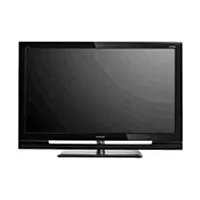
Bravia KDL37XBR6 - TV SONY - Free user manual and instructions
Find the device manual for free Bravia KDL37XBR6 SONY in PDF.


| Brand | Sony |
| Model | Bravia KDL37XBR6 |
| Product type | LCD TV |
| Screen size | 37 inches (94 cm) |
| Screen resolution | 1920 x 1080 pixels (Full HD) |
| Display technology | LCD with backlight |
| Power supply | Alternating current (AC) 100-240 V, 50/60 Hz |
| Power consumption (typical) | 150 W |
| Weight (with stand) | Approximately 18 kg |
| Dimensions (W x H x D) with stand | Approximately 90 x 60 x 25 cm |
| Ventilation | Free space of at least 30 cm above and 10 cm on each side |
| Screen cleaning | Soft dry cloth; do not use solvents |
| Cabinet cleaning | Dry soft cloth; avoid water and detergents |
| Remote control batteries | AAA batteries (not included) |
| Wall mounting | VESA compatible wall mount bracket (not supplied) |
| Special features | Picture mode, adjustable backlight, light sensor (depending on model) |
| Repairability | Call a qualified technician; genuine Sony spare parts |
| Ventilation slot maintenance | Clean periodically with a vacuum cleaner |
| Surge protection | Unplug during thunderstorms or when not in use for extended periods |
Frequently Asked Questions - Bravia KDL37XBR6 SONY
User questions about Bravia KDL37XBR6 SONY
0 question about this device. Answer the ones you know or ask your own.
Ask a new question about this device
Download the instructions for your TV in PDF format for free! Find your manual Bravia KDL37XBR6 - SONY and take your electronic device back in hand. On this page are published all the documents necessary for the use of your device. Bravia KDL37XBR6 by SONY.
USER MANUAL Bravia KDL37XBR6 SONY
Safety and Regulatory Booklet US
Read and understand the contents of this booklet before operating your new TV.
Important Safety Instructions
1) Read these instructions.
2) Keep these instructions.
3) Heed all warnings.
4) Follow all instructions.
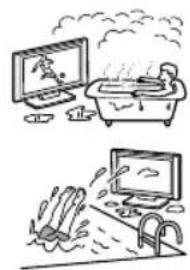
5) Do not use this apparatus near water.
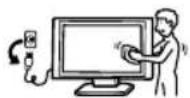
6) Clean only with dry cloth.
7) Do not block any ventilation openings. Install in accordance with the manufacturer's instructions.
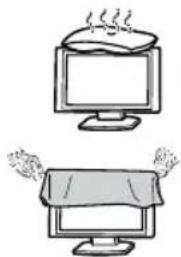
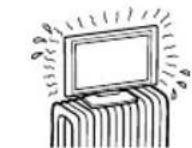
8) Do not install near any heat sources such as radiators, heat registers, stoves, or other apparatus (including amplifiers) that produce heat.
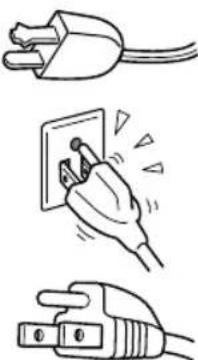
9) Do not defeat the safety purpose of the polarized or grounding-type plug. A polarized plug has two blades with one wider than the other. A grounding type plug has two blades and a third grounding prong. The wide blade or the third prong are provided for your safety. If the provided plug does not fit into your outlet, consult an electrician for replacement of the obsolete outlet.
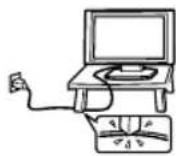
10) Protect the power cord from being walked on or pinched particularly at plugs, convenience receptacles, and the point where they exit from the apparatus.
11) Only use attachments/ accessories specified by the manufacturer.

12) Use only with the cart, stand, tripod, bracket, or table specified by the manufacturer, or sold with the apparatus. When a cart is used, use caution when moving the cart/ apparatus combination to avoid injury from tip-over.
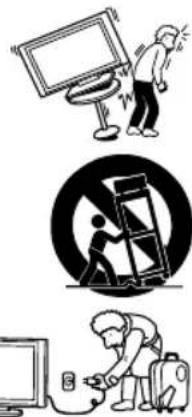
13) Unplug this apparatus during lightning storms or when unused for long periods of time.
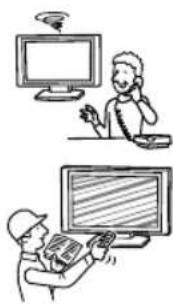
14) Refer all servicing to qualified service personnel. Servicing is required when the apparatus has been damaged in any way, such as power-supply cord or plug is damaged, liquid has been spilled or objects have fallen into the apparatus, the apparatus has been exposed to rain or moisture, does not open has been dropped.
Please observe the Additional Safety DOs and DON'Ts to avoid electrical shock, short-circuit, fire, bodily injury or property damage.
WARNING
To reduce the risk of fire or electric shock, do not expose this product to rain or moisture. The product must never be exposed to dripping, splashing, or spilling liquids of any kind.
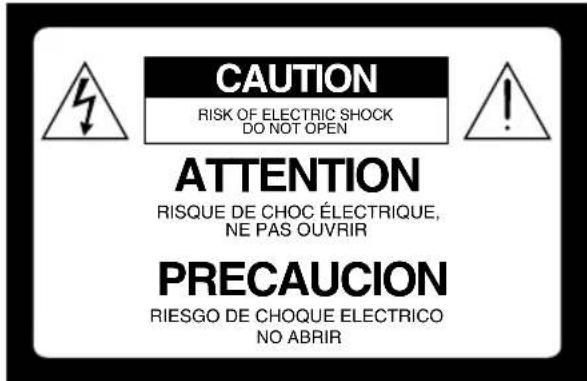
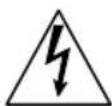
This symbol is intended to alert the user to the presence of uninsulated "dangerous voltage" within the product enclosure that may be of sufficient magnitude to constitute a risk of electric shock to persons.
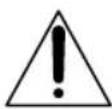
This symbol is intended to alert the user to the presence of important operating and maintenance (servicing) instructions in the literature accompanying the product.
Danger of explosion if battery is incorrectly replaced. Replace only with the same or equivalent type.
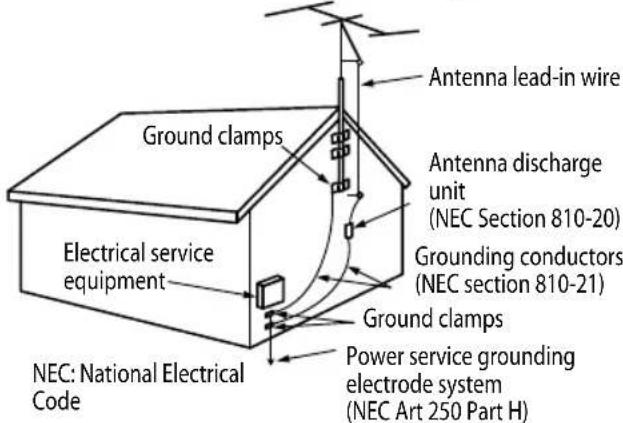
Outdoor Antenna Grounding
Additional Safety DOs and DON'Ts
MOISTURE
Do not place liquid filled objects such as a vase or potted plant on the TV.
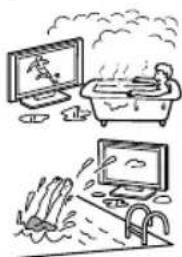
Do not use a power line operated TV set near water; for example, near a bathtub, washbowl, kitchen sink, laundry tub, wet basement or near a swimming pool, etc.
Do not install the TV in a location where sulfur is present (e.g., hot springs). This may cause a fire, electric shock or damage to your TV.
CLEANING
When cleaning, be sure to unplug the power cord to avoid any chance of electric shock.
Clean the cabinet of the TV with a dry soft cloth.
Wipe the LCD screen gently with a soft cloth.
Stubborn stains may be removed with a cloth slightly moistened with a solution of mild soap and warm water.
Do not spray water or detergent directly on the TV set. It may drip to the bottom of the screen or exterior parts, and may cause a malfunction.
If using a chemically pretreated cloth, please follow the instruction provided on the package.
Never use strong solvents such as a thinner, alcohol or benzine for cleaning.
Periodic vacuuming of the ventilation openings is recommended to ensure proper ventilation.
VENTILATION
The ventilation openings in the TV are necessary to ensure reliable operation of the
TV and to protect it from overheating.
Do not block or cover the ventilation openings with cloth or other materials.
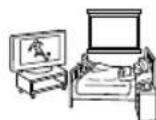
- Never place the TV on a bed, sofa, rug or other similar surface where ventilation openings may be blocked.
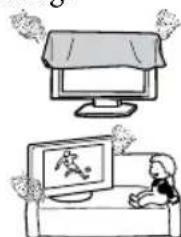
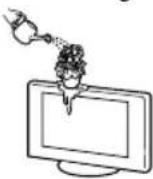
Unless proper ventilation is provided, the TV may accumulate dust and cause damage.
Never allow liquid or solid objects to fall into the ventilation openings.
If any liquid or solid object falls inside the TV, unplug the TV immediately and have it checked by qualified service per before operating it further.
- Never push objects of any kind into the TV through the ventilation openings as they may come in contact with dangerous voltage points or short out parts that could result in a fire or an electric shock.
Allow adequate space around the TV set to ensure proper air circulation.
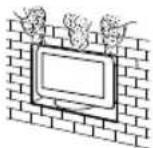
- Never place the TV in a confined space, such as a bookcase or built-in cabinet, unless proper ventilation is provided.
There should be a clearance of at least 11 7/8 inches (30~cm) above the TV set and 4 inches (10cm) on each side. If mounted on the wall, allow at least 4 inches (10cm) of clearance at the bottom of the screen. (See additional information provided in the Operating Instructions manual.)
INSTALLATION
The TV should be installed near an easily accessible AC power outlet.
Do not install the TV face up or down, upside down or on its side.
Do not install the TV in hot, humid, excessively dusty places or in areas with oily smoke or steam (e.g., near a stove or humidifier). Fire, electric shock, or warping may occur.
Do not install the TV in places subject to extreme temperature, such as in direct sunlight, near a radiator or a heating vent. The TV may overheat in such conditions which can cause deformation of the enclosure and/or TV malfunction.
Do not install the TV in a place exposed to direct air conditioning; moisture may condense inside and may cause TV malfunction.
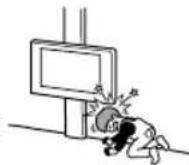
Do not install the TV where it may be exposed to mechanical vibration.
Do not install the TV where insects may enter.
Do not install the TV so that it protrudes into an open space. Injury or damage may result from a person or object bumping into the TV.
To prevent fire keep flammable objects or open flame (e.g. candles) away from the TV.
Do not place optional equipment on top of the TV.
Prevent the TV from toppling over
Take measures to prevent the TV from toppling over and causing injury or damage to the TV and property.
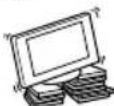
- Secure the TV to a wall and/or stand.
Never install the TV on unstable and/or uneven surfaces.
Do not allow children to climb on or play with furniture and TV sets.
Do not install the TV on furniture that can easily be used as steps, such as a chest of drawers.
Care should be taken to install the TV where it cannot be pushed, pulled over, or knocked down.
Care should be taken to route all AC power cords and connecting cables so that they cannot be pulled or grabbed by curious children.
Medical institutions
Do not place this TV in a place where medical equipment is in use. It may cause a medical equipment malfunction.
Outdoor use
Do not install this TV outdoors. The TV should not be exposed to rain or direct sunlight in order to avoid damage and possible fire or electric shock.
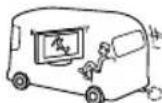
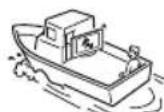
Do not install this TV in a vehicle, ship or other vessel
Excessive bumping motion of a moving vehicle or continuous swaying motion on a boat may cause the TV to fall down and cause injury.
Exposing the TV to seawater may cause a fire, electric shock or damage to your TV.
Magnetic influence
This TV contains a strong magnet in the speaker unit that generates a magnetic field. Keep any items susceptible to magnetic fields away from the speaker.
Electro-magnetic radiation emitted from optional equipment installed too close to the TV may cause picture distortion and/or noisy sound.
Wall-mount use
- Wall-mount installation requires the use of a Wall-Mount Bracket. When installing or removing the TV and the Wall-Mount Bracket, be sure to use qualified contractors. If not properly secured during installation or removal from the Wall-Mount Bracket, the TV may fall and cause serious injury.
- Be sure to follow the installation guide supplied with the Wall-Mount Bracket when installing the TV.
- Be sure to attach the brackets with the specified parts supplied with the Wall-Mount Bracket.
Do not hang the TV from the ceiling. It may fall and cause serious injury.
Do not hang anything on the TV.
Do not allow children to climb on the TV.
AC POWER CORD
Do not touch the AC power cord and its plug with wet hands as it may cause electric shock.
- When disconnecting the AC power cord, grasp the plug and disconnect from the wall outlet first. Do not pull by the cord.
- Keep the power cord away from heat sources.
A TV set with a three-wire grounding type AC power cord plug must be connected to an AC power outlet with a protective earthing connection (only applicable for Class I product).
Do not convert or damage the AC power cord.
Consult your electrician to have the outlet changed to suit your TV.
Subjecting the AC power cord to wear and/or abuse can damage the AC power cord and your TV.
Do not place the TV where the power cord can be easily pinched, bent, twisted, or catch your feet.
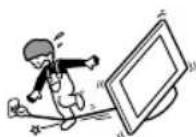
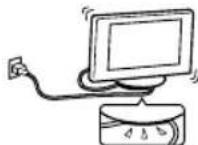
Do not allow anything to rest on or roll over the cord.
Before connecting cables, be sure to unplug the AC power cord for your safety.
Do not move the TV with the AC power cord (or other cables such as audio and video) connected.
Use only an original Sony AC power cord with your TV; no brand substitution is allowed.
Do not use AC power cord supplied with the TV with any other equipment.
- Never use a damaged AC power cord. A damaged AC power cord can cause a short-circuit, which may result in a fire or electric shock.
Do not use a damaged or poorly fitting AC power outlet as your TV's power source.
Insert the plug fully into the outlet. If it is loose, it may cause arcing and result in a fire.
Do not overload the same AC power outlet.
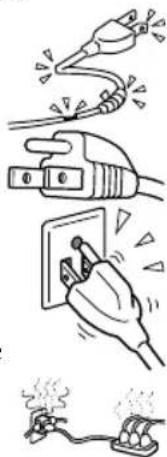
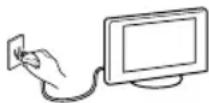
Unplugging the AC power cord from the wall outlet will completely remove power from the TV.
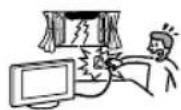
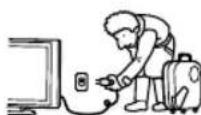
During lightning storms or when the TV is left unattended and unused for extended periods of time, the AC power cord should be unplugged from the wall outlet. This will avoid possible damage to your TV
For energy conservation and safety reasons, practice unplugging the AC power cord from the AC power outlet.
Clean the AC power plug
Unplug the AC power plug and clean it occasionally to avoid dust from accumulating.
While cleaning, look for signs of damage. A damaged AC power cord should never be used.
ACCESSIONS
Keep small accessories out of children's reach. Use only the specified accessories with this TV.
Volume Adjustment
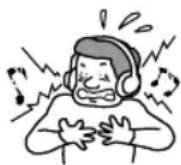
- When using headphones, adjust the volume to avoid excessive audio levels from causing possible hearing loss.
BATTERIES
Your remote control batteries are consumables.
- Dispose of batteries in an environmentally friendly way. Certain regions may regulate the disposal of batteries. Please consult your local authority.
Do not dispose of batteries in a fire.
Do not short-circuit, disassemble or overheat the batteries.
Batteries must not be exposed to excessive heat such as sunshine, fire or the like.
LCD SCREEN
Although the LCD screen is made with high-precision technology and has effective pixels of 99.99% or more, black dots or bright points of light (red, blue, or green) may appear constantly on the LCD screen. This is a structural property of the LCD panel and is not a malfunction.
The LCD screen is made with high-precision technology and to achieve a high level of performance and picture quality, this TV's backlight setting is set to maximize the brightness of the TV. However, uneven brightness may be observed when the LCD TV is viewed in a dark ambient without an input source or with a blank screen. This condition is normal and not a malfunction of the TV. Changing the Picture mode, Backlight setting, enabling the Light Sensor (if applicable), or turning on the Power Management will improve this condition.
To avoid damaging the LCD panel, do not expose the LCD screen to direct sunlight.
Do not push or scratch the LCD screen, or place objects on top of the TV. The images may be uneven or the LCD panel may be damaged.
If the TV is used in a cold place, the picture may smear or become dark. This does not indicate a failure. These phenomena improve as the temperature rises.
Ghosting may occur when still pictures are displayed continuously. It should disappear after a few moments.
The LCD screen and enclosure get warm when the TV is in use. This is not a malfunction.
- Avoid spraying insect repellent with volatile material on the LCD screen.
- Avoid prolonged contact with rubber or plastic material to the LCD screen.
Broken screen panel
Do not throw anything at the LCD screen and its edges as the impact can cause the LCD screen glass to crack, break or shatter.
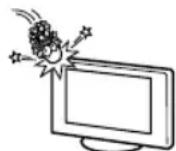
If damage occurs to the LCD panel, small traces of liquid crystal sandwiched between the glass may be found on scattered broken glass.
Do not touch the broken glass with bare hands. As with any broken glass pieces, avoid skin contact and exposure to your eyes or mouth. Avoid direct contact with liquid or damp surfaces of the glass as these may have an adverse effect on some people. The contacted area should be rinsed thoroughly with water. If conditions persist, see your doctor.
If the surface of the TV cracks, do not touch the TV until you have unplugged the AC power cord. Otherwise electric shock may result.
SERVICING
Do not use the TV if you suspect the TV is damaged or if the TV is damaged.
Do not attempt to service the TV yourself since opening the cabinet may expose you to dangerous voltage levels or other hazards. Refer all
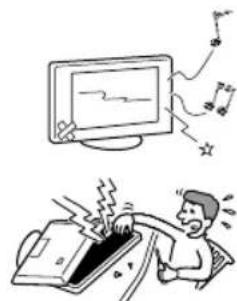
servicing to qualified service personnel.
If replacement parts are required, acquire a written certification from the service technician which states that adequate replacement parts with
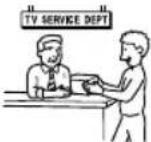
the same or similar characteristics as the original parts have been used. Unauthorized substitutions may result in a fire, an electric shock or other hazards.
Safety check
Upon completion of any TV servicing or repair, ask the service technician to perform routine safety checks as specified by Sony and to
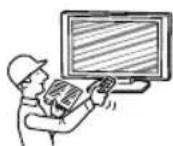
certify that the TV is safe to operate. Have a qualified service technician dispose of the TV if it is not safe to operate.
CAUTION
Some people may experience discomfort (such as eye strain, fatigue, or nausea) while watching 3D video images or playing stereoscopic 3D games. Sony recommends that all viewers take regular breaks while watching 3D video images or playing stereoscopic 3D games. The length and frequency of necessary breaks will vary from person to person. You must decide what works best. If you experience any discomfort, you should stop watching the 3D video images or playing stereoscopic 3D games until the discomfort ends; consult a doctor if you believe necessary. The vision of young children (especially those under six years old) is still under development. Consult your doctor (such as a pediatrician or eye doctor) before allowing young children to watch 3D video images or play stereoscopic 3D games. Adults should supervise young children to ensure they follow the recommendations listed above.