ManualGo.com
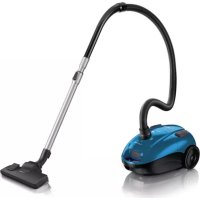
FC8438 - Aspirateur PHILIPS - Free user manual and instructions
Find the device manual for free FC8438 PHILIPS in PDF.


Download the instructions for your Aspirateur in PDF format for free! Find your manual FC8438 - PHILIPS and take your electronic device back in hand. On this page are published all the documents necessary for the use of your device. FC8438 by PHILIPS.
USER MANUAL FC8438 PHILIPS
Read this user manual carefully before you use the appliance and save it for future reference.
- Check if the voltage indicated on the appliance corresponds to the local mains voltage before
you connect the appliance.
- Do not use the appliance if the plug, the cord or the appliance itself is damaged.
- If the mains cord is damaged, you must have it replaced by Philips, a service centre authorised by
Philips or similarly qualied persons in order to avoid a hazard.
- Keep the appliance out of the reach of children.
- Never suck up water or any other liquid. Never suck up ammable substances and do not suck
up ashes until they are cold.
- Do not point the hose, the tube or any other accessory at the eyes or ears nor put it in your
mouth when it is connected to the vacuum cleaner and the vacuum cleaner is switched on.
- When you use the vacuum cleaner to vacuum ashes, ne sand, lime, cement dust and similar
substances, the pores of the dustbag become clogged. As a result, the dustbag-full indicator will
indicate that the dustbag is full. Replace the dustbag, even if it is not full yet (see chapter
- Never use the appliance without the Motor Protection Filter. This damages the motor and
shortens the life of the appliance.
- Only use Philips s-bag ` double-layer paper dustbags.
Electromagnetic elds (EMF)
This Philips appliance complies with all standards regarding electromagnetic elds (EMF). If handled
properly and according to the instructions in this user manual, the appliance is safe to use based on
scientic evidence available today.
Connecting accessories
1 To connect the hose to the appliance, push it into the appliance and turn it clockwise (Fig. 1).
2 To disconnect the hose from the appliance, turn it anticlockwise and pull it out of the
Conical coupling (specic types only)
1 To connect the tube to the handgrip of the hose, insert the narrow section into the wider
section while turning a little (Fig. 2).
2 To disconnect the tube from the handgrip, pull while turning a little.
Use the same method to connect and disconnect the nozzles.
Button coupling (specic types only)
1 To connect the tube to the handgrip, press the spring-loaded lock button on the handgrip (1)
and insert the handgrip into the tube (2). Fit the spring-loaded lock button into the opening
in the tube (‘click’) (Fig. 3).
2 To disconnect the tube from the handgrip, press the lock button and pull the handgrip out of
Use the same method to connect and disconnect the nozzles.
ENGLISHTelescopic tube (specic types only)
1 Adjustthetubetothelengthyoundmostcomfortableduringvacuumcleaning(Fig.4).
Combination nozzle (specic types only)
The combination nozzle can be used on either carpets or hard oors.
1 Connect the combination nozzle to the tube.
2 Tocleanhardoors,pushtherockerswitchontopofthecombinationnozzlewithyour
foot. The brush strip comes out of the nozzle housing. (Fig. 5)
3 To clean carpets, push the rocker switch again to make the brush strip disappear into the
nozzle housing again. (Fig. 6)
Reach & Clean nozzle (specic types only)
- The Reach & Clean nozzle can be used on either carpets or hard oors. The nozzle can be
turned 360 degrees to 4 different positions, allowing you to vacuum large areas as well as hard-
to-reach places in an easy way. When the nozzle is positioned lengthwise, the suction power is
concentrated at the front side of the nozzle (Fig. 7).
- To adjust the nozzle to the type of oor and the area to be cleaned, put your foot on the
indicated spot. Then turn the tube until the nozzle is in the required position (Fig. 8).
1 Connect the Reach & Clean nozzle to the tube.
2 Withthenozzlepositionedbreadthwiseandthebrushstripfoldedout,youcanvacuumlarge
hardoorareas.Turnthetubeuntilthebrushstrippopsoutofthenozzlehousingandthe
nozzle is positioned breadthwise (Fig. 9).
3 Withthenozzlepositionedlengthwiseandthebrushstripfoldedout,youcanvacuumsmall
hardoorareas.Turnthetube90degreesanticlockwiseuntilthenozzleispositioned
lengthwise with the brush strip still folded out of the nozzle housing (Fig. 10).
4 Withthenozzlepositionedbreadthwiseandthebrushstripfoldedin,youcanvacuumlarge
softoorareas.Turnthetube90degreesanticlockwiseagaintopositionthenozzle
breadthwise and to make the brush strip disappear into the nozzle housing (Fig. 11).
5 Withthenozzlepositionedlengthwiseandthebrushstripfoldedin,youcanvacuumsmall
softoorareas.Turnthetube90degreesanticlockwiseagainuntilthenozzleispositioned
lengthwise with the brush strip still folded in (Fig. 12).
Crevice tool, small nozzle and small brush (specic types only)
1 Connectthecrevicetool,smallnozzleorsmallbrushdirectlytothehandgriportothetube.
Accessory clip (specic types only)
The accessory clip can simply be snapped onto the tube.
- The crevice tool and the small nozzle can be snapped onto the clip (Fig. 13).
1 Pull the cord out of the appliance and put the mains plug in the wall socket (Fig. 14).
2 Push the on/off button on top of the appliance with your foot to switch on the appliance.
3 The appliance can be carried in two ways:
- You can carry the vacuum cleaner vertically by the handle on the front of the appliance (Fig. 15).
ENGLISH 7- You can carry the vacuum cleaner horizontally by the handle on top of the appliance.
Adjusting suction power
You can adjust the suction power while vacuuming.
1 Adjust the suction power with the electronic suction power knob (Fig. 16).
- Turn the knob to MAX for maximum suction power (Fig. 17).
Use maximum suction power to vacuum very dirty carpets and hard oors.
- Turn the knob to MIN for minimum suction power.
Use minimum suction power to vacuum curtains, table carpets, etc.
1 Switchofftheapplianceandremovethemainsplugfromthewallsocket.
3 Put the appliance in upright position and insert the ridge on the nozzle into the slot to attach
Replacing the dustbag
- Replace the dustbag as soon as the dustbag-full indicator has changed colour permanently, i.e.
even when the nozzle is not placed on the oor (Fig. 20).
1 Switchofftheapplianceandopenthedustbagcompartmentcover(Fig.21).
Press it down as far as possible (Fig. 24).
5 Pull the dustbag holder forwards (‘click’) (Fig. 25).
If you have not inserted a dustbag, you cannot close the dustbag compartment cover.
Motor Protection Filter
Replace the Motor Protection Filter once a year.
1 Switchofftheapplianceandopenthecover.Removethelter.
2 Insertanewlterintotheholderwiththewhitesidepointingtowardsthedustbag
compartment (Fig. 26).
Super Clean Air Filter (specic types only)
Replace the Super Clean Air Filter every 6 months.
1 Openthegrilleatthebackoftheapplianceandremoveit(Fig.27).
2 Removetheoldlter.Placethebottomedgeofthenewlterproperlybehindtheridgeson
theinsideofthegrille(1).Thenpushthetopofthelterdownintothegrille(2)(Fig.28).
3 Reattachthegrilletothevacuumcleaner.Firsthookthebottomedgeofthegrilleintothe
appliance (1) and then push the grille towards the appliance (2) until it snaps home.
ENGLISH8Super Clean Air HEPA Filter (specic types only)
- Instead of the Super Clean Air Filter, some types are equipped with the special Super Clean Air
HEPA Filter. This lter not only removes household dust, but also harmful microscopic vermin.
- Replace the Super Clean Air HEPA Filter every 6 months.
3 Closetheltergrille.
Obtaining replacement items
If you have any difculties obtaining dustbags or lters for this appliance, please contact the Philips
Customer Care Centre in your country or consult the worldwide guarantee leaet.
Philips Classic s-bag ` paper dustbags are available under type number FC8021.
Two Super Clean Air Filters and one Motor Protection Filter are available under type number
Super Clean Air HEPA Filters are available under type number FC8044.
- Do not throw away the appliance with the normal household waste at the end of its life, but
hand it in at an ofcial collection point for recycling. By doing this, you help to preserve the
environment (Fig. 30).
If you need information or if you have a problem, please visit the Philips website at www.philips.com
or contact the Philips Customer Care Centre in your country (you nd its phone number in the
worldwide guarantee leaet). If there is no Customer Care Centre in your country, go to your local
Philips dealer or contact the Service Department of Philips Domestic Appliances and Personal Care
1 The suction power is insufcient.
- Make sure the suction power knob is in maximum position.
- Perhaps the dustbag is full. Replace the dustbag.
- Perhaps the lters are dirty. Replace the lters.
- The nozzle, tube or hose may be blocked up. To remove the obstruction, disconnect the
blocked-up item and connect it (as far as possible) the other way around. Switch on the vacuum
cleaner to force the air through the blocked-up item in opposite direction (Fig. 31).
and Personal Care BV.
Department de Philips Domestic Appliances and Personal Care BV.
Domestic Appliances and Personal Care BV.
Domestic Appliances and Personal Care BV.
Appliances and Personal Care BV.