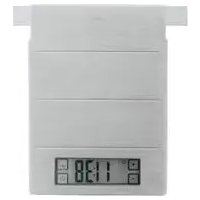
16239 - Kitchen scales Rösle - Free user manual and instructions
Find the device manual for free 16239 Rösle in PDF.



| Product type | Digital kitchen scale |
| Maximum capacity | 5,000 g / 5,000 ml (11 lb / 175 fl.oz) |
| Accuracy | 1 g / 1 ml (0.1 oz / 0.1 fl.oz) |
| Functions | Weighing solids and liquids, tare function, integrated clock, automatic switching between scale/clock mode |
| Display | Illuminated display |
| Weighing surface material | Coated stainless steel (fingerprint-resistant) |
| Power supply | 3 AAA batteries (1.5 V, alkaline) |
| Suspension | Hanger for suspension on RÖSLE Open Kitchen |
| Unit settings | Metric (kg/g) or Imperial (lb/oz) |
| Clock mode | 12h (AM/PM) or 24h |
| Buttons | "Soft Touch" buttons |
| Warranty | 5 years (excluding batteries) |
| Compliance | CE (Directive 89/336/EEC) |
| Cleaning | Soft damp cloth, mild detergent if needed; do not immerse, not dishwasher-safe |
| Safety | Keep out of reach of children; do not exceed maximum load (EEEE) |
Frequently Asked Questions - 16239 Rösle
User questions about 16239 Rösle
0 question about this device. Answer the ones you know or ask your own.
Ask a new question about this device
Download the instructions for your Kitchen scales in PDF format for free! Find your manual 16239 - Rösle and take your electronic device back in hand. On this page are published all the documents necessary for the use of your device. 16239 by Rösle.
USER MANUAL 16239 Rösle
natural_image
Close-up of a flour dust filled with yellow liquid, no text or symbols visible
text_image
1.5 V 'AAA' 1.5 V 'AAA' 1.5 V 'AAA'Thank you for choosing the high quality digital Kitchen Scale by RÖSLE. It’s a wise choice and one that will prove the test of time as a durable top quality product. To make sure you get optimum results and long-lasting service from your new accessory, we’ve compiled some important information plus tips for optimal use and aftercare, as well as safety guidelines.
Outstanding product features at a glance:
The digital Kitchen Scale from RÖSLE is a reliable and practical aid for cooking and baking.
→Accurate and convenient weighing with a range up to 5,000 g/5,000 ml (11 lbs./175 fl. oz) with the read-out having an accuracy of 1 g/1 ml (0.1 oz/0.1 fl. oz)
Inbuilt digital clock →
→ Easy operation through large soft touch keys
→ Big format display with back light for easy readability
→ Practical tare calibration function for deduction of container weight – so ingredients can be weighed in any kitchen vessel
For weighing solids as well as liquids such as water and milk →
→ Suspension for positioning in the Open Kitchen
→ Automatic function change from clock to scale through horizontal or vertical positioning
→ Timeless easy clean design with coated stainless steel top surface that shows no fingerprints
→ Uses commonly available batteries (3 pieces, Type AAA, 1.5 V each)
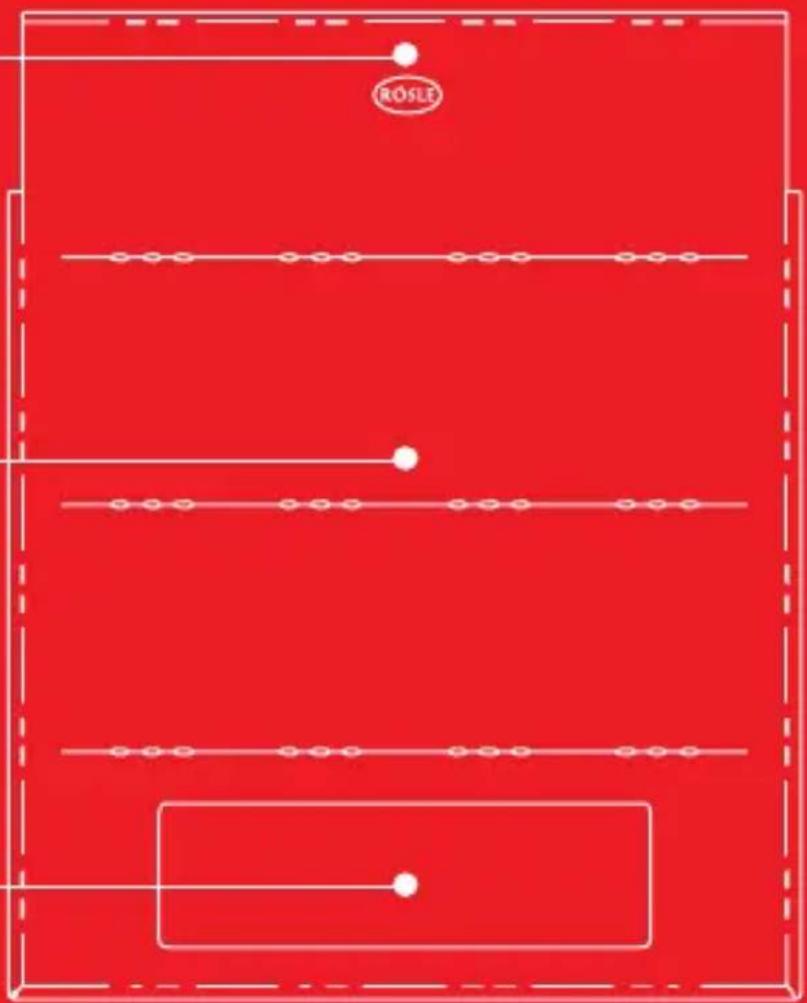
1. Close-up of the digital Kitchen Scale
Suspension for Open Kitchen
Stainless steel top surface for weighing
Display
text_image
ROSLEFront
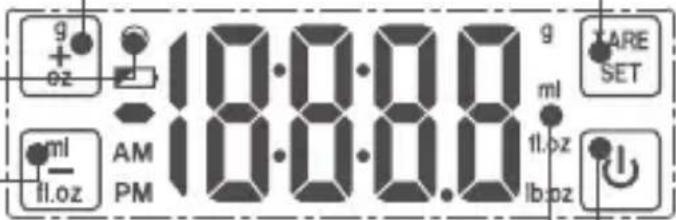
Key + for solid ingredients
Set Button / to activate tare function
Change battery signal
Key – for liquids
Measuring units
Switching key scale / clock function
text_image
g + oz 18:00:00 ml fl.oz AM PM g ml 11.oz lb.oz ARE SETBack
Switch kg/lbs
(metric EU/imperial USA)
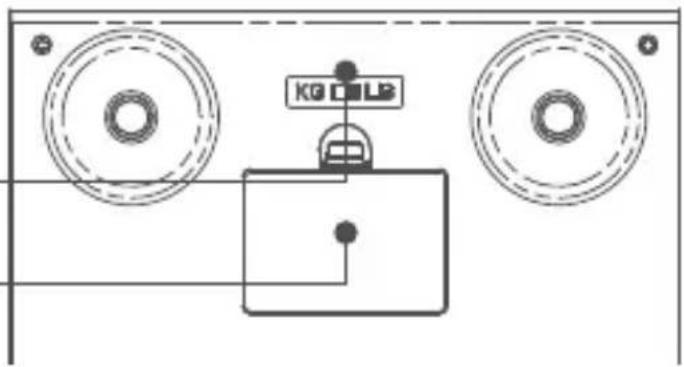
Battery compartment lid
text_image
KG CDL22. First time use / Setting clock
text_image
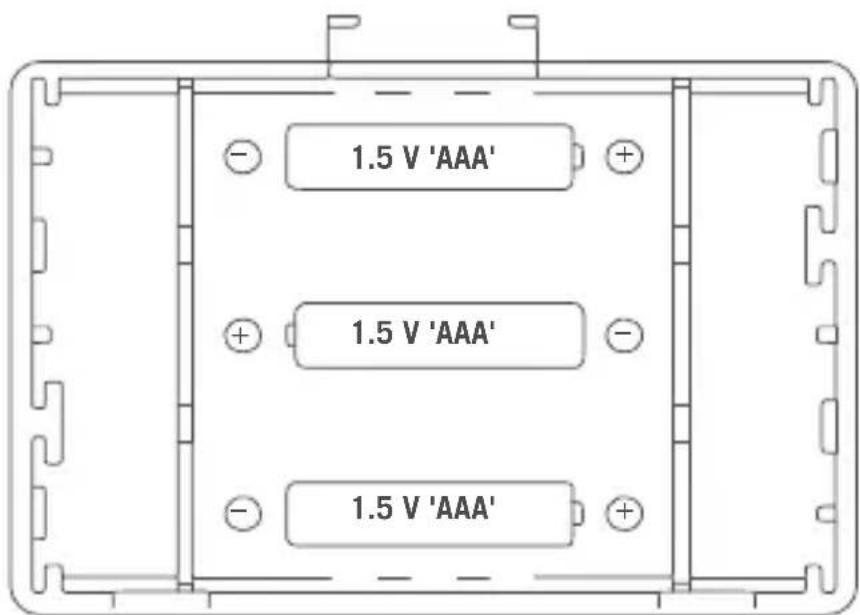
1.5 V 'AAA' 1.5 V 'AAA' 1.5 V 'AAA'Open the battery com- partment at the rear of the Kitchen Scale and position the three batteries provided (alkaline, type AAA) accord- ing to the indications on the lid. Close the battery compartment lid. Set the selection switch on the back of the appliance to the desired measuring scale (g/kg or lb/oz).
The clock is now ready for setting and you can choose a time display in either a 12 hour mode (i.e. from 0:00 AM to 11:59 PM) or a 24 hour mode (from 0:00 to 23:59). Use key +/– to make your choice and confirm it by pressing the set button. The appliance is now ready for setting the actual time in hours using the key +/–. When done press the set button to confi rm. Now the minutes can be set. Press the set button afterwards to confi rm. The set time will now appear on the display.
For re-setting the clock press the set button and hold it down for three seconds while the time is displayed. Re-setting is now possible starting with the choice between the 12 hour or 24 hour mode.
3. Scale function
To activate the scale function remove the appliance from its vertical storage position and place it on a fl at surface. The weighing mode will be activated automatically and the display will change to g or lb:oz.
Note:
In case the scale does not automatically switch to weighing mode or is left in a horizontal position too long, the weighing mode can be manually started by pressing the switching key. When the weighing mode is activated it always starts in solids mode for ingredients such as sugar, butter, flour etc. (i.e. measuring units are displayed as g or lb:oz).
Place the ingredients that require weighing onto the scale. The appliance will soon display an accurate reading that is precise to 1 g.
If you need to use a container, place it empty onto the scale, having checked that the weighing mode is active. Press the TARE key. This sets the read-out back to zero and the ingredients can be weighed in the container. If more ingredients are to be added to the contents of the container, they can also be weighed additionally as described above.
If the weight exceeds the maximum quota the read-out on the display will be EEEE. Please avoid overloading the kitchen scale as the sensitive sensors could get damaged.
4. Weighing liquids
In order to weigh liquids of a watery or milky consistency, the Kitchen Scale must be activated as described above. Before weighing, press the ml / fl .oz key to switch into liquids mode. The display will now give readings in milliliters (ml / fl .oz). Place the empty container onto the Kitchen Scale and press the TARE key to reset the display to zero. Liquids can now be poured in and measured.
Note:
If you wish to switch back to solids mode, press the g / oz key. The display will switch to show grams (g / lb:oz).
5. Suspension for the Open Kitchen
The Kitchen Scale can be conveniently suspended in RÖSLE's Open Kitchen by means of the hanger on the top. When suspended only the clock function of the appliance is in operation.
6. Cleaning
The weighing surface should be wiped clean using a damp cloth and a drop of dishwashing liquid if necessary. Never spray detergents into the apertures of the digital Kitchen Scale. The product should never get wet or be put into the dishwasher as damage would result.
7. Note on correct disposal of batteries
To open the battery compartment and remove the batteries, please follow instructions listed in point 2. The alkaline batteries provided with this product are not re-chargeable. Batteries should never be damaged, drilled through or thrown into an open fire. Never use a combination of old and new batteries. Used batteries should never be disposed of with ordinary household waste. Used batteries may contain hazardous material which can be harmful to health and the environment. Please deliver used batteries to retailers' recycling facilities or to your local waste disposal service for battery return. This service is free of charge and is a legal obligation in Europe. Please use provided containers only for the disposal of empty batteries. All batteries will be recycled. In this way valuable natural resources such as iron, zinc and nickel, will be re-used. Recycling of batteries is an important contribution to environment protection. Your local waste disposal facility will provide you with further information on request.
8. Disposal
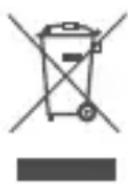
This product should not be disposed of in ordinary household waste but must be channeled to an appropriate recycling facility for electric and electronic equipment. For further information contact your local authority, communal waste disposal facilities or the shop where you purchased the item.
General Safety Guidelines
The digital Kitchen Scale should not be used as a toy and should be handled with caution at all times. Small components could be accidentally swallowed by children so please keep the appliance safely out of their reach.
We grant you a 5 year Warranty on this product (the warranty does not cover the batteries).

CE Conformity. This appliance complies with EU Directive 89/336/EWG pertaining to electro-magnetic interference.
We reserve the right to technical modification without prior notice.
We wish you long lasting service from your new RÖSLE Kitchen Accessory.
Your RÖSLE Team