ManualGo.com
22LB4510 - TV LG - Free user manual and instructions
Find the device manual for free 22LB4510 LG in PDF.


Download the instructions for your TV in PDF format for free! Find your manual 22LB4510 - LG and take your electronic device back in hand. On this page are published all the documents necessary for the use of your device. 22LB4510 by LG.
USER MANUAL 22LB4510 LG
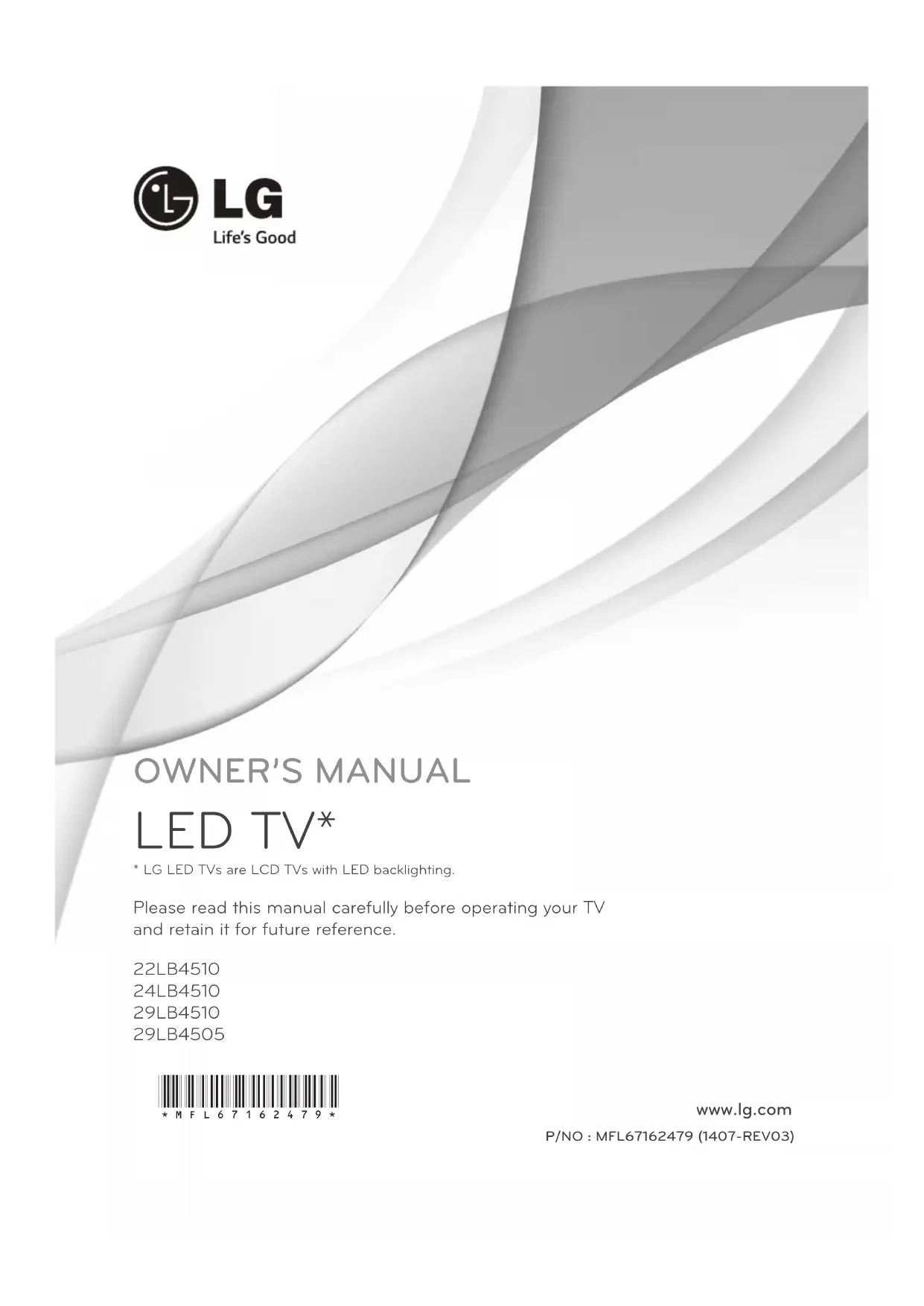
- LG LED TVs are LCD TVs with LED backlighting. Please read this manual carefully before operating your TV and retain it for future reference. P/NO : MFL67162479 (1407-REV03) www.lg.com 22LB4510 24LB4510 29LB4510 29LB4505 *MFL67162479*2 ENGLISH
IMPORTANT SAFETY INSTRUCTIONS
IMPORTANT SAFETY INSTRUCTIONS
Always comply with the following precautions to avoid dangerous situations and ensure peak performance of your product. WARNING/CAUTION RISK OF ELECTRIC SHOCK DO NOT OPEN
PERSONNEL. The lightning flash with arrowhead symbol, within an equilateral triangle, is intended to alert the user to the presence of uninsulated dangerous voltage within the product’s enclosure that may be of sufficient magnitude to constitute a risk of electric shock to persons. The exclamation point within an equilateral triangle is intended to alert the user to the presence of important operating and maintenance (servicing) instructions in the literature accompanying the appliance. WARNING/CAUTION - TO REDUCE THE RISK OF FIRE AND
ELECTRIC SHOCK, DO NOT EXPOSE THIS
PRODUCT TO RAIN OR MOISTURE. WARNING If you ignore the warning message, you may be seriously injured or there is a possibility of accident or death. CAUTION If you ignore the caution message, you may be slightly injured or the product may be damaged. NOTE The note helps you understand and use the product safely. Please read the note carefully before using the product. Read these instructions. Keep these instructions. Follow all instructions. Heed all warnings.
- Do not allow the television to become wet.
- Clean only with a dry cloth.
- Do not block any ventilation openings. Install in accordance with the manufacturer’s instructions.
- Do not install near any heat sources such as radiators, heat registers, stoves, or other apparatus (including amplifiers) that produce heat.
- Do not defeat the safety purpose of the polarized or grounding-type plug. A polarized plug has two blades with one wider than the other. A grounding type plug has two blades and a third grounding prong. The wide blade or the third prong are provided for your safety. If the provided plug does not fit into your outlet, consult an electrician for replacement of the obsolete outlet (Can differ by country).
- Do not press strongly upon the panel with a hand or a sharp object such as a nail, pencil or pen, or make a scratch on it.
WARNING: This product contains chemicals
known to the State of California to cause cancer and birth defects or other reproductive harm. Wash hands after handling.3 ENGLISH
IMPORTANT SAFETY INSTRUCTIONS
- Protect the power cord from being walked on or pinched particularly at plugs, convenience receptacles, and the point where they exit from the apparatus.
- Only use attachments/accessories specified by the manufacturer.
- Use only with a cart, stand, tripod, bracket, or table specified by the manufacturer, or sold with the apparatus. When a cart is used, use caution when moving the cart/apparatus combination to avoid injury from tip-over.
- Unplug this apparatus during lightning storms or when unused for long periods of time.
- Refer all servicing to qualified service personnel. Servicing is required when the apparatus has been damaged in any way, such as power-supply cord or plug is damaged, liquid has been spilled or objects have fallen into the apparatus, the apparatus has been exposed to rain or moisture, does not operate normally, or has been dropped.
- Do not stick metal objects or any other conductive material into the power cord. Do not touch the end of the power cord while it is plugged in.
- Keep the packing anti-moisture material or vinyl packing out of the reach of children. Anti-moisture material is harmful if swallowed. If swallowed by mistake, induce vomiting and go to the nearest hospital. Additionally, vinyl packing can cause suffocation. Keep it out of the reach of children.
- CAUTION concerning the Power Cord (Can differ by country) It is recommended that appliances be placed upon a dedicated circuit; that is, a single outlet circuit which powers only that appliance and has no additional outlets or branch circuits. Check the specification page of this owner’s manual to be certain. Do not connect too many appliances to the same AC power outlet as this could result in fire or electric shock. Do not overload wall outlets. Overloaded wall outlets, loose or damaged wall outlets, extension cords, frayed power cords, or damaged or cracked wire insulation are dangerous. Any of these conditions could result in electric shock or fire. Periodically examine the cord of your appliance, and if its appearance indicates damage or deterioration, unplug it, discontinue use of the appliance, and have the cord replaced with an exact replacement part by an authorized service. Protect the power cord from physical or mechanical abuse, such as being twisted, kinked, pinched, closed in a door, or walked upon. Pay particular attention to plugs, wall outlets, and the point where the cord exits the appliance. Do not move the TV with the power cord plugged in. Do not use a damaged or loose power cord. Be sure do grasp the plug when unplugging the power cord. Do not pull on the power cord to unplug the TV.
- Warning - To reduce the risk of fire or electrical shock, do not expose this product to rain, moisture or other liquids. Do not touch the TV with wet hands. Do not install this product near flammable objects such as gasoline or candles, or expose the TV to direct air conditioning.
- Do not expose to dripping or splashing and do not place objects filled with liquids, such as vases, cups, etc. on or over the apparatus (e.g. on shelves above the unit).4 ENGLISH
IMPORTANT SAFETY INSTRUCTIONS
- Grounding (Except for devices which are not grounded.) Ensure that you connect the earth ground wire to prevent possible electric shock (i.e. a TV with a three-prong grounded AC plug must be connected to a three-prong grounded AC outlet). If grounding methods are not possible, have a qualified electrician install a separate circuit breaker. Do not try to ground the unit by connecting it to telephone wires, lightening rods, or gas pipes. Short-circuit Breaker Power Supply
- As long as this unit is connected to the AC wall outlet, it is not disconnected from the AC power source even if the unit is turned off.
- Do not attempt to modify this product in any way without written authorization from LG Electronics. Unauthorized modification could void the user’s authority to operate this product.
- Outdoor Antenna Grounding (Can differ by country) If an outdoor antenna is installed, follow the precautions below. An outdoor antenna system should not be located in the vicinity of overhead power lines or other electric light or power circuits, or where it can come in contact with such power lines or circuits as death or serious injury can occur. Be sure the antenna system is grounded so as to provide some protection against voltage surges and built-up static charges. Section 810 of the National Electrical Code (NEC) in the U.S.A. provides information with respect to proper grounding of the mast and supporting structure, grounding of the lead-in wire to an antenna discharge unit, size of grounding conductors, location of antenna discharge unit, connection to grounding electrodes and requirements for the grounding electrode. Antenna grounding according to the National Electrical Code, ANSI/NFPA 70 Ground Clamp Grounding Conductor (NEC Section 810-21) Antenna Lead in Wire Electric Service Equipment Antenna Discharge Unit (NEC Section 810-20) Ground Clamp Power Service Grounding Electrode System (NEC Art 250, Part H) NEC: National Electrical Code
- Cleaning When cleaning, unplug the power cord and wipe gently with a soft cloth to prevent scratching. Do not spray water or other liquids directly on the TV as electric shock may occur. Do not clean with chemicals such as alcohol, thinners, or benzine.
- Moving Make sure the product is turned off, unplugged, and all cables have been removed. It may take 2 or more people to carry larger TVs. Do not press or put stress on the front panel of the TV.
- Ventilation Install your TV where there is proper ventilation. Do not install in a confined space such as a bookcase. Do not cover the product with cloth or other materials while plugged. Do not install in excessively dusty places.
- If you smell smoke or other odors coming from the TV, unplug the power cord and contact an authorized service center.
- Keep the product away from direct sunlight.
- Never touch this apparatus or antenna during a lightning storm.
- When mounting a TV on the wall, make sure not to install the TV by hanging the power and signal cables on the back of the TV.
- Do not allow an impact shock, any objects to fall into the product, and do not drop anything onto the screen.
- DISCONNECTING DEVICE FROM THE MAIN POWER Mains plug is the disconnecting device. The plug must remain readily operable.
- Store the accessories (battery, etc.) in a safe location out of the reach of children.
- This apparatus uses batteries. In your community there might be regulations that require you to dispose of these batteries properly due to environmental considerations. Please contact your local authorities for disposal or recycling information.
- Do not dispose of batteries in a fire.
- Do not short circuit, disassemble, or allow the batteries to overheat.5 ENGLISH
IMPORTANT SAFETY INSTRUCTIONS
- Dot Defect The panel is a high technology product with resolution of two million to six million pixels. In a very few cases, you could see fine dots on the screen while you’re viewing the TV. Those dots are deactivated pixels and do not affect the performance and reliability of the TV.
- Generated Sound Cracking noise A cracking noise that occurs when watching or turning off the TV is generated by plastic thermal contraction due to temperature and humidity. This noise is common for products where thermal deformation is required. Electrical circuit humming/panel buzzing: A low level noise is generated from a high-speed switching circuit, which supplies a large amount of current to operate a product. It varies depending upon the product. This generated sound does not affect the performance and reliability of the product.
- Take care not to touch the ventilation openings. When watching the TV for a long period, the ventilation openings may become hot. This does not affect the performance of the product or cause defects in the product.
- Do not install this product on a wall if it could be exposed to oil or oil mist. This may damage the product and cause it to fall.
- If the TV feels cold to the touch, there may be a small flicker when it is turned on. This is normal; there is nothing wrong with TV. Some minute dot defects may be visible on the screen, appearing as tiny red, green, or blue spots. However, they have no adverse effect on the TV’s performance. Avoid touching the LCD screen or holding your finger(s) against it for long periods of time. Doing so may produce some temporary distortion effects on the screen. Preventing image burn or burn-in on your TV screen
- If a fixed image displays on the TV screen for a long period of time, it will be imprinted and become a permanent disfigurement on the screen. This is image burn or burn-in and not covered by the warranty.
- If the aspect ratio of the TV is set to 4:3 for a long period of time, image burn may occur on the letterboxed area of the screen.
- Avoid displaying a fixed image on the TV screen for a long period of time (2 or more hours for LCD, 1 or more hours for the Plasma TV) to prevent image burn.6 ENGLISH
IMPORTANT SAFETY INSTRUCTIONS
For USA and Canada FCC NOTICE This equipment has been tested and found to comply with the limits for a Class B digital device, pursuant to Part 15 of the FCC Rules. These limits are designed to provide reasonable protection against harmful interference in a residential installation. This equipment generates, uses and can radiate radio frequency energy and, if not installed and used in accordance with the instructions, may cause harmful interference to radio communications. However, there is no guarantee that interference will not occur in a particular installation. If this equipment does cause harmful interference to radio or television reception, which can be determined by turning the equipment off and on, the user is encouraged to try to correct the interference by one or more of the following measures: - Reorient or relocate the receiving antenna. - Increase the separation between the equipment and the receiver. - Connect the equipment to an outlet on a circuit different from that to which the receiver is connected. - Consult the dealer or an experienced radio/TV technician for help. This device complies with part 15 of the FCC Rules. Operation is subject to the following two conditions: (1) this device may not cause harmful interference and (2) this device must accept any interference received, including interference that may cause undesired operation of the device. Any changes or modifications in construction of this device which are not expressly approved by the party responsible for compliance could void the user’s authority to operate the equipment.
NOTE TO CABLE/TV INSTALLER
This reminder is provided to call the CATV system installer’s attention to Article 820-40 of the National Electric Code (U.S.A.). The code provides guidelines for proper grounding and, in particular, specifies that the cable ground shall be connected to the grounding system of the building, as close to the point of the cable entry as practical. For USA LG Recycling Policy LG Electronics offers a customized e-waste take-back and recycling service that meets local needs and requirements in the countries where e-waste regulations are in place, and also provides product and packaging take-back and recycling service voluntarily in some countries. LG Electronics evaluates products’ recyclability at the design step using LG’s recyclability evaluation tool, with the goal of improving recyclability where practicable. Through these activities, LG seeks to contribute to conserving natural resources and protecting the environment. For more information about the LG Recycling Policy, please visit our global site at http://www.lg.com/global/sustainability/environment/take-back-recycling7 ENGLISH
LICENSES / OPEN SOURCE SOFTWARE NOTICE
LICENSES Supported licenses may differ by model. For more information about licenses, visit www.lg.com
Manufactured under license from Dolby Laboratories. Dolby and the double-D symbol are trademarks of Dolby Laboratories. The terms HDMI and HDMI High-Definition Multimedia Interface, and the HDMI logo are trademarks or registered trademarks of HDMI Licensing LLC in the United States and other countries.
OPEN SOURCE SOFTWARE NOTICE
To obtain the source code under GPL, LGPL, MPL and other open source licenses, that is contained in this product, please visit http://opensource.lge.com
In addition to the source code, all referred license terms, warranty disclaimers and copyright notices are available for download. LG Electronics will also provide open source code to you on CD-ROM for a charge covering the cost of performing such distribution (such as the cost of media, shipping and handling) upon email request to opensource@lge.com. This offer is valid for three (3) years from the date on which you purchased the product.
Image shown may differ from your TV.
Your TV’s OSD (On Screen Display) may differ slightly from that shown in this manual.
The available menus and options may differ from the input source or product model that you are using.
New features may be added to this TV in the future.
The TV can be placed in standby mode in order to reduce the power consumption. And the TV should be turned off if it will not be watched for some time, as this will reduce energy consumption.
The energy consumed during use can be significantly reduced if the level of brightness of the picture is reduced, and this will reduce the overall running cost. NOTE8 ENGLISH
ASSEMBLING AND PREPARING
ASSEMBLING AND PREPARING
Unpacking Check your product box for the following items. If there are any missing accessories, contact the local dealer where you purchased your product. The illustrations in this manual may differ from the actual product and item. Remote Control, Batteries (AAA) Owner's Manual Stand Base (For 22/24LB4510) Stand Base (For 29LB4510/4505) Power Cord AC/DC Adapter AC/DC Adapter (Depending upon model)
- Do not use any unapproved items to ensure the safety and product’s lifespan.
- Any damages or injuries by using unapproved items are not covered by the warranty.
- Some models appear to have a thin film on the screen. It is actually part of the screen; do not remove it. CAUTION
- The items supplied with your product may vary depending upon the model.
- Product specifications or contents of this manual may be changed without prior notice due to upgrade of product functions.
- For an optimal connection, HDMI cables and USB devices should have bezels less than 10 mm (0.39 inches) thick and 18 mm (0.7 inches) width.
- Use an extension cable that supports USB 2.0 if the USB cable or USB flash drive does not fit into your TV’s USB port. NOTE
ASSEMBLING AND PREPARING
Parts and buttons Using the joystick button You can operate the TV by pressing the button or moving the joystick left, right, up, or down. Basic functions Power On When the TV is turned off, place your finger on the joystick button, press it once and release it. Power Off When the TV is turned on, place your finger on the joystick button, press it once for a few seconds and release it. (However, if the Menu button is on the screen, pressing and holing the joystick button will let you exit the Menu.) Volume Control If you place your finger over the joystick button, move it left or right, you can adjust the volume level you want. Channels Control If you place your finger over the joystick button, move it up or down, you can scroll through the saved channels you want.
- With your finger over the joystick button, move it up, down, left, or right, be careful not to press the joystick button. If you press the joystick button first, you can not adjust the volume level and/or scroll through saved channels. NOTE Adjusting the menu When the TV is turned on, press the joystick button one time. You can adjust the menu items ( , , , ) moving the joystick button up, down, left, or right. TV off Turns the power off. Settings Accesses the main menu. Close Clears on-screen displays and returns to TV viewing. Input List Changes the input source. Screen Speakers Remote Control Sensor Power Indicator - Red When the power is turned off
Off When the power is turned on - Amber When the power is in power saving mode Joystick Button
- Joystick button is located below the screen of TV. NOTE (For 22/24LB4510)10 ENGLISH
ASSEMBLING AND PREPARING
Scrolls through the saved channels.
Adjusts the volume level. OK Selects the highlighted menu option or confirms an input. SETTINGS Accesses the main menus, or saves your input and exits the menus. INPUT Changes the input source. Turns the power on or off. Touch Buttons Speakers Screen
All of the buttons are touch sensitive and can be operated through simply touching with your finger. NOTE (For 29LB4510/4505)11 ENGLISH
ASSEMBLING AND PREPARING
Setting up the TV Image shown may differ from your TV. Attaching the stand Stand Base CAUTION
When attaching the stand to the TV set, place the screen facing down on a cushioned table or flat surface to protect the screen from scratches. Detaching the stand
Lift up the latch at the bottom of the stand base and detach the stand base from the TV.12 ENGLISH
ASSEMBLING AND PREPARING
Lifting and moving the TV When moving or lifting the TV, read the following to prevent the TV from being scratched or damaged and for safe transportation regardless of its type and size.
- Avoid touching the screen at all times, as this may result in damage to the screen.
- Do not place the product on the floor with its front facing down without padding. Failure to do so may result in damage to the screen. CAUTION
- It is recommended to move the TV in the box or packing material that the TV originally came in.
- Before moving or lifting the TV, disconnect the power cord and all cables.
- When holding the TV, the screen should face away from you to avoid damage.
- Hold the top and bottom of the TV frame firmly. Make sure not to hold the transparent part, speaker, or speaker grill area.
- When transporting the TV, do not expose the TV to jolts or excessive vibration.
- When transporting the TV, keep the TV upright; never turn the TV on its side or tilt towards the left or right.
- When handling the TV, be careful not to damage the protruding joystick button. (Depending upon model) CAUTION
Do not carry the TV upside-down by holding the stand body (or stand base) as this may cause it to fall off, resulting in damage or injury.
The illustration shows a general example of installation and may look different from the actual product. CAUTION13 ENGLISH
ASSEMBLING AND PREPARING
Lift and tilt the TV into its upright position on a table. - Leave a 10 cm (4 inches) (minimum) space from the wall for proper ventilation. 10 cm 10 cm 10 cm 10 cm (4 inches) 2 Connect the AC/DC Adapter and Power Cord to a wall outlet.
- Do not place the TV near or on sources of heat, as this may result in fire or other damage.
- Please be sure to connect the TV to the AC/DC power adapter before connecting the TV’s power plug to a wall power outlet. CAUTION
DC-IN(19V )DC-IN(19V )
AC-DC Adapter AC-DC Adapter14 ENGLISH
ASSEMBLING AND PREPARING
Using the Kensington security system(optional) (Depending upon model) The Kensington security system connector is located at the back of the TV. For more information of installation and using, refer to the manual supplied with the Kensington security system or visit http://www.kensington.com. Connect the Kensington security system cable between the TV and a table.
The Kensington security system is optional. You can obtain additional accessories from most electronics stores. NOTE15 ENGLISH
ASSEMBLING AND PREPARING
- Disconnect the power before moving or installing the TV. Otherwise electric shock may occur.
- If you install the TV on a ceiling or slanted wall, it may fall and result in severe injury. Use an authorized LG wall mount and contact the local dealer or qualified personnel. When using a third-party wall mount, it is not covered by the warranty.
- Do not over tighten the screws as this may cause damage to the TV and void your warranty.
- Use the screws and wall mounts that meet the VESA standard. Any damages or injuries by misuse or using an improper accessory are not covered by the warranty.
- Screw length from outer surface of back cover should be under 8 mm (0.3 inches). Max. 8 mm (0.3 inches) Wall Mount Pad Wall Mount Pad Back Cover Back Cover Standard screw : M4 x L10 CAUTION Mounting on a wall An optional wall mount can be used with your LG Television. Consult with your local dealer for a wall mount that supports the VESA standard used by your TV model. Carefully attach the wall mount bracket at the rear of the TV. Install the wall mount bracket on a solid wall perpendicular to the floor. If you are attaching the TV to other building materials, please contact qualified personnel to install the wall mount. Detailed instructions will be included with the wall mount. We recommend that you use an LG brand wall mount. When you do not use LG’s wall mount bracket, please use a wall mount bracket where the device is adequately secured to the wall with enough space to allow connectivity to external devices. 10 cm 10 cm 10 cm 10 cm (4 inches) Make sure to use screws and wall mounts that meet the VESA standard. Standard dimensions for the wall mount kits are described in the following table. Model 22LB4510 24LB4510 29LB4510 29LB4505 VESA (A x B)
Use the screws that are listed on the VESA standard screw specifications.
The wall mount kit includes an installation manual and necessary parts.
The wall mount bracket is optional. You can obtain additional accessories from your local dealer.
The length of screws may differ depending upon the wall mount. Be sure to use the proper length.
For more information, refer to the instructions supplied with the wall mount. NOTE16 ENGLISH MAKING CONNECTIONS MAKING CONNECTIONS You can connect various external devices to the TV. Supported external devices are: HD receivers, DVD players, VCRs, audio systems, USB storage devices, PC, gaming devices, and other external devices. For more information on external device’s connection, refer to the manual provided with each device.
- If you record a TV program on a DVD recorder or VCR, make sure to connect the TV signal input cable to the TV through a DVD recorder or VCR. For more information about recording, refer to the manual provided with the connected device.
- The external device connections shown may differ slightly from illustrations in this manual.
- Connect external devices to the TV regardless about the order of the TV port.
- If you connect a gaming device to the TV, use the cable supplied with the gaming device.
- Refer to the external equipment’s manual for operating instructions. NOTE Connecting to an antenna or cable Connect an antenna, cable, or cable box to watch TV. The illustrations may differ from the actual items and an RF cable is optional.
- Use a signal splitter to use 2 TVs or more.
- DTV Audio Supported Codec: MPEG, Dolby Digital NOTE
- Make sure not to bend the copper wire of the RF cable. Copper wire
- Complete all connections between devices, and then connect the power cord to the power outlet to prevent damage to your TV. CAUTION
)17 ENGLISH MAKING CONNECTIONS Other connections Connect your TV to external devices. For the best picture and audio quality, connect the external device and the TV with the HDMI cable as shown. Depending upon the model, a cable may be provided.
The USB port provides 0.5A electric current. If you need more electric current in the case of an HDD, use a separate power adaptor. DVD / Blu-Ray / HD Cable Box / VCR DVD / Blu-Ray / HD Cable Box
ENGLISH MAKING CONNECTIONS Connecting to a PC
It is recommended to use the TV with an HDMI connection for the best image quality.
If you turn the TV on when the set is cold, the screen may flicker. This is normal.
Some red, green, or blue spots may appear on the screen. This is normal.
Connect the signal input cable and tighten it by turning the screws clockwise.
Do not press the screen with your finger for a long time as this may result in temporary distortion on the screen.
Avoid displaying a fixed image on the screen for a long period of time to prevent image burn. Use a screensaver if possible.
When using the HDMI/DVI cable, only single link is supported. NOTE
If you select Yes the size and image quality are optimised for your PC.
the size and image quality are optimised for the AV device (DVD player, set-top box, gaming device).
If you select Do not show message again this message does not appear until the TV is reset. You can change the set value in SETTINGS
Is the input connected to your PC? Do not show message again.
If you want to use HDMI-PC mode, you must set the input label to PC mode.
The OSD (On Screen Display) is displayed on the screen as shown below.
When turning the product on in HDMI input.
Yes19 ENGLISH REMOTE CONTROL REMOTE CONTROL The descriptions in this manual are based on the buttons on the remote control. Please read this manual carefully and use the TV correctly. To install batteries, open the battery cover, replace batteries (1.5 V AAA) matching the and ends to the label inside the compartment, and close the battery cover. Failure to match the correct polarities of the battery may cause the battery to burst or leak, resulting in fire, personal injury, or ambient pollution. To remove the batteries, perform the installation actions in reverse.
- Do not mix old and new batteries, as this may damage the remote control. CAUTION This remote uses infrared light. When in use, it should be pointed in the direction of the TV’s remote sensor. FLASHBKAUDIO793& (POWER) Turns the TV on or off. TV/PC Selects TV or PC mode. CAPTION Activates or deactivates the subtitles. AV MODE Selects an AV mode. RATIO Resizes an image. INPUT Changes the input source. Turns the TV on if it is off. Number button Enters numbers. (Dash) Inserts a dash between numbers such as 2-1 and 2-2 LIST Accesses the saved channel list. FLASHBK Alternates between the two last channels selected (pressing repeatedly). VOL Adjusts the volume level. FAV Accesses your favorite channel list. AUDIO Digital signal: Changes the audio language. Analog signal: Changes the MTS sound. MUTE Mutes all sounds. CH Scrolls through the saved channels. PAGE Moves to the previous or next screen. PICTURE Changes the image mode. INFO Shows information on the current program. SOUND Changes the sound mode. SETTINGS Accesses the main menu. Q.MENU Accesses the quick menu. Navigation buttons (
) Scrolls through menus or options.
Selects menus or options and confirms your input. BACK Returns to the previous screen. EXIT Clears all on-screen displays and returns to TV viewing. Not functional. SLEEP Sets the length of time until the TV to turns off. Control buttons ( , , , , ) Controls the compatible devices (USB). These access special functions in some menus. (Backlight) Adjusts the brightness of the screen by controlling the screen backlight.20 ENGLISH SETTINGS SETTINGS To set up the channels automatically SETTINGS
Auto Tuning Memorizes automatically the channels being broadcast.
The channels will not be memorized properly if the antenna/cable is not installed correctly.
Auto Tuning memorizes the channels that are currently being broadcast.
If Lock System is turned on, a pop-up window will appear asking for password. To use Energy Saving feature SETTINGS
Energy Saving Saves electric power by adjusting screen brightness.
Off Turns off the Energy Saving.
Minimum/Medium/Maximum Applies the pre-set Energy Saving.
Screen off Screen is turned off and only sound is played. Press any button except Power button on the remote control to turn the screen back on. To select picture mode SETTINGS
Picture Mode Select the picture mode optimized for the viewing environment or the program.
Vivid Adjusts the video image for the retail environment by enhancing the contrast, brightness, color, and sharpness.
Standard Adjusts the image for a normal environment.
APS The Energy Saver feature changes settings on the TV to reduce power consumption.
Cinema Optimizes the video image for a cinematic look to enjoy movies as if you are in a movie theater.
Game Optimizes the video image for fast moving video such as PCs or games.
Photo Displays the optimum picture for photo (still image).
Expert 1, 2 Adjusts the detailed video image settings for video experts as well as general viewers.
Pressing any button of the remote control will turn on the screen again. To set advanced control SETTINGS
Advanced Control/Expert Control For each picture mode, screen can be calibrated; or for a special screen, picture settings can be adjusted. Select the desired Picture Mode.
Dynamic Contrast Adjusts the contrast to the optimal level according to the image’s brightness.
Dynamic Color Adjusts colors to make the image appear in more natural colors.
Skin Color Skin color spectrum can be separately set to implement the skin color as defined by the user.
Sky Color Sky color is set separately.
Gamma Sets the gradation curve according to the output of picture signal in relation to the input signal.
Color Gamut Selects the range of colors that can be expressed.
Color Filter Filters a specific color spectrum in RGB colors to fine-tune color saturation and hue accurately.
Color Temperature Adjusts the overall tone of the screen as desired. In Expert mode, detailed fine-tuning can be set via Gamma method, etc.
Color Management System This system is used by experts to adjust color with a test pattern. They can select from six color areas (Red/ Green/Blue/ Cyan/Magenta/ Yellow) without affecting other colors. For normal images, adjustments may not result in noticeable color changes.
Depending upon input signal or other picture settings, the range of detailed items for adjustment may differ.21 ENGLISH SETTINGS To set additional picture options SETTINGS
Picture Option Adjusts detailed setting for images.
Noise Reduction Eliminates noise in the picture.
MPEG Noise Reduction Eliminates noise generated while creating digital picture signals.
Black Level Adjusts the brightness and contrast of the screen to suit the black level.
Real Cinema Optimizes the screen for movie viewing.
Motion Eye Care (Depending upon model) Saves power consumption by adjusting the brightness corresponding to the movement of the image on the screen.
Depending upon input signal or other picture settings, the range of detailed items for adjustment may differ. To use TV speaker SETTINGS
TV Speaker Sound is output through the TV speaker. To set the password SETTINGS
Set Password Set or change the TV password.
The initial password is set to 0000. To set the caption SETTINGS
Caption View captions when the TV station provides captioned programming. Program captions work only on digital/analog broadcasts or external input. Change Caption to On and select caption settings.
Mode CC 1-4 (Closed Captioning) / Text 1-4 Displays the audio portion of a TV program as text on the TV screen. CC1 is the most common mode in use. Field 1 data channels: two Captions (CC1, CC2), two Text (T1, T2). Field 2 data channels: two Captions (CC3, CC4), two Text (T3, T4). Service 1-6 This is only available for the digital broadcasting system.
Digital Option Set up the size and color of the captions on Digital Option. Please select Set by Program or Custom. Select Custom to adjust minute options such as the captions’ size and color. To return to initial settings SETTINGS
Initial Setting Returns to initial default mode by deleting all optional setup. Once initialization is completed, the TV will turn off and on by itself.
When Lock System is in place, a pop-up window appears and asks for password.
Do not turn off the power during initialization.22 ENGLISH
Eject Once the message that the USB device was removed is displayed, remove the device from the TV.
After selecting to remove USB device, the USB storage Device cannot be read. Remove the USB storage device and then reconnect it. Warning when using USB storage devices
The TV recognizes only a USB storage device.
If you connect a USB storage device to the TV through a USB hub, your TV may not recognize the USB storage device.
The TV may not recognize a USB storage device that requires a special driver.
The recognition speed of a USB storage device may differ Depending upon the device.
Only use a USB storage device which has normal music or image files.
Use only USB storage devices that are formatted as a FAT 32 or NTFS file system.
You may need to connect a USB storage device to an external power supply with a power adapter.
If the TV does not recognize a connected USB storage device, replace the cable and try again. Do not use an excessively long cable.
The TV does not support some USB storage devices properly.
You can use a multi-partition (up to 4) USB storage device.
The file alignment method of a USB storage device is similar to the one of Window XP.
You cannot create or delete a folder saved in a USB storage device directly on the TV.
The number of characters for a file name is up to 100 English characters.
If there are too many folders and files in one folder, it may not operate properly.
The recommended capacity for a USB external hard disk is 1 TB or less and for a USB storage device is 32 GB or less.
If a USB external hard disk with the Energy Saving feature does not work, turn the USB external hard disk off and on again to make it work properly. For more information, refer to the user manual of the USB external hard disk.
The electrostatic can cause USB device’s malfunction. In this case, USB Device has to be plugged again. Supported Photo Formats yCategory: 2D (jpeg, jpg) [Available file type] SOF0: baseline, SOF1: Sequential, SOF2: Progressive [Photo size] Minimum: 64 x 64 Maximum: Normal Type: 15360 (W) x 8640 (H)Progressive Type: 1024 (W) x 768 (H) Supported Audio Formats yFile type: mp3 [Bit rate] 32 Kbps - 320 Kbps [Sample freq.] 16 kHz - 48 kHz [Support] MPEG1, MPEG2, Layer2, Layer3
TO SEE THE WEB MANUAL
Web manual allows you to easily access detailed TV information. Go to www.lg.com
ENGLISH SPECIFICATIONS SPECIFICATIONS Product specifications may be changed without prior notice due to upgrade of product functions. Television System ATSC, NTSC-M, 64 & 256 QAM Program Coverage VHF 2-13, UHF 14-69, CATV 1-135, DTV 2-69, CADTV 1-135 External Antenna Impedance 75 Ω Environment condition Operating Temperature 0 °C to 40 °C (32 °F to 104 °F) Operating Humidity Less than 80 % Storage Temperature -10 °C to 60 °C (14 °F to 140 °F) Storage Humidity Less than 85 % MODELS 22LB4510 (22LB4510-PU) 24LB4510 (24LB4510-PU) Dimensions (W x H x D) With stand
2.7 kg (5.9 lbs) 3.5 kg (7.7 lbs)
2.5 kg (5.5 lbs) 3.3 kg (7.2 lbs)
Component port connecting information Component ports on the TV Y P
Video output ports on DVD player Y P
- The optimal timing in each mode is vertical frequency 60 Hz. NOTE25 ENGLISH MAINTENANCE MAINTENANCE Cleaning your TV Clean your TV regularly to keep it at peak performance and to extend the product’s lifespan.
- Before cleaning, turn the power off and disconnect the power cord and all other cables.
- When the TV is left unattended or unused for a long time, disconnect the power cord from the wall outlet to prevent possible damage from lightning or power surges. CAUTION Screen, frame, cabinet, and stand To remove dust or light dirt, wipe the surface with a dry, clean, and soft cloth. To remove major dirt, wipe the surface with a soft cloth dampened in clean water or a diluted mild detergent. Then wipe immediately with a dry cloth.
- Do not push, rub, or hit the surface with your fingernail or a sharp object, as this may result in scratches on the screen and image distortions.
- Do not use any chemicals, such as waxes, benzene, alcohol, thinners, insecticides, air fresheners, or lubricants, as these may damage the screen’s finish and cause discoloration.
- Do not spray liquid onto the surface. If water enters the TV, it may result in fire, electric shock, or malfunction. CAUTION Power cord Remove the accumulated dust or dirt on the power cord regularly.26 ENGLISHTROUBLESHOOTING TROUBLESHOOTING Problem SolutionCannot control the TV with the remote control.
- Check if anything such as tape has been placed over the receiver.
- Check if there is any obstacle between the product and the remote control.
- Replace the batteries with new fresh ones.No image display and no sound is produced. • Check if the product is turned on. • Check if the power cord is connected to a wall outlet.
- Check if there is a problem in the wall outlet by connecting other products. The TV turns off suddenly.
- Check the power control settings. The power supply may be interrupted.
- Check if the Off Time / Sleep Timer feature is activated in the TIME settings.
- If there is no signal while the TV is on, the TV will turn off automatically after 15 minutes of inactivity.Vertical and horizontal lines with net patterns appear on the screen momentarily that are shaking.
- Refrain from using electronic devices, such as cordless telephones, hair dryers, or electrical drills near the product. The problem is a result of high-frequencies and strong electro-magnetic fields caused by these devices.
- The product may power off if you continue to use it near these devices. If TV is turned off automatically
- If On Time is enabled, the TV will be turned on at the specified time. If you do not operate the TV for two hours, the TV will be turned off automatically. • To disable this function, use your remote control to go to Settings -> TIME -> Auto Off (On Time) -> Off.
THE CONSUMER ELECTRONICS INDUSTRY CARES
- Manufacturers, retailers and the rest of the consumer electronics industry are committed to making home entertainment safe and enjoyable.
- As you enjoy your television, please note that all televisions – new and old- must be supported on proper stands or installed according to the manufacturer’s recommendations. Televisions that are inappropriately situated on dressers, bookcases, shelves, desks, speakers, chests, carts, etc., may fall over, resulting in injury.
- ALWAYS follow the manufacturer’s recommendations for the safe installation of your television.
- ALWAYS read and follow all instructions for proper use of your television.
- NEVER allow children to climb on or play on the television or the furniture on which the television is placed.
- NEVER place the television on furniture that can easily be used as steps, such as a chest of drawers.
- ALWAYS install the television where it cannot be pushed, pulled over or knocked down.
- ALWAYS route cords and cables connected to the television so that they cannot be tripped over, pulled or grabbed.
WALL OR CEILING MOUNT YOUR TELEVISION
- ALWAYS contact your retailer about professional installation if you have any doubts about your ability to safely mount your television.
- ALWAYS use a mount that has been recommended by the television manufacturer and has a safety certication by an independent laboratory (such as UL, CSA, ETL).
- ALWAYS follow all instructions supplied by the television and mount manufacturers.
- ALWAYS make sure that the wall or ceiling where you are mounting the television is appropriate. Some mounts are not designed to be mounted to walls and ceilings with steel studs or cinder block construction. If you are unsure, contact a professional installer.
- Televisions can be heavy. A minimum of two people is required for a wall or ceiling mount installation. MOVING AN OLDER TELEVISION TO A NEW PLACE IN YOUR HOME
- Many new television buyers move their older CRT televisions into a secondary room after the purchase of a at-panel television. Special care should be made in the placement of older CRT televisions.
- ALWAYS place your older CRT television on furniture that is sturdy and appropriate for its size and weight.
- NEVER place your older CRT television on a dresser where children may be tempted to use the drawers to climb.
- ALWAYS make sure your older CRT television does not hang over the edge of your furniture. CHILD SAFETY:
- Manufacturers, retailers and the rest of the consumer electronics industry are committed to making home entertainment safe and enjoyable.• As you enjoy your television, please note that all televisions – new and old- must be supported on proper stands or installed according to the manufacturer’s recommendations. Televisions that are inappropriately situated on dressers, bookcases, shelves, desks, speakers, chests, carts, etc., may fall over, resulting in injury.
- ALWAYS follow the manufacturer’s recommendations for the safe installation of your television.
- ALWAYS read and follow all instructions for proper use of your television.
- NEVER allow children to climb on or play on the television or the furniture on which the television is placed.
- NEVER place the television on furniture that can easily be used as steps, such as a chest of drawers.
- ALWAYS install the television where it cannot be pushed, pulled over or knocked down.
- ALWAYS route cords and cables connected to the television so that they cannot be tripped over, pulled or grabbed.
WALL OR CEILING MOUNT YOUR TELEVISION
- ALWAYS contact your retailer about professional installation if you have any doubts about your ability to safely mount your television.
- ALWAYS use a mount that has been recommended by the television manufacturer and has a safety certication by an independent laboratory (such as UL, CSA, ETL).
- ALWAYS follow all instructions supplied by the television and mount manufacturers.
- ALWAYS make sure that the wall or ceiling where you are mounting the television is appropriate. Some mounts are not designed to be mounted to walls and ceilings with steel studs or cinder block construction. If you are unsure, contact a professional installer.
- Televisions can be heavy. A minimum of two people is required for a wall or ceiling mount installation. MOVING AN OLDER TELEVISION TO A NEW PLACE IN YOUR HOME
- Many new television buyers move their older CRT televisions into a secondary room after the purchase of a at-panel television. Special care should be made in the placement of older CRT televisions.
- ALWAYS place your older CRT television on furniture that is sturdy and appropriate for its size and weight.
- NEVER place your older CRT television on a dresser where children may be tempted to use the drawers to climb.
- ALWAYS make sure your older CRT television does not hang over the edge of your furniture. CHILD SAFETY:
PROPER TELEVISION PLACEMENT MATTERS
CE.org/safetyThe model and serial numbers of the TV are located on the back and on one side of the TV. Record them below should you ever need service. MODEL SERIAL This product qualifies for ENERGY STAR in the factory default (Standard) setting. Changing the factory default settings or enabling other features may increase power consumption that could exceed the limits necessary to quality for ENERGY STAR. Refer to ENERGY STAR.gov for more information on the ENERGY STAR program. LG Customer Information Center For inquires or comments, visit www.lg.com or call; 1-800-243-0000 USA, Consumer User 1-888-865-3026 USA, Commercial User
1-888-542-2623 CANADA
Register your product Online! www.lg.com Declaration of Conformity Trade Name: LG Model: 22LB4510-PU, 24LB4510-PU, 29LB4510-PU, 29LB4505-PU Responsible Party: LG Electronics Inc. Address: 1000 Sylvan Ave. Englewood Cliffs NJ 07632 U.S.A
DC-IN(19V )DC-IN(19V )