ManualGo.com
Sonicare DiamondClean HX9333 - Brosse a dents PHILIPS - Free user manual and instructions
Find the device manual for free Sonicare DiamondClean HX9333 PHILIPS in PDF.


Download the instructions for your Brosse a dents in PDF format for free! Find your manual Sonicare DiamondClean HX9333 - PHILIPS and take your electronic device back in hand. On this page are published all the documents necessary for the use of your device. Sonicare DiamondClean HX9333 by PHILIPS.
USER MANUAL Sonicare DiamondClean HX9333 PHILIPS
Charging your Philips Sonicare
Using your Philips Sonicare
Getting used to your Philips Sonicare
Traveling with your Philips Sonicare
Cleaning your Philips Sonicare
Storing your Philips Sonicare
Warranty and support
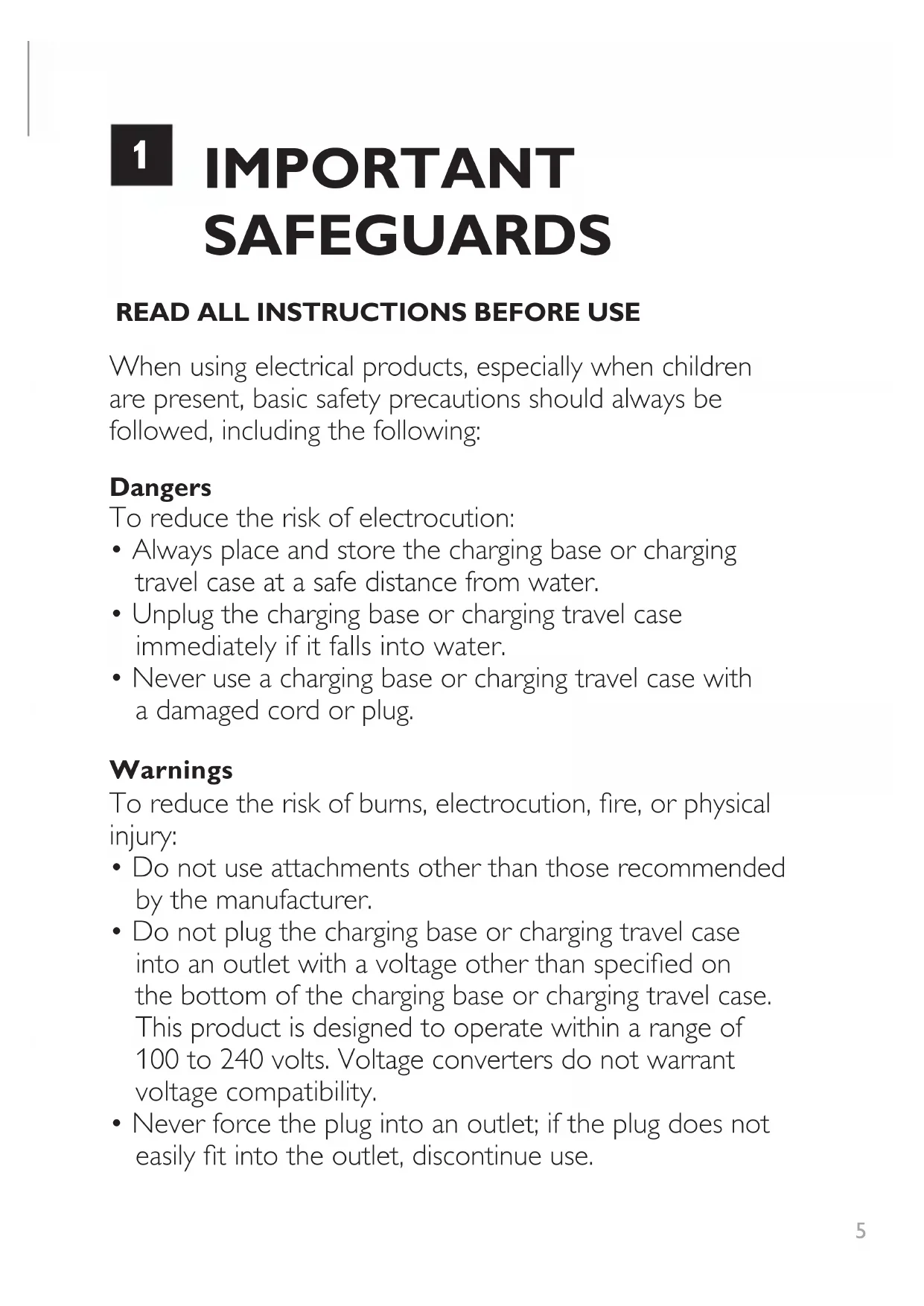
ENGLISHREAD ALL INSTRUCTIONS BEFORE USE When using electrical products, especially when children
are present, basic safety precautions should always be
followed, including the following:
To reduce the risk of electrocution:
• Always place and store the charging base or charging
travel case at a safe distance from water.
• Unplug the charging base or charging travel case
immediately if it falls into water.
• Never use a charging base or charging travel case with
a damaged cord or plug.
To reduce the risk of burns, electrocution, re, or physical
• Do not use attachments other than those recommended
by the manufacturer.
• Do not plug the charging base or charging travel case
into an outlet with a voltage other than specied on
the bottom of the charging base or charging travel case.
This product is designed to operate within a range of
100 to 240 volts. Voltage converters do not warrant
voltage compatibility.
• Never force the plug into an outlet; if the plug does not
easily t into the outlet, discontinue use.
IMPORTANT SAFEGUARDS6
• Discontinue use if the product appears damaged in any
way (brush head, handle, charging base or charging
• Do not use the charging base or charging travel case if it
has dropped into water.
• Keep the cord away from heated surfaces.
• Do not use the charging base or charging travel case
• This product contains no user-serviceable parts.
Refer to ‘Warranty and support’ if the appliance no
longer works properly or needs repair.
• Use this appliance only for its intended use as described
in this document or as recommended by your dental
• This appliance is not intended for use by persons
(including children) with reduced physical, sensory,
or mental capabilities, or lack of experience and
knowledge, unless they have been given supervision or
instruction concerning use of the appliance by a person
responsible for their safety.
• Children should be supervised to ensure that they do
not play with the appliance.
• Philips Sonicare is a personal care device and is not
intended for use on multiple patients in a dental ofce
• Use UL-listed computer, USB hub, or USB duplex
receptacle when you charge the toothbrush handle in
the charging travel case.
• When you use a computer to recharge the toothbrush
handle, the computer should be located away from sources
of water (i.e., sink or tub) so as to avoid electrical shock.7
• Consult your dental professional before you use this
product if you have had oral or gum surgery in the
• Contact your dental professional if excessive bleeding
occurs after using this product or bleeding continues to
occur after 1 week of use.
• Discontinue use of this product and contact a physician/
dentist if discomfort or pain is experienced.
• This product complies with the safety standards for
electromagnetic devices. If you have a pacemaker or
other implanted device, contact your physician or the
device manufacturer prior to use.
• Consult your physician if you have other medical concerns.
Electromagnetic elds (EMF)
This Philips appliance complies with all applicable standards
and regulations regarding exposure to electromagnetic elds.
SAVE THESE INSTRUCTIONS8
2 Handle with ergonomic shape
3 Recessed power on/off button
4 Hidden brushing mode display
9 Charging travel case
The contents of the box may vary based on the model purchased.
See outside of box for contents included.9
CHARGING YOUR PHILIPS SONICARE Charge for 24 hours before rst use. The charge indicator ashes green until the
Philips Sonicare is fully charged. Rapid yellow ashing indicates that the battery is low.
Your Philips Sonicare has been designed to last up to 3 weeks on a single charge.
Read ‘Traveling with your Philips Sonicare’ for additional charging methods.
The charging glass is designed to properly charge only one handle at a time.
Do not place metallic objects in the charging glass, as this may affect the charging
process and may cause the charging base to overheat.10
Brushing - Move the brush head slowly and gently across the teeth in a small
back and forth motion so the longer bristles reach between your
teeth. Do not scrub like a manual toothbrush. Apply light pressure
to maximize Philips Sonicare’s effectiveness and let the Philips
Sonicare do the brushing for you.
The Quadpacer is an interval timer that beeps and briey pauses
to remind you to brush the 4 sections of your mouth. Depending
on the brushing mode you have selected, the Quadpacer beeps at
different intervals during the brushing cycle.
Clean - The ultimate in plaque removal (standard mode).
White - Whitening mode of 2 minutes to remove surface stains, plus an
additional 30 seconds to brighten and polish your front teeth.
Polish - Quick 1-minute mode to brighten and polish your front teeth.
Gum care - Complete mode that combines the Clean mode with an additional
minute to gently stimulate and massage your gums to improve
Sensitive - Extra gentle mode for sensitive teeth and gums.
USING YOUR PHILIPS SONICARE1112
GETTING USED TO YOUR PHILIPS SONICARE Easy-start - The Philips Sonicare may feel ticklish upon rst use. To help you ease into
the Philips Sonicare experience, the Easy-start feature gradually increases the sonic
power over the rst 14 brushings. Brushing must last at least 1 minute to properly
advance through this ramp-up cycle.
Easy-start may be deactivated - Place the handle in the plugged-in charging base or
charging travel case. Push and hold the on/off button for 2 seconds; 1 beep indicates the
Easy-start feature has been deactivated; 2 beeps indicate the feature has been reactivated.
Clinical studies must be performed with the Philips Sonicare fully charged and the
Easy-start feature deactivated.13
TRAVELING WITH YOUR PHILIPS SONICARE Charging via wall socket - Place the handle in the charging travel case, plug the
USB cord into the USB wall adapter, and plug the USB wall adapter into a wall socket.
The charge indicator on the handle ashes green until the Philips Sonicare is fully charged.
- Remove the USB cord from the USB wall adapter and insert the
USB plug into any USB port. Only use the USB wall adapter and USB cord provided.14
CLEANING YOUR PHILIPS SONICARE Cleaning - Clean the Philips Sonicare periodically. Rinse the handle and the brush
head. Wipe down all surfaces with a soft cloth and mild soap, if desired. Do not use
sharp objects to clean. Only the charging glass is top rack dishwasher-safe. Do not clean
the brush head, handle, charging base or charging travel case in the dishwasher.15
STORING YOUR PHILIPS SONICARE Storing - If you are not going to use the Philips Sonicare for an extended period of
time, unplug the charging base, clean all parts and store them in a cool, dry place away
from direct sunlight.16
• The rechargeable battery inside your Philips Sonicare cannot be replaced, but is easy
to remove for recycling. At the end of product life and prior to disposal, please remove
the rechargeable battery from the handle by following the instructions below. If you
have trouble removing the battery, you can also take the appliance to a Philips service
center. The staff of this center will remove the battery for you and will dispose of it in
an environmentally safe way.
• Do not throw away the appliance with the normal household waste at the end of its
life, but hand it in at an ofcial collection point for recycling. By doing this, you help to
preserve the environment.
• If you have any recycling questions, contact your local waste management ofce.
REMOVING THE RECHARGEABLE BATTERY This process is not reversible. To remove the rechargeable battery, you need a
at-head (standard) screwdriver. Observe basic safety precautions when you follow the
procedure below. Be sure to protect your eyes, hands, ngers and the surface on which
LOCATING THE MODEL NUMBER Look on the bottom of the unit for the model number (HX9383, HX9382, HX9362,
HX9352, HX9343, HX9333 or HX9332).
Philips warrants its products for two years after the date of purchase. Defects due
to faulty materials and workmanship will be repaired or replaced at Philips expense
provided that convincing proof of purchase in the qualifying period is provided.
Use of unauthorized replacement parts will void this warranty.
Contact our Consumer Care Center at 1-800-682-7664 (North America),
outside North America contact your local Philips Consumer Care Center.
Internet information: www.sonicare.com (North America) or www.philips.com
(outside North America).
WARRANTY EXCLUSIONS What is not covered under the two-year warranty:
• Damage caused by misuse, abuse, neglect, alterations or unauthorized repair.
• Damage caused by use of unauthorized replacement parts.
• Normal wear and tear, including chips, scratches, abrasions, discoloration or fading.
IMPLIED WARRANTIES ANY IMPLIED WARRANTIES, INCLUDING IMPLIED WARRANTIES OF MERCHANTABILITY AND FITNESS FOR A PARTICULAR PURPOSE,
©2014 Koninklijke Philips N.V. (KPNV). All rights reserved.
PHILIPS and the Philips shield are registered trademarks of KPNV.
Sonicare and the Sonicare logo are trademarks of
Philips Oral Healthcare, Inc. and/or KPNV.
Protected by U.S. and international patents.
Other patents pending. Reg. U.S. Pat. & Tm. Off.
© Koninklijke Philips N.V. (KPNV), 2014. Tous droits réservés.