 ManualGo.com
 SC08F70HS - Aspirateur SAMSUNG - Free user manual and instructions
Find the device manual for free SC08F70HS SAMSUNG in PDF.


Download the instructions for your Aspirateur in PDF format for free! Find your manual SC08F70HS - SAMSUNG and take your electronic device back in hand. On this page are published all the documents necessary for the use of your device. SC08F70HS by SAMSUNG.
USER MANUAL SC08F70HS SAMSUNG
(MARCHE/ARRÊT BROSSE)
A Fabricant Samsung Electronics., Co. Ltd
A Fabricant Samsung Electronics., Co. Ltd
A Fabricant Samsung Electronics., Co. Ltd
Thank you for purchasing a Samsung product.
✻ Please read the User Manual thoroughly before operating the vacuum.
✻ For indoor use only.
09 Using the UV brush (Option)
15 Cleaning the dust bin and grille
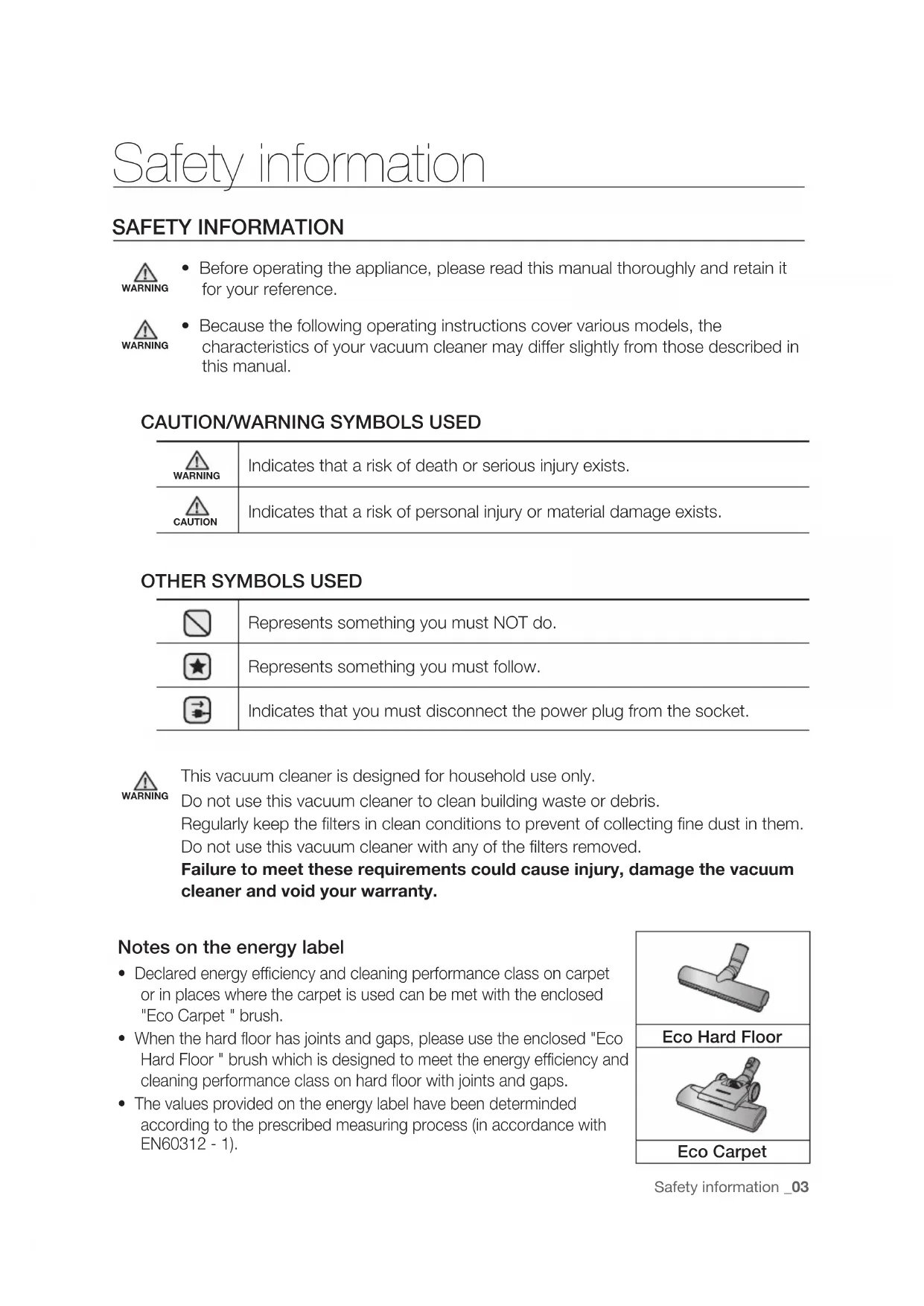
SAFETY INFORMATION WARNING • Before operating the appliance, please read this manual thoroughly and retain it
for your reference. WARNING • Because the following operating instructions cover various models, the
characteristics of your vacuum cleaner may differ slightly from those described in
CAUTION/WARNING SYMBOLS USED WARNING Indicates that a risk of death or serious injury exists. CAUTION Indicates that a risk of personal injury or material damage exists.
OTHER SYMBOLS USED Represents something you must NOT do.
Represents something you must follow.
Indicates that you must disconnect the power plug from the socket. WARNING This vacuum cleaner is designed for household use only.
Do not use this vacuum cleaner to clean building waste or debris.
Regularly keep the filters in clean conditions to prevent of collecting fine dust in them.
Do not use this vacuum cleaner with any of the filters removed.
Failure to meet these requirements could cause injury, damage the vacuum
cleaner and void your warranty.
Notes on the energy label
• Declared energy efficiency and cleaning performance class on carpet
or in places where the carpet is used can be met with the enclosed
"Eco Carpet " brush.
• When the hard floor has joints and gaps, please use the enclosed "Eco
Hard Floor " brush which is designed to meet the energy efficiency and
cleaning performance class on hard floor with joints and gaps.
• The values provided on the energy label have been determinded
according to the prescribed measuring process (in accordance with
IMpORTANT SAFEGUARDS GENERAL
• Read all instructions carefully. Before switching on, make sure
that the voltage of your electricity supply is the same as that
indicated on the rating plate on the bottom of the cleaner.
• WARNING : Do not use the vacuum cleaner when rug or floor is
wet. Do not use to suck up water.
• Close supervision is necessary when any appliance is used by
or near children. Do not allow the vacuum cleaner to be used
as a toy. Do not allow the vacuum cleaner to run unattended at
any time. Use the vacuum cleaner only for its intended use as
described in these instructions.
• Do not use the vacuum cleaner without a dust bin.
Empty the dust bin before it is full in order to maintain the best
• Do not use the vacuum cleaner to pick up matches, live ashes or
cigarette butts. Keep the vacuum cleaner away from stoves and
other heat sources. Heat can deform and discolour the plastic
• Avoid picking up hard, sharp objects with the vacuum cleaner as
they may damage the cleaner parts.
Do not stand on the hose assembly. Do not put weight on the
Do not block the suction or the exhaust port.
• Switch the vacuum cleaner off on the body of the machine
before unplugging from the electrical outlet. Disconnect the plug
from the electrical outlet before emptying the dust bin. To avoid
damage, please remove the plug by grasping the plug itself, not
by pulling on the cord.
• This appliance can be used by children aged from 8 years and
above and people with reduced physical, sensory or mental
capabilities or lack of experience and knowledge if they have
been given supervision or instruction concerning use of the
appliance in a safe way and understand the hazards involved.
DJ68-00701J-05.indb 4 2014. 8. 28. �� 8:34Safety information _05
Children shall not play with the appliance. Cleaning and user
maintenance shall not be done by children without supervision.
• Children should be supervised to ensure that they do not play
• The plug must be removed from the socket outlet before
cleaning or maintaining the appliance.
• The use of an extension cord is not recommended.
• If your vacuum cleaner is not operating correctly, switch off the
power supply and consult an authorized service agent.
• If the supply cord is damaged, it must be replaced by the
manufacturer or its service agent or a similarly qualified person in
order to avoid a hazard.
• Don’t carry the vacuum cleaner by holding the hose.
Use the handle on the vacuum cleaner set.
• Unplug the cleaner when not in use.
Turn off the power switch before unplugging.
• Since the UV rays from the UV Brush damage skin and eyes,
never allow the rays to make contact with skin or eyes and
do not let children or the elderly use the UV Brush. If used
incorrectly it may cause damage to a persons eyesight.
• If the transparent window is broken and the UV rays are exposed
directly, turn the power off and contact the service center.
• Do not use the UV Brush for purposes other than the sterilization
of mattresses, bedclothes, beds, cushions and so on made from
material. The company will not be held liable for any loss due to
accidents from using the UV Brush for purposes other than its
original purpose as listed above.
• Do not sit on the UV Brush or drop it, and avoid imparting
impacts on the product. Failing to do so may result in injury or
• Do not touch the power terminals on the back of the UV Brush
with a metal pin or rod. This may result in electric shock or fire.
DJ68-00701J-05.indb 5 2014. 8. 28. �� 8:3406_ Safety information
• When the UV lamp is out of order, never disassemble or modify
the product yourself.
Please contact the manufacturer or service center for a
• Since an internal discharge occurs within the UV Brush, never
use the product near an inflammable spray or substance.
• Take care not to touch the UV lamp window after using the
UV Brush for an extended period of time as the surface of the
• The UV Brush may start slowly at a low temperature due to the
inherent characteristics of UV lamps. Please keep the UV Brush
Combination accessory
Cover battery * Dust sensor * Furniture
DJ68-00701J-05.indb 7 2014. 8. 28. �� 8:3408_ Before using the vacuum cleaner
ASSEMBLY Connecting the Hose
Connecting the handle and pipe
Connecting the brush
Before using the vacuum cleaner
DJ68-00701J-05.indb 8 2014. 8. 28. �� 8:34Before using the vacuum cleaner _09
Connecting the brush into the hose
There will be a “clicking” sound when the UV
brush has been installed securely on the hose
For safety reasons, UV brushing only runs for 30 minutes and then stops operating.
To resume the operation, press the [BRUSH ON/OFF] button again. CAUTION The UV brush, which is assembled into the hose handle (not directly connected to
the pipe), is dedicated for bedclothes.
INSTALLING THE DUST SENSOR (OpTION)
Assemble the dust sensor
between the brush and the pipe
between the pipe and the hose
DJ68-00701J-05.indb 9 2014. 8. 28. �� 8:3410_ Before using the vacuum cleaner
USING ACCESSORY Combination accessory (Option)
Accessories (Option)
Install the accessory to the handle.
Dusting brush - For cleaning moldings, carved articles. etc.
Crevice tool - For cleaning in folds, crevices and corners.
Upholsterybrush - For cleaning sofas, etc.
BEFORE USING THE VACUUM CLEANER Pipe
Adjust the length of the pipe by sliding the
length control button located in the center of
the telescopic pipe.
For storage, park the floor nozzle
Do not pick up a machine while the
CAUTION DJ68-00701J-05.indb 11 2014. 8. 28. �� 8:3412_ Operating cleaner
pOWER CORD CAUTION When removing the plug from the electrical outlet, grasp the plug,
CHECk FILTER ON/OFF The filter light is illuminated when the dust
pOWER CONTROL Hose (controlled by radio frequency signals)
ON/OFF SC07F80H / SC07F70H / SC08F70H /
Select a lower power / higher power
Select a lower power / higher power
• UV sterilization cannot be
activated by itself.
• Press the [SUCTION (-/+)] and
[BRUSH ON/OFF] for operation.
• Don’t cover the handle transmitter when you use a handle control.
• If no button is pressed for 30 minutes while cleaning, the power will shut off as
a precaution. If this happens, press the button on the main unit or replug the
power cord in again. CAUTION 1. Never disassemble or recharge
2. Never heat up the batteries or
throw them into a fire.
3. Do not reverse (+), (-) poles.
4. Dispose of the batteries property.
BATTERY TYpE : AAA Size
DJ68-00701J-05.indb 13 2014. 8. 28. �� 8:3414_ Operating cleaner
DUST SENSOR (OPTION)
Dust Sensor Operations
• Indicates the amount of dust being picked
up and passing by the sensor which assist
the user to clean more efficiently.
• The dust sensor is activated au tomatically
when the cleaner runs and is turned off
when the cleaner is stopped.
Green : Amount of dust passing
Red : Amount of dust passing
If the red light does not light
up when cleaning a dusty
- Clean the sensors (2EA) with a
- Take care when you use the
cleaner because the dust
sensor may malfunction or may
break due to an impact.
Installing the Batteries
If the dest sensor does not work, change the
or Check filter ( ) light is illuminating.
Take the dust bin out by lifting the handle.
Push the button aside.
Turn the grille and take out it.
Separate the dust bin from body.
Clean the dust bin and body with water.
Leave the dust bin and body in the shade
until completely dry.
Install the grille and turn to clockwise.
Pull the dust bin cover to open. Remove the filter from the dust bin.
Shake the filter to remove dust, then wash
Let the filter dry for more than 12 hours.
Put the filter into the dust bin.
Make sure the filter is completely dry before putting it back into the vacuum cleaner.
Allow 12 hours for it to dry.
Do not use wet filter.
Replace the dust filter if it becomes damaged or deformed.
The dust bin cover will not close if the filter is not installed correctly.
DJ68-00701J-05.indb 17 2014. 8. 28. �� 8:3418_ Maintenance
CLEANING THE OUTLET FILTER
Take the dust bin out by lifting the handle. Pull out the Filter.
Shake the Filter to clean. Install the filter and holder in main body.
• The filter can be replaced and
separated from holder by pulling.
• Clean the outlet filter when suction is noticeably reduced continuously or the
vacuum cleaner abnormal overheads.
Note: Filters are not washable.
Replace filter if cleaning does not resolve the problem.
• Recommend that Filter should be changed once in 6 month.
DJ68-00701J-05.indb 18 2014. 8. 28. �� 8:34Maintenance _19
04 MAINTENANCE MAINTAIN FLOOR TOOLS
• Adjust the inlet lever according to the floor
• Remove waste matter completely if the
Frequent vacuuming of hair or pet fur may reduce cleaning effectiveness over time due to
matters tangled around the drum. In this case, clean the drum with care.
DJ68-00701J-05.indb 19 2014. 8. 28. �� 8:3420_ Maintenance
To remove dust from the dust bin of the UV brush (Option)
When the dust bin is filled, turn the [Dust
Removal] switch to empty the dust bin.
• While the cleaner is operating (suction),
the vacuum will suck the material from the
dust bin to the main unit.
• While the [Dust Removal] switch is in the
position, the suction power of the
Cleaning the UV brush (Cleaning the drum) (Optional Accessory)
Frequent vacuuming of hair or pet fur may
reduce cleaning efficiency overtime due to
matters tangled around the drum. In this
case, clean the drum with care.
DJ68-00701J-05.indb 20 2014. 8. 28. �� 8:34Maintenance _21
04 MAINTENANCE Mini turbo brush (Optional Accessory)
- To check brushroll
Check brushroll, when a clog is present
or debris is visible.
Inspect belt to ensure that it is in good
If belt is broken or cracked, replace belt
according to instructions.
DJ68-00701J-05.indb 21 2014. 8. 28. �� 8:3422_ Troubleshooting
PROBLEM SOLUTION Motor does not start.
gradually decreasing.
• Check for blockage and remove.
• Please unclog the intake.
vacuum cleaner stops
after repeating runs
and stops three times.
Cord does not rewind
• Please check filter and, if required, clean as illustrated in the
instructions. if filters are out of condition change them to new
• Please check filters, if required clean as illustrated in the
• Please decrease power suction.
• This can also occur when air in the room is very dry.
Please ventilate the room till air humidity becomes normal.
• In order to protect the motor in the cleanr, it rotates slowly when
you just turn on the cleaner.
(Before the motor stabilizes,) this causes the loud noise at the
initial state and it is not failure in the machine.
This vacuum cleaner is approved by the following:
Electromagnetic Compatibility Directive : 2004/108/EEC Low Voltage Directive : 2006/95/EC DJ68-00701J-05.indb 22 2014. 8. 28. �� 8:34Product fiche
According to Commission Regulation (EU) No 665/2013 and No 666/2013
A Supplier Samsung Electronics., Co. Ltd
E Carpet Cleaning Performance Class
C F Hardfloor Cleaning Performance Class
A G Dust Re-Emission Class A H Sound Power Level (dBA) 78
I RatedInput Power (W) 650
J Type General purpose vacuum cleaner
A Supplier Samsung Electronics., Co. Ltd
B Model SC08F70HQ SC08F70HR SC08F70HS SC08F70HV SC08F70HW C Energy Efficiency Class B D Annual Energy Consumption
E Carpet Cleaning Performance Class
D F Hardfloor Cleaning Performance Class
C G Dust Re-Emission Class A H Sound Power Level (dBA) 80
I RatedInput Power (W) 700
J Type General purpose vacuum cleaner
DJ68-00701J-05.indb 23 2014. 8. 28. �� 8:34Product fiche
A Supplier Samsung Electronics., Co. Ltd
B Model SC07F80HT SC07F80HU SC07F80HQ SC07F80HR C Energy Efficiency Class A A D Annual Energy Consumption
E Carpet Cleaning Performance Class
C D F Hardfloor Cleaning Performance Class
A C G Dust Re-Emission Class A A H Sound Power Level (dBA) 76 76
I RatedInput Power (W) 700 700
J Type General purpose vacuum cleaner
1) Indicative annual energy consumption (kWh per year), based on 50 cleaning tasks.
Actual annual energy consumption will depend on how the appliance is used.
2) Measurements for power consumption and performance are based on methods in
EN 60312-1 and EN 60704.