ManualGo.com
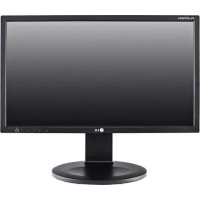
24MB35PUB - Moniteur LG - Free user manual and instructions
Find the device manual for free 24MB35PUB LG in PDF.


Download the instructions for your Moniteur in PDF format for free! Find your manual 24MB35PUB - LG and take your electronic device back in hand. On this page are published all the documents necessary for the use of your device. 24MB35PUB by LG.
USER MANUAL 24MB35PUB LG
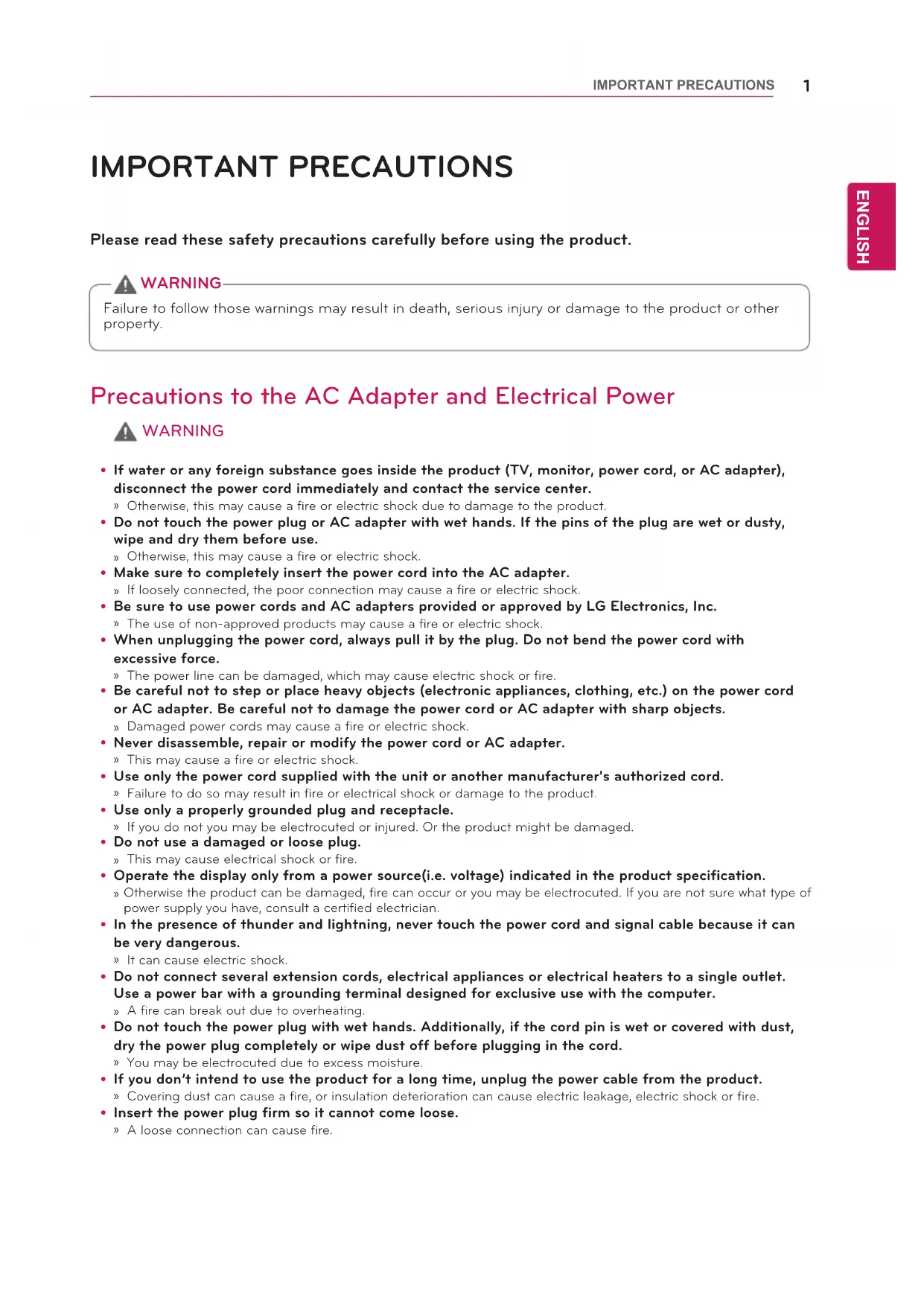
ENG ENGLISH IMPORTANT PRECAUTIONS IMPORTANT PRECAUTIONS Please read these safety precautions carefully before using the product.
Precautions to the AC Adapter and Electrical Power
If water or any foreign substance goes inside the product (TV, monitor, power cord, or AC adapter), disconnect the power cord immediately and contact the service center.
» Otherwise, this may cause a fire or electric shock due to damage to the product. Do not touch the power plug or AC adapter with wet hands. If the pins of the plug are wet or dusty, wipe and dry them before use.
» Otherwise, this may cause a fire or electric shock. Make sure to completely insert the power cord into the AC adapter.
» If loosely connected, the poor connection may cause a fire or electric shock. Be sure to use power cords and AC adapters provided or approved by LG Electronics, Inc.
» The use of non-approved products may cause a fire or electric shock. When unplugging the power cord, always pull it by the plug. Do not bend the power cord with excessive force.
» The power line can be damaged, which may cause electric shock or fire. Be careful not to step or place heavy objects (electronic appliances, clothing, etc.) on the power cord or AC adapter. Be careful not to damage the power cord or AC adapter with sharp objects.
» Damaged power cords may cause a fire or electric shock. Never disassemble, repair or modify the power cord or AC adapter.
» This may cause a fire or electric shock. Use only the power cord supplied with the unit or another manufacturer's authorized cord.
» Failure to do so may result in fire or electrical shock or damage to the product. Use only a properly grounded plug and receptacle.
» If you do not you may be electrocuted or injured. Or the product might be damaged. Do not use a damaged or loose plug.
» This may cause electrical shock or fire. Operate the display only from a power source(i.e. voltage) indicated in the product specification.
» Otherwise the product can be damaged, fire can occur or you may be electrocuted. If you are not sure what type of power supply you have, consult a certified electrician. In the presence of thunder and lightning, never touch the power cord and signal cable because it can be very dangerous.
» It can cause electric shock. Do not connect several extension cords, electrical appliances or electrical heaters to a single outlet. Use a power bar with a grounding terminal designed for exclusive use with the computer.
» A fire can break out due to overheating. Do not touch the power plug with wet hands. Additionally, if the cord pin is wet or covered with dust, dry the power plug completely or wipe dust off before plugging in the cord.
» You may be electrocuted due to excess moisture. If you don’t intend to use the product for a long time, unplug the power cable from the product.
» Covering dust can cause a fire, or insulation deterioration can cause electric leakage, electric shock or fire. Insert the power plug firm so it cannot come loose.
» A loose connection can cause fire.Failure to follow those warnings may result in death, serious injury or damage to the product or other property. WARNING2
ENG ENGLISH IMPORTANT PRECAUTIONS Precautions in installing the Product
Do not insert metal or other conductive materials into the product openings. Additionally, do not
touch the power cable right after plugging into the wall input terminal.
» You may be electrocuted.
The AC Plug is the disconnecting device. It should be easily accessible in case of emergency.
Please make sure the device is installed near the wall outlet to which it is connected and that the
outlet is easily accessible.
Be sure to keep the outlet, AC adapter, and pins of the power plug clean from dust and etc.
» This may cause a fire.
Do not unplug the power cord while the product is in use.
» Electrical shock can damage the product.
As long as this unit is connected to the AC wall outlet, it is not disconnected from the AC power
source even if the unit is turned off.
Keep away from heat sources like heaters or open flames.
» Electrical shock, fire, malfunction or deformation may occur.
Keep the packing anti-moisture material or vinyl packing out of the reach of children.
» Anti-moisture material is harmful if swallowed. If swallowed by mistake, force the patient to vomit and visit the nearest hospital. Additionally, vinyl packing can cause suffocation. Keep it out of the reach of children.
Do not put heavy objects on the product on sit upon it.
» If the product collapses or is dropped, you may be injured. Children must pay particular attention.
Do not leave the power or signal cable where someone can trip over it.
» The passerby can falter, which can cause electrical shock, fire, product breakdown or injury.
Install the product in a neat and dry place. Do not use near water.
» Dust or moisture can cause electrical shock, fire or product damage.
Do not add accessories that have not been designed for this display.
If you smell smoke or other odors or hear a strange sound from the product unplug the power cord
and contact LG Customer Service.
» If you continue to use without taking proper measures, electrical shock or fire can occur.
If you dropped the product or the case is broken, turn off the product and unplug the power cord.
» If you continue to use without taking proper measures, electrical shock or fire can occur. Contact LG Customer Service.
Do not drop an object on or apply impact to the product. Do not throw any toys or objects at the
» It can cause injury to humans, problems to the product and damage the display.
Keep out of reach of children and do not place toys near the product.
Make sure the product ventilation hole is not blocked. Install the product more than 10cm from the
If you install the product too close to the wall, it may be deformed or fire can break out due to internal heat build-up.
Do not cover the product with cloth or other material (eg. plastic) while plugged in.
» The product can be deformed or fire can break out due to internal overheating.
Place the product on a flat and stable surface that is large enough to support the product.
» If the product is dropped, you may be injured or the product may be broken.
Install the product where no Electromagnetic Interference occurs.
Keep the product away from direct sunlight.
» The product can be damaged.
Do not place the product on the floor.
» Small Children and others may trip over it.
Do not install this product on a wall if it could be exposed to oil or oil mist.
» This may damage the product and cause it to fall.
For displays with glossy bezels the user should consider the placement of the display as the bezel
may cause disturbing reflections from surrounding light and bright surfaces.3
ENG ENGLISH IMPORTANT PRECAUTIONS
Do not attempt to disassemble, repair or modify the product yourself.
» Fire or electric shock can occur.
» Contact LG Customer Service for repair.
When cleaning the product, unplug the power cord and scrub gently with a soft cloth to prevent
scratching. Do not clean with a wet cloth or spray water or other liquids directly onto the product. An
electric shock may occur. (Do not use chemicals such as benzene, paint thinners or alcohol)
Keep the product away from water.
» Fire or electric shock accident can occur.
Avoid high temperatures and humidity.
Do not put or store flammable substances near the product.
» There is a danger of explosion or fire.
Keep the product clean at all times.
Take a comfortable and natural position when working with the product.
Take a regular break when working with the product for a long time.
Do not press on the panel with a hand or sharp object such as nail, pencil or pen, or make a scratch
Keep proper distance from the product and rest from time-to-time.
» Your vision may be impaired if you look at the product too closely or for too long.
Set the appropriate resolution by referring to the User’s Guide.
Keep small accessories out of the reach of children.
Displaying a still image for long time on the monitor may leave persistent image or stain on the
monitor screen. To avoid this problem, use a screen saver and power off when this product is not
used. Persistent image or stain caused by long time usage are not covered by the warranty on this
Do not use products using high voltage around the Monitor. (ex. Electrical Swatter)
» Monitor may have malfunction as its electrical shock.
Spray water onto a soft cloth 2 to 4 times, and use it to clean the front frame;wipe in one direction
only. Too much moisture may cause staining.
Precautions in Moving the Product
Make sure to turn off the product.
» You may be electrocuted or the product can be damaged.
Make sure to remove all cables before moving the product.
» You may be electrocuted or the product can be damaged.
When lifting or moving the product, do not hold it upside down while holding only the stand.
» This may cause the product to fall resulting in damage or injury.
Do not shock the product when moving it.
» You may be electrocuted or the product can be damaged.
Make sure the panel faces forward and hold it with both hands to move.
» If you drop the product, the damaged product can cause electric shock or fire.
Do not place the product face down.
» This may damage the TFT-LCD screen.4
ENG ENGLISH IMPORTANT PRECAUTIONS On Disposal
(Only, Hg lamp used LCD Monitor)
The fluorescent lamp used in this product contains a small amount of mercury.
Do not dispose of this product with general household waste.
Disposal of this product must be carried out in accordance to the regulations of your local authority.1
DDC(Display Data Channel)
ENGLISH DDC is a communication channel over which
the monitor automatically informs the host
system (PC) about its capabilities.
① DDC1/DDC2B An uni-directional communication channel.
② DDC 2AB/DDC2B+/DDC2Bi
A bi-directional communication channel.
• PC must support DDC functions to do this.
DDC (Display Data Channel)
E-DDC (Enhanced DDC)
A protocol based on I²C and used on a bi-
directional data channel between the display
and host. This protocol accesses devices at I²C
address of A0/A1 as well as the address 60.
The 60 address is used as a segment register
to allow larger amounts of data to be retrieved
than is possible using DDC2B protocols. The
protocol is compatible with DDC2B protocols.
DEUTSCH DDC (Display Data Channel)
② DDC 2AB/DDC2B+/DDC2Bi
② DDC 2AB/DDC2B+/DDC2Bi
② DDC 2AB/DDC2B+/DDC2Bi
DDC 2AB/DDC2B+/DDC2Bi
DDC 2AB/DDC2B+/DDC2Bi
② DDC 2AB/DDC2B+/DDC2Bi
② DDC 2AB/DDC2B+/DDC2Bi
② DDC 2AB/DDC2B+/DDC2Bi
② DDC 2AB/DDC2B+/DDC2Bi
Energy saving Design
ENGLISH PORTUGUÊS Energy Saving Design Programa de economia de energia
This program is designed to have computer
equipment manufacturers build circuitry into
their products to reduce power consumption
when it is not in operation.
When this monitor is used with a PC on
which a screen blanking software complying
with the VESA Display Power Management
Signalling (DPMS) Protocol is installed, it can
conserve significant energy by reducing power
consumption when it is not in operation.
There are 2 signal lines, 3 modes of operation.
: On Mode, Sleep Mode, Off Mode.
The normal operation.
When the monitor is on mode,
being connected to a power
source, it displays an image.
The reduced power state.
returns to on mode when the
user moves the mouse or
presses a key on the keyboard.
The lowest power consumption
returns to on mode when the
user pushes a power switch.
• The energy saving Design monitors only work
while connected to the computers that have
energy saving features.
•Os monitores que incorporam o programa
Energy saving Design
Energy saving Design
Energy saving Design
Energy saving Design
mode désactivé (Off).
Energy saving Design
Energy saving Design
Display Power Management Signallising),
ENGLISH Unplug the monitor from the wall outlet and
refer servicing to qualified service personnel
The power cord or plug is damaged or
Liquid has been spilled into the monitor.
The monitor has been exposed to rain or
The monitor does not operate normally
following the operating instructions. Adjust
only those controls that are covered in
the operating instructions. An improper
adjustment of other controls may result in
damage and often requires extensive work
by a qualified technician to restore the
monitor to normal operation.
The monitor has been dropped or the cabinet
The monitor exhibits a distinct change in
Snapping or popping from the monitor is
continuous or frequent while the monitor is
operating. It is normal for some monitors to
make occasional sounds when being turned
on or off, or when changing video modes.
Do not attempt to service the monitor yourself,
as opening or removing covers may expose you
to dangerous voltage or other hazards. Refer
all servicing to qualified service personnel.
Fuhren Sie keine Wartungsarbeiten selbst
De monitor is gevallen of de behuizing is
警告REGULATORY INFORMATION Please read this manual carefully before operating
your set and retain it for future reference.
FCC COMPLIANCE STATEMENT This equipment has been tested and found to comply within the limits of a Class B digital device pursuant to Part
15 of the FCC Rules. These limits are designed to provide reasonable protection against harmful interference in a
residential installation.
This equipment generates, uses, and can radiate radio frequency energy and if not installed and used in
accordance with the instructions, may cause harmful interference to radio communications. However, there is no
guarantee that interference will not occur in a particular
If this equipment does cause harmful interference to radio or television reception (which can be determined by turning
the equipment on and off), the user is encouraged to try to correct the interference by using one or more of the
• Reorient or relocate the receiving antenna.
• Increase the separation between the equipment and the receiver.
• Connect the equipment into an outlet on a circuit different from that to which the receiver is connected.
• Consult the dealer or an experienced radio/TV technician for help.
Caution: Any changes or modifications in construction of this device are not expressly approved by the party
responsible for compliance could void the user’s authority to operate the equipment.3
INFORMATION FOR ENVIRONMENTAL PRESERVATION English
Information for Environmental
LGE. announced the ‘LG Declaration for a Cleaner
Environment’ in 1994, and this ideal has served
as a guiding managerial principle ever since. The
Declaration is a foundation that has allowed us to
undertake environmentally friendly activities in careful
consideration of economic, environmental, and social
We promote activities for environmental preservation,
and we specifically develop our products to embrace the
concept of environment-friendly.
We minimize the hazardous materials contained in our
products. For example, there is no cadmium to be found
Information for recycling
This product may contain parts which could be
hazardous to the environment. It is important that this
product be recycled after use.
LGE. handles all waste product through an
environmentally acceptable recycling method. There
are several take-back and recycling systems currently
in operation worldwide. Many parts will be reused and
recycled, while harmful substances and heavy metals are
treated by an environmentally friendly method.
If you want to find out more information about our
recycling program, please contact your local LG vendor
or a corporate representative of LG.
We set our vision and policies on a cleaner world by
selecting the issue of the global environment as a task
for corporate improvement. Please visit our website for
information about our ‘green’ policies.
http://www.lg.com/global/sustainability/environment/
take-back-recycling.jsp
Sie auf unserer Website.
http://www.lg.com/global/sustainability/environment/
take-back-recycling.jsp4
politique “verte”, rendez visite à notre site :
http://www.lg.com/global/sustainability/environment/
take-back-recycling.jsp
ulteriori informazioni sulla nostra politica “verde”.
http://www.lg.com/global/sustainability/environment/
take-back-recycling.jsp5
información sobre nuestras políticas ecológicas.
http://www.lg.com/global/sustainability/environment/
take-back-recycling.jsp
Informações relacionadas à preservação
A LGE. anunciou a ‘LG Declaration for a Cleaner
informações sobre nossas políticas de meio ambiente.
http://www.lg.com/global/sustainability/environment/
take-back-recycling.jsp6
http://www.lg.com/global/sustainability/environment/
take-back-recycling.jsp
можете найти на нашем сайте:
http://www.lg.com/global/sustainability/environment/
take-back-recycling.jsp7
environment/take-back-recycling.jsp
електронному обладнанні.
Ukraine Restriction of Hazardous Substances
The equipment complies with requirements of the
Technical Regulation, in terms of restrictions for the
use of certain dangerous substances in electrical and
electronic equipment.
“EPEAT registered where applicable/supported. EPEAT
registration varies by country - see
for registration status by country.”
WEEE ENGLISH Disposal of your old appliance
1 This crossed-out wheeled bin symbol indicates that
waste electrical and electronic products (WEEE)
should be disposed of separately from the municipal
2 Old electrical products can contain hazardous
substances so correct disposal of your old appliance
will help prevent potential negative consequences
for the environment and human health. Your old
appliance may contain reusable parts that could be
used to repair other products, and other valuable
materials that can be recycled to conserve limited
3 You can take your appliance either to the shop where
you purchased the product, or contact your local
government waste office for details of your nearest
authorised WEEE collection point. For the most
up to date information for your country please see
www.lg.com/global/recycling
environment/take-back-recycling/global-network-
(plik PDF : „For more information about how
to recycle LG products in your country”.13
The symbol indicating separate
collection for electrical and electronic
equipment consists of the crossed-out
INDIA ONLY Disposal of your old appliance (as per e-waste Rules)
1. When this crossed out wheeled bin symbol is depicted on the product and its operator’s manual, it means
the product is covered by the e-waste Management and Handling Rules , 2011 and are meant to be recycled,
dismantled, refurbished or disposed off.
a. The product is required to be handed over only to the authorized recycler for disposal.
b. Keep the product in isolated area, after it becomes non-functional/unrepairable so as to prevent its accidental
a. The product should not be opened by the user himself/herself, but only by authorized service personnel.
b. The product is not meant for re-sale to any unauthorized agencies/scrap dealer/kabariwalah.
c. The product is not meant for mixing into household waste stream.
d. Do not keep any replaced spare part(s) from the product in exposed area.
3. Any disposal through unauthorized agencies/person will attract action under Environment (Protection) Act 1986.
4. “This product is complied with the requirement of Hazardous Substances as specified under Rule 13 (1) & (2) of the
E-Waste(Management & Handling) Rules, 2011”.
5. To locate a nearest collection centre or call for pick-up (limited area only) for disposal of this appliance, please
contact Toll Free No. 1800-315-9999 / 1800-180-9999 for details. All collection centre and pick up facilities are
done by third parties with LG Electronics India Pvt. Ltd. Merely as a facilitator.
For more detailed information, please visit :
http://www.lge.com/in
http://www.lge.com/in20
CONFORMITY NOTICE ENGLISH Hereby, LG Electronics European Shared Service Center
B.V., declares that this product is compliant with the
essential requirements. The complete Declaration of
Conformity may be requested through the following
LG Electronics European Shared Service Center B.V.,
Krijgsman 1, 1186 DM Amstelveen, The Netherlands
or can be requested at our dedicated DoC website:
LG Electronics European Shared Service Center B.V.,
LG Electronics European Shared Service Center B.V.,
LG Electronics European Shared Service Center B.V.,
LG Electronics European Shared Service Center B.V.,
LG Electronics European Shared Service Center B.V.,
LG Electronics European Shared Service Center B.V.,
LG Electronics European Shared Service Center B.V.,
LG Electronics European Shared Service Center B.V.,
LG Electronics European Shared Service Center B.V.,
LG Electronics European Shared Service Center B.V.,
LG Electronics European Shared Service Center B.V.,
LG Electronics European Shared Service Center B.V.,
NORSK LG Electronics European Shared Service Center
hovedkravene. Du kan be om den fullstendige
LG Electronics European Shared Service Center B.V.,
DANSK LG Electronics European Shared Service Center
de vigtigste krav. Du kan anmode om den fulde
LG Electronics European Shared Service Center B.V.,
eller via vores dedikeret websted:
SUOMI LG Electronics European Shared Service Center B.V.
mukainen. Vaatimustenmukaisuusvakuutuksen koko
LG Electronics European Shared Service Center B.V.,
LG Electronics European Shared Service Center B.V.,
LG Electronics European Shared Service Center B.V.,
LG Electronics European Shared Service Center B.V.,
LG Electronics European Shared Service Center B.V.,
LG Electronics European Shared Service Center B.V.,
LG Electronics European Shared
WIRELESS For USA FCC Compliance Statement
This equipment has been tested and found to comply
with the limits for a Class B digital device, pursuant to
Part 15 of the FCC Rules. These limits are designed
to provide reasonable protection against harmful
interference in a residential installation. This equipment
generates, uses, and can radiate radio frequency energy
and, if not installed and used in accordance with the
instructions, may cause harmful interference to radio
communications. However, there is no guarantee that
interference will not occur in a particular installation.
If this equipment does cause harmful interference to
radio or television reception, which can be determined by
turning the equipment off and on, the user is encouraged
to try to correct the interference by one or more of the
- Reorient or relocate the receiving antenna.
- Increase the separation between the equipment and
- Connect the equipment to an outlet on a circuit
different from that to which the receiver is connected.
- Consult the dealer or an experienced radio/TV
technician for help.
This device complies with part 15 of the FCC Rules.
Operation is subject to the following two conditions:
(1) this device may not cause harmful interference and
(2) this device must accept any interference received,
including interference that may cause undesired
operation of the device. Any changes or modifications
in construction of this device which are not expressly
approved by the party responsible for compliance could
void the user’s authority to operate the equipment.
FCC Radio Frequency Interference
Requirements (for UNII devices)
High power radars are allocated as primary users of
the 5.25 to 5.35 GHz and 5.65 to 5.85 GHz bands.
These radar stations can cause interference with and/
or damage this device. This device cannot be co-located
with any other transmitter.
FCC RF Radiation Exposure Statement
[For having wireless function (WLAN, Bluetooth,...)]
This equipment complies with FCC radiation exposure
limits set forth for an uncontrolled environment. This
transmitter must not be colocated or operating in
conjunction with any other antenna or transmitter.
This equipment should be installed and operated with
minimum distance 20 cm (7.8 inches) between the
antenna and your body. Users must follow the specific
operating instructions for satisfying RF exposure
For CANADA (Pour le Canada)
Industry Canada Statement
[For having wireless function (WLAN, Bluetooth,...)]
This device complies with Industry Canada’s applicable
licence-exempt RSSs. Operation is subject to the
following two conditions:
1 This device may not cause interference; and
2 This device must accept any interference, including
interference that may cause undesired operation of
IC Radiation Exposure Statement
[For having wireless function (WLAN, Bluetooth,...)]
This equipment complies with IC radiation exposure
limits set forth for an uncontrolled environment. This
equipment should be installed and operated with
minimum distance 20 cm (7.8 inches) between the
antenna & your body.
NOTE: THE MANUFACTURER IS NOT RESPONSIBLE FOR ANY RADIO OR TV INTERFERENCE CAUSED BY UNAUTHORIZED MODIFICATIONS TO THIS EQUIPMENT. SUCH MODIFICATIONS COULD VOID THE USER’S AUTHORITY TO OPERATE THE EQUIPMENT.
RF Radiation Exposure Statement
This equipment should be installed and operated with
minimum distance 20 cm between the radiator and your
CU Conformity Notice
(Eurasian Customs Union only)31
DECLARATION OF CONFORMITY
[For Equipment Under Radio Equipment Directive]
Hereby, LG Electronics declares that the radio equipment
type Monitor is in compliance with Directive 2014/53/
EU. The full text of the EU declaration of conformity is
available at the following internet address:
http://www.lg.com/global/support/cedoc/cedoc#
LG Electronics European Shared Service Center B.V.
The use of the 5150 – 5350 MHz band is restricted to
indoor use only. (For Wi-Fi/Bluetooth built-in model or
Wi-Fi built-in model)
LG Electronics European Shared Service Center B.V.
LG Electronics European Shared Service Center B.V.
LG Electronics European Shared Service Center B.V.
LG Electronics European Shared Service Center B.V.
LG Electronics European Shared Service Center B.V.
LG Electronics European Shared Service Center B.V.
LG Electronics European Shared Service Center B.V.
LG Electronics European Shared Service Center B.V.
LG Electronics European Shared Service Center B.V.
LG Electronics European Shared Service Center B.V.
LG Electronics European Shared Service Center B.V.
LG Electronics European Shared Service Center B.V.
LG Electronics European Shared Service Center B.V.
LG Electronics European Shared Service Center B.V.
LG Electronics European Shared Service Center B.V.
LG Electronics European Shared Service Center B.V.
LG Electronics European Shared Service Center B.V.
LG Electronics European Shared Service Center B.V.
LG Electronics European Shared Service Center B.V.
LG Electronics European Shared Service Center B.V.
LG Electronics European Shared Service Center B.V.
LG Electronics European Shared Service Center B.V.
LG Electronics European Shared Service Center B.V.
LG Electronics European Shared Service Center B.V.
LG Electronics European Shared Service Center B.V.
LG Electronics European Shared Service Center
LG Electronics European Shared Service Center
LG Electronics European Shared Service Center
LG Electronics European Shared Service Center
LG Electronics European Shared