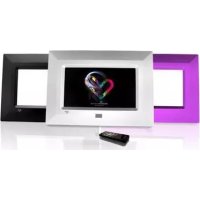
F7010 - Digital photo frame ENERGY SISTEM - Free user manual and instructions
Find the device manual for free F7010 ENERGY SISTEM in PDF.



| Brand | Energy Sistem |
| Model | F7010 Triple |
| Product type | Digital photo frame |
| Screen | TFT LCD 7 inches, resolution 480x234, 16:9 aspect ratio |
| Compatible image formats | JPEG |
| Supported memory cards | Secure Digital (SD), MultiMedia Card (MMC), Memory Stick (MS) |
| Display modes | Slideshow with adjustable intervals (5/15/60 s, 5/15/30/45/60 min, fixed), rotation (90°, 180°, 270°), adjustment (Original, Auto-Fit, Pan & Scan, Fill) |
| Power supply | AC/DC 5V power adapter (Europlug) |
| Remote control | Yes, with replaceable lithium battery |
| Included accessories | 3 interchangeable frames (purple, white, black), cleaning cloth, user manual |
| Warranty | 36 months |
| Weight | Approximately 300 g |
| Dimensions | Approximately 20 x 15 x 3 cm |
| Care | Clean with a soft, dry cloth; avoid shocks, dust, direct sunlight and moisture |
| Safety | Do not disassemble; use only the supplied adapter; recharge the battery if the icon appears |
Frequently Asked Questions - F7010 ENERGY SISTEM
User questions about F7010 ENERGY SISTEM
0 question about this device. Answer the ones you know or ask your own.
Ask a new question about this device
Download the instructions for your Digital photo frame in PDF format for free! Find your manual F7010 - ENERGY SISTEM and take your electronic device back in hand. On this page are published all the documents necessary for the use of your device. F7010 by ENERGY SISTEM.
USER MANUAL F7010 ENERGY SISTEM
natural_image
Pure geometric diagram of nested rectangles with no text, numbers, or symbols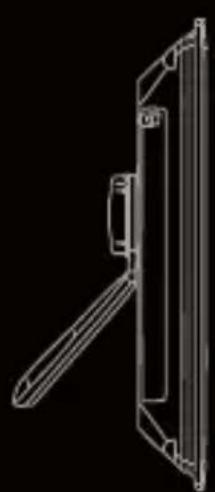
natural_image
Technical line drawing of a mechanical component or bracket (no text or symbols)DIGITAL PHOTO FRAME
YENE
natural_image
Illustration of hands using a tool to clean or fabricate material, no text or symbols presentEnergy Sistem ^® thanks you for buying your new digital photo frame Energy ^™ F7010 Triple. We wish you enjoy using it.
This digital photo frame with a big 7 inches TFT LCD high resolution display and SD/MS/MMC memory expansion slot allows you to enjoy your weddings, vacations, birthdays, friends and all your family pictures. Everybody have space within the new Energy Sistem digital photo frames. In addition, they include 3 interchangeable frames in different styles. Give new life to your pictures.
We recommend that you fully read this user manual in order to enjoy the product in a safe way and with the best results.
CARE AND MAINTENANCE
Do not expose your Energy™ digital Photo frame to shakes, dust, direct sun light, moisture or extreme temperatures.
Do not use abrasive or corrosive cleansers.
- Keep the device clean and dust free with a soft and dry cloth. We recommend you to use the provided cleaning cloth.
Clean the unit while it is turned off and unplugged from electric power.
Do not disassemble the device. Any repairs must be performed by qualified Energy Sistem Soyntec's personnel.
MAIN FEATURES
7" TFT LCD high resolution display.
16:9 image format.
480x234 resolution.
Slim remote control.
▶ Compatible with JPG pictures from the majority of digital cameras.
▶ Slide show with different time intervals available (5/15/60 sec. 5/15/30/45/60 min. Still).
- Compatible with Secure Digital (SD) / Multimedia Card (MMC) / Memory Stick (MS) memory cards.
Picture rotation of 90^ , 180^ and 270^ .
Automatic picture adjustment (4 modes: Original, Auto-Fit, Pan & Scan, Fill).
AC/DC power adaptor (Europlug).
PRODUCT CONTENT
Energy Sistem ^® Digital Photo Frame Energy ^TM F7010 Triple.
3 exchangeable frames (violet / white / black).
Cleaning cloth.
User manual.
Slim remote control.
AC/DC power adaptor (Europlug).
GENERAL OVERVIEW
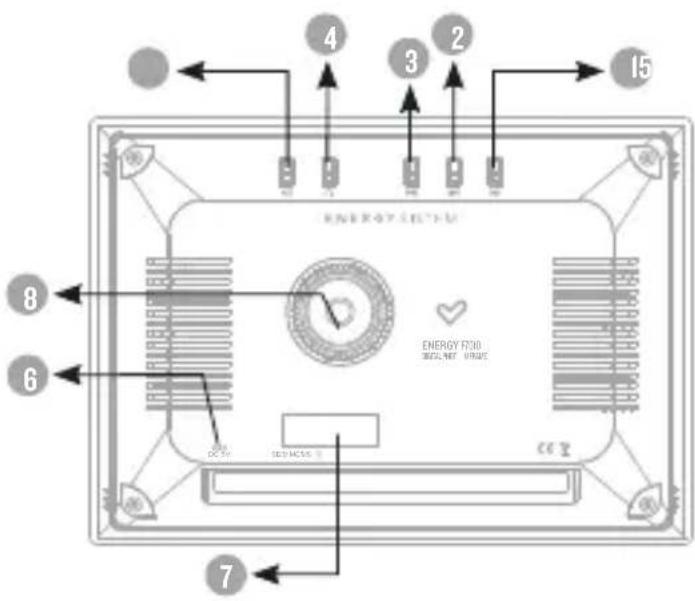
- PLAY: Turn on-off the frame / Pause and restart the slide show.
- PREVIOUS: Previous image.
- NEXT: Next image.
- ROTATE: Rotate the current image / Slide show elapse time.
- MODE: Change the image adjustment between Original, Auto-Fit, Pan & Scan and Fill.
- AC/DC 5v power adaptor (Europlug).
- Secure Digital (SD) / Multimedia Card (MMC) / Memory Stick (MS) expansion slot.
- Directional tabletop.
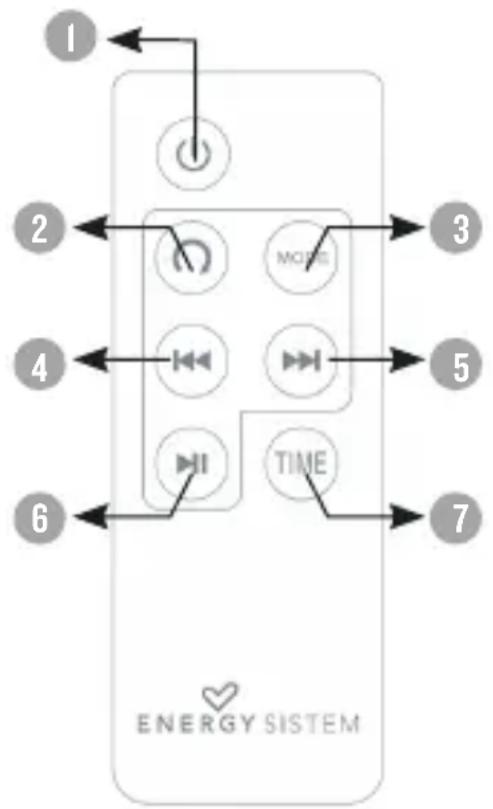
REMOTE CONTROL
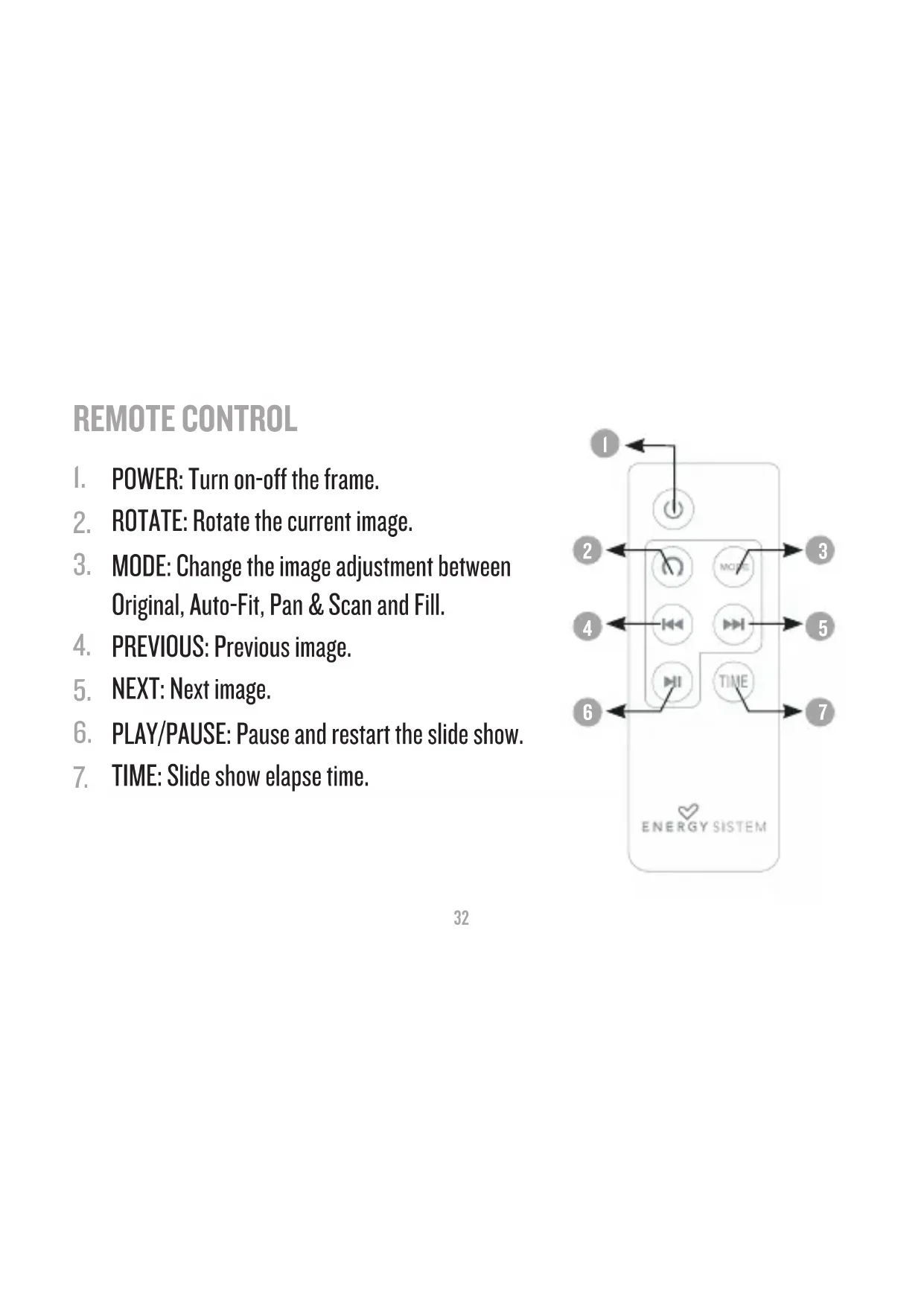
- POWER: Turn on-off the frame.
- ROTATE: Rotate the current image.
- MODE: Change the image adjustment between Original, Auto-Fit, Pan & Scan and Fill.
- PREVIOUS: Previous image.
- NEXT: Next image.
- PLAY/PAUSE: Pause and restart the slide show.
- TIME: Slide show elapse time.
flowchart
graph TD
    1["Power"] --> 2["Clock Icon"]
    2 --> 3["MOLEC"]
    3 --> 4["Inverter"]
    4 --> 5["Inverter"]
    5 --> 6["Timer"]
    6 --> 7["TIME"]
    7 --> 6
    style 1 fill:#f9f,stroke:#333
    style 2 fill:#ccf,stroke:#333
    style 3 fill:#cfc,stroke:#333
    style 4 fill:#fcc,stroke:#333
    style 5 fill:#cff,stroke:#333
    style 6 fill:#ffc,stroke:#333
    style 7 fill:#cfc,stroke:#333
BATTERY POWER
Your Energy™ F7010 digital photo frame is powered through the AC/DC 5v connector. To provide electrical energy to your unit you can use the provided AC/DC 5v adaptor provided with the product.
The remote control is powered by a CR2025 3V lithium battery that you can replace when depleted by releasing the battery compartment in the back of the remote control.
SWITCHING ON / OFF
To power on your Energy™ F7010 digital photo frame simply plug the provided power adaptor to an electrical source. Right then, the photo frame will automatically search the memory card and display the number of images found. If there is no card present it will display the message “no card”.
Important: Do not remove the memory card when it is being accessed to avoid data losses.
To switch off your photo frame, simply unplug the cable from the power source.
Additionally you can power off your Energy™ F7010 digital photo frame without unplugging any cable by pressing the PLAY button for a few seconds, or pressing POWER on the remote control. To turn the unit on again, press again the PLAY button for a few seconds or POWER on the remote control.
Note: When switching off the photo frame the information about the image shown is not stored, and the slide show will start from the first picture on the memory card upon switching on again.
IMAGE DISPLAY
When switching on your Energy™ F7010 Triple digital photo frame the slide show presentation will start automatically from the first picture found inside the inserted memory card. You can pause/restart the slide show pressing PLAY at the back of the photo frame or with the remote control. Pressing PREVIOUS/NEXT on the photo frame or the remote control you will jump to the previous/next image respectively.
Important: Do not leave the same image still for more than one day because you risk damaging the TFT screen. We recommend changing the image at least once or twice a day, or even better use slide show with a high elapse time.
Pressing the ROTATE button at the back of the photo frame or with the remote control will rotate the picture 90° clockwise. This change will only affect the current picture and next pictures shown will have the normal orientation of the picture.
Holding the ROTATE button at the back of the photo frame will change the slide show elapse time. On the remote control you can find this functionality on the TIME button.
With the MODE button on both the photo frame and the remote control you can change the picture adjustment to the frame screen. You can choose between the following modes:
"Original": The image is shown with the original JPG file format.
"Auto-Fit": The image heightens or widens to eliminate the side space at the closest side of the screen. This is the default mode.
"Pan Scan": The image heightens and widens to eliminate all side space and fit the screen.
“Fill”: The image fills the screen adjusting to the native 480x234 pixels resolution.
When you change the picture adjustment, the selected mode will persist for the following pictures until changed again, or until switching off the photo frame. When powered back on, the default mode of “Auto-Fit” will be used.
FRAME EXCHANGE
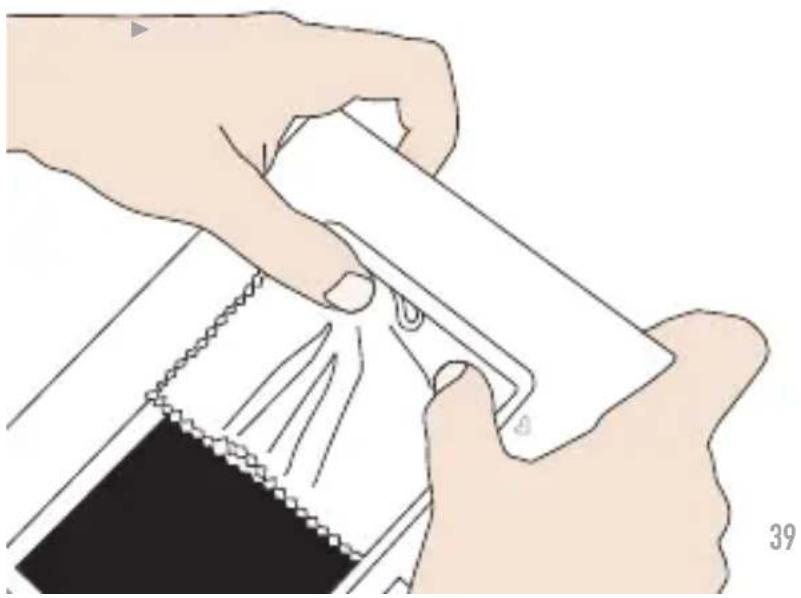
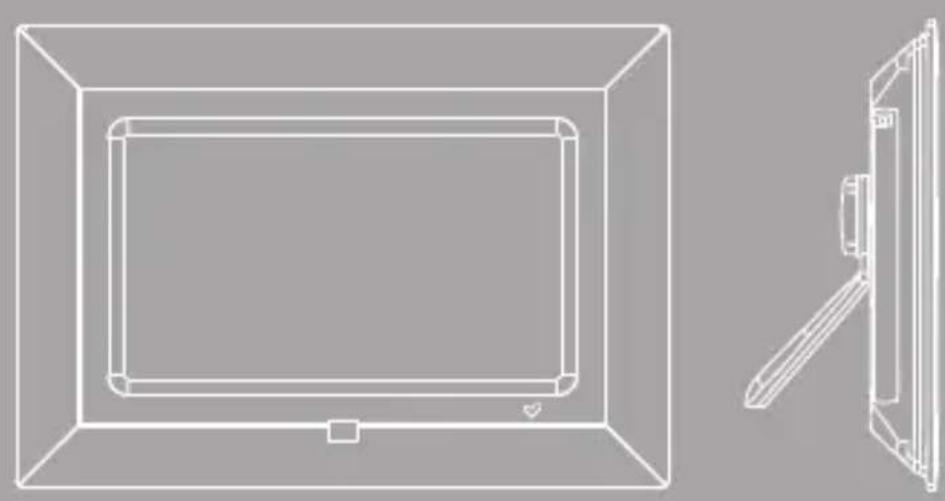
The three frames with different styles and colors provided with your Energy™ F7010 digital photo frame attach to the photo frame by four clamping points on the sides. To exchange between them simply apply a small push to the attached frame like shown in the picture.
natural_image
Illustration of hands using a tool to clean or fabricate material, no text or symbols presentWhen you have successfully detached the former frame, insert the new one with a small pressure on each of the four clamping points until you hear a “click”.
TROUBLESHOOTING
Why can't I display my .JPG files?I.
Many digital cameras and image edition software add hidden data to the .JPG files. This data can prevent your digital photo frame from loading the images. Try to eliminate them by saving the file with another name.
I have a Memory Stick card that does not fit inside the card slot.2.
The memory expansion slot is compatible with original Memory Sticks.
Memory Stick Pro DUO and similar need of adapters usually provided with the memory.
The time elapsed between pictures is greater than the time I selected for 3. slide show.
When pictures are very big, weighting I or more megabytes, the photo frame needs more time to process them and might take longer than the
selected slide show time. Lighter pictures will be shown "on time".
Sometime I see the "Wrong file content" message on screen.4.
This message appears when the picture to be shown has a problem like described on point I, or is not an image file but has JPG extension. Make sure the file is a true JPG picture and it does not have excessive metadata.
The memory card I'm using is not recognized.5.
Make sure the memory card is inserted in the right direction and fully inserted. Also remember the photo frame is compatible with SD/MMC/MS only.
Have any other question? Check the product F.A.Q. section at www.energysistem.com.
Technical support email address: support@energysistem.co.uk
WARRANTY
Energy Sistem Soyntec S.A. warrants its products to be free from defects in materials and workmanship at the time of purchase.
The warranty period is 36 months from the date of purchase for Digital photo frames.
WARRANTY PROCEDURE
Visit the Support section at http://support.energysistem.com and select I. your product to view the FAQ (Frequently Asked Questions). The solution to your problem is very likely to have been already published there. You will also be able to download user manuals, user guides, drivers and updates.
If you cannot find an appropriate solution in the Support section, 2. you may send us your enquiry or warranty service request by email: support@energysistem.co.uk
Alternatively, you may prefer to contact the distributor from which you 3. purchased the product, presenting the purchase receipt or invoice."
Specifications are subject to change without notice.
© 2008 by Energy Sistem®. All rights reserved.
Trademarks.
All company, brand and product names are trademarks or registered trademarks of their respective companies
CHANGEMENT D'ARMATURE
natural_image
Illustration of hands cleaning a garment with a zipper and fabric (no text or symbols)natural_image
Simple heart-shaped outline on black background (no text or symbols)www.energysistem.com
Brand : ENERGY SISTEM
Model : F7010
Category : Digital photo frame