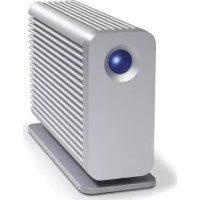
Little Big Disk 2TB - External hard drive LACIE - Free user manual and instructions
Find the device manual for free Little Big Disk 2TB LACIE in PDF.


| Product type | External Thunderbolt hard drive |
| Capacity | 2 TB |
| Interface | Thunderbolt (2 ports) |
| Preconfigured RAID configuration | RAID 0 (striped array) |
| Storage format | Journaled HFS+ (Mac OS X) |
| Power supply | External AC adapter |
| Dimensions (approx.) | 200 x 100 x 50 mm |
| Weight (approx.) | 1.2 kg |
| Activity indicator | Blue LED |
| Power button | Yes |
| Operating temperature | 0°C to 35°C |
| Compatibility | Mac OS X |
| Box contents | Hard drive, Thunderbolt cable, AC adapter, user manual |
| Enclosure material | Aluminum (estimated) |
| Warranty | Limited manufacturer warranty (see certificate) |
| Main features | External storage, Thunderbolt daisy chaining, adjustable RAID configuration, preformatted for Mac |
| Maintenance and cleaning | Clean with a dry cloth; do not use liquids |
| Safety | Eject the disk before disconnecting; do not expose to water or temperatures above 35°C |
| Spare parts and repairability | AC adapter and Thunderbolt cable available; repair by LaCie only |
| General information | 24-page user manual included; online support |
Frequently Asked Questions - Little Big Disk 2TB LACIE
User questions about Little Big Disk 2TB LACIE
0 question about this device. Answer the ones you know or ask your own.
Ask a new question about this device
Download the instructions for your External hard drive in PDF format for free! Find your manual Little Big Disk 2TB - LACIE and take your electronic device back in hand. On this page are published all the documents necessary for the use of your device. Little Big Disk 2TB by LACIE.
USER MANUAL Little Big Disk 2TB LACIE
natural_image
Illustration of a white rectangular device with a circular lens and multiple stacks of layered panels (no text or symbols)Design by Neil Poulton
Quick Install Guide
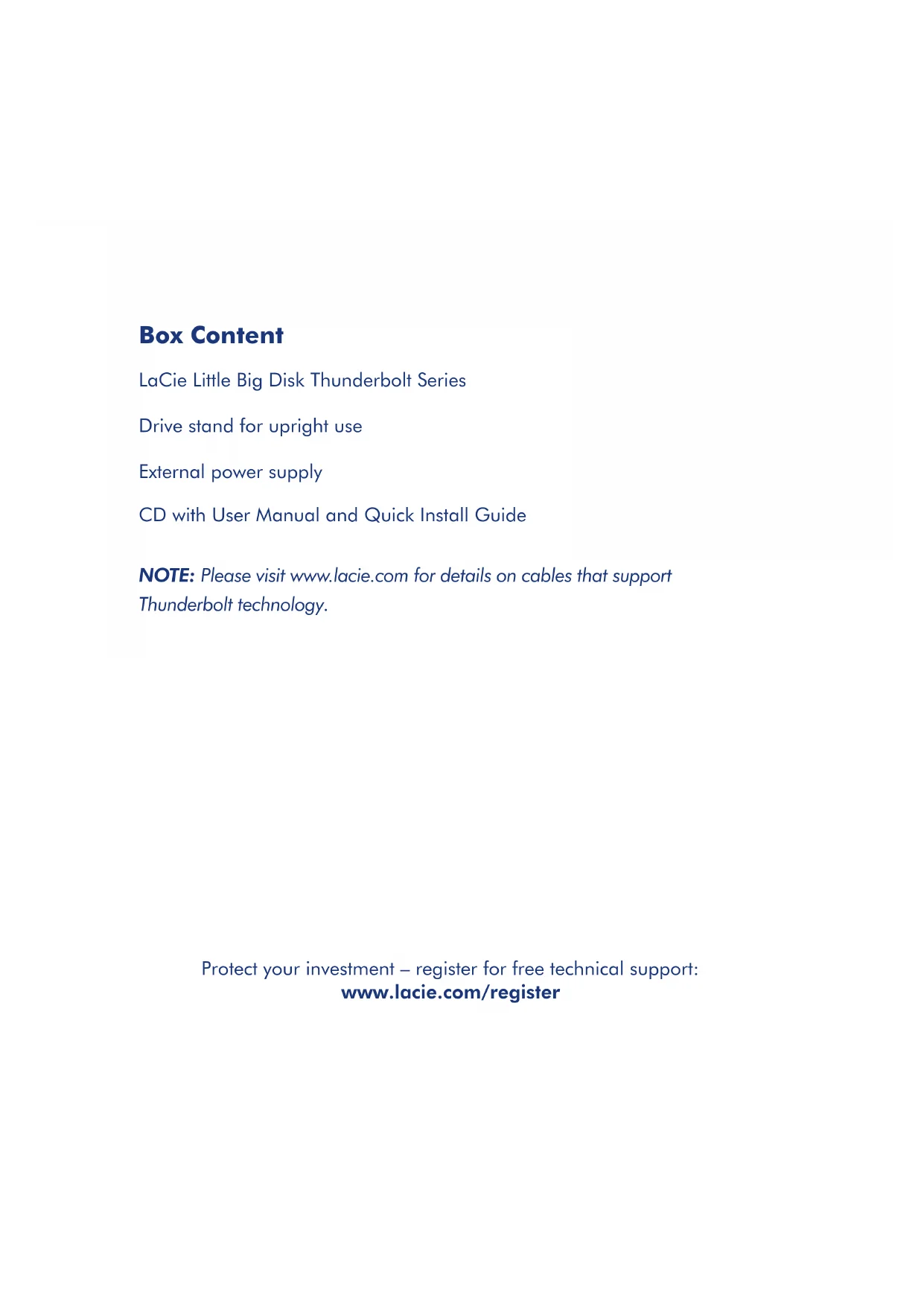
Box Content
LaCie Little Big Disk Thunderbolt Series
Drive stand for upright use
External power supply
CD with User Manual and Quick Install Guide
NOTE: Please visit www.lacie.com for details on cables that support Thunderbolt technology.
Protect your investment – register for free technical support:
www.lacie.com/register
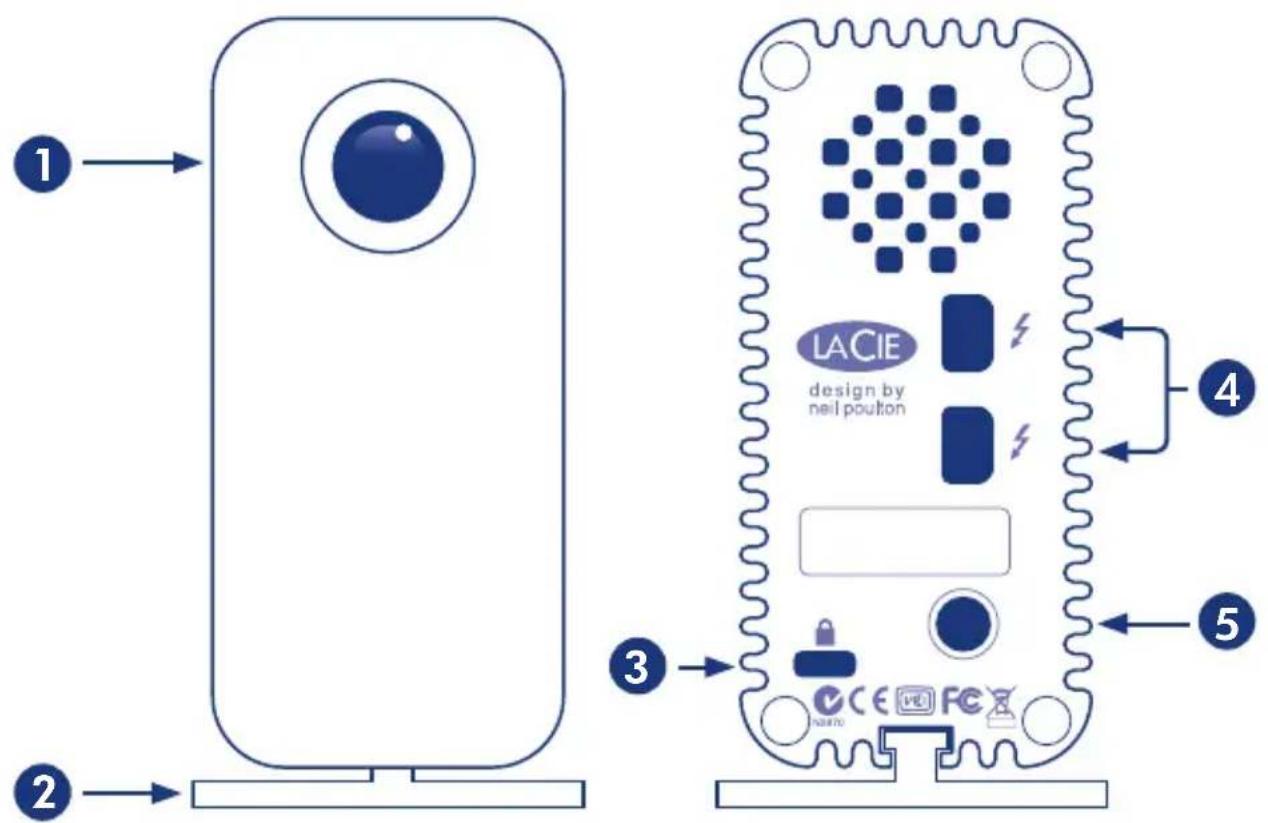
Front View
- Activity LED / Power button
- Removable stand
Back View
- Kensington lock
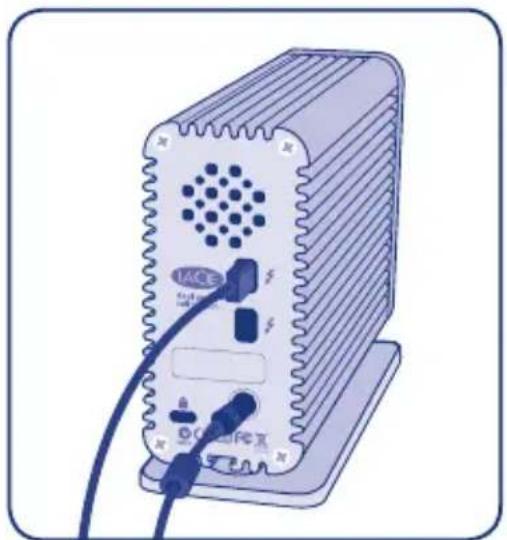
- 2x Thunderbolt™* technology interface ports
- Power adapter connection
*Thunderbolt and the Thunderbolt logo are trademarks of Intel Corporation in the U.S. and/or other countries.
Setup Steps
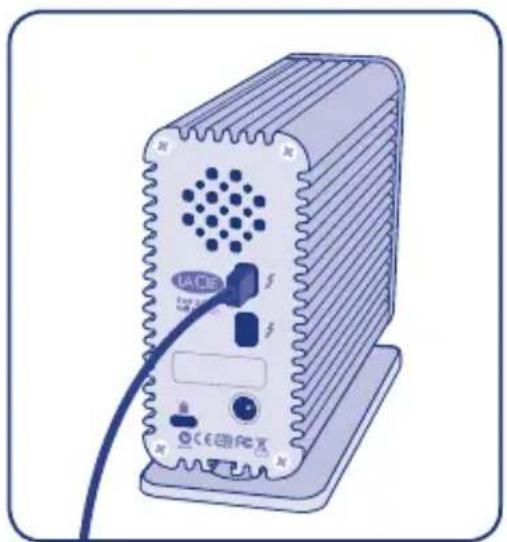
- Connect a cable that supports Thunderbolt technology to one of the Little Big Disk Thunderbolt Series interface ports (Fig. 1). Plug the other end of the cable to a compatible Thunderbolt technology port on your Macintosh computer. The additional interface port on the Little Big Disk Thunderbolt Series may be used to daisy chain compatible devices.
NOTE: Thunderbolt technology supports up to seven devices on a daisy chain, including the computer.
-
Connect the included external power supply to a power outlet and to the Little Big Disk Thunderbolt Series (Fig. 2). The device will turn on automatically when it receives power.
-
The Little Big Disk Thunderbolt Series storage will mount on your Mac desktop.
natural_image
Illustration of a beige industrial device with ventilation grille and connected ports (no visible text or symbols)Fig. 1
natural_image
Illustration of a beige electronic device with ventilation grille and connected cables (no text or symbols visible)Fig. 2
NOTE: The two internal disks are preconfigured as a Striped RAID Set (RAID 0) and preformatted as HFS+ Journaled for Mac. Mac OS X presents a Striped RAID Set as a single drive icon on the Desktop.
RAID: You have the option to adjust the RAID configuration as a Mirrored RAID Set for data protection using Mac OS X Disk Utility. Please note that a Mirrored RAID Set copies the same files to each disk, affecting the transfer rate speed and the available capacity. See the User Manual for further information on RAID.
NOTE: Eject the partition(s) from the Mac Desktop before disconnecting the Little Big Disk Thunderbolt Series from your computer. See the User Manual for details.
Activity LED / Power Button
The blue LED acts as:
- An indicator of disk activity
· A power button
Please see the User Manual for further information.
Precautions
Do not stack the Little Big Disk. Do not expose the Little Big Disk to temperatures over 35^ C ( 95^ F). Do not expose the device to liquids. Use only the power supply shipped with the device.
Warranty Information
LaCie warrants your product against any defect in material and workmanship, under normal use, for the designated warranty period. The warranty becomes effective from the date of shipment. In the event this product is found to be defective within the warranty period, LaCie will, at its discretion, repair or replace the defective product.
This warranty is void if:
- The product was operated/stored in abnormal use or maintenance conditions;
- The product is repaired, modified or altered, unless LaCie expressly authorizes such repair, modification or alteration in writing;
- The product was subjected to abuse, neglect, electrical fault, improper packaging, accident or acts of nature;
• The product was installed improperly; - The serial number of the product is defaced or missing;
- The broken part is a replacement part such as a pickup tray, etc.
- The tamper seal on the casing is broken.
Please see the User Manual for further details.
Warranty Information
Alexandria, NSW 2015
info.au@lacie.com
LaCie Benelux
Vorstlaan / 165 Bld du Souverain
B-1160 Brussels, Belgium
info.benelux@lacie.com
LaCie Canada
103 The East Mall, Unit 1
Toronto, Ontario M8Z 5X9
info.ca@lacie.com
LaCie France
17, rue Ampère
91349 Massy Cedex
info.fr@lacie.com
LaCie Germany
Am Kesselhaus 5
D-79576 Weil Am Rhein
info.de@lacie.com
LaCie Italy
Milano Business Park
Edificio B1
LaCie United Kingdom and Ireland
LaCie Ltd, Power Road Studios
114 Power Road
Chiswick, London, UK W4 5PY
UK: info.uk@lacie.com
Ireland: info.ie@lacie.com
LaCie USA
22985 NW Evergreen Pkwy
Hillsboro, OR 97124
sales@lacie.com
LaCie Worldwide Export
17, rue Ampère
91349 Massy Cedex, France
sales.intl@lacie.com
support.intl@lacie.com

Brand : LACIE
Model : Little Big Disk 2TB
Category : External hard drive