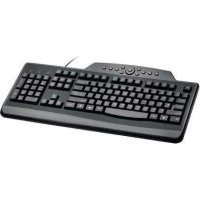
K64408ESA - Keyboard KENSINGTON - Free user manual and instructions
Find the device manual for free K64408ESA KENSINGTON in PDF.
User questions about K64408ESA KENSINGTON
0 question about this device. Answer the ones you know or ask your own.
Ask a new question about this device
Download the instructions for your Keyboard in PDF format for free! Find your manual K64408ESA - KENSINGTON and take your electronic device back in hand. On this page are published all the documents necessary for the use of your device. K64408ESA by KENSINGTON.
USER MANUAL K64408ESA KENSINGTON
Technical Support / Assistance technique / Technischer Support /
Technische ondersteuning / Supporto tecnico / Asistencia técnica / Müszaki támogatás / Technická podpora / Romoc techniczna /
Техническая поддержка / Assistência técnica
France 01 70 20 00 41
Hungary 10 9452-61 Ireland 01 601 1163
Italia 0248271154
México 55 15 00 57 00
For technical support visit
x5=1142 x1179
www.kensington.com
The Kensington Promise
Kensington Computer Products Group
A DIVISION OF ACCO BRANDS
ACCO 335 Twin (Delphi) Drive, 5th Floor Reckmanl Stores, CA 96065
Made in China
www.kensington.com


ACCO Brands Europe
Oxford House
Oxford Road
Aylesbury
United Kingdom
ACCO Brands Canada
5 Precidio Court
Brampton
Ontario, 265 687 Canada
ACCO Australia
Level 2.8 Lord St
Botany NSW
PO Box 311

Kensington®
Pro Fit™ USB Wired Keyboard
INSTRUCTION GUIDE
GUIDE D'INSTRUCTIONS
BEDIENUNGSANLEITUNG
HANDLEIDING
ISTRUZIONI
MANUAL DE INSTRUÇÕES

text_image
WARRANTY © Brandgitter BUDGARTLE 1026901-2368-00
KL
English

text_image
A B WARRANTY E-mailgiver WAL100Tout C contentsContents
A. Wired Keyboard
B. Warranty Card
C. Instruction Guide
Keyboard Components

text_image
FGHI J K D ED. Increase the volume
E. Decrease the volume
F. Media Buttons
G. Internet/Task Buttons
H. Wake, Sleep and Power Buttons
1. Num Lock
J. Cap Lock
K. Scroll Lock

flowchart
graph TD
A["Media buttons* Internet/Task buttons"] --> B["Mute"]
A --> C["Play/Pause"]
A --> D["Stop"]
A --> E["Previous"]
A --> F["NextRefresh"]
A --> G["Forward"]
A --> H["Mail"]
A --> I["CalculatorV"]
style A fill:#f9f,stroke:#333
note right of A: * Media buttons may not work with all media players
Registering Your Kensington Product
Register your Kensington product online at www.kensington.com.
Compatibility
Windows ^® 7, Windows Vista ^® and Windows ^® XP operating systems.
▲ Health Warning
Use of a keyboard, mouse, or trackball may be linked to serious injuries or disorders. Recent medical research of occupational injuries has linked normal, seemingly harmless activities as a potential cause of Repetitive Stress Injuries ("RSI"). Many factors may be linked to the occurrence of RSI, including a person's own medical and physical condition, overall health, and how a person positions and uses his or her body during work and other activities (including use of a keyboard or mouse). Some studies suggest that the amount of time a person uses a keyboard, mouse, or trackball may also be a factor. Consult a qualified health professional for any questions or concerns you may have about these risk factors.
When using a keyboard, mouse, or trackball, you may experience occasional discomfort in your hands, arms, shoulders, neck, or other parts of your body. However, if you experience symptoms such as persistent or recurring discomfort, pain, throbbing, aching, tingling, numbness, burning sensation, or stiffness, even if such symptoms occur while you are not working at your computer. DO NOT IGNORE THESE WARNING SIGNS. PROMPTLY SEE A QUALIFIED HEALTH PROFESSIONAL. These symptoms can be signs of sometimes permanently disabling RSI disorders of the nerves, muscles, tendons, or other parts of the body, such as carpal tunnel syndrome, tendonitis, tenosynovitis, and other conditions.
Common Troubleshooting Steps
If your keyboard is not working properly, follow these steps one at a time, and then retry your device. You can stop when your device begins working correctly again.
- Shut down and restart your computer.
- If possible, test the keyboard with another computer.
Technical Support
Technical support is available to all registered users of Kensington products. Technical Support contact information can be found on the back page of this manual.
Web Support
You may find the answer to your problem in the Frequently Asked Questions (FAQ) section of the Support area on the Kensington Website: www.support.kensington.com.
Telephone Support
There is no charge for technical support except long-distance charges where applicable. Please visit www.kensington.com for telephone support hours.
Please note the following when calling support:
• Call from a phone where you have access to your device.
• Be prepared to provide the following information:
— Name, address, and telephone number
– Name of the Kensington product
- Make and model of your computer
– System software and version
— Symptoms of the problem and what led to them
FEDERAL COMMUNICATIONS COMMISSION RADIO FREQUENCY INTERFERENCE STATEMENT
This device has been tested and found to comply with the limits for a Class B digital device, pursuant to Part 15 of the FCC Rules. These limits are designed to provide reasonable protection against harmful interference in a residential installation. This equipment generates, uses, and can radiate radio frequency energy and, if not installed and used in accordance with the instructions, may cause harmful interference to radio communications.
However, there is no guarantee that interference will not occur in a particular installation. If this equipment causes harmful interference to radio or television reception, which can be determined by turning the equipment off and on, the user is encouraged to try to correct the interference by one or more of the following measures:
• Reorient or relocate the receiving antenna.
• Increase the separation between the equipment and receiver.
- Connect the equipment into an outlet on a circuit different from that to which the receiver is connected.
- Consult the dealer or an experienced radio/TV technician for help.
MODIFICATIONS: Modifications not expressly approved by Kensington may void the user's authority to operate the device under FCC regulations and must not be made.
SHIELDED CABLES: In order to meet FCC requirements, all connections to equipment using a Kensington input device should be made using only the shielded cables.
FCC DECLARATION OF CONFORMITY COMPLIANCE STATEMENT
This product complies with Part 15 of the FCC rules. Operation is subject to the following two conditions: (1) This device may not cause harmful interference, and (2) This device must accept any interference received, including interference that may cause undesired operation. As defined in Section 2.909 of the FCC Rules, the responsible party for this device is Kensington Computer Product Group, 333 Twin Dolphin Drive, Redwood Shares, CA 94065, USA.
CE DECLARATION OF CONFORMITY
Kensington declares that this product is in compliance with the essential requirements and other relevant provisions of applicable EC directives.
For Europe, a copy of the Declaration of Conformity for this product may be obtained by clicking on the Compliance Documentation link at www.support.kensington.com.
INDUSTRY CANADA CONFORMITY
This Class [B] digital apparatus complices with Canadian ICES-003
SAFETY AND USAGE GUIDELINES
- In the absence of proper operation and if customer-initiated troubleshooting is unsuccessful, switch off device and contact Kensington technical support: www.kensington.com.
- Do not disassemble product or expose it to liquid, humidity, moisture, or temperatures outside the specified operating ranges of 0°C (32°F) to 40°C (104°F).
- If your product is exposed to out-of-range temperatures, switch it off and allow temperature to return to the normal operating range.
THE FOLLOWING INFORMATION IS ONLY FOR EU-MEMBER STATES:
The use of the symbol indicates that this product may not be treated as household waste. By ensuring this product is disposed of correctly, you will help prevent potential negative consequences for the environment and human health, which could otherwise be caused by inappropriate waste handling of this product. For more detailed information about recycling of this product, please contact your local city office, your household waste disposal service or the shop where you purchased the
product
Kensington and the ACCO name and design are registered trademarks of ACCO Brands. The Kensington Promise is a service mark of ACCO Brands. Pro Fit is a trademark of ACCO Brands. Windows, Windows Vista and Windows are registered trademarks of Microsoft Corporation in the U.S. and/or other countries. All other registered and unregistered trademarks are the property of their respective owners.
© 2009 Kensington Computer Products Group, a division of ACCO Brands. Any unauthorized copying, duplicating, or other reproduction of the contents hereof is prohibited without written consent from Kensington Computer Products Group. All rights reserved. 11/09
Français

text_image
A B C WARRANTY © Copyright VOCN1001-04-08Contenu
text_image
FGHI J K D EAssistance technique
DÉCLARATION DE CONFORMITÉ FCC
DÉCLARATION DE CONFORMITÉ CE
INDUSTRY CANADA CONFORMITY
text_image
FGHI J K D EINDUSTRY CANADA-KONFORMITÄT
text_image
A B C WARRANTY © Authorization ©2017-14-2018Inhoud
text_image
FGHI J K D Ewww.support.kensington.com.
Telefonische ondersteuning
CE-VERKLAKING VAN CONFORMITET
CONFORMITEIT MET INDUSTRY CANADA
Dit digitale apparaat van Klasse [B] voldoet aan de Canadese nom ICE5-003.
text_image
FGHI J K D Etext_image
FGHI J K D ECONFORMIDAD CON INDUSTRY CANADA
EasyManual