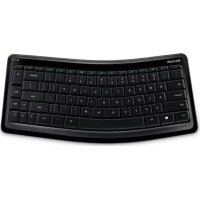
Sculpt Mobile Keyboard - Keyboard MICROSOFT - Free user manual and instructions
Find the device manual for free Sculpt Mobile Keyboard MICROSOFT in PDF.


| Product Type | Wireless Keyboard |
| Brand | Microsoft |
| Model | Sculpt Mobile Keyboard |
| Interface | Bluetooth |
| Compatibility | Windows 7, Windows 8, Windows 10 |
| Dimensions (L x W x H) | Approximately 290 x 120 x 25 mm |
| Weight | Approximately 400 g (with batteries) |
| Power Source | 2 AAA batteries |
| Battery Life | Up to 12 months |
| Windows Key | Yes |
| Media Keys | Yes |
| Numeric Keypad | No (compact model) |
| Wireless Range | Up to 10 meters |
| Color | Black |
| Material | Plastic |
| Care and Cleaning | Remove batteries, clean with a soft, slightly damp cloth, do not use abrasive products. |
| Safety | Do not expose to water or excessive heat, respect battery polarity. |
| Spare Parts and Repairability | Replaceable batteries, no spare parts provided by the manufacturer. |
| Warranty | 1-year limited warranty |
| Package Contents | Keyboard, batteries, quick start guide |
Frequently Asked Questions - Sculpt Mobile Keyboard MICROSOFT
User questions about Sculpt Mobile Keyboard MICROSOFT
0 question about this device. Answer the ones you know or ask your own.
Ask a new question about this device
Download the instructions for your Keyboard in PDF format for free! Find your manual Sculpt Mobile Keyboard - MICROSOFT and take your electronic device back in hand. On this page are published all the documents necessary for the use of your device. Sculpt Mobile Keyboard by MICROSOFT.
USER MANUAL Sculpt Mobile Keyboard MICROSOFT
natural_image
Black computer mouse with glossy finish and visible scroll wheel (no text or symbols)Microsoft
www.microsoft.com/hardware
ENGLISH - EN
لعربيه - AR
ČEŠTINA - CS
NEDERLANDS - NL
FRANÇAIS - FR
ΕΛΛΗΝΙΚΑ - EL
ITALIANO - IT
PORTUGUÊS - PT
РУССКИЙ - RU
ESPAÑOL - ES
УКРАЇНСЬКА – UK
SRPSKI - SR
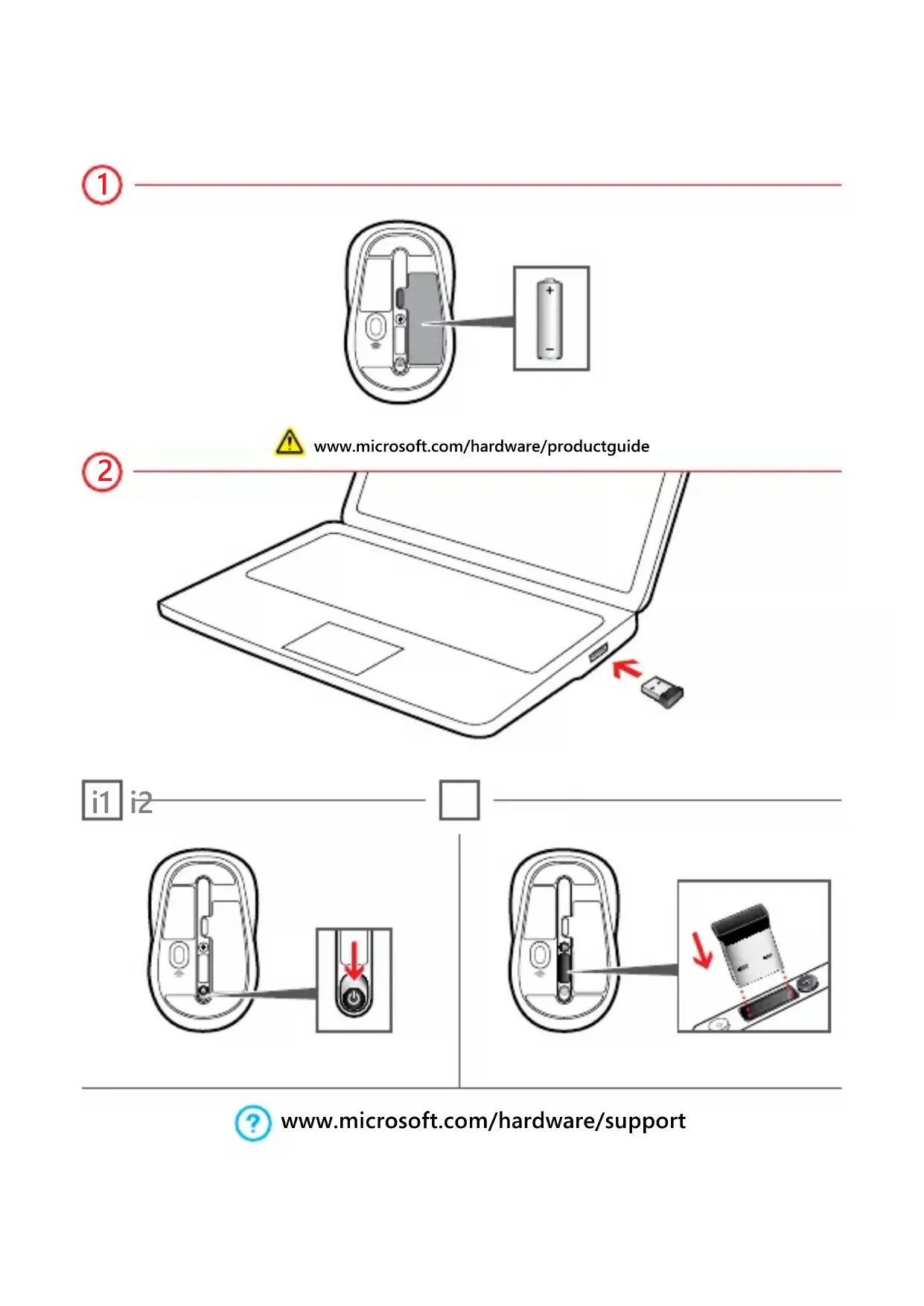
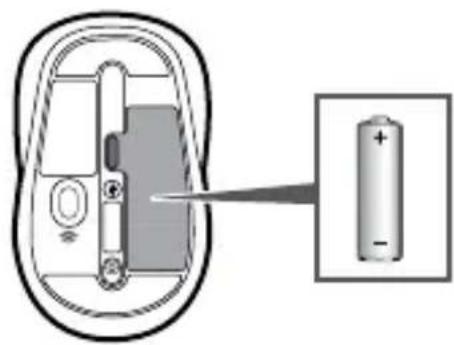
1
natural_image
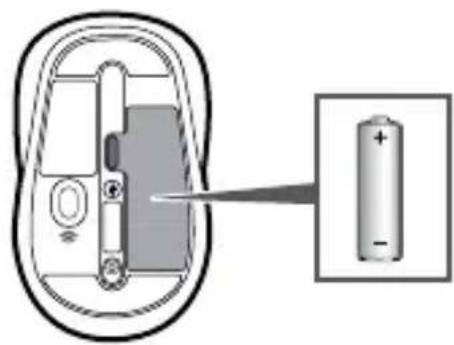
Diagram of a battery inside a device with an arrow pointing to its internal structure (no text or symbols present)2

www.microsoft.com/hardware/productguide
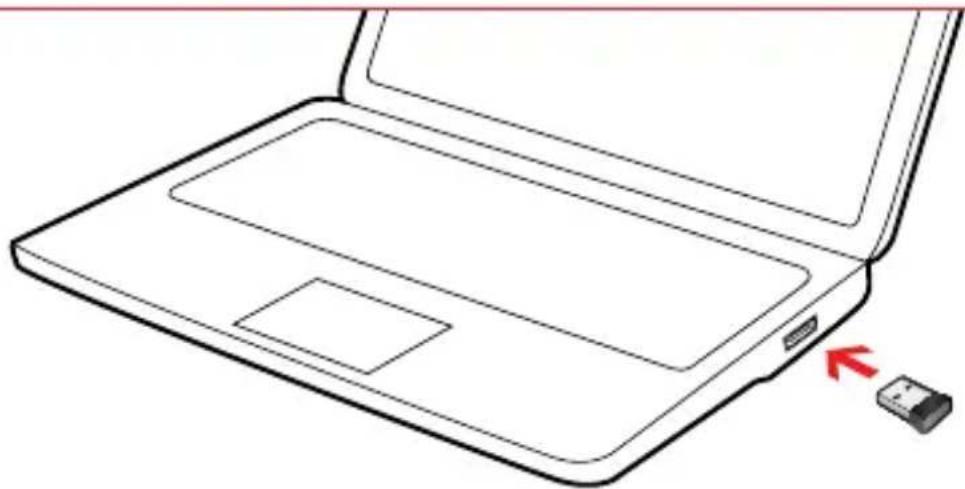
natural_image
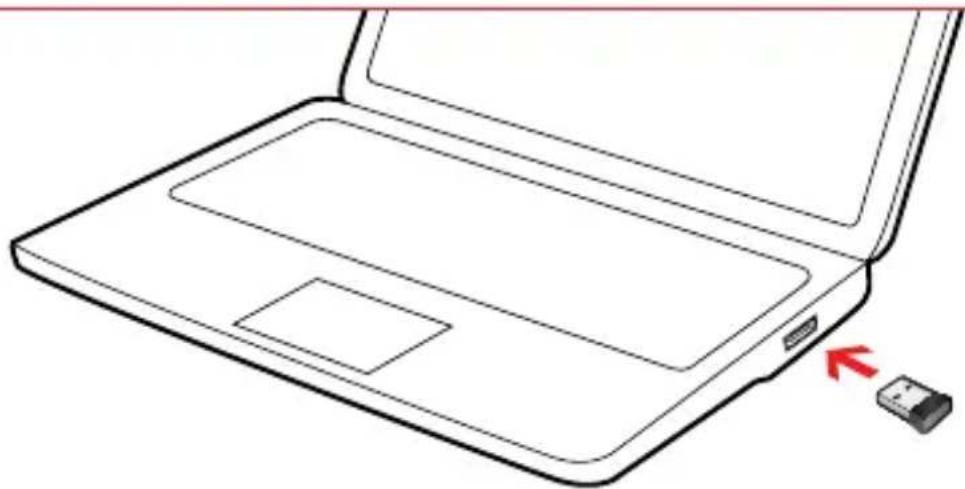
Line drawing of a laptop with a close-up view and a small USB flash drive (no text or symbols)i1 i2
natural_image
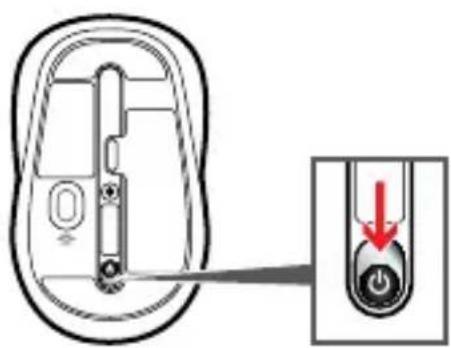
Diagram of a device interior with a close-up view showing a button and a red arrow indicating direction (no text or symbols present)□
natural_image
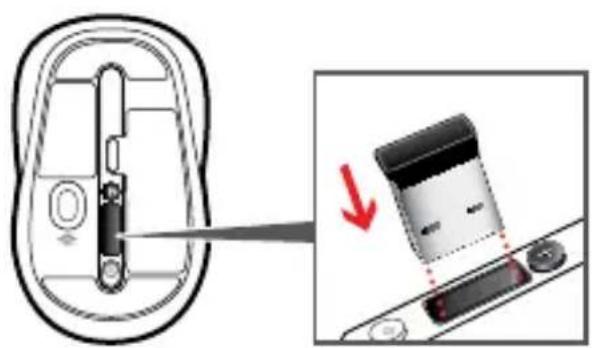
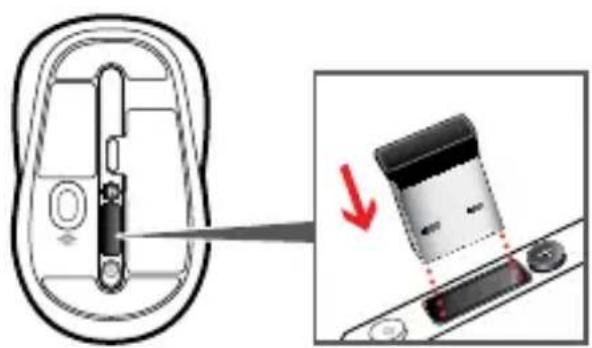
Diagram showing a device being inserted into a housing, with a magnified view of the component being removed (no text or symbols present)
www.microsoft.com/hardware/support
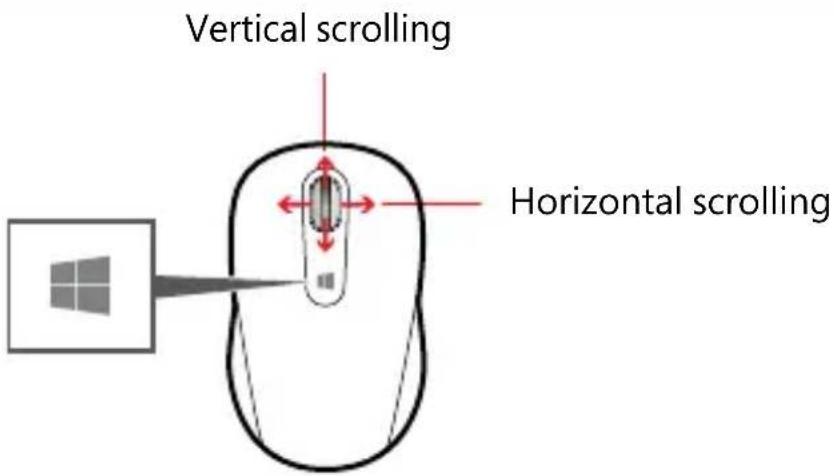
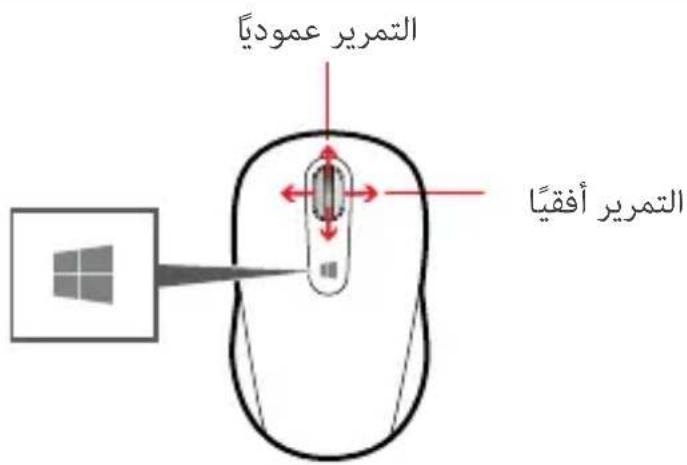
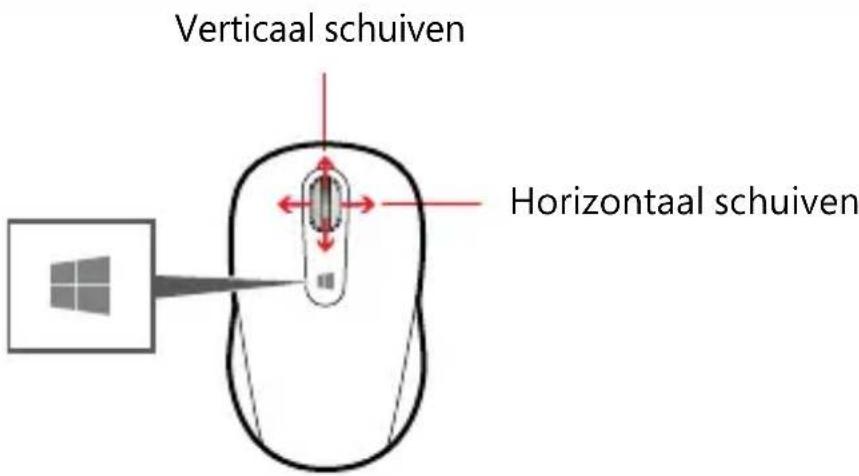
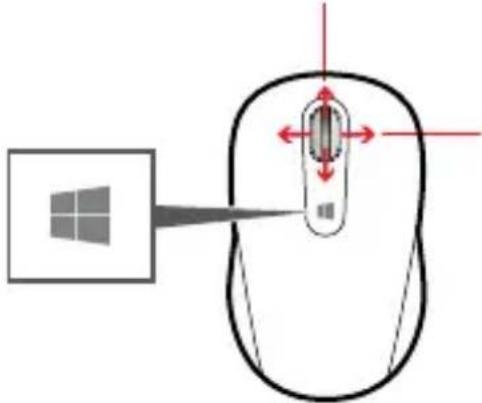
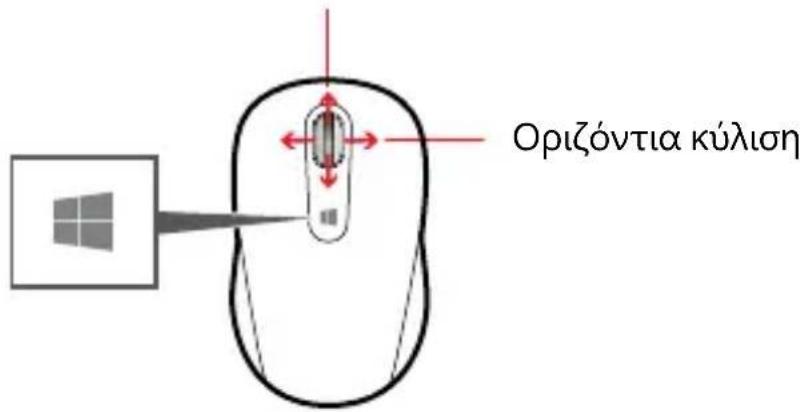
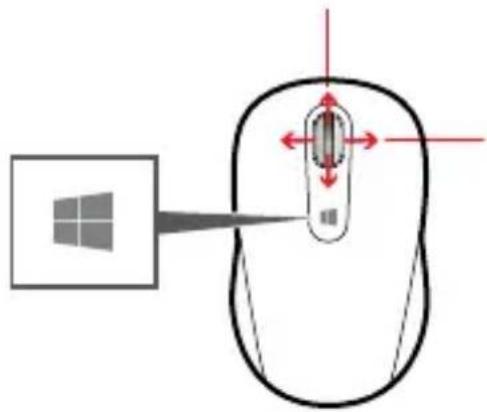
Tap the Windows button 📁 to switch between an open app and the Start screen.
Customization
Windows8: Press 📄W on your keyboard (or swipe in from the right). Tap or click Search, then Settings, then enter action center in the Search box. In the Action Center, under Maintenance, then Device software, choose Install.
Windows 7: The Mouse and Keyboard Center app is available from the Start menu.
www.microsoft.com/hardware/downloads
1
natural_image
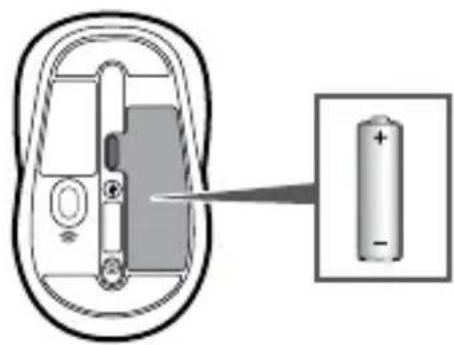
Diagram of a battery inside a device with an arrow pointing to its internal structure (no text or symbols present)2

www.microsoft.com/hardware/productguide
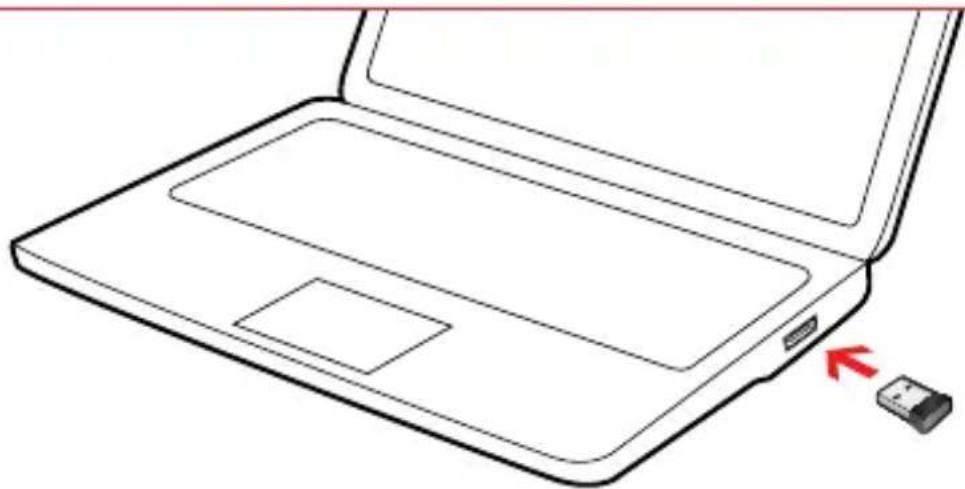
natural_image
Line drawing of a laptop with an open lid and a small USB flash drive pointing to the right side (no text or symbols)i1 i2
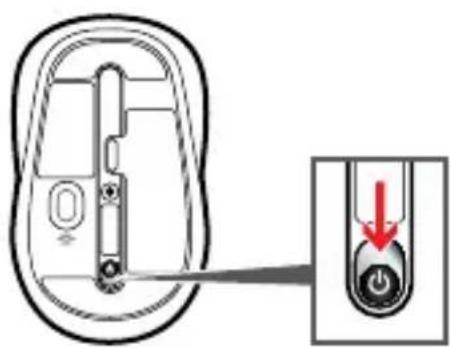
natural_image
Diagram of a device interior with a close-up view showing a button and a red arrow indicating direction (no text or symbols present)□
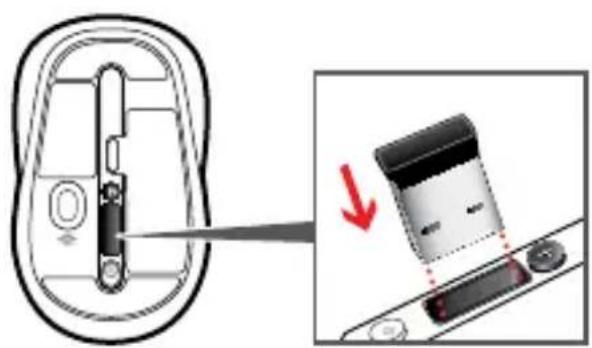
natural_image
Diagram showing a device being inserted into a housing, with a magnified view of the component being removed (no text or symbols present)
www.microsoft.com/hardware/support
www.microsoft.com/hardware/downloads
1
natural_image
Diagram of a battery inside a device with an arrow pointing to its internal structure (no text or symbols present)2

www.microsoft.com/hardware/productguide
natural_image
Line drawing of a laptop with an open lid and a small USB flash drive pointing to the right side (no text or symbols)i1 i2

natural_image
Diagram of a device interior with a close-up view showing a button and a red arrow indicating direction (no text or symbols present)□
natural_image
Diagram showing a device being inserted into a housing, with a magnified view of the component being removed (no text or symbols present)
www.microsoft.com/hardware/support
www.microsoft.com/hardware/downloads
1
natural_image
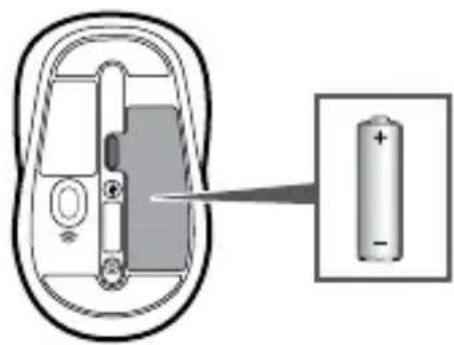
Diagram of a battery inside a device with an arrow pointing to its internal structure (no text or symbols present)2

www.microsoft.com/hardware/productguide
natural_image
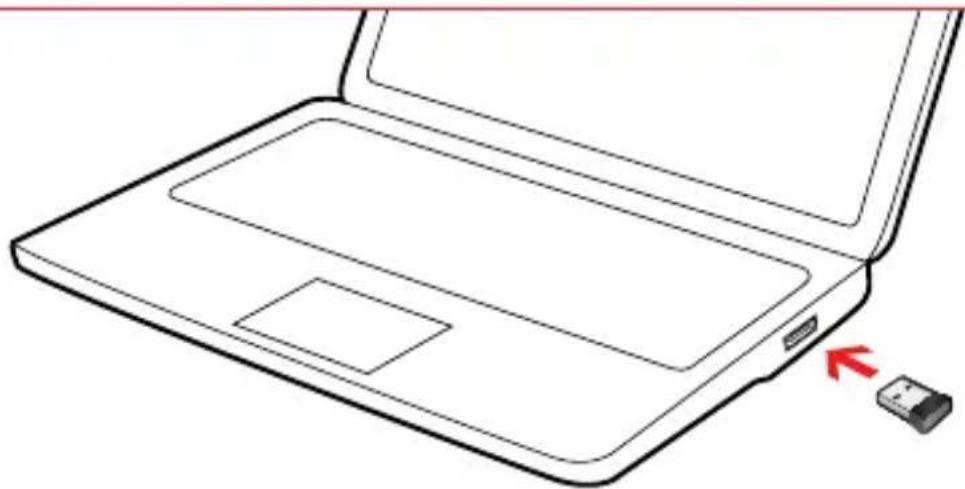
Line drawing of a laptop with a close-up view and a small USB flash drive (no text or symbols)i1 i2
natural_image
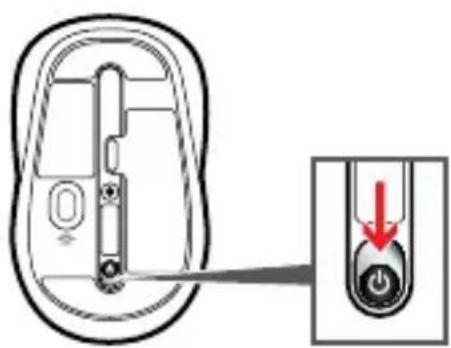
Diagram of a device interior with a close-up view showing a button and a red arrow indicating direction (no text or symbols present)□
natural_image
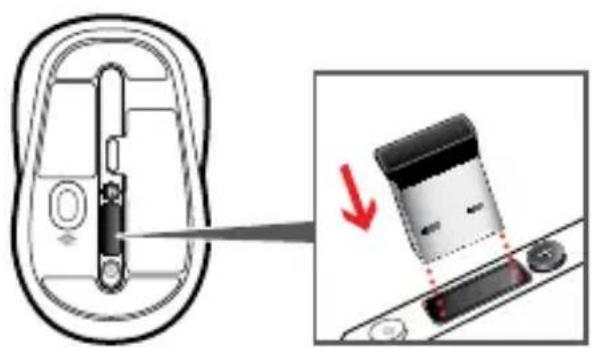
Diagram showing a device being inserted into a housing, with a magnified view of the component being removed (no text or symbols present)
www.microsoft.com/hardware/support
www.microsoft.com/hardware/downloads
1
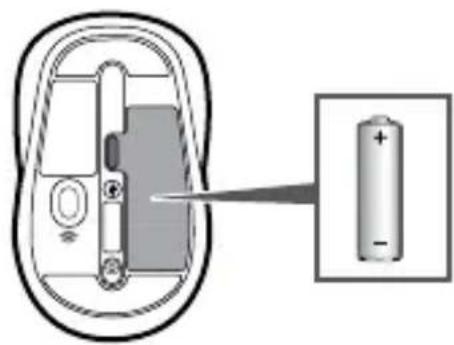
natural_image
Diagram of a battery inside a device with an inset showing the positive and negative charge (no text or symbols present)2

www.microsoft.com/hardware/productguide
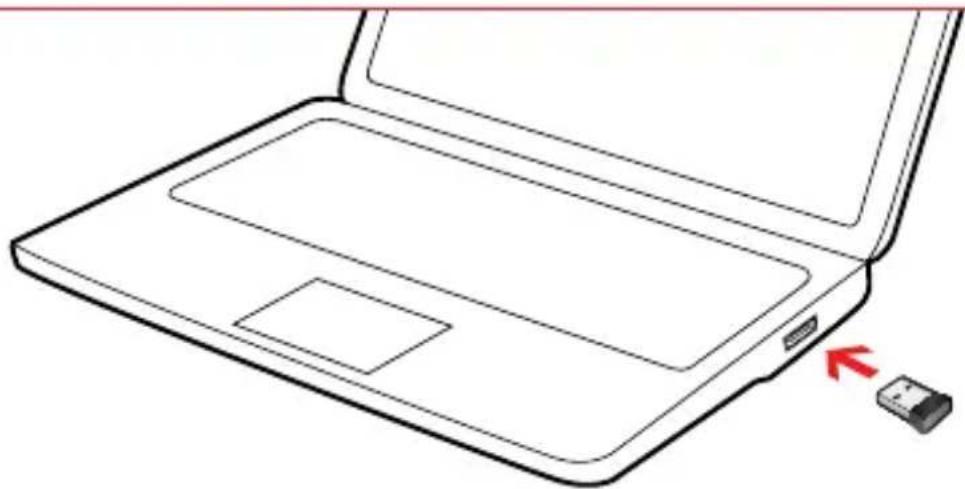
natural_image
Line drawing of a laptop with an open lid and a small USB flash drive pointing to the right side (no text or symbols)i1 i2
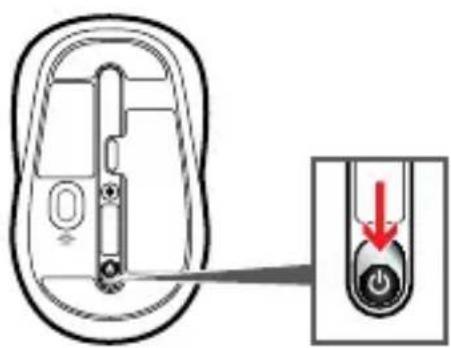
natural_image
Diagram of a device interior with a close-up view showing a button and a red arrow indicating direction (no text or symbols present)□
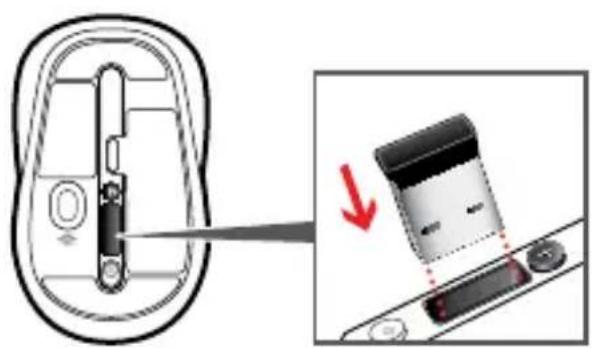
natural_image
Diagram showing a device being inserted into a housing, with a magnified view of the component being removed (no text or symbols present)
www.microsoft.com/hardware/support
Défilement vertical
www.microsoft.com/hardware/downloads
1
natural_image
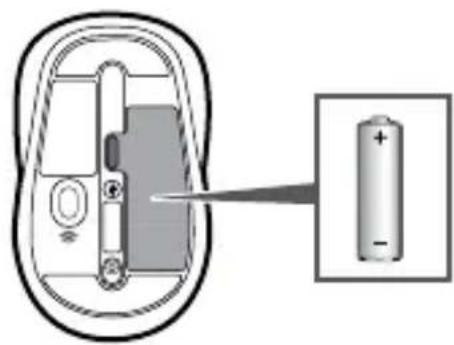
Diagram of a battery inside a device with an arrow pointing to its internal structure (no text or symbols)2

www.microsoft.com/hardware/productguide
natural_image
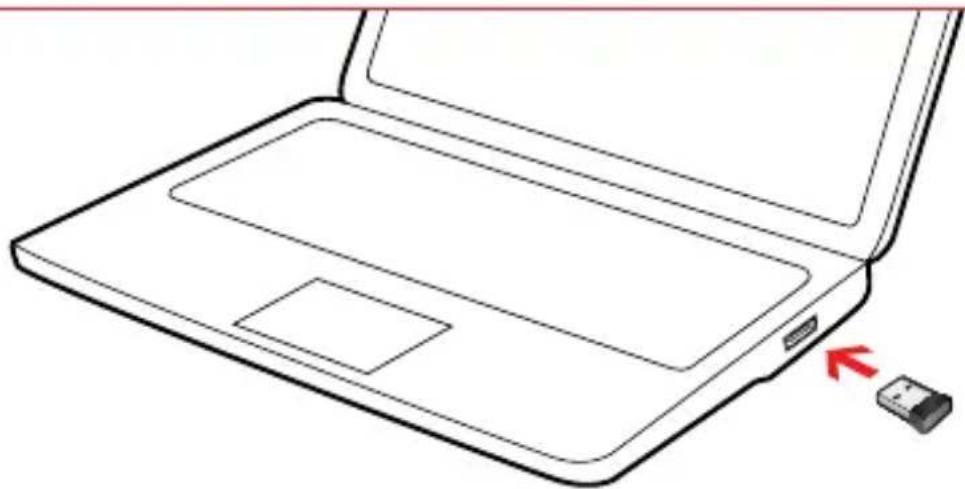
Line drawing of a laptop with an open lid and a small USB flash drive pointing to the right side (no text or symbols)i1 i2

natural_image
Diagram of a device interior with a close-up view showing a button and a red arrow indicating direction (no text or symbols present)□
natural_image
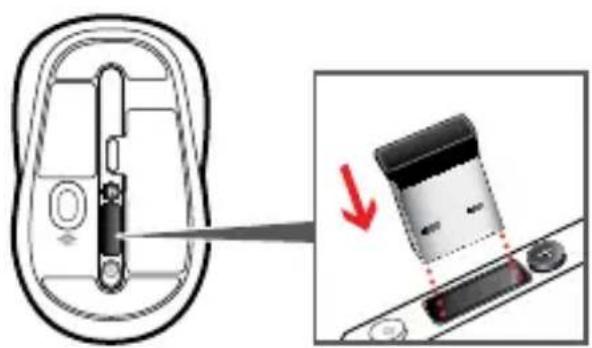
Diagram showing a device being inserted into a housing, with a magnified view of the component being removed (no text or symbols present)
www.microsoft.com/hardware/support
Κατακόρυφη κύλιση
www.microsoft.com/hardware/downloads
1
natural_image
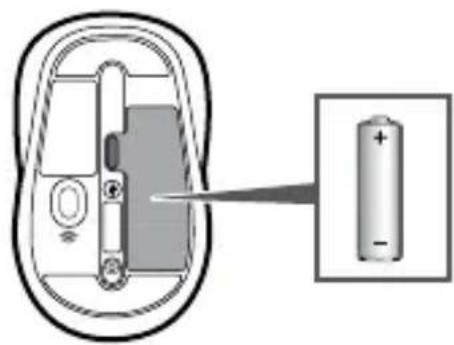
Diagram of a battery inside a device with an arrow pointing to its internal structure (no text or symbols present)2

www.microsoft.com/hardware/productguide
natural_image
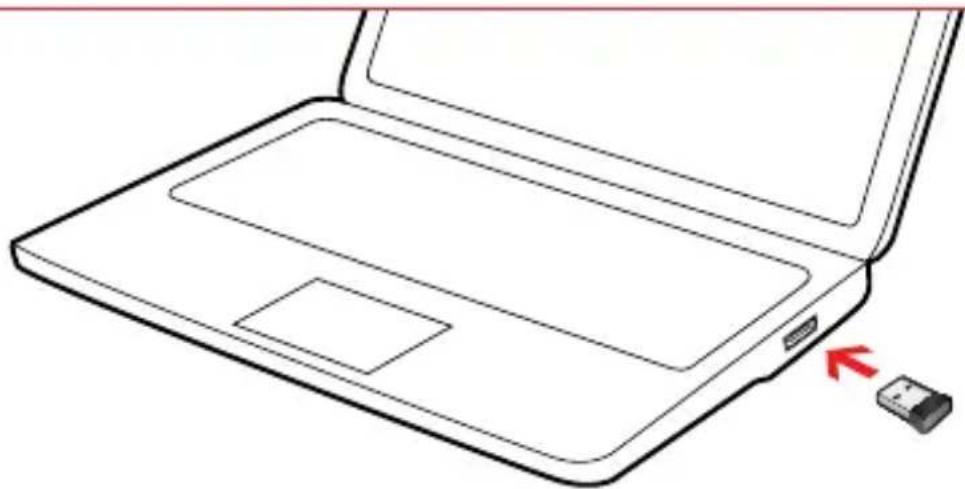
Line drawing of a laptop with a close-up view and a small USB flash drive (no text or symbols)i1 i2
natural_image
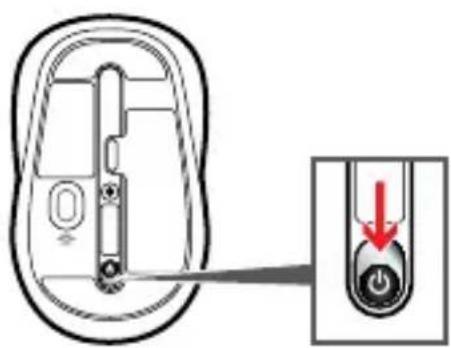
Diagram of a device interior with a close-up view showing a button and a red arrow indicating direction (no text or symbols present)□
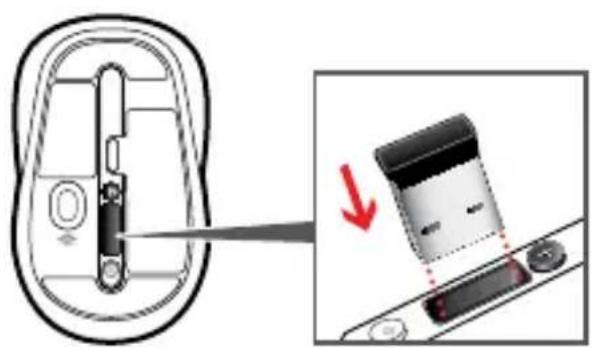
natural_image
Diagram showing a device being inserted into a housing, with a magnified view of the component being removed (no text or symbols present)
www.microsoft.com/hardware/support
Scorrimento verticale
www.microsoft.com/hardware/downloads
1
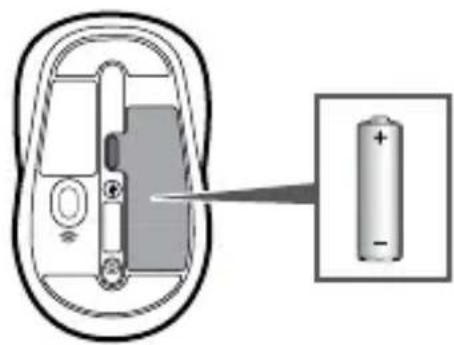
natural_image
Diagram of a battery inside a device with an arrow pointing to its internal structure (no text or symbols present)2

www.microsoft.com/hardware/productguide
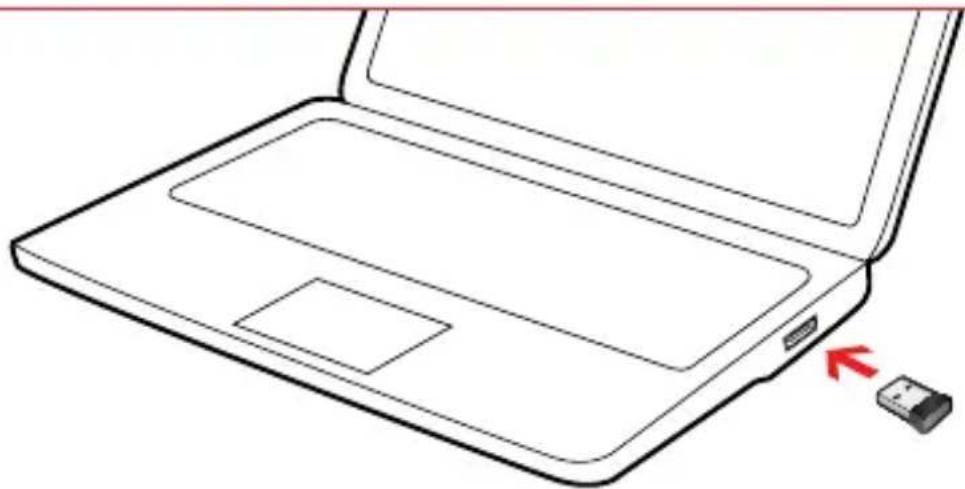
natural_image
Line drawing of a laptop with an open lid and a small USB flash drive pointing to the right side (no text or symbols)i1 i2
natural_image
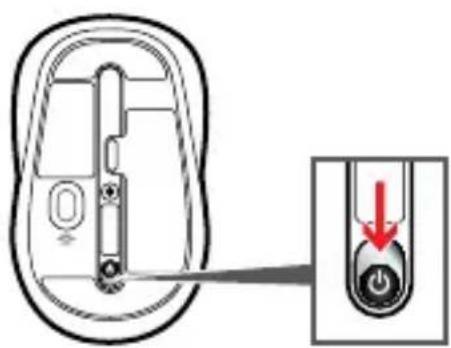
Diagram of a device interior with a close-up view showing a button and a red arrow indicating direction (no text or symbols present)□
natural_image
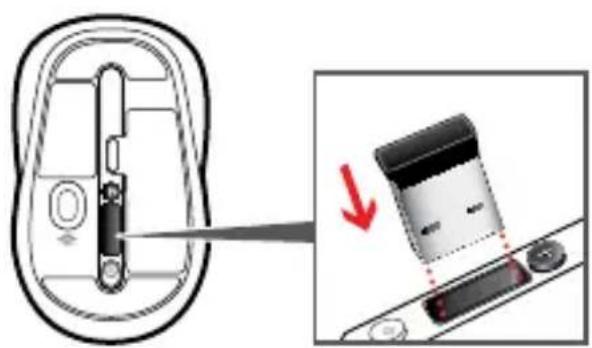
Diagram showing a device being inserted into a housing, with a magnified view of the component being removed (no text or symbols present)
www.microsoft.com/hardware/support
Deslocamento vertical
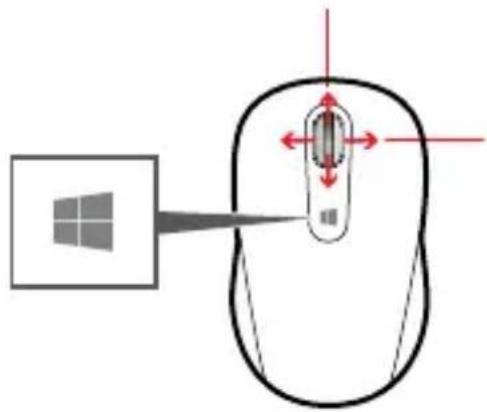
Deslocamento horizontal
www.microsoft.com/hardware/downloads
1
natural_image
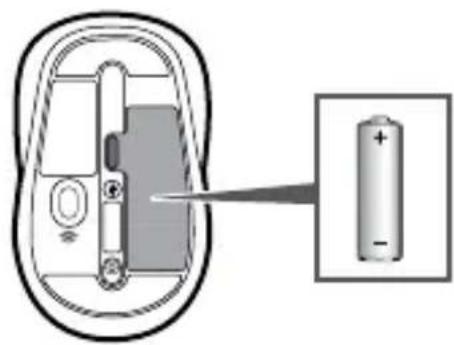
Diagram of a battery inside a device with an arrow pointing to its internal structure (no text or symbols present)2

www.microsoft.com/hardware/productguide
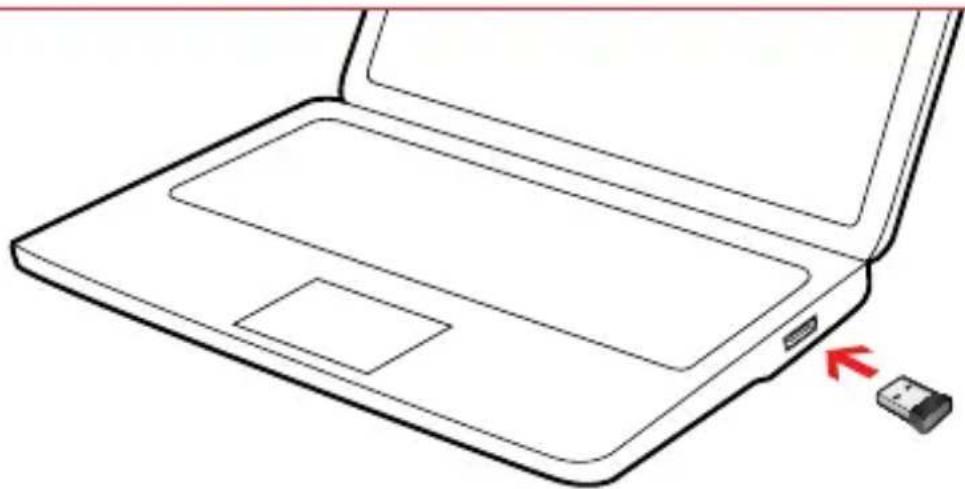
natural_image
Line drawing of a laptop with an open lid and a small USB flash drive pointing to the right side (no text or symbols)i1 i2
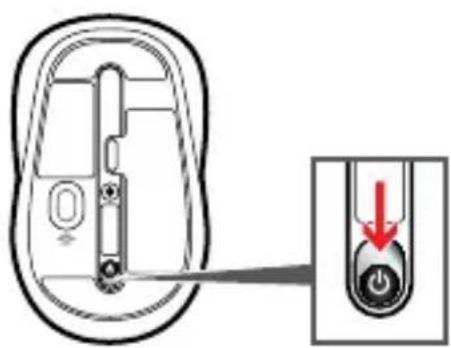
natural_image
Diagram of a device interior with a close-up view showing a button and a red arrow indicating direction (no text or symbols present)□
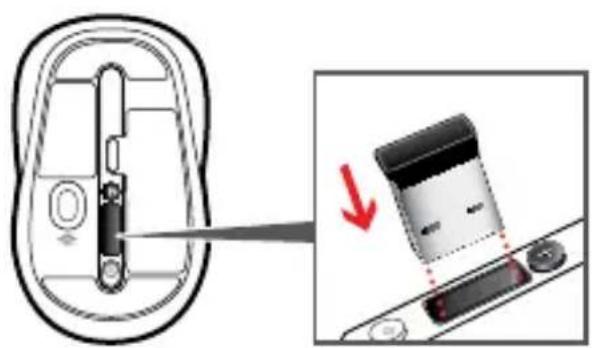
natural_image
Diagram showing a device being inserted into a housing, with a magnified view of the component being removed (no text or symbols present)
www.microsoft.com/hardware/support
www.microsoft.com/hardware/downloads
1
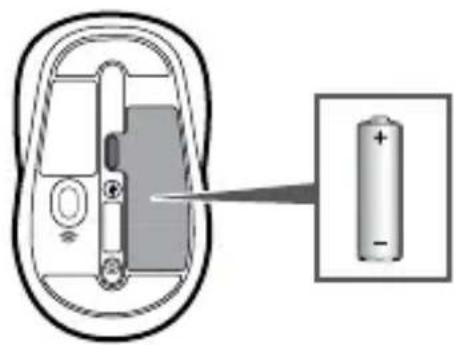
natural_image
Diagram of a battery inside a device with an arrow pointing to its internal structure (no text or symbols present)2

www.microsoft.com/hardware/productguide
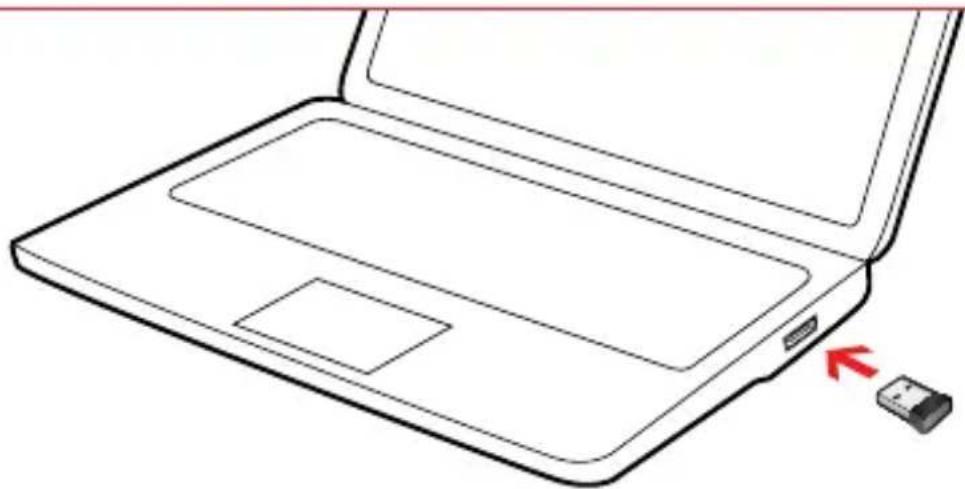
natural_image
Line drawing of a laptop with an open lid and a small USB flash drive pointing to the right side (no text or symbols)i1 i2
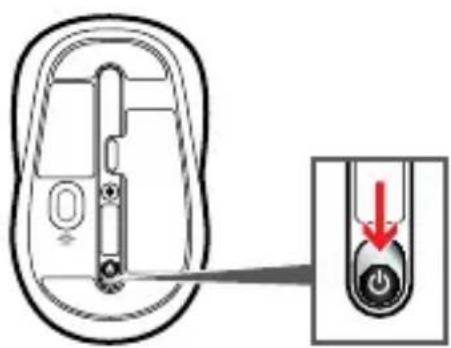
natural_image
Diagram of a device interior with a close-up view showing a button and a red arrow indicating direction (no text or symbols present)□
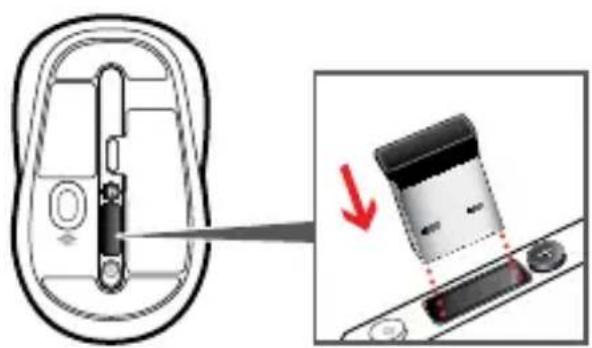
natural_image
Diagram showing a device being inserted into a housing, with a magnified view of the component being removed (no text or symbols present)
www.microsoft.com/hardware/support
www.microsoft.com/hardware/downloads
1
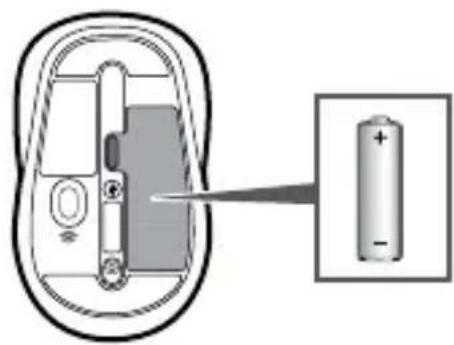
natural_image
Diagram of a battery inside a device with an arrow pointing to its internal structure (no text or symbols present)2

www.microsoft.com/hardware/productguide
natural_image
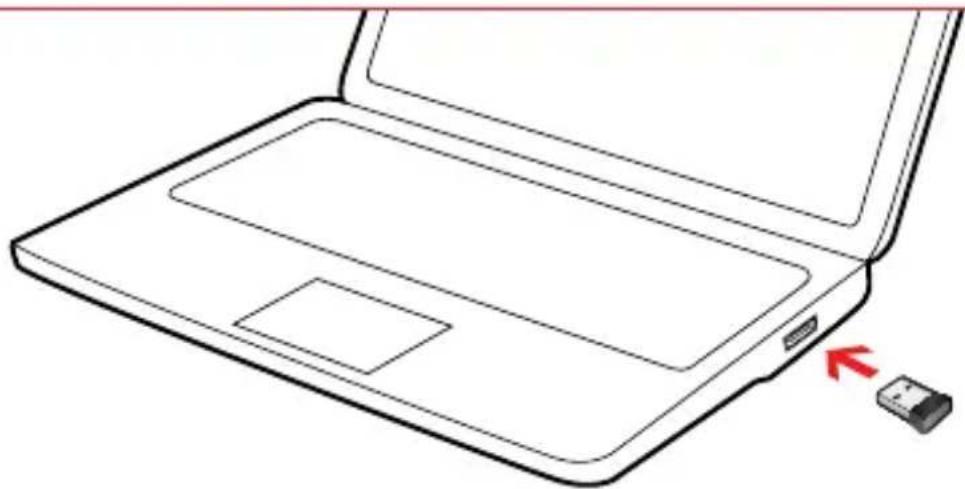
Line drawing of a laptop with an open lid and a small USB flash drive pointing to the right side (no text or symbols)i1 i2
natural_image
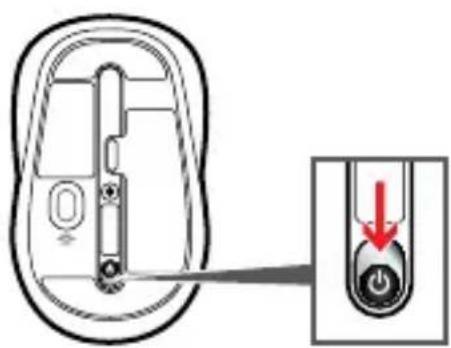
Diagram of a device interior with a close-up view showing a button and a red arrow indicating direction (no text or symbols present)□
natural_image
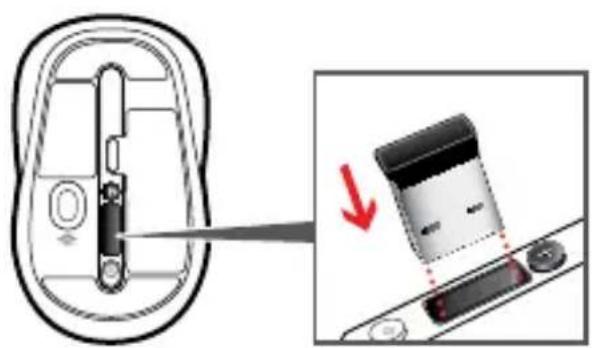
Diagram showing a device being inserted into a housing, with a magnified view of the component being removed (no text or symbols present)
www.microsoft.com/hardware/support
www.microsoft.com/hardware/downloads
1
natural_image
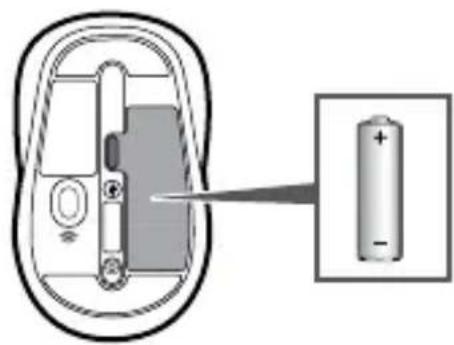
Diagram of a battery inside a device with an arrow pointing to its internal structure (no text or symbols)2

www.microsoft.com/hardware/productguide
natural_image
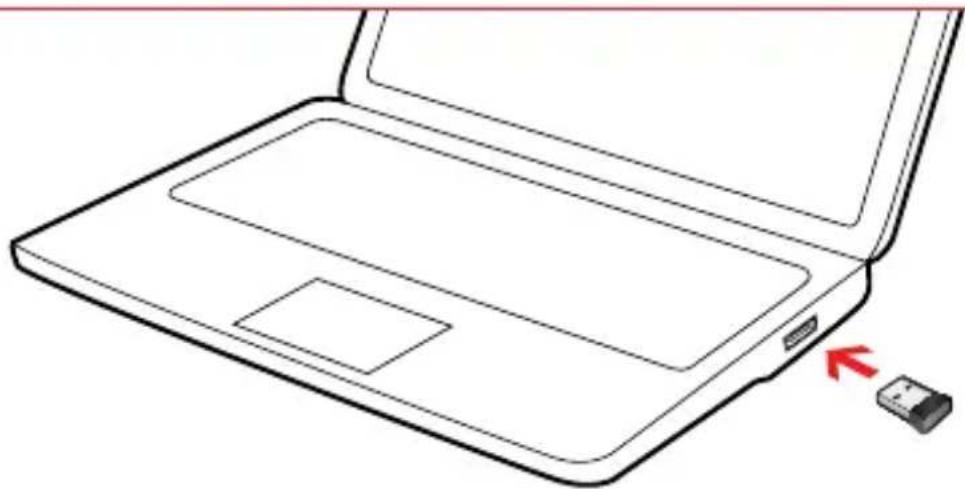
Line drawing of a laptop with an open lid and a small USB flash drive pointing to the right side (no text or symbols)i1 i2
natural_image
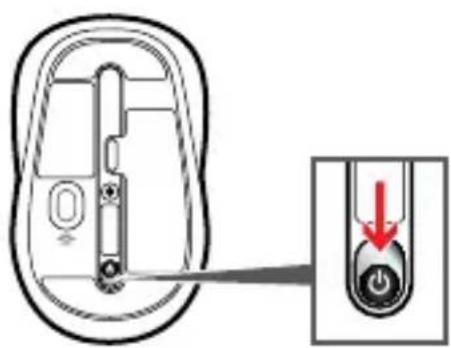
Diagram of a device interior with a close-up view showing a button and a red arrow indicating direction (no text or symbols present)□
natural_image
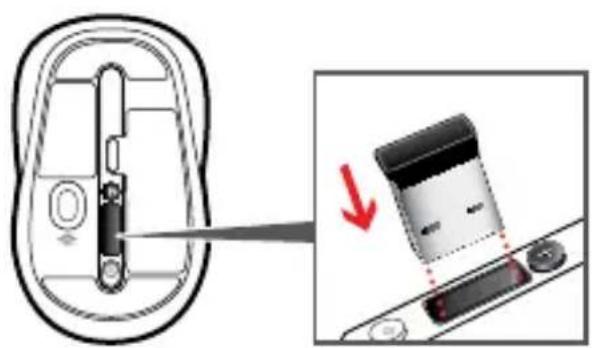
Diagram showing a device being inserted into a housing, with a magnified view of the component being removed (no text or symbols present)
www.microsoft.com/hardware/support
www.microsoft.com/hardware/downloads

Brand : MICROSOFT
Model : Sculpt Mobile Keyboard
Category : Keyboard