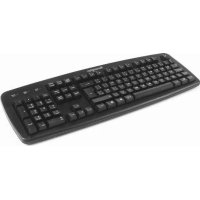
KENSINGTON Keyboard For Life K64370A - Keyboard

Keyboard For Life K64370A - Keyboard KENSINGTON - Free user manual and instructions

Find the device manual for free Keyboard For Life K64370A KENSINGTON in PDF.

📄 18 pages English EN 💬 AI Question
Notice KENSINGTON Keyboard For Life K64370A - page 2
View the manual : Français FR English EN Español ES Português PT

User questions about Keyboard For Life K64370A KENSINGTON

0 question about this device. Answer the ones you know or ask your own.

Ask a new question about this device

L'email reste privé : il sert seulement à vous prévenir si quelqu'un répond à votre question.

No questions yet. Be the first to ask one.

Download the instructions for your Keyboard in PDF format for free! Find your manual Keyboard For Life K64370A - KENSINGTON and take your electronic device back in hand. On this page are published all the documents necessary for the use of your device. Keyboard For Life K64370A by KENSINGTON.

USER MANUAL Keyboard For Life K64370A KENSINGTON

Wired Keyboard Desktop Set

QUICK START GUIDE

GUIDE DE DÉMARRAGE RAPIDE

GUIA DE INICIO RAPIDO

GUIA DE INÍCIO RÁPIDO

KENSINGTON Keyboard For Life K64370A - Wired Keyboard Desktop Set - 1

KENSINGTON Keyboard For Life K64370A - Wired Keyboard Desktop Set - 2

Register Now!

A. Wired Keyboard
B. Wired Mouse
C. Quick Start Guide
D. Warranty Card

KENSINGTON Keyboard For Life K64370A - Wired Keyboard Desktop Set - 3

Compatibility

Windows XP, Windows Vista and Windows 7 operating systems.

KENSINGTON Keyboard For Life K64370A - Compatibility - 1

Health Warning

Use of a keyboard, mouse, or trackball may be linked to serious injuries or disorders. Recent medical research of occupational Injuries has linked normal, seemingly harmless activities as a potential cause of Repetitive Stress Injuries ("RSI"). Many factors may be linked to the occurrence of RSI, including a person's own medical and physical condition, overall health, and how a person positions and uses his or her body during work and other activities (including use of a keyboard or mouse). Some studies suggest that the amount of time a person uses a keyboard, mouse, or trackball may also be a factor. Consult a qualified health professional for any questions or concerns you may have about these risk factors.

When using a keyboard, mouse, or trackball, you may experience occasional discomfort in your hands, arms, shoulders, neck, or other parts of your body. However, if you experience symptoms such as persistent or recurring discomfort, pain, throbbing, aching, tingling, numbness, burning sensation, or stiffness, even if such symptoms occur while you are not working at your computer. DO NOT IGNORE THESE WARNING SIGNS. PROMPTLY SEE A QUALIFIED HEALTH PROFESSIONAL. These symptoms can be signs of sometimes permanently disabling RSI disorders of the nerves, muscles, tendons, or other parts of the body, such as carpal tunnel syndrome, tendonitis, tenosynovitis, and other conditions.

Common Troubleshooting Steps

Keyboard

  1. Shut down and restart your computer.
  2. If possible, test the keyboard with another computer.

Mouse

  1. Verify mouse is plugged in correctly.
  2. Unplug and replug.
  3. Test the device on another computer.
  4. Some surfaces may "trick" the optical sensor, such as high gloss wood, and reflective surfaces like glass or mirrors. The ideal surface is a bright white surface (such as a piece of paper).

Technical Support

Technical support is available to all registered users of Kensington products. Technical Support contact information can be found on the back page of this manual.

Web Support

You may find the answer to your problem in the Frequently Asked Questions (FAQ) section of the Support area on the Kensington Website: www.support.kensington.com.

Telephone Support

There is no charge for technical support except long-distance charges where applicable. Please visit www.kensington.com for telephone support hours.

Please note the following when calling support:

  • Call from a phone where you have access to your device.
  • Be prepared to provide the following information:

  • Name, address, and telephone number
    Name of the Kensington product

  • Make and model of your computer
  • System software and version
  • Symptoms of the problem and what led to them

FEDERAL COMMUNICATIONS COMMISSION RADIO FREQUENCY INTERFERENCE STATEMENT

This device has been tested and found to comply with the limits for a Class B digital device, pursuant to Part 15 of the FCC Rules. These limits are designed to provide reasonable protection against harmful interference in a residential installation. This equipment generates, uses, and can radiate radio frequency energy and, if not installed and used in accordance with the instructions, may cause harmful interference to radio communications.

However, there is no guarantee that interference will not occur in a particular installation. If this equipment causes harmful interference to radio or television reception, which can be determined by turning the equipment off and on, the user is encouraged to try to correct the interference by one or more of the following measures:

Reorient or relocate the receiving antenna.
- Increase the separation between the equipment and receiver.
- Connect the equipment into an outlet on a circuit different from that to which the receiver is connected.
- Consult the dealer or an experienced radio/TV technician for help.

MODIFICATIONS: Modifications not expressly approved by Kensington may void the user's authority to operate the device under FCC regulations and must not be made.

SHIELDED CABLES: In order to meet FCC requirements, all connections to equipment using a Kensington input device should be made using only the shielded cables.

FCC DECLARATION OF CONFORMITY COMPLIANCE STATEMENT

This product complies with Part 15 of the FCC rules. Operation is subject to the following two conditions: (1) This device may not cause harmful interference, and (2) This device must accept any interference received, including interference that may cause undesired operation. As defined in Section 2.909 of the FCC Rules, the responsible party for this device is Kensington Computer Product Group, 333 Twin Dolphin Drive, Redwood Shores, CA 94065, USA.

INDUSTRY CANADA CONFORMITY

This Class [B] digital apparatus complies with Canadian ICES-003

CE DECLARATION OF CONFORMITY

Kensington declares that this product is in compliance with the essential requirements and other relevant provisions of applicable EC directives. For Europe, a copy of the Declaration of Conformity for this product may be obtained by clicking on the Compliance Documentation link at www.support.kensington.com.

INFORMATION FOR EU MEMBER-STATES ONLY

KENSINGTON Keyboard For Life K64370A - INFORMATION FOR EU MEMBER-STATES ONLY - 1

The use of the symbol indicates that this product may not be treated as household waste. By ensuring this product is disposed of correctly, you will help prevent potential negative consequences for the environment and human health, which could otherwise be caused by inappropriate waste handling of this product. For more detailed information about recycling of this product, please contact your local city office, your household waste disposal service, or the shop where you purchased the product.

Kensington and the ACCO name and design are registered trademarks of ACCO Brands. The Kensington Promise is a service mark of ACCO Brands. Windows, Windows Vista and Windows 7 are registered trademarks of Microsoft Corporation in the U.S. and/or other countries. All other registered and unregistered trademarks are the property of their respective owners. Under license of 1 or more US Pat. 6,442,734, 6,460,094, 6,625,790, 6,795,949, 7,096,435.

© 2012 Kensington Computer Products Group, a division of ACCO Brands. Any unauthorized copying, duplicating, or other reproduction of the contents hereof is prohibited without written consent from Kensington Computer Products Group. All rights reserved. 08/12

François Canadien

KENSINGTON Keyboard For Life K64370A - François Canadien - 1

Contenu

CONFORMIDAD CON INDUSTRY CANADA

www.support.kensington.com.

Suporte Telefônico

For technical support visit:

Pour tout support

techniqueveulzvisiter:

www.kensington.com

KENSINGTON Keyboard For Life K64370A - Suporte Telefônico - 1

KENSINGTON Keyboard For Life K64370A - Suporte Telefônico - 2

KENSINGTON Keyboard For Life K64370A - Suporte Telefônico - 3

KENSINGTON Keyboard For Life K64370A - Suporte Telefônico - 4
N1368

KENSINGTON Keyboard For Life K64370A - Suporte Telefônico - 5

The Kensington Promise

Complete warranty terms are available at:

www.warranty.kensington.com

Kensington Computer Products Group
A Division of ACCO Brands

333 Twin Dolphin Drive, Sixth floor

Redwood Shores, CA 94065

ACCO Brands Europe

Oxford House

Oxford Road

Aylesbury

Bucks, HP21 8SZ

United Kingdom

ACCO Brands Canada

5 Precidio Court

Brampton

Ontario, L6S 6B7

Canada

ACCO Australia

Level 2, 8 Lord St

Botany NSW 2019

Australia

ACCO MEXICANA, S.A. DE C.V.

Designed in California, U.S.A. by Kensington

Made in China

Patents Pending

www.kensington.com

Manual assistant
Powered by Anthropic
Waiting for your message
Product information

Brand : KENSINGTON

Model : Keyboard For Life K64370A

Category : Keyboard