We. HEAR pro - Bluetooth speaker LOEWE - Free user manual and instructions
Find the device manual for free We. HEAR pro LOEWE in PDF.



| Product Type | Bluetooth Speaker |
| Brand | Loewe |
| Model | We. HEAR pro |
| Reference | 60702x10 |
| Dimensions (L x H x D) | 13.8 x 28.0 x 13.5 mm |
| Weight | 2.2 kg |
| Bluetooth Version | 5.3 |
| Bluetooth Protocols | A2DP, AVRCP, AAC |
| Bluetooth Power | <13 mW at 2402-2480 MHz |
| Frequency Response | 50 - 20,000 Hz |
| Power (RMS / Music) | 50 W / 110 W |
| Battery Type | Integrated Li-ion 7.2 V / 5100 mAh |
| Battery Life (Playback) | > 24 hours at 75 dBA |
| Charging Time | < 2 hours (max. 30 W) |
| Recommended Charging Current | 5 V / 2 A to 20 V / 1.5 A |
| Water Resistance | IPX6 (powerful water jets) |
| USB Port | 1 x USB-C (charging and power bank) |
| Power Bank Function | Yes (charging external devices) |
| Operating Ambient Temperature | 0.9 to 40 °C |
| Relative Humidity | 20 – 70% (non-condensing) |
| Material | Not specified (estimated: plastic and fabric) |
| Maintenance and Cleaning | Clean with a soft, dry cloth. Do not use abrasive products. |
| Safety | Do not expose to heat sources, do not cover, follow safety instructions. |
| Spare Parts and Repairability | Battery not user-replaceable. Contact Loewe customer service. |
| General Information | Manual downloadable at www.loewe.tv/int/support |
Frequently Asked Questions - We. HEAR pro LOEWE
User questions about We. HEAR pro LOEWE
0 question about this device. Answer the ones you know or ask your own.
Ask a new question about this device
Download the instructions for your Bluetooth speaker in PDF format for free! Find your manual We. HEAR pro - LOEWE and take your electronic device back in hand. On this page are published all the documents necessary for the use of your device. We. HEAR pro by LOEWE.
USER MANUAL We. HEAR pro LOEWE
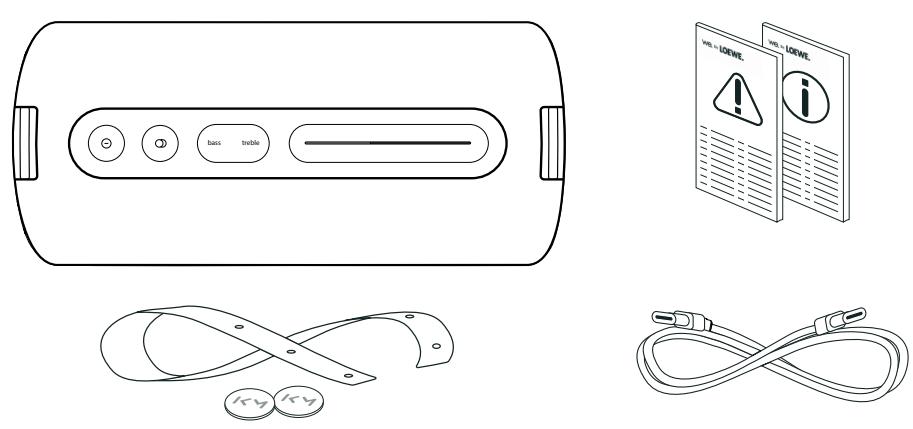
Look inside.
Connect.
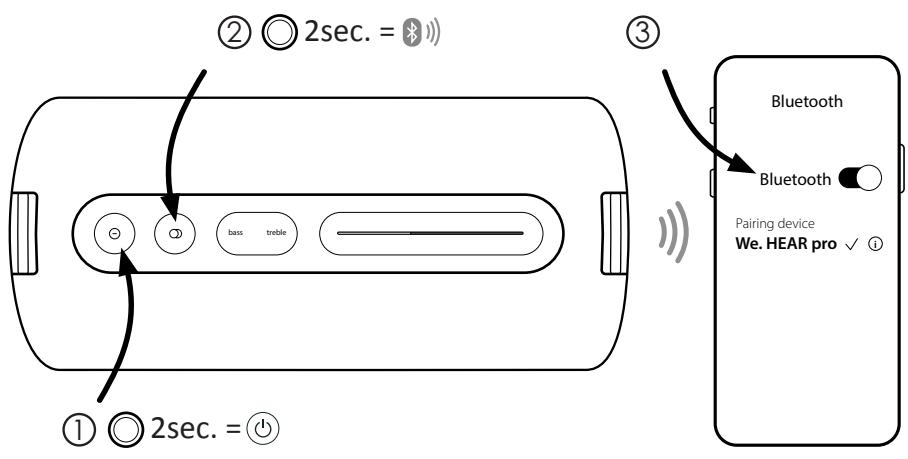
① Ⓞ 2sec. = ⏻
Play.
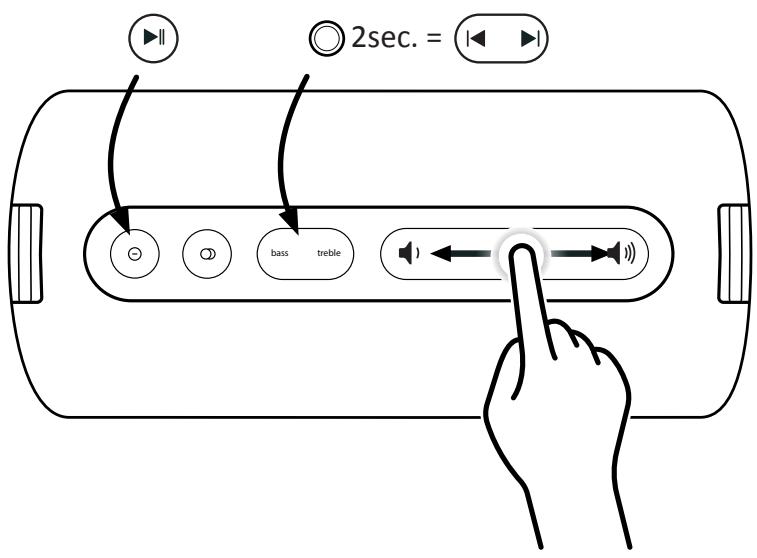
Tune.

Phone.
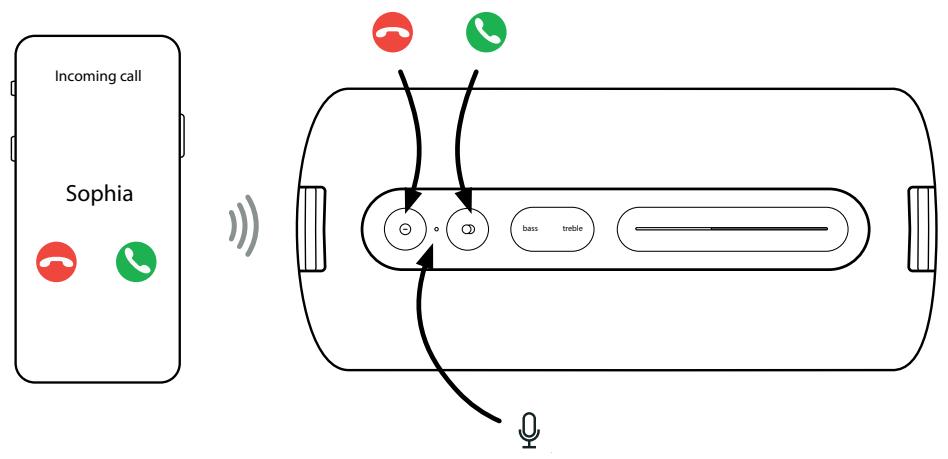
flowchart
graph TD
    A["Incoming call"] --> B["Sophia"]
    B --> C["Signal transmission"]
    C --> D["Phone 1"]
    C --> E["Phone 2"]
    C --> F["Phone 3"]
    D --> G["Radio icon"]
    E --> H["Bass icon"]
    F --> I["treble icon"]
    G --> J["Audio output"]
    H --> J
    I --> J
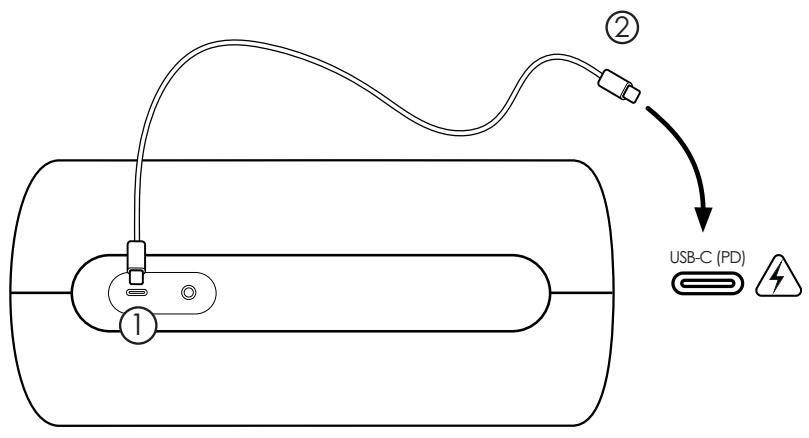
Charge.
True wireless multi pairing.
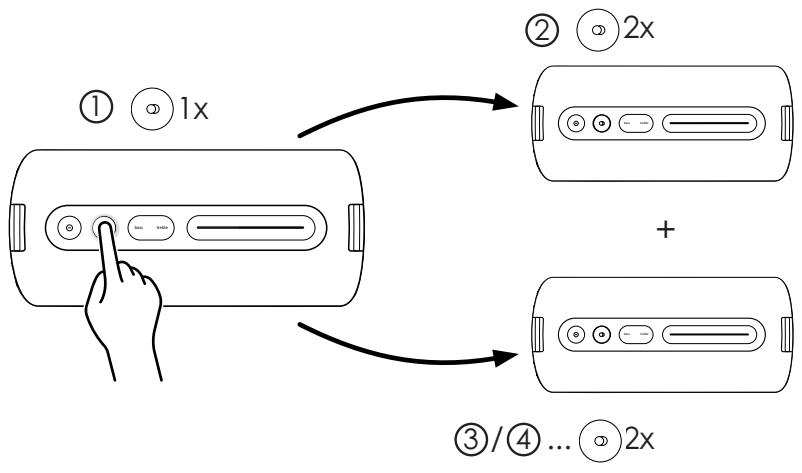
flowchart
graph TD
    A["① 1x"] --> B["② 2x"]
    B --> C["③/④ ... 2x"]
Info.
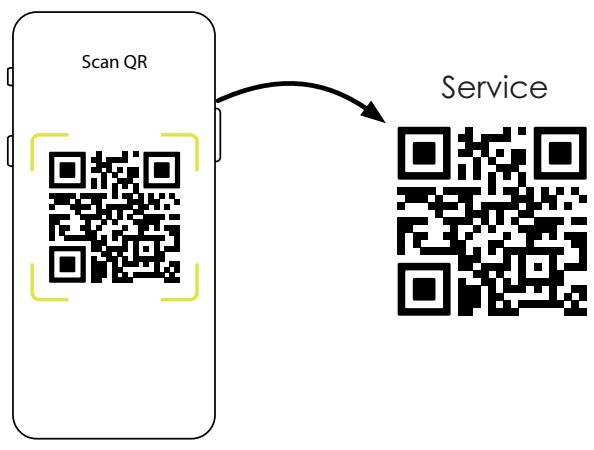
flowchart
graph LR
    A["Scan QR"] --> B["Service"]
we. by LOEWE.
Instagram f ▶ Tik in
Technische Daten
| We. by Loewe | We. HEAR pro |
| Part number: | 60702x10 |
| Battery type: | Built-in Li-ion 7,2V/5100mAh |
| Charging current: | min. 5V, 2A- max. 20V, 1.5A |
| Charging time: | < 2h @ max. 30W |
| Playing time: | > 24h @ 75dBA |
| Frequency range @ ±3 dB: | 50-20,000 Hz |
| Power (watts sine / music): | 50/100 |
| Water protection: | IPX6 |
| USB: | 1x USB-C (charging & power bank function) |
| Bluetooth version: | 5.3 |
| Bluetooth power/frequency range: | Maximum power <13 mW at 240Ω - 2480 MHz |
| Bluetooth protocols: | A2DP, AVRCP, AAC |
| Device dimensions (W x H x D): | 13.8 x 28.0 x 13.5 mm |
| Device weight: | 2.2 kg |
| Ambient temperature: | 0°C – 40°C |
| Relative humidity (non-condensing): | 20 – 70% |
Données techniques
The Bluetooth® word mark and logos are registered trademarks of Bluetooth SIG Inc. and any use of such marks by Loewe Technology GmbH takes place under license. Other trademarks and trade names are those of their respective owners.
we. by LOEWE.
EN Safety instructions
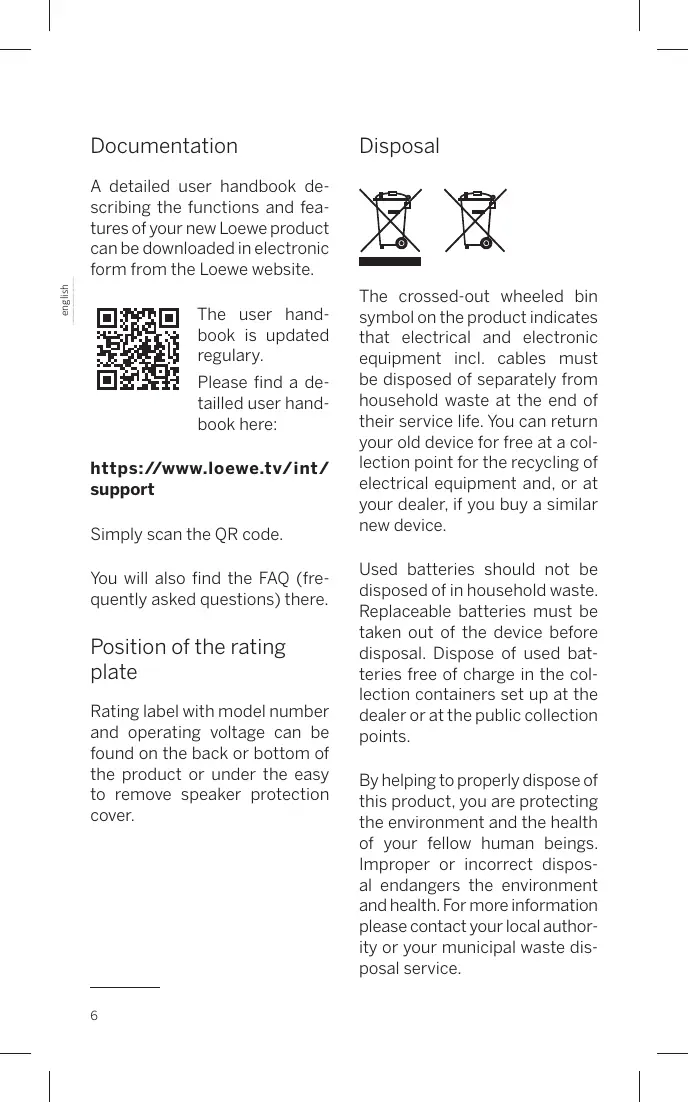
A detailed user handbook describing the functions and features of your new Loewe product can be downloaded in electronic form from the Loewe website.
The user hand-book is updated regularly.
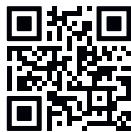
Please find a detailed user handbook here:
https://www.loewe.tv/int/support
Simply scan the QR code.
You will also find the FAQ (fre- quently asked questions) there.
Position of the rating plate
Rating label with model number and operating voltage can be found on the back or bottom of the product or under the easy to remove speaker protection cover.
Disposal
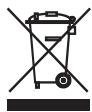

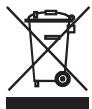
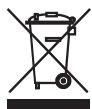
The crossed-out wheeled bin symbol on the product indicates that electrical and electronic equipment incl. cables must be disposed of separately from household waste at the end of their service life. You can return your old device for free at a collection point for the recycling of electrical equipment and, or at your dealer, if you buy a similar new device.
Used batteries should not be disposed of in household waste. Replaceable batteries must be taken out of the device before disposal. Dispose of used batteries free of charge in the collection containers set up at the dealer or at the public collection points.
By helping to properly dispose of this product, you are protecting the environment and the health of your fellow human beings. Improper or incorrect disposal endangers the environment and health. For more information please contact your local authority or your municipal waste disposal service.
The end user is responsible for deleting data on the old device doing the factory reset before disposal.
1 Important safety instructions
Attention: Read this page carefully to ensure safe operation of the device.
Follow all safety and operating instructions when using this product.
You should keep the safety and operating instructions for future reference.
Heed all warnings marked on the product and listed in the operating instructions.
Explanation of symbols

This symbol indicates risks caused by high voltages.

This symbol is to alert the user to other, more specific risks.

This symbol indicates dangers caused by the development of fire.
1.1 Intended use
This device is intended exclusively for the reception and playback of sound signals.
1.2 Heat
Do not place the device near hot surfaces, such as radiators, fan heaters, stoves or other devices (including amplifiers) that can be hot. Never place objects with open flame, such as candles or lanterns, on or near the device.
To reduce the risk of fire, do not cover this product with newspapers, tablecloths, curtains, etc. during use.
1.3 Environment
Do not use it in dusty, humid, dry, and high-temperature environment.
1.4 Thunderstorm
The device should be disconnected from the charging appliance (USB charger) during thunderstorms.
1.5 Battery care
If you do not use the product for a long time, be sure to charge it at least once a month to maintain its performance.
1.6 Rechargeable batteries
Rechargeable batteries are expendable parts and are therefore not covered by the warranty. Defective rechargeable batteries can not be replaced by the customer. In the case of rechargeable battery defects, please contact your local dealer.
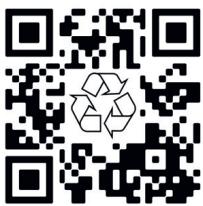
For information on how to remove the battery, scan the QR code shown below:
ATTENTION: Incorrect insertion (voltage reversal/short circuit) of the lithium-ion rechargeable batteries causes a risk of explosion. Replace rechargeable batteries only with an identical or similar type.
1.7 Charging
If an external charger or power supply is required for operation, carefully check the technical requirements on the connector plate or separate instruction sheet to avoid overheating or damage to the product or adaptor.
1.8 Damages requiring repair
Maintenance and repair work should only be carried out by a qualified customer service. Maintenance/repair is required if the device has been damaged, if liquid has entered the device, if objects have entered the device or when it stops working properly.
1.9 Automatic energy saving function
The device is equipped with an automatic energy saving function. This power-saving function puts the unit into stand-by mode when the unit is muted or playback is paused for an extended period of time.
1.10 IPX6 water protection
This device has IPX6 protection, which means that strong water jets will not have harmful effects on it.
For this protection to be effective, no external devices may be connected to the speaker via cables (such as phone via audio cable or charger via USB cable) and connector compartment must be firmly sealed.
EU Declaration of Conformity
Hereby, Loewe Technology GmbH declares that this product meets the essential requirements and other relevant provisions of Directive 2014/53/EU and all applicable EU directives.
You can find the complete declaration of conformity in the product selection at: www.loewe.tv/int/support
This product can be used across all EU member states.
FCC Information:
Changes or Modifications not expressly approved by the party responsible could void the user's authority to operate this device. This equipment has been tested and found to comply with the limits for a Class B digital device, pursuant to Part 15 of the FCC Rules. These limits are designed to provide reasonable protection against harmful interference in a residential installation. This equipment generates, uses and can radiate radio frequency energy and, if not installed and used in accordance with the instructions, may cause harmful interference to radio communications. However, there is no guarantee that interference will not occur in a particular installation.
If this equipment does cause harmful interference to radio or television reception, which can be determined by turning the equipment off and on, the user is encouraged to try to correct the interference by one or more of the following measures:
Reorient or relocate the receiving antenna.
Increase the separation between the equipment and receiver.
Connect the equipment into an outlet on a circuit different from that to which the receiver is connected.
Consult the dealer or an experienced radio/TV technician for help.
This equipment complies with the FCC RF radiation exposure limits set forth for an uncontrolled environment.
This device complies with part 15 of the FCC Rules. Operation is subject to the following two conditions:
(1) This device may not cause harmful interference, and (2) this device must accept any interference received, including interference that may cause undesired operation.
IC Information:
This device complies with Industry Canada Licence-exempt RSSs. Operation is subject to the following two conditions: (1) this device may not cause harmful interference, and (2) this device must accept any interference, including interference that may cause undesired operation of the device.
Documentatie
https://www.loewe.tv/int/support
Scan de QR-code.
https://www.loewe.tv/int/support
Scannez simplement le code QR.
https://www.loewe.tv/int/support
https://www.loewe.tv/int/support
https://www.loewe.tv/int/support
https://www.loewe.tv/int/support
https://www.loewe.tv/int/support
https://www.loewe.tv/int/support
https://www.loewe.tv/int/support
https://www.loewe.tv/int/support
https://www.loewe.tv/int/support
https://www.loewe.tv/int/support
https://www.loewe.tv/int/support
https://www.loewe.tv/int/support
Skanna bara QR-koden.
https://www.loewe.tv/int/support
https://www.loewe.tv/int/support
ADVARSEL: Hvis litium-ion-akkumulatoren settes inn feil (omvendt polet/kortslutning) er det fare for eksplosjon. Akkumulatoren må kun erstattes med en identisk eller tilsvarende type.
1.7 Lading
https://www.loewe.tv/int/support
PAŽNJA: Neispravno umetanje (promjena napona/kratki spoj) litij-ionskih punjivih baterija uzrokuje opasnost od eksplozije. Zamijenite punjive baterije samo identičnim ili sličnim tipom.
1.7 Punjenje
https://www.loewe.tv/int/support
PAŽNJA: Nepravilno umetanje (preokret napona/kratki spoj) litij-ionskog punjača nesposobne baterije uzrokuje opasnost od eksplozije. Zamijenite punjive baterije samo identičnim ili sličnim tipom.
1.7 Punjenje
Korisnički pri- ručnik se redovno ažurira.
https://www.loewe.tv/int/support
PAŽNJA: Nepravilno umetanje (promena napona/kratki spoj) litijum-jonskih punjivih baterija izaziva opasnost od eksplozije. Zamenite punjive baterije samo identičnim ili sličnim tipom.
1.7 Punjenje
Ako je za rad potreban eksterni punjač ili napajanje, pažljivo proverite tehničke zahteve na pločici konektora ili posebnom listu sa uputstvima da biste izbegli pregrevanje ili oštećenje proizvoda ili adaptera.
1.8 Oštećenja koja zahtevaju popravku
Održavanje i popravke sme da obavlja samo kvalifikovani servisni centar. Održavanje/ popravka su neophodni ako je uređaj oštećen, ako je tečnost ušla u uređaj, ako su strana tela ušla u uređaj, ili kada uređaj prestane da radi ispravno.
1.9 Funkcija automatske uštede energije
https://www.loewe.tv/int/support
https://www.loewe.tv/int/support
https://www.loewe.tv/int/support
https://www.loewe.tv/int/support
Thjesht skanoni kodin QR.
https://www.loewe.tv/int/support
https://www.loewe.tv/int/support
https://www.loewe.tv/int/support
https://www.loewe.tv/int/support
امسح رمز QR ضوئيّا.
https://www.loewe.tv/int/support
,הכלה,הכלההוּרָהוּרָהוּרָהוּרָהוּרָהוּרָהוּרָהוּרָהוּרָהוּרָהוּרָהוּרָהוּרָהוּרָהוּרָה
תְרַעָה
תַרְשָׁ

https://www.loewe.tv/int/support
:הכלההוּרָהוּרָהוּרָהוּרָהוּרָהוּרָהוּרָהוּרָהוּרָהוּרָהוּרָהוּרָהוּרָהוּרָהוּרָה
www.loewe.tv/int/support
https://www.loewe.tv/int/support
https://www.loewe.tv/int/support
2tnuwnyn wwnptnwupwn pwnuwglnlu E: hulnnnlu tup, qnpnujly wjuuntn yhuuntp:
https://www.loewe.tv/int/support
^1 Wnqnwtu upwllwnnp QR lnnp
Uju puḍūnlu, ηηρ ṣqunutp uuu RS3 (hwāwhu unnūnn hwngtŋ):
Uuuluwunwhunwuh nhnpn
Unntih hwifwnu lu qnδwnluwlywu lwnfuwu lwnluwuh2wjhu whunwuh lwnptih E qnuti wnwnwnwuh htunuh lwwf utnpluh lwunuw lwwf nynlpwhtnwguhn pwnδnwunuh wuznwwuhz δwδuh unwl:
Unhhwghw

Unwnwnwuph lywu npu whwptpwwlnnluw unu l2luw6 wnpwuwuh wwnlutnh gnjg t unwjhu, nn wju wnwnwupn zwtung E nltu ltunti ytugwnwjhu wnph utg: Uju wtung E untnwwnhuh ntuwlywnnluw uytun' etlywnwylw u. etlywnnluwjhu wwnpwynnnulutnh u uwnnyngutnh pwwlnutnh utpnu2wylwlu huvwn:
1 UUUUNWUQNLPJWU YWNLLNN gnlgnLULUTN
NL2wnnlljelnlu. uwnpu wuqunwluq oqnwnqndtlnl hwuwn huiqnnu tup nl2wnhn lwwnnwi wju E2n:
NL2wnpnlprjnlu wnpntp wnnwnpwhuph L hnwhwluqutpnlu U2UwO pninn Uwhuwqqnl2wgnluutnhu :
Uhulutph pwgwnnlpjnlu
Uju wwnlnyn gnjg t unwihu pwnàn lwnuwu htnun ywwylwó nhulyn:
⚠️ Uju wuuuyntnqqnL2wglunlu t oqnuwqnnpnnnhuwjl, wultih ynulyntun nhulynth uwwuh:
Uju u2wln gnug E unwlhu hnthh qunwluqn:
1.5 Uwnunlngh hluwup
tpt tlnwn dwuwluw stp oqnwnqnnpndu uwnpn, wju ihgpwuynntp wnlulwqu wuhun uty wuqwur npw wnynnluwultunnlpjnnlun wwwhuwutjnl hwulwn:
1.6 vtnwlhgpwulnnlnn uwnunlngutn
4tnwihgpwijnnn uwwnlngutnp uwwnynn uwutn blu u, htunlwwpwn, tnw2hupn nnw ynw zh wnpw0ynu: 3w6whunnnp zh lywnn wluwnnp uwwnlngutnp ynhwnphutl unntpnu: 4tnwihgpwijnnn uwwnlngh wuwwnpnlajnlutph ntwpnu: nhutp atn ylw6wnph ututgtnhu:
Uwnunyngn htnwgltjnl luwuhu untntlynlpjnluutnh hwufwn uluwluwnlntp uunnnu utplywjwgulwó QR lynnp.
NTCUNNHA3NFU. Lhrahnu- hnluwju utnwuhgpuwnnunn uwnunyngutnh uhuwl untwnwnnluŋ (wnnuwu hwlywnwnə/ywnə uhwgnlu) uwwjənluh unuwug t wnwgwunlu: Φnhwnhutp utwnwihgpuwnnunn uwnunyngutnp uhwju uhwuuluu ywu uwuwwnhw uwnunyngutnpnu
1.7 Lhgpwulnnlu
gpt w2huunwuph hwuwn uwhwulqynlu t wnunwphu ihgpwunnhs yuw tltlynnwuwunwylwnwnnu, nl2wnhn uunnlqtp unthuhlywylwu uwhwulqutnh uhwughsh wwhuth yuw wnwlushu hnwhwulqutnh rptnphyh ynw` wnwnwnwuph yuw wwnwwunnhh qtnwnwpwgnluhg yuw yluwuhg hunluwhtjnl hwuwn:
1.8 vtŋwʊnɒnɒnlu wwhwiʊʒnn ylu wuuulwɒpʊtn
Uwwwwwnlyfuwu lu utnwwnnnqnfuwu w2hwwwnwluputnp w2tnp t hnwlyluwgutlu uhwju hwáwhunnnnltuth wwwwwwnlyfuwu w2hwwwnwlhgutnh lynuhg: Sthuhlywluywu uwwwwnlynlu/ utnwwnnnqnlu t wwhwulqynlu wju ntwpnlu, træt uwnpn yuuwuiql t, træt htnnly t únti uwnph utg, træt ouwn wnwnlywlutn tu únti uwnph utg ywu tnp wju nwnunti t óh2n w2huwunti:
1.9 Eutqnqwhulwwjnnnlpajwlu wqunnluwn \nluughw Uwnnp hwqtgwδ t wqunnluwn Eutqnqwhuwjnnnlpajwlu \nluughwjnu: Eutqnqwhluwjnnnlpajwlu wju \$nluughwu uwnnp uhwgunlu t uwuuuuwntdhuh, tnpr wju wluqwnluωδ t ywu luwqwynlwn ηwnwnnuI t nluwlyw duwluwly:
modification of the following forms:
https://www.loewe.tv/int/support
brightly, the following text in the source image is completely illegible. The text is not clearly legible and contains no discernible characters or punctuation. Therefore, no OCR output can be generated from this image.
modification of the following forms:
Packaging disposal information
Customer Care Center
Industriestraße 11
Subject to modifications


- we. by LOEWE.
- https://www.loewe.tv/int/support
- Position of the rating plate
- Disposal
- Important safety instructions
- Explanation of symbols
- Intended use
- Heat
- Environment
- Thunderstorm
- Battery care
- Rechargeable batteries
- Charging
- Damages requiring repair
- Automatic energy saving function
- IPX6 water protection
- EU Declaration of Conformity
- FCC Information:
- IC Information:
- Documentatie
- Lading
- Punjenje
- Oštećenja koja zahtevaju popravku
- Funkcija automatske uštede energije
- Uuuluwunwhunwuh nhnpn
- Unhhwghw
- Uhulutph pwgwnnlpjnlu
- Uwnunlngh hluwup
- vtnwlhgpwulnnlnn uwnunlngutn
- Lhgpwulnnlu
- vtŋwʊnɒnɒnlu wwhwiʊʒnn ylu wuuulwɒpʊtn
- modification of the following forms:
Brand : LOEWE
Model : We. HEAR pro
Category : Bluetooth speaker