RC2302 - Treadmills Sunny - Free user manual and instructions
Find the device manual for free RC2302 Sunny in PDF.


| Product type | Treadmill |
| Brand | Sunny |
| Model | RC2302 |
| Power supply | Mains 220-240 V, 50-60 Hz |
| Motor | DC motor 1.5 HP (estimated) |
| Maximum speed | 10 km/h (estimated) |
| Inclination | Manual, 3 levels (estimated) |
| Running surface | 100 x 40 cm (estimated) |
| Maximum user weight | 100 kg (estimated) |
| Device weight | 35 kg (estimated) |
| Unfolded dimensions (L x W x H) | 130 x 60 x 120 cm (estimated) |
| Folded dimensions (L x W x H) | 70 x 60 x 130 cm (estimated) |
| Display | LED: time, distance, speed, calories |
| Programs | 12 preset programs (estimated) |
| Safety | Magnetic safety key |
| Remote control | Wireless, CR2032 battery included |
| Remote control battery | 1 CR2032 battery, positive pole facing up |
| Maintenance | Belt lubrication, cleaning with a damp cloth |
| Repairability | Contact Sunny after-sales service |
| Spare parts | Remote control, safety key, CR2032 battery |
| Certification | Compliant with Innovation, Science and Economic Development Canada CNR |
| Usage | Home, indoor |
| Warranty | 2 years (estimated) |
Frequently Asked Questions - RC2302 Sunny
User questions about RC2302 Sunny
0 question about this device. Answer the ones you know or ask your own.
Ask a new question about this device
Download the instructions for your Treadmills in PDF format for free! Find your manual RC2302 - Sunny and take your electronic device back in hand. On this page are published all the documents necessary for the use of your device. RC2302 by Sunny.
USER MANUAL RC2302 Sunny
REMOTE CONTROL RC2302 USER MANUAL
REMOTE CONTROL FUNCTIONS:
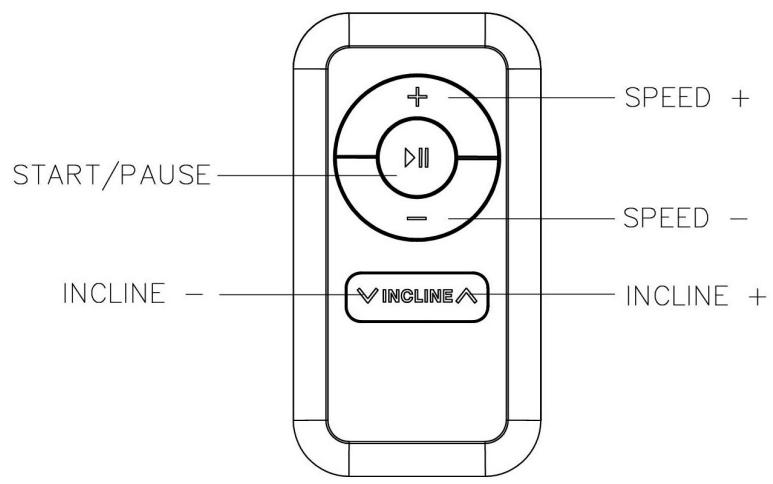
Note: If the treadmill does not respond to the remote control, you will need to resync the treadmill and remote control. To sync the remote control with the treadmill, press the start/pause button on the remote control, turn on the square switch at the same time and hold on the start/pause button for five seconds, and you will listen a "di" sound that means the remote control have resynced with the treadmill.
- START/PAUSE BUTTON: Press the START button, so that treadmill begins running. 0.5 MPH (Miles per hour) is the default start speed. During exercise, you also can press this button to pause the machine.
- SPEED +/- BUTTONS: Press the +/- buttons to increase or decrease the speed in increments of 0.1 MPH (Miles per hour). Pressing and holding either of these buttons for a duration of over 1/2 a second will increase or decrease the speed continually.
- INCLINE +/- BUTTONS: Press the +/- buttons to increase or decrease the incline in increments of 1. Pressing and holding either of these buttons for a duration of over 12 a second will increase or decrease the incline continually.
*NOTE: The maximum speed on this treadmill is 3.7 MPH.
BATTERY INSTALLATION & REPLACEMENT
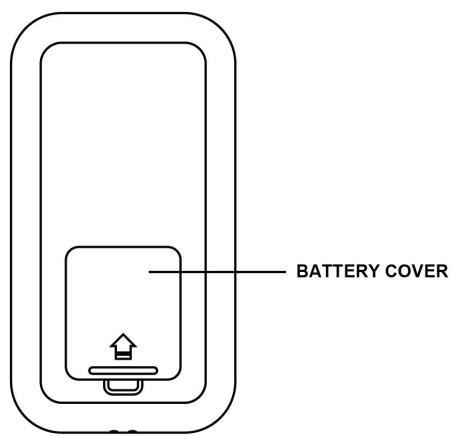
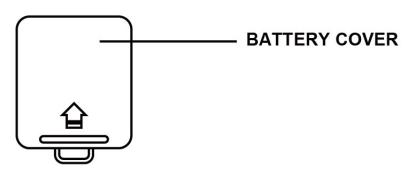
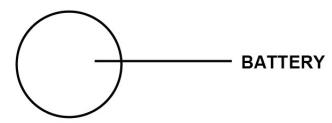
BATTERY INSTALLATION:
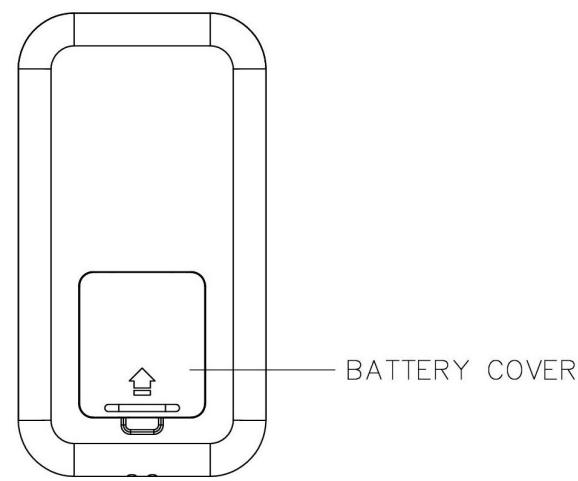
- Remove the battery cover.
- Take out the 1pc CR2032 battery that is included inside the remote control box.
- Install the battery into the battery holder with the positive end facing up.
- Put the battery cover back on to the battery holder.
BATTERY REPLACEMENT:
- Remove the battery cover.
- Remove the old battery and install the new battery into the battery holder with the positive pole facing up.
- Put the battery cover back on to the battery holder.
Dispose the old battery according to your regional guidelines.
INSTALLATION ET REMPLACEMENT DE LA BATTERIE
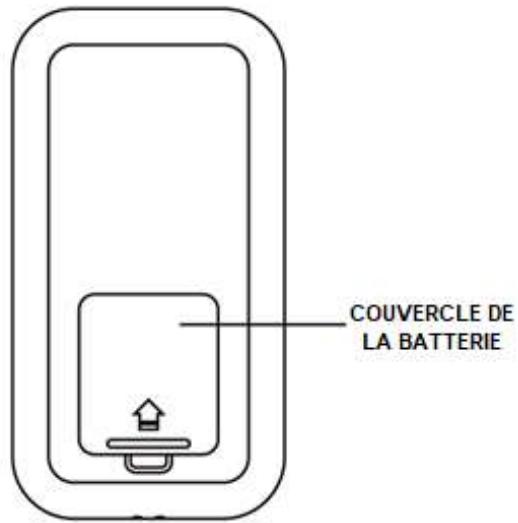
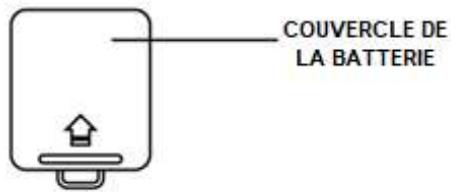
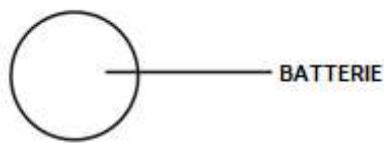
INSTALLATION DE LA BATTERIE:
Caution: The user is cautioned that changes or modifications not expressly approved by the party responsible for compliance could void the user's authority to operate the equipment.
This device contains licence-exempt transmitter(s)/receiver(s) that comply with Innovation, Science and Economic Development Canada's licence-exempt RSS(s) and Part 15 of the FCC Rules.
Operation is subject to the following two conditions:
(1) This device may not cause interference.
(2) This device must accept any interference, including interference that may cause undesired operation of the device.
NOTE: This equipment has been tested and found to comply with the limits for a Class B digital device, pursuant to Part 15 of the FCC Rules. These limits are designed to provide reasonable protection against harmful interference in a residential installation. This equipment generates, uses and can radiate radio frequency energy and, if not installed and used in accordance with the instructions, may cause harmful interference to radio communications. However, there is no guarantee that interference will not occur in a particular installation.
If this equipment does cause harmful interference to radio or television reception, which can be determined by turning the equipment off and on, the user is encouraged to try to correct the interference by one or more of the following measures:
-- Reorient or relocate the receiving antenna.
-- Increase the separation between the equipment and receiver.
-- Connect the equipment into an outlet on a circuit different from that to which the receiver is connected.
-- Consult the dealer or an experienced radio/TV technician for help.
FCC& IC Radiation Exposure Statement:
This equipment complies with FCC and Canada radiation exposure limits set forth for an uncontrolled environment. This transmitter must not be co-located or operating in conjunction with any other antenna or transmitter.