SIVGA SO1 - Headphones SIVGA - Free user manual and instructions
Find the device manual for free SIVGA SO1 SIVGA in PDF.



User questions about SIVGA SO1 SIVGA
0 question about this device. Answer the ones you know or ask your own.
Ask a new question about this device
Download the instructions for your Headphones in PDF format for free! Find your manual SIVGA SO1 - SIVGA and take your electronic device back in hand. On this page are published all the documents necessary for the use of your device. SIVGA SO1 by SIVGA.
USER MANUAL SIVGA SO1 SIVGA
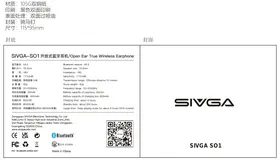
Speaker size: 16.2mm
阻抗: 18
Impedance: 18Ω
Transmission range: Effective distance 10 meters
总重量:92g
Gross weight: 92g
频率范围:20-20000Hz
Frequency range: 20-20000Hz
耳机电池容量:60mAh
Battery capacity of earphone: 60mAh
充电盒电池容量:600mAh
Battery capacity of charging box: 600mAh
充电时间:约2小时
Charging time: about 2 hours
待机时间:约300小时
Standby time: about 300 hours
Usage time: Keep playing music for about 9 hours (50% volume)
Dongguan SIVGA Electronic Technology Co.,Ltd.
Add:JuHui E Valley High-tech Industrial Zone,Jinfu
2nd Road, Tangchun Village, Liaobu Town, Dongguan,
Guangdong 523000,China.
www.sivgaaudio.com


FCC ID:2BA2N-SIVGA-S01

Bluetooth

210-212456
Made in China
SIVGA
SIVGA SO1
FCC Warning
This device complies with Part 15 of the FCC Rules. Operation is subject to the following two conditions:
(1) This device may not cause harmful interference, and (2) this device must accept any interference received, including interference that may cause undesired operation.
NOTE 1: This equipment has been tested and found to comply with the limits for a Class B digital device, pursuant to part 15 of the FCC Rules. These limits are designed to provide reasonable protection against harmful interference in a residential installation. This equipment generates, uses and can radiate radio frequency energy and, if not installed and used in accordance with the instructions, may cause harmful interference to radio communications. However, there is no guarantee that interference will not occur in a particular installation. If this equipment does cause harmful interference to radio or television reception, which can be determined by turning the equipment off and on, the user is encouraged to try to correct the interference by one or more of the following measures:
- Reorient or relocate the receiving antenna.
- Increase the separation between the equipment and receiver.
-Connect the equipment into an outlet on a circuit different from that to which the receiver is connected.
-Consult the dealer or an experienced radio/TV technician for help.
NOTE 2: Any changes or modifications to this unit not expressly approved by the party responsible for compliance could void the user's authority to operate the equipment.
The device has been evaluated to meet general RF exposure requirement. The device can be used in portable exposure condition without restriction.
Language Guide
中文 1
English 9
Deutsch 17
Français 25
PyccknЯ3bIK 33
Espanol 41
Portugues 49
Italiano 57
Polski 65
日本語 73
81
SIVGA SO1 | 使用指南
用户指南
SIVGA SO1 | user manual
User's guidance
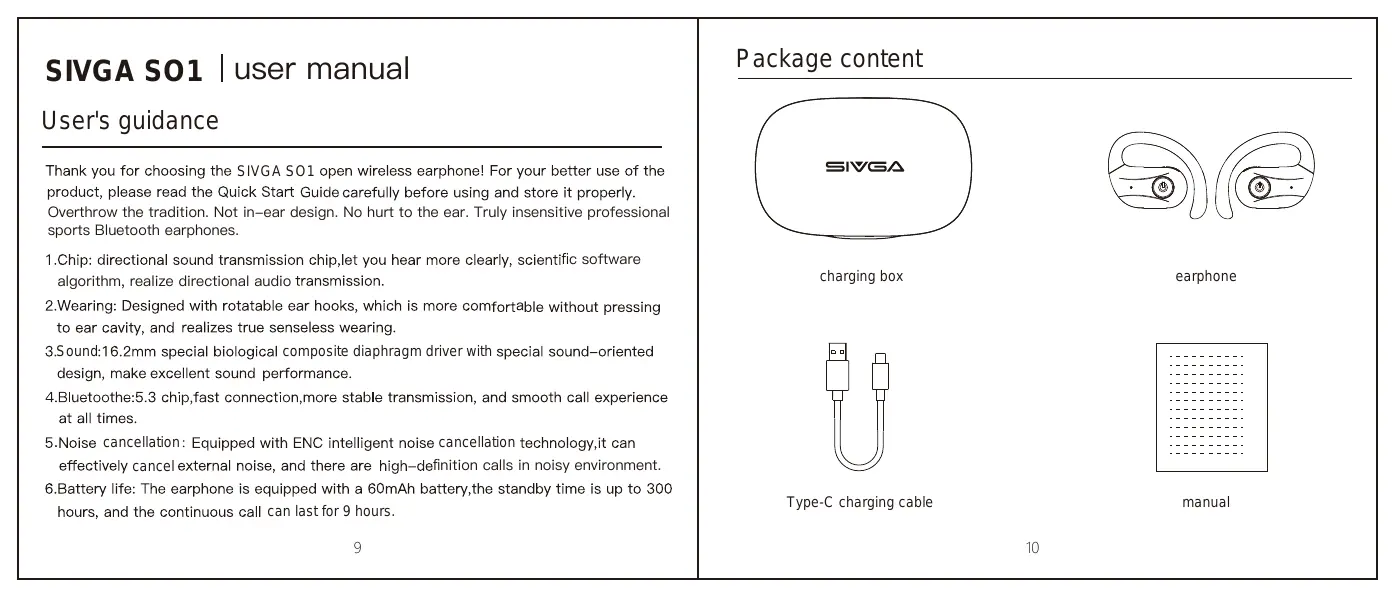
Thank you for choosing the SIVGA SO1 open wireless earphone! For your better use of the product, please read the Quick Start Guide carefully before using and store it properly. Overthrow the tradition. Not in-ear design. No hurt to the ear. Truly insensitive professional sports Bluetooth earphones.
1.Chip: directional sound transmission chip, let you hear more clearly, scientific software algorithm, realize directional audio transmission.
2. Wearing: Designed with rotatable ear hooks, which is more comfortable without pressing to ear cavity, and realizes true senseless wearing.
3.Sound:16.2mm special biological composite diaphragm driver with special sound-oriented design, make excellent sound performance.
4. Bluetooth:5.3 chip, fast connection, more stable transmission, and smooth call experience at all times.
5. Noise cancellation: Equipped with ENC intelligent noise cancellation technology, it can effectively cancel external noise, and there are high-definition calls in noisy environment.
6.Battery life: The earphone is equipped with a 60mAh battery, the standby time is up to 300 hours, and the continuous call can last for 9 hours.
Package content
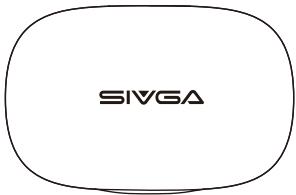
charging box
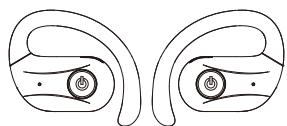
earphone

Type-C charging cable

manual
Wearing Guide
step one
Take out the earphones, rotate the earhook left and right to adjust the appropriate in-ear angle
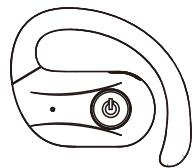
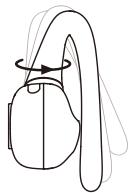
step two
After putting on earphones, slightly rotate up and down of the earhook to adjust the wearing comfort


Product Illustration
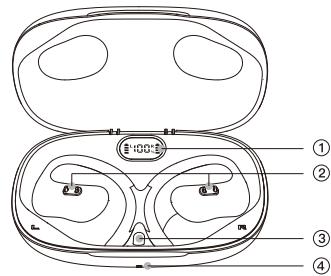
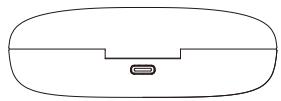
charging box

charging box
-
LED digital display
-
Charging column
-
Reset button
4.Indicator light
- Charging port

earphone
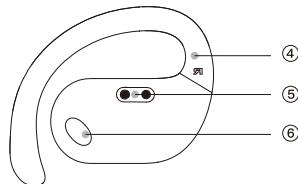
earphone
1.Metal steel mesh
2.Multi-function button
- LED 4.Earhook
5.Charging contacts
- Sound outlet
Using instructions
1.Power on: When the earphone is in the charging box open the charging box, or hold the multi-function button for 3 seconds when using the earphone alone. The white light is on for 1 second, and the notification sound is "power on".
Power off: Put the earphone into the charging box and close the charging box cover, or hold the multi-function button for 5 seconds when using the earphone alone. The red light will be on for 1 second, and the notification sound is "power off".
2.Connection: Turn on the device and search Bluetooth for "SIVGA-SO1" for pairing connection. The notification sound is "Pairing".
The pairing status lasts for 5 minutes. If there is no connection, it will automatically shut down after 5 minutes in the pairing status.
The red and white lights flash alternately on main earphone in pairing status, and the white light of the secondary earphone flashes 1 time in each 3 seconds.
After the connection is successful, all lights are off, and the notification sound is "connected"
3.Play/pause: Double press the multi-function button in the playing status
Previous song: Press and hold the left multi-function button for 2 seconds
Next song: Press and hold the right multi-function button for 2 seconds
Volume+: press the right multi-function button once. When the volume is at its maximum, the notification sound "Du"
volume -: press the left multi-functionbutton once
Voice assistant: press multi-function button 3 times
Incoming call answering/outgoing call cancelling: press the multi-function button once to answer and cancel the call.
Incoming call reject/end call: press and hold the multi-function 2 seconds when the call is coming or during the call.
Three-way call:① Answer the second call, hang up the first call, and press the multi-function button.
② To reject the second incoming call, press the multi-function button.
③ Answer the second call, put the first call on hold, press and hold multi-function button for 2 seconds.
④ To switch calls to the first call, put the second call on hold, double press multi-function button.
⑤ To hang up the current call and connect to the held call, press and hold the multi-function button for 2 seconds.
- Battery indicator: When the charging box is open for a long time, press "reset button" on the charging box to light up the number of LEDs. It will automatically tun off after 10 seconds. When the earphone is connected to the mobile phone, the battery status of the earphone will be displayed synchronously.
- Clear pairing: When the earphones are fully charged, press the multi-function button to clear the pairing.
How to charge
Charging box charge
- Please use a charger below 5V-2.1A. Charge with a Type-C charging cable. During charging, the LED indicator light flashes,and digital LED display flashes slowly.When the charge is full,the LED indicator light and display will be on all the time.
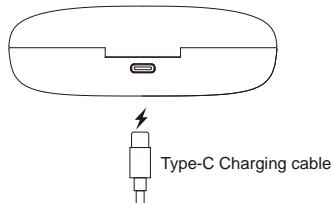
Charging for earphone
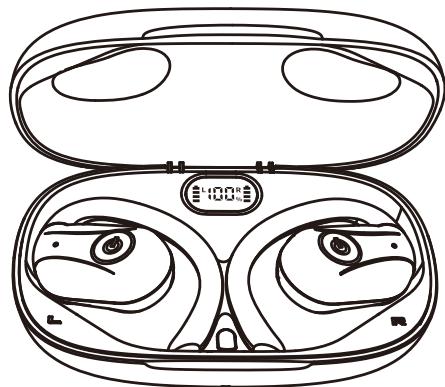
When the earphone is charging in the charging box, the digital LED display will show the earphone battery status for 10 seconds.
During charging, the red light is on.
When the charge is full, the light on the earphone will be in white for 5 seconds.
Product parameters
Bluetooth chip: BES2600HIC
Impedence:18Ω
Bluetooth version: 5.3
Driver diameter: 16.2mm
Bluetooth distance:≥10M
Sensitivity: 117dB
Support system: Android/Apple
Frequency response range: 20-20KHz
Audio decoding: support AAC/SBC
Charging box battery capacity: 600mAh
Playing time:Continuously play music
for 9H(50% volume)
Earphone battery capacity: 60mAh
Impedance: 18
MeHHeHHo MHraet, a HpOBoi HncJIeI
MeJIEHHOMHGamma
IocneIOJHO3apAKN:CBeTOJHOrTOPHTB
TeueHHe JInTeJIbHO RpeMeHH, a HΦpOBOH
HINJIIEI ROPHT B TeueHHe JInTeJbHOBOro BpeMeHH