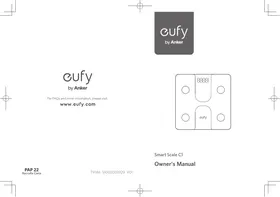
Smart Scale C1 - Bathroom scale eufy - Free user manual and instructions

Find the device manual for free Smart Scale C1 eufy in PDF.

📄 29 pages English EN 💬 AI Question
Notice eufy Smart Scale C1 - page 2
View the manual : Français FR English EN Español ES

User questions about Smart Scale C1 eufy

0 question about this device. Answer the ones you know or ask your own.

Ask a new question about this device

L'email reste privé : il sert seulement à vous prévenir si quelqu'un répond à votre question.

No questions yet. Be the first to ask one.

Download the instructions for your Bathroom scale in PDF format for free! Find your manual Smart Scale C1 - eufy and take your electronic device back in hand. On this page are published all the documents necessary for the use of your device. Smart Scale C1 by eufy.

USER MANUAL Smart Scale C1 eufy

For FAQs and more information, please visit:

www.eufy.com

eufy Smart Scale C1 - 1

Smart Scale C1

Owner's Manual

English 01

Espanol 18

Français 37

Table of Contents

02 Important Safety Instructions
07 AUSTRALIA & NEW ZEALAND WARRANTY
09 What's in the Box
09 Inserting the Batteries
10 Selecting the Measuring Unit
10 Installing the EufyLife App and Pairing
11 Starting a Measurement For body weight measurement For body composition analysis
13 Weight-Only Measurement
13 Maintenance
14 Troubleshooting Error Message
15 When Measuring
16 Specifications
17 Customer Service

Thank you for purchasing Smart Scale C1. Carefully read all the instructions below before using this device, and keep this manual for future reference.

Important Safety Instructions

  • Read all instructions before using the device. Keep the manual for future reference.
  • Only use the device as described in this user manual. Any misuse may cause electric shocks, burns, start a fire or other unexpected hazards.
  • Be aware that this device is designed for individuals to measure their weight and to monitor their body composition. Any information provided by this device is in no way meant to treat, cure, or prevent diseases or illnesses from happening.
    DO NOT use this device if you are pregnant or if you suspect you may be pregnant. The effects of this device on a fetus are unknown and untested.
  • DO NOT use this device if you use a wearable or implanted electronic device such as a defibrillator or pacemaker.
  • The device is equipped with a data transmission function that emits electromagnetic energy. Portable Radio Frequency (RF) communications equipment (including peripherals such as antenna cables and external antennas) should not be used within 30 cm (12 inches) of the device, otherwise, performance may be affected.
  • Do not modify this device.

  • Do not expose this device to extreme temperatures, direct sunlight, moisture, or corrosive environments.

  • To prevent slipping, do not step on the device after bathing or showering.
  • This device should not be used when it is adjacent to or stacked on top of another device because it could cause the device to operate improperly. If such use is necessary, this device and the other device should be observed to verify that they are operating normally.
  • This device is powered by three AAA batteries. Do not attempt to recharge non-rechargeable batteries as this can cause the batteries to leak or explode.
  • Do not mix and use different types of batteries together e.g. lithium-ion (Li-ion) and nickel-metal hydride (NiMH) batteries.
  • Do not mix new and used batteries.
  • If the device will not be used for an extended period of time, remove batteries before storing the device in a cool and dry place.
  • This device can be used by persons with reduced physical, sensory or mental capabilities or lack of experience and knowledge if they have been given supervision or instruction concerning use of the appliance in a safe way and understand the

hazards involved. Children should not play with the appliance. Cleaning and user maintenance should not be done by children without supervision.
- Used batteries should be placed in a sealed plastic bag and disposed of safely according to local environmental regulations.

Usage Tips

  • To ensure measurement accuracy, follow the instructions below when you start your measurement:
  • Place the scale on a flat, hard surface. Soft surfaces such as carpeting will affect the performance of the scale.
  • Step on the platform with bare feet. Stand still and keep full contact with the electrodes until the measurement is complete.
  • For the most consistent measurements, weigh yourself at the same time of day and location.
  • Avoid weighing yourself immediately after strenuous exercise, sitting in the sauna, taking a bath, or drinking and eating.
  • The condition of the skin on the bottom of your feet can affect the measurement. The natural effects of aging or activity can make this skin hard. Take the reading with clean, slightly damp

04 EN

feet for best accuracy.
- Body fat percentage estimates will vary with the amount of water in the body, and can be affected by dehydration or overhydration due to factors such as alcohol consumption, menstruation, illness, intense exercise etc.

Notice

eufy Smart Scale C1 - Notice - 1

This symbol means the product must not be discarded as household waste, and should be delivered to an appropriate collection facility for recycling. Proper disposal and recycling helps protect natural resources, human health and the environment. For more information on disposal and recycling of this product, contact your local municipality, disposal service, or the shop where you bought this product.

FCC Statement

This device complies with Part 15 of the FCC Rules. Operation is subject to the following two conditions: (1) This device may not cause harmful interference, and (2) this device must accept any interference received, including interference that may cause undesired operation.

Warning: Changes or modifications not expressly approved by the party responsible for compliance could void the user's authority to operate the equipment.

Note: This equipment has been tested and found to comply with the limits for a Class B digital device, pursuant to Part 15 of the FCC Rules. These limits are designed to provide reasonable protection against harmful interference in a residential installation.

This equipment generates, uses, and can radiate radio frequency energy

EN 05

and, if not installed and used in accordance with the instructions, may cause harmful interference to radio communications. However, there is no guarantee that interference will not occur in a particular installation. If this equipment does cause harmful interference to radio or television reception, which can be determined by turning the equipment off and on, the user is encouraged to try to correct the interference by one or more of the following measures: (1) Reorient or relocate the receiving antenna. (2) Increase the separation between the equipment and receiver. (3) Connect the equipment into an outlet on a circuit different from that to which the receiver is connected. (4) Consult the dealer or an experienced radio / TV technician for help.

The following importer is the responsible party (for FCC matters only).

Company Name: POWER MOBILE LIFE, LLC

Address: 400 108th Ave NE Ste 400, Bellevue, WA 98004-5541

Telephone: +1 (800) 994 3056

RF Warning Statement

The device has been evaluated to meet general RF exposure requirements. The device can be used in portable exposure conditions without restriction.

IC Statement

This device contains licence-exempt transmitter(s)/receiver(s) that comply with Innovation, Science and Economic Development Canada's licence-exempt RSS(s). Operation is subject to the following two conditions:

(1) This device may not cause interference.
(2) This device must accept any interference, including interference that may cause undesired operation of the device..

Declaration of Conformity

This product complies with the radio interference requirements of the European Community. Hereby, Anker Innovations Limited declares that the radio equipment type T9146 is in compliance with Directive 2014/53/EU. The full text of the EU declaration of conformity is available at the following internet address: https://www.eufy.com/.

06 EN

GB Declaration of Conformity

Hereby, Anker Innovations Limited declares that the device is in compliance with Radio Equipment Regulations 2017 and The Restriction of the Use of Certain Hazardous Substances in Electrical and Electronic Equipment Regulations 2012. The full text of the GB Declaration of Conformity is available at the following website: https://support.eufy.com/s/articleRecommend?type=DownLoad

Maximum output power: -3.07 dBm

Frequency band: 2.4G band (2402 MHz - 2480 MHz)

The following importer is the responsible party (contract for EU and UK matters)

Anker Technology (UK) Limited, GNR8, 49 Clarendon Road, Watford, Hertfordshire, WD17 1HP, United Kingdom

Anker Innovations Limited

Room 1318-19, Hollywood Plaza, 610 Nathan Road, Mongkok, Kowloon, Hong Kong

AUSTRALIA & NEW ZEALAND WARRANTY

This document details the terms and conditions of the warranty provided with this product.

Please disregard any other representations contained on this product's packaging or provided with this product, which constitute or appear to constitute a warranty.

Subject to the exclusions and limitations set out below, we warrant to you that if you purchase a product directly from us, or, from any of our authorized resellers, that it will not contain defects which are a result of faulty manufacturer workmanship or materials. This warranty subsists for 15 months from the date of purchase. This warranty is provided in addition to your rights under the Australian & New Zealand Consumer Law.

EN 07

Subject to any rights you have under the Australian & New Zealand Consumer Law, we will not be liable for defects which are a result of damage or loss caused by factors beyond our control, any product which has not been maintained according to any care or maintenance instructions provided with the product, any alterations to a product which are not performed by us, or damage or defects caused to the product due to unusual or non-recommended use. We will not be liable for any special, indirect, consequential or economic loss or damage or loss of profits whatsoever suffered by you or any other person resulting from any act or omission by us. Our total liability in respect of this Warranty against Defects is limited to the replacement of the goods.

This Warranty against Defects is provided in addition to other rights and remedies that you may have at law. Our goods come with guarantees that cannot be excluded under the Australian Consumer Law. You are entitled to a replacement or refund for a major failure and for compensation for any reasonably foreseeable loss or damage. You are also entitled to have the goods repaired or replaced if the goods fail to be of acceptable quality and the failure does not amount to a major failure.

In order to claim the warranty, you must return the product to the retailer from which it was purchased or if that retailer is part of a National network, a store within that chain, along with satisfactory proof of purchase. The retailer will then return the goods to Directed Electronics Australia authorized by Anker Innovations Limited. Directed Electronics Australia will repair, replace or refurbish the product at its discretion. The retailer will contact you when the product is ready for collection. All costs involved in claiming this warranty, including the cost of the retailer sending the product to Directed Electronics Australia, will be borne by you.

This warranty is offered by Directed Electronics Australia. Customer service support number (+61) 3 8331 4800 Mon-Fri 8:30am - 5:00pm (AEST) and customer service email address support@myanker.com.au.

What's in the Box

Smart Scale C1AAA Battery (×3)Owner's Manual

Inserting the Batteries

1 Turn the scale over and place it on a flat surface.
Open the battery door and insert three AAA batteries. Make sure the positive and negative ends are facing the correct polarity directions marked in the battery compartment.
- The digits "BbBb" will show on the LED display.
Close the battery door and wait until the digits "00" are shown on the LED display.

eufy Smart Scale C1 - Inserting the Batteries - 1

eufy Smart Scale C1 - Inserting the Batteries - 2

eufy Smart Scale C1 - Inserting the Batteries - 3

eufy Smart Scale C1 - Inserting the Batteries - 4

will appear on the LED display when the batteries are low. Place all three batteries at the same time. Do not mix new used batteries.

Selecting the Measuring Unit

Press the UNIT button at the bottom of the scale to cycle through and select the measuring unit: lb (Pound) / kg (Kilogram). The measuring unit can be selected from within the EufyLife app as well.

eufy Smart Scale C1 - Selecting the Measuring Unit - 1

Installing the EufyLife App and Pairing

Download the EufyLife app from the App Store (iOS devices) or Google Play (Android devices).
2 Enable Bluetooth on your smartphone or tablet.
3 Open the EufyLife app and follow the on-screen instructions to pair the scale with your device.

10 EN

  • Once paired, the app and scale will automatically connect the next time the app is opened.

eufy Smart Scale C1 - Installing the EufyLife App and Pairing - 1
1

eufy Smart Scale C1 - Installing the EufyLife App and Pairing - 2

eufy Smart Scale C1 - Installing the EufyLife App and Pairing - 3

eufy Smart Scale C1 - Installing the EufyLife App and Pairing - 4

eufy Smart Scale C1 - Installing the EufyLife App and Pairing - 5

Status IconIndicates
FlashingPairing
SolidConnected

eufy Smart Scale C1 - Installing the EufyLife App and Pairing - 6

  • This scale is compatible with devices running iOS 11.0 and above or Android 6.0 and above.
  • Do not pair the scale from your smartphone's Bluetooth menu. Use the EufyLife app to pair the scale with your smartphone.

Starting a Measurement

Before taking your first measurement, you will need to create and set up a user ID in the EufyLife app.

1 Place the scale on a hard and flat surface.

EN 11

Open the EufyLife app and select Smart Scale on the device homepage.
Step barefoot onto the scale. An analysis of your body's composition will begin automatically.

eufy Smart Scale C1 - Starting a Measurement - 1

  • Step on the center of the scale barefoot. Stand still and keep full contact with the electrodes until the measurement is complete.

eufy Smart Scale C1 - Starting a Measurement - 2

For body weight measurement:

Place the scale on a hard and flat surface.

eufy Smart Scale C1 - For body weight measurement: - 1

eufy Smart Scale C1 - For body weight measurement: - 2

eufy Smart Scale C1 - For body weight measurement: - 3

eufy Smart Scale C1 - For body weight measurement: - 4

12 EN

For body composition analysis:

Stand still and uniformly touch the electrodes with bare and dry feet.

eufy Smart Scale C1 - For body composition analysis: - 1

eufy Smart Scale C1 - For body composition analysis: - 2

Weight-Only Measurement

This scale can also be used as a conventional weight-reading scale. You can simply step on the scale to measure your current weight without opening the EufyLife app.

Maintenance

Regularly clean the scale with a dry or slightly dampened soft cloth.

eufy Smart Scale C1 - Maintenance - 1

eufy Smart Scale C1 - Maintenance - 2

eufy Smart Scale C1 - Maintenance - 3

EN 13

eufy Smart Scale C1 - Maintenance - 4

  • Do not wash the scale with water or immerse it in water.
  • Never use detergents to clean the scale as this may cause it to malfunction or discolor.

Troubleshooting

Error Message

Error DisplayDescriptionSolution
olOverload. The device will power off.Stop using this scale for measurement.
loLow battery. The device will power off.Replace all three batteries at the same time.
ErrMeasurement failure.·Step barefoot and keep full contact with the electrodes. ·Stand still until the measurement on the LED display locks.

When Measuring

IssueCauseSolution
Abnormal measurement results: • Too high • Too low • Huge difference between two recent measurements• Incorrect posture.• Step onto the scale barefoot and stand still.
• Device is placed on soft carpeting or uneven surface.• Place the device on a hard and flat surface.
LED display does not turn on after stepping onto the scale.• Batteries not installed.• Install three new batteries.
• Worn batteries.• Replace all three batteries at the same time.
Scale does not proceed to analyse body composition.• Taking a measurement while wearing shoes or socks.• Stand barefoot on the scale and keep feet in full contact with the electrodes when taking a measurement.

Specifications

Product ModelT9146
Power Source4.5 V (3 × AAA batteries)
LED Display67 × 29 mm / 2.6 × 1.2 in
Measurement UnitPound / Kilogram
Unit Increments0.1 lb / 0.1 kg
Body Fat Unit Increments0.1 %
Body Water Unit Increments0.1 %
Muscle Mass Unit Increments0.1 %
Measurement Range11-397 lb / 5-180 kg
Working EnvironmentTemperature: 5 - 40 °CHumidity: 20 - 90% RH
Storage EnvironmentTemperature: -20 - 50 °CHumidity: <= 90% RH
Operating Frequency Range2402 - 2480 MHz
Radio-Frequency Power-3.07 dBm
Dimension280 × 280 × 23 mm / 11.0 × 11.0 × 0.9 in
Net Weight3.31 lb / 1.5 kg

Customer Service

Contact Us

15-month limited warranty

eufy Smart Scale C1 - 15-month limited warranty - 1

support@eufy.com

eufy Smart Scale C1 - 15-month limited warranty - 2

www.eufy.com

eufy Smart Scale C1 - 15-month limited warranty - 3

(US / CA) + 1 (800)9943056

(AU) +61383314800

(UK) + 44(0)1604936200

For more support phone numbers, please visit:

For tutorial videos, FAQs, manuals, and more information, please visit:

https://support.eufy.com/s/

https://support.eufy.com

phonecontactus

Or scan the QR code below:

Or scan the QR code below:

eufy Smart Scale C1 - 15-month limited warranty - 4

eufy Smart Scale C1 - 15-month limited warranty - 5

eufy Smart Scale C1 - 15-month limited warranty - 6

@EufyOfficial

eufy Smart Scale C1 - 15-month limited warranty - 7

@EufyOfficial

eufy Smart Scale C1 - 15-month limited warranty - 8

@EufyOfficial

eufy Smart Scale C1 - 15-month limited warranty - 9

@EufyOfficial

Table of Contents

eufy Smart Scale C1 - Table of Contents - 1
m = 311 ;

The device has been evaluated to meet general RF exposure requirements.

Anker Technology (UK) Limited, GNR8, 49 Clarendon Road, Watford, Hertfordshire, WD17 1HP, United Kingdom

Anker Innovations Limited

Room 1318-19, Hollywood Plaza, 610 Nathan Road, Mongkok, Kowloon, Hong Kong

AUSTRALIA & NEW ZEALAND WARRANTY

This document details the terms and conditions of the warranty provided with this product.

Please disregard any other representations contained on this product's packaging or provided with this product, which constitute or appear to constitute a warranty.

Subject to the exclusions and limitations set out below, we warrant to you that if you purchase a product directly from us, or, from any of our authorized resellers, that it will not contain defects which are a result of faulty manufacturer workmanship or materials. This warranty subsists for 15 months from the date of purchase. This warranty is provided in addition to your rights under the Australian & New Zealand Consumer Law.

Subject to any rights you have under the Australian & New Zealand Consumer Law, we will not be liable for defects which are a result of damage or loss caused by factors beyond our control, any product which has not been maintained according to any care or maintenance instructions provided with the product, any alterations to a product which are not performed by us, or damage or defects caused to the product due to unusual or non-recommended use. We will not be liable for any special, indirect, consequential or economic loss or damage or loss of profits whatsoever suffered by you or any other person resulting from any act or omission by us. Our total liability in respect of this Warranty against Defects is limited to the replacement of the goods.

This Warranty against Defects is provided in addition to other rights and

remedies that you may have at law. Our goods come with guarantees that cannot be excluded under the Australian Consumer Law. You are entitled to a replacement or refund for a major failure and for compensation for any reasonably foreseeable loss or damage. You are also entitled to have the goods repaired or replaced if the goods fail to be of acceptable quality and the failure does not amount to a major failure.

In order to claim the warranty, you must return the product to the retailer from which it was purchased or if that retailer is part of a National network, a store within that chain, along with satisfactory proof of purchase. The retailer will then return the goods to Directed Electronics Australia authorized by Anker Innovations Limited. Directed Electronics Australia will repair, replace or refurbish the product at its discretion. The retailer will contact you when the product is ready for collection. All costs involved in claiming this warranty, including the cost of the retailer sending the product to Directed Electronics Australia, will be borne by you.

This warranty is offered by Directed Electronics Australia. Customer service support number (+61) 3 8331 4800 Mon-Fri 8:30am - 5:00pm (AEST) and customer service email address support@myanker.com.au.

Anker Technology (UK) Limited, GNR8, 49 Clarendon Road, Watford,

Hertfordshire,WD17 1HP,United Kingdom

Anker Innovations Limited

Room 1318-19, Hollywood Plaza, 610 Nathan Road, Mongkok, Kowloon, Hong Kong

AUSTRALIA & NEW ZEALAND WARRANTY

This document details the terms and conditions of the warranty provided with this product.

Please disregard any other representations contained on this product's packaging or provided with this product, which constitute or appear to constitute a warranty.

Subject to the exclusions and limitations set out below, we warrant to you that if you purchase a product directly from us, or, from any of our authorized resellers, that it will not contain defects which are a result of faulty manufacturer workmanship or materials. This warranty subsists for 15 months from the date of purchase. This warranty is provided in addition to your rights under the Australian & New Zealand Consumer Law.

Subject to any rights you have under the Australian & New Zealand Consumer Law, we will not be liable for defects which are a result of damage or loss caused by factors beyond our control, any product which has not been maintained according to any care or maintenance instructions provided with the product, any alterations to a product which are not performed by us, or damage or defects caused to the product due to unusual or non-recommended use. We will not be liable for any special, indirect, consequential or economic loss or damage or loss of profits whatsoever suffered by you or any other person resulting from any act or omission by us. Our total liability in respect of this Warranty against Defects is limited to the replacement of the goods.

This Warranty against Defects is provided in addition to other rights and

remedies that you may have at law. Our goods come with guarantees that cannot be excluded under the Australian Consumer Law. You are entitled to a replacement or refund for a major failure and for compensation for any reasonably foreseeable loss or damage. You are also entitled to have the goods repaired or replaced if the goods fail to be of acceptable quality and the failure does not amount to a major failure.

In order to claim the warranty, you must return the product to the retailer from which it was purchased or if that retailer is part of a National network, a store within that chain, along with satisfactory proof of purchase. The retailer will then return the goods to Directed Electronics Australia authorized by Anker Innovations Limited. Directed Electronics Australia will repair, replace or refurbish the product at its discretion. The retailer will contact you when the product is ready for collection. All costs involved in claiming this warranty, including the cost of the retailer sending the product to Directed Electronics Australia, will be borne by you.

This warranty is offered by Directed Electronics Australia.

Customer service support number (+61) 3 8331 4800 Mon-Fri 8:30am -

5:00pm (AEST) and customer service email address support@myanker.com.au.

Manual assistant
Powered by Anthropic
Waiting for your message
Product information

Brand : eufy

Model : Smart Scale C1

Category : Bathroom scale