
SK1 - Printer Two Trees - Free user manual and instructions
Find the device manual for free SK1 Two Trees in PDF.


User questions about SK1 Two Trees
0 question about this device. Answer the ones you know or ask your own.
Ask a new question about this device
Download the instructions for your Printer in PDF format for free! Find your manual SK1 - Two Trees and take your electronic device back in hand. On this page are published all the documents necessary for the use of your device. SK1 by Two Trees.
USER MANUAL SK1 Two Trees
Address: Room 402, Building 11, No.9 Qilin Road, Nankeng Community,
Bantian Street, Longgang District, Shenzhen, Guangdong, China, 518000

TWO TREES
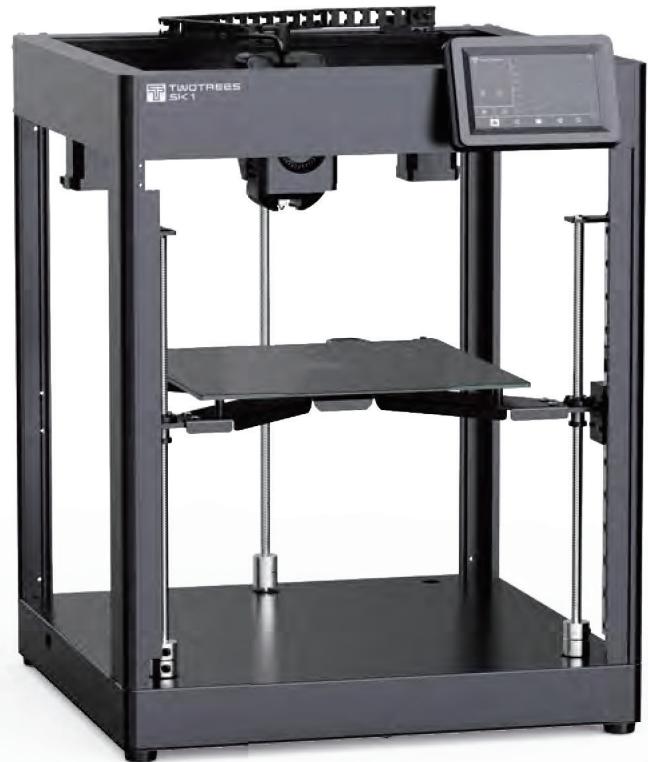
SK1
3D PRINTER

Max Printing Speed

Max Acceleration

Nozzle Temperature

Printing Size

FC
RoHS
FDA



Note: The picture is for reference only, the actual product shall prevail
A LETTER TO A CLIENT
Dear Customer:
Thank you for choosing our brand.
We have always been customer-oriented, continuous innovation, the pursuit of excellence, so that everyone can have a rich experience in the use of the process.
I hope you enjoy your time with the two trees.
If you have any questions, please feel free to contact our customer service of each purchase platform.
Other contact channels are:
Website: www.twotrees3d.com
After-sales Email: service@twotrees3d.com
Consultation Email: info@twotrees3d.com
We will contact you within 24 hours.
Wish you a happy life!
The Two Trees team
MATTERS NEEDING ATTENTION
- After unpacking, please remove the corresponding fixation of XYZ axis according to the instructions to avoid damage caused by forced movement of the machine.
- Confirm whether the voltage gear of the machine is matched before starting the machine to avoid damage to the machine power supply due to the mismatch of voltage gear.
- The printer has 110VAC / 230VAC and other high voltage power interfaces. Do not use any other power cord other than the one provided. Use approved power cords and sockets to ensure power cords are not damaged
- Do not place the printer in a large vibration or other unstable environment, the machine shake will affect the printer print quality. It is recommended to place it in a well-ventilated and low-dust environment to avoid overheating of the machine.
- Risk of scalding: Do not touch the nozzle and hot bed when the printer is working to prevent high temperature scalding. After printing, timely using the residual temperature of the nozzle to clean the consumables up on the nozzle with the help of tools, and do not touch the nozzle with your hands directly during cleaning to prevent scalding.
- When the machine is running, please stay away from the parts in operation, and avoid poking your fingers or other objects into the inside of the running printer to prevent injury.
- Adult supervision: ensure that children do not have access to the machine, so as not to cause personal accidents.
- Do regular product maintenance: regularly in the case of power failure, use dry cloth to clean the printer body, wipe dust and bonded printing materials, please lubricate and maintain the guide rail regularly.
- In case of emergency, please turn off the power directly.
CATALOGUE
- About your printer 01
- Function definition 02
3.Machine parameters 03 - Accessories list 04
- The machine assembly 05
ABOUT YOUR PRINTER
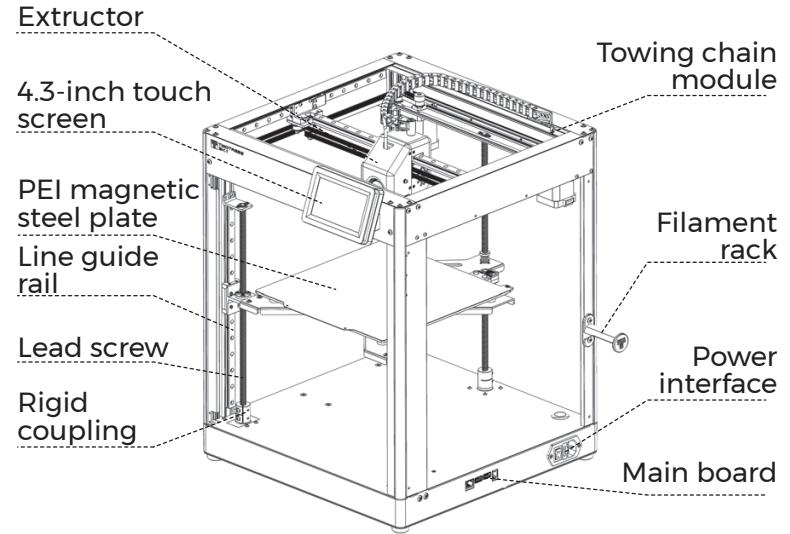
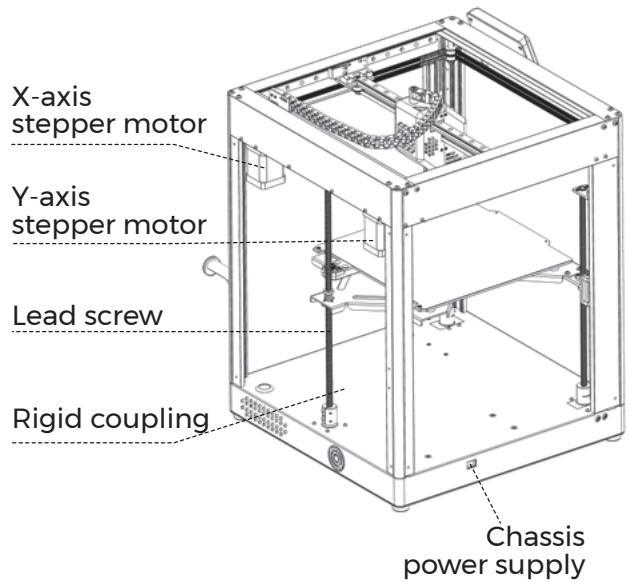
FUNCTION DEFINITION
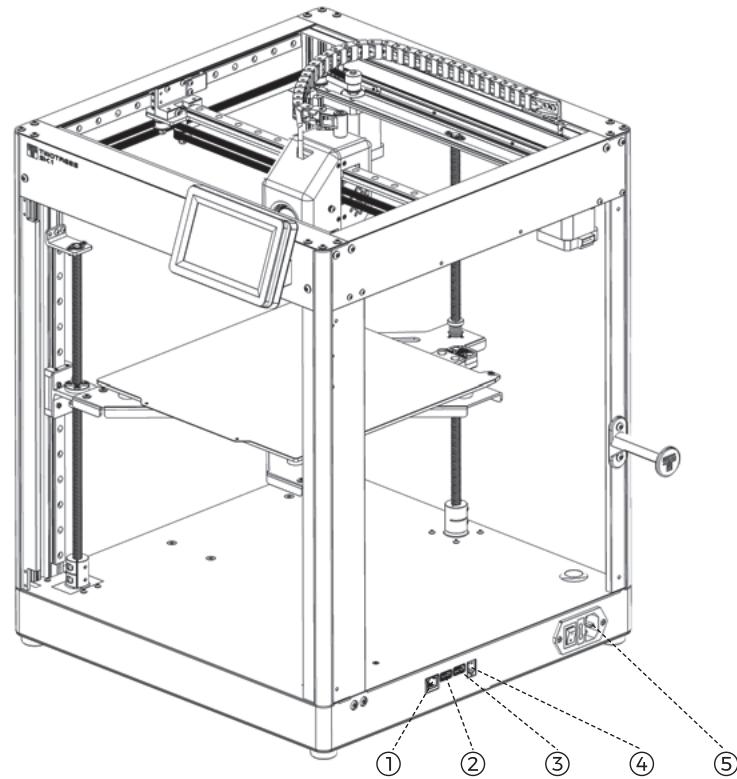
| Serial number | Interface | Function definition |
| ① | Internet Interface | Ethernet port for network cable connection |
| ② | USB3.0 Interface | Connect USB flash driveConnect wireless cardConnect PC |
| ③ | USB2.0 Interface | Connect USB flash driveConnect wireless cardConnect PC |
| ④ | Screen Interface | Used to expand other screen sizes,RJ11 type interface |
| ⑤ | Power Interface | Connect AC power supply |
MACHINE PARAMETERS
| Model :SK1 | Motion structure :Core XY |
| Color: Black | Printing mode: USB / LAN / Wifi-2.4G HZ |
| Nozzle Number :1 | Display screen: 4.3-inch IPS capacitive touch color screen (480*272) |
| Print size :254x254x254mm | Firmware type :Klipper Open source |
| Printing accuracy :±0.1mm | Filament :PLA \ PETG \ ABS \ ASA \ TPU \ PC \ UltraPA |
| XY axis accuracy :0.0025mm | Nozzle diameter: 0.4mm |
| Z-axis accuracy :0.0025mm | Filament diameter: 1.75mm |
| Maximum speed :700mm/s | Slicing software :Ultimaker Cura, Prusaslicer, Lycheeslicer, Simplify3D, etc |
| Maximum acceleration :20000mm/s | Print file format: G-code |
| Software language: Chinese \ English \ Spanish \ German \ French \ Russian \ | Supported system :MacOS\Windows\Linux |
| Nozzle temperature (Max.) : 300℃ | Hot bed temperature (Max.) : 100℃ |
| Power parameters: 230V/110V 350W | Working environment: Temperature: 5-40℃; Humidity: 20-60% RH |
| Best working environment :20℃-40℃ |
ACCESSIONS LIST
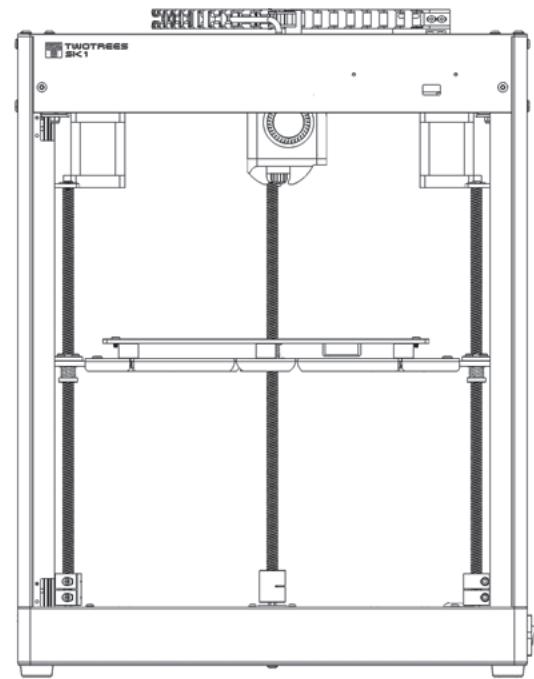
MachineX1
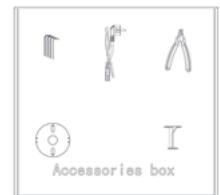
Accessory box X1
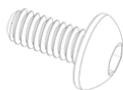
Half round head screw M3*6X2
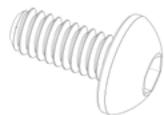
Half round head screw M4*8X2
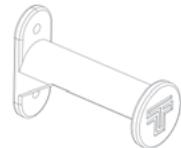
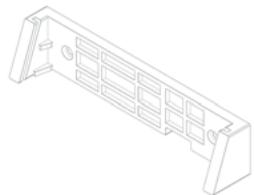
Filament rackX1
Screen holder X1
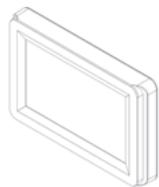
Screen X1
THE MACHINE ASSAEMBLE
- Remove the Z-axis fixation
Cup head screws M3*6X2
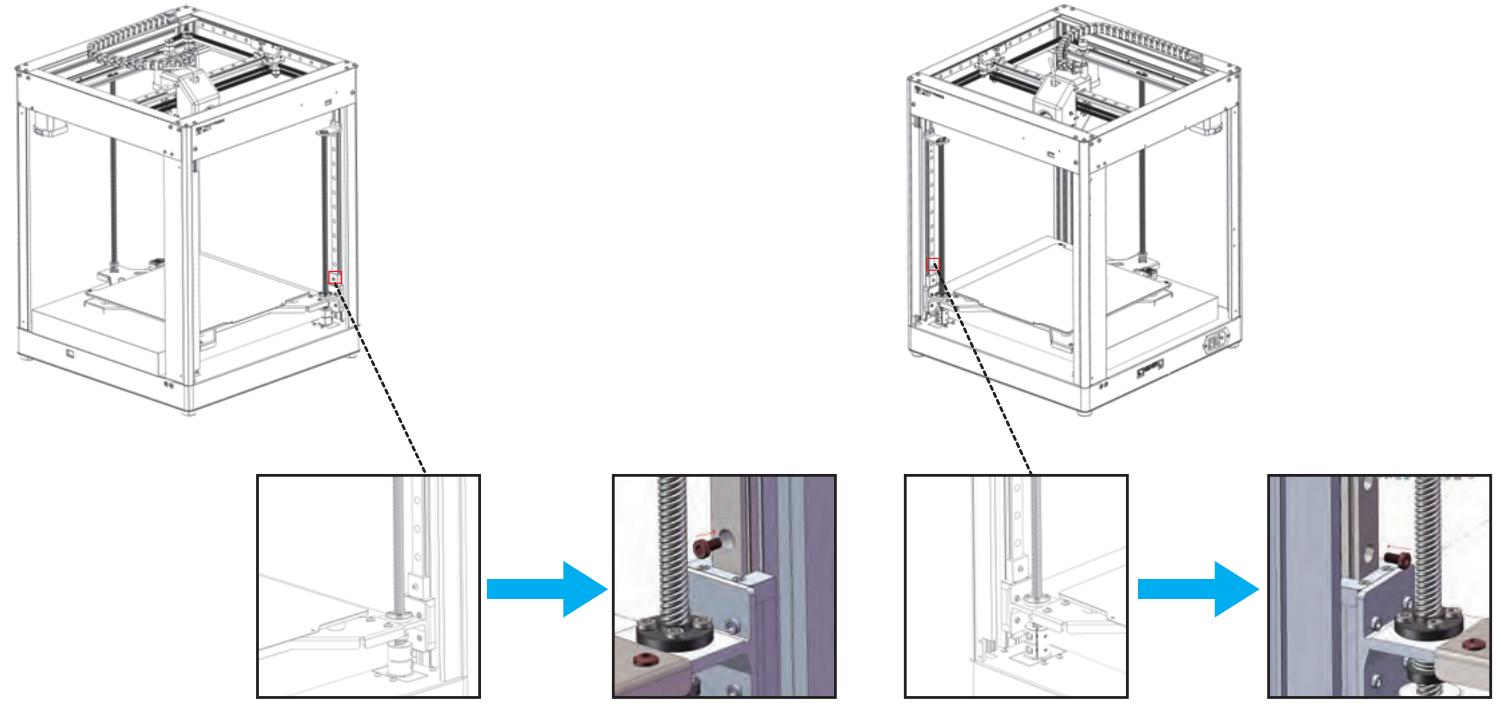
Remove the top wire setting screws. Remove the firmware and lock back the screws, cup head screws M3*6 (both sides)
THE MACHINE ASSEMBLE
- Remove the XY axis fixings
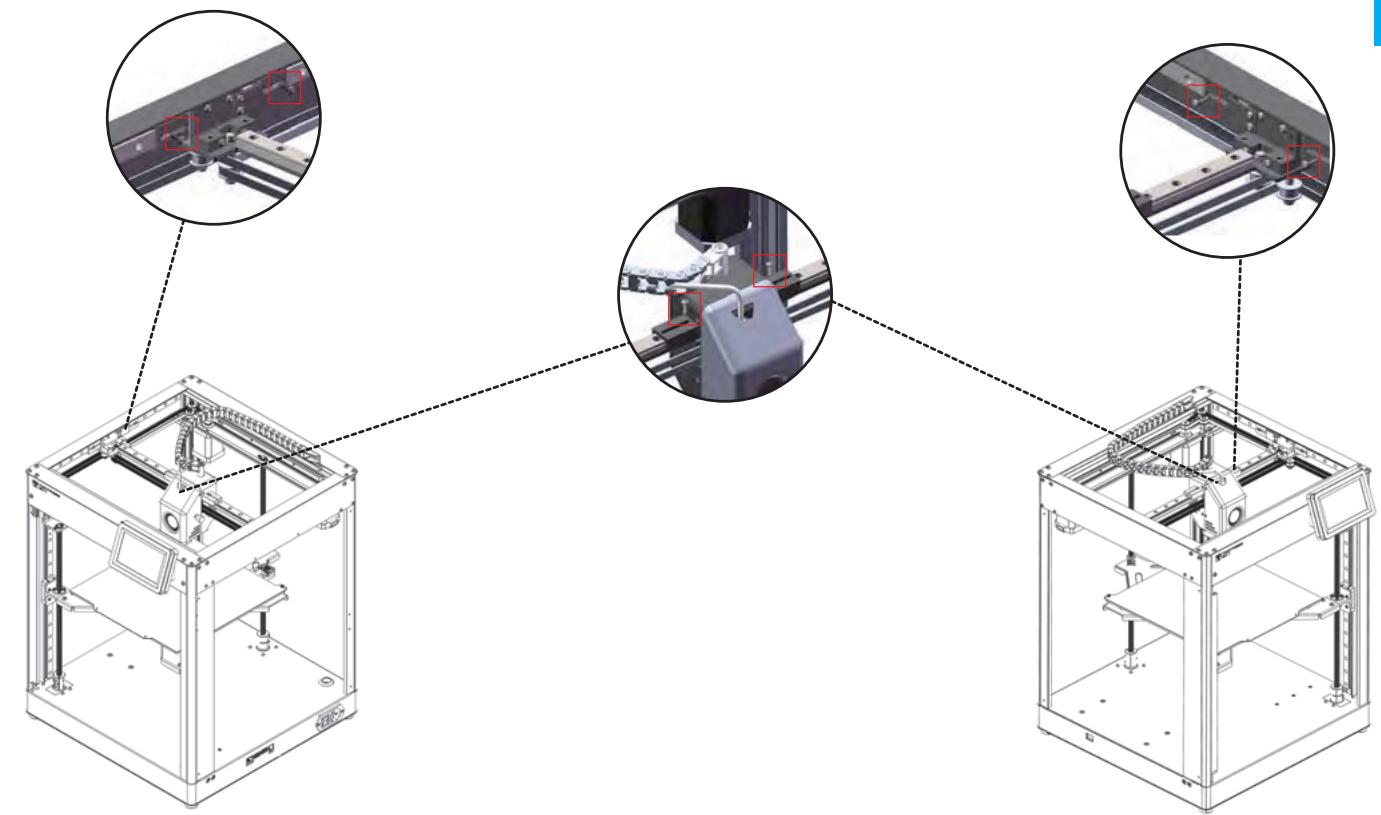
THE MACHINE ASSEMBLE
- Install the filament rack
Half round head screw M4*8X2
Filament rack X1
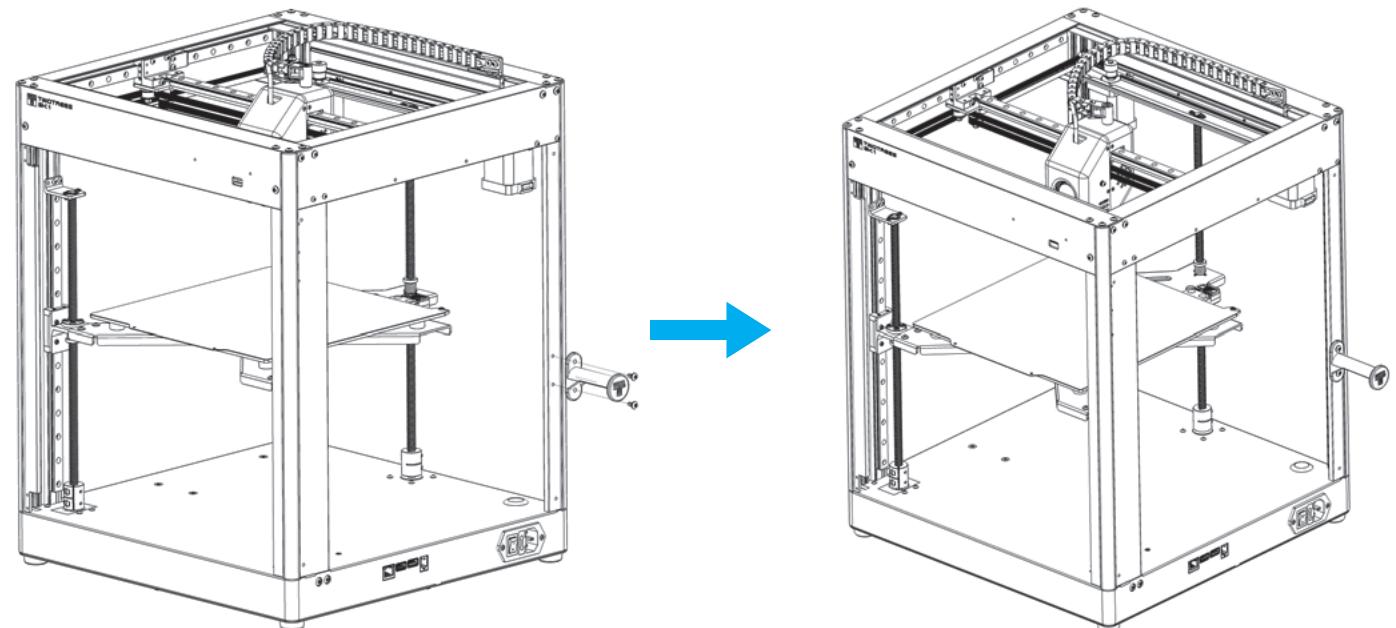
THE MACHINE ASSEMBLE
- Install the 4.3-inch screen module
a. Install the Screen holder X1
Half-round head screws M3*6X2
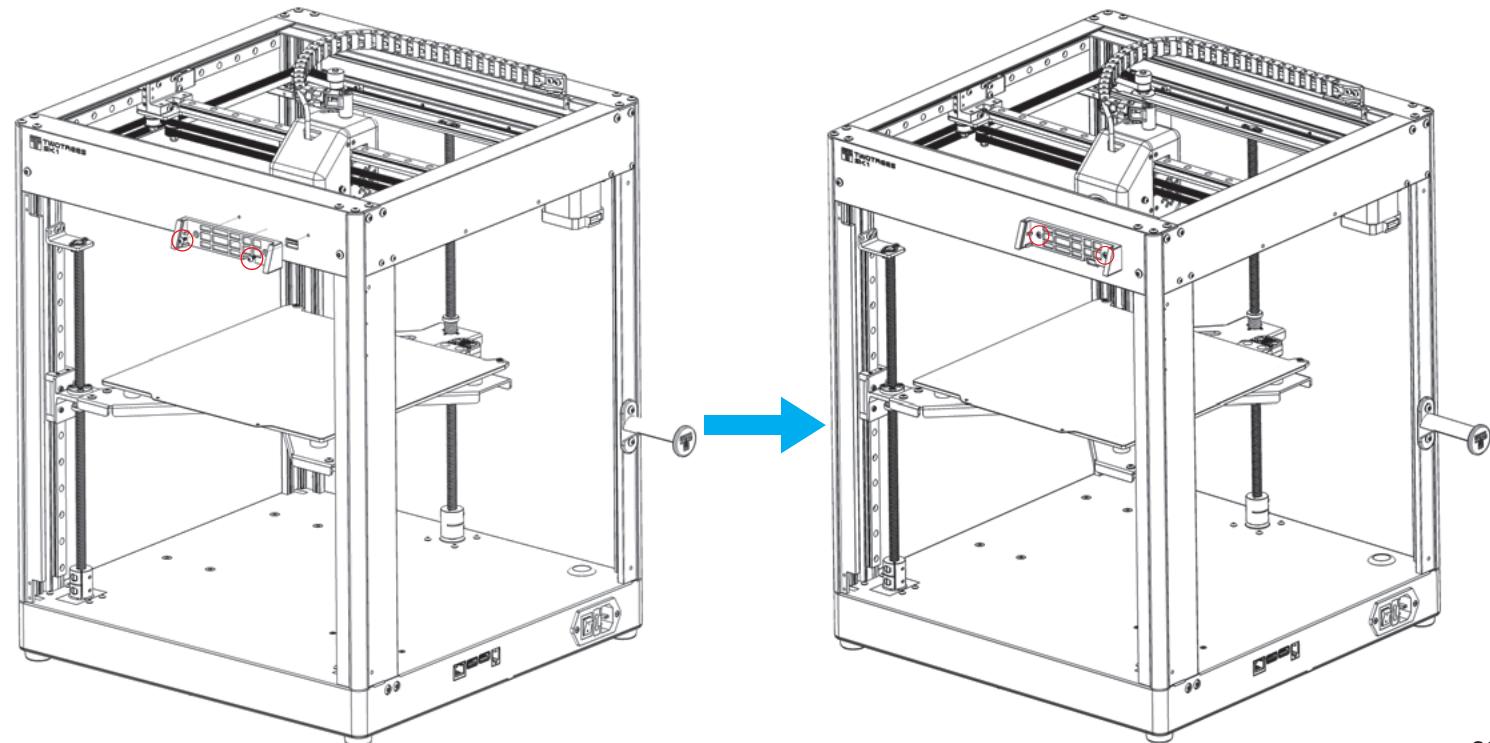
THE MACHINE ASSEMBLE
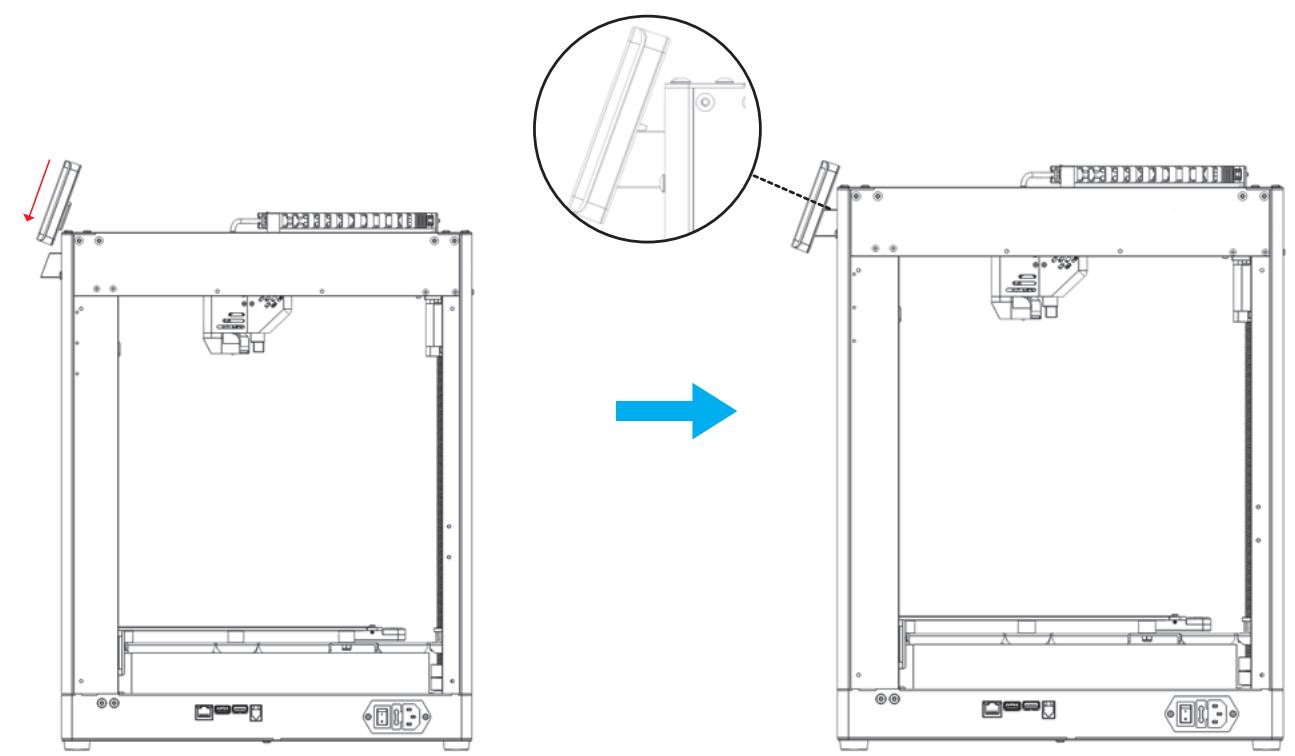
b. Before installation, insert the reserved screen cable into the terminal block, and then push the screen assembly along the chute into the corresponding slot of the bracket, then the installation is complete.
LETTRE À NOS CLIENTS
Cher client:
Nosyouremercionssincerementdeusavoirchoisi.
This equipment has been tested and found to comply with the limits for a Class B digital device, pursuant to part 15 of the FCC Rules. These limits are designed to provide reasonable protection against harmful interference in a residential installation. This equipment generates, uses and can radiateradio frequency energy and, if not installed and used in accordance with the instructions, maycause harmful interference to radio communications. However, there is no guarantee that interference will not occur in a particular installation. If this equipment does cause harmful interference to radio or television reception, which can be determined by turning the equipmentoff and on, the user is encouraged to try to correct the interference by one or more of the following measures:
- Reorient or relocate the receiving antenna.
- Increase the separation between the equipment and receiver.
- Connect the equipment into an outlet on a circuit different from that to which the receiver is connected.
- Consult the dealer or an experienced radio/TV technician for help.
Caution: Any changes or modifications to this device not explicitly approved by manufacturer could void your authority to operate this equipment.
This device complies with part 15 of the FCC Rules. Operation is subject to the following two conditions:
(1) This device may not cause harmful interference, and (2) this device must accept any interference received, including interference that may cause undesired operation.
This equipment complies with FCC radiation exposure limits set forth for an uncontrolled environment. This equipment should be installed and operated with minimum distance 20cm between the radiator and your body.