 ManualGo.com
Sofort 2 - Camera LEICA - Free user manual and instructions
Find the device manual for free Sofort 2 LEICA in PDF.



Download the instructions for your Camera in PDF format for free! Find your manual Sofort 2 - LEICA and take your electronic device back in hand. On this page are published all the documents necessary for the use of your device. Sofort 2 by LEICA.
USER MANUAL Sofort 2 LEICA
Before Use Before using the camera, check you have the following. Supplied Accessories + Shoulder strap (1) + USB cable for charging (1) B038A34001 Users Guide (1) Use the strap over your shoulder, not around your neck. Make sure the shouider strap does not hang over the film ejection slot. The battery has not been fully charged at the factory, be sure to charge the battery before using the camera Download the full scope instruction manual here: leica-camera.com/en/downloads
mL notes on Disposing of the camera Ta mod otre bts er cum indicates that those batteries should nat be treated Do hate th bin battery y ours ti may cause you 25 husehol waste Le Disposal of Electrical and Electronic Equipment in For customers in Turkey: nee {Applicable in the European Union and other European countries with separate collection systems) This symbol on the product, or in the manual and in the warranty, and/or on its packaging indicates that this product should not be treated as houschold waste. Instead i should be taken to an appropriate collection point for the recycling of electrical and electronic equipment. 8y ensuring this product is disposed of correct yau wi help prevent potential negative consequences ta the environment and human health, which could otherwise be caused by inapprapriate waste handling of this product. The recycling of materials wil help to conserve natural resources. For more detailed information about recycling of this product, please contact your local city office, yaur household waste disposal service ar the shop here you purchased the product. n Countries outside of EU: you mish to discard this product, please contact your local autherties and ask for the correct meihod of disposal.
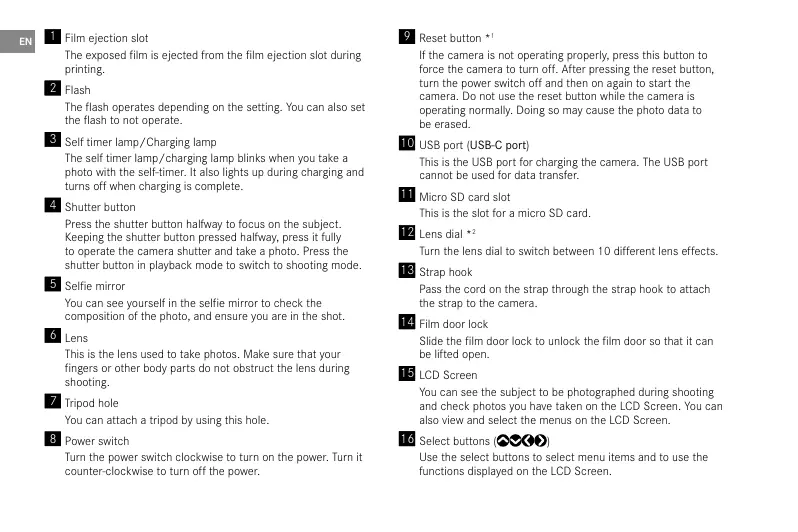
EE in cection shot The exposed film is ejected from the film ejection slot during printing.
The flash operates depending on the seting. You can also set he flash to not operate. Bi sci imer mp/Charging temp The self timer lamp/charging lamp blinks when you take a photo th he sel timer. also ghts up during charging and Lurns off when chargingis complet. Este buton Press the shutter button halfway t focus on the subject. Keping the shutter button pressed hay, press it fully to opera the camera shuttr and take a photo. Press the shutier button in playback mode to switch to shoating mode. scie mio Yeu can see yourselin the self miror ta check the composition of he photo, and ensure you are in the shot. LES This the lens used a take photos. Make sure that your fingers or other body parts do not obstruct he lens during shooting L'EST You can attach a tripod by using this hole. Be sicr ur the power switch clocknise to turn on the por. Turn it counter-clockwise to turn aff the power. El rcsctoutton + H the camera is not operating praperiy, press this button to force the camera to turn off. After pressing the reset button, turn the power switch off and then on again to start the camera, Do not use the reset button we the camera is operating normal, Doing so maÿ cause the photo data to be erased A Lss port (US8-C port) This the USB port for charging the camera, The USB port cannot be used for data transfer. M ic 50 card slot This is the slot for a micro SD card. CET Turn the lens dial to switch betneen 10 different lens effects. Æ Sp 004 Pass the cord on the strap through the strap hook to attach te strap to the camera. M sim door lock Slide the film door lock to unlock the fim door sa that it can be lfted open Æ 00 screen You can see the subject to be photographed during shooting and check photos you have taken on the LCD Screen. You can also vieu and select the menus on the LCD Screen. FE scicct buttons (SY@O) Use the select buttons to select menu items and to use the functions displayed on the LCD Screen.
Muu/ox baron Fe came moto Pope rs se uote During shooting or playback, press the MENU/OK button to resetit display the menu en the LCD Screen. This button is also used 22 Lens effects are processed digital to confirm menu items. +4 Fi cffects are processed digital. ÆS 6264) button Press the € {Back button to retum ta the previous screen. This bution is also used to cancel halo printing DE pastis baton Press the] (Paÿback buton to display the photos ou have taken on te LCD Screen. en in shoGëng mode, his button is also used to switch o playback made. BD + function) button Press the + Function) button in shooting mode to check the cure effet on te LED Screen. You Gan ls save and recal elec. Print lever Print the image displayed on the LCD Screen. BB Etiect reset button Return both the lens and film effects to normal Film dial ** Turn the fm dial to switch between 10 different fm effects. BA im door When loading/unicading a film pack, slide the flm door lock to unlock the fim door and lit it open. Do not open the film door until you have used up the fl
Charging the Battery @ Turn of the camera before charging ne battery. Battery will not charge the camera is turned on. O&e caretui to proper attach cable as indicated below. Connect the camera using the supplied USB cable to a USB AC adapter (supplied with your smartphone) then connect the USB AC adapter to an indoor power outlet. Charging Status Indication Wnile charging, Sel timer lamp lights up. Chargingfinished | Selftimer lamp goes off. Charging error Se timer lamp flashes. Power On/Off Ta tum the camera on, turn the power switch clockwise:
| D 1 If you do not operate the camera for a certain period of time, it will automatical turn of. If he camera turns off automatical, turn the poner switch off and then on again to turn on.
1 Press the (BJ Piaÿback) button 2 Press @ or @ on the Select button to select the photo you ant Lo print. ou ave te option ad a frame, enlarge te photo, ar make her eds 4° Turn the print lever to print.
5 after the sound af te im jecting stops, hold the tp of he seed fl and remove *_ Be careful not to let your fingers or the camera Strap get caught in the film ejection slot.
IMPORTANT SAFETY NOTICE
This product has been designed to ensure the safety of the user when handled correct in accordance with the User's Guide and the instructions provided. lis important that both the product and the “instax mini” film are handled property and used onby to print, Pictures as instructed in the User's Guide and in the “instax mini* im instructions. For future reference keep the Users Guide in a safe, easy place. A WARNING This symbol ndicates danger, which could result in injury or death Please fallow these instructions. + IFany of the following instances occur, immediately unplug the USE cable, ur the camera off and cease use. +__ The camera becomes hot, emits smoke, emits a burnt smell or is functioning abnormall. The camera is dropped into water or any foreign objects enter the camera. This device contains a buit-in battery. Do not subject it to heat, throw it into an open fie, drop ar subject to impact. Doing So could cause the camera to explode. Never attempt to take this product apart. You may be injured Ithe camera is not functioning correct, to avoid injury do not ttempt to repair yourself. H this product is droped or damaged so that the intemals are visible, do not touch it. Contact your Leica Camera dealer.
De not tauch any parts within the inside of he back cover. This may cause injury. Never get this product wet ar handle it with wet hands. Doing, so maÿ result in an electric shock. Prompily unplug the USB-C cable once battery is fully charged Keep out of the reach of small children. This product could cause injury in the hands of a child Do not cover or wrap the camera or the AC power adapter in a ir bat Ti an cause het to ui up and do the casing or cause a fre. he *CE mark certifies that this product satisies the requirements of the EU [European Union) regarding safety, public health, environment and [consumer protection. (“CE* is the abbrevation of Conformité Européenne.)
he *UKCA* mark certifies that this product satisfies the requirements of Great Britain (England, Scotland, Wales) regarding safety, public health, Jenvirenment and consumer protection. F'UKGA: UK Gonformity Assessed. Handling the Camera and Battery + GAUTION - Do not expose to excessive heat such as sunshine fre ar ne like, that can resu in an explosion or te leakage of flammable liquid or gas during use, storage or trans portaion or isposal CAUTION - Do not dispose of a battery into fre or a hot aven, ormechanicalÿ crus or eut the battery, as this may result in an explosion. + GAUTION - Do not subject to extremely low air pressure at Pigh altitude that may result in an explosion or he leakage of flemmable liquid or gas. Camera Care
1. De not open the film door until all film exposures
have been used, doing so will prematurely expose the remaining film and render it unusable. Your camera is a fragle object. Do not expose it to water, sand or gritty material, De not use a strap made for cellular phones or other similar electronic products. These straps are usually too weak 0 hold your camera securely. For safety, only use straps designed for your camera, and use only as specificall intended and instructed. De not use salvent such as thinner or alcohol to remove dir. D not leave your camera in direct sunlght or hot places such as the inside of a car. Do not leave the camera in damp places for prolanged periods. Moth repellent gas such as naphthalene may affect your camera and prinis. Take care lo keep your camera and prints in a safe, dry place.
Note that the temperature range within which your camera can be used is +5°C 10 40°C. Take great care to ensure that printed materials de not volate copyright, image rights, privacy or ather personal rights and do not offend public decency. Actions that clate the rights of others, are contrary to public decency or constitute a nuisance may be punishable by law or otherwise legally actionable. Handling the LCD Screen +_Asthe LCD Screen can be easily scratched or damaged by sharp or solid objects, we recommend you attach a protective sheet (commercially available) onto the LCD Screen. Charging the Battery The battery has not been charged during manufacture. Please charge the battery full before first use. Charge the battery using the supplied USE-C cable. Gharging times will increase at ambient temperatures below +10°C or above +35°C. Do not attempt to charge the battery at temperatures above +40°C or at temperatures below +5°G as the battery will not charge. Battery Life + Atnormal temperatures, he battery can be recharged about 300 times. À noticeable decrease in the length of time the battery wil hold a charge indicates that has reached the end of its service life. Caution: Handling the Battery The battery and camera body may become warm to the touch after extended use. This is normal. Certification marks are located inside the fi chamber. Cautions During Printing “instax mini” Fi and Print Care See FUJIFILM Instant Film “instax mini” packaging for film use instructions. Follow all instructions for safe and proper use. Keep the film in a cool place. Do not leave the film in a place where the temperature is extremely high (e.g. in a closed car) for many hours. Do not puncture, tear, or cut the film. film becomes dama- ged, do not use. Wen you load à flm pack, use the fim as soon as possible. Ifthe film has been keptin a place where the temperature is extremely high or low, bring to ram temperature befare starting to print pictures. Be sure to use the film before the expiration or “Use Before’ date. Avoid airport checked luggage scanning and other strong X-ray exposure. The effect of fogging, ete. may appear on unused film. We recommend that you carry the camera and/ er the film anta the aircraft as carry-on luggage. (Check with each airpart for mare information.) Avoid strang light, and keep the developed prints in a cool and dry place. Do not puncture or cut the film as it contains a small amount of caustic paste (high alkalne). Never lt children or animals put the film into Hheir mouth. Also ensure that he paste does not came into contact with skin or clathes.
Shouid the paste inside the film comes into contact with skin er clothes, immediately wash aff with plenty of water. Ifthe paste comes into contact with the eyes or mauth, immediately wash the area with plenty of water and contact a doctor. Note hat the alkaline inside the flm remains active for about 10 minutes after the picture has been printed. Cautions on Handling the Film and Prints For details, refer t te instructions and warnings on the pa- ckaging of the FUJIFILM Instant Film “instax mi Bluetooth® Devices: Cautions IMPORTANT: Read the following cautions before products builtin Bluetooth transmitter. + Use only as part of a Bluetooth network *_ FUJIFILM does not accept liability for damages resulting from unauthorized use. Do not use in applications requiring. a high degree of reliabilty, for example in medical devices or ther systems that may directly or indirectly impact human life. When using the device in computer and ather systems that demand a greater degree of reliability than Bluetooth networks, be sure to take all necessary precautions to ensure safety and prevent malfunction. Use only inthe country in which the device was purchased. This device conforms to regulations governing Bluetooth devices in the country in which it was purchased. Observe al location regulations vhen using the device. Leica Camera does not accept ability for problems arising from use in other juridictions. Wireless data (images) may be intercepted by third parties. The security of data transmitted over wireless networks is not guaranteed Do not use the device in locations subject to magnetic fields, static electricity, or radio interference. Do not use the transmittr in the vicinity of microwave ovens or in other locations subject ta magnetic fields, static electrcity, or radia interference that may prevent reception of wireless signals. Mutual interference may ocour when the transmitter is used in the vicinity of other wireless devices operating in the 2.4 GHz band. The Bluetooth transmitter operates in the 2.4 GHz band. The standard output is approximately 3.16 mu This device aperates on the same frequency as commercial, educational, and medical devices and wireless transmitters. It also aperates on the same frequency as licensed trans mitters and special unlicensed low-voltage transmitters used in radio-frequency identification tracking systems for assem- by lines and in other similar applications. Ta prevent interference with the above devices, observe the following precautions. Confirm that the radio-frequency identification transmitter is not in operation befare using this device. I you notice that this device causes interference in low-valtage radio-fre- quency identification tracing systems, contact a FUJIFILM representative. The folloning may be punishable by law: Disassembly or mochfication of this device. - Removal of device certification labels. Trademark Information The Bluetooth® word mark and logos are registered trademarks ouned by the Bluetooth SIG, Inc. and any use of such marks by Leica Camera is under license.
dress, it: 6-8 James Street, London, UK, WU ED County : United Kingdom
RG) Direct eurent (DC) roduethas a double insuated design The production date of your camera is printed on the packaging. The date format is year/month/day. Subject to changes in design and model type. CE MARK The CE mark on our products documents compliance with he fundamental requirements of applicable EU guidelines.
bectaration of Conformity (DC) Hereby, “Leica Camera AG" decta it ne essential requis ots/s3yeu stomers can dounlond à copy ot oignal Dec 19 our Radio Equipment products from ur Doc server {hat his product is in complan 8 and other relevant provisions f Directive Ércertica-camera.com Peas tt Leica Camera AG, Am Leiz-Pak 5,3 case of any further questions 78 Vita, Germany Dapandngon radar technical ts) [L_[. Mepouer delvered by the charger must be [Peter min 2 5 Mat required y the radio equipment, and max 5 Watts in order ta achieve the maximum charging speed TECHNICAL DATA Designation Leica Sofort 2 Camera type Digitale Sofertbilé-Kamera Type-Nr.
Supply voltage/current DC 5, 0,5 A (USE) Dimensions (WxHxD) 123x 44x87 mm Weight Apprex. 320 & (with battery)
FOR US ONLY: FCC Note: This equipment has been tested and found to comply with the limits for a Class B digtal device, pursuant to Part 15 af the FCC Rules. These limits are designed to provide reasonable protection against harmfulinterference in a residential installation. This equipment generates, uses, and can radiate radio frequency energy and, if ot installed and used in accordance with the instructions, may cause harmfl iterference to radio communications. However, here is no guarantee that interference wil not aceur in a partieular installation. I this equipment does cause harmfd interference to radio or teleision reception, which can be determined by tuning the equipment of and on, the user is encouraged to Any te correct the interference by one ar more of the following measures: Rearient or relocate the receiving antenna. + Increase the separation between the equipment and receiver. + Connect the equipment into an ouflet on a cireuit different from that to which the receiver is connected. Consuit the dealer or an experienced radio/TV technician for help FCC Caution: To assure continued compliance, allow the attached installation instructions and use only shielded interface cables with fete core when con- necting to computer or peripheral devices. Any changes or modifications not expressiy approved by he party respansible far compliance could void the users autharty to operate this equipment Trade Name LEcA Type No: 8262 Tipe No s262 Tee Te Como Response perty/Suppon | Leice Came ne. FC Surares contact: 500 Frank W. Burr Blvd, Suite 570, 00 an Bu FOR OME OR OPIE USE Tel: +1 800 222 0118 This device complies with Part 15 of the FCC Rules. Operation is subject 10 the following two conditions: {1) This device may not cause harmfulinterference, and (2) this device must zccept any interference received, including interference that may cause undesired operation. À recyclable lithium ion/polymer battery jowers this camerz. lease cal 1-800-8-BATTERY for information on hou to recycle this battery.
This transmitter must nat be co-located or operated in conjunction with any other antenna or transsmitter. This equipment complies with FCC radiation exposure limits set forth fer an uncontralled environment and meets the CC radio frequency (RF) Exposure Guidelines For Canada on CAN ICES-003 (B)/NME-003(B)
HMN: 8262 IC: 11245A-8262
This device complies with Industry Canada licence-exempt RSS standard(s). Operation s subject to the falloing two conditions: {1) This device may not cause harmful interference, {2} This device must accept any interference received, including interference that may cause undesired aperation of the device, This equipment complies with IC radiation exposure limits set forth far an uncontralled environment and meets RSS-102 of the IC radio frequency (RF] Exposure rules. For US AND Canada only: This equipment is tested for specific absorption ratio (SAR) and complies with FCC/IC radiation exposure limits set forth for an un controlled environment. This device complies with FCC/IC SAR limit of 1.6 W/Kg. For body warn operation, this equipment has been tested and meets the FCC/IC RF exposure guidelines when used with the Leica Camera AG accessaries supplied or designated for this product that have no metallic component in the assembly. Use of ather accessories may nat ensure compliance with FCC/1C RF expo- sure guidelines.