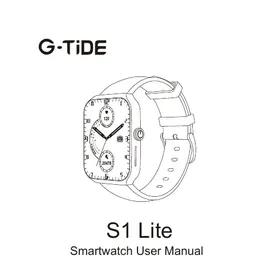
S1 Lite - Smartwatch G-TIDE - Free user manual and instructions
Find the device manual for free S1 Lite G-TIDE in PDF.



| Product Type | Connected watch (smartwatch) |
| Brand | G-TIDE |
| Model | S1 Lite |
| Screen | Color touch screen (estimated) |
| Power | Built-in lithium battery, magnetic suction charging |
| Charging | Standard USB connector 5V, charging time 2-3 hours |
| Connectivity | Bluetooth (via GT FIT Pro app) |
| App | GT FIT Pro (iOS and Android) |
| Main functions | Time display, pedometer, sleep tracking, call and message notifications, music control, alarm, stopwatch |
| Water resistance | Splash resistant (hand washing); do not use in bath or sauna |
| Dimensions (estimated) | Diameter 42 mm, thickness 10 mm |
| Weight (estimated) | 40 g |
| Material (estimated) | Zinc alloy and plastic |
| Box contents | Watch, magnetic charging cable, user manual |
| Warranty (estimated) | 2 years |
| Maintenance | Clean the charging interface with alcohol if dirty |
| Safety | Do not connect the two charging pins together; avoid water vapor |
Frequently Asked Questions - S1 Lite G-TIDE
User questions about S1 Lite G-TIDE
0 question about this device. Answer the ones you know or ask your own.
Ask a new question about this device
Download the instructions for your Smartwatch in PDF format for free! Find your manual S1 Lite - G-TIDE and take your electronic device back in hand. On this page are published all the documents necessary for the use of your device. S1 Lite by G-TIDE.
USER MANUAL S1 Lite G-TIDE
Smartwatch User Manual
FCC Caution:
Any Changes or modifications not expressly approved by the party responsible for compliance could void the user's authority to operate the equipment.
This device complies with part 15 of the FCC Rules. Operation is subject to the following two conditions: (1) This device may not cause harmful interference, and (2) this device must accept any interference received, including interference that may cause undesired operation.
IMPORTANT NOTE:
Note: This equipment has been tested and found to comply with the limits for a Class B digital device, pursuant to part 15 of the FCC Rules. These limits are designed to provide reasonable protection against harmful interference in a residential installation. This equipment generates, uses and can radiate radio frequency energy and, if not installed and used in accordance with the instructions, may cause harmful interference to radio communications. However, there is no guarantee that interference will not occur in a particular installation. If this equipment does cause harmful interference to radio or television reception, which can be determined by turning the equipment off and on, the user is encouraged to try to correct the interference by one or more of the following measures:
—Reorient or relocate the receiving antenna.
—Increase the separation between the equipment and receiver.
Connect the equipment into an outlet on a circuit different from that to which the receiver is connected.
—Consult the dealer or an experienced radio/TV technician for help.
FCC Radiation Exposure Statement:
This equipment complies with FCC radiation exposure limits set forth for an uncontrolled environment.
Warranty
All G-TiDE products carries a 12-month warranty from purchase date.
Official Website: www.g-tide.com
Please contact us at service@g-tide.com with your order ID and issue details.
G-TiDE Facebook Official Account
Subscribe to our Facebook account to get the latest information about G-TiDE.
https://www.facebook.com/gtide/fans
English 01-09
Deutsch 10-16
日本語 17-23
24-30
Francais 31-37
Italiano 38-44
Espanol 45-51
Thanks for choosing G-TiDE Smartwatch
To get the better product experience, please read this manual first.
All product drawing & function-instruction is used for reference only for the final correct data please see in instructions and packing kinds.
Typing errors and discrepancies in this manual will be updated with the latest products. In case of any update, this manual will be changed at any time without notice. We reserve the final explanation right.
Remarks: You can wash your hands while wearing this smartwatch.

Do not use it when taking a bath or sauna. Water vapor may enter into the smartwatch and damage surrounding parts. These issues are not covered in the warranty.

All the above test data are for reference only and can not be used as any medical diagnoses.
EN
Charging instructions
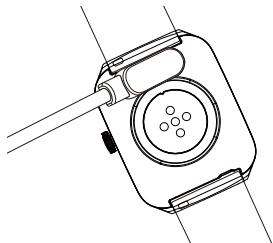
- Adopt magnetic suction charging.
- Support PC USB and standard 5V charger.
- Fully charged in 2-3 hours.
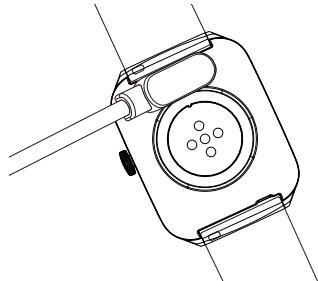

Do not connect any two pins of the magnetic charging cable with conductive material at the same time, otherwise, it may cause a short circuit.
The charging port should be wiped clean with alcohol, otherwise the contact of the charging pins will be affected when charging.
Operation Guide
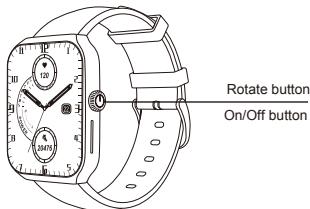
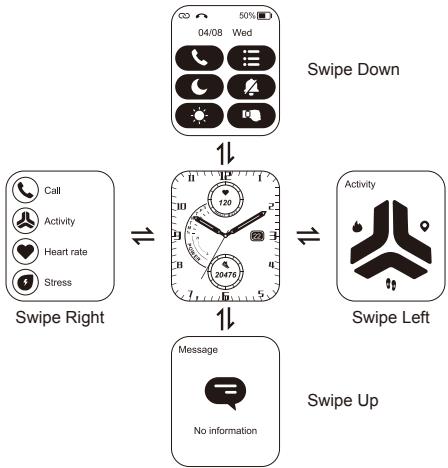
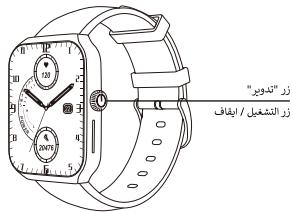
- Power on / off: Long Press) to power on/off. Short press to return standby.
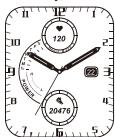
- Change Dial style: Long Press the dial and slide left or right to select different dials.
Touch Description:
- Swipe right to get into the main menu.
- Choose one of the functions, and swipe right to get back to the main menu.
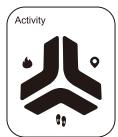
- Swipe left to get to the function interface, and swipe left again for the next function.
GT FIT Pro
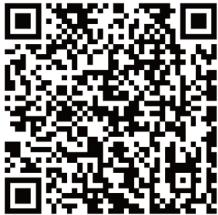
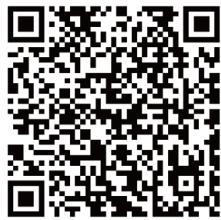
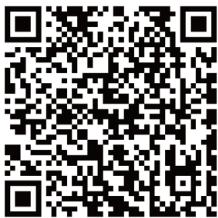
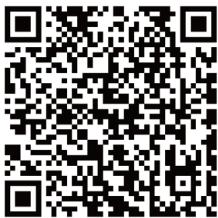
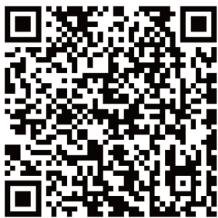
Scan the QR code to download the app.
https://app.uteasy.com/gtfit/download/index.html
Connect the watch
Download the "GT FIT Pro" App in your phone.
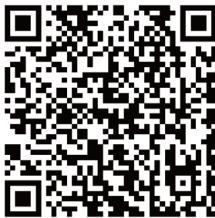
You can directly search for "GT FIT Pro" in the APP store to download it, or you can scan the QR Code above to jump to the download link.
Bluetooth Connection Instructions
- Open the location of both your mobile and the "GT FIT Pro" app.
- Open GT FIT Pro app device add device search Bluetooth to connect.
Tips: Please do not connect directly with Bluetooth on the phone. Be sure to search and connect through "GT FIT Pro" App, or it will cause the occupation of the bluetooth of the smartwatch. And the Bluetooth will not be searchable on GT FIT Pro. If the above situations happened, please go back to the "GT FIT Pro" App.
is gray or red, which means the watch is not connected or occupied.
is green or white, which means the watch has been connected and occupied.
EN
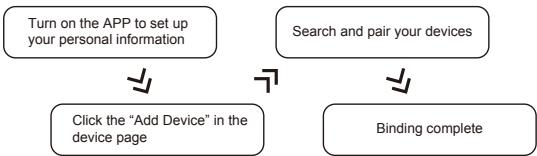
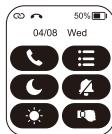
Swipe down the watch - click "Settings" - click "About" to display the MAC address of the watch. After binding successfully, the watch will automatically connect with your phone and the APP data page can be pulled down to refresh the data synchronously.
Smartwatch Operation Guide
EN
FAQ
Q1. After the phone is matched with the smartwatch, why does the voice of the mobile phone send out from the watch?
- Please turn off the sound setting. The sound will not be sent from the watch.
Q2. Unsuitable usage scenarios?
- Hot water shower, hot spring, sauna (steam room), platform diving, and other activities under high water pressure, temperature, humidity, and high-speed water flow. It's also not applicable for diving activities at a depth of more than 1.5m . After using in seawater, please rinse with fresh water and dry it.
Q3. Why cannot the watch receive any message?
-
Android phone:
-
Confirm to turn on the message push on your phone;
- Open the "GT FIT Pro" App, and turn on the "SMS reminder" and "APP reminder".
iOS Phones:
- Confirm to turn on the message push on your phone;
- First make sure the confirmation message display normally on your phone. And then open the "GT FIT Pro" App, and turn on the "SMS reminder" and "APP reminder".
Q4. About battery.
- Normal use: Equipped with 300mAh battery, the smartwatch can be used for up to 5-7 days. And the standby time is up to 20-25 days. The actual battery life depends on personal usage habits.
Usage scenario: Bluetooth calls for 15mins/week, music playing for 15mins/week, constant heart rate, scientific sleep at night, average exercise for 60mins/week, message notification (50 messages, 6 calls, 3 alarm clocks/day), and 200 times of lighting up your screen.
- Heavy use: The smartwatch can heavily used for up to 3-4days. The actual battery life depends on personal usage habits.
Usage scenario: Bluetooth call for 30mins/week, music playing for 30mins/week, constant heart rate, scientific sleep at night, opening pressure, emotion, fatigue, body temperature, and other 24-hour continuous monitoring, with an average of 120mins of exercise/week, opening message notification (50 messages, 6 calls, 3 alarm clocks/day) and lighting up screen for 20mins/day.
https://app.uteasy.com/gtfit/download/index.html
https://app.uteasy.com/gtfit/download/index.html
スマートウオチの接続
aalglgclalal albally aalall
- caiaiai ciuiy jiu liu 3i ciuyiyiyiyiy
g 1000
aill aieill gao bai joo. ylu jzai
L 1
Jslaw slal jly ..liglaw gplaxmiuui udozuniy
.

ybaa ybiu u oolai ygsalil
aill aasw wulw pss

jouill
aegi bae (gablaedal pss
Voo Joloo j (galll) gullll) IJill) USB jgsdSul.
iLw-1 3 loydu agao jgel ay
aall 20 gnuabliai jnaii bs no aayy d
g 1 g 1 1 1 1 1 1 1 1 1 1 1
.
Jgll 0a a b j 0000000000000000000000000000000
.

Jaaann Jaa
aJb1. 巴 山 / 山 山 山 山 山 山 山 山 山 山 1
.
Jnllgl Jnnll Jyyyly aeg yall de ygdo baiol: dcll wol.
L
:
a aal aal l 1
aaii aiaai iisaaai niiin 1
Jusll Jj 200 aabgl jol
aLl aLgI JgJL
GT FIT Pro 2
aill jilj aayy ayx yj y
https://app.uteasy.com/gtfit/download/index.html
acllll 1000
clll lslay aaiy yg jgaoaol allae 1G"GT FIT Pro" qubj uyy
joo 1
Jluiu Jiaaiy jilaiy Jiaiy Jiaay
gjgl jui jg c
.GT FIT Pro gog Jgagall ggal aol
Jus Jus Cooj Jooj< jge dolj< jggt GT FIT Pro< gaa
Bluetooth
clll 15. clll lglg ygblly jyue yu y uau n: gdl aclllg ygblly jyue yu y uau n: GFT Fit Pro ne yu y uau n: GT FIT Pro gtlal Bluetooth uayu uayu uayu uayu uayu uayu uayu uayu uayu uayu uayu uayu uayu uayu uayu uayu uayu uayu uayu uayu uayu uayu uayu uayu uayu uayu uayu uayu uayu uayu uayu uayu uayu uayu
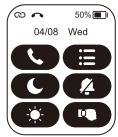
j 1234567890
aliqal j Juaia yedalina
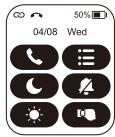
.
gjglj Juaai jg Cjka
GT FIT Pro gagg aagaa
Bluetooth JlJlJjGFTProJg
eey
aagaaal lagaal aai

Jolj
jglal aao juiyilpa jglaal 0ggaai
MAC OLIGE aolgolgolgol - jnss (gogol - Jauy acellall woull
ALL MAC OLIGE 2JwLgol yd jlgjlduclkay. acellally
lalil alal lalil jauo . cagai laaay dajgol yd jauy acellally
Jauy jauy gacall tllluy aoy oos
Joo
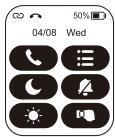
J 1
1
1
JLJI JI JI JI JI JI JI JI JI JI JI JI JI JI
logall jai (j) aai
https://app.uteasy.com/gtfit/download/index.html
Connectez la montre
https://app.uteasy.com/gtfit/download/index.html
https://app.uteasy.com/gtfit/download/index.html