50 TITANIUM 4G NOIR - Mobile Phone ARCHOS - Free user manual and instructions
Find the device manual for free 50 TITANIUM 4G NOIR ARCHOS in PDF.

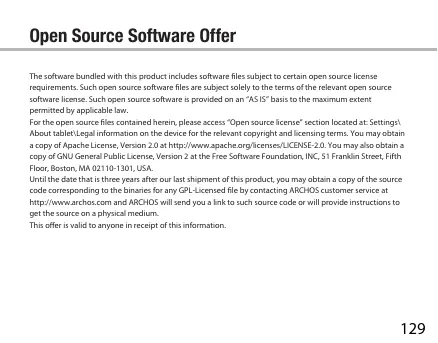

| Brand | ARCHOS |
| Model | 50 TITANIUM 4G BLACK |
| Product type | Mobile phone |
| Operating system | Android (unspecified version) |
| Screen | Capacitive touchscreen |
| Mobile network | 3G (UMTS) / 2G (GSM) |
| Wireless connectivity | Wi-Fi 802.11 b/g/n |
| Dual SIM | Yes (1 SIM card 2G/3G + 1 micro-SIM 2G) |
| Memory card | MicroSD up to 64 GB |
| Rear camera | Built-in with LED flash |
| Front camera | Built-in |
| Battery | Removable lithium-ion |
| Connectors | Micro-USB, 3.5 mm headphone jack |
| Box contents | Phone, battery, hands-free kit, micro-SIM adapter, USB cable, charger, guides |
| Main features | Google Assistant, web browsing, messaging, multitasking, widgets, extended home screens |
| Security | Screen lock by pattern, PIN or password, SIM PIN code |
| Maintenance and cleaning | Wipe with a soft, dry cloth; avoid liquids |
| Spare parts and repairability | Removable back cover, replaceable battery |
Frequently Asked Questions - 50 TITANIUM 4G NOIR ARCHOS
User questions about 50 TITANIUM 4G NOIR ARCHOS
0 question about this device. Answer the ones you know or ask your own.
Ask a new question about this device
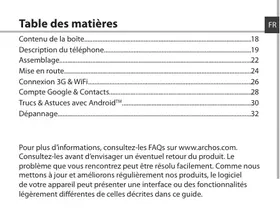
Download the instructions for your Mobile Phone in PDF format for free! Find your manual 50 TITANIUM 4G NOIR - ARCHOS and take your electronic device back in hand. On this page are published all the documents necessary for the use of your device. 50 TITANIUM 4G NOIR by ARCHOS.
USER MANUAL 50 TITANIUM 4G NOIR ARCHOS
Open Source Software Offer
The software bundled with this product includes software files subject to certain open source license requirements. Such open source software files are subject solely to the terms of the relevant open source software license. Such open source software is provided on an "AS IS" basis to the maximum extent permitted by applicable law.
For the open source files contained herein, please access "Open source license" section located at: Settings/ About table!Legal information on the device for the relevant copyright and licensing terms. You may obtain a copy of Apache License, Version 2.0 at http://www.apache.org/licenses/License-2.0. You may also obtain a copy of GNU General Public License, Version 2 at the Free Software Foundation, Inc, 51 Franklin Street, Fifth Floor, Boston, MA 02110-1301, USA.
Until the date that is three years after our last shipment of this product, you may obtain a copy of the source code corresponding to the binaries for any GPL-Licensed file by contacting ARCHOS customer service at http://www.archos.com and ARCHOS will send you a link to such source code or will provide instructions to get the source on a physical medium.
This offer is valid to anyone in receipt of this information.
National restrictions
This device is intended for home and office use in all EU countries (and other countries following the EU directive 1999/S/EC) without any limitation except for the countries mentioned below:
| Country | Restriction | Reason/remark |
| Bulgaria | None | General authorization required for outdoor use and public service |
| France | Outdoor use limited to 10 mW e.i.p. within the band 2454-2483.5 MHz | Military Radiolocation use. Refarming of the 2.4 GHz band has been ongoing in recent years to allow current relaxed regulation. Full implementation planned 2012 |
| Italy | None | If used outside of own premises, general authorization is required. |
| Luxembourg | None | General authorization required for network and service supply (not for spectrum) |
| Norway | Implemented | This subsection does not apply for the geographical aera within a radius of 20 km from the centre of Ny-Alesund |
Russian
None
Only for indoor applications
Federation
Note: Frequency 2454-2483.5MHZ are restricted to indoor use in France.
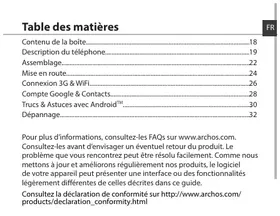
Consult the declaration of conformity on http://www.archos.com/products/declaration_conformity.html
Due to the used enclosure material, the device shall only be connected to a USB interface of version 2.0 or higher. The connection to so called power USB is prohibited. The adapter shall be installed near the equipment and shall be easily accessible. CAUTION: RISK OF EXPLOSION IF BATTERY IS REPLACED BY AN INCORRECT TYPE. DISPOSE OF USED BATTERIES ACCORDING TO THE INSTRUCTIONS.
The SAR limit of Europe is 2.0W / kg . Device types ARCHOS 50 Titanium has also been tested against this SAR limit. The highest SAR value reported under this standard during product certification for use at the ear is 0.346W / Kg and when properly worn on the body is 0.696W / kg . This device was tested for typical body-worn operations with the back of the handset kept 1.5cm from the body. To maintain compliance with RF exposure requirements, use accessories that maintain a 1.5cm separation distance between the user's body and the back of the handset. The use of belt clips, holsters and similar accessories should not contain metallic components in its assembly. The use of accessories that do not satisfy these requirements may not comply with RF exposure requirements, and should be avoided.
Herby, ARCHOSO company declares that this device is in compliance with the essential requirements and other relevant provisions of Directive 1999/5/EC.
CE 0700
The device working environment temperature range: -10°C - 40°C


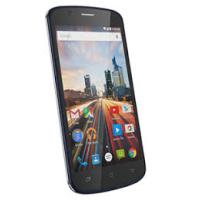
Brand : ARCHOS
Model : 50 TITANIUM 4G NOIR
Category : Mobile Phone