USER MANUAL CE SMART 2.0ARGENT ICE-WATCH
Display the emergency contact
information. You can record 3
emergency contacts via the application
FONCTIONNALITE SPECIALE
- The company reserves the right to modify the contents of this manual without any further notification. It is normal that some functions may vary in certain versions of software.
- Please charge this product with the cable that was supplied with it for at least 2 hours before you use it.
- Before you use the product, you need to connect to the APP to synchronize time and set your personal information.
- This product has an IP68 waterproof rating, but it is not suitable for deep sea diving. Hot water, tea and corrosive liquids could destroy the watch, so damage by these liquids will not be covered by the product warranty and free maintenance services.

Use your watch in accordance with the 3 ATM and IP68 standards.
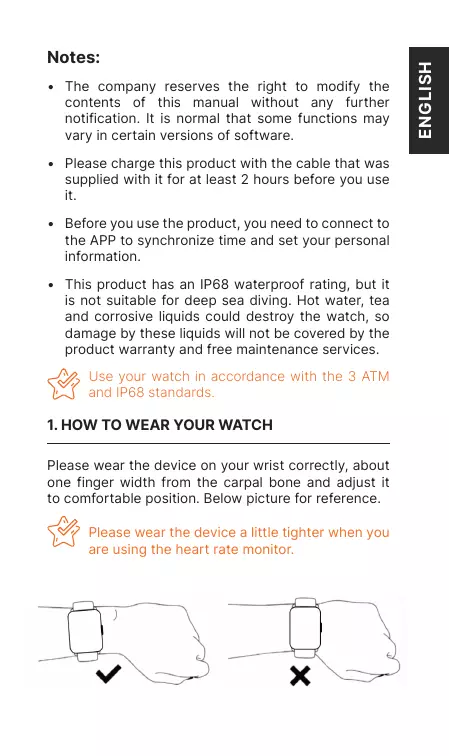
1. HOW TO WEAR YOUR WATCH
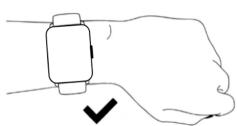
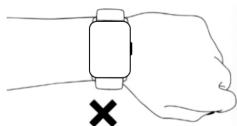
Please wear the device on your wrist correctly, about one finger width from the carpal bone and adjust it to comfortable position. Below picture for reference.

Please wear the device a little tighter when you are using the heart rate monitor.
2. HOW TO DOWNLOAD & CONNECT TO APP
a. Methods to download & install the APP.
Scan "ICE" QR code to download and install "ICE smart" APP.

OR Find the QR code on the settings page. Turn on the watch, open "Settings > About > Download QR code", scan QR code to download and install the "ICE smart" APP.

OR Search "ICE smart" in App Store or Play Store to download and install the "ICE smart" APP.
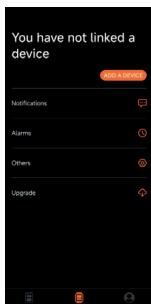
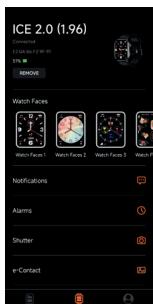
b. Open "ICE smart" APP and select «Add Device» on the device page, then follow the instructions on the screen.
c. How to connect to bluetooth call feature:
For most Android phones, once your watch has been correctly connected to the app, you will see a "PAIR & CONNECT" pop-up reminder. Choose to pair with "ICE 2.0 (1.96)", then the connection will be finalized.
For all iOS mobile phones and some Android mobile phones, once your watch has been correctly connected to the app, you should go to the settings page of your mobile phone, search and select "ICE 2.0 (1.96)" in the Bluetooth list and then click it to pair. The Bluetooth call feature can be used after your devices have been paired.

TIPS
- Please upgrade the APP to the latest version to ensure the best experience.
- It is recommended to use the watch with a mobile phone system running Android 5.0 or iOS 9.0 or above.
- The first time you connect with an iPhone, the "Pair" reminder will pop-up. Click to pair so incoming calls and instant messages can come to your watch.
- The first time you connect with an Android phone, a "Permissions" reminder will pop-up, please follow the guide and allow the required permissions to ensure all functions can work properly.
- To successfully connect your watch and your phone, please turn on your mobile phone's Bluetooth, GPS and network connections.
- If the device cannot be found or connected during use, please reset or turn off your watch and then try again.
3. OPERATING INSTRUCTIONS
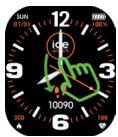
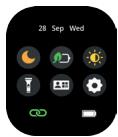
Shortcut page: Slide down from the main page to get to the shortcut page.
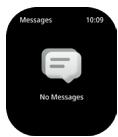
Message page: Slide up from the main page to access message page.
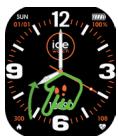
Main Menu Page: Slide right from the main page to enter into main menu. Long press the screen to choose different menu styles. Rotate the crown to scroll up and down the menu. Press the side button or slide left to return to the main page.
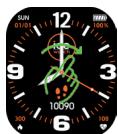
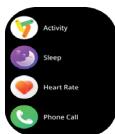
Favourite page: Slide left from the main page to access a few favourite page.
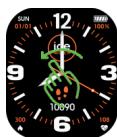
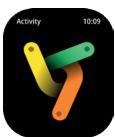
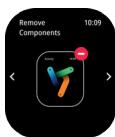
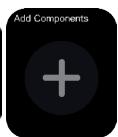
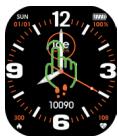
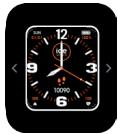
Quick access to change the watch
face: Keep your finger pressed on the watch face for 3 seconds to enter the watch face interface. Then swipe left to switch the watch face, and click the face you want to select.
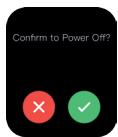
Shut down: Keep your finger pressed on the upper side button for 3 seconds to turn the watch off.
Press crown : When you are using
normal functions, press the upper side button to return to the previous function interface; When you are in the watch face interface, press the upper side button to turn the screen on/off.
Quick access to Favourite Contacts: Press the lower side button to display the favourite contacts synchronized from the ICE smart app. Then you can make a call by choosing the contact (given phone call function is ON).
Quick access to Sports Mode: Long press the lower side button to access the Sports Mode directly.
4. FUNCTIONS
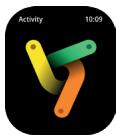
Activity: Records the number of steps, distance covered and calories used in a day. More detailed information analysis and data records can be viewed in the APP.
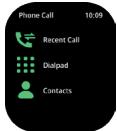
Phone call: Turn on the Bluetooth call function connection (see 2c How to connect to the Bluetooth call feature). Recent calls: Records your call history. Dial keyboard: You can enter a phone number via your watch. Contacts: Contacts can be added synchronously on the APP.
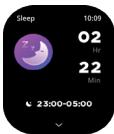
Sleeping: Your watch can record and display your total amount of sleep and the amount of deep sleep and light sleep that you had during the previous night. More detailed information analysis and data records can be viewed in the APP.
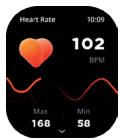
Heart rate monitor: Click the heart rate interface to measure your current heart rate. Turn on all-day heart rate measurement via the APP. According to the selected heart rate monitoring period, your watch can record and display your heart rate for 24 hours a day. More detailed information analysis and data records can be viewed in the APP. (This information is for your reference only and cannot be used as a basis for medical decisions).
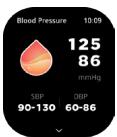
Blood pressure monitor: Test your current blood pressure and record your last 7 blood pressure test results. More detailed information analysis and data records can be viewed in the APP. (This information is for your reference only and cannot be used as a basis for medical decisions).
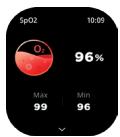
Blood oxygen monitor: Test your current blood oxygen levels, record your last 7 blood oxygen test results. More detailed information analysis and data records can be viewed in the APP. (This information is for your reference only and cannot be used as a basis for medical decisions).
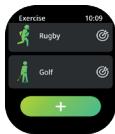
Sport modes: Supports 100+ sports modes like walking, outdoor running, cycling, skipping, badminton, etc. More detailed information analysis and data records can be viewed in the APP.
Exercise Records: Record the latest 5 sports results.

Weather: Displays the current weather conditions and the weather for the next 6 days. Weather information needs to be connected in the APP before this data can be obtained. If the connection has been disconnected for a long time, this weather information will not be updated.
Notifications: Synchronize the information notifications from your phone and display your last 8 information notifications (for this you need to turn on «message notification» in the APP).
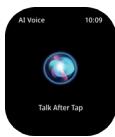
AI voice assistant: Click AI voice function button. Say the wake up word for your phone's AI voice assistant (for example, the wake-up word for iPhone is "Hey Siri"). Please make sure that the Bluetooth function has been successfully connected.
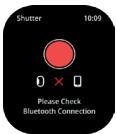
Camera control: After connecting to the APP, the watch can be used as a mobile phone camera remote control. First open the camera on the mobile APP, then click on the watch camera control page to trigger the mobile phone camera shutter.
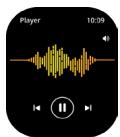
Music control: After you have connected your watch to the APP, it can control the music play/pause/ previous song /next song and volume adjustment functions on your phone.
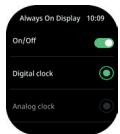
AOD: You can choose a digital clock or an analog clock and display it when the watch screen is off. (If this function is turned on, the usage time will be shortened).
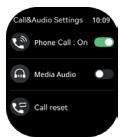
Call & Audio Settings: Phone Call ON enables BT calls. Media Audio is to control the sound from apps with media. When it is ON, sound will come to the watch. When OFF, it will play on phone.Call reset is to clear all the call records and contacts in the watch.
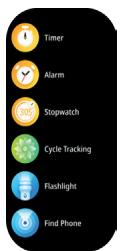
More functions : Timer, Alarm clock, Stopwatch, Menstrual Period Calendar, Flashlight, Find Phone and Mini game.
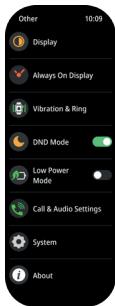
Settings: Display, AOD, Vibrate & Ring, Do Not Disturb, Low Power Mode, Call & Audio Settings, System and About.
5. OTHER FUNCTIONS
Pedometer, Calories, Sedentary behavior reminder, do not disturb mode, low battery reminder, incoming call reminder, watch face/customized watch face, 12/24h time system, unit setting, physiological cycle reminder, etc.
6. LANGUAGES
English, French, Dutch, German, Spanish, Italian, Portuguese, Chinese, Japanese.
7. CHARGING
- Attach the charging cable to the watch charging port, make sure that the metal pins are completely connected.
- Please use the correct charging adapters which are 5V, 0.5A.
8. WARRANTY
Each watch comes with a 2 YEARS LOCAL WARRANTY against defects in materials and workmanship. This warranty covers all parts except the battery, the strap and the charging cable.
The following causes of defects are not covered by the free warranty service:
- Personal assembly or disassembly.
- Damage caused by the watch being dropped during use.
- Any man-made damage or damage through the fault of a third party, improper use (such as: water in the smart watch, shattering due to external forces, scratching during use etc.)
Please provide the warranty card with all details filled in when you request aftersales services.
Please contact dealers directly for warranty services.
This limited warranty is void if the defect is discovered to be caused by abuse or tampering with the watch.

TIPS
- In order to ensure the waterproof performance of the product, do not open the back cover of the watch without authorization, and do not soak it in hot water, hot tea or any corrosive liquids.
- This product contains a lithium battery, please make sure that you take it to a designated battery recycling point for product recycling.
Remarques:
- Please read the user manual carefully before first use and keep it properly for future references.
- Only use included cable for charging.
- Please don't leave the device charging alone.

ATTENTION
Remove the strap from the watch by sliding the quick release on the strap.
REMPPLIER LE BRACELET