BLFV8102W - Refrigerator-freezer WHIRLPOOL - Free user manual and instructions

Find the device manual for free BLFV8102W WHIRLPOOL in PDF.

WHIRLPOOL BLFV8102W - Refrigerator-freezer
📄 32 pages English EN Download 💬 AI Question 1 questions
Notice WHIRLPOOL BLFV8102W - page 1
Pick your language and provide your email: we'll send you a specifically translated version.

User questions about BLFV8102W WHIRLPOOL

1 question about this device. Answer the ones you know or ask your own.

Ask a new question about this device

Your email remains private: it is only used to notify you if someone answers your question.

How to set a lower temperature on the WHIRLPOOL BLFV8102W?
Frequently Asked Questions - 06/14/2026
Response Notice-Facile

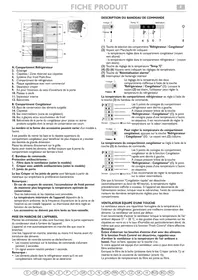
To make your WHIRLPOOL BLFV8102W refrigerator colder, regularly press the Temperature button on the electronic control panel. Each press scrolls through the 6 available temperature levels:

  • High
  • Medium-High
  • Medium (default setting on startup)
  • Medium-Low
  • Low (colder)
  • Quick cooling (coldest)

For immediate maximum cooling, hold the Temperature button for 3 seconds until the 3 LED indicators light up. This is the quick cooling function, ideal when adding a large amount of food. It automatically turns off after 24 hours, or you can manually turn it off by repeating the action (3 seconds press).
Respond (be the first)

Download the instructions for your Refrigerator-freezer in PDF format for free! Find your manual BLFV8102W - WHIRLPOOL and take your electronic device back in hand. On this page are published all the documents necessary for the use of your device. BLFV8102W by WHIRLPOOL.

USER MANUAL BLFV8102W WHIRLPOOL

MERCI D'AVOIR CHOISI UN PRODUIT WHIRLPOOL.

MERCI D'AVOIR CHOISI UN PRODUIT WHIRLPOOL.

Compartment congélateur

Table of contents Click a title to access it
Manual assistant
Powered by Anthropic
Waiting for your message
Product information

Brand : WHIRLPOOL

Model : BLFV8102W

Category : Refrigerator-freezer