
CITATION 200 - Multiroom speaker HARMAN KARDON - Free user manual and instructions
Find the device manual for free CITATION 200 HARMAN KARDON in PDF.


| Product type | Portable multiroom speaker with rechargeable battery |
| Brand | HARMAN KARDON |
| Model | CITATION 200 |
| Power supply | 100–240 V~, 50/60 Hz |
| Output power | 50 W RMS |
| Bluetooth version | 4.2 |
| Wireless network | Wi-Fi 802.11 a/b/g/n/ac (2.4 GHz and 5 GHz) |
| Voice assistant | Built-in Google Assistant |
| Streaming | Chromecast built-in, AirPlay |
| Multiroom | Yes, via the Google Home app |
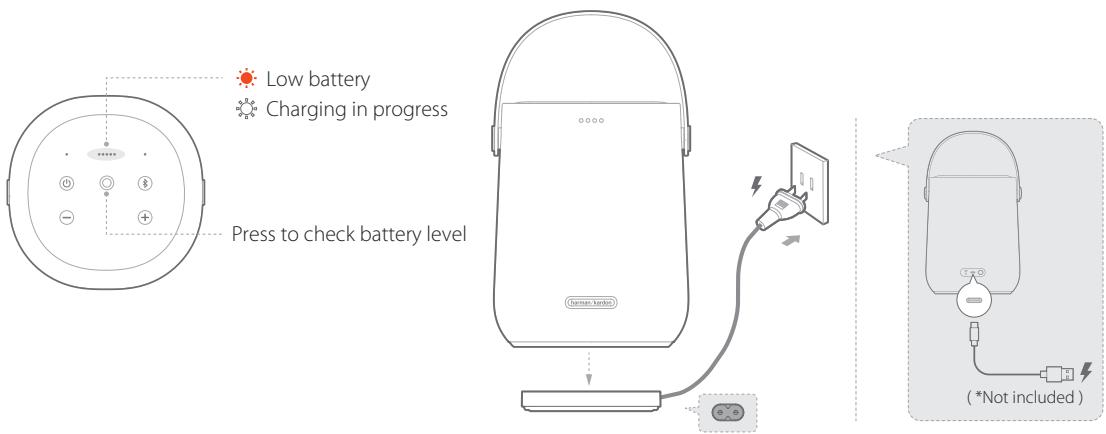
| Battery | Built-in rechargeable, charging base included |
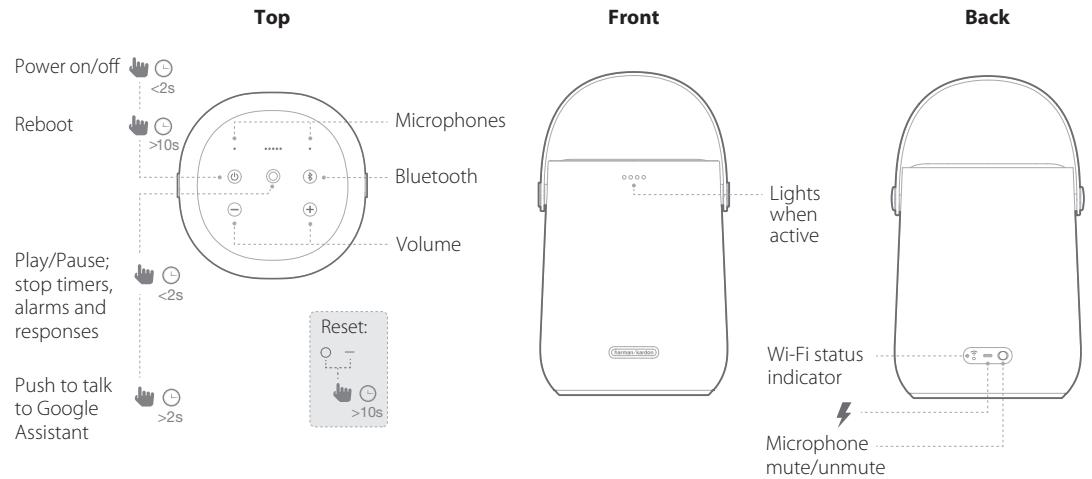
| Controls | Touch (power on/off, play/pause, volume, microphone, reset) |
| Microphones | Built-in for Google Assistant |
| Power consumption off | 0.5 W (all wireless connections disabled) |
| Network standby consumption | 2.0 W |
Frequently Asked Questions - CITATION 200 HARMAN KARDON
User questions about CITATION 200 HARMAN KARDON
0 question about this device. Answer the ones you know or ask your own.
Ask a new question about this device
Download the instructions for your Multiroom speaker in PDF format for free! Find your manual CITATION 200 - HARMAN KARDON and take your electronic device back in hand. On this page are published all the documents necessary for the use of your device. CITATION 200 by HARMAN KARDON.
USER MANUAL CITATION 200 HARMAN KARDON
CITATION 200

APP
Ok Google

Google Assistant setup

Google Home
Download the Google Home app to set up Google Assistant to use your voice to control your Citation 200.

GET IT ON Google Play

Download on the App Store
All product features will be set up.
AirPlay setup
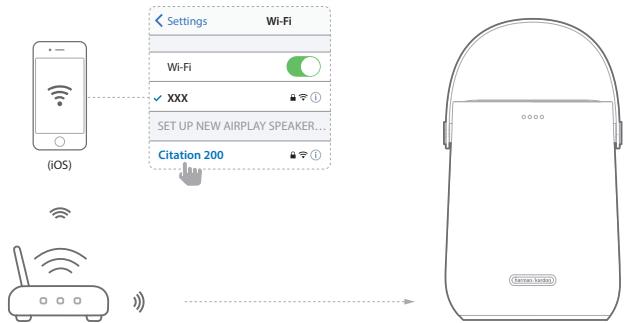
For AirPlay only users, skip the Google Home app; on your iOS device, go to Settings > Wi-Fi and select "Citation 200" under SET UP NEW AIRPLAY SPEAKER ... Follow the onscreen instructions to complete setup.
Google Assistant and Chromecast built-in™ will require additional set up with the Google Home app.

PRODUCT TOUR
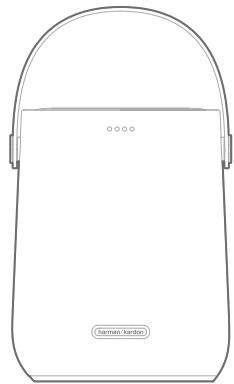
Citation 200 X1

X1
Regional power cord (varies depending on country)
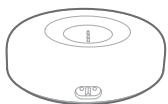
Charging cradle X1


CHARGING

GET STARTED
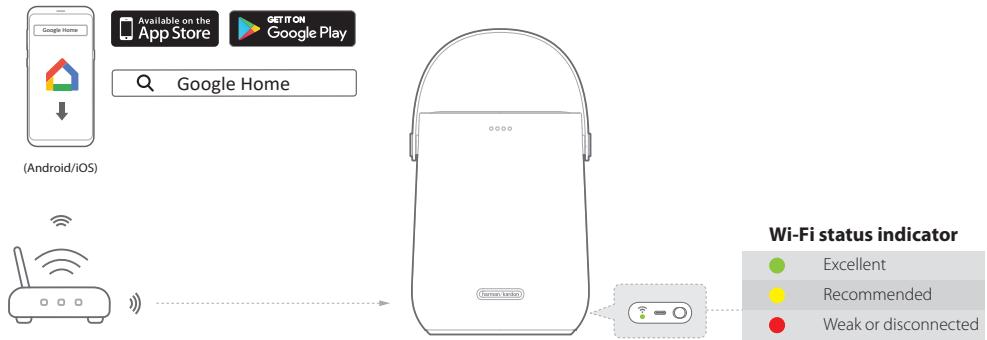
Add Citation 200 to your home Wi-Fi network:
Download and run the Google Home app on a phone or tablet.
Follow the instructions on the touch screen and Google Home app to finish the setup.
* On your Android device, enable Bluetooth and the location service; on your iOS device, enable Bluetooth.

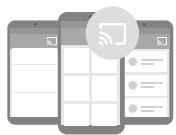
Chromecast built-in™
Step 1: Open Chromecast-enabled app.
Step 2: Play Music.
Step 3: Tap the cast icon and select "Citation 200".
e.g.
Spotify
Pandora
Tuneln
Deezer
Google Play Music
* Device can support multi-room control provided by Chromecast built-in, more details you can refer to Google Home app.

AirPlay
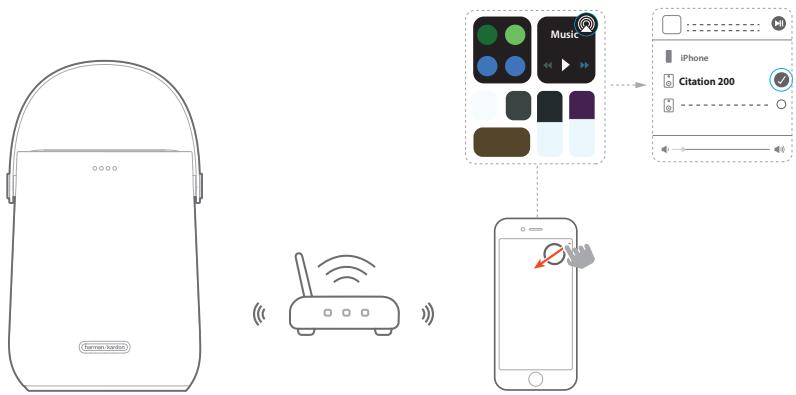
Step 1: On an iOS device, enter the Control Center.
Step 2: Tap 🔒 to select "Citation 200" as speaker.
Step 3: Start audio streaming from an app.

GOOGLE ASSISTANT
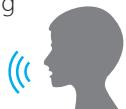
Talk to Google for hands-free help.
Just start by saying
"Ok Google"


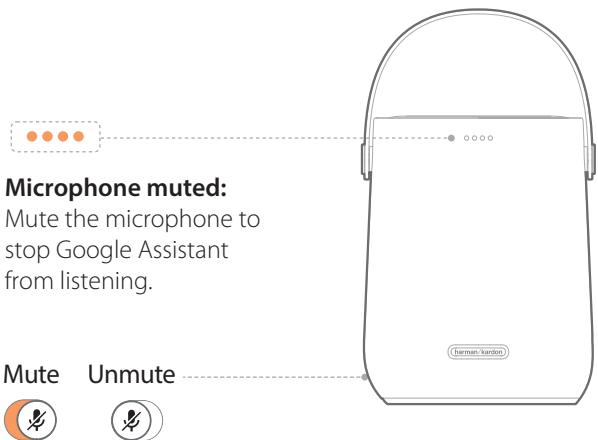
Microphone muted:
Mute the microphone to stop Google Assistant from listening.

TONE CONTROLS
![graph TD A["Bass +/-"] --> B["Input Signal"] C["Treble +/-"] --> D["Output Signal"] B --> E["Central Earpiece with four dots connected to the ear"] D --> E E --> F["Output Signal"] style A fill:#f9f,stroke:#333 style C fill:#bbf,stroke:#333](/content/2024/12/293153/images/ea584c1f0e08df3b5eacb272e14843703d73914d8a4b24565be8133359a793ca.jpg)
FR
① APPLICATION
La configuration de Assistant Google
⑤ Chromecast built-in™
- APP
- OK GOOGLE
- GOOGLE ASSISTANT SETUP
- GOOGLE HOME
- GET IT ON GOOGLE PLAY
- DOWNLOAD ON THE APP STORE
- PRODUCT TOUR
- CHARGING
- GET STARTED
- ADD CITATION 200 TO YOUR HOME WI-FI NETWORK
- CHROMECAST BUILT-IN™
- AIRPLAY
- GOOGLE ASSISTANT
- MICROPHONE MUTED
- TONE CONTROLS
- FR
- ① APPLICATION
- LA CONFIGURATION DE ASSISTANT GOOGLE
- ⑤ CHROMECAST BUILT-IN™
Brand : HARMAN KARDON
Model : CITATION 200
Category : Multiroom speaker