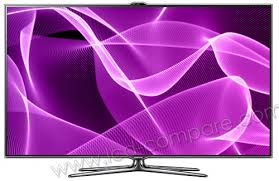
UE40ES7000 - TV SAMSUNG - Free user manual and instructions
Find the device manual for free UE40ES7000 SAMSUNG in PDF.


| Product Type | LED TV 40" |
| Brand | Samsung |
| Model | UE40ES7000 |
| Resolution | 1920 x 1080 (Full HD) |
| Screen Size | 40 inches (101.6 cm) |
| Dimensions (without stand) | 928.4 x 543.2 x 30.7 mm |
| Dimensions (with stand) | 928.4 x 614.4 x 255 mm |
| Weight (with stand) | 12.5 kg |
| Power Supply | 220-240 V AC, 50/60 Hz |
| Power Consumption | Approximately 80 W (standby < 0.3 W) |
| Main Features | Smart Hub, 3D, AllShare Play, Wi-Fi Direct, Web Browser, Skype |
| Connectivity | HDMI (x3 incl. 1 MHL, 1 ARC), Component, Scart, USB (x2), LAN, Optical, Headphone |
| Network | Wi-Fi 802.11a/b/g/n, Ethernet |
| Maintenance and Cleaning | Unplug before cleaning. Use a soft dry cloth. Do not use chemicals. |
| Security | Integrated Kensington lock. Tempered glass screen. |
| Spare Parts and Repairability | Parts available from Samsung. Smart Touch Control remote included. |
| General Information | Year 2012. HbbTV compatible. Integrated teletext. |
Frequently Asked Questions - UE40ES7000 SAMSUNG
User questions about UE40ES7000 SAMSUNG
0 question about this device. Answer the ones you know or ask your own.
Ask a new question about this device
Download the instructions for your TV in PDF format for free! Find your manual UE40ES7000 - SAMSUNG and take your electronic device back in hand. On this page are published all the documents necessary for the use of your device. UE40ES7000 by SAMSUNG.
USER MANUAL UE40ES7000 SAMSUNG
DIGITAL AUDIO OUT (OPTICAL)
International Solutions.

1080i/1080p (1920 x 1080), 720p (1280
x 720)

Conditions contrast de service.
Samsung Apps

Samsung Apps
Standard Voice Commandisable
reconnaissance vocale.
- Action : serrez vos poings.
stockage Web (SugarSync).
→ AllShare Play → Ma List
DIGITAL AUDIO OUT (OPTICAL)
Manufactured under licence from DTS Licensing Limited. DTS, the Symbol, and DTS and the Symbol together are registered trademarks of DTS, Inc. © 2011 DTS, Inc. All Rights Reserved.

The terms HDMI and HDMI High-Definition Multimedia Interface, and the HDMI Logo are trademarks or registered trademarks of HDMI Licensing LLC in the United States and other countries.


DivX Certified® to play DivX® video up to HD 1080p, including premium content.
DivX®, DivX Certified® and associated logos are trademarks of DivX, Inc. and are used under licence.
ABOUT DIVX VIDEO: DivX® is a digital video format created by DivX, Inc. This is an official DivX Certified® device that plays DivX video. Visit www.divx.com for more information and software tools to convert your files into DivX video.
ABOUT DIVX VIDEO-ON-DEMAND: This DivX Certified® device must be registered in order to play purchased DivX Video-on-Demand (VOD) movies. To obtain your registration code, locate the DivX VOD section in your device setup menu. Go to vod.divx.com for more information on how to complete your registration.