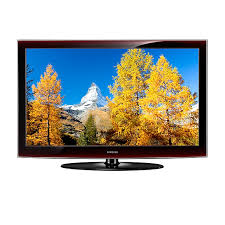
LE52A676A1M - TV SAMSUNG - Free user manual and instructions
Find the device manual for free LE52A676A1M SAMSUNG in PDF.


Pick your language and provide your email: we'll send you a specifically translated version.
| Product Type | LCD Television |
| Brand | Samsung |
| Model | LE52A676A1M |
| Screen Size | 52 inches (132 cm) |
| Resolution | 1920 x 1080 (Full HD) |
| Refresh Rate | 120 Hz |
| Connectivity | 3 x HDMI, 1 x USB, 1 x Composite, 1 x Component, 1 x VGA |
| Audio | Stereo speakers 2 x 10 W |
| Power Supply | 100-240 V AC, 50/60 Hz |
| Power Consumption | 250 W (max) |
| Weight (with stand) | 28.5 kg |
| Weight (without stand) | 25.2 kg |
| Dimensions (with stand) | 126.5 x 83.5 x 30 cm |
| Dimensions (without stand) | 126.5 x 79.5 x 9.5 cm |
| Main Features | Widescreen, teletext, auto standby, timer, parental lock |
| Care and Cleaning | Use a soft, dry cloth. Do not use abrasive products. |
| Safety | Do not expose to moisture or heat sources. Unplug before cleaning. |
| Spare Parts and Repairability | Available through Samsung authorized service. Repairability index not provided. |
| General Information | User manual available in PDF format. Languages: FR, EN. |
Frequently Asked Questions - LE52A676A1M SAMSUNG
What to do if the screen remains black and the indicator light is off?
Check that the power cable is properly connected and that the outlet works. If the indicator light remains off, the TV may have a power failure. Contact Samsung after-sales service.
How to connect a game console to the TV?
Use an HDMI cable and plug it into one of the HDMI ports on the back of the TV. Then select the corresponding HDMI source using the Source button on the remote control.
Why is there no sound?
Check that the volume is not muted (Mute button) and that the volume level is sufficient. Make sure the internal speakers are enabled in the Audio menu. If using an external device, check its audio settings.
How to reset to factory settings?
Go to the Support (or Setup) menu, then select 'Reset to default settings'. Confirm with the PIN code (default 0000). Caution: all your data will be erased.
The remote control no longer works, what to do?
Replace the batteries with new ones. Check that no obstacle blocks the TV's infrared sensor. If the problem persists, use the buttons on the TV for troubleshooting.
The image is blurry or distorted, how to adjust?
Go to the Picture menu and adjust sharpness, contrast, and brightness. Make sure the source sends a signal suitable for the native Full HD resolution (1920x1080).
How to connect a USB device?
Insert the USB drive into the USB port located on the back or side of the TV. Use the Source button to select USB. The TV reads compatible photo, music, and video files.
The TV turns off automatically, why?
Check that the 'Auto standby' (Eco or Timer) function is not enabled. Go to the System menu and disable the standby timers.
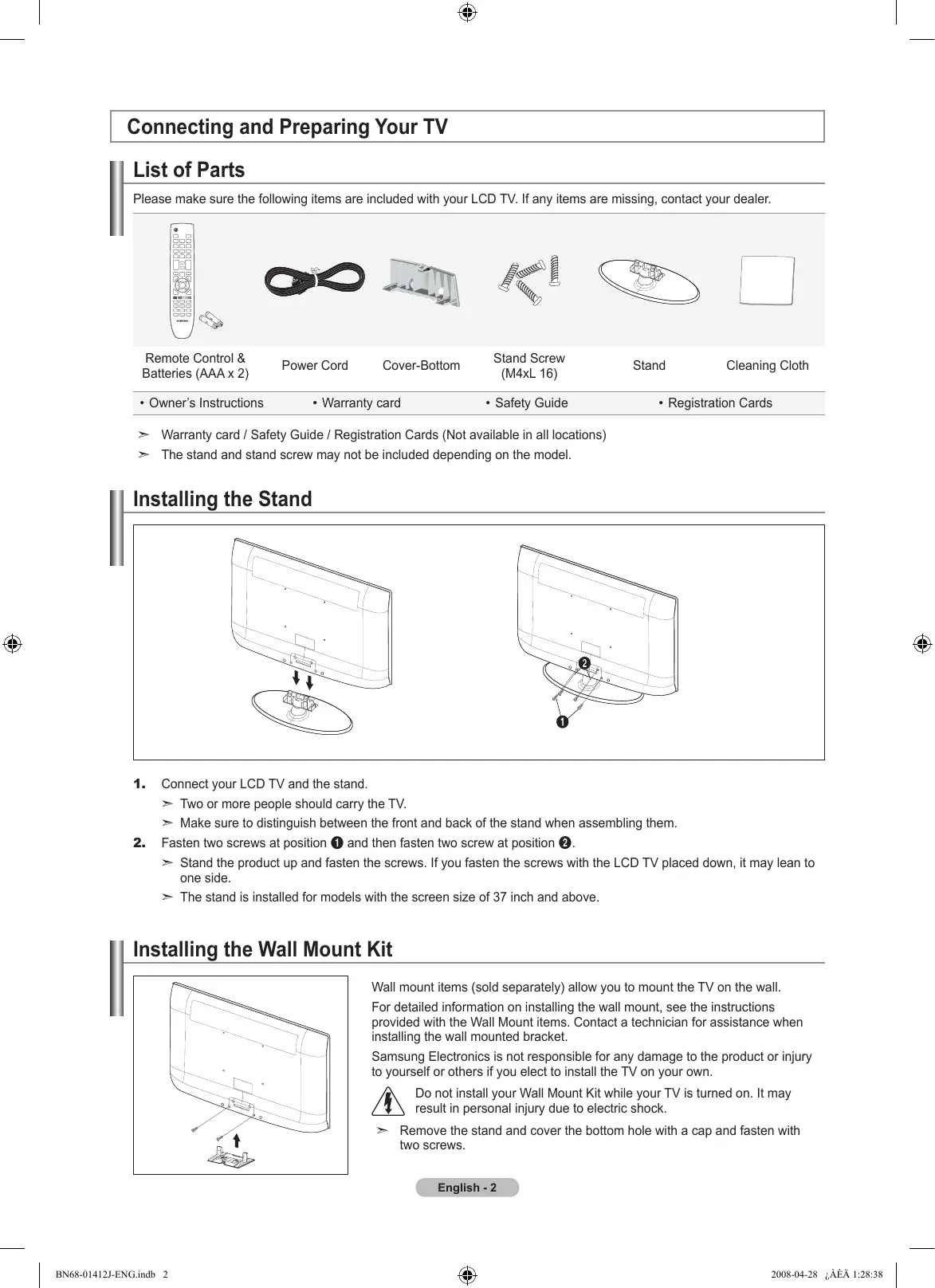
Can I mount the TV on the wall?
Yes, the TV is compatible with a VESA 400x400 mm wall mount. Use a suitable mounting kit and ensure the wall can support the weight of about 28 kg.
How to clean the screen without damaging it?
Turn off the TV and unplug it. Use a slightly damp (clean water) microfiber cloth to gently wipe the screen. Never use chemicals or rough cloths.
User questions about LE52A676A1M SAMSUNG
0 question about this device. Answer the ones you know or ask your own.
Ask a new question about this device
No questions yet. Be the first to ask one.
Download the instructions for your TV in PDF format for free! Find your manual LE52A676A1M - SAMSUNG and take your electronic device back in hand. On this page are published all the documents necessary for the use of your device. LE52A676A1M by SAMSUNG.
USER MANUAL LE52A676A1M SAMSUNG
Manual assistant
Powered by Anthropic
Waiting for your message
Product information
Brand : SAMSUNG
Model : LE52A676A1M
Category : TV