
VLUU WB550 - Camera SAMSUNG - Free user manual and instructions
Find the device manual for free VLUU WB550 SAMSUNG in PDF.


User questions about VLUU WB550 SAMSUNG
0 question about this device. Answer the ones you know or ask your own.
Ask a new question about this device
Download the instructions for your Camera in PDF format for free! Find your manual VLUU WB550 - SAMSUNG and take your electronic device back in hand. On this page are published all the documents necessary for the use of your device. VLUU WB550 by SAMSUNG.
USER MANUAL VLUU WB550 SAMSUNG
For more information, refer to the User Manual included on the supplied CD-ROM.
This Quick Start Manual has been specially designed to guide you through the basic functions and features of your device.
Please read the Quick Start Manual and User Manual carefully to ensure safe and correct use.
ENG/GER/FRE/SPA/ITA/DUT/POR
Contents

Health and safety
information 2
Camera layout 4 8
Setting up your camera 5
Unpacking 5
Inserting the battery and memory card 6 15
Charging the battery 6 14
Turning on your camera 7 18
Selecting options 7 40
Capturing photos or videos 8 20
Playing files 9 56
Transferring files to a PC
(Windows) 10 98
Specifications 11 105
Health and safety information

Warnings
Do not use your camera near flammable or explosive gases and liquids
Do not use your camera near fuels, combustibles, or flammable chemicals. Do not store or carry flammable liquids, gases, or explosive materials in the same compartment as the camera or its accessories.
Keep your camera away from small children and pets
Keep your camera and all accessories out of the reach of small children and animals. Small parts may cause choking or serious injury if swallowed. Moving parts and accessories may present physical dangers as well.
Prevent damage to subjects' eyesight
Do not use the flash in close proximity (closer than 1m/3 ft) to people or animals. Using the flash too close to your subject's eyes can cause temporary or permanent damage.

Handle and dispose of batteries and chargers with care
- Use only Samsung-approved batteries and chargers. Incompatible batteries and chargers can cause serious injuries or damage to your camera.
- Never place batteries or cameras on or in heating devices, such as microwave ovens, stoves, or radiators. Batteries may explode when overheated.

Cautions
Handle and store your camera carefully and sensibly
- Do not allow your camera to get wet—liquids can cause serious damage. Do not handle your camera with wet hands. Water damage to your camera can void your manufacturer's warranty.
-
Avoid using or storing your camera in dusty, dirty, humid, or poorly-ventilated areas to prevent damage to moving parts and internal components.
-
Exercise caution when connecting cables or adapters and installing batteries and memory cards. Forcing the connectors, improperly connecting cables, or improperly installing batteries and memory cards can damage ports, connectors, and accessories.
- Do not insert foreign objects into any of your camera's compartments, slots, or access points. This type of damage may not be covered by your warranty.
Protect batteries, chargers, and memory cards from damage
- Avoid exposing batteries or memory cards to very cold or very hot temperatures (below 0^ / 32^ or above 40^ / 104^ ). Extreme temperatures can reduce the charging capacity of your batteries and can cause memory cards to malfunction.
- Prevent memory cards from making contact with liquids, dirt, or foreign substances. If dirty, wipe the memory card clean with a soft cloth before inserting in your camera.
Camera layout
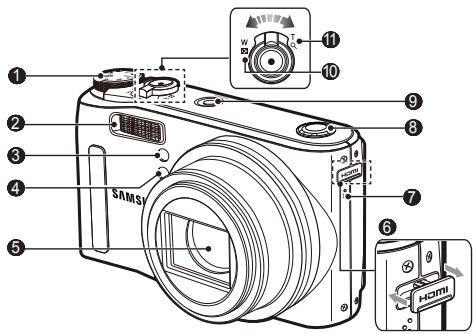
1:Mode dial
2 Flash
3 AF sensor/Self-timer lamp
Remote control sensor
5 Lens
6 :HDMI connection terminal
7:Microphone
Speaker
9 ;POWER button
10 :Zoom W Lever (Thumbnail)
1 :Zoom T Lever (Digital zoom)
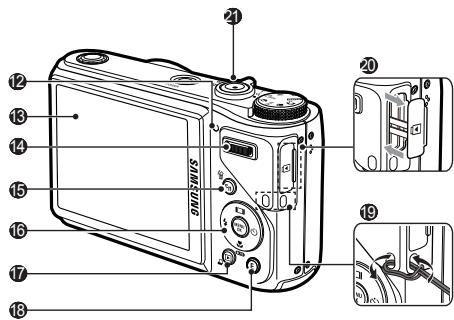
12 'Camera status lamp
13 LCD monitor
Command Lever
15:Fn/Delete button
16:5-function button
17 Play mode/Print button
18:E (Effect) button
19 Camera strap
20:USB/AV/DC terminal
1 Shutter button

Setting up your camera
Unpacking
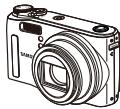
Camera
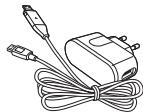
AC adapter/ USB cable

Rechargeable battery
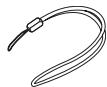
Strap
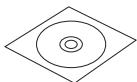
Software CD-ROM (User manual included)

Quick Start Manual
Optional accessories

Camera case

Remote control


Memory cards
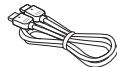
HDMI cable
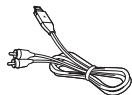
AV cable
Setting up your camera
Inserting the battery and memory card
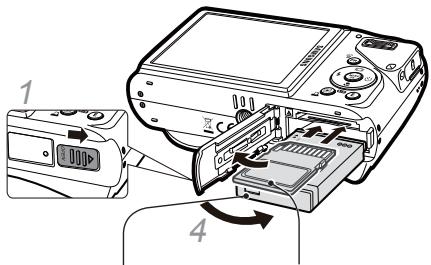
2 With the Samsung logo facing up
3 With the gold-coloured contacts facing up
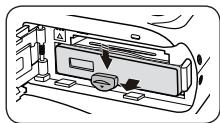
Removing the battery
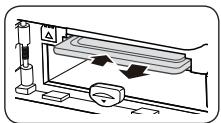
Removing the memroy card
Push gently until the card disengages from the camera and then pull it out of the slot.
Charging the battery
Before using the camera for the first time, you must charge the battery.
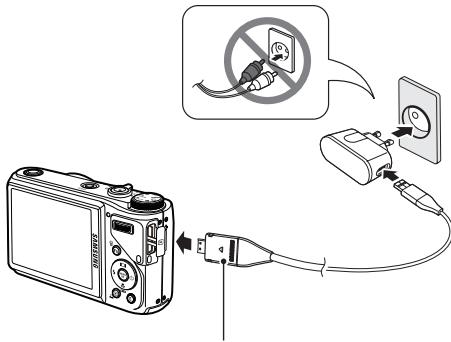
Indicator light
Red:Charging
- Green: Fully charged
Turning on your camera
1 Press [POWER].
- The initial setup screen appears.
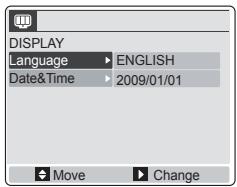
2 Press [O].
3 Press [ ] or [ ] to select a language and press [OK].
4 Press [■] or [■] to select Date & Time and press [心].
5 Press [4] or [0] to select an item.
6 Press [■] or [■] to change the number or select another date format and press [OK].
In Shooting mode, press [Fn].
2 Use the navigation buttons to scroll to an option or menu.
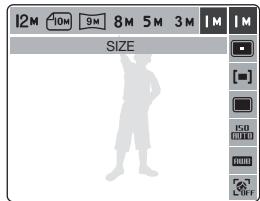
- To move left or right, press [4] or [心].
To move up or down, press [■] or [■].
3 Press [OK] to confirm the highlighted option or menu.
- Press [Fn] again to go back to the previous menu.
Capturing photos or videos
Taking a photo
1 Rotate the mode dial to AUTO.
2 Align your subject in the frame.
3 Press [Shutter] halfway down to focus automatically.
- A green frame means the subject in focus.
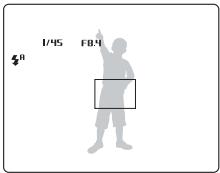
4 Press [Shutter] all the way down to take the photo.
Recording a video
1 Rotate the mode dial to
2 Align your subject in the frame.
3 Press [Shutter].
- Press [ ] to pause or resume.
4 Press [Shutter] again to stop the recording.

Note
Number of photos by resolution (for 1 GB SD)
| Resolution | Super fine | Fine | Normal | |
| 12M | 4000 x 3000 | 147 | 285 | 404 |
| 610M | 3984 x 2656 | 168 | 314 | 442 |
| 9M | 3968 x 2232 | 203 | 368 | 529 |
| 8M | 3264 x 2448 | 212 | 375 | 538 |
| 5M | 2592 x 1944 | 334 | 558 | 780 |
| 3M | 2048 x 1536 | 524 | 790 | 1,049 |
| 1M | 1024 x 768 | 1,449 | 1,645 | 1,845 |
These figures are measured under Samsung's standard conditions and may vary depending on shooting conditions and camera settings.
Playing files
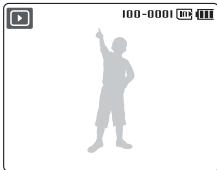
Viewing photos
1 Press [D].
2 Press [ ] or [ ] to scroll through files. Press and hold to view files quickly.
Viewing videos
1 Press [□].
2 Press [].
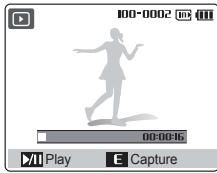
3 Use the following buttons to control playback.
| [+] | Scan backward |
| [...] | Pause or resume playback |
| [...] | Scan forward |
| [Command Level]left or right | Adjust the volume level |
Transferring files to a PC (Windows)
1 Insert the installation CD in a CD-ROM drive and follow the onscreen instructions.
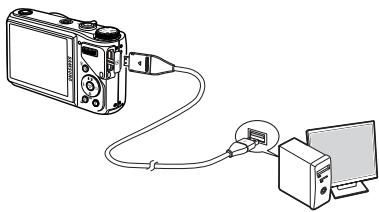
2 Connect the camera to the PC with the USB cable.
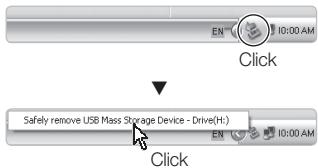
Disconnecting safely (for Windows XP)
3 Turn on the camera.
4 On your PC, select My Computer → Removable Disk → DCIM → 100SSCAM.
5 Select the files you want and drag or save them to the PC.
Specifications
| Image sensor | • Type: 1/2.33" (approx. 1.09 cm) CCD • Effective pixels: approx. 12.2 mega-pixels • Total pixels: approx. 12.4 mega-pixels |
| Lens | • Focal length: Schneider lens f = 4.2 - 42.0 mm (35 mm film equivalent: 24 - 240 mm) • F-stop range: F3.3 (W) - F5.8 (T) |
| Display | 3.0" QVGA TFT LCD (230,000 pixel) |
| Focusing | TTL auto focus (Multi-AF, Center AF, Manual Focus, Selection AF, Face Detection AF) |
| Shutter speed | • Auto: 1/8 ~ 1/1,500 sec • Program: 1 ~ 1/1,500 sec • Manual: 16 ~ 1/1,500 sec • Nightscene: 8 ~ 1/1,500 sec • Firework: 4 sec |
| Storage | • Internal memory: approx. 21 MB • External memory (Optional): SD card (up to 4 GB guaranteed), SDHC card (up to 8 GB guaranteed), MMC Plus (Up to 2GB guaranteed, 4bit 20MHz) Internal memory capacity may not match these specifications. |
| DC power input connector | 20 pin |
| Rechargeable battery | Lithium-ion battery (SLB-10A, 1,050 mAh) |
| Dimensions (W x H x D) | 105 x 61.4 x 36.5 mm |
| Weight | 225 g (without battery and memory card) |
| Operating temperature | 0 - 40°C |
| Operating humidity | 5 - 85 % |
Inhalt

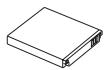
Batterie rechargeable
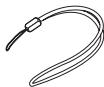
Dragonne
Specifications 11 105
NL-2
Please refer to the warranty that came with your product or visit our website http://www.samsungcamera.com/ for after-sales service or inquiries.


AD68-03939A (1.1)