
CS517DE - Color laser printer LEXMARK - Free user manual and instructions
Find the device manual for free CS517DE LEXMARK in PDF.

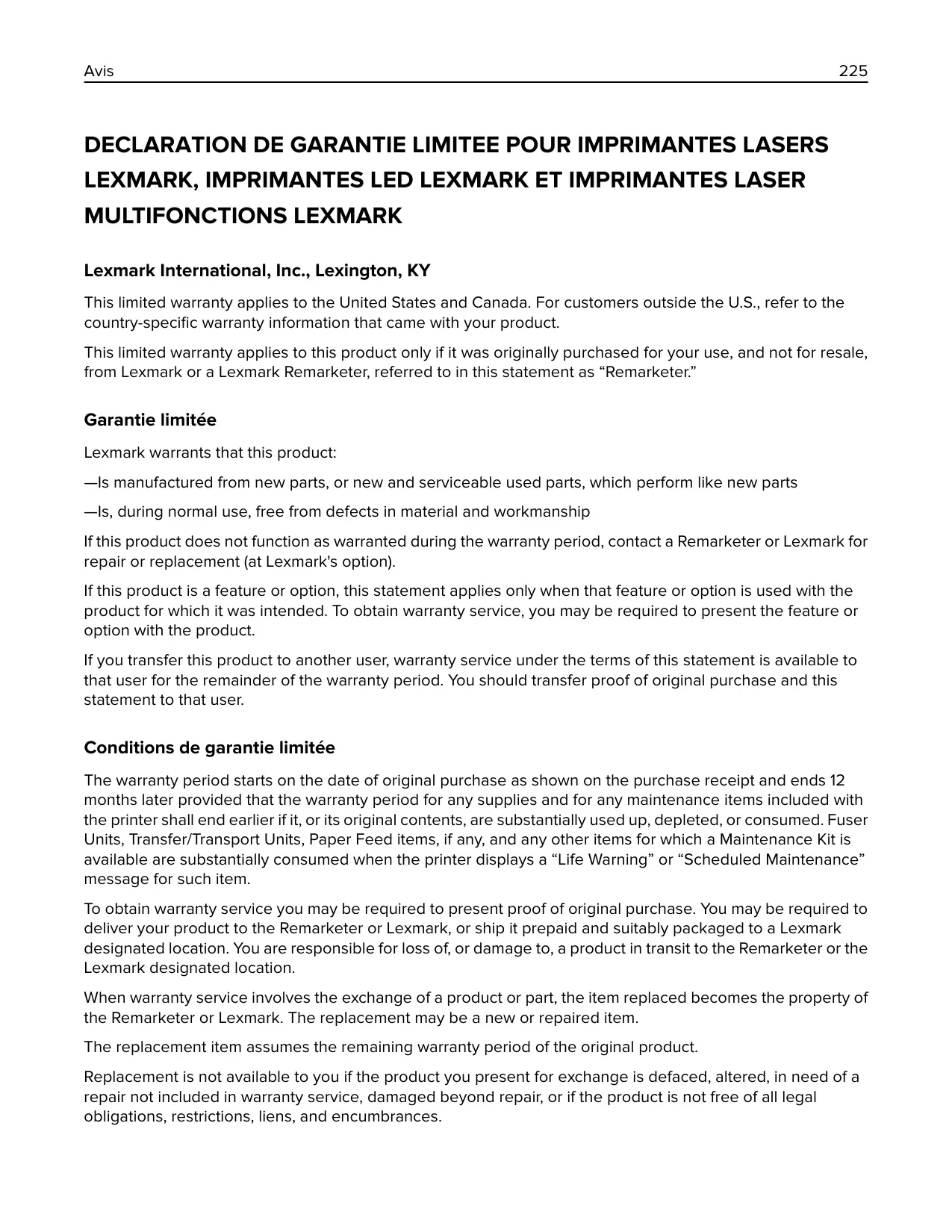

| Product type | Color laser printer |
| Main functions | Color printing, automatic duplex printing, network printing, hold and confidential job management |
| Supported paper sizes | From 76 x 127 mm to 215.9 x 359.9 mm (Universal) |
| Supported paper weight | 60 to 176 g/m² (automatic feeding) |
| Standard output capacity | 250 sheets (standard output bin) |
| Standard input capacity | 250-sheet tray + manual feeder (one sheet) |
| Input options | 550-sheet tray, 650-sheet dual tray with integrated 100-sheet multipurpose feeder |
| Media types | Plain paper, transparencies, envelopes, labels, card stock, letterhead |
| Connections | Ethernet (RJ-45), USB 2.0, USB host port (front for USB drive), optional wireless adapter |
| Display | Color touch screen (control panel) |
| Panel languages | Multilingual (French, English, etc.) |
| Weight | Over 18 kg (40 lb) |
| Power | 100–240 V AC, 50/60 Hz |
| Energy consumption | Standby, Sleep, Programmable Eco mode |
| Security | Physical lock, volatile/non-volatile memory erase, hard disk encryption (optional) |
| Maintenance | Exterior and interior cleaning, toner cartridge replacement, imaging kit, toner waste bottle |
| Included software | Embedded Web Server, print drivers for Windows and Mac, home screen applications |
| Warranty | Per country (see provided warranty documentation) |
Frequently Asked Questions - CS517DE LEXMARK
User questions about CS517DE LEXMARK
0 question about this device. Answer the ones you know or ask your own.
Ask a new question about this device
Download the instructions for your Color laser printer in PDF format for free! Find your manual CS517DE - LEXMARK and take your electronic device back in hand. On this page are published all the documents necessary for the use of your device. CS517DE by LEXMARK.
USER MANUAL CS517DE LEXMARK
Type(s) de machine(s):
5027
Modèle(s):
630
Contenus
Configuration de Forms and Favorites
Rapports > Imprimer polices
Retirez le papier coince.
2 Retirez le papier coince.
2 Retirez le papier coince.
2 Retirez le papier coincide.
2 Retirez le papier coincide.
[59] Tiroir incompatible [x]
The Software Program and any related documentation are "Commercial Items," as that term is defined in 48 C.F.R. 2.101, "Computer Software" and "Commercial Computer Software Documentation," as such terms are used in 48 C.F.R. 12.212 or 48 C.F.R. 227.7202, as applicable. Consistent with 48 C.F.R. 12.212 or 48 C.F.R.
227.7202-1 through 227.7207-4, as applicable, the Commercial Computer Software and Commercial Software Documentation are licensed to the U.S. Government end users (a) only as Commerical Items and (b) with only those rights as are granted to all other end users pursuant to the terms and conditions herein.
Marques commerciales
This product complies with the India E-Waste (Management and Handling) Rules, 2011, which prohibit use of lead, mercury, hexavalent chromium, polybrominated biphenyls, or polybrominated diphenyl ethers in concentrations exceeding 0.1% by weight and 0.01% by weight for cadmium, except for the exemption set in Schedule II of the Rules.
DANGER - Invisible laser radiation when cartridges are removed and interlock defeated. Avoid exposure to laser beam.
Industry Canada compliance statement
This Class B digital apparatus meets all requirements of the Canadian Interference-Caising Equipment Standard ICES-003.
Lexmark International, Inc., Lexington, KY
This limited warranty applies to the United States and Canada. For customers outside the U.S., refer to the country-specific warranty information that came with your product.
This limited warranty applies to this product only if it was originally purchased for your use, and not for resale, from Lexmark or a Lexmark Remarketer, referred to in this statement as "Remarketer."
Garantie limitée
Lexmark warrants that this product:
—Is manufactured from new parts, or new and serviceable used parts, which perform like new parts
—Is, during normal use, free from defects in material and workmanship
If this product does not function as warranted during the warranty period, contact a Remarketer or Lexmark for repair or replacement (at Lexmark's option).
If this product is a feature or option, this statement applies only when that feature or option is used with the product for which it was intended. To obtain warranty service, you may be required to present the feature or option with the product.
If you transfer this product to another user, warranty service under the terms of this statement is available to that user for the remainder of the warranty period. You should transfer proof of original purchase and this statement to that user.
The warranty period starts on the date of original purchase as shown on the purchase receipt and ends 12 months later provided that the warranty period for any supplies and for any maintenance items included with the printer shall end earlier if it, or its original contents, are substantially used up, depleted, or consumed. Fuser Units, Transfer/Transport Units, Paper Feed items, if any, and any other items for which a Maintenance Kit is available are substantially consumed when the printer displays a "Life Warning" or "Scheduled Maintenance" message for such item.
To obtain warranty service you may be required to present proof of original purchase. You may be required to deliver your product to the Remarketer or Lexmark, or ship it prepaid and suitably packaged to a Lexmark designated location. You are responsible for loss of, or damage to, a product in transit to the Remarketer or the Lexmark designated location.
When warranty service involves the exchange of a product or part, the item replaced becomes the property of the Remarketer or Lexmark. The replacement may be a new or repaired item.
The replacement item assumes the remaining warranty period of the original product.
Replacement is not available to you if the product you present for exchange is defaced, altered, in need of a repair not included in warranty service, damaged beyond repair, or if the product is not free of all legal obligations, restrictions, liens, and encumbrances.
Before you present this product for warranty service, remove all print cartridges, programs, data, and removable storage media (unless directed otherwise by Lexmark).
For further explanation of your warranty alternatives and the nearest Lexmark authorized servicer in your area contact Lexmark on the World Wide Web.
Remote technical support is provided for this product throughout its warranty period. For products no longer covered by a Lexmark warranty, technical support may not be available or only be available for a fee.
Lexmark does not warrant uninterrupted or error-free operation of any product or the durability or longevity of prints produced by any product.
Warranty service does not include repair of failures caused by:
—Modification or unauthorized attachments
—Accidents, misuse, abuse or use inconsistent with Lexmark user's guides, manuals, instructions or guidance
—Unsuitable physical or operating environment
—Maintenance by anyone other than Lexmark or a Lexmark authorized servicer
Operation of a product beyond the limit of its duty cycle
—Use of printing media outside of Lexmark specifications
—Refurbishment, repair, refilling or remanufacture by a third party of products, supplies or parts
—Products, supplies, parts, materials (such as toners and inks), software, or interfaces not furnished by Lexmark
TO THE EXTENT PERMITTED BY APPLICABLE LAW, NEITHER LEXMARK NOR ITS THIRD PARTY SUPPLIERS OR REMARKETERS MAKE ANY OTHER WARRANTY OR CONDITION OF ANY KIND, WHETHER EXPRESS OR IMPLIED, WITH RESPECT TO THIS PRODUCT, AND SPECIFICALLY DISCLAIMT THE IMPLIED WARRANTYES OR CONDITIONS OF MERCHANTABILITY, FITNESS FOR A PARTICULAR PURPOSE, AND SATISFACTORY QUALITY. ANY WARRANTYES THAT MAY NOT BE DISCLAIMED UNDER APPLICABLE LAW ARE LIMITED IN DURATION TO THE WARRANTY PERIOD. NO WARRANTYES, EXPRESS OR IMPLIED, WILL APPLY AFTER THIS PERIOD. ALL INFORMATION, SPECIFICATIONS, PRICES, AND SERVICES ARE SUBJECT TO CHANGE AT ANY TIME WITHOUT NOTICE.
Your sole remedy under this limited warranty is set forth in this document. For any claim concerning performance or nonperformance of Lexmark or a Remarketer for this product under this limited warranty, you may recover actual damages up to the limit set forth in the following paragraph.
Lexmark's liability for actual damages from any cause whatsoever will be limited to the amount you paid for the product that caused the damages. This limitation of liability will not apply to claims by you for bodily injury or damage to real property or tangible personal property for which Lexmark is legally liable. IN NO EVENT WILL LEXMARK BE LIABLE FOR ANY LOST PROFITS, LOST SAVINGS, INCIDENTAL DAMAGE, OR OTHER
ECONOMIC OR CONSEQUENTIAL DAMAGES. This is true even if you advise Lexmark or a Remarketer of the possibility of such damages. Lexmark is not liable for any claim by you based on a third party claim.
This limitation of remedies also applies to claims against any Suppliers and Remarketers of Lexmark. Lexmark's and its Suppliers' and Remarketers' limitations of remedies are not cumulative. Such Suppliers and Remarketers are intended beneficiaries of this limitation.
Some states do not allow limitations on how long an implied warranty lasts, or do not allow the exclusion or limitation of incidental or consequential damages, so the limitations or exclusions contained above may not apply to you.
This limited warranty gives you specific legal rights. You may also have other rights that vary from state to state.
Index
[
assistant assistant assistant assistant assistant assistant assistant assistant assistant assistant assistant assistant assistant assistant assistant assistant assistant assistant assistant assistant assistant assistant assistant .
utilisation 39
Bac incompatible [x] [59] 169
bac standard
chargement 42
bacs
annulation du chainage 50, 52
chainage 50, 52
bacs chainés 50, 52
barrette microcode 23
bourrages
documents, impression
Mémoire saturee [38] 173
mémoire volatile 126 effacement 127
Bac incompatible [x] [59] 169
replacement 138, 147
USB standard, menu 89
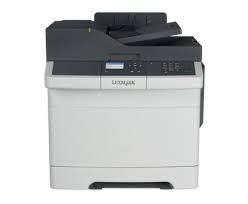
Brand : LEXMARK
Model : CS517DE
Category : Color laser printer