
XPERIA 10 II - Smartphone SONY - Free user manual and instructions
Find the device manual for free XPERIA 10 II SONY in PDF.



| Product Type | Smartphone |
| Brand | Sony |
| Model | Xperia 10 II |
| Dimensions | 157 x 68 x 8.2 mm |
| Weight | 151 g |
| Screen | 6.0 inch OLED, 2520 x 1080 pixels |
| Processor | Qualcomm Snapdragon 665 |
| RAM | 4 GB |
| Internal Storage | 128 GB (expandable via microSD up to 1 TB) |
| Battery | 3600 mAh (non-removable) |
| Rear Camera | Triple: 12 MP (wide-angle) + 8 MP (telephoto) + 8 MP (ultra wide-angle) |
| Front Camera | 8 MP |
| Operating System | Android 10 (upgradable to Android 11) |
| Connectivity | Wi-Fi 802.11ac, Bluetooth 5.0, NFC, USB Type-C |
| Sensors | Fingerprint (side-mounted), accelerometer, gyroscope, proximity, compass |
| Water and Dust Resistance | IP65/68 |
| Audio | 3.5 mm jack, stereo speakers |
| Network Bands | 4G LTE, 3G, 2G |
| GPS | A-GPS, GLONASS, BeiDou, Galileo |
| Available Colors | Black, White, Blue, Pink |
| Release Date | 2020 |
| Maintenance and Cleaning | Clean with a soft, dry cloth; do not use abrasive products |
| Safety | Avoid shocks and exposure to extreme temperatures; do not immerse beyond 1.5 m for 30 min |
| Spare Parts and Repairability | Battery and screen replaceable by a professional; repairability score 6.7/10 |
Frequently Asked Questions - XPERIA 10 II SONY
User questions about XPERIA 10 II SONY
0 question about this device. Answer the ones you know or ask your own.
Ask a new question about this device
Download the instructions for your Smartphone in PDF format for free! Find your manual XPERIA 10 II - SONY and take your electronic device back in hand. On this page are published all the documents necessary for the use of your device. XPERIA 10 II by SONY.
USER MANUAL XPERIA 10 II SONY
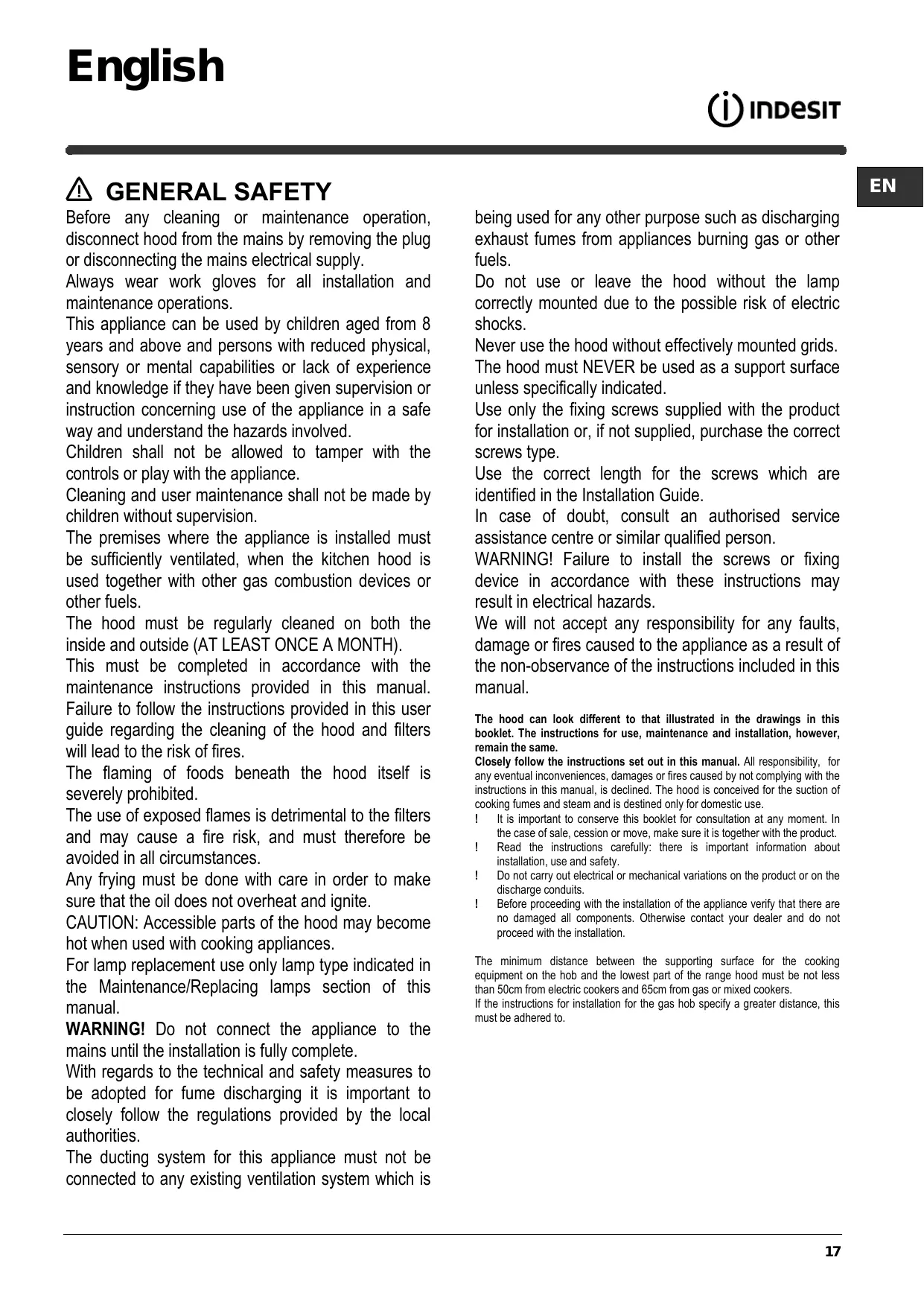
IHGC 6.4 AM X
IHGC 6.5F AM X
IHGC 9.5F AM X
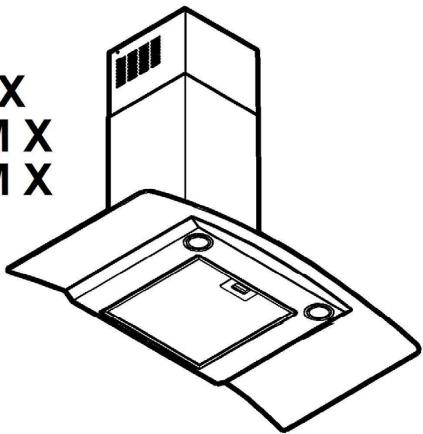
IHBS 9.5 AM X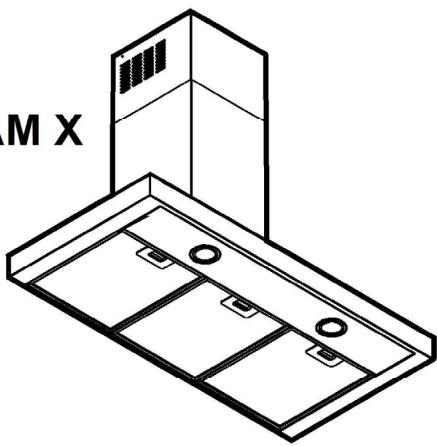
IHBS 6.4 AM X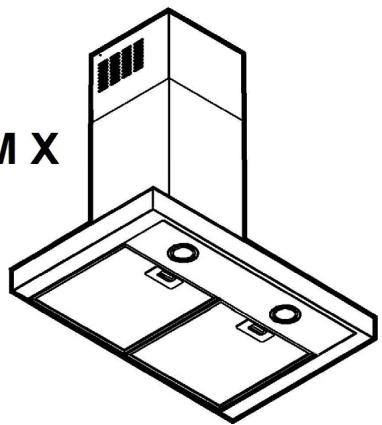

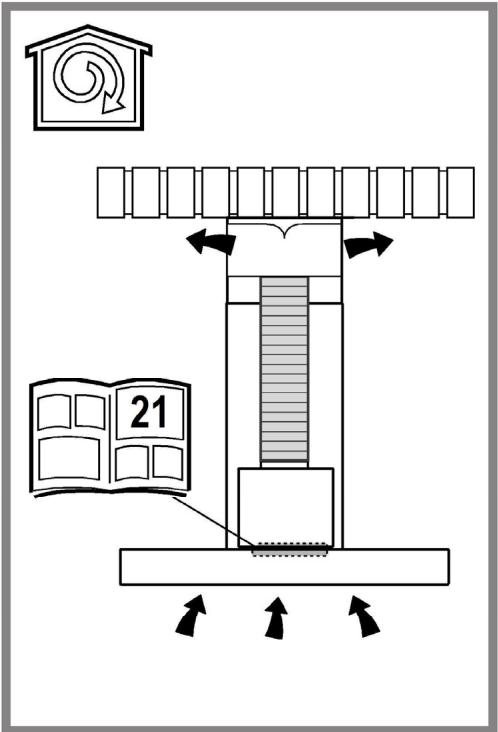
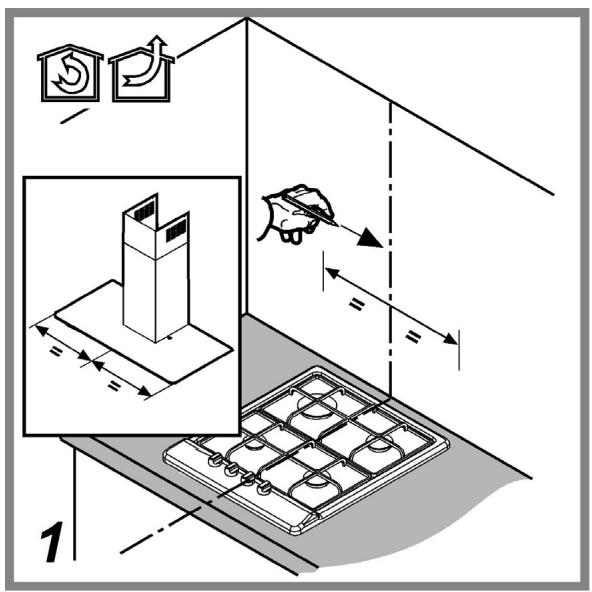
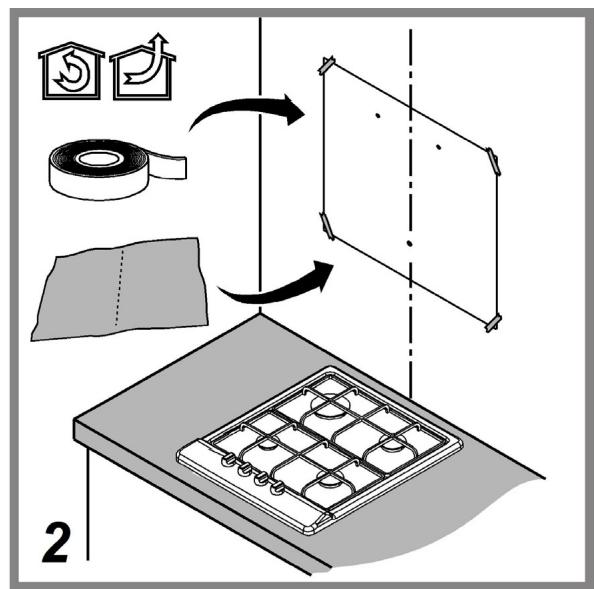
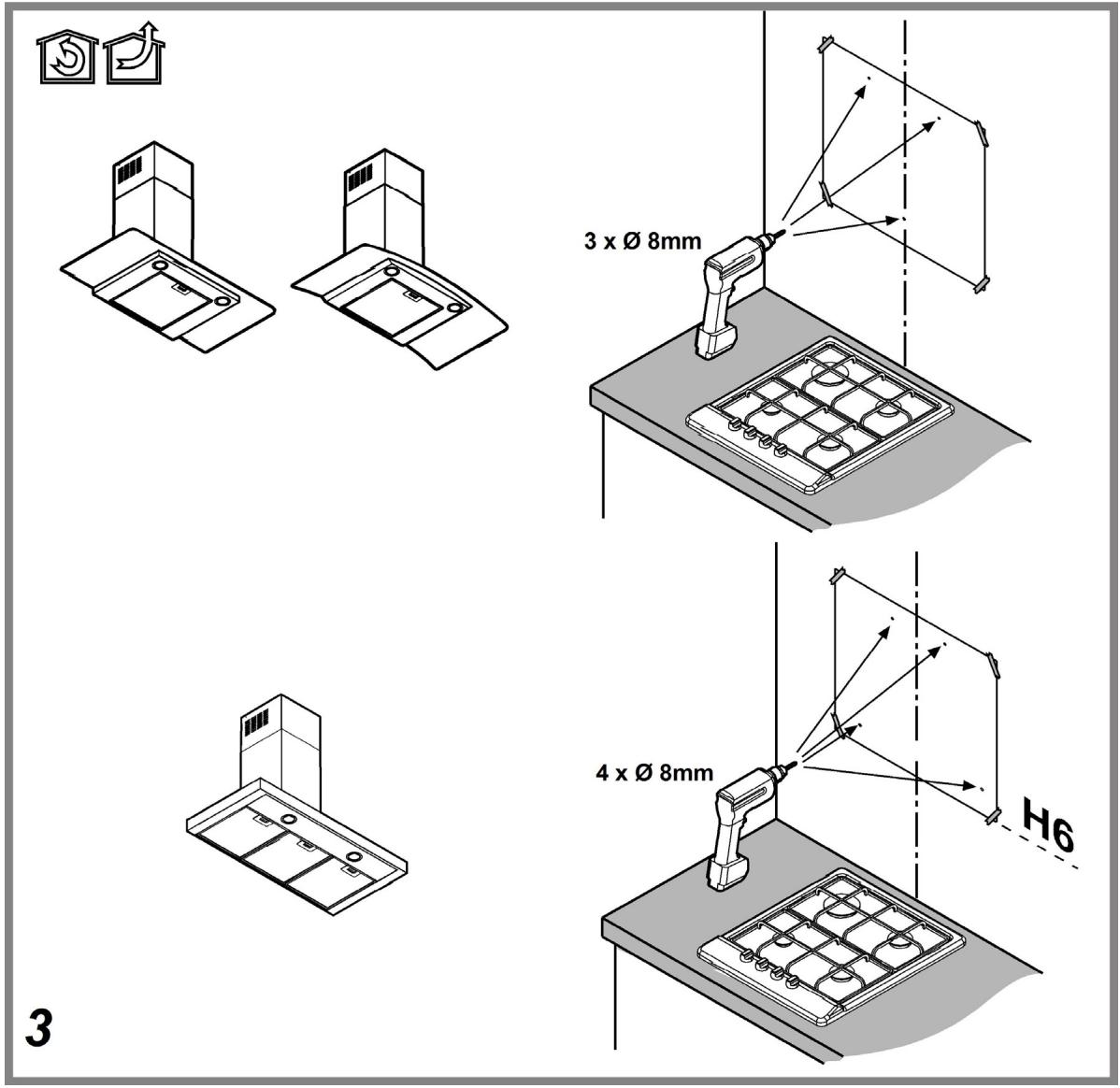
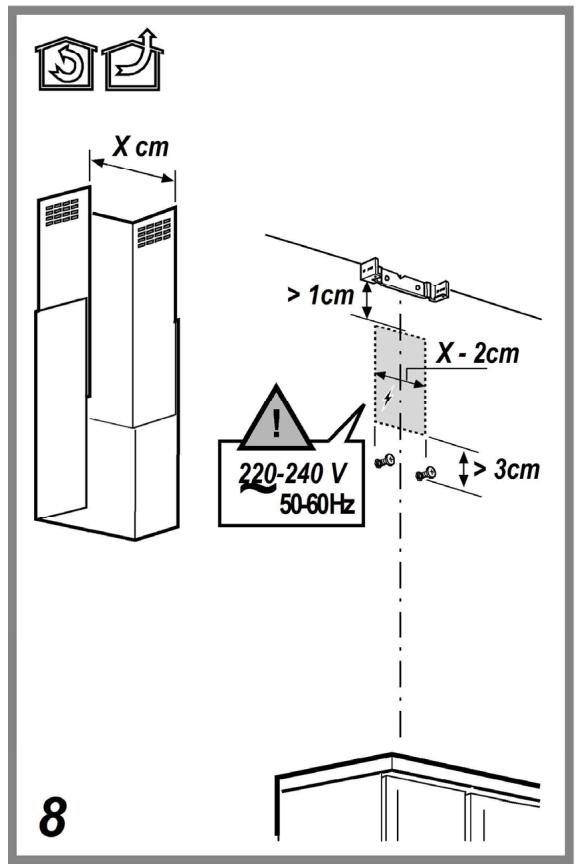
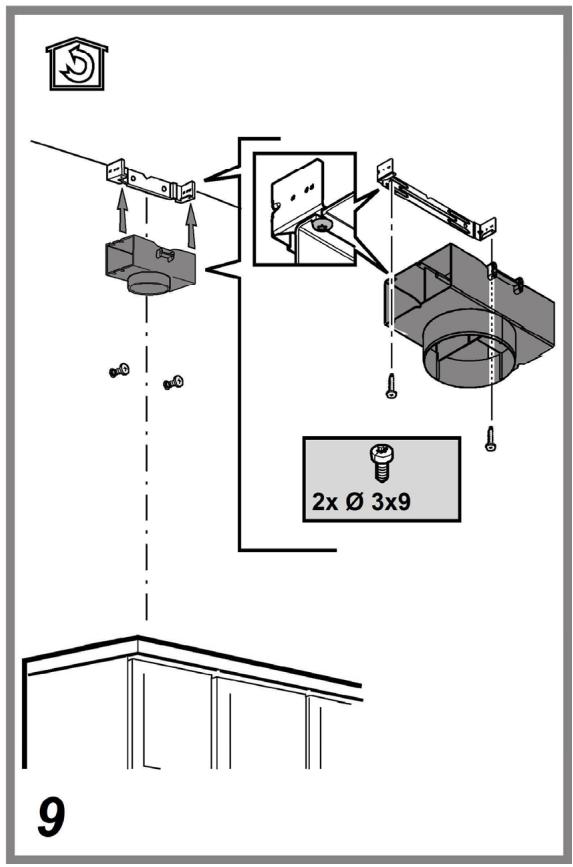
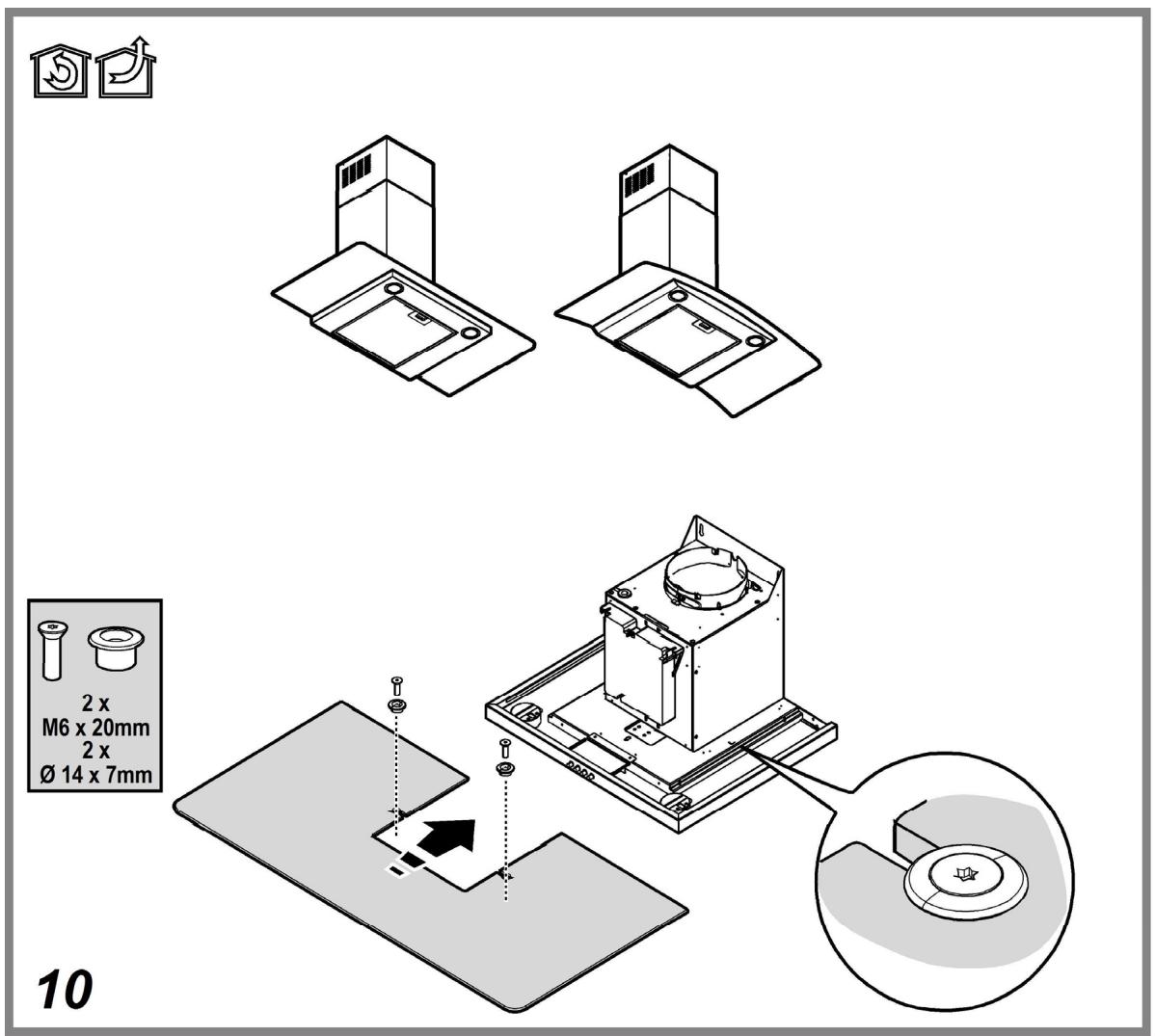
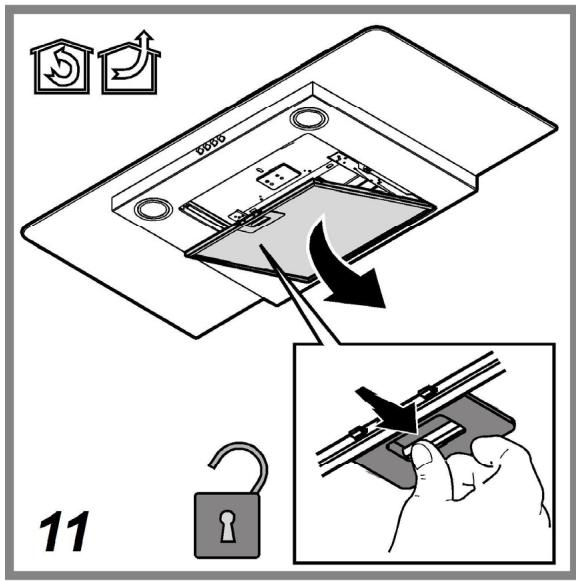
15
⚠ GENERAL SAFETY
DISPOSAL
Before any cleaning or maintenance operation, disconnect the hood from the mains by removing the plug or disconnecting the mains electrical supply.
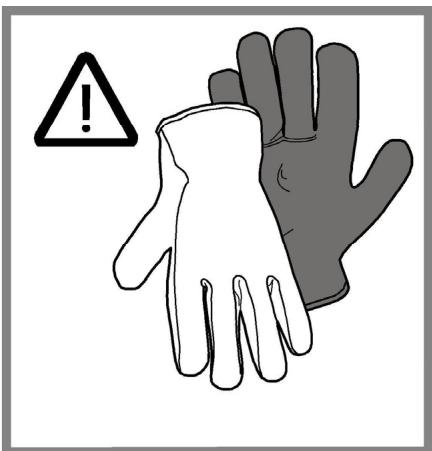
Always wear work gloves for all installation and maintenance operations.
This appliance can be used by children aged from 8 years and above and persons with reduced physical, sensory or mental capabilities or lack of experience and knowledge if they have been given supervision or instruction concerning use of the appliance in a safe way and understand the hazards involved.
Children shall not be allowed to tamper with the controls or play with the appliance.
Cleaning and user maintenance shall not be made by children without supervision.
The premises where the appliance is installed must be sufficiently ventilated, when the kitchen hood is used together with other gas combustion devices or other fuels.
The hood must be regularly cleaned on both the inside and outside (AT LEAST ONCE A MONTH).
This must be completed in accordance with the maintenance instructions provided in this manual. Failure to follow the instructions provided in this user guide regarding the cleaning of the hood and filters will lead to the risk of fires.
The flaming of foods beneath the hood itself is severely prohibited.
The use of exposed flames is detrimental to the filters and may cause a fire risk, and must therefore be avoided in all circumstances.
Any frying must be done with care in order to make sure that the oil does not overheat and ignite.
CAUTION: Accessible parts of the hood may become hot when used with cooking appliances.
For lamp replacement use only lamp type indicated in the Maintenance/Replacing lamps section of this manual.
WARNING! Do not connect the appliance to the mains until the installation is fully complete.
With regards to the technical and safety measures to be adopted for fume discharging it is important to closely follow the regulations provided by the local authorities.
The ducting system for this appliance must not be connected to any existing ventilation system which is
being used for any other purpose such as discharging exhaust fumes from appliances burning gas or other fuels.
Do not use or leave the hood without the lamp correctly mounted due to the possible risk of electric shocks.
Never use the hood without effectively mounted grids.
The hood must NEVER be used as a support surface unless specifically indicated.
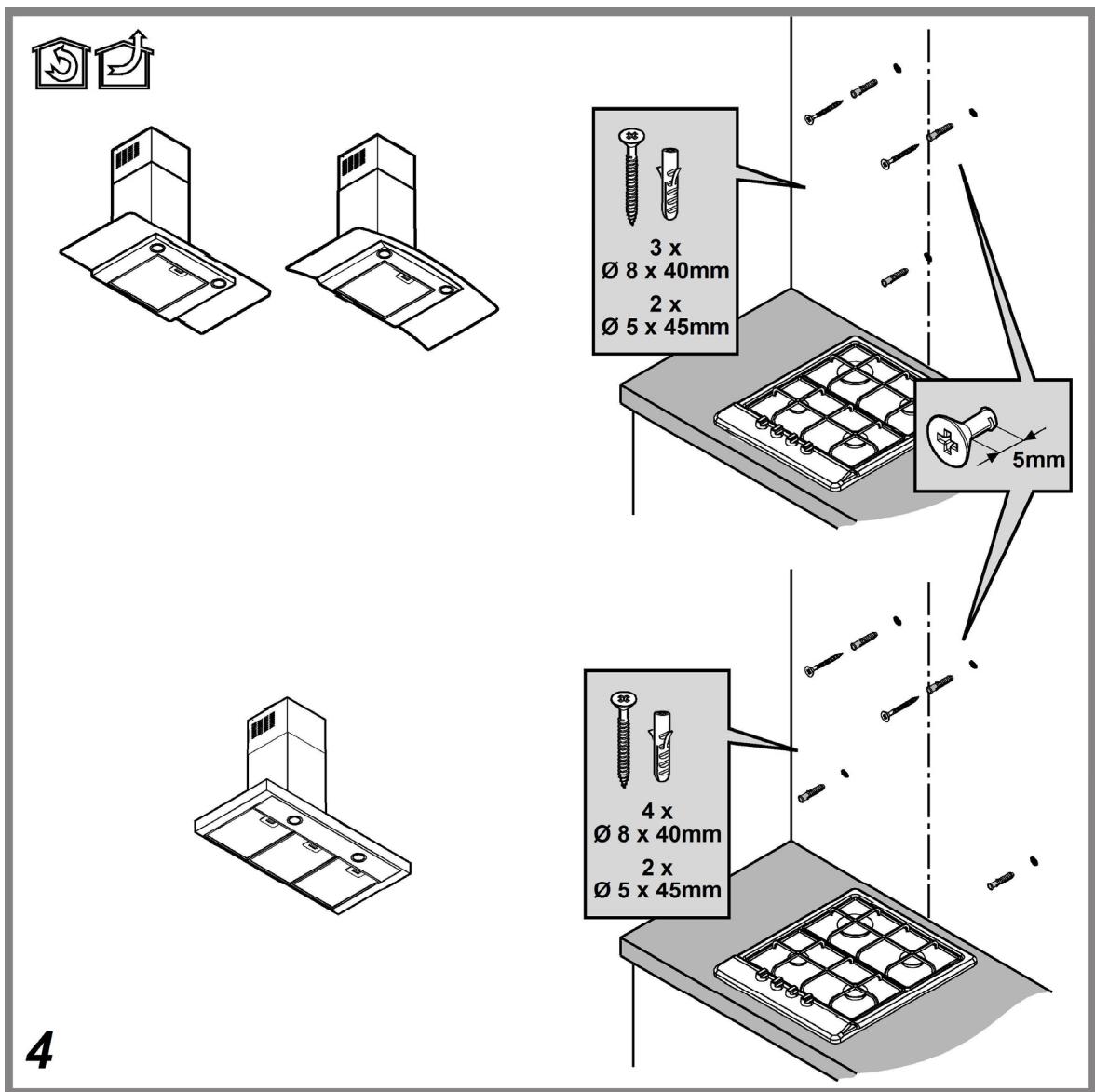
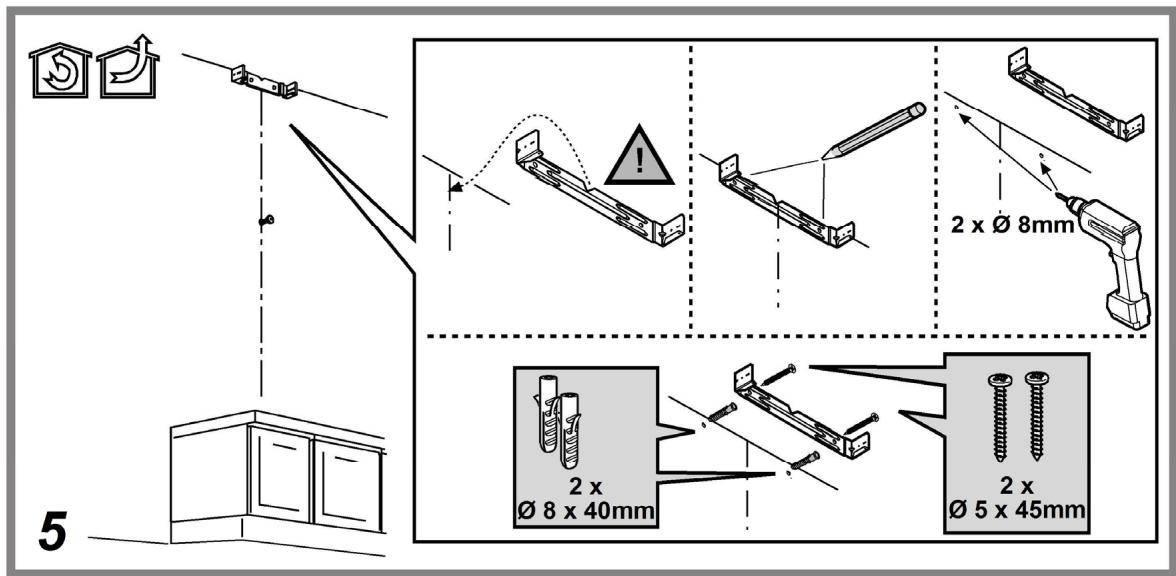
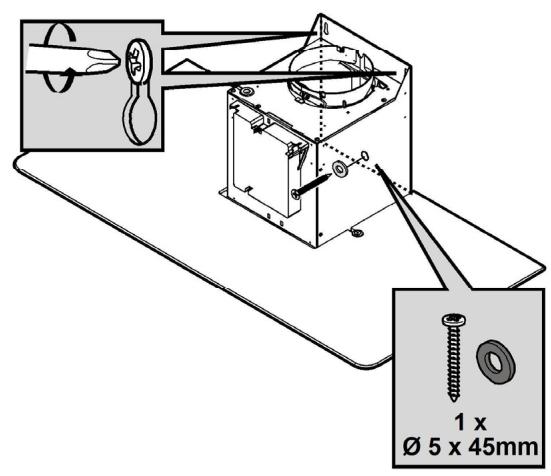
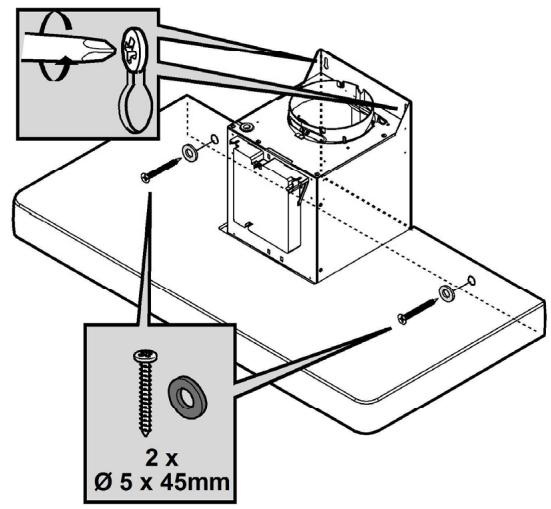
Use only the fixing screws supplied with the product for installation or, if not supplied, purchase the correct screws type.
Use the correct length for the screws which are identified in the Installation Guide.
In case of doubt, consult an authorized service assistance center or a similarly qualified person.
WARNING! Failure to install the screws or fixing device in accordance with these instructions may result in electrical hazards.
We will not accept any responsibility for any faults, damage, or fires caused to the appliance as a result of not observing the instructions included in this manual.
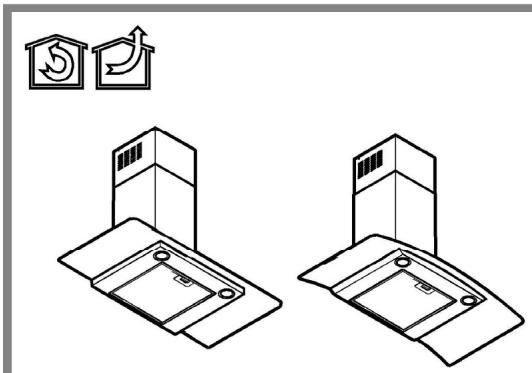
The hood may look different from the illustrations in this booklet. However, the instructions for use, maintenance, and installation remain the same.
Closely follow the instructions set out in this manual. All responsibility for any eventual inconveniences, damages, or fires caused by not complying with the instructions in this manual is declined. The hood is designed for the suction of cooking fumes and steam and is intended only for domestic use.
It is important to keep this booklet for consultation at any time. In case of sale, transfer, or move, make sure it is kept with the product.
Read the instructions carefully: there is important information about installation, use, and safety.
Do not carry out electrical or mechanical modifications on the product or on the discharge ducts.
Before proceeding with the installation of the appliance, verify that all components are not damaged. Otherwise, contact your dealer and do not proceed with the installation.
The minimum distance between the supporting surface for the cooking equipment on the hob and the lowest part of the range hood must be not less than 50 cm for electric cookers and 65 cm for gas or mixed cookers.
If the installation instructions for the gas hob specify a greater distance, this must be adhered to.
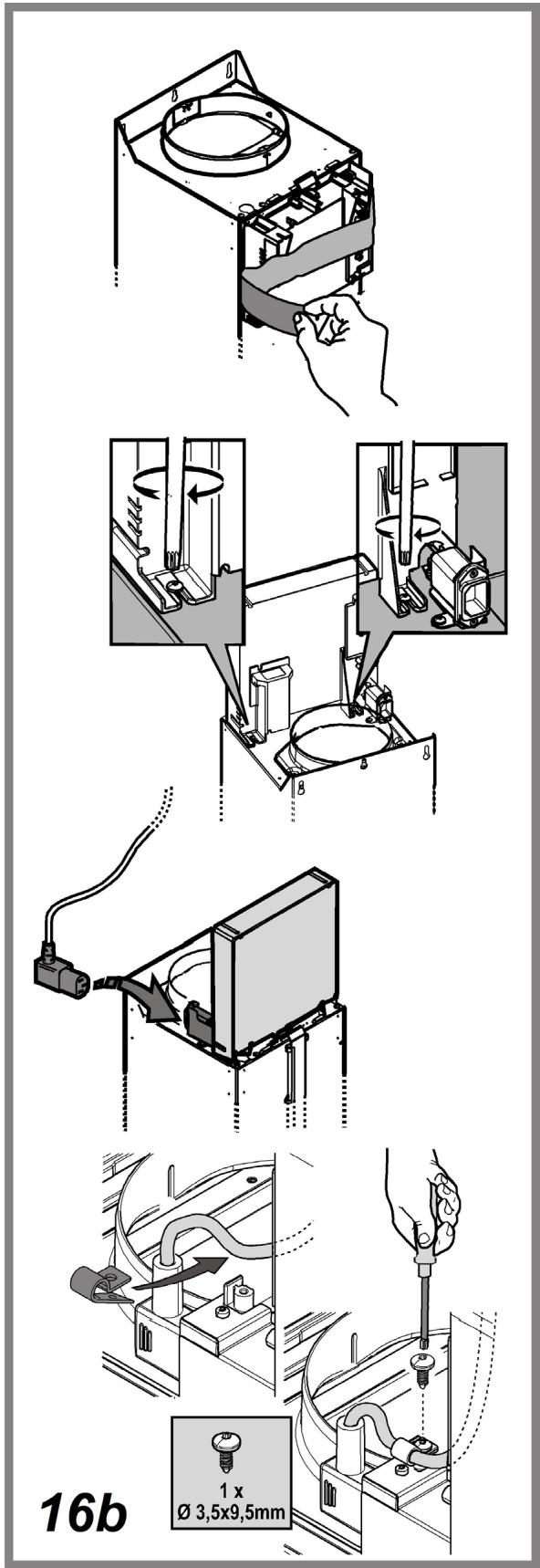
ELECTRICAL CONNECTION
The mains power supply must correspond to the rating indicated on the plate situated inside the hood. If provided with a plug, connect the hood to a socket in compliance with current regulations and positioned in an accessible area after installation. If it is not fitted with a plug (direct mains connection) or if the plug is not located in an accessible area after installation, apply a double pole switch in accordance with standards that assures the complete disconnection of the mains under conditions relating to over-current category III, in accordance with installation instructions.
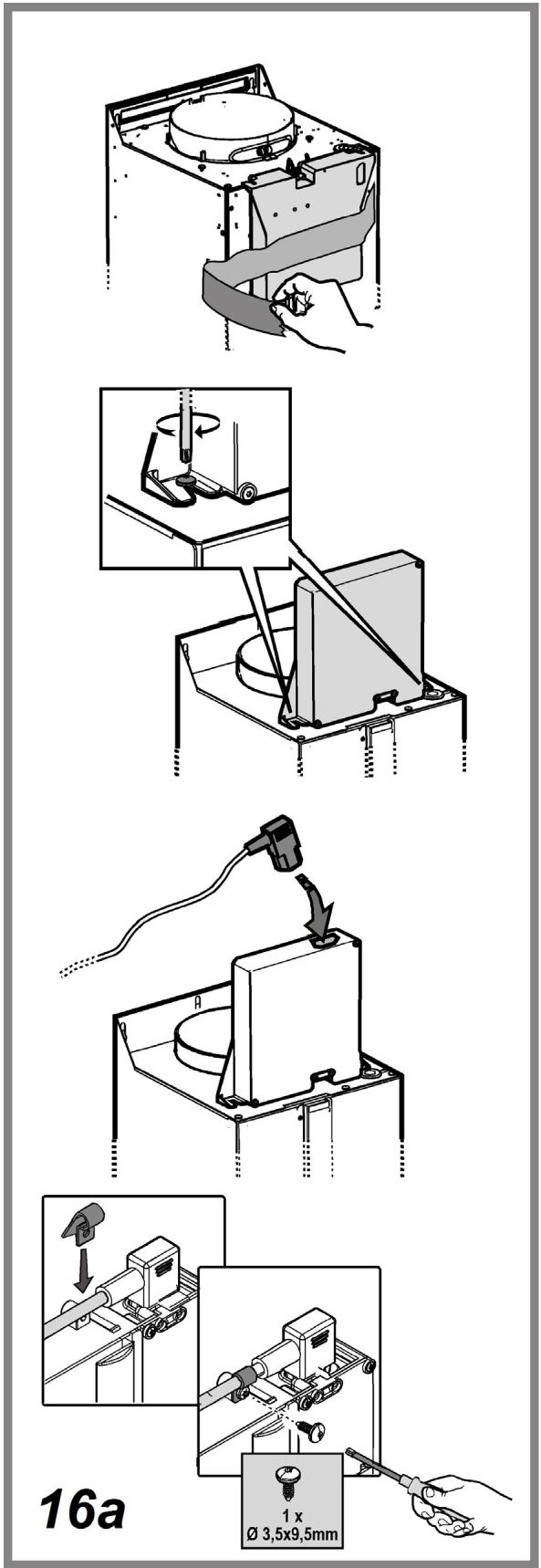
Warning! Before re-connecting the hood circuit to the mains supply and checking the efficient function, always check that the mains cable is correctly assembled.
Replacing the power cable
The hood is provided with a special power cable; if the cable is damaged, request a new one from Technical Service.
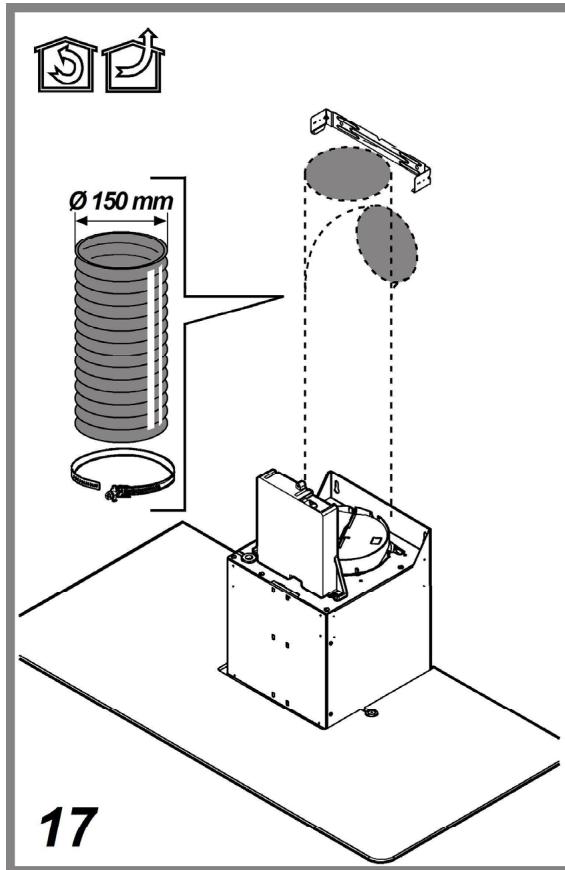
AIR VENT
(for the suction versions)
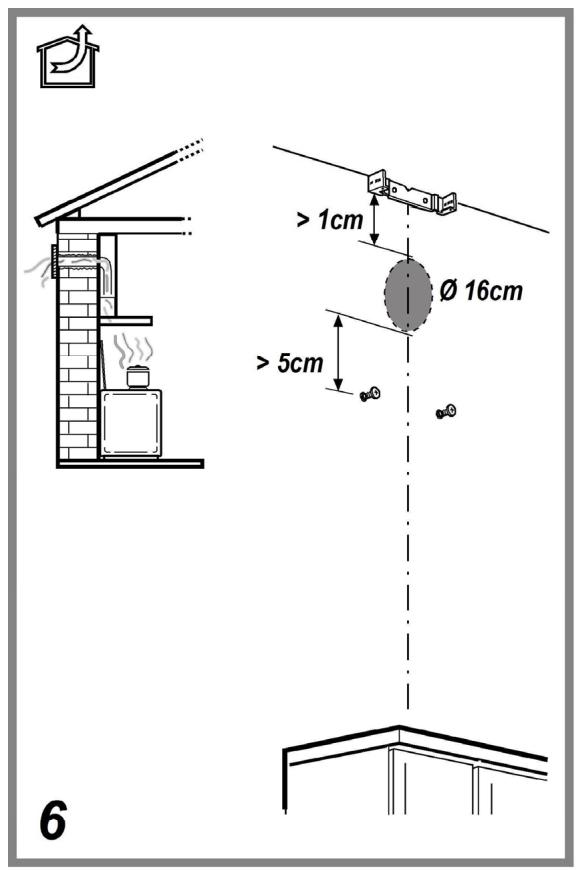
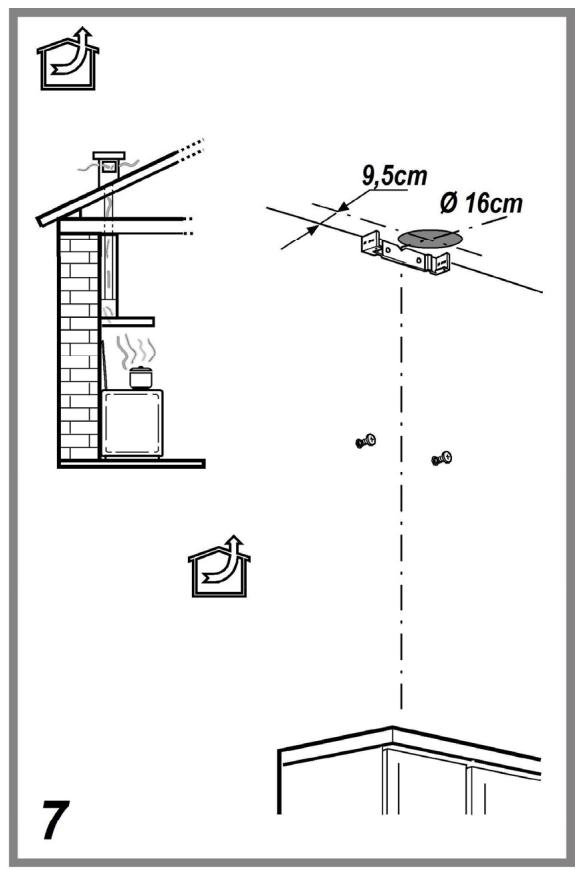
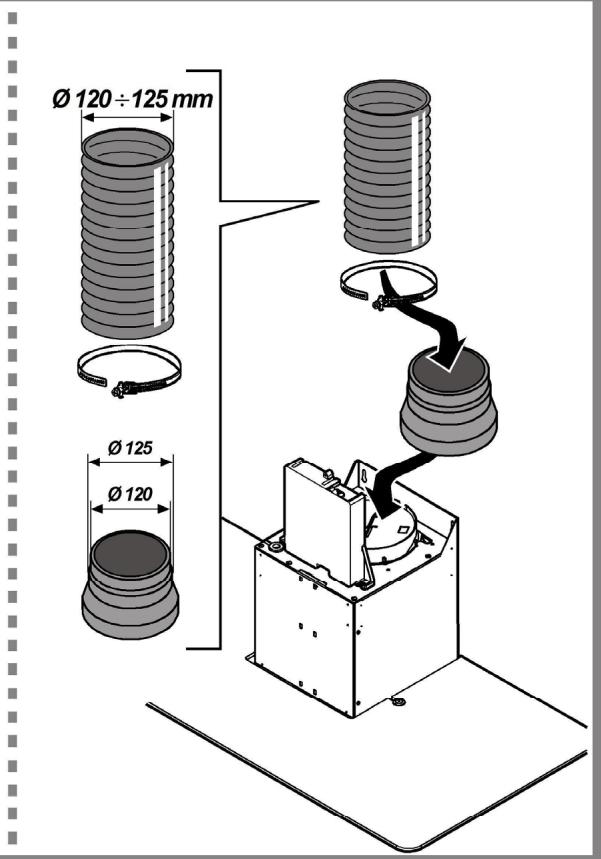
Connect the hood and discharge holes on the walls with a diameter equivalent to the air outlet (connection flange).
Using the tubes and discharge holes on walls with smaller dimensions will cause a diminution of the suction performance and a drastic increase in noise.
Any responsibility in the matter is therefore declined.
! Use a duct of the minimum indispensable length. ! Use a duct with as few elbows as possible (maximum elbow angle: 90°).
! Avoid drastic changes in the duct cross-section.
! Use a duct as smooth as possible inside.
! The duct must be made of certified material.
! The company declines any responsibility whenever these regulations are not respected.
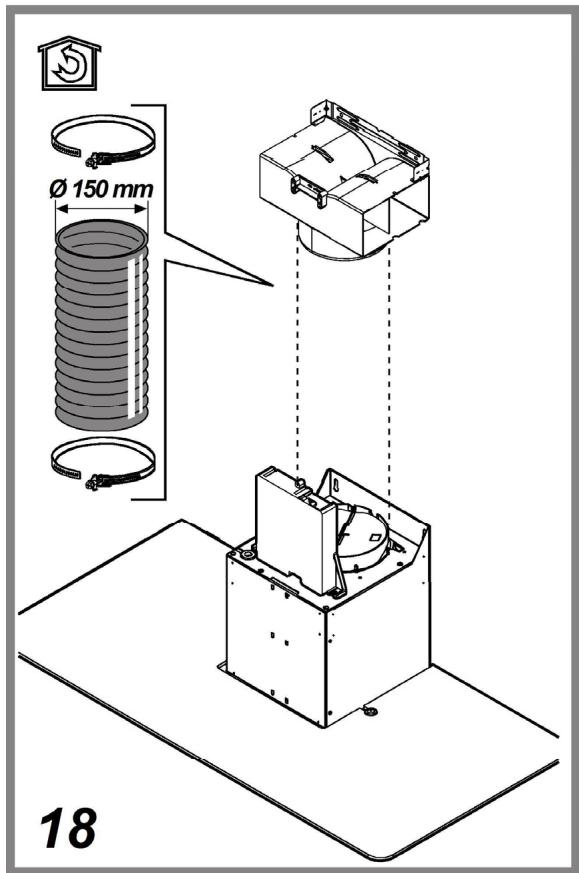
FILTERING OR DUCTING ?
! Your cooker hood is ready to be used in suction version.
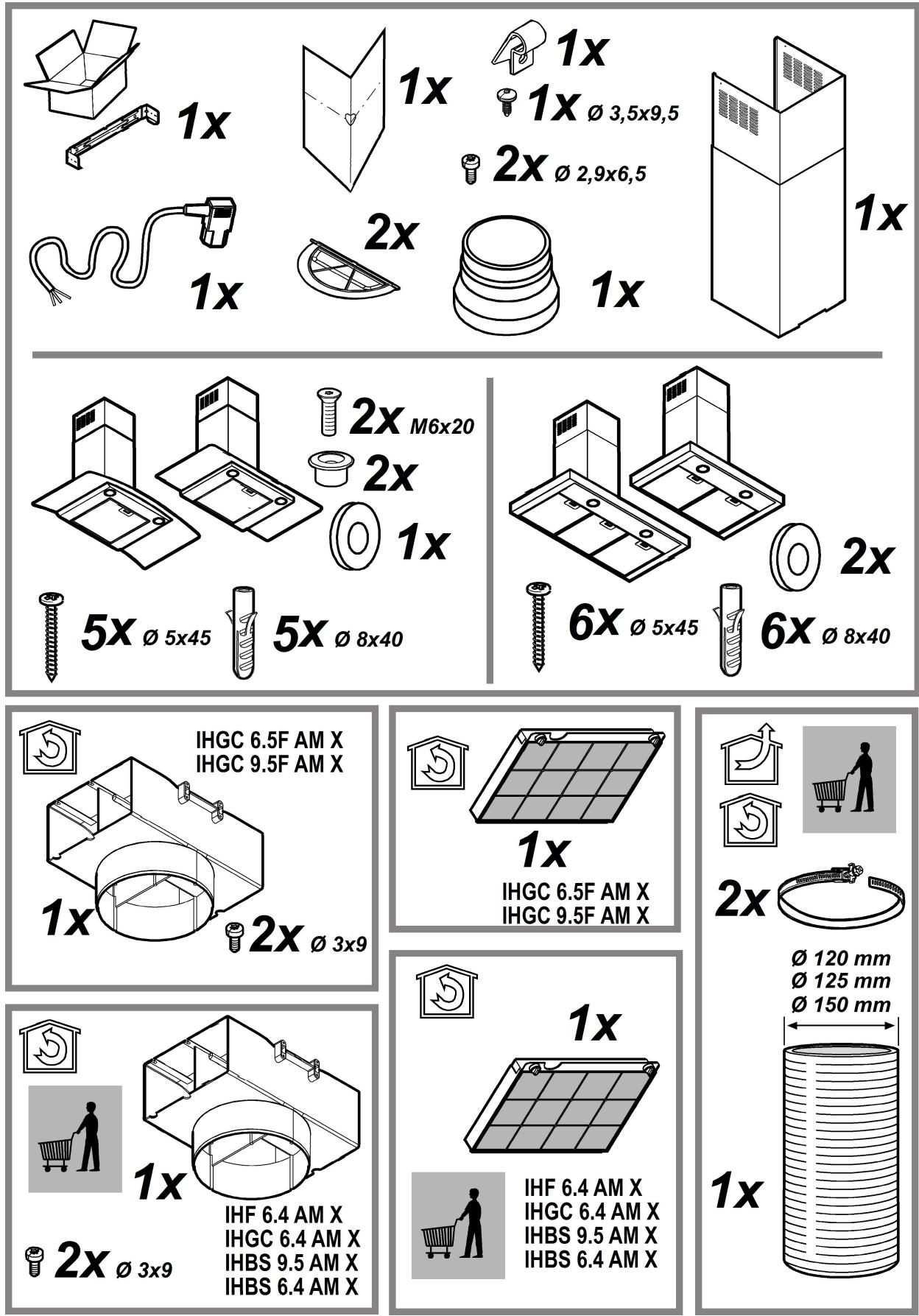
To use the hood in filtering version the special ACCESSORY KIT must be installed.
Check on the first pages of this manual if the ACCESSORY KIT is furnished or must be bought separately.
Note: If provided, in certain cases, the additional activated carbon filtering system may be installed on the hood.
Information about converting the hood from ducting version to filtering version is included in this manual.

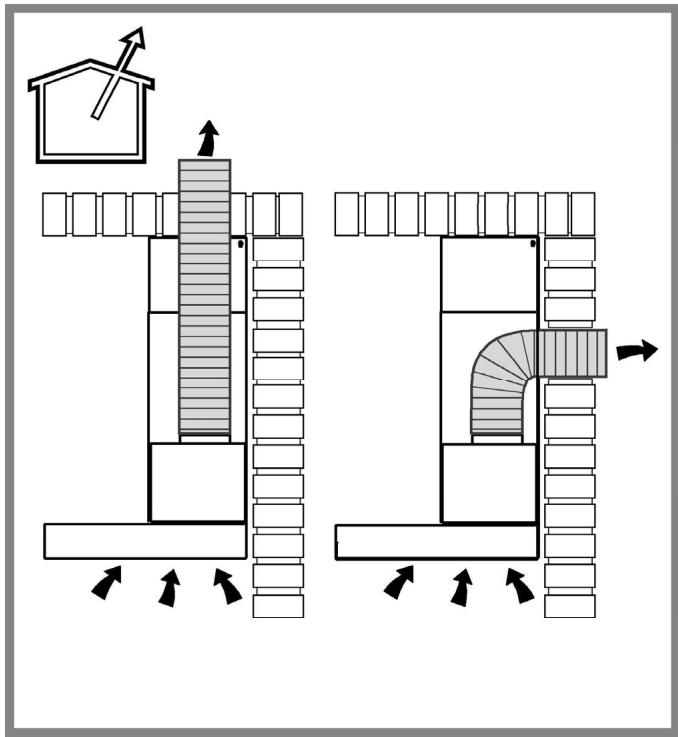
Ducting version
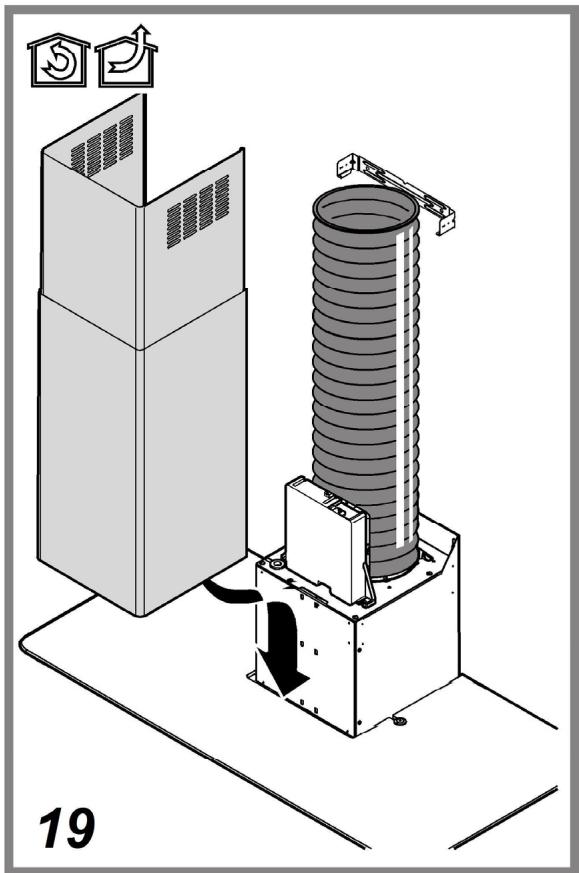
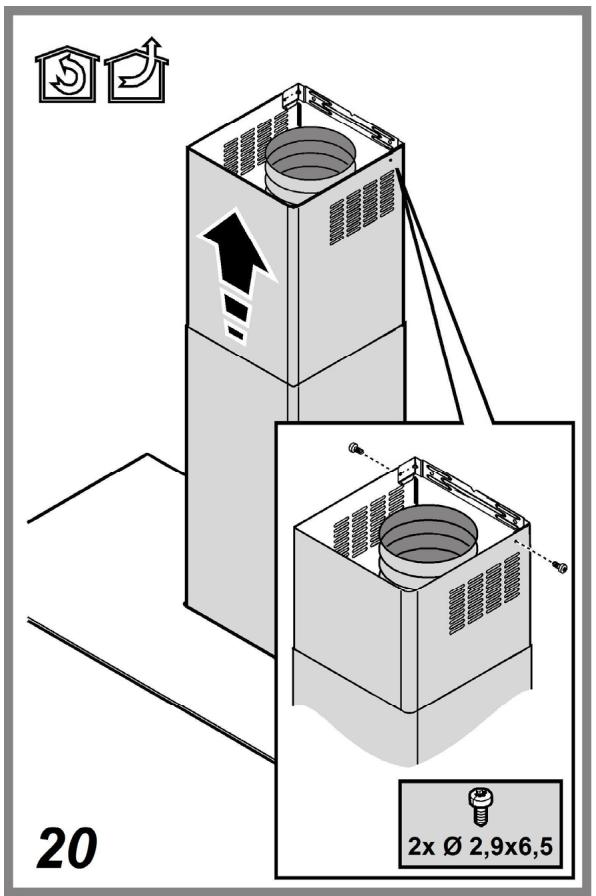
In this case, fumes are conveyed outside the building through a special pipe connected to the connection ring located on top of the hood.
Attention! The exhaust pipe is not supplied and must be purchased separately.
The diameter of the exhaust pipe must match that of the connection ring. In horizontal runs, the exhaust pipe should be slightly slanted (about 10 degrees) and directed upwards to vent air easily from the room to the outside.
Attention! If the hood is supplied with an active charcoal filter, it must be removed.

Filter version
The aspirated air will be degreased and deodorized before being recirculated into the room.
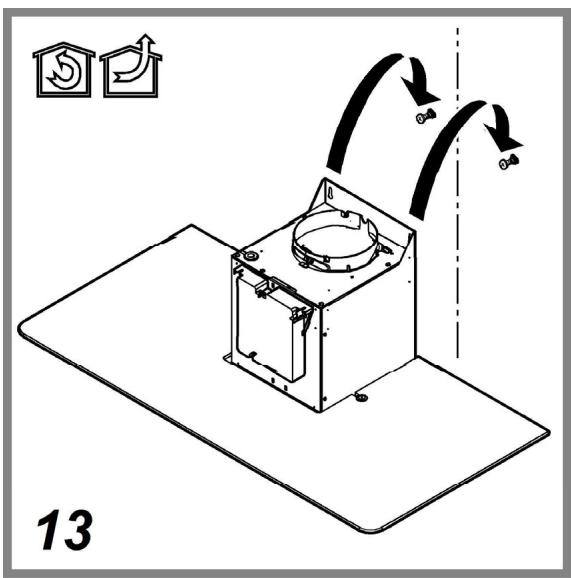
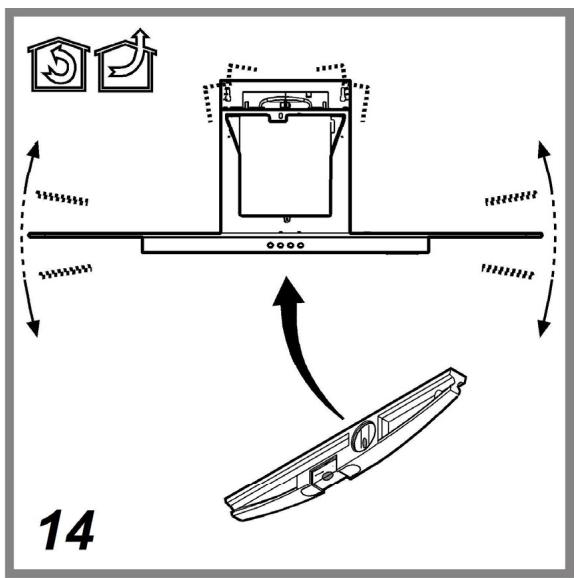
To use the hood in this version, you must install an additional filtering system based on activated charcoal.
CONTROLS
The hood is equipped with a control panel with suction speed selection control and a light switch to control the cooking area lights.
Use the high suction speed in cases of concentrated kitchen vapors. It is recommended to switch on the cooker hood suction 5 minutes prior to cooking and leave it in operation during cooking and for approximately 15 minutes after finishing cooking.
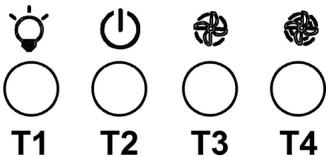
T1. ON/OFF light switch
T2. Speed 1/OFF switch
T3. 2-speed selection
T4. 3-speed selection
MAINTENANCE
Cleaning
The cooker hood should be cleaned regularly (at least with the same frequency with which you carry out maintenance of the fat filters) internally and externally. Clean using ONLY the cloth dampened with neutral liquid detergent. DO NOT CLEAN WITH TOOLS OR INSTRUMENTS. Do not use abrasive products. DO NOT USE ALCOHOL!
Warning! Failure to carry out the basic cleaning recommendations of the cooker hood and replacement of the filters may cause fire risks.
Therefore, we recommend observing these instructions.
The manufacturer declines all responsibility for any damage to the motor or any fire damage linked to inappropriate maintenance or failure to observe the above safety recommendations.
Perimeter aspiration panel
Clean the perimeter aspiration panel with the same frequency as the anti-grease filter, using a cloth and not too concentrated liquid detergent. Do not use abrasive substances.
Maintenance of the anti-grease filters
Traps cooking grease particles.
This must be cleaned once a month (or when the filter saturation indication system – if envisaged on the model in possession – indicates this necessity) using non aggressive detergents, either by hand or in the dishwasher, which must be set to a low temperature and a short cycle.
When washed in a dishwasher, the grease filter may discolour slightly, but this does not affect its filtering capacity.
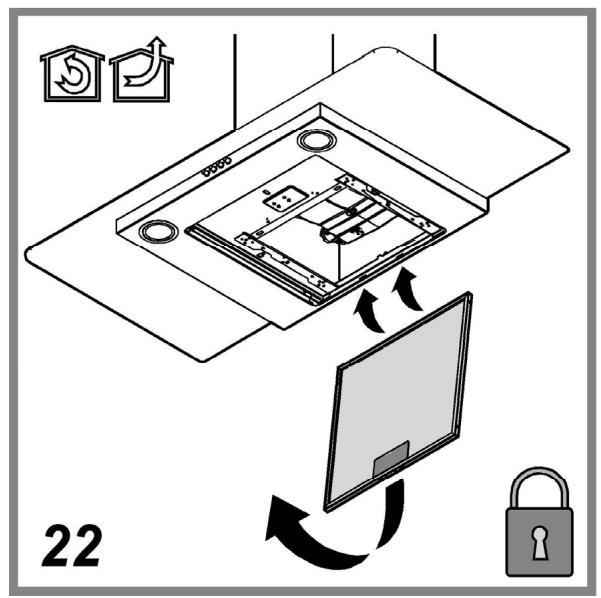
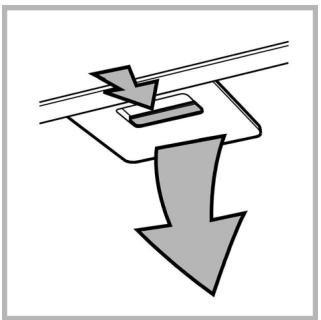
To remove the grease filter, pull the spring release handle.
Maintenance of the charcoal filter
It absorbs unpleasant odours caused by cooking.
The saturation of the charcoal filter occurs after more or less prolonged use, depending on the type of cooking and the regularity of cleaning of the grease filter.
In any case it is necessary to replace the cartridge at least every four months (or when the filter saturation indication system – if envisaged on the model in possession – indicates this necessity). The charcoal filter may NOT be washed or regenerated.
Assembly
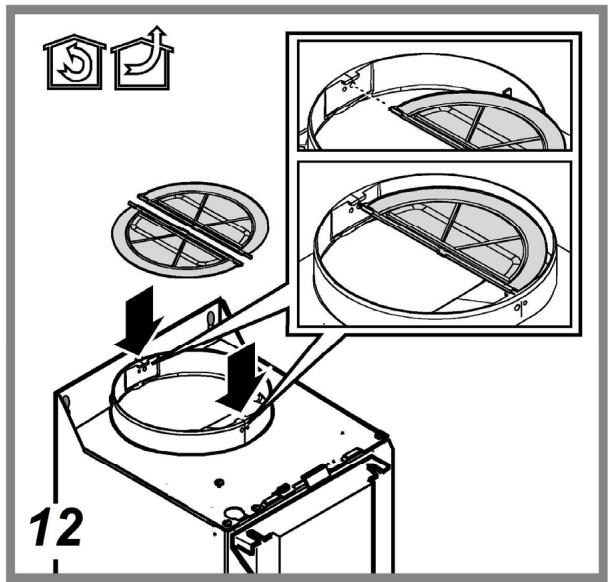
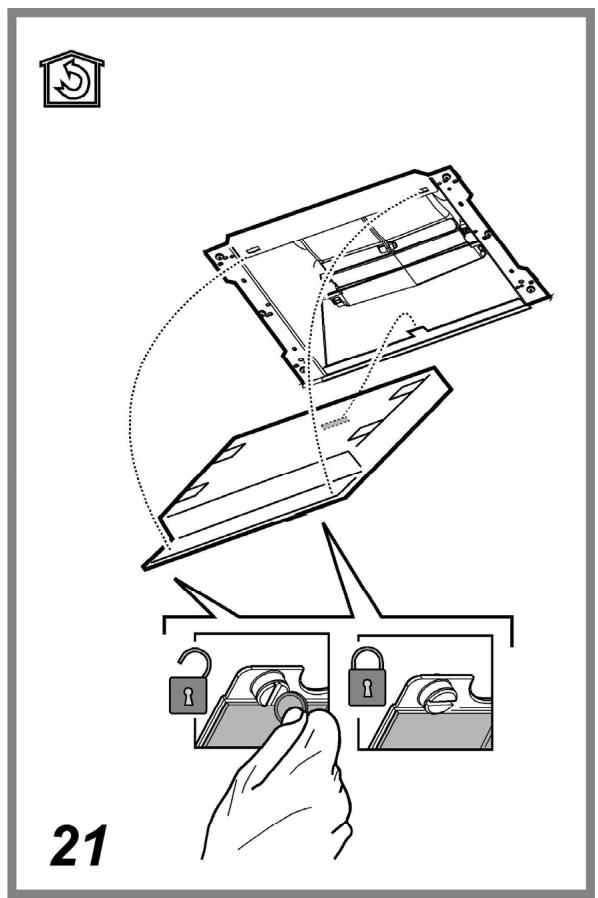
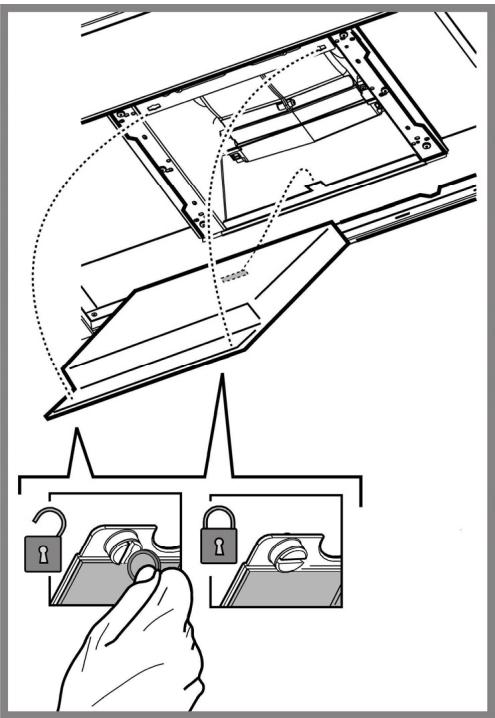
Hook the charcoal filter at the back on the metal tongue of the hood first, then on the front with the two knobs.
Disassembly
Remove the charcoal filter by turning the knobs fixing it to the hood by 90°.
Replacing lamps
Disconnect the appliance from the electricity.
Warning! Prior to touching the light bulbs ensure they are cooled down.
Replace the old light bulb with the one of the same type as specified in the feature label or near the light lamp on the hood.
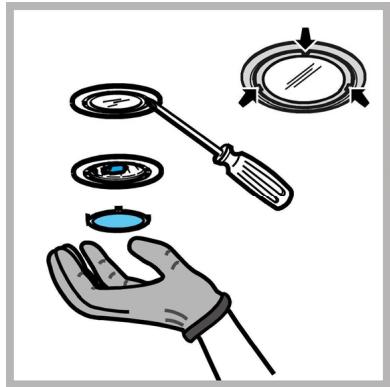
- Using a flat head screwdriver or equivalent tool, carefully pry loose the light cover.
- Remove the damaged light and replace with a new 12 Volt, 20 Watt (Maximum) halogen light made for a G-4 base SUITABLE FOR USE IN OPEN LUMINAIRES. Follow package directions and do not touch new light with bare hands.
- Reinstall the light cover (it will snap shut).
DISPOSAL
This appliance is marked according to the European directive 2012/19/EC on Waste Electrical and Electronic Equipment (WEEE). By ensuring this product is disposed of correctly, you will help prevent potential negative consequences for the environment and human health, which could otherwise be caused by inappropriate waste handling of this product.

The symbol ■ on the product, or on the documents accompanying the product, indicates that this appliance may not be treated as household waste. Instead it should be taken to the appropriate collection point for the recycling of electrical and electronic equipment. Disposal must be carried out in accordance with local environmental regulations for waste disposal.
For further detailed information regarding the process, collection and recycling of this product, please contact the appropriate department of your local authorities or the local department for household waste or the shop where you purchased this product.
Appliance designed, tested and manufactured according to:
• Safety: EN/IEC 60335-1; EN/IEC 60335-2-31, EN/IEC 62233
• Performance: EN/IEC 61591; ISO 5167-1; ISO 5167-3; ISO 5168; EN/IEC 60704-1; EN/IEC 60704-2-13; EN/IEC 60704-3; ISO 3741; EN 50564; IEC 62301.
- EMC: EN 55014-1; CISPR 14-1; EN 55014-2; CISPR 14-2; EN/IEC 61000-3-2; EN/IEC 61000-3-3. Suggestions for a correct use in order to reduce the environmental impact: Switch ON the hood at minimum speed when you start cooking and keep it running for a few minutes after cooking is finished. Increase the speed only in case of large amount of smoke and vapour and use boost speed(s) only in extreme situations. Replace the charcoal filter(s) when necessary to maintain a good odour reduction efficiency. Clean the grease filter(s) when necessary to maintain a good grease filter efficiency. Use the maximum diameter of the ducting system indicated in this manual to optimize efficiency and minimize noise.
MALFUNCTIONS
If something appears not to be working properly, do the following simple checks before calling Technical Service:
• If the hood is not working:
Check that:
- The power has not been disconnected.
- A speed has been selected.
• If the hood performs inefficiently:
Check that:
- The motor speed selected is sufficient for the amount of smoke and vapours released.
- The kitchen is sufficiently ventilated to allow air intake.
- The charcoal filter is not worn (hood in filtering version).
• If the hood has turned off during normal functioning:
Check that:
- The power has not been disconnected.
- The omnipolar disconnection device has not tripped.
If the hood fails to operate correctly, briefly disconnect it from the mains power supply for almost 5 sec. by pulling out the plug. Then plug it in again and try once more before contacting the Technical Assistance Service.
TECHNICAL DATA
| Model | Height (cm) | Width (cm) | Tiefe (cm) | ∅ of exhaust tube (cm) |
| IHF6.4AMX | 59,8 | 45 | 15-12,5-12 | |
| IHGC6.4AM X | 59,8 | 45 | 15-12,5-12 | |
| IHGC6.5FAM X | 59,8 | 45 | 15-12,5-12 | |
| IHBS9.5AM X | 89,8 | 45 | 15-12,5-12 | |
| IHBS6.4AM X | 59,8 | 45 | 15-12,5-12 | |
| IHGC9.5FAMX | 89,8 | 45 | 15-12,5-12 |
Please check the plate in order to verify the total absorption and the light absorption.
| Power (W) | Voltage (V) | Cap | Dimensions (mm) | |
| Halogen | 2 x 20W | 12 | G4 | 33x∅10 |


Components not provided with the product
⚠️ GENERAL SAFETY
DISPOSAL
DISPOSAL
DISPOSAL
Replacing the lamps
DISPOSAL
Replacing lamps
Disconnect the power.
DISPOSAL
Replacing bulbs
SCRAPPING
Replacing lamps
DISPOSAL
Replacing bulbs
DISPOSAL
Replacing the luminaires
WASTE DISPOSAL
Replacing the bulbs
DISPOSAL
Replacing the lamps
DISPOSAL
Replacing the lamps
The buttons
Electrical connection
- ⚠ GENERAL SAFETY
- DISPOSAL
- ELECTRICAL CONNECTION
- REPLACING THE POWER CABLE
- AIR VENT
- FILTERING OR DUCTING
- DUCTING VERSION
- FILTER VERSION
- CONTROLS
- MAINTENANCE
- CLEANING
- PERIMETER ASPIRATION PANEL
- MAINTENANCE OF THE ANTI-GREASE FILTERS
- TRAPS COOKING GREASE PARTICLES
- MAINTENANCE OF THE CHARCOAL FILTER
- IT ABSORBS UNPLEASANT ODOURS CAUSED BY COOKING
- ASSEMBLY
- DISASSEMBLY
- REPLACING LAMPS
- MALFUNCTIONS
- ⚠️ GENERAL SAFETY
- REPLACING THE LAMPS
- REPLACING BULBS
- SCRAPPING
- REPLACING THE LUMINAIRES
- WASTE DISPOSAL
- REPLACING THE BULBS
Brand : SONY
Model : XPERIA 10 II
Category : Smartphone