
ASUS PADFONE 2 A68 4G - Cellphone

PADFONE 2 A68 4G - Cellphone ASUS - Free user manual and instructions

Find the device manual for free PADFONE 2 A68 4G ASUS in PDF.

English EN Download 💬 AI Question 10 questions ⚙️ Specs
📄

Document temporarily unavailable

The manual is currently being transferred to our new server. It will be accessible again in a few hours. Thank you for your patience.

View the manual : Français FR English EN
Pick your language and provide your email: we'll send you a specifically translated version.
Product Type Smartphone with dock station transformable into tablet
Brand ASUS
Model PadFone 2 A68 4G
Operating System Android 4.0 Ice Cream Sandwich
Screen Capacitive touchscreen, 4.7 inches
Rear Camera 13 Megapixels
Front Camera 1.2 Megapixels
Mobile Connectivity 4G LTE, 3G, 2G
Wi-Fi Wi-Fi 802.11 b/g/n
Bluetooth Bluetooth 4.0
GPS Yes, with A-GPS
Phone Battery 2140 mAh (rechargeable)
Dock Battery Additional built-in battery (not specified)
Phone Weight Approximately 135 g
Phone Dimensions 137.9 x 69 x 9 mm
Box Contents PadFone 2, dock, power adapter, signal cable, headset, quick start guide, important notices, warranty card
Main Features Calls, messaging, web browsing, camera, video, GPS, Bluetooth, Wi-Fi, tablet dock, SuperNote, MyLibrary, Polaris Office, App Locker
Maintenance Clean with a soft, dry cloth. Avoid humidity and extreme temperatures.
Security Screen lock, App Locker to protect applications, data backup via Google account
Repairability Spare parts available from the manufacturer or authorized resellers. Contact ASUS support.

Frequently Asked Questions - PADFONE 2 A68 4G ASUS

How to insert the SIM card into the PadFone 2?
Refer to the included quick start guide. The SIM card slot is usually located on the side of the phone. Use the ejection tool or a paperclip to open the tray.
How to connect the PadFone 2 to a Wi-Fi network?
From the home screen, touch Settings (or swipe down to open quick settings). Turn on Wi-Fi, then select your network and enter the password if required.
How to use the virtual keyboard?
The keyboard automatically appears when you touch a text input area. You can type by touching the keys. Word suggestions appear at the top of the keyboard; touch one to insert it.
How to take a photo with the camera?
Touch the Camera icon on the home screen or in the app list. Frame your subject and touch the capture button. You can switch between front and rear cameras.
How to manage notifications?
Swipe your finger from the top of the screen downwards to open the notification panel. You will see alerts there. To enable or disable quick functions (Wi-Fi, Bluetooth, etc.), use the ASUS Quick Settings panel.
How to use the PadFone 2 dock?
Insert the PadFone 2 into the dock. The screen expands and the dock battery extends battery life. You can then use the device as a tablet. The tutorial is displayed the first time.
How to transfer files via Bluetooth?
Turn on Bluetooth in settings. Pair your PadFone 2 with the other device. Then, from the File Manager app, select a file and choose Share > Bluetooth.
How to check the battery status?
Use the ASUS Battery widget on the home screen. It displays the battery level of the phone and dock separately. The icons in the status bar change color (blue to red) when the battery is low.
How to protect applications with App Locker?
Open the App Locker app from the app list. Set a password, then check the apps you want to lock. Enable App Locker in its settings. Locked icons will appear on the home screen.
How to reset the PadFone 2 if it freezes?
Press and hold the power button for about 10 seconds. The system will reset. This should only be used as a last resort to unlock the device.

User questions about PADFONE 2 A68 4G ASUS

0 question about this device. Answer the ones you know or ask your own.

Ask a new question about this device

The email remains private: it is only used to notify you if someone responds to your question.

No questions yet. Be the first to ask one.

Download the instructions for your Cellphone in PDF format for free! Find your manual PADFONE 2 A68 4G - ASUS and take your electronic device back in hand. On this page are published all the documents necessary for the use of your device. PADFONE 2 A68 4G by ASUS.
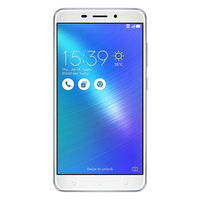
USER MANUAL PADFONE 2 A68 4G ASUS

Manual assistant
Powered by Anthropic
Waiting for your message
Product information

Brand : ASUS

Model : PADFONE 2 A68 4G

Category : Cellphone