
CINEMAX P2 - Ultra short throw projector OPTOMA - Free user manual and instructions
Find the device manual for free CINEMAX P2 OPTOMA in PDF.


| Product Type | Ultra short throw projector |
| Brand | Optoma |
| Model | CINEMAX P2 |
| Maximum Resolution | Up to 3840 x 2160 (4K) at 60 Hz |
| Light Source | Laser, Class 1, RG2 |
| Image Size (Diagonal) | 85" - 105" |
| Projection Distance | 0.17 m (85") to 0.28 m (105") |
| HDMI Connectivity | 3 HDMI ports (HDMI 1 ARC, HDMI 2, HDMI 3) |
| USB Connectivity | 2 USB 2.0 ports (one for maintenance, one for power 5V/1.5A) |
| Network | Wi-Fi, Ethernet (RJ-45) |
| Bluetooth | Yes, for remote control and wireless speaker |
| Built-in Speakers | 2 x 19 W |
| Audio Output | S/PDIF, 3.5mm jack |
| Power Consumption | Eco standby mode: <0.5 W; SmartHome: <8 W |
| Power Supply | 100-240 V AC, 50/60 Hz |
| Dimensions (L x W x H without feet) | 576 x 383 x 114.7 mm |
| Weight | 10.5 kg |
| Operating Temperature | 5 to 40 °C |
| Main Features | Geometric correction, PureMotion, Game mode, HDR, HLG, Bluetooth speaker mode |
| Maintenance and Cleaning | Clean the lens with compressed air and a special cloth, disconnect the power before |
| Safety | Grounding mandatory, do not block vents, do not look at the beam |
| Spare Parts and Repairability | Repair by qualified personnel only, contact Optoma |
| General Information | Warranty: consult the dealer, OTA support, 3D compatibility via DLP-Link |
Frequently Asked Questions - CINEMAX P2 OPTOMA
User questions about CINEMAX P2 OPTOMA
0 question about this device. Answer the ones you know or ask your own.
Ask a new question about this device
Download the instructions for your Ultra short throw projector in PDF format for free! Find your manual CINEMAX P2 - OPTOMA and take your electronic device back in hand. On this page are published all the documents necessary for the use of your device. CINEMAX P2 by OPTOMA.
USER MANUAL CINEMAX P2 OPTOMA
natural_image
Line drawing of a rectangular electronic device with ventilation grilles and a labeled 'Optima' logo (no text or symbols on the diagram itself)TABLE DES MATIÈRES
SÉCURITÉ 4
IEC/EN 60825-1:2014 CLASS 1 LASER PRODUCT RISK GROUP 2 Complies with 21 CFR 1040.10 and 1040.11 except for conformance as a Risk Group 2 LIP as defined in IEC 62471-5:Ed. 1.0. For more information see Laser Notice No. 57, dated May 8, 2019.
"WARNING: MOUNT ABOVE THE HEADS OF CHILDREN."
Additional warning against eye exposure for close exposures less than 1 m.
"AVERTISSEMENT : INSTALLER AU-DESSUS DE LA TÊTE DES ENFANTS."
This Class B digital apparatus complies with Canadian ICES-003.
natural_image
3D diagram of a rectangular block with internal diagonal lines, labeled 'Projecteur' below (no other text or symbols)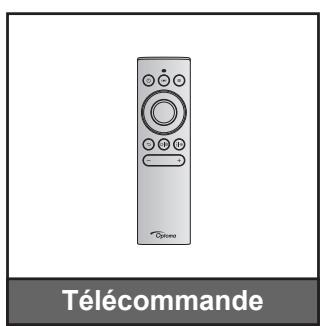
https://www.optoma.com/support/download
INTRODUCTION
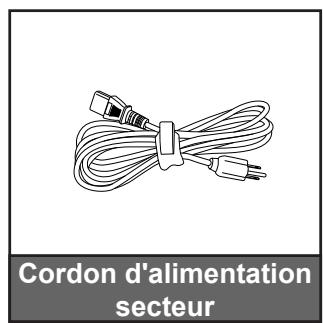
Accessoires standard
Remarque :
natural_image
Line drawing of a person sitting in a chair watching a projector on a wall, with no text or symbols present.natural_image
Line drawing of a person sitting in a chair watching a projector mounted on a wall, with no text or symbols present.natural_image
Line drawing of a person sitting in a chair watching a projector on a small table (no text or symbols)natural_image
Line drawing of a person sitting in a chair watching a projector screen, no text or symbols presentnatural_image
Illustration of a remote control with labeled buttons and an Optoma brand logo (no text or symbols on the device itself)MISE EN GARDE :
natural_image
Close-up of a control panel with three buttons and a central indicator (no text or symbols visible)Table d'étirement UHD 4K:
UTILISER LE PROJECTEUR
natural_image
Front view of a remote control with labeled buttons and a brand logo (Optoma) at the bottom.Remarque :
47697 Westinghouse Drive,
Fremont, CA 94539, USA
www.optomausa.com
888-289-6786
510-897-8601
services@optoma.com
Japon
東京都足立区綾瀬3-25-18
株式会社オーエス
info@os-worldwide.com
www.os-worldwide.com
Canada
47697 Westinghouse Drive,
Fremont, CA 94539, USA
www.optomausa.com
888-289-6786
510-897-8601
services@optoma.com
Taiwan
12F., No.213, Sec. 3, Beixin Rd., Xindian Dist., New Taipei City 231,
Taiwan, R.O.C.
www.optoma.com.tw
+886-2-8911-8600
+886-2-8911-6550
services@optoma.com.tw
asia.optoma.com
Amérique Latine
47697 Westinghouse Drive,
Fremont, CA 94539, USA
www.optomausa.com
888-289-6786
510-897-8601
services@optoma.com
Hong Kong
Unit A, 27/F Dragon Centre,
79 Wing Hong Street,
Cheung Sha Wan,
Kowloon, Hong Kong
+852-2396-8968
+852-2370-1222
www.optoma.com.hk
Europe
Unit 1, Network 41, Bourne End Mills,
Hemel Hempstead, Herts,
HP1 2UJ, United Kingdom
(Royaume-Uni)
www.optoma.eu
service@tsc-europe.com
Chine
5F, No. 1205, Kaixuan Rd.,
Changning District
Shanghai, 200052, Chine
+86-21-62947376
+86-21-62947375
www.optoma.com.cn
Benelux BV
Randstad 22-123
1316 BW Almere
Les Pays-Bas
www.optoma.nl
+31 (0) 36 820 0252
+31 (0) 36 548 9052
France
Bâtiment E
81-83 avenue Edouard Vaillant
92100 Boulogne Billancourt, France
+33 1 41 46 12 20
+33 1 41 46 94 35
savoptoma@optoma.fr
Espagne
C/ José Hierro,36 Of. 1C
28522 Rivas VaciaMadrid,
Espagne
+34 91 499 06 06
+34 91 670 08 32
Allemagne
Wiesenstrasse 21 W
D40549 Düsseldorf,
Allemagne
+49 (0) 211 506 6670
+49 (0) 211 506 66799
info@optoma.de
Scandinavie
Lerpeveien 25
3040 Drammen
Norvège
+47 32 98 89 90
+47 32 98 89 99
info@optoma.no
PO.BOX 9515
3038 Drammen
Norvège
Corée
WOOMI TECH.CO.,LTD.
4F, Minu Bldg.33-14, Kangnam-Ku,
Seoul,135-815, KOREA
korea.optoma.com
+82+2+34430004
+82+2+34430005
Brand : OPTOMA
Model : CINEMAX P2
Category : Ultra short throw projector