
NE-1653 - NE-1653 - Microwave Oven PANASONIC - Free user manual and instructions
Find the device manual for free NE-1653 - NE-1653 PANASONIC in PDF.



| Product type | Professional microwave oven |
| Brand | Panasonic |
| Model | NE-1653 |
| External dimensions (W × D × H) | 422 × 508 × 337 mm |
| Internal dimensions (W × D × H) | 330 × 310 × 175 mm |
| Net weight | 30 kg |
| Power supply | 230 V, 50 Hz, single phase |
| Power consumption | 2590 W (11.7 A) |
| Microwave power (HIGH P10) | 1600 W (IEC standards) |
| Frequency | 2450 MHz |
| Available power levels | P10 (1600 W), P9 (90%), P8 (80%), P7 (70%), P6 (60%), P5 (50%), P4 (40%), P3 (30%), P2 (25%), P1 (Defrost 340 W), P0 (0%), PU1/PU2 (Top to bottom cooking), PL1/PL2 (Bottom to top cooking) |
| Timer | Digital, programmable up to 30 min (P1/P0) or 15 min (other levels) |
| Multi-stage cooking | Up to 5 programmable stages |
| Memory keys | 30 memory keys (A0 to C9) with programming |
| Double/Triple quantity function | Yes, with adjustable coefficients |
| Program lock | Yes, can be activated/deactivated |
| Splash guard | Removable, dishwasher safe |
| Air filter | Removable, washable, with programmable cleaning alarm (1-9999 h) |
| Noise level | Less than 70 dB(A) |
| Stackable | Up to 2 units with mounting kit (sold separately) |
| Warranty | Consult retailer |
Frequently Asked Questions - NE-1653 - NE-1653 PANASONIC
User questions about NE-1653 - NE-1653 PANASONIC
0 question about this device. Answer the ones you know or ask your own.
Ask a new question about this device
Download the instructions for your Microwave Oven in PDF format for free! Find your manual NE-1653 - NE-1653 - PANASONIC and take your electronic device back in hand. On this page are published all the documents necessary for the use of your device. NE-1653 - NE-1653 by PANASONIC.
USER MANUAL NE-1653 - NE-1653 PANASONIC
Operating Instructions...... Microwave Ovens............ For Commercial Use (Original instructions)
Please read these instructions completely before operating this oven and keep for future reference.
Important Safety Instructions 3
Care of Your Microwave Oven 9
Before Use. 11
Outline Diagram of NE-2143-2/NE-1843/NE-1643 12
How to Operate NE-2143-2/NE-1843/NE-1643 13
Outline Diagram of NE-2153-2/NE-1653. 14
How to Operate NE-2153-2/NE-1653 15
A. Manual Single Stage Heating 15
B. Manual 2 to 5 Stage Heating 16
C. Programming Memory Pads for Single Stage Heating 17
D. Programming Memory Pads for 2 to 5 Stage Heating 18
E. Memory Pad Heating 18
F. Programming Double/Triple Quantity Pad. 19
G. Memory Pad Heating for Double/Triple Quantity Heating 20
H. +10s/+20s Pad Heating 20
I. To Read the Cycle Counter 21
J.To Activate Program Lock. 21
K.To Deactivate Program Lock. 21
L. To Read Program List. 22
M.To Select Beep Tone Options 23
N.Procedure to Program the Air Filter 24
O.Oven Lamp 25
Before Cooking 27
Cooking Instructions—Heating and Defrosting Time Charts 28
Self Diagnostics Failure Code Explanation 29
Installation Instructions for Stacking 29
Technical Specifications 282
This product is an equipment that fulfills the European standard for EMC disturbances (EMC = Electromagnetic Compatibility) EN 55011. According to this standard this product is an equipment of group 2, class B and is within required limits. Group 2 means that radio-frequency energy is intentionally generated in the form of electromagnetic radiation for warming and cooking of food. Class B means that this product may be used in normal household areas.
Manufactured by: Panasonic Corporation, 1006 Oaza Kadoma, Kadoma City, Osaka, Japan
Importer: Panasonic Marketing Europe GmbH
Panasonic Testing Centre, Winsberging 15, 22525 Hamburg, Germany
Sound pressure level is less than 70 dB (A weighted).
Important Safety Instructions
INSTALLATION
REMOVAL OF PROTECTIVE FILM
A protective film is used to prevent scratching of the outer case during transportation. Peel this film off before installation or use.
ATTACH CAUTION LABEL.
If a caution label is enclosed with your oven, please attach it to the top of the appliance before using.
EARTHING
IMPORTANT: FOR PERSONAL SAFETY, THIS APPLIANCE MUST BE PROPERLY EARTHED.
When an outlet is not earthed, it is personal responsibility and obligation of the customer to have it replaced with a properly earthed outlet.
VOLTAGE AND POWER WARNING
The voltage used must be the same as specified on the microwave oven. Using a higher voltage than that which is specified is dangerous, and may result in a fire or other type of accident causing damage.
PLACEMENT OF THE OVEN
Locate the oven on a surface which is flat and stable. Do not place the oven in a hot or damp place;
e.g. near a gas or electric range. Do not operate the oven when the room temperature is higher than 40^ and/or the humidity is more than 85% .
Free airflow around the oven is important.
There is a possibility of a small amount of interference with weak broadcast signals if the microwave oven is too close to a radio or TV.
For safe and efficient operation, the oven must have sufficient air flow to the air vents i.e. 5 cm at the side and rear; 20 cm at the top.
Do not install appliances at higher than 1.6m and also, less than 0.8m . Oven must be placed for easy access to control panel and door and also, for disconnect power or shut off power by fuse or circuit breaker.
An external equipotential bonding conductor is provided at the back side of the oven and it is marked by this symbol.
Important Safety Instructions
WARNING
- To reduce the risk of burns, electric shock, fire, injury to persons or excessive microwave energy: Read all instructions before using microwave oven.
- If the door or door seals are damaged, the oven must not be operated until it has been repaired by a competent person.
- The contents of feeding bottles and baby food jars shall be stirred or shaken and the temperature checked before consumption, in order to avoid burns.
- Liquids and other foods must not be heated in sealed containers since they are liable to explode.
- Microwave heating of beverages can result in delayed eruptive boiling, therefore care must be taken when handling the container.
- It is hazardous for anyone other than a competent person to carry out any service or repair operation that involves the removal of a cover which gives protection against exposure to microwave energy.
Important Safety Instructions
CAUTION
- In order to maintain the high quality of the magnetron tubes and other components, you are requested not to turn the oven on with no food inside.
- High voltages are present inside the cabinet. Repairs and adjustments should be done only by qualified service personnel.
- This microwave oven requires free airflow in the back for maximum cooling efficiency. You should keep the air vents clear while cooking.
- Do not dry clothes in the microwave oven since there is a possibility of the clothes burning if left in the oven for too long of a time.
- Use this microwave oven only for its intended use as described in this manual.
- Do not operate this microwave oven, if it is not working properly, or if it has been damaged or dropped.
- Do not use outdoors.
- Do not immerse cord or plug in water.
- Keep cord away from heated surfaces.
-
Do not let cord hang over edge of table or counter.
-
To reduce the risk of fire in the oven cavity:
a) Do not overcook food. Carefully attend microwave oven if paper, plastic, or other combustible materials are placed inside the oven to facilitate cooking.
b) Remove wire twist-ties from bags before placing bag in oven.
c) If materials inside the oven should ignite, keep oven door closed, turn oven off at the wall switch, or shut off power at the fuse or circuit breaker panel.
Important Safety Instructions
- Do not store flammable materials next to, on top of, or in the oven. It could be a fire hazard.
- Do NOT use this oven to heat chemicals or other non-food products. Do NOT clean this oven with any product that is labelled as containing corrosive chemicals. The heating of corrosive chemicals in this oven may cause microwave radiation leaks.
- Do not use your oven for home canning or the heating of any closed jar. Pressure will build up and the jar may explode. In addition, the microwave oven cannot maintain the food at the correct canning temperature. Improperly canned food may spoil and be dangerous to consume.
- Do not attempt to deep fat fry in your microwave oven.
- Potatoes, apples, egg yolks, whole squash and sausages are examples of foods with nonporous skins. This type of food must be pierced before cooking, to prevent bursting.
- DO NOT USE A CONVENTIONAL MEAT THERMOMETER IN THE MICROWAVE OVEN. To check the degree of cooking of roasts and poultry use a MICROWAVE THERMOMETER. Alternatively, a conventional meat thermometer may be used after the food is removed from the oven. If undercooked, return meat or poultry to the oven and cook for a few more minutes at the recommended power level. It is important to ensure that meat and poultry are thoroughly cooked.
- Extreme care should be taken when cooking popcorn in a microwave oven. Cook for minimum time as recommended by manufacturer. Use the directions suitable for the wattage of your microwave oven. NEVER leave oven unattached when popping popcorn.
Important Safety Instructions
-
When reheating babies bottles always remove top and teat. Liquid at the top of the bottle will be much hotter than at the bottom and must be shaken thoroughly before checking the temperature. The lid must also be removed from babies food jars, the contents must also be stirred or shaken before the temperature is checked.
-
The door seals and door seal areas should be cleaned with a damp cloth.
-
If smoke is observed, switch off or unplug the appliance and keep the door closed in order to stifle any flames.
-
If the supply cord is damaged, it must be replaced by the manufacturer, its service agent or similarly qualified persons in order to avoid a hazard.
-
Before use, the user should check that utensils are suitable for use in the microwave ovens.
-
When heating liquids, e.g. soup, sauces and beverages in your microwave oven, overheating the liquid beyond boiling point can occur without evidence of bubbling. This could result in a sudden boil over the hot liquid. To prevent this possibility the following steps should be taken:
a) Avoid using straight-sided containers with narrow necks.
b) Do not overheat.
c) Stir the liquid before placing the container in the oven and again halfway through cooking time.
d) After heating, allow to stand in the oven for a short time, stirring again before carefully removing the container.
-
When heating food in plastic or paper containers, keep an eye on the oven due to the possibility of ignition.
-
Eggs in their shell and whole hard-boiled eggs should not be heated in microwave ovens since they may explode, even after microwave heating has ended.
Important Safety Instructions
- This appliance can be used by children aged from 8 years and above and persons with reduced physical, sensory or mental capabilities or lack of experience and knowledge if they have been given supervision or instruction concerning use of the appliance in a safe way and understand the hazards involved. Children shall not play with the appliance. Cleaning and user maintenance shall not be made by children without supervision.
- The appliance should not be cleaned with a water jet.
- There is possibility of danger due to electromagnetic fields, and persons with heart pacemakers are advised to move away from areas with electromagnetic fields. In this case, take note of the instructions provided by the manufacturer.
- If this product is not going to be used, do not keep items inside. Doing so may result in danger to the surroundings if the switch is accidentally turned on.
- Do not use recycled paper products, as they may contain impurities which may cause sparks and/or fires when used, unless packaging states they are specifically designed for microwave use.
- The appliance shall be disconnected from its power supply during service and whilst replacing parts. Following the removal of the supply plug, the plug should remain visible to the service operator to ensure that inadvertent reconnection is avoided.
- The oven should be cleaned regularly and any food deposits removed.
- Do not use metal ware, ceramics trimmed with gold or silver, or any container with a metal content.
Care of Your Microwave Oven
Failure to maintain the oven in a clean condition could lead to deterioration of the surface that could adversely affect the life of the appliance and possibly result in a hazardous situation.
- Remove the plug from the electrical socket before cleaning.
- Keep the inside of the oven [and Middle Shelf (NE-2143-2, NE-2153-2 only)] clean. If pieces of food or spilled liquids stick to the oven walls, or between door seal and door surface, they will absorb microwaves and may cause arcing or sparks. Wipe up all spills with a damp cloth. Kitchen detergent or Food Sanitizer Solution may be used if the oven gets very dirty. Do not use harsh detergents or abrasives.
- The outside surface of this microwave oven should be cleaned with soap and water, then dried with a soft cloth. Make sure that water does not get into the back ventilation or control panel opening since this can damage the unit.
- The window of the door should be washed with very mild soap and water. Be sure to use a soft cloth. Never use window cleaner. The front door can be scratched by harsh soap or cleaners.
CLEANING OF THE SPLATTER SHIELD
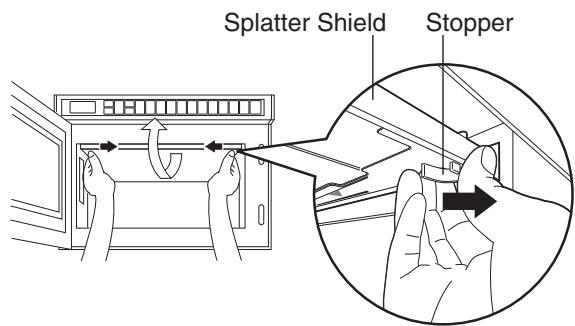
- Hold snap in / snap out stoppers of splatter shield with both hands and pull them in and down. Then take the splatter shield out of the oven cavity.
- Rinse splatter shield in soapy water or Food Sanitizer Solution.
- Be sure to replace the shield before using the oven.
CAUTION
Splatter shield must be in place securely when you use the oven.
Care of Your Microwave Oven
CLEANING AIR FILTER
Clean the Air Filter regularly according to the following instructions. The oven may have problems when the Air Filter becomes clogged with dust(*).
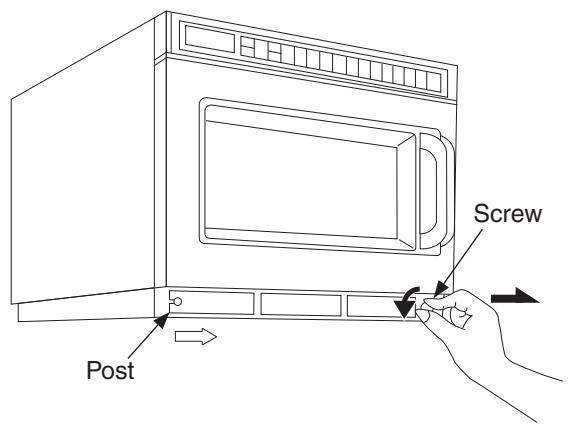
- Remove the Air Filter from the front bottom skirt by turning the right screw to the left. Then slide the filter to the right and lift it off the post at the left.
- Wash this filter in warm soapy water.
- Be sure to replace the Air Filter before using the oven.
(*) If the Air Filter becomes clogged with debris this will cause an overheating problem with the oven.
COOKWARE
- Before using the oven always check that containers are suitable. DO NOT MICROWAVE sealed containers as they may explode.
N.B. Always check manufacturer's instructions as some food manufacturers are producing food in containers that do not require piercing. - DO NOT leave the appliance unattended if paper, plastic or other combustible containers are used. Do not use recycled paper products, as they may contain impurities which may cause sparks and/or fires when used, unless packaging states they are specifically designed for MICROWAVE use.
- Heat-proof glassware, such as Pyroceram and Pyrex, is best suited for use in the microwave oven.
- If "arcing" should occur, check the cookware carefully again for metal.
- You may use ordinary glassware, chinaware, plastic-ware and paper-ware, when cooking food that requires a low temperature. Using this type of cookware for high temperature cooking may cause cracking or warping.
- You can cook steamed vegetables in special "seethrough" wrapping film, such as Saran Wrap, or wax paper. Do not cook in a plastic bag.
CAUTION
Do not use METAL UTENSILS in this oven.
DEFROSTING FROZEN FOODS
- If you try to completely defrost frozen foods in the microwave oven, uneven defrosting may occur due to the differences in the thickness and shape of the food. Drippings may also result, and sometimes a part of the food cooks although other parts still remain frozen. In actual usage of frozen foods, you should not normally defrost them 100% . 70% defrosting in the microwave oven is ideal and helpful for the next cooking operation.
- To defrost evenly, turn over or rearrange the food during defrosting.
- To defrost fatty meat, heat it in the microwave oven for a short time and leave it to stand at room temperature, or heat it intermittently until defrosted.
- When you defrost a whole chicken, or any frozen food of irregular shape, wrap legs or thin parts with aluminium foil. Otherwise thin parts will be defrosted faster and sometimes cooked before other parts have properly defrosted. For big pieces of meat, wrap the sides with aluminium foil so that they will be uniformly thawed by vertical microwaves only.
- Ice should be removed at times during defrosting.
OTHER HELPFUL INSTRUCTIONS
FOR BEST RESULTS
- When determining time for particular foods, always figure minimum time and check occasionally during cooking for progress. The microwave oven cooks so quickly, therefore it is easy to overcook your foods.
- Be careful of the cooking time for small quantities of foods, or foods with low water content. They may burn if cooked too long.
- Do not use the oven for drying kitchen towels or napkins. They may burn if heated too long.
- Do not try to boil eggs in the oven.
- When you cook an egg be sure to pierce the yolk membrane prior to placing into the oven to prevent the egg bursting.
HOW TO GET BROWNED FINISH
Generally foods do not brown when cooked by a microwave oven. This is one of the features of the equipment. To brown chickens, brush sauce on the surface before or during cooking. You can also brown meat in a conventional frying pan before cooking in the oven. A browning skillet for the microwave oven can obtain the same result.
FOR EVEN FINISHED COOKING
Open the door and give the dish a half turn, or turn the food over during cooking. This helps to achieve more even cooking. When you cook chicken the legs cook faster than other parts. Wrap the legs with aluminium foil during cooking to reflect the microwave energy in order to create even cooking.
TWO LEVEL COOKING (NE-2143-2/2153-2 only)
When heating, one item always place the container in the centre of the bottom shelf.
When using the microwave mainly for reheating one item at a time, remove the middle shelf and work on the bottom shelf.
When reheating two items at a time place both dishes on the bottom shelf side by side, unless the containers are too large and then place one on the shelf.
When heating more than two plates, place the dishes evenly on the two shelves.
Allow some space between each plate, do not cram too much food into the oven.
If the middle shelf is not used, it should be stored outside the oven and must not be put on the bottom shelf.
Outline Diagram of NE-2143-2/NE-1843/NE-1643
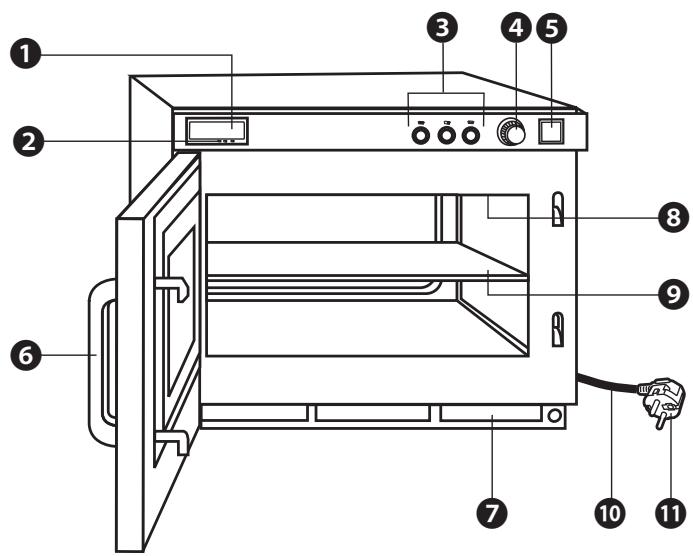
Digital Display Window (see below)
2 Power Level Indicator Display
3 Power Level Selector Buttons
4 Timer Dial
5 Start Button
Door Handle
Air Filter
③ Splatter Shield (top of inner cavity)
9 Middle Shelf (NE-2143-2 only)
10 Power Cord
1 Power Plug
Caution label is attached on the outside surface.

A - Heating Time Display (min. sec.)
B — Power Level Indicator
:HIGH
MEDIUM
DEFROST
How to Operate NE-2143-2/NE-1843/NE-1643
Example: To cook food at MEDIUM power for 4 minutes
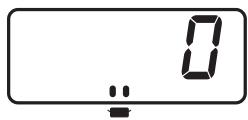
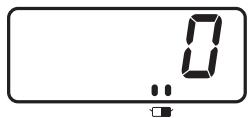
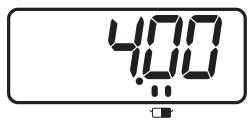
-
Make sure the oven is plugged into a properly earthed electrical outlet.
-
Open the door.
The oven lamp will turn on. "0" will appear in the Digital Display Window and Power Level Indicator will appear.
- Put the food into a suitable container, place it in the centre of the oven and then close the door securely.
The oven lamp will turn off.
Note: While “0” appears, operation is available. 1 minute after the door is closed, “0” will disappear.
- Press the desired Power Level Selector Button, if other than (HIGH).
The selected Power Level Indicator will be displayed under the Digital Display Window.
[Example]: Press Power Level Selector Button once for (MEDIUM).
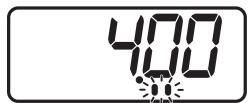
- Set the desired heating time.
Please check the heating time will appear.
Note: The maximum set time for is 25 minutes, and 30 minutes for or .
[Example]: Set heating time for 4 minutes.
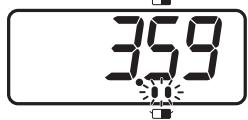
- Press Start Button.
A. The oven lamp will turn on.
B. Heating will start.
C. Power Level Indicator will start to blink.
D. The heating time on digital display will count down.
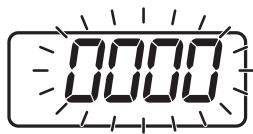
- When all time expires, beep tone will sound and all heating will stop.
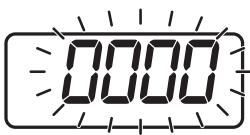
The oven lamp will turn off. "0000" will blink until the door is opened. 1 minute later, cooling fan will stop.
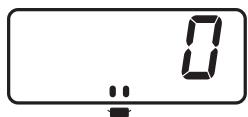
- Open the door and take the food out.
The oven lamp will turn on. Digital Display Window will show "0" and Power Level Indicator will appear.
- Close the door.
The oven lamp will turn off and 1 minute later, the Digital Display Window will go blank.
- When you press the Start Button with door open, "0" will appear in the display in all cases.
- Even after setting the heating time you can still change the power level.
- If you wish to change the heating time during heating, simply adjust the timer to desired minutes and seconds.
Outline Diagram of NE-2153-2/NE-1653

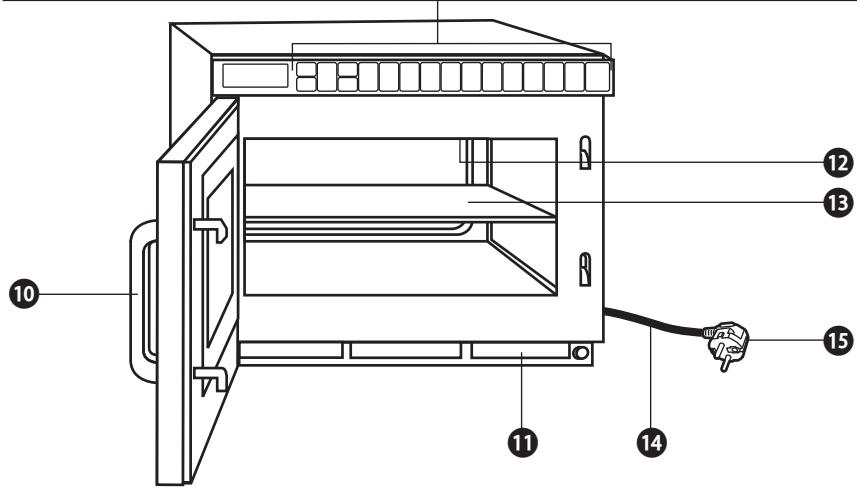
Digital Display Window (see below)
2 Prog (Program) Pad
3 Shift (A/B/C) Pad
4 Power Level Selector Pad
Double/Triple Quantity Pad
⑥ +10s/+20s Pad
7 •Number/Memory Pads
Time Input
Stop/Reset Pad
Start Pad
Door Handle
Air Filter
Splatter Shield (top of inner cavity)
Middle Shelf (NE-2153-2 only)
14 Power Cord
15 Power Plug
Caution label is attached on the outside surface.
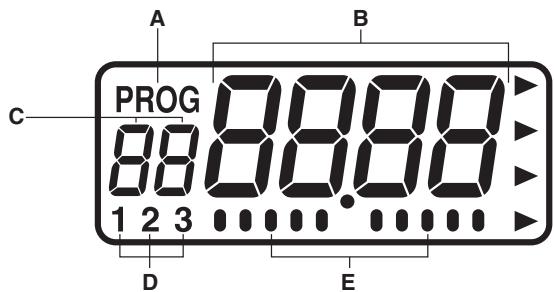
A—Program Display
B—Heating Time Display
(min. sec." or "hour min.")
C—●Memory Pad Number Display
Heating Stage Indicator
D—Pattern of Buzzer Sound Setting
E- Calling Programmed Heating: Stage Number Indicator
- Programmed Heating in Progress:
Operation Indicator
- Beep Tone Setting: Scale Indicator
This oven is preset at the factory for the following:
- Manual operation
- Number Pads preset to HIGH power at the indicated heating times for single stage heating.
A1=10 sec.
A2=20 sec.
A3=30 sec.
A4=40 sec.
A5=50 sec.
A6=1 min.
A7=1 min. 15 sec.
A8=1 min. 30 sec.
A9=1 min. 45 sec.
A0=2 min.
- Program unlock
- Double Quantity=1.6 times Triple Quantity=2.2 times
- Cycle counter set to "0" on all pads.
- Oven Lamp When the door is open = ON Blinking at the end of heating cycle = OFF
Decrease brightness during cooking = OFF
- The default filter cleaning time is set to "500".
If you wish to change these times, please consult the operating instructions to find how to program them.
How to Operate NE-2153-2/NE-1653
POWER LEVEL SELECTOR PAD
Each time the pad is pressed, the Power Level switches as the illustration below.
| P10 | → | P9 | → | P8 | → | P7 | → | P6 | → | P5 | → | P4 | → | P3 | → |
| P2 | → | P1 | → | P0 | → | PU1 | → | PU2 | → | PL1 | → | PL2 | → | P10 | again. |
| HIGH | P10: 1600 W* (NE-1653)2100 W* (NE-2153) | LOW | P3: 30%P2: 25% |
| MEDIUM HIGH | P9: 90% | DEFROST | P1: 340 W |
| P8: 80% | OFF | P0: 0% | |
| P7: 70% | HEAT FROM | PU1: 50% | |
| P6: 60% | TOP DOWN | PU2: 25% | |
| MEDIUM | P5: 50% | HEAT FROM | PL1: 50% |
| P4: 40% | BOTTOM UP | PL2: 25% |
*IEC Test Procedure
A. Manual Single Stage Heating
- Make sure the oven is plugged into a properly earthed electrical outlet.
- Open the door.
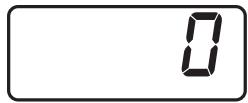
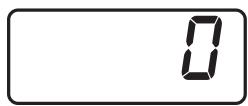
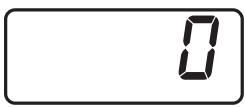
The oven lamp will turn on. "0" will appear in the Digital Display Window.
- Put the food into a suitable container, place it in the centre of the oven and then close the door securely.
The oven lamp will turn off.
Note: While “0” appears, operation is available. 1 minute after the door is closed, “0” will disappear.
- Select the desired Power Level by touching Power Level Selector Pad.
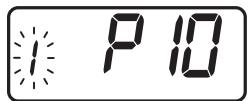
The selected Power Level will be displayed in the Digital Display Window and the single stage heating indicator "1" will start to blink.
[Example]: Touch Power Level Selector Pad once for HIGH power.
Note: Each time Power Level Selector Pad is touched, the Power Level switches as the above Power Level Selector illustrates.
- Set the desired heating time by touching the appropriate Number Pads.
Note: The maximum set time for “DEFROST” and “P0” is 30 minutes, and 15 minutes for all others.
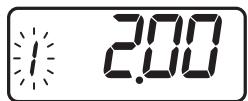
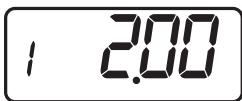
[Example]: Touch Number Pads "2", "0" and "0" for 2 minutes.
- Touch Start Pad.
A. The oven lamp will turn on.
B. Heating will start.
C. During operation, the indicator appears from the left.
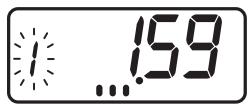
D. The heating time on digital display will count down.
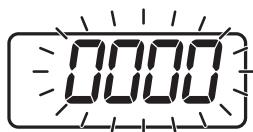
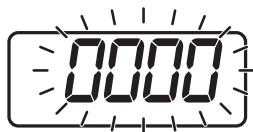
- When all time expires, the end of cycle beep tone will sound and all heating will stop. The oven lamp will turn off. The display will blink "0000" until the door is opened. 1 minute later cooling fan will stop.
How to Operate NE-2153-2/NE-1653
- Open the door and take the food out.
The oven lamp will turn on. The digital display will show the originally selected time and heating stage number.
- Close the door.
The oven lamp will turn off and 1 minute later the Digital Display Window will go blank.
SPECIAL NOTE: For both single and 4 stage heating.
- While heating, one touch on Stop/Reset Pad stops the oven. You can restart it by touching Start Pad or a second touch on Stop/Reset Pad will cancel the selected program.
- While not in a heating cycle, one touch on Stop/Reset Pad cancels the selected program.
REPEAT FEATURE
- You can repeat exactly the same manually selected heating time by touching only Start Pad, if you use the oven again within 1 minute.
- After 1 minute of non-use with the door closed, the repeat feature will be cancelled.
B. Manual 2 to 5 Stage Heating
- Follow Steps 1-5 on page 15.
- Select the desired Power Level for the second stage heating by touching Power Level Selector Pad the appropriate number of times.
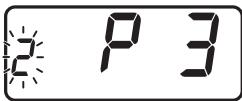
The Power Level will be displayed in the Digital Display Window and the second stage indicator "2" will start to blink.
[Example]: Touch Power Level Selector Pad 8 times for LOW power.
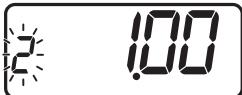
- Set the desired heating time for the second stage by touching the appropriate Number Pads.
Note: The maximum set time for "DEFROST" and "P0" is 30 minutes, and 15 minutes for all others. However, the TOTAL TIME can be set up to 25 minutes for continuous heating (1 to 5 stage heating) that excludes "DEFROST" and "P0".
[Example]: Touch Number Pads "1", "0" and "0" for 1 minute.
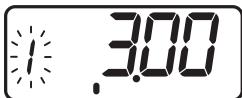
- Touch Start Pad.
A. The total time for both stages will be displayed.
B. The oven lamp will turn on.
C. During operation, the indicator appears in order from the left.
D. The heating time for the first stage will count down.
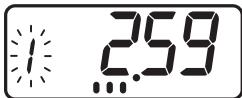
- After the first stage heating time expires, a single beep tone will sound, the second stage heating indicator "2" will start to blink, and the heating time will continue to count down.
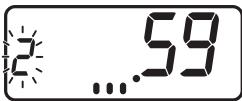
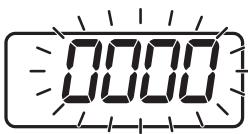
- When all time expires, the end of cycle beep tone will sound. All heating will stop. The oven lamp will turn off. The time display will blink "0000" until the door is opened. 1 minute later cooling fan will stop.
(Continued on next page.)
How to Operate NE-2153-2/NE-1653
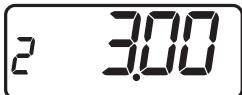
- Open the door and take the food out.
The oven lamp will turn on. The digital display will show the originally selected time and heating stage number.
- Close the door.
The oven lamp will turn off and 1 minute later the Digital Display Window will go blank.
Note: For the heating cycle of the third and later stages, select Power Level once again after Step 3 on page 16 and set a heating time.
See Special Note of "Manual Single Stage Heating" on page 16.
C. Programming Memory Pads for Single Stage Heating
The oven can not be programmed until the program lock feature is deactivated. (See page 21, J. To Activate Program Lock.)
- Make sure the oven is plugged into a properly earthed electrical outlet.
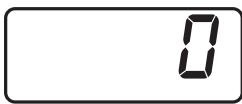
- Open the door and leave it open.
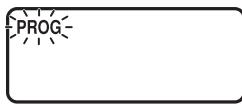
- Touch Prog Pad.
"PROG" sign will start to blink in the Digital Display Window.
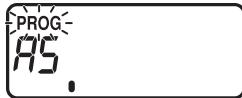
- Touch Memory Pad you desire to program.
The pad number and the previously programmed information will appear in the Digital Display Window.
[Example]: Touch Memory Pad "5".
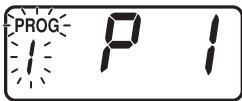
- Select the desired Power Level by touching Power Level Selector Pad.
The selected power level will be displayed in the window and the single stage heating indicator "1" will start to blink.
[Example]: Touch Power Level Selector Pad 10 times for DEFROST power.
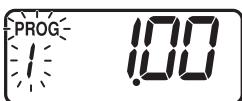
- Set the desired heating time by touching the appropriate Number Pad.
Note: The maximum set time for “DEFROST” and “P0” is 30 minutes, and 15 minutes for all others.
[Example]: Touch Number Pads "1", "0" and "0" for 1 minute.
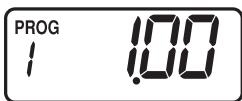
- Touch Prog Pad again.
The "PROG" sign and the single stage heating indicator "1" will stop blinking. This means that you have completed programming the selected Memory Pad for the single stage heating.
- 3 seconds after programming is completed, "0" will appear.
- Program the remaining Memory Pads as desired by repeating Steps 3-7 above.
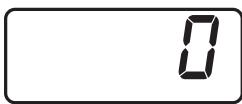
Note: ●When the "PROG" Display is blinking, the program can be cancelled and/or one touch on Stop/Reset Pad erased the programmed Number/Memory Pad number.
- When you want to program B or C side, touch Shift (A/B/C) Pad before touching Program Number Pad.
How to Operate NE-2153-2/NE-1653
D. Programming Memory Pads for 2 to 5 Stage Heating
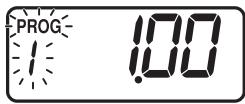
- Complete Steps 1-6 above.
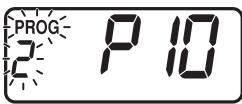
- Select Power Level for the second stage by touching Power Level Selector Pad. The selected Power Level will be displayed in the window and the second stage heating indicator "2" will start to blink.
[Example]: Touch Power Level Selector Pad once for HIGH power.
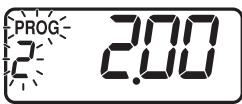
- Set the desired heating time by touching appropriate Number Pads.
Note: The maximum set time for "DEFROST" and "P0" is 30 minutes, and 15 minutes for all others. However, the TOTAL TIME can be set up to 25 minutes, and 15 minutes for continuous heating (1 to 5 stage heating) that excludes "DEFROST" and "P0".
[Example]: Touch Number Pads "2", "0" and "0" for 2 minutes.
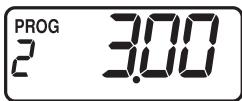
- Touch Prog Pad again and the "PROG" sign and the second stage heating indicator "2" will stop blinking. The total time for both stages will be displayed. This means that you have completed programming the desired Memory Pad for the second stage heating.
- 3 seconds after programming is completed, "0" will appear.
- Program the remaining pads as desired by repeating the Steps above.
Note: ●When you want to program B or C side, touch Shift (A/B/C) Pad before touching Program Number Pad.
Repeat the above procedure to set Heating for the third stage and later stages.
E. Memory Pad Heating
- Make sure the oven is plugged into a properly earthed electrical outlet.
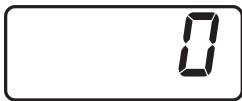
- Open the door.
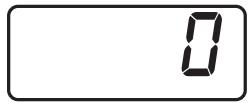
The oven lamp will turn on. "0" will appear in the Digital Display Window.
Note: While "0" will appear, operation is available. 1 minute after the door is closed, "0" will disappear.
- Put the food into a suitable container, place it in the centre of the oven and then close the door securely.
The oven lamp will turn off.
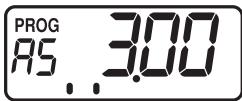
- Touch the desired Memory Pad.
A. The currently programmed information will be indicated.
[Example]: Memory Pad "5" (Program No. A-5)
The heating program (at DEFROST power for 1 minute, at HIGH power for 2 minutes) as programmed on pages 17-18 is set.
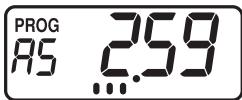
- Touch Start Pad.
A. The oven lamp will turn on.
B. During operation, the indicator appears in order from the left.
C. The heating time will count down.
How to Operate NE-2153-2/NE-1653
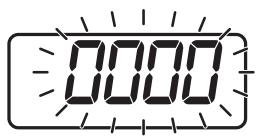
- When all the time expires, the end of the cycle beep tone will sound. All heating will stop. The oven lamp will turn off. The time display will blink "0000" until the door is opened. 1 minute later, cooling fan will stop.
- Open the door and take the food out. The oven lamp will turn on.
- Close the door. The oven lamp will turn off and 1 minute later the Digital Display Window will go blank.
Note: To use B or C side Program, touch Shift (A/B/C) Pad before touching Program Number Pad.
F. Programming Double/Triple Quantity Pad
(The oven can not be programmed until the program lock feature is deactivated.)
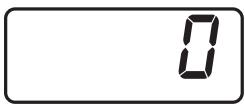
- Open the door and leave it open. The oven lamp will turn on, and "0" will appear.
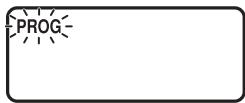
- Touch Prog Pad. "PROG" will blink in the Digital Display Window.
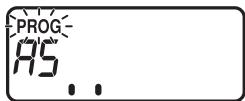
- Touch Memory Pad for the desired program. The pad number and the previously programmed information will appear in the display. "PROG" will start to blink.
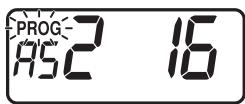
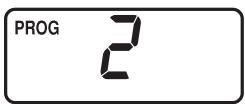
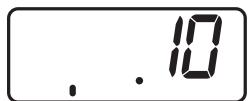
- Touch Double/Triple Quantity Pad once. The previously selected magnification number will appear in the display. [Example]: 1.6 times is 12 . (Double quantity) 2.2 times is 23 . (Triple quantity)
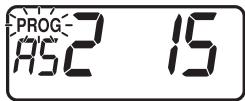
- Set the desired magnification by touching the appropriate Number Pad. [Example]: 1.5 times; Touch Number Pads "1" and "5".
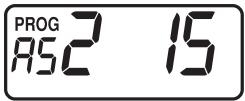
- Touch Prog Pad again. The "PROG" will stop blinking. This means that you have completed programming the selected Memory Pad for appropriate double quantity.
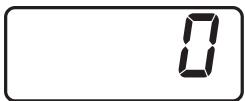
- After 3 seconds later, "0" will appear.
Note: If you want to change appropriate time for triple quantity, you touch Double/Triple Quantity Pad twice as in Step 4 above. The magnification is preset. Each magnification must be programmed separately for alterations.
N.B. Please test for correct times when setting the program to achieve correct temperatures.
How to Operate NE-2153-2/NE-1653
G. Memory Pad Heating for Double/Triple Quantity Heating
[Make sure the unit is properly programmed. (See page 19.)]
- Follow Steps 1-3 in "E. Memory Pad Heating".
- Touch Double/Triple Quantity Pad once.
Note: When you want triple quantity heating, touch Double/Triple Quantity Pad twice.
- Touch the desired Memory Pad.
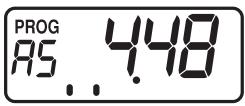
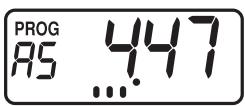
[Example]: Memory Pad 5 (Program No. A-5)
- Touch Start Pad.
A. The oven lamp will turn on.
B. During operation, the indicator appears in order from the left.
C. The heating time will count down.
Note: If program lock is activated, the heating program starts immediately, i.e. there is no need to touch Start Pad. (See page 21.)
-
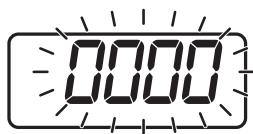
When all time has expired, the end of the cycle beep tone will sound. All heating will stop. The oven lamp will turn off. The time display will blink "0000" until the door is opened.
-
Open the door and remove the food. Close the door.
1 minute later the Digital Display Window will go blank.
Note: To use B or C side Program, touch Shift (A/B/C) Pad before touching Program Number Pad.
H. +10s/+20s Pad Heating
(Continued on next page.)
-
Make sure the oven is plugged into a properly earthed electrical outlet.
-
Open the door.
The oven lamp will turn on. "0" will appear in the Digital Display Window.
Note: While “0” will appear, operation is available. 1 minute after the door is closed, “0” will disappear.
- Put the food into a suitable container, place it in the centre of the oven and then close the door securely.
The oven lamp will turn off.
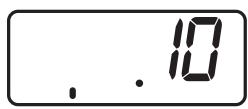
- Touch +10s/+20s Pad once.
A. The oven lamp will turn on.
B. During operation, the indicator appears in order from the left.
C. Heating will start on HIGH power for 10 seconds.
[Example]: Touch +10s/+20s Pad once for 10 seconds.
Touch +10s/+20s Pad twice for 20 seconds.
- When all the time expires, the end of cycle beep tone will sound. All heating will stop. The oven lamp will turn off. The time display will blink "0000" until the door is opened. 1 minute later, cooling fan will stop.
How to Operate NE-2153-2/NE-1653
- Open the door and take the food out. The oven lamp will turn on.
- Close the door. The oven lamp will turn off and 1 minute later the Digital Display Window will go blank.
Note: While heating, one touch on Stop/Reset Pad or opening the door will cancel the heating program.
I. To Read the Cycle Counter
- To display all cooking times ever used
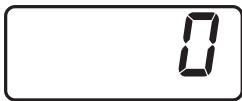
- Open the door and leave it open. The oven lamp will turn on. "0" will appear in the display.
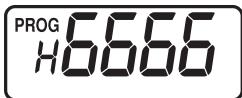
- While touching Start Pad, touch Number Pad "3". All the cooking times that were ever used will appear.
- To display the cumulative number of times the oven was used
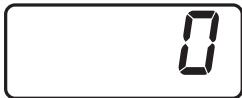
- Open the door and leave it open. The oven lamp will turn on. "0" will appear in the display.
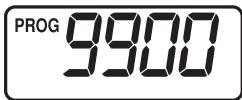
- While touching Start Pad, touch Power Level Selector Pad. The Number of cycles that the oven has been used will appear. Note: The last two digits are dropped from the cumulative number of times the oven was used, which is displayed in units of 100 when used over 100 times.
J. To Activate Program Lock
- Make sure the oven is plugged into a properly earthed electrical outlet.
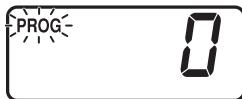
- Open the door and leave it open. The oven lamp will turn on. "0" will appear in the display. While touching Start Pad, touch Prog Pad until the display show "PROG", "P" and "L" (for more than 2 seconds).
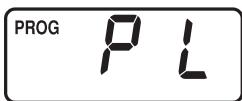
- Program Lock feature is now activated.
Note: In "Program Lock"
a. The oven is started by touching the desired Memory Pad. There is no need to touch Start Pad.
b. The Interrupt feature is deactivated—opening the door cancels the remaining time on the program.
c. The oven can not be programmed or run manually until the Program Lock feature is deactivated.
K. To Deactivate Program Lock
- Make sure the oven is plugged into a properly earthed electrical outlet.
(Continued on next page.)
How to Operate NE-2153-2/NE-1653
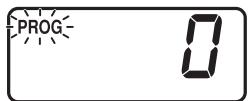
- Open the door and leave it open.
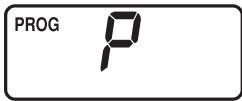
The oven lamp will turn on. "0" will appear in the display. While touching Start Pad, touch Prog Pad until the Digital Display Window show "PROG" and "P" (for more than 2 seconds).
- Program Lock feature is now deactivated.
Note: In "Program Unlock"
a. Oven reverts to a two-touch operating mode (Number/Memory Pad + Start Pad).
b. Repeat and interrupt features are operational.
c. Memory Pads can be programmed.
d. Manual heating is operational.
e. Tone loudness control, length control and pitch control (beep tone at the end of heating cycle/filter cleaning alarm) are operational.
L. To Read Program List
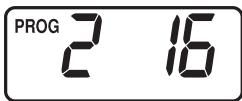
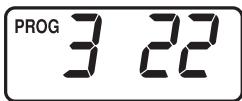
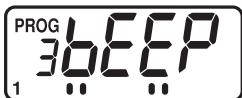
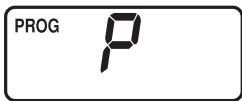
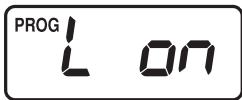
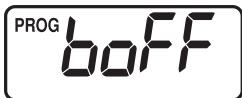
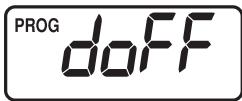
- Open the door and leave it open.
- While touching Start Pad, touch Number Pad "1".
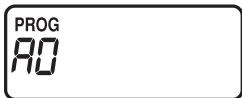
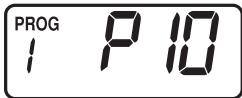
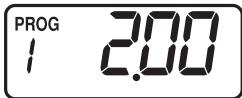
All currently programmed information (the program set into each Number/Memory Pad (A0 to C9), Beep Tone, Program Lock, Oven Lamp settings when the door is open, Oven Lamp blink settings at the end of heating cycle and Oven Lamp reduction settings during cooking information) will continuously appear.
Note: When the filter cleaning alarm counter is set, this appears after Program Lock.
How to erase memory content
- Open the door (keep it open) and touch Prog Pad.
- Select the memory number you want to erase, and touch Power Level Selector Pad.
- Touch Stop/Reset Pad, and "0" is displayed to indicate that memory is erased.
*Memory content is automatically erased if overwritten.
How to Operate NE-2153-2/NE-1653
M. To Select Beep Tone Options
(The oven can not be programmed until the program lock feature is deactivated.)
The beep tone can be set for loudness—(4 Levels), length of tone—(3 Options), pitch of tone—(3 Options) and pitch of filter cleaning alarm—(3 Options). You can select the combination of loudness, length and pitch that best suits your needs.
The beep tone is set at the factory to the loudest level (#3), to 3 beeps and to normal pitch.
To Select Loudness Level
- Make sure the oven is plugged into a properly earthed electrical outlet.
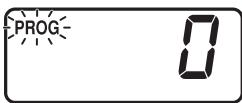
- Open the door and leave it open. The oven lamp will turn on. "0" will appear in the display.
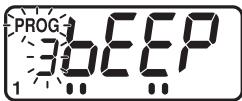
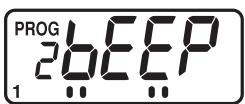
- Touch Prog Pad first and then touch Start Pad. "3 bEEP" and pattern of buzzer sound settings indicator "1" will appear in the Digital Display Window and "PROG" will blink.
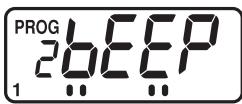
- Select the desired sound loudness level by touching Start Pad. Repeated touching of Start Pad will lower the loudness of the tone all the way to silent. The tone will sound at its loudness level and the Digital Display Window will display loudness level in digits (3 to 0—loud to silent) followed by the word "bEEP". [Example]: 3 bEEP—Loudest (Factory Setting) 1 bEEP—Low 2 bEEP—Mid 0 bEEP—Silent
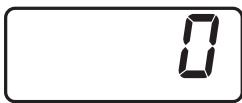
- Touch Prog Pad again, and "PROG" will stop blinking, and the set loudness of beep tone will appear for 3 seconds. Then "0" will appear.
To proceed to set length of beep tone, touch Start Pad before "0" is displayed after Step 5.
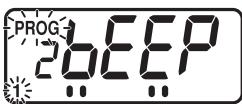
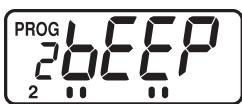
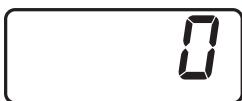
(Continued on next page.)
To Select Length of Tone
There are 3 options for the length of beep tone at the end of heating cycle.
1st. 3 beeps (Factory Setting)
2nd. Short beeps for 60 seconds
3rd. "Beep" sounds for 5 seconds, and then 3 beeps sound 30 seconds later and again 60 seconds later. (Buzzer reminder functions to prevent food from being forgotten in the oven.)
- Within 3 seconds after touching Prog Pad at Step 5, touch Start Pad.
A. "PROG" will blink.
B. Current length of beep tone will be displayed.
C. The display changes to 1st, 2nd, and 3rd each time Start Pad is touched and the settings change.
- When the desired length of tone has been selected, touch Prog Pad again. "PROG" will stop blinking, and the set length of tone at the end of heating cycle will appear for 3 seconds, then "0" will appear.
To proceed to set pitch of beep tone, touch Start Pad before "0" is displayed after Step 7.
How to Operate NE-2153-2/NE-1653
To Select Pitch of Tone
There are 3 options for the pitch of tone at the end of the heating cycle.
:Low, :Normal (Factory Setting), :High
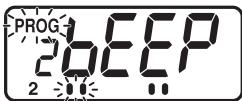
- Within 3 seconds after touching Prog Pad at Step 7, touch Start Pad.
A. "PROG" will start to blink.
B. Current pitch of tone will be displayed.
C. The display changes to “ ”, “ ”, and “ ” each time Start Pad is touched and the settings change (Under the “bE” in “bEEP”).
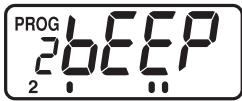
- When the desired pitch of tone has been selected, touch Prog Pad again. "PROG" will stop blinking, and the set pitch of tone at the end of heating cycle will appear for 3 seconds. Then "0" will appear.
To proceed to set pitch of filter cleaning alarm, touch Start Pad before "0" is displayed after Step 9.
To Select Pitch of Filter Cleaning Alarm
There are 3 options for the pitch of the filter cleaning alarm.
:Low,:Normal (Factory Setting),High
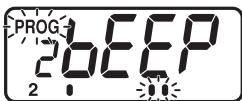
- Within 3 seconds after touching Prog Pad at Step 9, touch Start Pad.
A. "PROG" will start to blink.
B. Current pitch of filter cleaning alarm will be displayed.
C. The display changes to “ ”, “ ”, and “ ” each time Start Pad is touched and the settings change (Under the “EP” in “bEEP”).
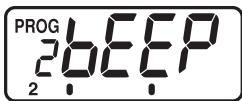
- When the desired pitch of filter cleaning alarm has been selected, touch Prog Pad again.
"PROG" will stop blinking, and the set pitch of filter cleaning alarm will appear for 3 seconds. Then "0" will appear.
Note: When the programmed hour of cleaning Air Filter is "0", the pitch of filter cleaning alarm can not be selected.
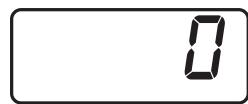
N. Procedure to Program the Air Filter
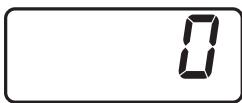
- Open the door and leave it open. The oven lamp will turn on. "0" will appear in the Digital Display Window.
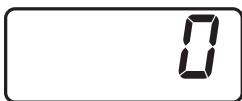
- While touching Start Pad, touch Number Pad "7".
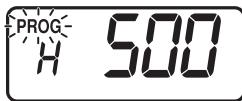
- The display will show the length of time (in hours) between cleaning the Air Filter you have programmed in or the original time preset by the manufacturer.
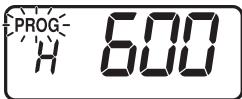
- Set the desired time between cleaning by touching the appropriate Number Pads. (Up to 9999 hours)
[Example]: Touch Number Pads "6", "0" and "0" for 600 hours.
(Continued on next page.)
How to Operate NE-2153-2/NE-1653
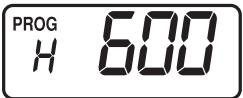
- Touch Prog Pad. This completes the procedure to program time between cleaning of the Air Filter.
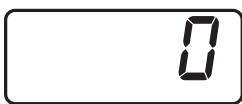
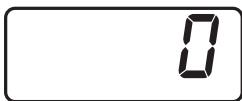
- After 3 seconds, "0" will appear in the Digital Display Window. The oven is now ready for use.
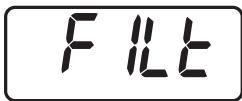
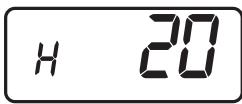
Note: When "FILt" sign appears in Digital Display Window, remove the Air Filter and clean it. Touch Stop/Reset Pad for 2 seconds to clear the display.
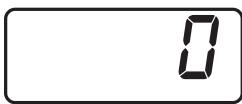
To display the filter cleaning alarm counter
- Open the door and leave it open.
- While touching Start Pad, touch Number Pad "5".
- The cumulative total cooking time starts over and is displayed after it is cleared.
After 3 seconds, "0" will appear in the Digital Display Window.
N.B. If the oven cuts out after short operation, check the Air Filter is clean before calling an engineer.
O. Oven Lamp
(The oven can not be programmed until the program lock feature is deactivated.)
- Oven Lamp settings when the door is open
To turn Oven Lamp settings OFF
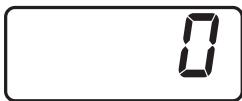
- Open the door and leave it open. The oven lamp will turn on, and "0" will appear.
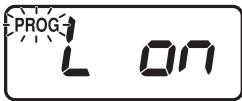
- While touching Start Pad, touch Number Pad "9". "PROG" will start to blink. The previously set Oven Lamp settings are displayed.
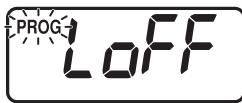
- Touch Start Pad. Note: "on" "oFF" "on" is repeated each time the Pad is touched.
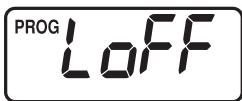
- Touch Prog Pad. "PROG" will stop blinking, and the Oven Lamp settings will appear for 3 seconds. Then "0" will appear.
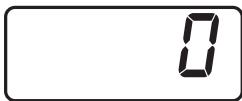
To proceed to Step 5, touch Start Pad before "0" is displayed after Step 4.
(Continued on next page.)
How to Operate NE-2153-2/NE-1653
- Oven Lamp blinks at the end of heating cycle
To turn the blinking Oven Lamp ON at the end of heating cycle
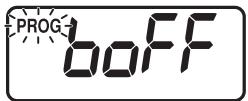
- Within 3 seconds after touching Prog Pad at Step 4, touch Start Pad. "PROG" will start to blink. The previously set Oven Lamp blink settings are displayed.
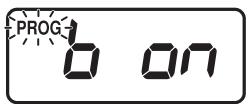
- Touch Start Pad. Note: "oFF" "on" "oFF" is repeated each time the Pad is touched.
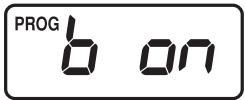
- Touch Prog Pad. "PROG" will stop blinking, and the Oven Lamp blink settings will appear for 3 seconds. Then "0" will appear.
To proceed to Step 8, touch Start Pad before "0" is displayed after Step 7.
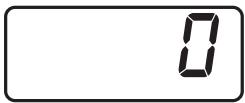
- Adjusting Oven Lamp brightness during cooking
To decrease brightness of the inner cavity during cooking
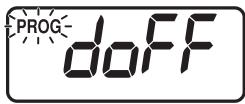
- Within 3 seconds after touching Prog Pad at Step 7, touch Start Pad. "PROG" will start to blink. The previously set Oven Lamp reduction settings are displayed.
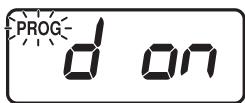
- Touch Start Pad. Note: "oFF" "on" "oFF" is repeated each time the Pad is touched.
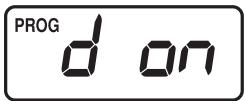
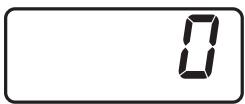
- Touch Prog Pad. "PROG" will stop blinking, and the Oven Lamp reduction settings will appear for 3 seconds. Then "0" will appear.
Before Cooking
MICROWAVE BASICS
Fundamental principles determine the success of microwave food preparation.
They include:
- TEMPERATURE OF FOODS — Frozen or refrigerated food items will require longer heating times to reach a desired serving temperature than foods from room temperature.
- FOOD COMPONENTS — Foods high in sugar, salt, fats and moisture content heat faster because these properties attract microwave energy. Denser foods high in protein and fibre, absorb microwave energy slower which means a lengthier heating time.
- BULK/VOLUME — The greater the mass of food, the longer it takes to heat.
- CONTAINERS — Ceramic, paper, china, styrofoam, glass and plastic are suitable for use in microwave ovens with the following caution.
Heating foods with either high sugar or high fat content should be done ONLY in high temperature-resistant containers since these foods get very hot. Using styrofoam containers for these foods will cause the styrofoam to warp. Other low temperature restaurant glass or plastic platters may crack or warp under similar conditions.
DO NOT HEAT foods in a SEATED container or bag. Foods expand when heated and can break the container or bag.
- AVOID METAL because it "bounces" the microwaves, causing uneven heating and sometimes even flashes, which may pit or mark the interior of the oven, the metal container or plate trim.
- Heated liquids can erupt if not mixed with air. Do not heat liquids in your microwave oven without first stirring.
GENERAL GUIDELINES FOR HEATING IN A MICROWAVE OVEN
For specific time, see each food category for appropriate heating techniques, plus necessary pre-preparation of foods.
HEATING FOODS FROM REFRIGERATED TEMPERATURE
Foods stored in the refrigerator (5^) should be covered before reheating with the exception of breads, pastries or any breaded product, which should be heated uncovered to prevent sogginess.
Most conventionally prepared foods should be slightly undercooked, and held in the refrigerator, so that overcooking does not occur during microwave heating.
Cooked items, such as vegetables, may be portion plated and covered for reheating without loss of colour, texture or nutritional content.
HEATING FOODS FROM ROOM TEMPERATURE
Food items such as canned entree, vegetables, etc. will require significantly less heating time than those from refrigerated temperatures.
IMPORTANT RECOMMENDATIONS
- For best results it is recommended that foods conventionally prepared be slightly undercooked when subsequently heated in this oven.
- REMEMBER that after the heating cycle has been completed, internal food temperatures continue to rise slightly in foods heated in this oven.
- A major abuse of microwave applications is the category of breads, pastries and pies. They are drier than insides or fillings, they heat more slowly. Therefore, baked goods should ONLY be heated until the crust is warm to the touch (50^ - 55^) .
- DO NOT OVERHEAT YOUR FOOD: 99% of all food quality complaints of microwave heated foods can be traced to overheating.
Cooking Instructions — Heating and Defrosting Time Charts —
The times given in the chart below are a guideline only. Many factors eg starting temperature of the food can affect the final heating time required. The cooking and defrosting times must be adjusted when necessary.
All times are tested using foods at starting temperatures as below;
Chilled foods .Approx. +5^
Frozen foods Approx. -18^
Always check for the correct core temperature with a temperature probe to comply with current Government Food Hygiene Regulations.
| Function | Food | Weight | Power Level | Approx. Time | ||
| NE-2153-2 NE-2143-2 | NE-1843 | NE-1653 NE-1643 | ||||
| Defrosting | Fish Fillets | 500 g | DEFROST (P1) | 8 min | 8 min | 8 min |
| Minced Beef | 500 g | 5 min | 5 min | 5 min | ||
| Whole Chicken | 1.36 kg | 25 min | 25 min | 25 min | ||
| Composite Dish | 1.36 kg | |||||
| Multi portion | 275 g | |||||
| Single portion | 1 portion | 20 min | 20 min | 20 min | ||
| Apple Pie | 1 portion | 8 min | 8 min | 8 min | ||
| Gateau | 1 portion | 1 min 15 s | 1 min 15 s | 1 min 15 s | ||
| Bread Rolls | 1 portion 50 g | 2 min | 2 min | 2 min | ||
| 30 s | 30 s | 30 s | ||||
| Cooking from Chilled Raw Food | Scrambled Egg | 2 eggs + 2 tbsp. milk | HIGH (P10) | 20–25 s | 20–25 s | 30–40 s |
| Broccoli | 500 g | 3 min | 3 min 30 s | 3 min 55 s | ||
| Fish Fillets | 500 g | 2 min 20 s | 2 min 45 s | 3 min | ||
| Bacon | 2 rashers | 40 s | 50 s | 1 min | ||
| Chicken Portions | 500 g | 4 min | 4 min 45 s | 5 min 20 s | ||
| Cooking and/or Reheating from Frozen | Peas | 500 g | HIGH (P10) | 3 min 20 s | 4 min | 4 min 30 s |
| Cooked Rice | 167 g | 1 min 20 s | 1 min 40 s | 1 min 55 s | ||
| Cooked Sausages | x 3 (50 g each) | 50 s | 1 min | 1 min 5 s | ||
| Cooked Wings of Fire | x 7 pieces | 1 min 20 s | 1 min 40 s | 1 min 55 s | ||
| Cooked Boxed Cheeseburger | 75 g | 50 s | 1 min | 1 min 5 s | ||
| Chocolate Fudge Cake | 1 portion | DEFROST (P1) | 30 s | 30 s | 30 s | |
| Reheating from Cooked Chilled | Lasagne | 325 g | HIGH (P10) | 3 min 20 s | 4 min | 4 min 30 s |
| Chilli | 325 g | 2 min 30 s | 3 min | 3 min 15 s | ||
| Apple Pie | 1 portion | 14 s | 16 s | 18 s | ||
| Pepper Sauce | 100 ml | 40 s | 50 s | 56 s | ||
| Baked Beans | 100 ml | 40 s | 50 s | 56 s | ||
| Soup | 125 ml | 48 s | 56 s | 1 min 10 s | ||
HINTS: • Do not cook/reheat/defrost directly onto the base of the oven — use a suitable container.
- When defrosting multi portions of foods, turn over and break apart halfway through defrost time to allow better penetration of microwave energy.
- Solid/dense foods should not be cooked from frozen as they will be overcooked round the edges before the centre has reached the required temperature.
- Cover dishes where appropriate during cooking/reheating. This will retain moisture and prevent splashing/spillages.
- Loosen lids/pierce clingfilm before cooking/reheating covered foods.
- Stir or shake foods halfway through cooking/defrosting time to distribute the heat evenly.
- Allow a Stand Time before food temperature is checked and/or offered for consumption.
Self Diagnostics Failure Code Explanation
This oven monitors its operation and displays a Failure Code in the Digital Display Window when a problem occurs.
What to do when a failure code appears:
Unplug the oven and wait more than 10 seconds before reconnecting.
If normal operation does not resume, follow next chart.
| CODE | PROBLEM | WHAT TO DO (BELOW) |
| F01 | Temperature of exhaust air too High | 1./2./3./4./5. |
| F33 | Defective Thermistor Circuit | 1./5. |
| F44 | Defective Control Panel | 1./5. |
| F81–82 | Defective Relay Circuit | 5./6./7. |
| F86–87 | Defective Relay Circuit | 1./5. |
| U30 | Memory cooking has exceeded the maximum time during double quantity and triple quantity setting. | Check and change the time. —See page 15, step 3 “Note”. |
- Oven shuts off automatically. Disconnect the power cord from the wall socket.
- Oven beeps continuously.
- Oven resets for operation when cool.
- Move oven to cooler location.
- If problem persists call service agent.
- Oven will operate even if failure code appears, just not as designed. Call service agent.
- Press Stop/Reset Pad and try again.
Note: Above Codes shown in the display do not indicate all the possible failures on the unit.
Installation Instructions for Stacking
Important
- Disconnect the power cord from the wall socket before attempting installation.
- For stacking installation, you must use the Panasonic Joint Plate A1134-3280 (Available via service route).
- Combination of the unit for stacking is limited within only the following models.
NE-2153-2, NE-1653, NE-2143-2, NE-1843, NE-1643
- Do not stack more than one oven above bottom oven.
Preparation
Be sure the oven cavity is empty.
Installation
- Stack the units and remove five screws ④ as shown in Fig. 1.
- Loosen the screw
- The projection on the Joint Plate must face away from the oven. Place the Joint Plate on the screw ⑥
- Attach and tighten five screws a) and the screw b). See Fig. 2.
- Ensure the top oven is at a safe and workable height.
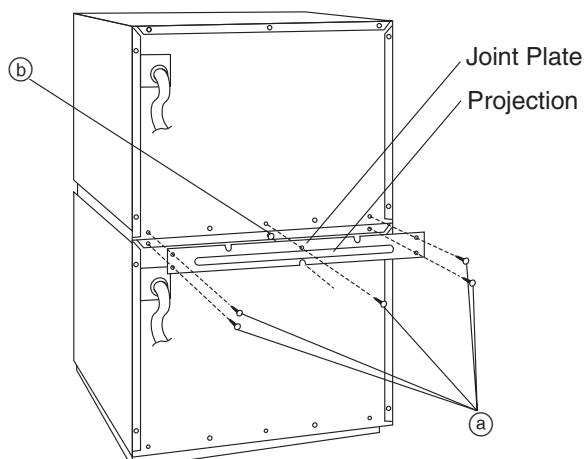
Fig. 1
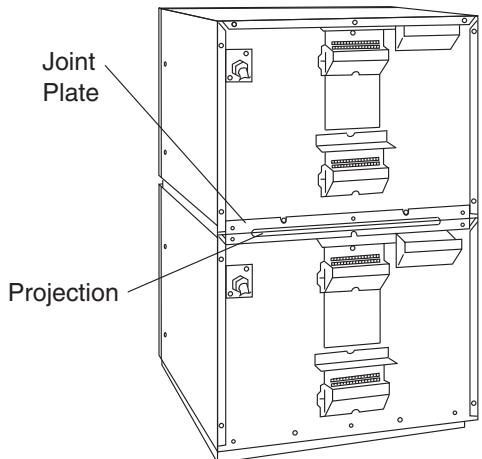
Fig. 2
Inhalt
Panasonic Testing Centre,
Winsbergring 15, 22525 Hamburg,
Deutschland
Panasonic Testing Centre,
Winsbergring 15, 22525 Hamburg,
Allemagne
2nd Bips courts pendant 60 seconds
RECOMMANDATIONS IMPORTANTES
Kadoma City, Osaka, Japan
Importeur: Panasonic Marketing Europe GmbH
Panasonic Testing Centre,
Winsberging 15, 22525 Hamburg,
Duitsland
BEVESTIG HET WAARSCHUWINGSLABEL.
WAARSCHUWING MET BETREKKING TOT DE SPANNING EN HET VERMOGEN
DIEPVRIESPRODUCTEN ONTDOOION
Panasonic Testing Centre,
Winsberging 15, 22525 Hamburgo,
Alemania
H. +10s/+20s knapp tillagning
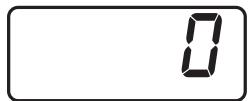
2 bEEP—Mellan 0 bEEP—Tyst
N. Procedure for programming at luftfilter
Panasonic Testing Centre,
Winsbergring 15, 22525 Hamburg,
Tyskland
N. Prosedyre for Å programme luftfilteret
Panasonic Testing Centre,
Winsberging 15, 22525 Hamburg,
Saksa
Technical Specifications
| NE-1643 | NE-1843 | NE-2143-2 | NE-1653 | NE-2153-2 | ||
| Power Source | 50 Hz, single phase 230 V | 50 Hz, single phase 230 V | ||||
| Required Power | 11.7 A 2590 W | 12.7 A 2830 W | 14.3 A 3160 W | 11.7 A 2590 W | 14.3 A 3160 W | |
| Output | HIGH | 1600 W* | 1800 W* | 2100 W* | P10: 1600 W* | P10: 2100 W* |
| MEDIUM HIGH | — | P9: 90% P8: 80% P7: 70% P6: 60% | ||||
| MEDIUM | 800 W | 900 W | 1050 W | P5: 50% P4: 40% | ||
| LOW | — | P3: 30% P2: 25% | ||||
| DEFROST | 340 W | P1: 340 W | ||||
| OFF | — | P0: 0% | ||||
| HEAT FROM TOP DOWN | — | PU1: 50% PU2: 25% | ||||
| HEAT FROM BOTTOM | — | PL1: 50% PL2: 25% | ||||
| Frequency | 2450 MHz | 2450 MHz | ||||
| Outer Dimensions (W×D×H) | 422×508×337 mm | 422×508×337 mm | ||||
| Cavity Dimensions (W×D×H) | 330×310×175 mm | 330×310×175 mm | ||||
| Net Weight | 30 kg | 30 kg | ||||
| Timer | Maximum programmable time for heating =25 minutes , =30 minutes | 30 minutes (digital)/10 touch pads Maximum programmable time for single stage heating P1 and P0=30 minutes P10-P2, PU1-PL2=15 minutes | ||||
*IEC Test Procedure
Specifications subject to change without notice.
Technische Daten
Information on Disposal for Users of Waste Electrical & Electronic Equipment (private households)
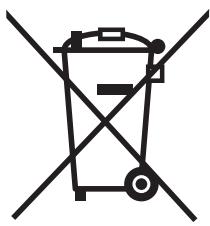

This symbol on the products and/or accompanying documents means that used electrical and electronic products should not be mixed with general household waste.
For proper treatment, recovery and recycling, please take these products to designated collection points, where they will be accepted on a free of charge basis.
Alternatively, in some countries you may be able to return your products to your local retailer upon the purchase of an equivalent new product.
Disposing of this product correctly will help to save valuable resources and prevent any potential negative effects on human health and the environment which could otherwise arise from inappropriate waste handling. Please contact your local authority for further details of your nearest designated collection point.
Penalties may be applicable for incorrect disposal of this waste, in accordance with national legislation.
For business users in the European Union
If you wish to discard electrical and electronic equipment, please contact your dealer or supplier for further information.
Information on Disposal in other Countries outside the European Union
This symbol is only valid in the European Union.
If you wish to discard this product, please contact your local authorities or dealer and ask for the correct method of disposal.
- Important Safety Instructions
- INSTALLATION
- REMOVAL OF PROTECTIVE FILM
- ATTACH CAUTION LABEL.
- EARTHING
- VOLTAGE AND POWER WARNING
- PLACEMENT OF THE OVEN
- WARNING
- CAUTION
- Care of Your Microwave Oven
- CLEANING OF THE SPLATTER SHIELD
- CLEANING AIR FILTER
- COOKWARE
- DEFROSTING FROZEN FOODS
- OTHER HELPFUL INSTRUCTIONS
- FOR BEST RESULTS
- HOW TO GET BROWNED FINISH
- FOR EVEN FINISHED COOKING
- TWO LEVEL COOKING (NE-2143-2/2153-2 only)
- Outline Diagram of NE-2143-2/NE-1843/NE-1643
- How to Operate NE-2143-2/NE-1843/NE-1643
- Example: To cook food at MEDIUM power for 4 minutes
- Outline Diagram of NE-2153-2/NE-1653
- This oven is preset at the factory for the following:
- How to Operate NE-2153-2/NE-1653
- POWER LEVEL SELECTOR PAD
- Manual Single Stage Heating
- SPECIAL NOTE: For both single and 4 stage heating.
- REPEAT FEATURE
- Manual 2 to 5 Stage Heating
- Programming Memory Pads for Single Stage Heating
- Programming Memory Pads for 2 to 5 Stage Heating
- Memory Pad Heating
- Programming Double/Triple Quantity Pad
- (The oven can not be programmed until the program lock feature is deactivated.)
- Memory Pad Heating for Double/Triple Quantity Heating
- +10s/+20s Pad Heating
- To Read the Cycle Counter
- - To display all cooking times ever used
- - To display the cumulative number of times the oven was used
- To Activate Program Lock
- To Deactivate Program Lock
- To Read Program List
- How to erase memory content
- To Select Beep Tone Options
- To Select Loudness Level
- To Select Length of Tone
- To Select Pitch of Tone
- To Select Pitch of Filter Cleaning Alarm
- Procedure to Program the Air Filter
- To display the filter cleaning alarm counter
- Oven Lamp
- To turn Oven Lamp settings OFF
- - Oven Lamp blinks at the end of heating cycle
- To turn the blinking Oven Lamp ON at the end of heating cycle
- - Adjusting Oven Lamp brightness during cooking
- To decrease brightness of the inner cavity during cooking
- Before Cooking
- MICROWAVE BASICS
- GENERAL GUIDELINES FOR HEATING IN A MICROWAVE OVEN
- HEATING FOODS FROM REFRIGERATED TEMPERATURE
- HEATING FOODS FROM ROOM TEMPERATURE
- IMPORTANT RECOMMENDATIONS
- Cooking Instructions — Heating and Defrosting Time Charts —
- Self Diagnostics Failure Code Explanation
- What to do when a failure code appears:
- Installation Instructions for Stacking
- Important
- Preparation
- Inhalt
- RECOMMANDATIONS IMPORTANTES
- BEVESTIG HET WAARSCHUWINGSLABEL.
- WAARSCHUWING MET BETREKKING TOT DE SPANNING EN HET VERMOGEN
- DIEPVRIESPRODUCTEN ONTDOOION
- +10s/+20s knapp tillagning
- Procedure for programming at luftfilter
- Prosedyre for Å programme luftfilteret
- Technical Specifications
- Technische Daten
- Information on Disposal for Users of Waste Electrical & Electronic Equipment (private households)
- For business users in the European Union
- Information on Disposal in other Countries outside the European Union
Brand : PANASONIC
Model : NE-1653 - NE-1653
Category : Microwave Oven